
comfyui_LLM_party
A set of block-based LLM agent node libraries designed for ComfyUI.This project aims to develop a complete set of nodes for LLM workflow construction based on comfyui. It allows users to quickly and conveniently build their own LLM workflows and easily integrate them into their existing SD workflows.
Nodes (207)
The comfyui_LLM_party node that's just a business card
Give your LLM agent a real weather lookup
Turn a local file into a RAG tool your LLM agent can query
One node to load Claude, Bedrock, Vertex, or Hugging Face models
Give your LLM agent a Chinese address lookup
Weather lookups for your LLM agent (China-only)
Force any ComfyUI wire into text you can read
A numbered dial for up to 10 inputs of any type
A plain HTTP request node for pulling data into your graph
Wrap any REST API as a function your LLM agent can call
Let your LLM agent search arXiv papers on its own
Pull fresh web results into your LLM's context
Give your ComfyUI LLM agent web, image, video, and news search
AND/OR/XOR gates for gating your agent workflow
Render your LLM's markdown or HTML output as a real page
A content safety gate for your agent pipeline
Give your ComfyUI LLM agent a web browser
Route text down one of three output branches
Fan one piece of text out to up to 10 branches
Build a system prompt from a few text pieces
Assemble a system prompt from up to 10 pieces
Delete a temp file inline without breaking your graph
Freeing GPU memory to load the next model
Encoding prompts inside an LLM workflow
Build one reusable prompt template with fill-in variables
Fill placeholders in a prompt template
Let your LLM agent generate its own images
Post a workflow result straight to a DingTalk chat
Let your LLM agent decide when to post to DingTalk
Run a persistent Discord bot from inside ComfyUI
Watch a Discord channel for incoming messages
Post text, images, or audio from your workflow
Bake a fixed web search into your workflow, no key needed
Web search for your LLM agent, no API key needed
Run a quantized local LLM without eating your whole GPU
Run a quantized vision-language model locally
Pick a model from a dropdown instead of typing base_url and api_key every time
The no-typing local model loader
Apply a fine-tune adapter to a local model, not an image checkpoint
Every EasyOCR knob exposed, for when the simple OCR node isn't precise enough
Local, offline text detection across 44 languages
Run Llama-Vision, Qwen-VL, or Janus-Pro locally
The pack's RAG building block
The RAG retrieval step, in one node
Return one value of any type from a sub-workflow, under a name you pick
Close out one turn of a persisted conversation
The return point for a sub-workflow called from another graph
The sampling knobs an LLM node doesn't expose directly
The quick webhook alert node, no bot app required
Pull a voice message out of Feishu and onto disk
Pull a shared image out of Feishu and onto disk
Poll a chat for new messages and know what type each one is
Text, markdown, image or audio, to a group or a direct message
Let the agent decide when to notify Feishu, not your workflow's fixed order
Merge up to three file references into one output
The ten-input version of File Combine
Remove a file you previously pushed to your Gitee file bed
Turn a local file into a public URL via a git repo
Check before you re-download or re-generate something
Step through a folder one file at a time in ComfyUI
Give your agent read access to a folder — scope it carefully
Cloud voice cloning and text-to-speech inside ComfyUI
Turn audio into text inside a comfyui_LLM_party workflow
A ready-made system prompt for genre image prompts
Delete files by type between loop iterations
Let your LLM agent turn addresses into coordinates
The plain multiline text box for llm_party graphs
Running local GGUF models in ComfyUI
Let your LLM agent search GitHub for itself
Pull live web or image search results into your knowledge base
Give your LLM live web search
A local vision model built to read structured documents
Voice cloning inside a ComfyUI graph
Render a graph definition into a viewable page
Turn an HTML string into a real IMAGE output
A system prompt for writing multi-scene, consistent prompts
Feed a whole folder through an LLM/VLM one image at a time
Split a batch of images into 5 individual outputs
Save an image and get a usable file path back
Upload an image and get a public URL for vision LLMs
Run your own Python inline in a comfyui_LLM_party graph
Give your LLM its own Python interpreter
The manual stop valve for an otherwise endless loop
Flatten structured data into a string an LLM can read
Fix the almost-valid JSON your LLM keeps producing
Pull one field out of a JSON string already in your graph
Step through a JSON list one item per run
Pull one value out of a JSON file on disk
Append text output to a file across loop iterations
Turn a chunk of text into a searchable tool for your agent
Let your LLM agent edit a CSV knowledge base
Let your LLM agent look up a CSV knowledge base
Let your LLM agent edit a JSON knowledge base
Let your LLM agent query a JSON knowledge base
KG Neo4j Toolkit Developer — comfyui_LLM_party
Give your LLM agent access to a graph database
Stock ComfyUI sampling, kept inside the agent pack
List Append — comfyui_LLM_party
Gather up to ten mixed-type wires into one LIST
Listen Audio — comfyui_LLM_party
List Extend — comfyui_LLM_party
Large List Extend — comfyui_LLM_party
Quantized vision models via llama.cpp
The node most people start with
Where your API key actually goes
The local-model chat engine
Load a full-precision model straight from Hugging Face
Load Boolean — comfyui_LLM_party
The model that powers RAG search in this pack
Drive an LLM workflow one spreadsheet row at a time
Read a local text file into your ComfyUI LLM workflow
Load File Folder — comfyui_LLM_party
Expose a float value as a graph input
Load Image from Path — comfyui_LLM_party
Load Integer — comfyui_LLM_party
Load Keyword Searcher — comfyui_LLM_party
Fine-tune a local model without reloading it from scratch
Load json file memory — comfyui_LLM_party
Load Model Name in config.ini — comfyui_LLM_party
OpenAI Word Vector Search — comfyui_LLM_party
Load Persona — comfyui_LLM_party
Load redis memory — comfyui_LLM_party
Load SQL memory — comfyui_LLM_party
Pull a webpage into your LLM's context, cleanly
Pull a quick reference lookup straight into your LLM prompt
Loading LoRAs outside the models folder
Lore book — comfyui_LLM_party
Plugging any MCP server into your agent
Markdown to excel — comfyui_LLM_party
Turn an LLM's markdown answer into real HTML
Mini Long Text Error Corrector — comfyui_LLM_party
Turn a rough idea into a FLUX-shaped prompt
Mini FLUX image prompt retractor — comfyui_LLM_party
Route a message to one of ten branches without an if/else graph
EasyOCR detection plus a vision LLM read-out
One node, one API call, no graph-building required
A positive/negative prompt pair, written for you
Turn a picture into an SD-style tag prompt
The pack's one-node demo
One node, one call, a condensed version of your text
Translation with a tone dial, not just a language swap
The pack's own warning label is not hype
A tiny converter for one very specific ComfyUI headache
Turn an LLM's region layout into real conditioning and a mask
Turn an LLM's scene layout into Omost-compatible code
Build one Omost region by hand, no LLM required
Call DALL-E 3 directly, no agent required
Give your agent a RAG tool without a local model
Turn your LLM's answer into an audio file, in-graph
Turn an audio clip into text via the Whisper API
Make your workflow open a URL or file when it runs
Let your LLM agent open a link on its own
Merge up to three key/value pairs into one dict
The 10-slot version of Parameter Combine
Build one key:value pair for this pack's dict combiners
Let your agent turn a file path into an actual image
A canned prompt for Xiaohongshu-style marketing copy
The find-and-replace node for cleaning up LLM output
Pull a live feed straight into your LLM workflow
Give your agent the ability to check a feed on its own
Build a local vector store from text
Comfyui_LLM_party's plain-file way to persist a conversation
Build a vector store via API, not a local model
Write your own reusable system prompt to disk
Persist an LLM conversation past a single ComfyUI run
Give your LLM Party agent a real database for memory
Give your LLM agent a private, self-hosted search engine
Publish your agent's output straight to a WeChat account
How to actually see what your LLM node said
Retime an audio file inside an LLM Party workflow
Let your LLM Party agent query a database on its own
Pull plain text and timestamps out of subtitle files
The entry point for loops in LLM Party
The entry point for a multi-turn LLM Party conversation
The entry point for nesting one ComfyUI graph inside another
Load a whole toolset from a JSON file for your agent
Turn an LLM's text answer into a real number
The small node that bridges LLM text and ComfyUI numbers
Merge up to three text inputs into one string
Merge up to ten text inputs into one string
Branching a workflow on a text comparison
Pulling a clean value out of a messy LLM reply
Wrap an LLM's SVG output into a real HTML document
Turn an LLM's SVG drawing into a real image
Turn a delimited block of text into a proper JSON list
Parse an LLM's JSON reply into real structured data
Feeding a long document through an LLM one chunk at a time
Accumulate an LLM Party loop's output onto a file
A deliberate pause for pacing LLM Party workflows
Stop your agent from guessing what day it is
Merge up to three tools for your LLM Party agent
Merge up to ten tools for a bigger LLM Party agent
A ready-made translator system prompt for LLM Party
Writing an .srt file from your workflow
Pull an external image straight into your LLM Party graph
Let your agent fetch images from links on its own
LLM Party's own copy of the standard VAE decode step
Loading vision-language models locally
Give your LLM Party agent a weather lookup, no API key wiring
The fix for LLMs that don't know what day it is
Run Whisper on your own GPU inside LLM Party
Give your LLM agent a real reference to check
Let your LLM agent call other ComfyUI workflows
Let an LLM decide which whole workflow to run next
Same trick, now pointed at any address you want
Pipe your agent's output straight into a WeCom group
Let the agent itself decide when to ping your WeCom group

Comfyui_llm_party aims to develop a complete set of nodes for LLM workflow construction based on comfyui as the front end. It allows users to quickly and conveniently build their own LLM workflows and easily integrate them into their existing image workflows.
Effect display
https://github.com/user-attachments/assets/945493c0-92b3-4244-ba8f-0c4b2ad4eba6
Project Overview
ComfyUI LLM Party, from the most basic LLM multi-tool call, role setting to quickly build your own exclusive AI assistant, to the industry-specific word vector RAG and GraphRAG to localize the management of the industry knowledge base; from a single agent pipeline, to the construction of complex agent-agent radial interaction mode and ring interaction mode; from the access to their own social APP (QQ, Feishu, Discord) required by individual users, to the one-stop LLM + TTS + ComfyUI workflow required by streaming media workers; from the simple start of the first LLM application required by ordinary students, to the various parameter debugging interfaces commonly used by scientific researchers, model adaptation. All of this, you can find the answer in ComfyUI LLM Party.
Quick Start
- If you have never used ComfyUI and encounter some dependency issues while installing the LLM party in ComfyUI, please click here to download the Windows portable package that includes the LLM party. Please note that this portable package contains only the party and manager plugins, and is exclusively compatible with the Windows operating system.(If you need to install LLM party into an existing comfyui, this step can be skipped.)
- Drag the following workflows into your comfyui, then use comfyui-Manager to install the missing nodes.
- Use API to call LLM: start_with_LLM_api
- Using aisuite to call LLM: start_with_aisuite
- Manage local LLM with ollama: start_with_Ollama
- Use local LLM in distributed format: start_with_LLM_local
- Use local LLM in GGUF format: start_with_LLM_GGUF
- Use local VLM in distributed format: start_with_VLM_local (Currently, support is extended for Llama-3.2-Vision/Qwen/Qwen2.5-VL/deepseek-ai/Janus-Pro.)
- Use local VLM in GGUF format: start_with_VLM_GGUF
- Utilize API calls to LLM for generating SD prompts and images: start_with_VLM_API_for_SD
- Employ ollama to call minicpm for generating SD prompts and images: start_with_ollama_minicpm_for_SD
- Utilize the local qwen-vl to generate SD prompts and images: start_with_qwen_vl_local_for_SD
- If you are using API, fill in your
base_url(it can be a relay API, make sure it ends with/v1/), for example:https://api.openai.com/v1/andapi_keyin the API LLM loader node. - If you are using ollama, turn on the
is_ollamaoption in the API LLM loader node, no need to fill inbase_urlandapi_key. - If you are using a local model, fill in your model path in the local model loader node, for example:
E:\model\Llama-3.2-1B-Instruct. You can also fill in the Huggingface model repo id in the local model loader node, for example:lllyasviel/omost-llama-3-8b-4bits. - Due to the high usage threshold of this project, even if you choose the quick start, I hope you can patiently read through the project homepage.
Latest update
- The LLM API node has now implemented a streaming output mode, which will display the text returned by the API in real-time on the console, allowing you to see the API's output live without waiting for the entire request to complete.
- The LLM API node has added a reasoning_content output, which can automatically separate the reasoning and response of the R1 model.
- A new branch named only_api has been added to the repository, containing only the API calling components. This is designed for users who require only API invocation. To use this branch, simply execute the command
git clone -b only_api https://github.com/heshengtao/comfyui_LLM_party.gitin thecustom nodefolder ofcomfyui, and then follow the environment deployment instructions provided on the project's main page. Please note! It is essential to ensure that there are no other folders namedcomfyui_LLM_partywithin thecustom nodefolder. - The VLM local loader node now supports deepseek-ai/Janus-Pro, with an example workflow: Janus-Pro.
- The VLM local loader node has already supported Qwen/Qwen2.5-VL-3B-Instruct, but you need to update the transformer to the latest version (
pip install -U transformers), example workflow: qwen-vl - A brand new image hosting node has been added, currently supporting the image hosting services at https://sm.ms (with the regional domain for China being https://smms.app) and https://imgbb.com. More image hosting services will be supported in the future. Sample workflow: Image Hosting
- ~~The imgbb image hosting service, which is compatible by default with the party, has been updated to the domain imgbb. The previous image hosting service was replaced due to its unfriendliness towards users in mainland China.~~ I sincerely apologize, as it seems that the API service for the image hosting at https://imgbb.io has been discontinued. Therefore, the code has reverted to the original https://imgbb.com. Thank you for your understanding. In the future, I will update a node that supports more image hosting services.
- The MCP tool has been updated. You can modify the configuration in the 'mcp_config.json' file located in the party project folder to connect to your desired MCP server. You can find various MCP server configuration parameters that you may want to add here: modelcontextprotocol/servers. The default configuration for this project is the Everything server, which serves as a testing MCP server to verify its functionality. Reference workflow: start_with_MCP. Developer note: The MCP tool node can connect to the MCP server you have configured and convert the tools from the server into tools that can be directly used by LLMs. By configuring different local or cloud servers, you can experience all LLM tools available in the world.
User Guide
-
For the instructions for using the node, please refer to: how to use nodes
-
If there are any issues with the plugin or you have other questions, feel free to join the QQ group: 931057213 | discord:discord.
-
More workflows please refer to the workflow folder.

Vedio tutorial
<a href="https://space.bilibili.com/26978344"> <img src="img/B.png" width="100" height="100" style="border-radius: 80%; overflow: hidden;" alt="octocat"/> </a> <a href="https://www.youtube.com/@comfyui-LLM-party"> <img src="img/YT.png" width="100" height="100" style="border-radius: 80%; overflow: hidden;" alt="octocat"/> </a>Model support
- Support all API calls in openai format(Combined with oneapi can call almost all LLM APIs, also supports all transit APIs), base_url selection reference config.ini.example, which has been tested so far:
- openai (Perfectly compatible with all OpenAI models, including the 4o and o1 series!)
- ollama (Recommended! If you are calling locally, it is highly recommended to use the ollama method to host your local model!)
- Azure OpenAI
- llama.cpp (Recommended! If you want to use the local gguf format model, you can use the llama.cpp project's API to access this project!)
- Grok
- Tongyi Qianwen /qwen
- zhipu qingyan/glm
- deepseek
- kimi/moonshot
- doubao
- spark
- Gemini(The original Gemini API LLM loader node has been deprecated in the new version. Please use the LLM API loader node, with the base_url selected as: https://generativelanguage.googleapis.com/v1beta/openai/)
- Support for all API calls compatible with aisuite:
- Compatible with most local models in the transformer library (the model type on the local LLM model chain node has been changed to LLM, VLM-GGUF, and LLM-GGUF, corresponding to directly loading LLM models, loading VLM models, and loading GGUF format LLM models). If your VLM or GGUF format LLM model reports an error, please download the latest version of llama-cpp-python from llama-cpp-python. Currently tested models include:
- ClosedCharacter/Peach-9B-8k-Roleplay(Recommended! Role-playing model)
- lllyasviel/omost-llama-3-8b-4bits(Recommended! Rich prompt model)
- meta-llama/llama-2-7b-chat-hf
- Qwen/Qwen2-7B-Instruct
- openbmb/MiniCPM-V-2_6-gguf
- lmstudio-community/Meta-Llama-3.1-8B-Instruct-GGUF
- meta-llama/Llama-3.2-11B-Vision-Instruct
- Qwen/Qwen2.5-VL-3B-Instruct
- deepseek-ai/Janus-Pro
- Model download
- Quark cloud address
- Baidu cloud address, extraction code: qyhu
Download
- You can configure the language in
config.ini, currently only Chinese (zh_CN) and English (en_US), the default is your system language. - Install using one of the following methods:
Method 1:
- Search for comfyui_LLM_party in the comfyui manager and install it with one click.
- Restart comfyui.
Method 2:
- Navigate to the
custom_nodessubfolder under the ComfyUI root folder. - Clone this repository with
git clone https://github.com/heshengtao/comfyui_LLM_party.git.
Method 3:
- Click
CODEin the upper right corner. - Click
download zip. - Unzip the downloaded package into the
custom_nodessubfolder under the ComfyUI root folder.
Environment Deployment
- Navigate to the
comfyui_LLM_partyproject folder. - Enter
pip install -r requirements.txtin the terminal to deploy the third-party libraries required by the project into the comfyui environment. Please ensure you are installing within the comfyui environment and pay attention to anypiperrors in the terminal. - If you are using the comfyui launcher, you need to enter
path_in_launcher_configuration\python_embeded\python.exe -m pip install -r requirements.txtin the terminal to install. Thepython_embededfolder is usually at the same level as yourComfyUIfolder. - If you have some environment configuration problems, you can try to use the dependencies in
requirements_fixed.txt.
Configuration
- The language can be configured in
config.ini, currently only Chinese (zh_CN) and English (en_US) are available, with the default set to your system language. - In
config.ini, you can configure whether to enable fast installation. Thefast_installedoption defaults toFalse, and if you do not require the usage of the GGUF model, it can be set toTrue. - APIKEY can be configured using one of the following methods
Method 1:
- Open the
config.inifile in the project folder of thecomfyui_LLM_party. - Enter your openai_api_key, base_url in
config.ini. - If you are using an ollama model, fill in
http://127.0.0.1:11434/v1/inbase_url,ollamainopenai_api_key, and your model name inmodel_name, for example:llama3. - If you want to use Google search or Bing search tools, enter your
google_api_key,cse_idorbing_api_keyinconfig.ini. - If you want to use image input LLM, it is recommended to use image bed imgbb and enter your imgbb_api in
config.ini. - Each model can be configured separately in the
config.inifile, which can be filled in by referring to theconfig.ini.examplefile. After you configure it, just entermodel_nameon the node.
Method 2:
- Open the comfyui interface.
- Create a Large Language Model (LLM) node and enter your openai_api_key and base_url directly in the node.
- If you use the ollama model, use LLM_api node, fill in
http://127.0.0.1:11434/v1/inbase_urlnode, fill inollamainapi_key, and fill in your model name inmodel_name, for example:llama3. - If you want to use image input LLM, it is recommended to use graph bed imgbb and enter your
imgbb_api_keyon the node.
Changelog
Next Steps Plan:
- More model adaptations;
- More ways to build agents;
- More automation features;
- More knowledge base management features;
- More tools, more personas.
Another useful open-source project of mine:
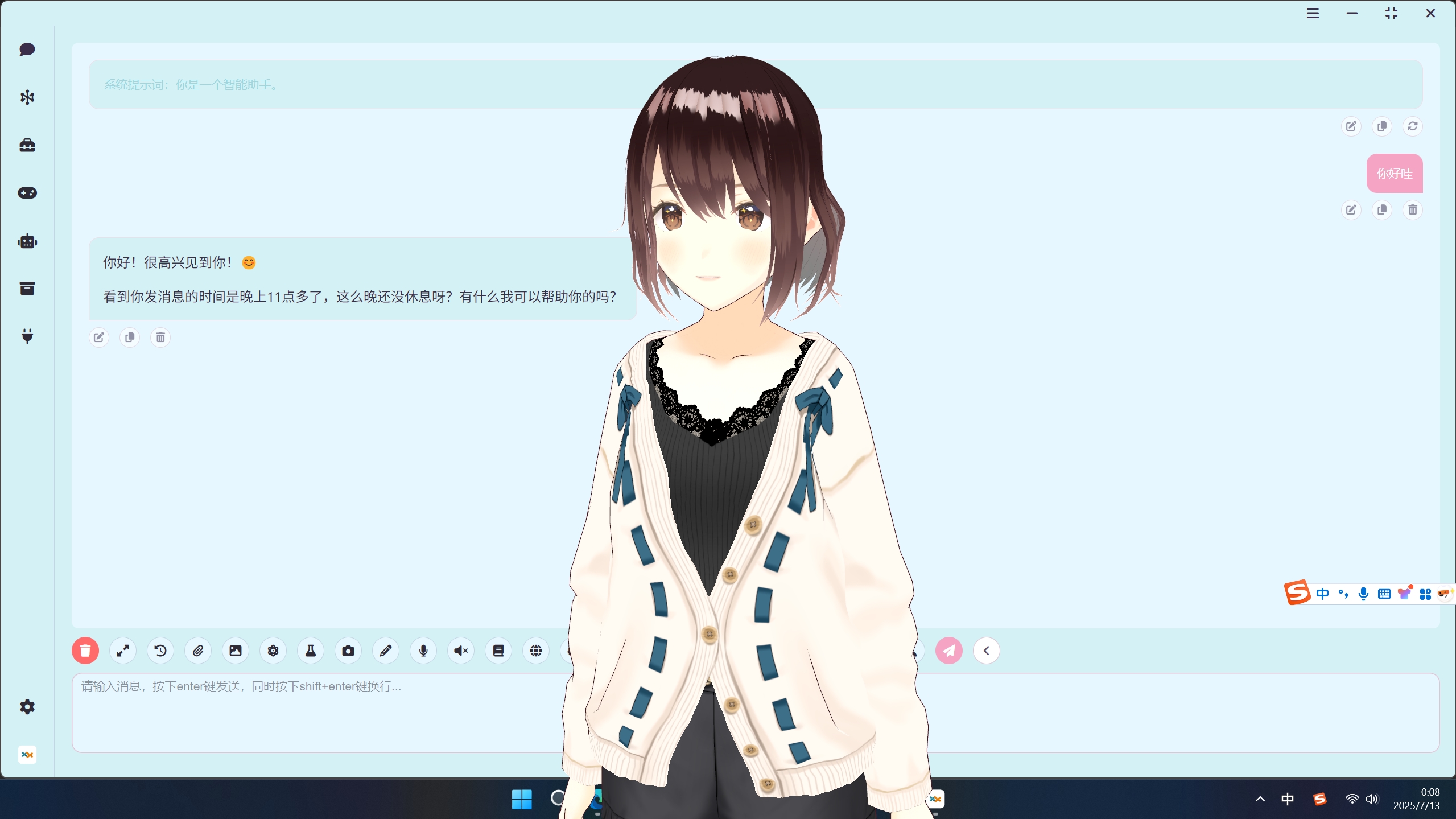
super-agent-party is a 3D AI desktop companion with limitless possibilities! With RAG, web search, long-term memory, Code Interpreter, MCP, A2A, Comfyui, QQ bot, and more features!
Disclaimer:
This open-source project and its contents (hereinafter referred to as "Project") are provided for reference purposes only and do not imply any form of warranty, either expressed or implied. The contributors of the Project shall not be held responsible for the completeness, accuracy, reliability, or suitability of the Project. Any reliance you place on the Project is strictly at your own risk. In no event shall the contributors of the Project be liable for any indirect, special, or consequential damages or any damages whatsoever resulting from the use of the Project.
Special thanks:
<a href="https://github.com/bigcat88"> <img src="https://avatars.githubusercontent.com/u/13381981?v=4" width="50" height="50" style="border-radius: 50%; overflow: hidden;" alt="octocat"/> </a> <a href="https://github.com/guobalove"> <img src="https://avatars.githubusercontent.com/u/171540731?v=4" width="50" height="50" style="border-radius: 50%; overflow: hidden;" alt="octocat"/> </a> <a href="https://github.com/SpenserCai"> <img src="https://avatars.githubusercontent.com/u/25168945?v=4" width="50" height="50" style="border-radius: 50%; overflow: hidden;" alt="octocat"/> </a>loan list
Some of the nodes in this project have borrowed from the following projects. Thank you for your contributions to the open-source community!
Support:
Follow us
- If you want to continue to pay attention to the latest features of this project, please follow the Bilibili account: 派酱
- youtube@comfyui-LLM-party