
WorkflowX Configurator
WorkflowX bundles ComfyUI configuration profile nodes with XFlows workflow management, XPrompts prompt libraries, XNodes reusable node snippets, and the JsonX prompt system.
Nodes (66)
Turn a finished prompt into a reusable template
Segment an object and crop it for a swap pipeline
Put the swapped object back so the seam disappears
Vary the fields you choose, keep the rest frozen
Build structured JSON prompts without reading JSON
Name your sound design instead of describing it
Turn a saved character into an @alias you can type
One folder in, reusable character out
Tag a picture, or pin the first and last frame
The boring node that saves you an hour
The node that compiles your prompt and counts your tokens
A preview image for your saved character
Motion, performance, camera — as a tag you can type
The old switcher — understand it, then migrate to SelectorX
The old switcher plus mute/bypass state
The brain of WorkflowX's per-profile config system
Flip whole behaviors on or off per profile, not per run
One keyed width-and-height pair, per profile
The CFG and denoise slot that follows your active profile
One key, many configs — stop retyping steps and CFG for every profile
Route reference images per profile, with independent mute
Swap live model objects per profile without rewiring the canvas
Make the sampler itself part of your profile
Pair the right scheduler with each profile's sampler
Profile-aware text values without the prompt-copying ritual
Multiline prompt slots that swap with your config profile
The legacy holder of your group modes
The legacy node that decided who the config system controlled
An in-ComfyUI A/B editor that never touches your graph
Keep every checkpoint in one node, switch with a click
Load LoRAs that live outside your loras folder
An ordered, visible LoRA stack with trigger words on the side
The per-config switch that doesn't need a selector
One width/height pair, wired to every latent
One CFG value, every config, no repeated edits
One number, many configurations, zero duplicate nodes
Route a reference image by key, mute it without cutting the wire
Send a whole model, latent, or image down one named wire
Pick the sampler once, let each config override it
One scheduler choice, every sampler in your graph
Name a text value once, reuse it across every config
One multiline prompt, every config, zero retyping
Free VRAM exactly where you need it, then keep the wire flowing
Google's Gemini image models, dropped straight into a ComfyUI graph
One node that writes the prompt your target model actually wants
The reseller node with a pixel-exact size catalog
The entire face-fix pipeline in one node (with a rerun button)
The node you never place by hand
WorkflowX_DetailerXConnectedSelective is the node behind DetailerX's Play button
See what SAM actually selected before you blame the prompt
Find the processor that wrecked your image
DetailerX's do-over, running without your generator
Repairing one region without re-running the whole chain
Where a DetailerX rerun gets its inputs back
The node that fetches the assets the rest of the pack assumes you have
An interactive editor mid-pipeline, not just a review desk
Reseller access to Gemini, Grok, Seedream and friends from one node
ComfyUI can't handle audio I/O; Load AudioX is the front door it's missing
The loader that lets you pick images by looking at them
Crop, resize, and pad at the loader instead of in a chain of nodes
The video loader that only decodes what you actually wire
The preview node that quietly saves too
The saver that eats your workflow on purpose
A real h264/h265/AV1 encoder that drops into your Video Helper Suite chain
Preview losslessly, save as JPG/WebP, and keep the workflow anyway
No AI model, no GPU — a real voice shifter that runs on your CPU
WorkflowX for ComfyUI
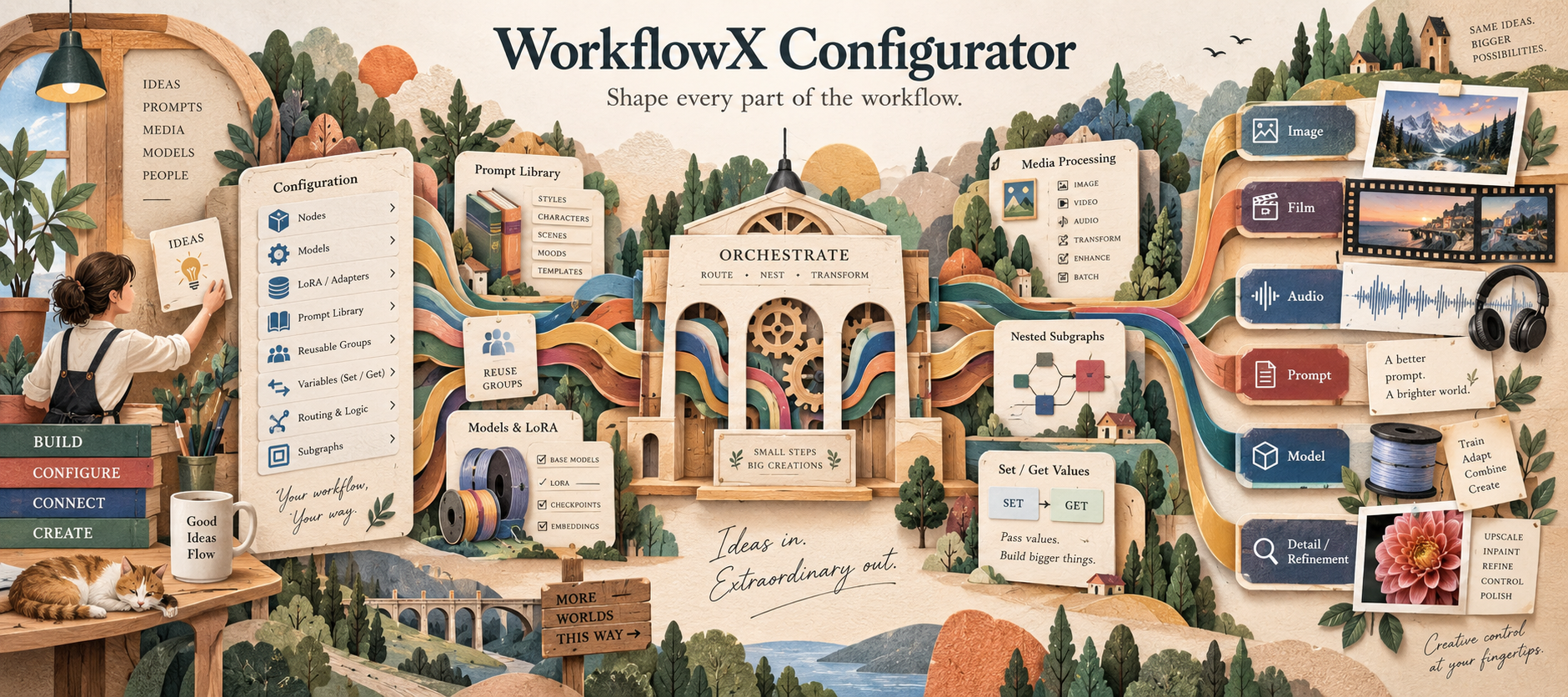
WorkflowX is a production toolkit for building, configuring, editing, organizing, and reusing ComfyUI workflows. It combines image and video nodes, model and LoRA controls, structured prompting, remote image APIs, reusable workflow libraries, scoped configuration, and canvas utilities in one package.
Short project brief: WorkflowX adds 42 active ComfyUI nodes plus XFlows, XPrompts, XNodes, and package-wide right-click utilities. Use it to build configurable workflows, manage LoRA stacks and VRAM, load, repair, convert, preview, and edit image/video/audio media, transform voices, create structured prompts, call supported image APIs, save video, store reusable graph fragments, group selections, and replace nodes without rebuilding compatible links.
Capabilities
| Area | What WorkflowX adds | Jump to | |---|---|---| | Media input | Thumbnail browsing, masks, visual video trimming/cropping, audio repair/conversion, dimensions, advanced geometry controls | Image and media loading | | Models | Ordered LoRA stacks and explicit model-component unloading | Model and LoRA management | | Prompting | Multi-backend prompt composition and structured JsonX tools | Prompting and JsonX | | APIs | Gemini/NanoBanana, Kie, and Atlas image generation/editing | Remote image APIs | | Image tools | Interactive compare/edit, deterministic processing, crop/stitch swap bridge | Image editing, processing, and swapping | | Output | H.264, H.265, and AV1 video encoding with optional audio | Video output | | Configuration | Config SelectorX, typed Set/Get values, and wildcard relay routing | Workflow configuration and routing | | Libraries | XFlows, XPrompts, and XNodes sidebar libraries | Workflow libraries | | Canvas | Native grouping and compatible node replacement from every node menu | Canvas right-click utilities |
Installation and settings
- Place this repository in
ComfyUI/custom_nodes/WorkflowX-Configurator. - Install optional dependencies required by the features you use.
- Restart ComfyUI and refresh the browser.
- Confirm WorkflowX appears in the node menu and XFlows, XPrompts, and XNodes appear in the interface.
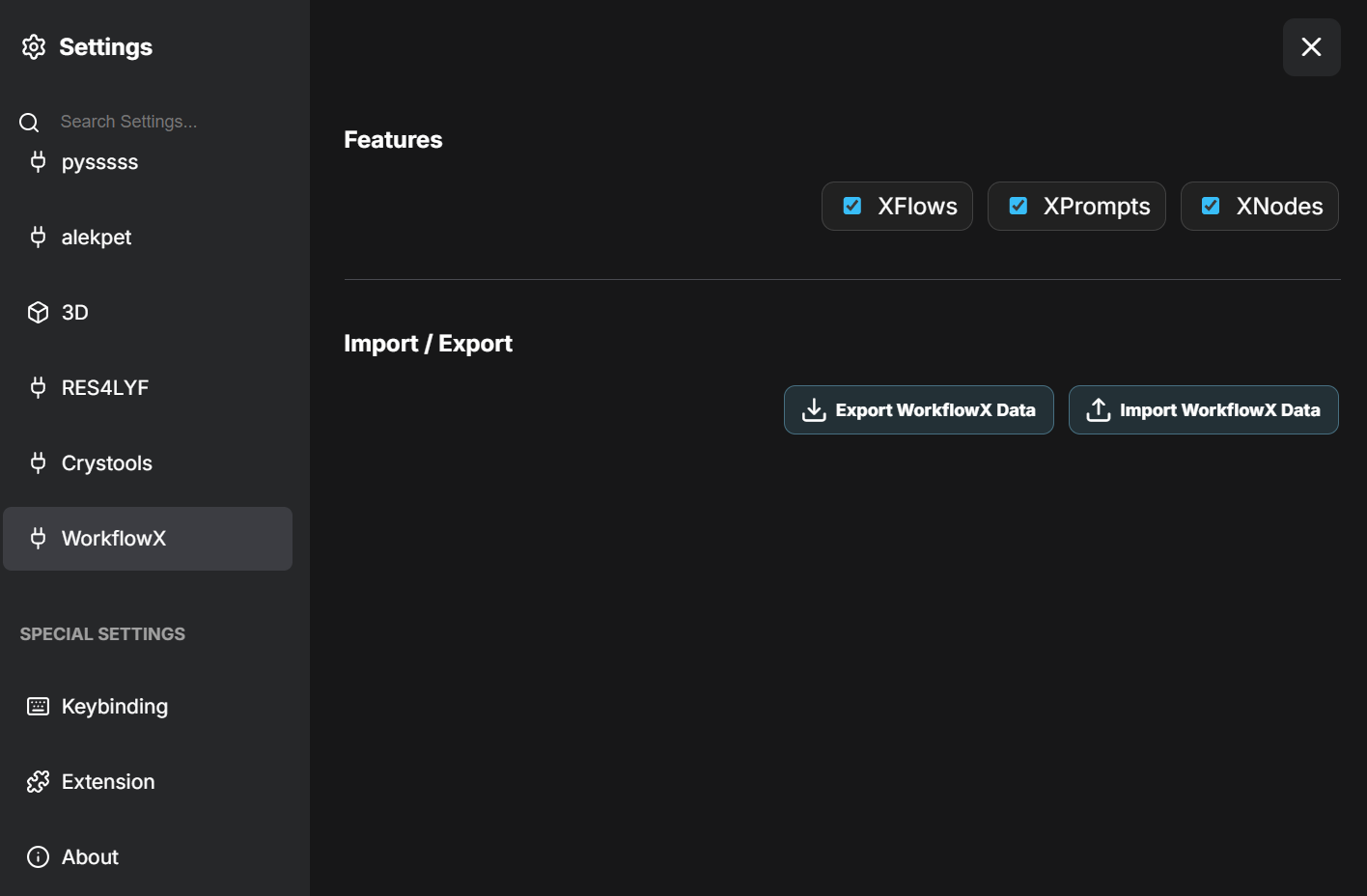
WorkflowX settings let you enable or disable XFlows, XPrompts, and XNodes and export or import their local library data. Keep credentials and machine-specific paths out of workflows intended for sharing.
All downloadable examples are under examples/. They contain no bundled media, credentials, personal paths, prompts, or model-library names. Replace the neutral resource placeholders after loading.
Image and media loading
WorkflowX provides quick and advanced image loaders plus a visual video loader for workflows that need masks, dimensions, trimming, crop/resize controls, or serialized editor state.
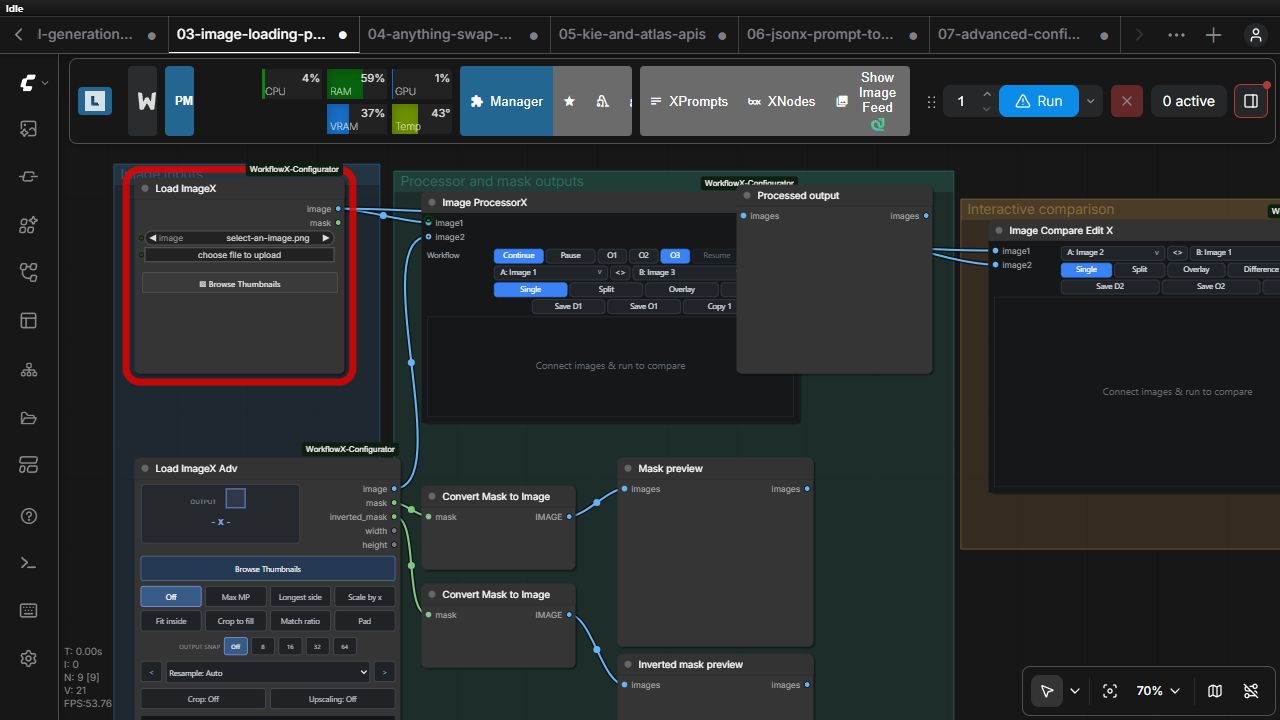
Load ImageX
Node ID / category: WorkflowX_LoadImageX · WorkflowX/Image Loader
| Inputs and widgets | Type | Required | Behavior |
|---|---|---:|---|
| image | image-file combo | Yes | Selects an image from ComfyUI's input directory. |
| Upload and Browse Thumbnails controls | UI | — | Uploads a file or opens the searchable thumbnail browser. |
| Outputs | Type | Behavior |
|---|---|---|
| image | IMAGE | Loaded RGB image batch. |
| mask | MASK | Alpha-derived mask, or a default empty mask when no alpha is present. |
The backend validates the selected path against ComfyUI's input directory and participates in normal image-file change detection.
Load ImageX Adv
Node ID / category: WorkflowX_LoadImageXAdv · WorkflowX/Image Loader
| Inputs and state | Type | Required | Behavior |
|---|---|---:|---|
| image | image-file combo | Yes | Selects the source image. |
| workflowx_state | STRING | UI-managed | Serialized advanced resize, crop, mask, and display state. |
| Picker/editor buttons | UI | — | Open thumbnail browsing and advanced image controls. |
| Outputs | Type | Behavior |
|---|---|---|
| image | IMAGE | Processed image. |
| mask | MASK | Effective mask. |
| inverted_mask | MASK | Inverse of the effective mask. |
| width | INT | Result width. |
| height | INT | Result height. |
The serialized state travels with the workflow; source files do not. See the advanced loader guide.
Load VideoX Adv
Node ID / category: WorkflowX_LoadVideoXAdv · WorkflowX/Video
| Inputs and state | Type | Required | Behavior |
|---|---|---:|---|
| video | video-file combo | Yes | Recursively selects or uploads a video in ComfyUI's input directory. |
| seconds | FLOAT | No | When connected, locks the visual trim range to that duration while allowing the range to slide. |
| workflowx_state | STRING | UI-managed | Versioned trim, crop, resize, snap, resample, and spatial-padding state. |
| Outputs | Type | Behavior |
|---|---|---|
| video | VIDEO | Native lazy trim when possible; otherwise a rebuilt trimmed/cropped video preserving source FPS, bit depth, color space, and available audio. |
| video_frames | IMAGE | The selected frame batch with the same crop and geometry transform. |
| audio | AUDIO | Trimmed source audio, or None for silent sources. |
| width | INT | Final output width. |
| height | INT | Final output height. |
The node face provides the full Load ImageX Adv geometry toolset and reflows when mode-specific controls appear. ComfyUI's native video player is the only node-face preview, with a transparent crop overlay attached directly to it; the video picture is reserved for crop interaction and playback starts from the native play control. Open Timeline creates a graph-following, canvas-layer-aware floating player with a thumbnail filmstrip, large in/out handles, draggable selection, separate playhead scrubber, editable selection seconds, selection playback, frame/time readouts, lock, minimize, resize, and fullscreen controls. Media outputs are processed only when connected, so width/height-only graphs remain metadata-only. See the Load VideoX Adv guide.
Voice ChangerX
Node ID / category: WorkflowX_VoiceChangerX · WorkflowX/Audio
Transforms a single spoken voice with independent pitch, formant, brightness, breathiness, pitch-variation, and gain controls. Every control has a slider and numeric box, with fine decimal adjustment and Reset all. The only sockets are source audio, optional reference audio, and the audio output. Match Reference compares the connected voices and fills the editable sliders with approximate acoustic matching settings. It queues only the source/reference dependencies and this node. Connect the output to ComfyUI Preview Audio and run the workflow to audition. Normal runs use the sliders without rematching. Neutral settings return the original source exactly; transformed output preserves sample rate, duration, batch and channel counts.
Uses local CPU processing through PyWORLD; no model downloads or online services. See the Voice ChangerX guide for ranges, installation, and tuning.
Load AudioX
Node ID / category: WorkflowX_LoadAudioX · WorkflowX/Audio
| Inputs and state | Type | Required | Behavior |
|---|---|---:|---|
| seconds | FLOAT | No | Locks the processed output to a wired duration, using silence padding or looping when needed. |
| LoadAudioXState | STRING | UI-managed | Versioned file, trim, conversion, recovery, effect, and destination state. |
| Outputs | Type | Behavior |
|---|---|---|
| audio | AUDIO | Trimmed and processed float32 PCM master for normal ComfyUI audio nodes. |
| converted_path | STRING | Absolute path to the MP3 or WAV encoded from that same master. |
The compact face keeps file selection, waveform playback, draggable trim, duration mode, output format, depth/bitrate, channel layout, sample rate, and Repair controls directly on the node. The gear popup holds bounded recovery diagnostics, cleanup presets, gain/normalization/limiting, silence trim, fades, and permanent-save settings. It accepts common audio containers and the first audio stream of video, tolerantly salvages isolated damaged MP3 frames, and applies a narrowly verified recovery for audio-only AAC M4A files whose stsz table is truncated but whose metadata and payload prove an exact reconstruction. The source file is never modified. See the Load AudioX guide.
View Image (Format)
Node ID / category: WorkflowX_ViewImageFormat · WorkflowX/Image
Passes an image batch through unchanged while providing the standard WorkflowX preview. Automatic mode follows the connected image format; manual mode lets you choose a save format and its relevant quality/compression settings. See the View Image (Format) guide.
Working example
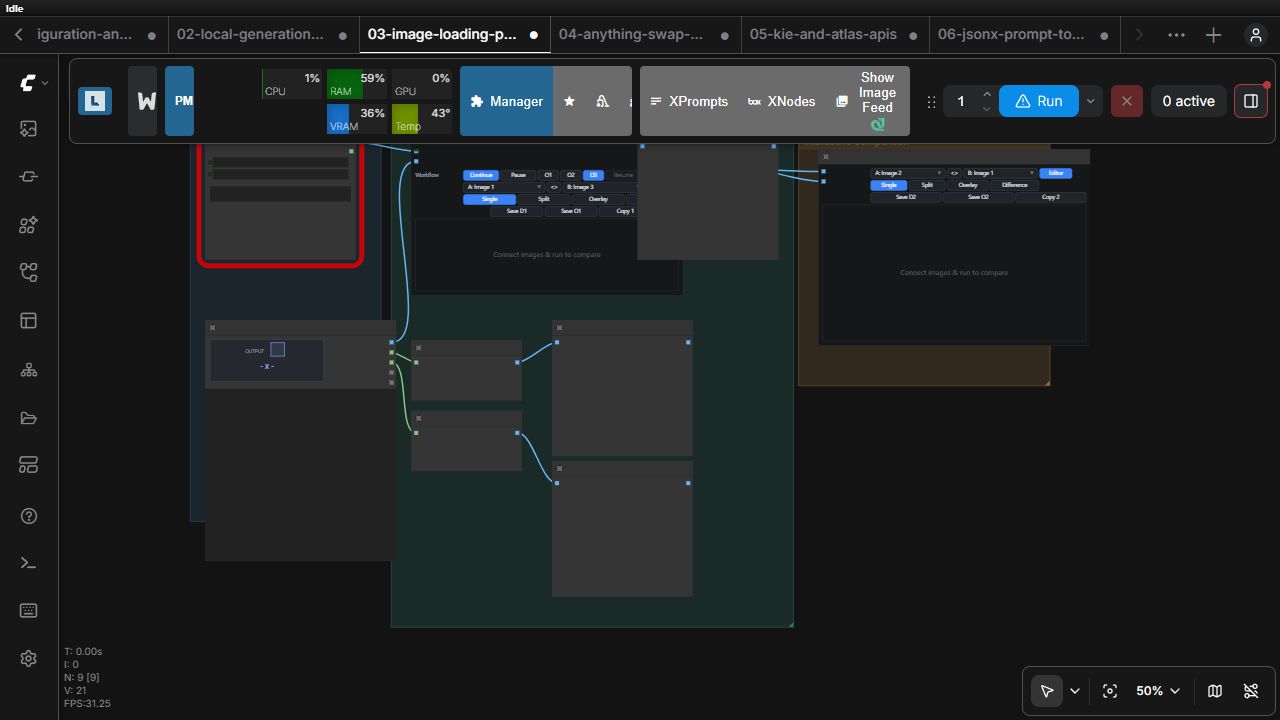
Download: image/video loading, processing, and comparison — select two local images and optionally a video, then inspect masks, processed images, a trimmed/cropped frame batch, the native video preview, and the terminal comparison.
Model and LoRA management
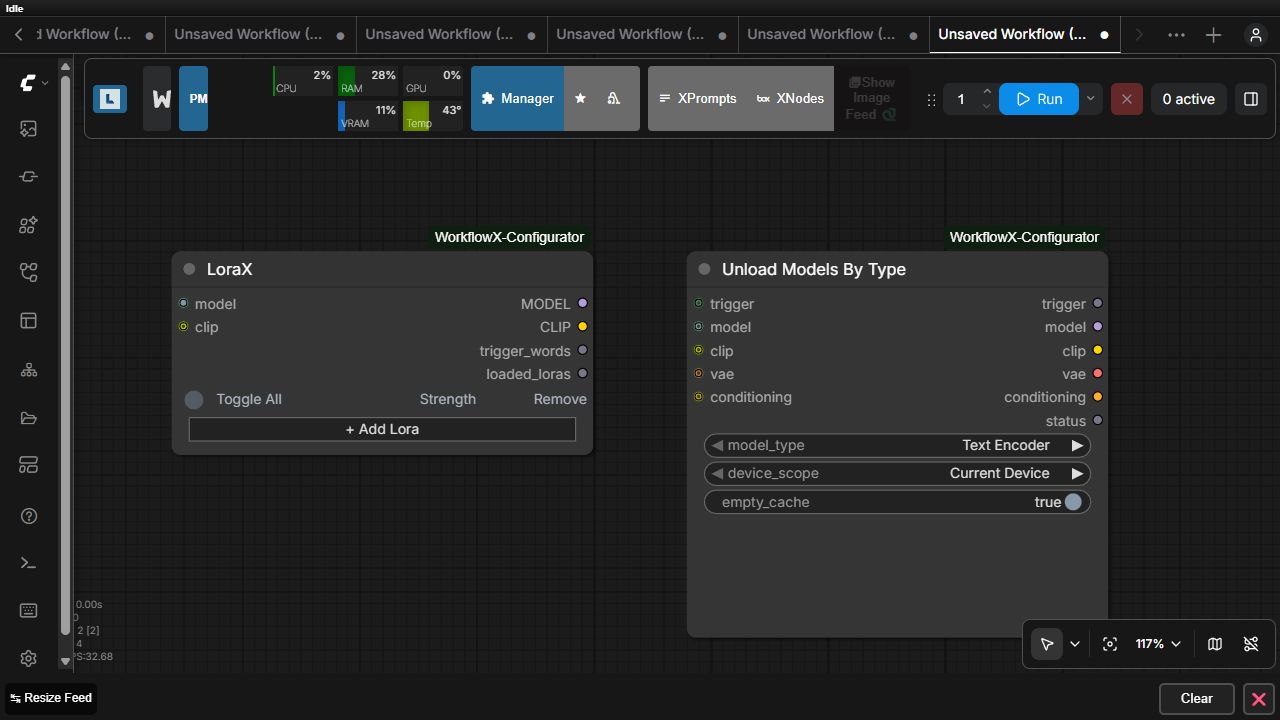
Load Diffusion Model X keeps preferred diffusion models visible on the canvas and switches between them with a single active selection. LoraX applies a visible, ordered LoRA stack. Unload Models By Type adds an execution dependency for releasing selected model components after the graph stage you choose.
WorkflowX Downloader
Node ID / category: WorkflowX_Downloader · WorkflowX/Utilities
Downloads the WorkflowX runtime assets from haslam/WorkflowX-DL directly into the active ComfyUI root. Enable download all for the complete bundle, or select any combination of DLSS 5, LUTs, Neural Grain, SAM/SAM2.1, Ultralytics detectors, the DetailerX upscaler, FFmpeg, llama.cpp, SAM3, and AuK. Existing matching files are reused unless force download is enabled. A downloaded vendor/ffmpeg/ffmpeg.exe is activated immediately through WORKFLOWX_FORCE_FFMPEG_PATH and is detected automatically on later ComfyUI starts. The public repository needs no token; HF_TOKEN is honored automatically if repository access changes.
The node is intentionally always evaluated when present in an active prompt so it can verify or resume interrupted downloads. Mute or remove it after provisioning if the workflow should not check the Hub on every queue.
Repository maintainers can publish a prepared ComfyUI asset tree with scripts/upload_comfyui_to_hf.ps1; the script preserves paths relative to the selected ComfyUI root and reads the write credential from HF_TOKEN.
Load Diffusion Model X
Node ID / category: KVGC_LoadDiffusionModelX · WorkflowX/Loaders
| Inputs | Type | Required | Behavior |
|---|---|---:|---|
| weight_dtype | combo | Yes | Uses the choices and behavior exposed by ComfyUI's native Load Diffusion Model node. |
| Diffusion-model rows | UI-managed | Yes | Stores multiple preferred model filenames; exactly one row is active. |
| Outputs | Type | Behavior |
|---|---|---|
| MODEL | MODEL | The active row loaded through ComfyUI's native UNETLoader. |
Controls: add, replace, remove, search, refresh, inspect model details, and switch the active model with radio-style toggles. The picker uses LoRA Manager metadata and previews when available, while remaining fully usable from ComfyUI's diffusion-model folders alone. The shared weight_dtype control applies to whichever row is active. Load Diffusion Model X guide
LoraX
Node ID / category: KVGC_LoraX · WorkflowX/Loaders
| Inputs | Type | Required | Behavior |
|---|---|---:|---|
| model | MODEL | Yes | Base diffusion model. |
| clip | CLIP | No | Optional text encoder to receive LoRA patches. |
| LoRA rows | UI-managed | No | Searchable LoRA selection plus model/CLIP strengths. |
| Outputs | Type | Behavior |
|---|---|---|
| MODEL | MODEL | Model with enabled LoRAs applied in displayed order. |
| CLIP | CLIP | Patched CLIP when supplied. |
| trigger_words | STRING | Trigger words gathered from enabled rows. |
| loaded_loras | STRING | Human-readable audit of the applied stack. |
Controls: add, remove, reorder, search/select, enable/disable, and refresh LoRA rows. Empty rows are skipped; unavailable filenames are reported instead of silently substituted. LoraX guide
Load Lora PickerX
Node ID / category: KVGC_LoadLoraPickerX · WorkflowX/Loaders
| Inputs | Type | Required | Behavior |
|---|---|---:|---|
| model | MODEL | Yes | Base diffusion model. |
| clip | CLIP | No | Optional text encoder to receive LoRA patches. |
| LoRA rows | UI-managed | No | Native-file selection, epoch choice, enable state, and independent model/CLIP strengths. |
| Outputs | Type | Behavior |
|---|---|---|
| MODEL | MODEL | Model with enabled LoRAs applied in row order. |
| CLIP | CLIP | Patched CLIP when supplied. |
| trigger_words | STRING | Trigger words retained by rows when available. |
| loaded_loras | STRING | Selected checkpoint filenames and their applied strengths. |
Controls: Pick LoRA opens the Windows file picker without uploading or copying the selected file. Related epoch, step, checkpoint, or fixed-width numbered files in the same directory become selectable in that row. A row with no related checkpoints shows a disabled Single selector. External absolute paths are specific to the current machine. Load Lora PickerX guide
Unload Models By Type
Node ID / category: KVGC_UnloadModelsByType · WorkflowX/VRAM
| Inputs | Type | Required | Behavior |
|---|---|---:|---|
| model_type | combo | Yes | Text Encoder, Diffusion Model / UNet, VAE, CLIP Vision, Other, or All loaded models. |
| device_scope | combo | Yes | Current device or all devices. |
| empty_cache | BOOLEAN | Yes | Requests device-cache cleanup after unloading. |
| trigger | wildcard | No | Establishes when unloading runs. |
| model, clip, vae, conditioning | matching types | No | Optional typed passthrough values. |
| Outputs | Type | Behavior |
|---|---|---|
| trigger | wildcard | Preserves the execution dependency. |
| model, clip, vae, conditioning | matching types | Typed passthroughs. |
| status | STRING | Reports what was requested and released. |
Working example
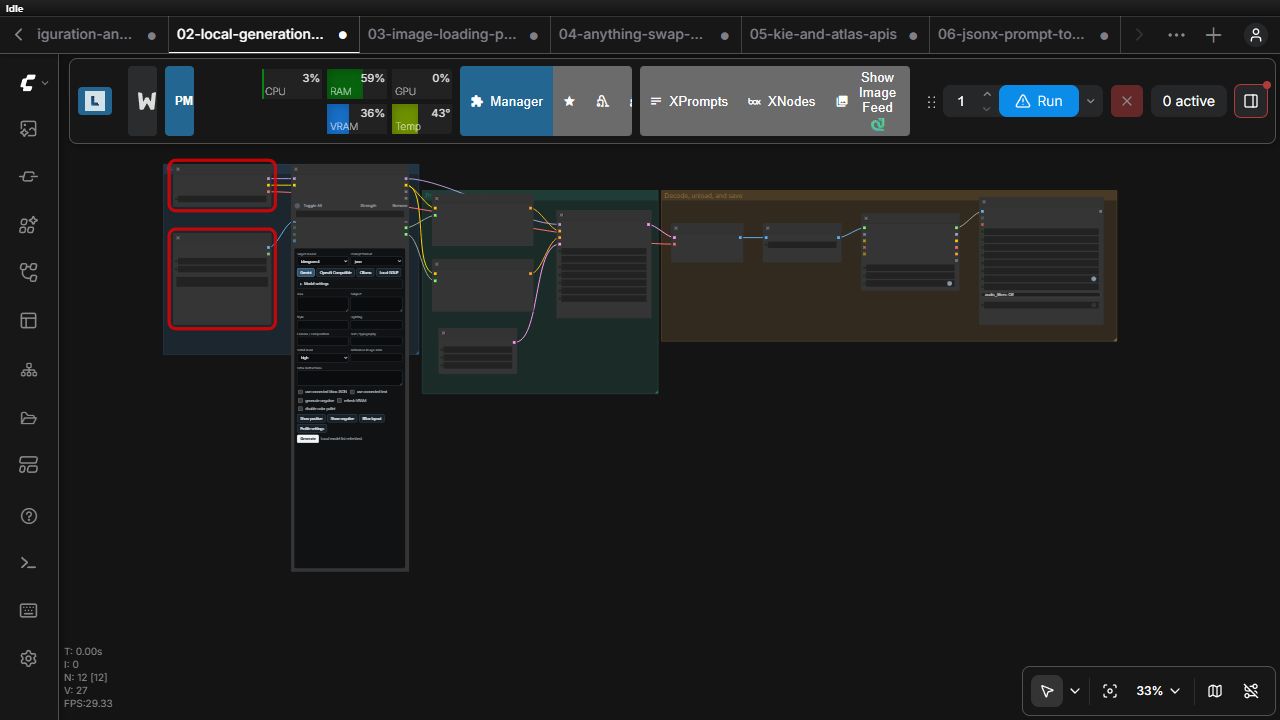
Download: local generation and model management — Load Diffusion Model X selects the active model, Load ImageX guides Unified Autoprompter X, LoraX participates in sampling, and the generated batch triggers model unloading before Save Video X.
Prompting and JsonX
WorkflowX supports natural or structured prompting from images and text, then provides a connected JsonX toolchain for generating, inspecting, importing, and randomizing structured prompt documents.
Unified Autoprompter X
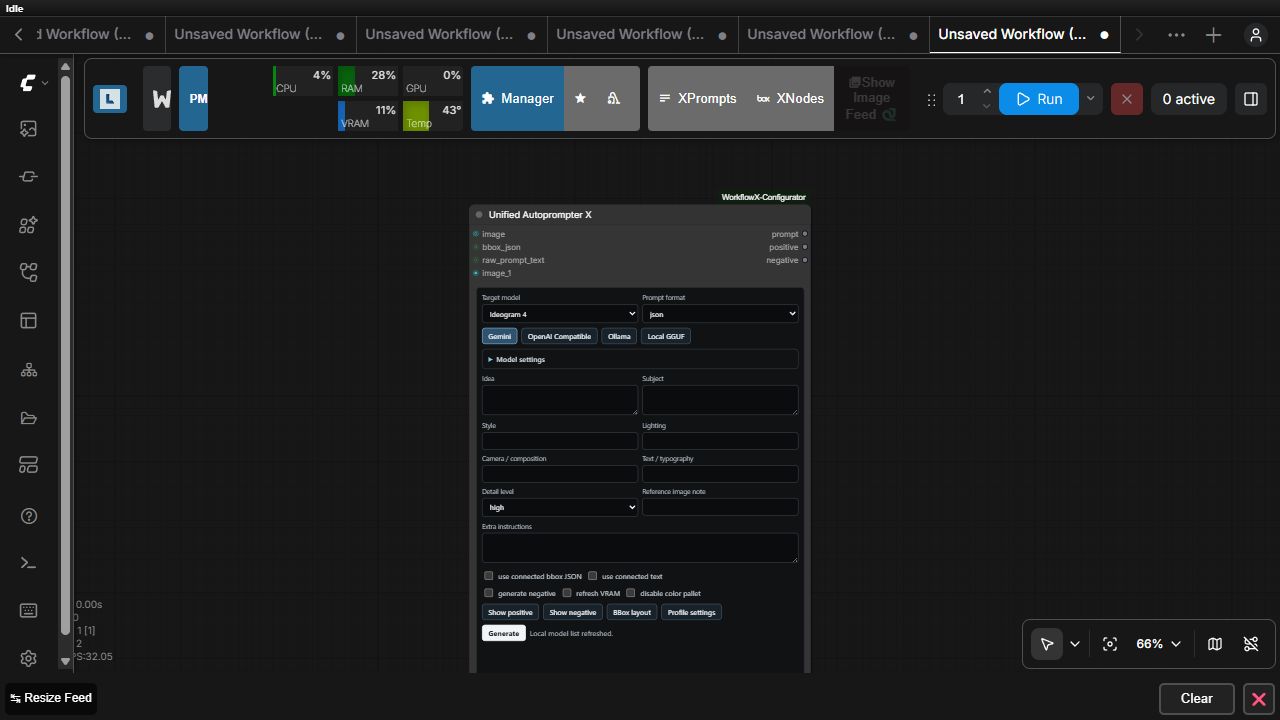
Node ID / category: UnifiedAutoprompterX · WorkflowX/Prompting
| Inputs and widgets | Type | Required | Behavior |
|---|---|---:|---|
| target_model, generation_type, prompt_format | combo | Yes | Select target-model conventions, a downstream generation path, and natural, tag, or JSON formatting. |
| nsfw_enabled, negative_enabled, enable_bbox_json_input, enable_text_input | BOOLEAN | Yes | Enable optional path rules and prompt channels. |
| refresh_vram, disable_color_palette | BOOLEAN | Yes | Control model refresh and palette output. |
| generated_positive, generated_negative, final_prompt | STRING | UI-managed | Stores generated and user-edited prompt text. |
| image, dynamic image_N | IMAGE | No | Visual references. |
| bbox_json, raw_prompt_text | STRING | No | Structured layout or source text. |
| ui_state | STRING | UI-managed | Serialized frontend composition state. |
| Outputs | Type | Behavior |
|---|---|---|
| prompt | STRING | Final selected-format prompt. |
| positive | STRING | Positive prompt channel. |
| negative | STRING | Negative prompt channel when enabled. |
Controls: one Provider dropdown for Gemini, Grok API, DeepSeek API, OpenAI Compatible, LM Studio, Unsloth Studio, Ollama, or Local GGUF; profile-aware Generation type; Prompt instructions; Detail level; On Generate or On Queue working mode; optional Add audit pass or Audit only validation; reusable character/scene presets expanded with @tag; NSFW/negative controls; dynamic Model settings; bounding-box tools; Profile settings; Generate and Cancel. Provider credentials and tuning remain browser-local. Qwen Image 2.1 has dedicated Text-to-Image and Image-to-Image natural-prompt guidance without a negative channel. See the complete Autoprompter guide.
Connected images are optional prompt-authoring evidence and never select the downstream generation path. Image-capable paths switch between with-reference and inferred-reference instructions; text-only paths can inspect connected media and combine visible evidence with the user's description without exposing reference commentary downstream. Standard-profile instructions are Markdown-backed: packaged defaults live under unified_autoprompter/reference/original, while the editable runtime copy lives under reference/current_use. Profile Settings edits the exact Common, selected Generation Path, Reference Usage, Output Contract, and Image/Video NSFW files without reformatting them. JsonX has an independently managed reference/original/JsonX and reference/current_use/JsonX subtree with exact editors for paths, conditions, user templates, context templates, presets, and stage contracts. Preview and dispatch share their respective backend payload builders and keep routing metadata out of model-facing text.
JsonX visual and template tools
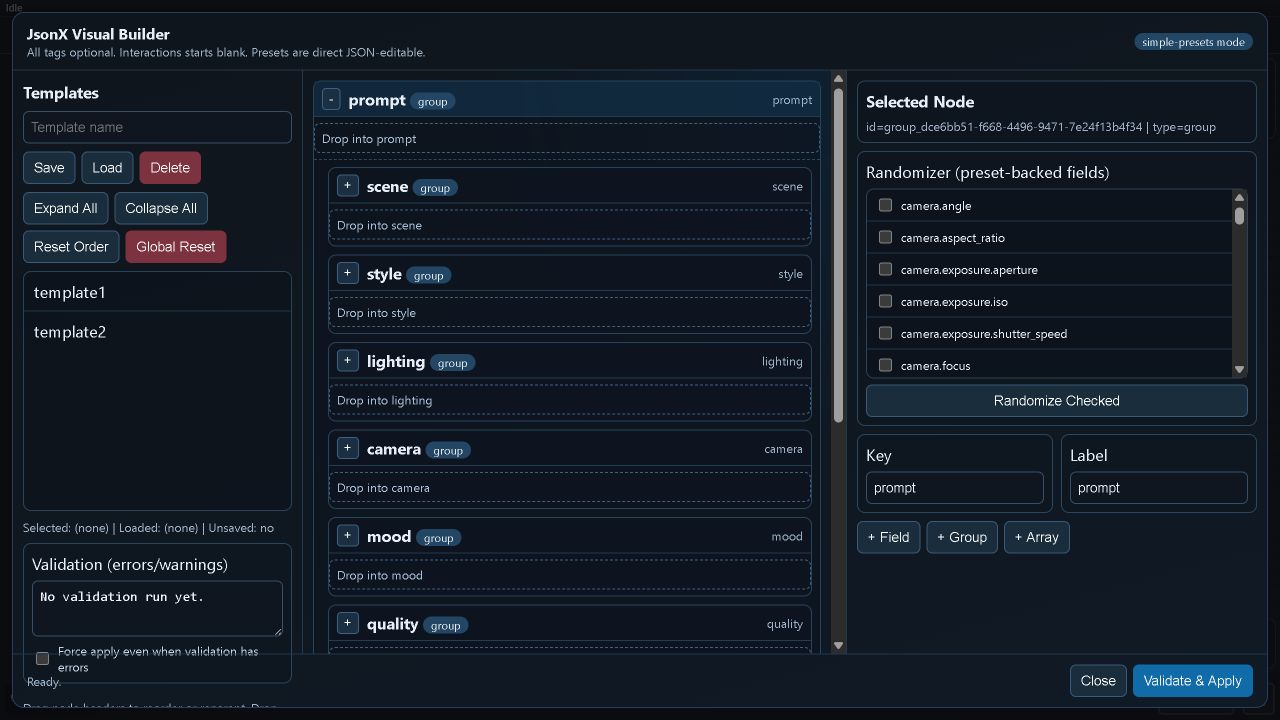
| Node | Internal ID | Inputs | Outputs | Principal controls |
|---|---|---|---|---|
| JsonX - Visual Builder | FluxVisualJsonBuilder | Optional prompt_json (STRING) | prompt_json (STRING) | Open builder, schema fields, presets, apply, reset |
| JsonX - Prompt Template Importer | AFJPromptTemplateImporter | Optional template_name, source_prompt_json, import_report (STRING) | template_payload_json (STRING) | Open importer, analyze/import, apply, clear |
| JsonX - Template Randomizer | FluxTemplateRandomizer | Optional template_name, randomize_rules, randomize_rules_help (STRING), seed (INT) | prompt_json, run_log (STRING) | Template picker, rule editor, seeded randomization |
The builder normalizes JSON before output; the importer reports accepted and skipped fields; the randomizer applies reproducible field choices and emits an audit log. See the JsonX user guide.
Working example
Download: JsonX prompt toolchain — the first lane connects Unified Autoprompter X with its JsonX profile → Visual Builder → Template Importer; the second connects Template Randomizer → a second builder for inspection.
Remote image APIs
API nodes are deliberately credential-free in shared workflows. Their outputs use ordinary IMAGE sockets, so remote generation can feed the same preview, processing, and save nodes as local generation.
NanoBanana Full API
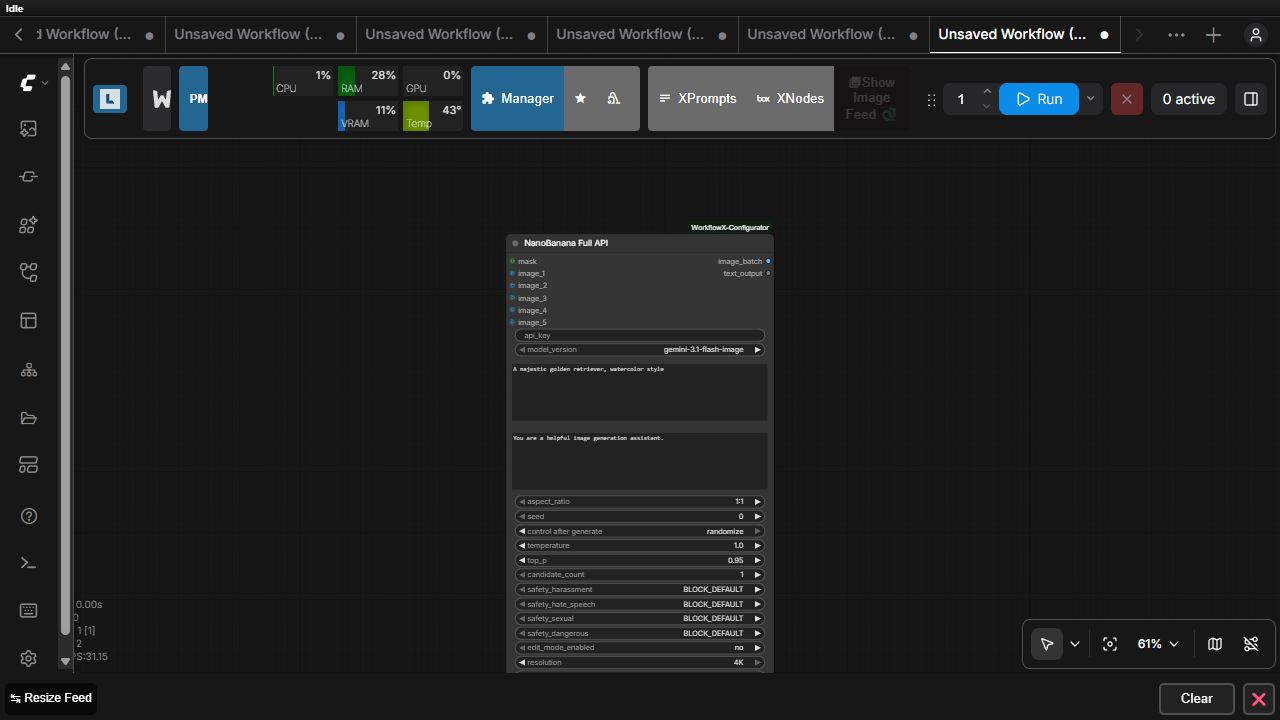
Node ID / category: NanoBanana_Gemini_2_5_Flash_V2 · WorkflowX/API
| Input group | Exact inputs | Type / behavior |
|---|---|---|
| Authentication and model | api_key, model_version | Private string and supported Gemini image-model combo. |
| Prompting | prompt, system_prompt | Generation/edit instructions. |
| Sampling and output | aspect_ratio, seed, temperature, top_p, candidate_count, resolution, timeout_seconds | Request and output controls. |
| Safety | safety_harassment, safety_hate_speech, safety_sexual, safety_dangerous | Per-category blocking policy. |
| Editing/thinking | edit_mode_enabled, show_thoughts, thinking_level | Edit and reasoning controls. |
| Optional media | mask, image_1 … image_5 | Mask and reference images. |
| Outputs | Type | Behavior |
|---|---|---|
| image_batch | IMAGE | Returned candidate images. |
| text_output | STRING | Provider text or response details. |
Empty credentials, provider errors, timeouts, and safety failures are surfaced. See the NanoBanana API guide.
Kie and Atlas Image API X
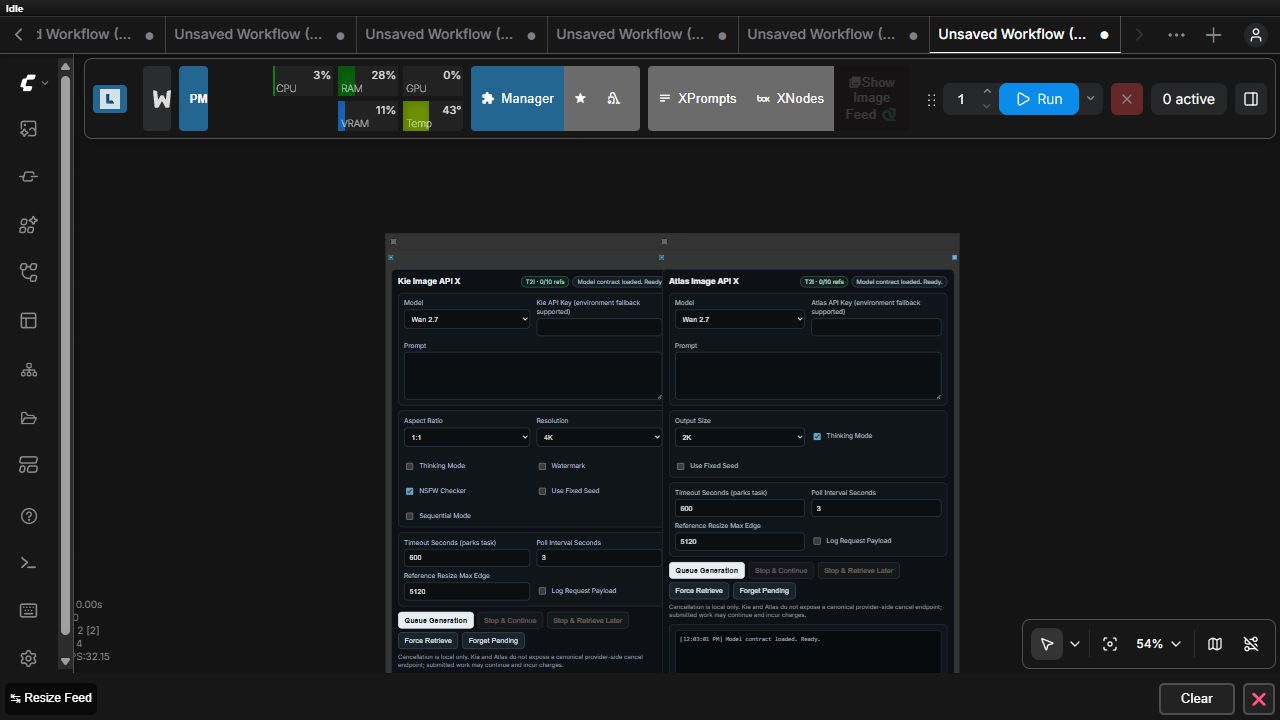
Node IDs / category: WorkflowX_KieImageAPI, WorkflowX_AtlasImageAPI · WorkflowX/API
| Input group | Exact shared inputs | Type / behavior |
|---|---|---|
| Request | api_key, model, prompt, aspect_ratio, image_size | Provider credential, model, prompt, and dimensions. |
| Polling | timeout_seconds, poll_interval_seconds, retrieval_mode | Submit/poll or force-retrieve behavior. |
| Quality | quality, guidance_scale, num_inference_steps, media_resolution, input_fidelity, enable_pro | Provider/model-aware quality controls. |
| Safety and provenance | nsfw_checker, enable_safety_checker, watermark, show_payload | Safety, watermark, and payload visibility. |
| Generation options | thinking_mode, seed_enabled, seed, enable_sequential, output_format, enable_web_search, enable_image_search | Optional provider features. |
| Custom dimensions | custom_size_enabled, custom_size_auto, custom_width, custom_height, reference_max_edge | Custom output/reference sizing. |
| References | Dynamic image_1 … image_14 | Frontend adds image sockets as references are connected. |
| Node | Outputs | Provider-specific behavior |
|---|---|---|
| WorkflowX_KieImageAPI | image (IMAGE) | Kie submission, polling, pending-task, and retrieval path. |
| WorkflowX_AtlasImageAPI | image (IMAGE) | Atlas submission and retrieval path with its supported model/size catalog. |
The frontend changes visible controls according to the selected model. Pending records allow later force retrieval. See the Kie and Atlas guide.
Working examples
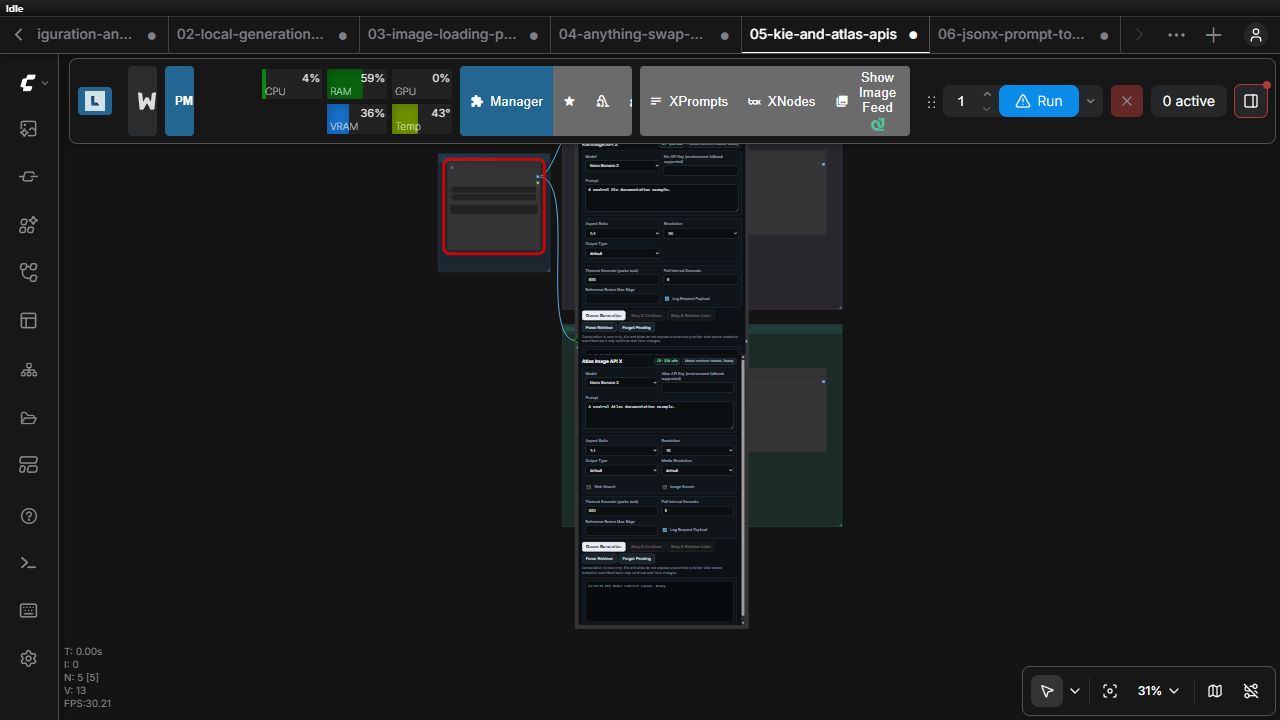
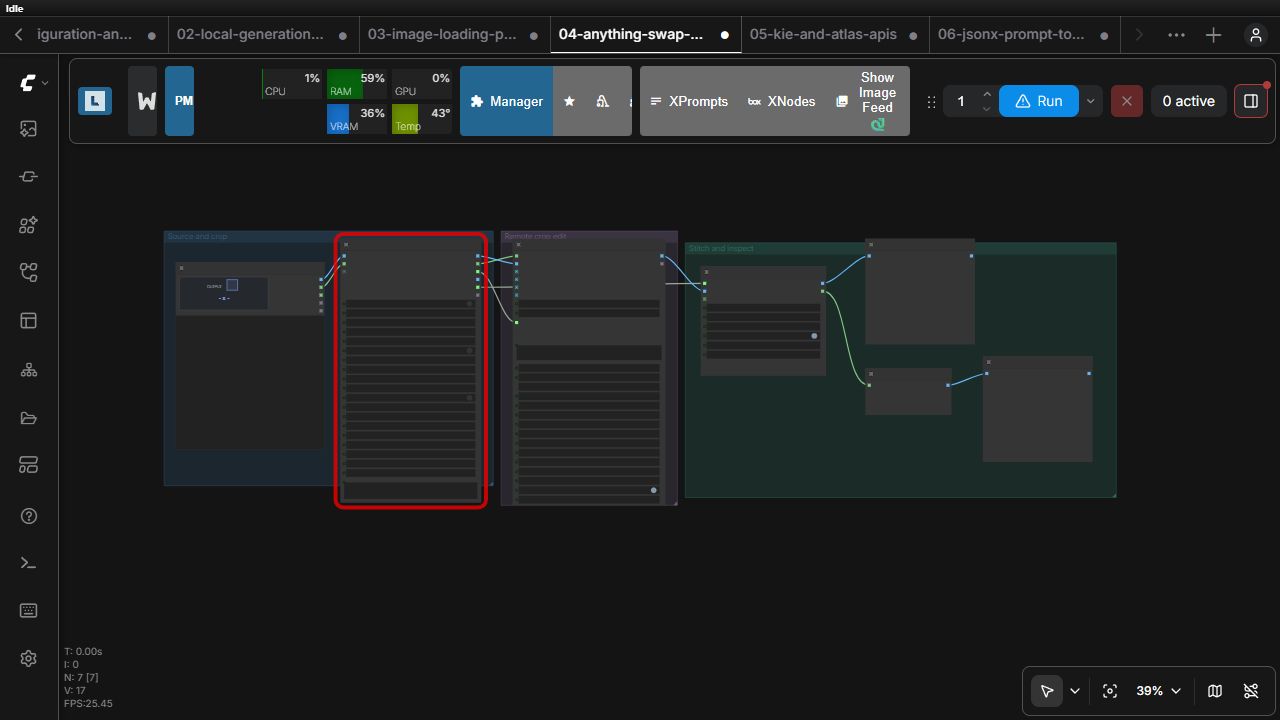
- Anything Swap with NanoBanana connects a cropped region, crop mask, and swap prompt to the API before stitching the returned image.
- Kie and Atlas APIs uses separate provider branches with an optional shared reference image and output previews.
Image editing, processing, and swapping
DetailerX, Preview, and Masks
Node IDs / category: WorkflowX_DetailerX, WorkflowX_DetailerXPreview, WorkflowX_DetailerXMasks · WorkflowX/Image
DetailerX runs an ordered, draggable chain of upscaling, class-aware SAM detailers, realism processors, and DLSS5. It accepts MODEL, VAE, CLIP, positive/negative CONDITIONING, and IMAGE, then returns final_image, structured processor_images, and detailer_masks. Global SAM is the inherited default; each detailer can use its detector directly or override SAM1, SAM2.1, or SAM3. SAM3 includes BBox-controlled crop isolation for concept guidance that must remain inside each detector box. Repeatable custom detailers support detector-free, fully text-guided SAM3 concepts. Connect the structured outputs to DetailerX Preview and DetailerX Masks to inspect cumulative stages and detector/raw-SAM/final masks. See the DetailerX guide.
Image ProcessorX
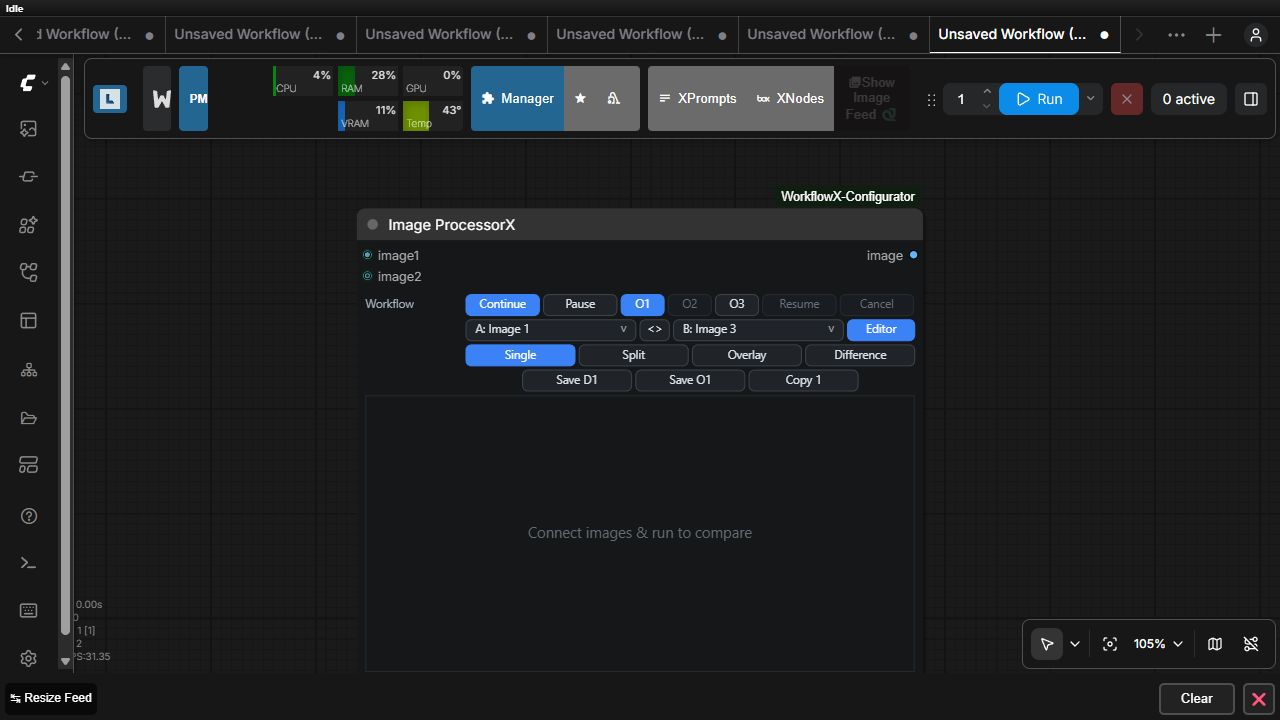
Node ID / category: WorkflowX_ImageProcessorX · WorkflowX/Image Compare
| Inputs and state | Type | Required | Behavior |
|---|---|---:|---|
| image1 | IMAGE | Yes | Primary image. |
| image2 | IMAGE | No | Optional second layer/image. |
| operation_mode | Continue / Pause | Yes | Executes immediately or pauses for interactive editing. |
| output_image | O1 / O2 / O3 | Yes | Selects source one, source two, or composed output. |
| processor_state | STRING | UI-managed | Versioned, normalized edit recipe. |
| Outputs | Type | Behavior |
|---|---|---|
| image | IMAGE | Selected or composed result. |
Controls: open editor, apply/continue, reset, layer order, opacity, adjustments, curves, presets, and save/session actions. State is validated server-side so a reloaded workflow renders deterministically. Image ProcessorX guide
Image Compare Edit X
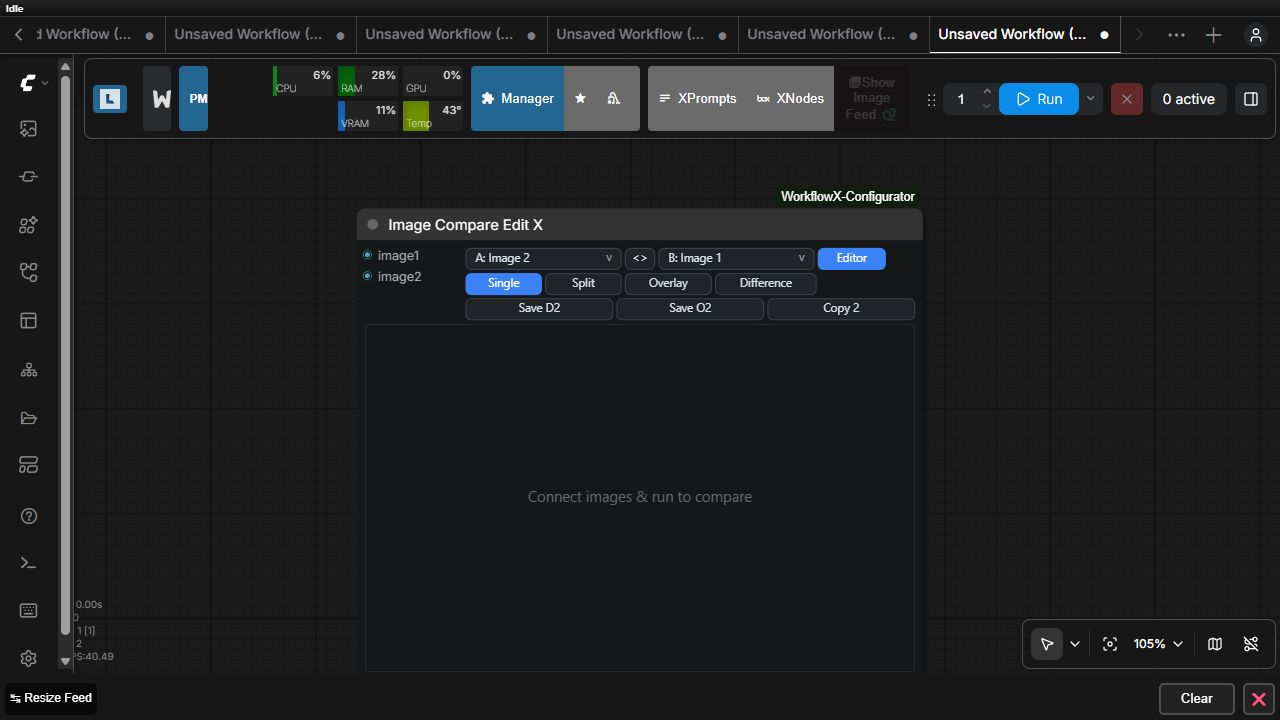
Node ID / category: KVGC_ImageCompareEditX · WorkflowX/Image Compare
| Inputs | Type | Required | Behavior |
|---|---|---:|---|
| image1 | IMAGE | Yes | First comparison image. |
| image2 | IMAGE | Yes | Second comparison image. |
| Outputs | Type | Behavior | |---|---|---| | None | — | Terminal interactive output node; browser-side edits do not emit a downstream tensor. |
Controls: comparison divider, preview navigation, layers, masks, blend mask, brush, adjustments, curves, reset, copy, and save. Editor guide
Anything Swap bridge
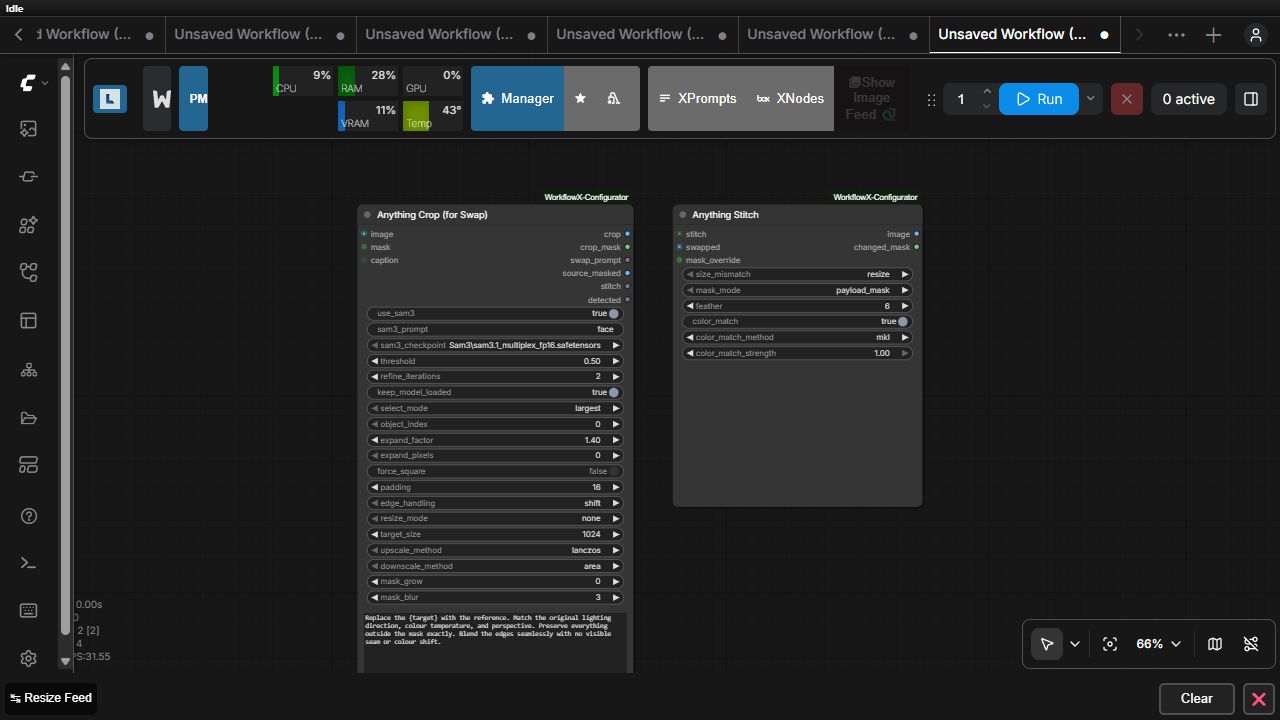
Anything Crop For Swap
Node ID / category: AnythingCropForSwap · WorkflowX/Anything Swap
| Input group | Exact inputs | Behavior |
|---|---|---|
| Source | image; optional mask, caption | Source image plus optional precomputed mask/caption. |
| Detection | use_sam3, sam3_prompt, sam3_checkpoint, threshold, refine_iterations, keep_model_loaded, select_mode, object_index | Optional SAM3 object selection. |
| Geometry | expand_factor, expand_pixels, force_square, padding, edge_handling, resize_mode, target_size, upscale_method, downscale_method | Crop and resize policy. |
| Mask/prompt | mask_grow, mask_blur, swap_prompt | Final crop mask and downstream edit instruction. |
| Outputs | Type | Behavior |
|---|---|---|
| crop | IMAGE | Selected crop. |
| crop_mask | MASK | Crop-space mask. |
| swap_prompt | STRING | Prompt passthrough. |
| source_masked | IMAGE | Source with selected region visualized/masked. |
| stitch | SWAP_STITCH | Geometry payload consumed by Anything Stitch. |
| detected | BOOLEAN | Whether a usable region was found. |
Anything Stitch
Node ID / category: AnythingStitch · WorkflowX/Anything Swap
| Inputs | Type | Required | Behavior |
|---|---|---:|---|
| stitch | SWAP_STITCH | Yes | Crop geometry from Anything Crop. |
| swapped | IMAGE | Yes | Edited/replaced crop. |
| mask_override | MASK | No | Optional replacement mask. |
| size_mismatch, mask_mode, feather, color_match, color_match_method, color_match_strength | widgets | Yes | Resize, mask, feather, and color-matching policy. |
| Outputs | Type | Behavior |
|---|---|---|
| image | IMAGE | Stitched full image. |
| changed_mask | MASK | Effective changed region. |
See the Anything Swap guide.
Working examples
Video output
Preview Video X
Node ID / category: WorkflowX_PreviewVideoX · WorkflowX/Video
| Inputs | Type | Required | Behavior |
|---|---|---:|---|
| video | VIDEO | Yes | Native ComfyUI video displayed as an animated in-node player. |
| save_output | BOOLEAN | Yes | Off writes only the temporary preview; on also makes the encoded MP4 a persistent output. |
| filename_prefix | STRING | Yes | Relative preview/output name prefix. |
| Outputs | Type | Behavior |
|---|---|---|
| video | VIDEO | Passes the original video through unchanged. |
| filenames | VHS_FILENAMES | Describes the temporary or saved preview file. |
The node always materializes the minimum MP4 needed for ComfyUI's player. With save output off that file lives in the temporary directory; with it on the same preview is written to the normal output directory. H.264 previews of odd-sized videos receive at most one black pixel on the right or bottom to satisfy the codec; the pass-through VIDEO remains unchanged.
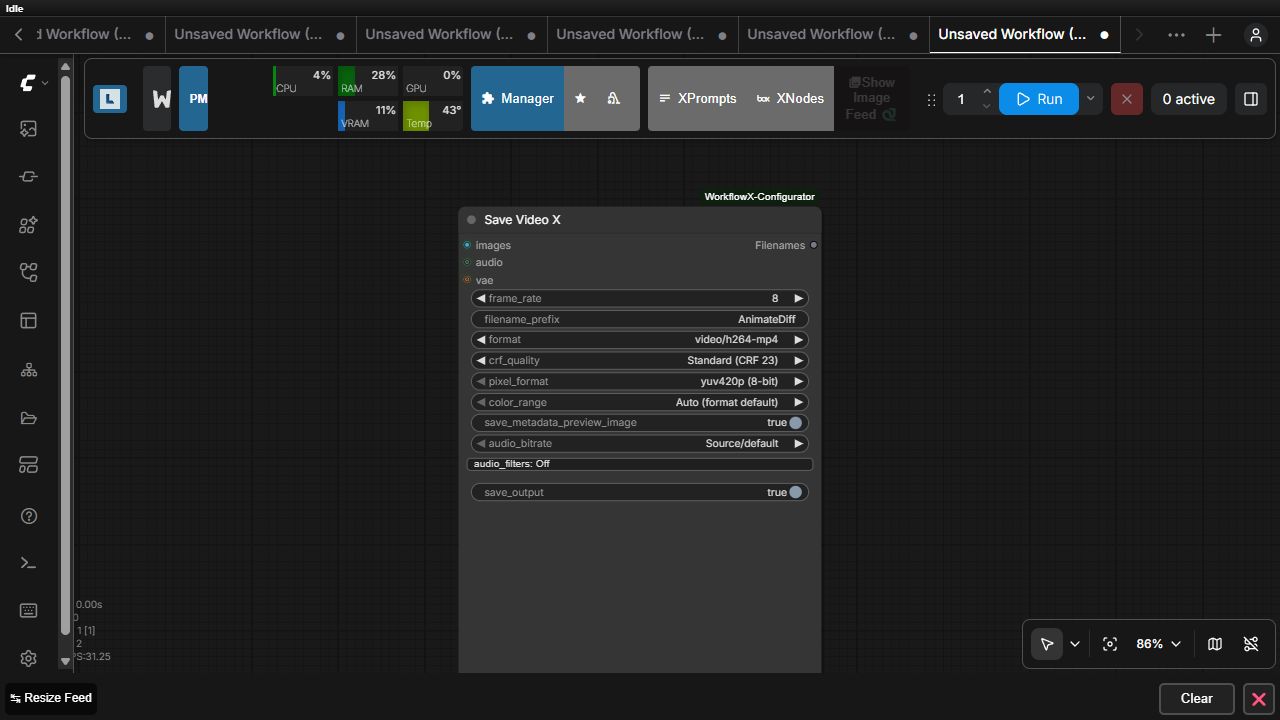
Save Video X
Node ID / category: WorkflowX_SaveVideoX · WorkflowX/Video
| Inputs | Type | Required | Behavior |
|---|---|---:|---|
| images | IMAGE | Yes | Image batch encoded as frames. |
| audio | AUDIO | No | Optional audio stream. |
| vae | VAE | No | Optional compatibility input. |
| frame_rate, filename_prefix, format | widgets | Yes | Timing, relative output prefix, and H.264/H.265/AV1 container. |
| crf_quality, pixel_format, color_range | widgets | Yes | Codec quality and pixel/color policy. |
| save_metadata_preview_image, audio_bitrate, audio_filters, save_output | widgets | Yes | Metadata preview, audio encoding, filters, and preview/output destination. |
| Outputs | Type | Behavior |
|---|---|---|
| Filenames | VHS_FILENAMES | Encoded file descriptors compatible with video-preview consumers. |
Frame shape, codec settings, and FFmpeg availability are validated at execution. Save Video X guide
Working example
The local generation and model management workflow turns a generated batch into video and uses the batch as the trigger for model unloading before encoding.
Workflow configuration and routing
Config SelectorX is WorkflowX's integrated configuration system. Its Scopes and Configs buttons manage native ComfyUI groups directly; the previous separate configurator nodes are not part of current workflows.
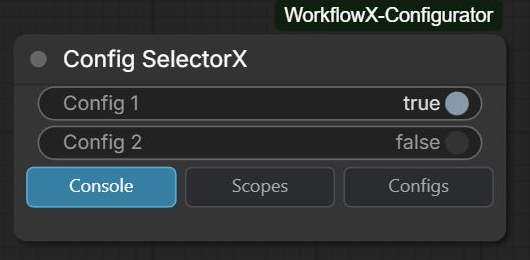
Config SelectorX
Node ID / category: KVGC_ConfigSelectorX · WorkflowX/Workflow Config
| Inputs and state | Type | Required | Behavior |
|---|---|---:|---|
| selected_config | STRING | Yes | Active named configuration. |
| console_output | no / yes | Yes | Enables resolution diagnostics. |
| selectorx_state | STRING | UI-managed | Versioned scopes, configurations, group modes, mute state, and bypass state. |
| Outputs | Type | Behavior | |---|---|---| | None | — | Configuration controller; it changes scoped node participation and Get resolution. |
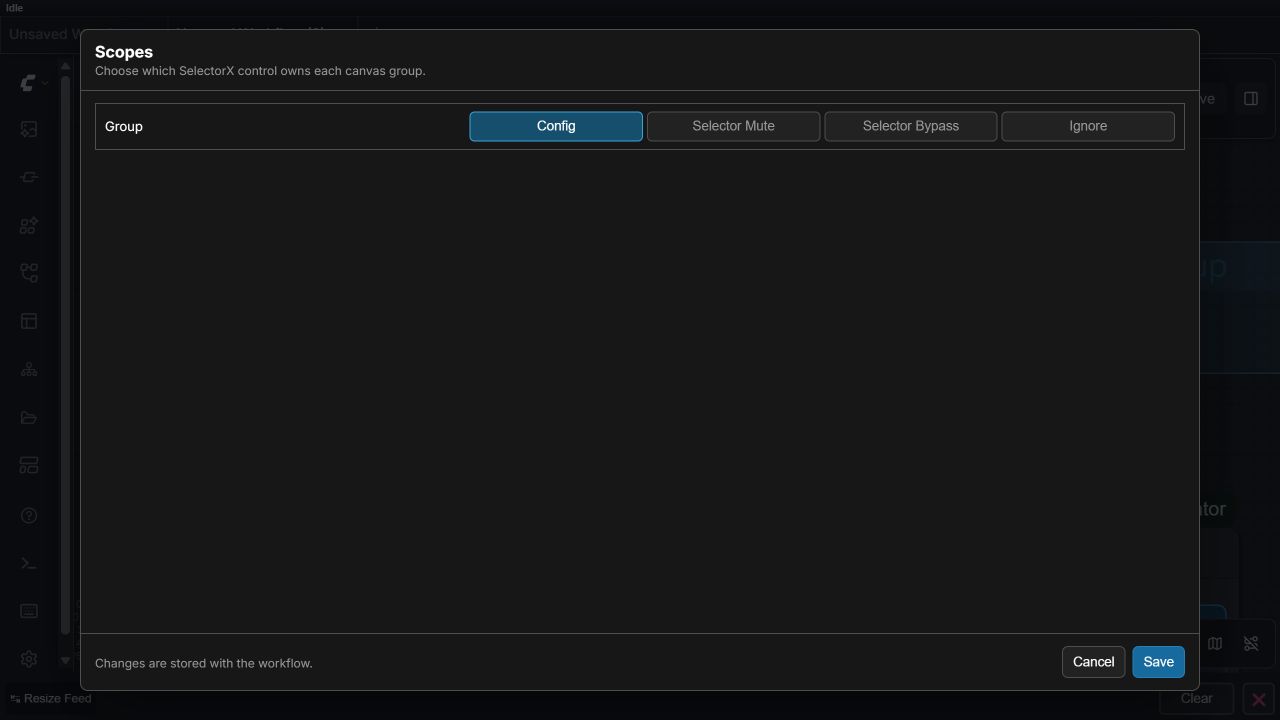
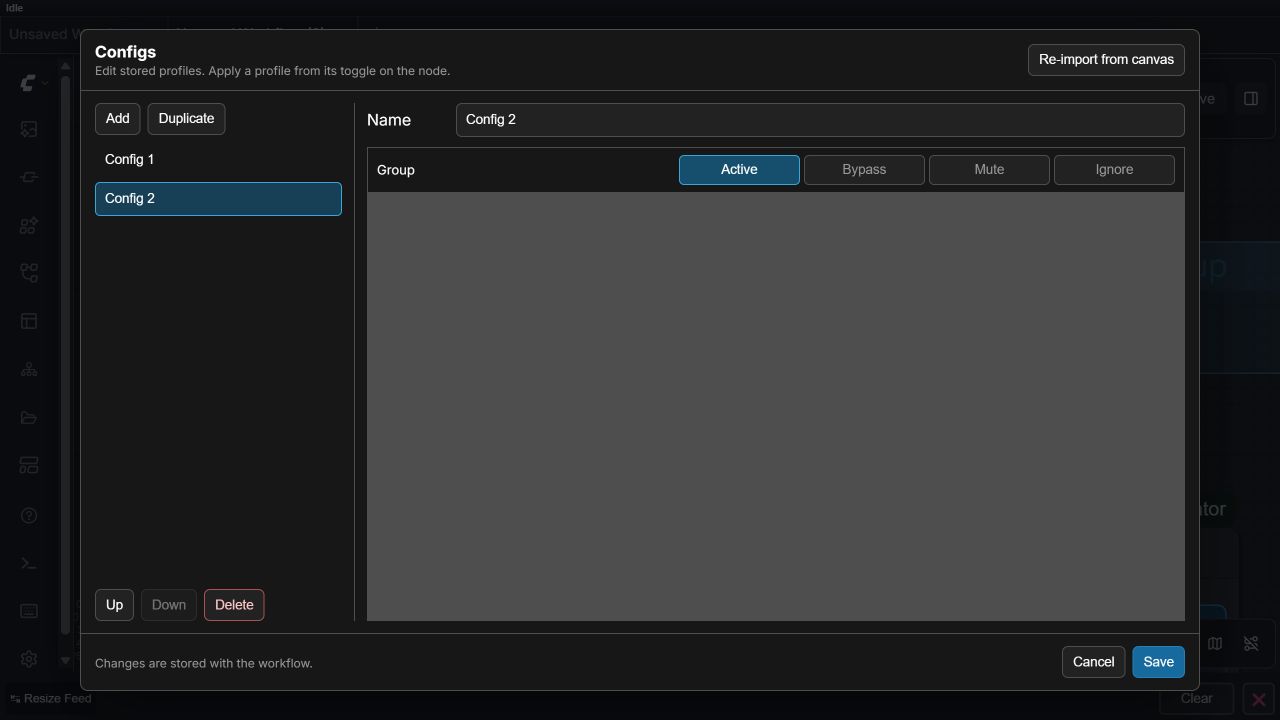
Controls: Scopes assigns each native group to configuration, selector-mute, selector-bypass, or ignore behavior. Configs creates named configurations and assigns Active, Bypass, Mute, or Ignore per controlled group. One initialized Config SelectorX on the root canvas controls the root and every reachable nested subgraph. Nested selectors are ignored with a warning, and multiple initialized root selectors block queueing. Subgraph group settings are definition-wide. State remains schema version 1 and is stored in workflow JSON. Config SelectorX guide
Every non-empty group name must be unique across the reachable workflow (Unicode-normalized, trimmed, and case-insensitive for collision checks). Blank groups are unmanaged. Duplicate names are reported with readable locations and block queueing until renamed; repeated instances of one shared subgraph definition still represent one logical group.
Typed Set/Get values
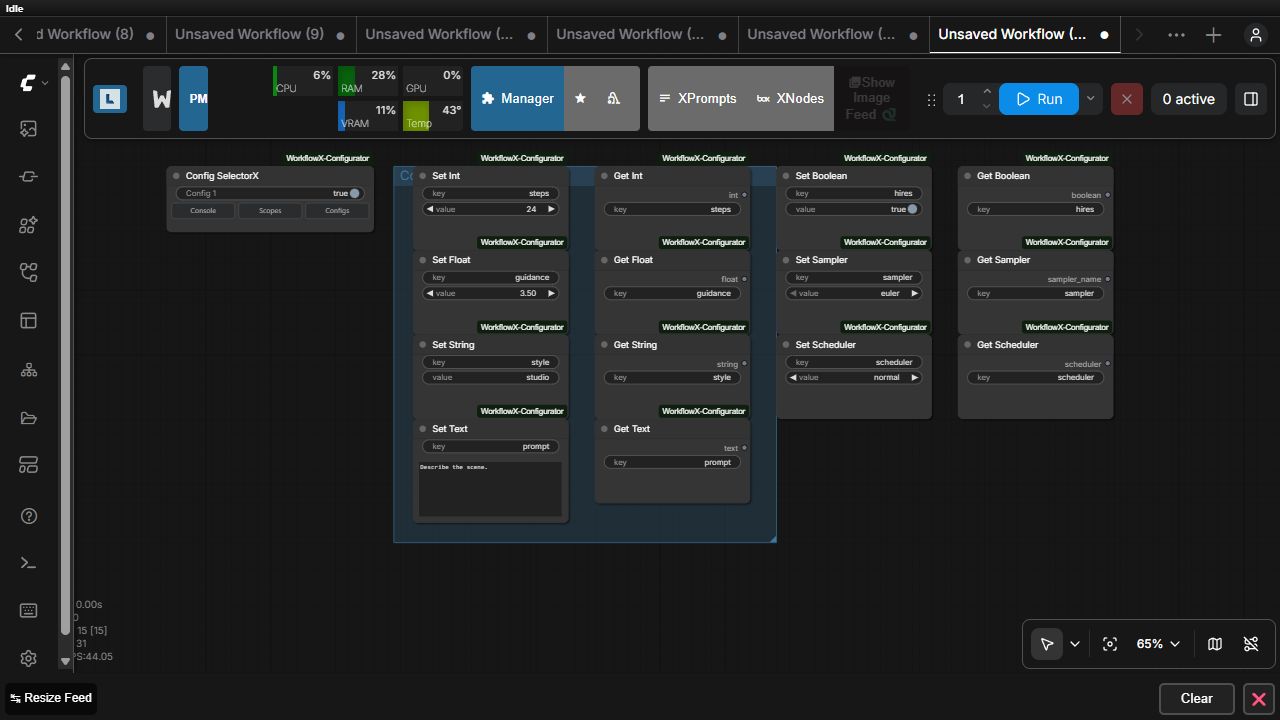
Set nodes publish a keyed value from their scoped group and intentionally have no output. Get nodes resolve the selected candidate and expose it to the execution graph. resolved_value, resolved_config, and resolved_digest are visible but UI-managed provenance fields on every typed Get node.
| Pair | Internal IDs | Set contract | Get output |
|---|---|---|---|
| Integer | KVGC_SetInt, KVGC_GetInt | key: STRING, value: INT; no outputs | int: INT |
| Float | KVGC_SetFloat, KVGC_GetFloat | key: STRING, value: FLOAT; no outputs | float: FLOAT |
| String | KVGC_SetString, KVGC_GetString | key: STRING, value: STRING; no outputs | string: STRING |
| Multiline text | KVGC_SetText, KVGC_GetText | key: STRING, value: STRING; no outputs | text: STRING |
| Boolean | KVGC_SetBoolean, KVGC_GetBoolean | key: STRING, value: BOOLEAN; no outputs | boolean: BOOLEAN |
| Sampler | KVGC_SetSampler, KVGC_GetSampler | key: STRING, sampler combo value; no outputs | sampler_name: live ComfyUI sampler combo |
| Scheduler | KVGC_SetScheduler, KVGC_GetScheduler | key: STRING, scheduler combo value; no outputs | scheduler: live ComfyUI scheduler combo |
Sampler and scheduler values are validated against the running ComfyUI installation. Typed values, Relay, Dimensions, and Reference all resolve a trimmed, case-sensitive key independently by family. The first non-empty tier wins:
| Priority | Active Set candidates | |---:|---| | 1 | Ungrouped root Sets, including Sets in root groups scoped to Ignore | | 2 | Root Sets inside exactly one controlled group | | 3 | Sets in any reachable subgraph |
Get location does not change precedence. Muted/bypassed Sets and Sets below inactive subgraph wrappers are excluded. More than one candidate in the winning tier is a hard error; duplicate candidates in a shadowed tier are warnings. Each shared-subgraph runtime instance counts separately, because its promoted values can differ. Keys in different families never collide. Full nested execution IDs are used for routing and typed provenance.
Relay routing
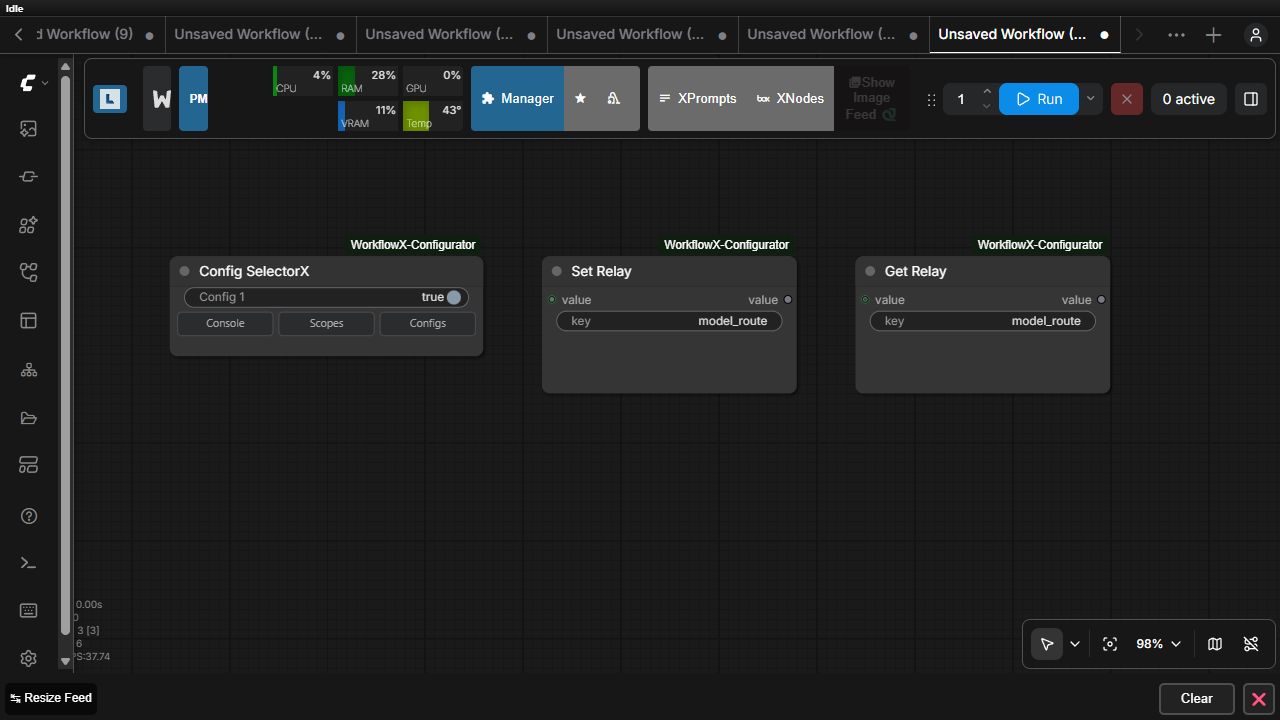
| Node | Internal ID | Inputs | Outputs | Behavior |
|---|---|---|---|---|
| Set Relay | KVGC_SetRelay | value (wildcard), key (STRING) | value (wildcard passthrough) | Publishes a scoped object while optionally keeping it on the local execution path. |
| Get Relay | KVGC_GetRelay | key (STRING), optional fallback value (wildcard) | value (wildcard) | Resolves the selected routed object or returns the connected fallback. |
Dimension routing
Set/Get Dimensions relays a keyed width-and-height pair through the same configuration-aware selection mechanism. The pair has no mute controls.
| Node | Internal ID | Inputs | Outputs | Behavior |
|---|---|---|---|---|
| Set Dimensions | KVGC_SetDimensions | key (STRING), width (INT), height (INT) | width (INT), height (INT) | Publishes and locally passes through both dimensions. Values default to 1024 and are constrained to 1–16384. |
| Get Dimensions | KVGC_GetDimensions | key (STRING), optional direct width and height inputs | width (INT), height (INT) | Resolves both values from the selected Set Dimensions or uses both directly connected fallbacks. |
Reference routing with independent mute controls
Set/Get Reference routes images, audio, video, or any other connected ComfyUI object through the same keyed, configuration-aware selection used by Relay. Unlike Relay, each Get Reference can apply ComfyUI's native Mute mode to its own branch while the prompt is serialized.
| Node | Internal ID | Inputs | Output | Behavior |
|---|---|---|---|---|
| Set Reference | KVGC_SetReference | value (wildcard), key (STRING), mute (BOOLEAN, default false) | value (wildcard passthrough) | Always passes its local value through. When mute is true, every matching Get Reference is omitted from the API prompt using native ComfyUI mute semantics. |
| Get Reference | KVGC_GetReference | key (STRING), mute (BOOLEAN, default false), optional fallback value (wildcard) | value (wildcard) | Resolves the selected Set Reference. When its independent mute is true, that Get node is omitted from the API prompt exactly like manually muting the node. |
Set Reference mute applies only to Get Reference nodes with the same key. Muting one Get Reference does not affect its siblings, and the Set Reference output remains usable directly in either mute state.
Working example
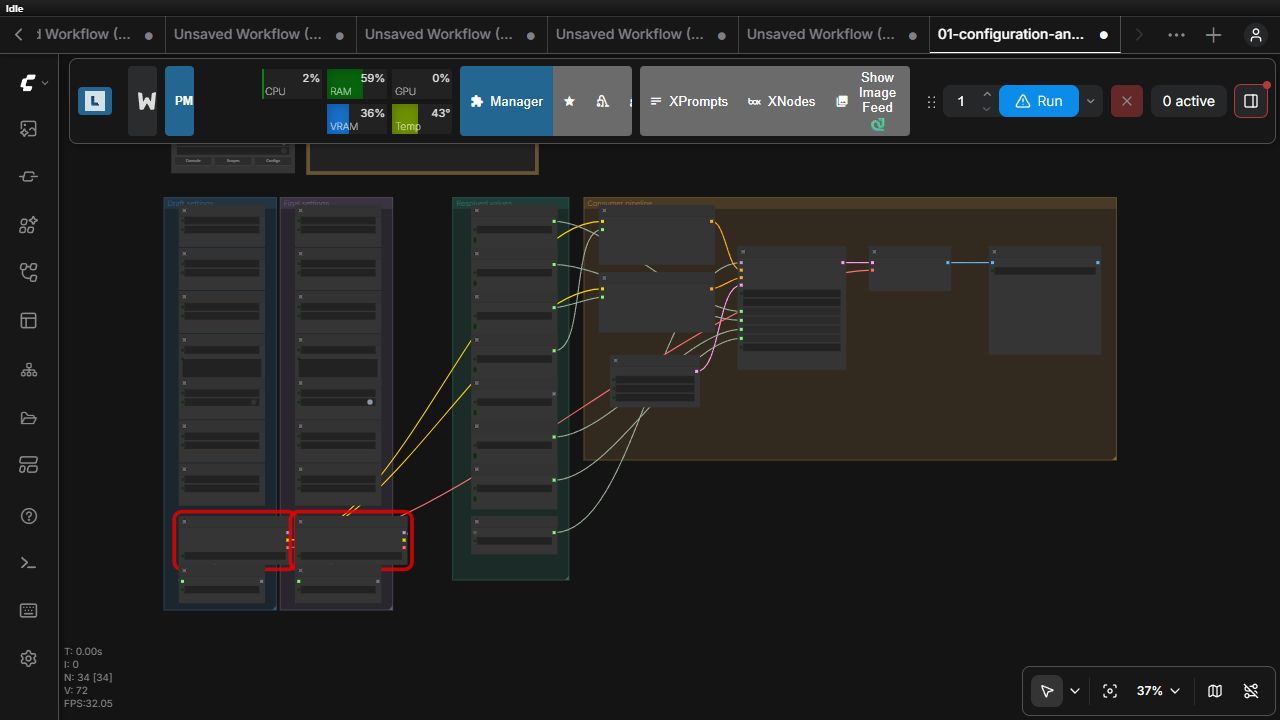
Download: configuration and routing — Draft and Final native groups provide typed values and alternative model relays; resolved values drive real sampler and text-encoding inputs.
The larger advanced configured production workflow shows the same relay pattern inside a model → LoRA → sampler → cleanup → video pipeline.
Workflow libraries
These are sidebar features rather than executable nodes, so they are demonstrated as interface workflows instead of artificial JSON nodes.
XFlows
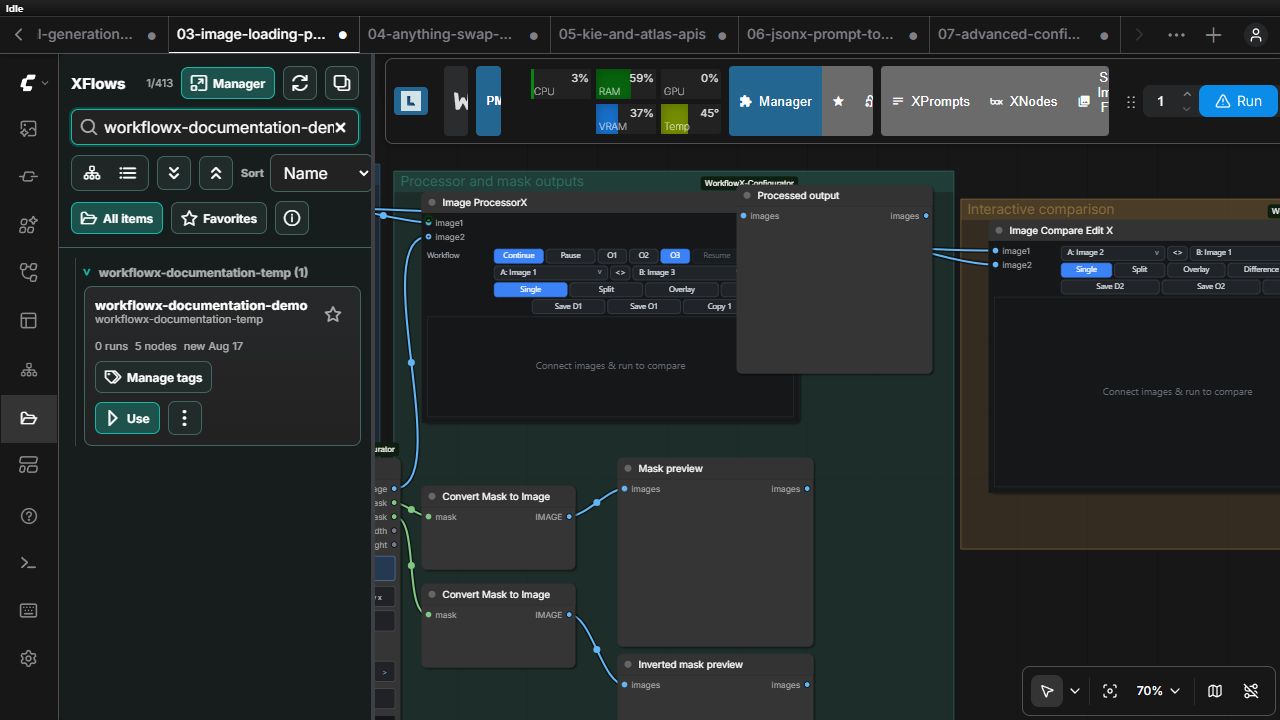
XFlows organizes ComfyUI workflows with folders, list/card views, tags, favorites, search, move tools, duplicate detection, and trash handling without changing the workflow JSON format.
XPrompts
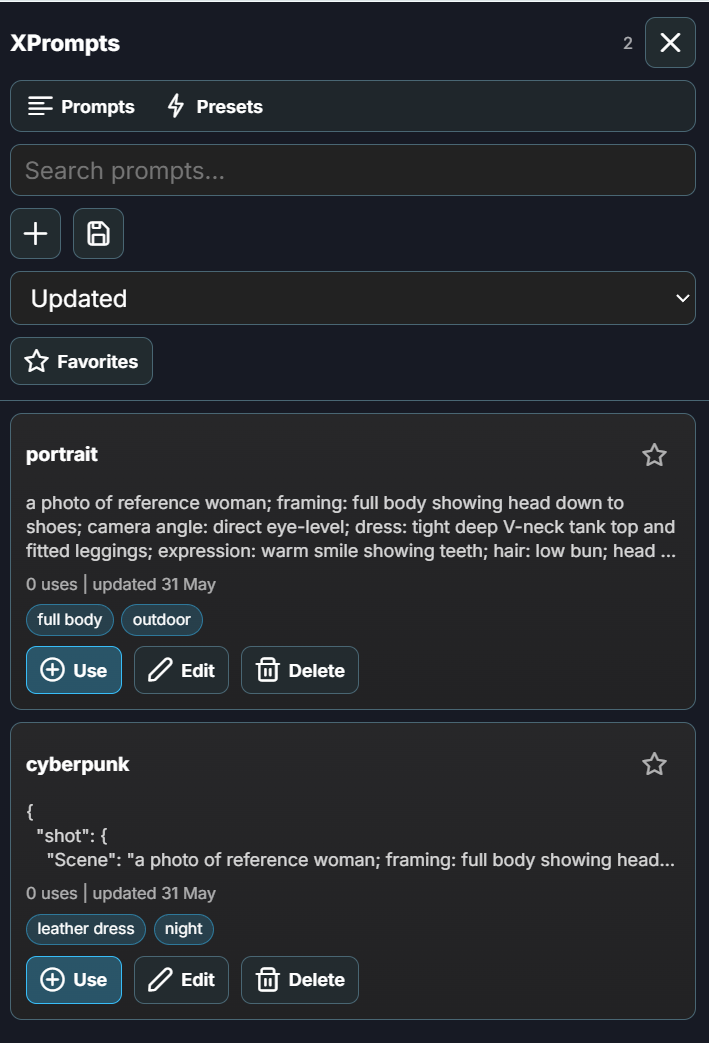
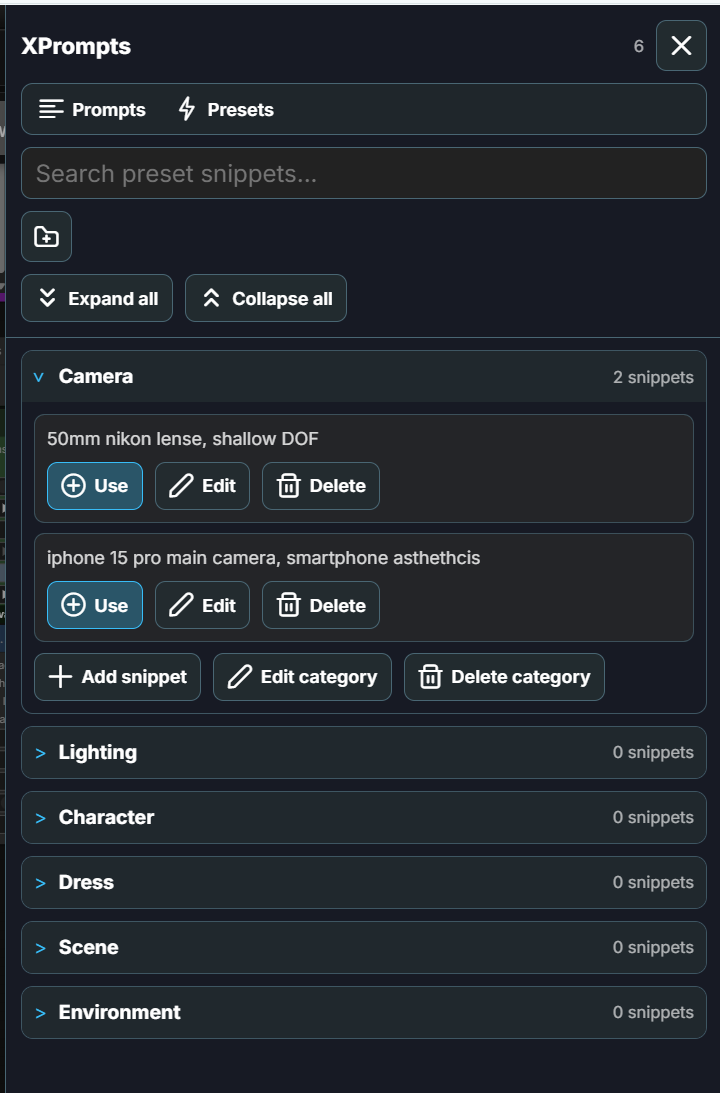
XPrompts stores searchable prompts and reusable preset blocks for insertion and editing. It complements structured JsonX workflows without forcing prompt text into a workflow graph.
XNodes
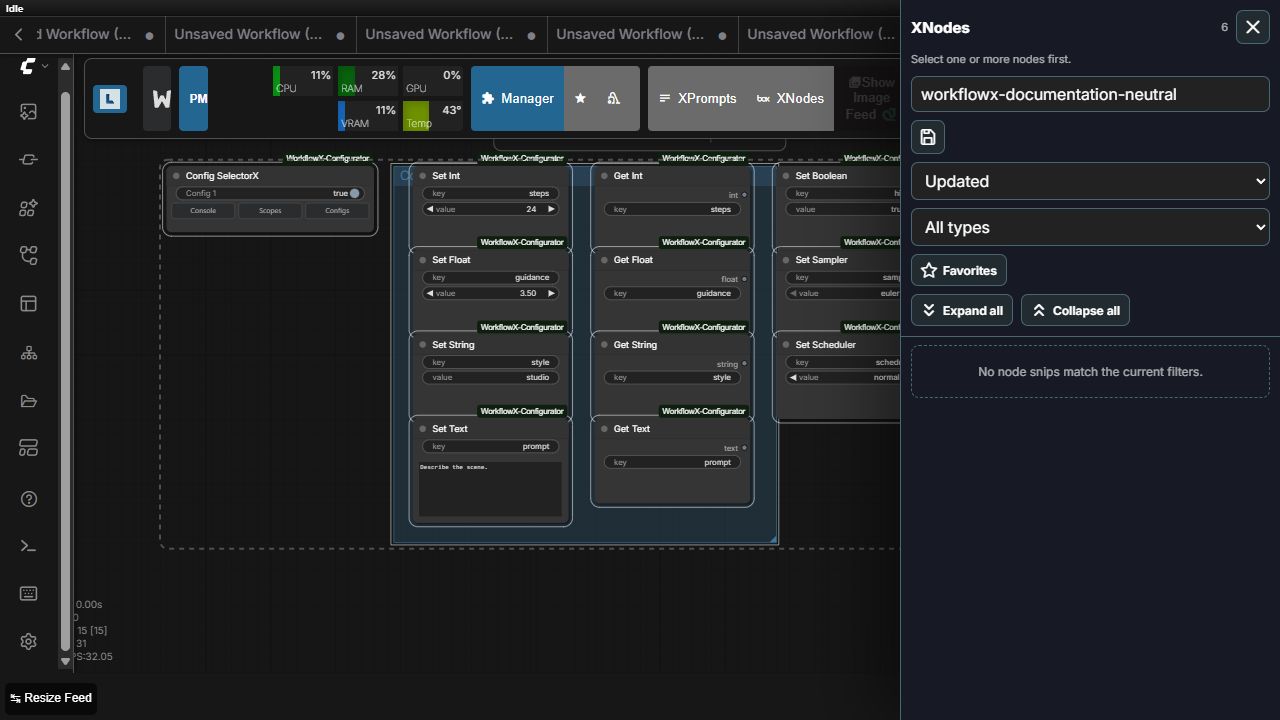
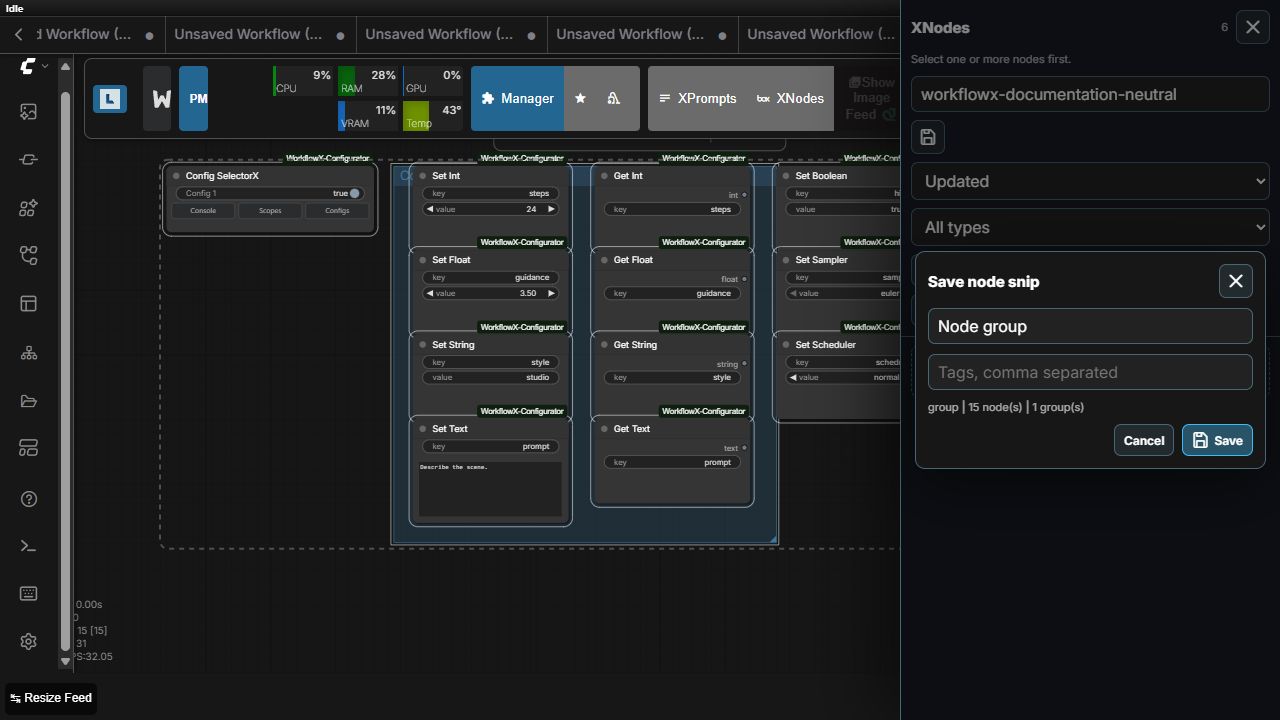
XNodes saves reusable nodes, selections, and native groups. Group snippets preserve selected ComfyUI groups, group geometry and styling, contained nodes, widget values, and links whose endpoints are both inside the saved selection.
Canvas right-click utilities
WorkflowX adds two options to every registered node's context menu.
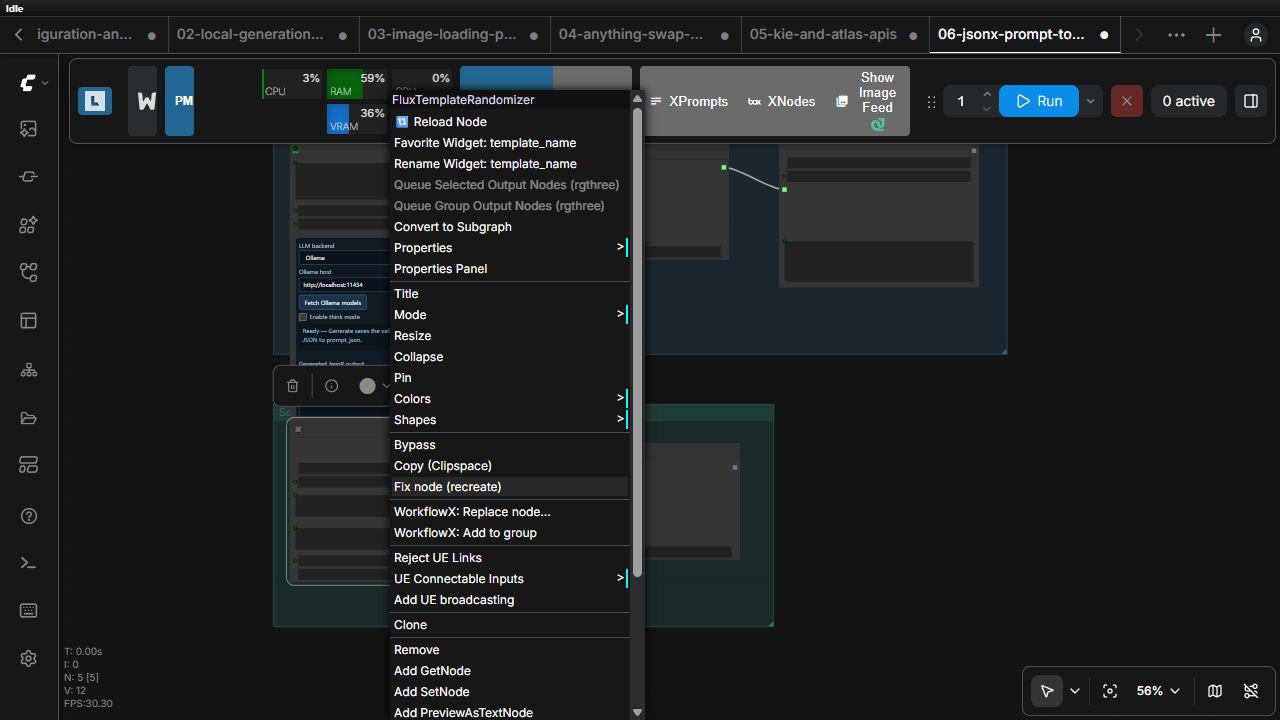
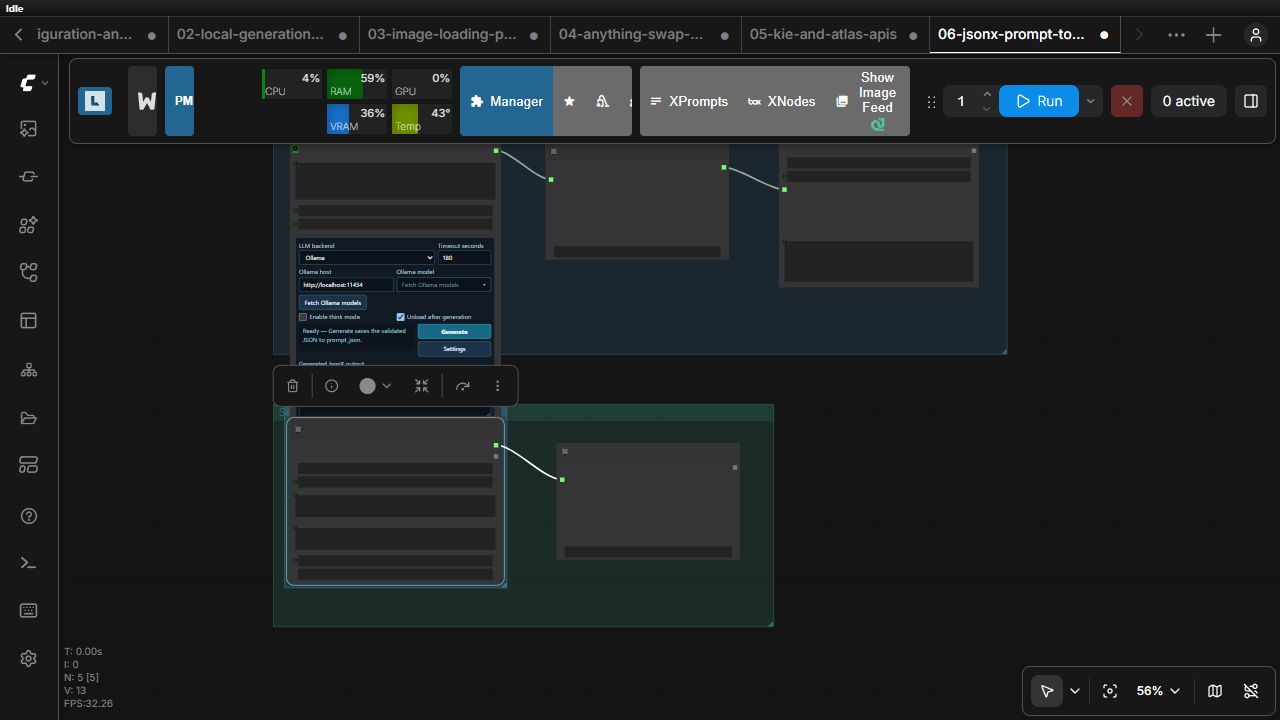
WorkflowX: Add to group
- If the clicked node is part of the current selection, all selected nodes are placed in one native ComfyUI group.
- If the clicked node is not selected, only that node is grouped.
- Group bounds use ComfyUI's Group Selected Nodes Padding setting, with a safe default when the setting is unavailable.
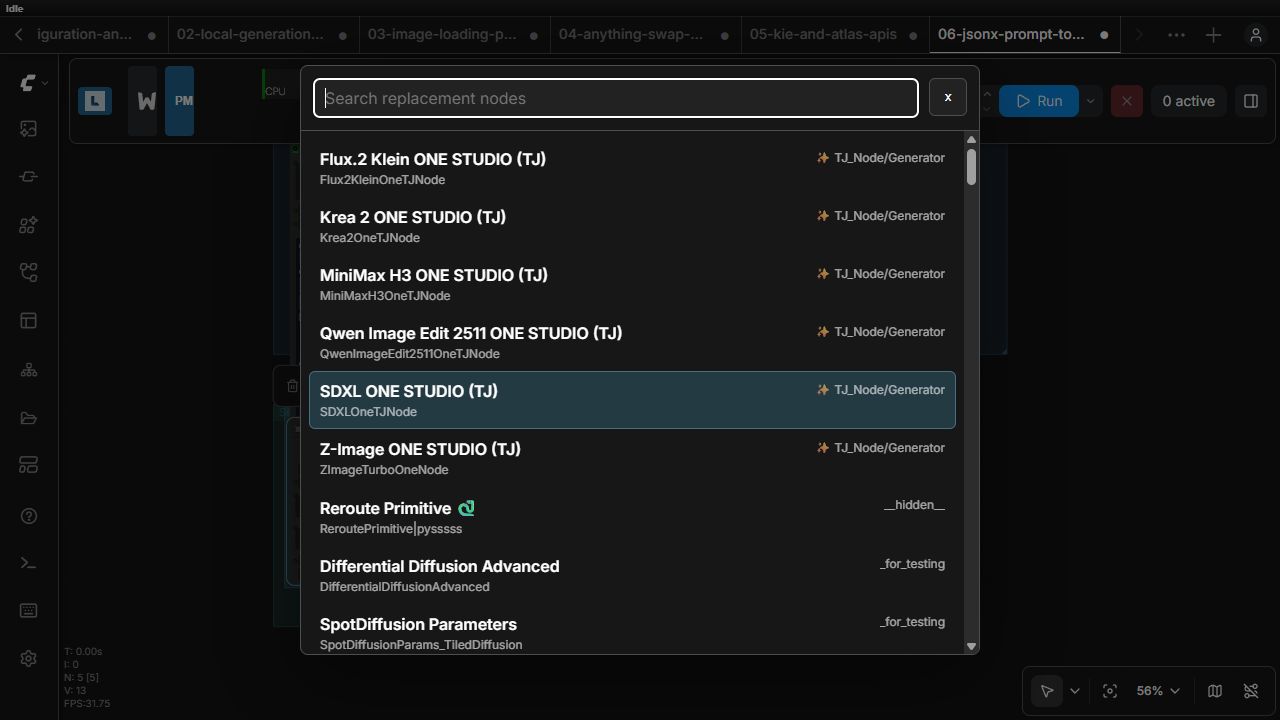
WorkflowX: Replace node...
The searchable dialog lists every registered node except the current class and can be filtered by display name, internal class, or category.
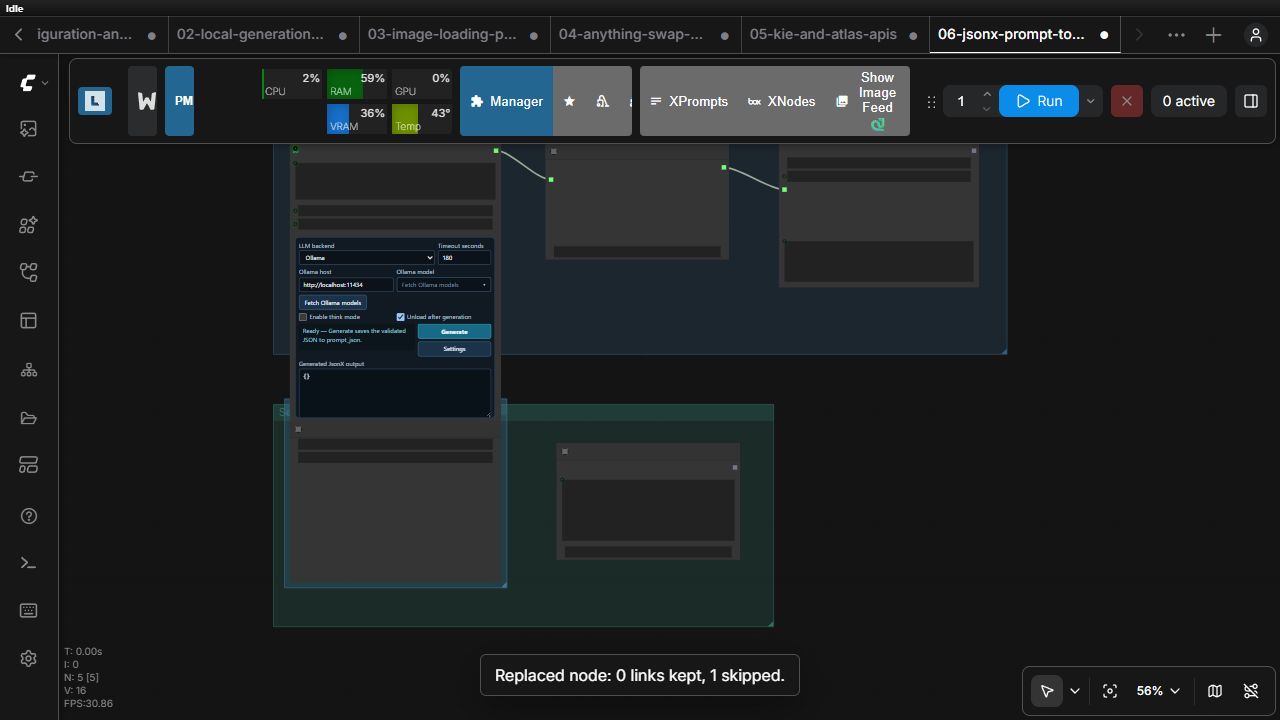
On replacement, WorkflowX preserves position, colors, mode, flags, a custom title, and a size large enough for the replacement. Matching widget names are copied. Input and output slots are matched by name and compatible type first, then by compatible type. Wildcard sockets are supported.
Incompatible links are skipped rather than forced, and a result notification reports kept links, skipped links, and copied widget values. Arbitrary node-specific hidden properties are not guaranteed to transfer.
Examples
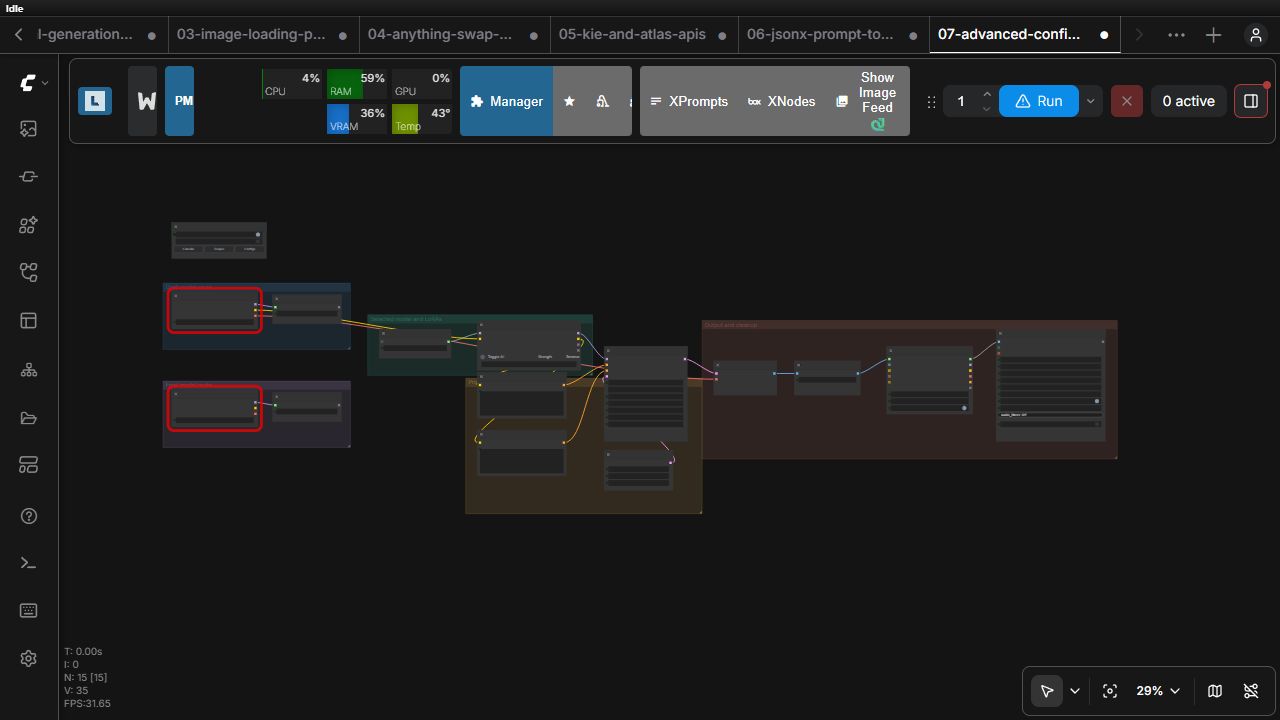
| Workflow | Demonstrates | Execution | |---|---|---| | Configuration and routing | Config SelectorX, every typed Set/Get pair, Relay, real consumers | Model-dependent | | Local generation and model management | Load Diffusion Model X, Load ImageX, Unified Autoprompter, LoraX, unload ordering, Save Video X | Model/resource-dependent | | Image loading, processing, and comparison | Both loaders, masks, Image ProcessorX, Image Compare Edit X | Local images required | | Anything Swap with NanoBanana | Advanced loader, crop, remote edit, stitch, previews | API-dependent | | Kie and Atlas APIs | Separate provider branches with previews | API-dependent | | JsonX prompt toolchain | Unified JsonX, builder, importer, randomizer | Partly local/profile-dependent | | Advanced configured production | Sanitized production pattern using configuration, relay, LoRA, cleanup, and video | Model-dependent |
Acknowledgements
WorkflowX Configurator is built for the ComfyUI ecosystem and benefits from the ideas, conventions, and open work shared across its custom-node community. The project as a whole, not only the nodes named below, reflects that wider ecosystem. Particular thanks go to:
- ComfyUI-Pixaroma for UI inspiration and the adjustment behavior adapted for Image Compare Edit X.
- ComfyUI-Curve for the curve-editor interaction model adapted for Image Compare Edit X.
- ComfyUI-Lora-Manager for the metadata, preview, and model-library APIs with which LoraX interoperates, and for helping establish the visual LoRA-management patterns LoraX develops further.
- llama.cpp, Ollama, and the prompting guidance published across supported model ecosystems, which informed Unified Autoprompter X's local and provider-backed prompt workflow.
- The original Anything Swap Bridge implementation and
AnythingCropForSwap/AnythingStitchcontract, which WorkflowX preserves while extending the workflow with model-agnostic editing, stronger geometry and mask handling, and native ComfyUI SAM3 support. - ComfyUI NanoBanana Full API for the original NanoBanana node that WorkflowX updates while preserving workflow compatibility.
- The bundled AFJ project for its visual JSON prompting foundation, and GemMobi for the canonical model contracts used by the Kie and Atlas image API nodes.
Some WorkflowX nodes preserve an established workflow contract while expanding, enhancing, or adapting its functionality for different use cases and a more unified experience. Others combine familiar interaction patterns with new implementations or interoperate with adjacent projects. These acknowledgements recognize those foundations; the resulting WorkflowX nodes may differ substantially in interface, scope, and behavior.
Migration, compatibility, and troubleshooting
- Current workflows should use Config SelectorX. The four earlier configurator nodes remain registered only so old workflows can load; see legacy migration.
- Example resource names are placeholders. Select local images, checkpoints, LoRAs, masks, audio, and codecs after loading.
- API examples have blank credentials and should not be queued until credentials and provider settings are configured.
- If a node is missing, restart ComfyUI after updating WorkflowX and confirm the node ID appears in
/object_info. - If a UI button is missing, hard-refresh the browser so the current frontend extensions load.
- For detailed feature guides, use the documentation index.
WorkflowX does not rename active node IDs or rewrite ComfyUI's workflow serialization format.
AuK audio nodes
The customized AuK suite is included under WorkflowX → Audio → AuK, with names ending in X and node IDs beginning with WorkflowXAuK. It includes loaders, generation/editing, instruction tools, transcription, chained cloning, two speakers, inline edits, and temporary line review. See the chained-clone guide and BF16 examples. Original AuK node IDs are not registered by WorkflowX, allowing a separate upstream installation without collisions.
Registered AuK nodes: WorkflowXAuKModelLoader, WorkflowXAuKEncoderLoader, WorkflowXAuKVAELoader, WorkflowXAuKInstructionEncode, WorkflowXAuKGenerateEdit, WorkflowXAuKInstructionBuilder, WorkflowXAuKWhisperTranscribe, WorkflowXAuKPromptEnhance, and WorkflowXAuKChainedClone. Two deprecated internal queue targets support the segment editor and are not intended for direct workflow use.
The AuK implementation and bundled tokenizer/configuration assets retain their upstream license. Existing model files remain in ComfyUI model folders; no extra model copies are required.
H3 RefMod nodes
The bundled H3 RefMod workflow lives under WorkflowX → Video → H3 Refmod. Its registered nodes are H3RCCreateFromFolder, H3RCPrepareThumbnail, H3RCCharacterPicker, H3RCImageReference, H3RCAudioReference, H3RCVideoReference, H3RCModReferenceToVideo, and H3RCInspectText. See the H3 RefMod guide and example workflows.