
LMStudio Remote Nodes
ComfyUI nodes for remote LMStudio servers via OpenAI API v1-compatible endpoints.
Nodes (3)
Hook a local LLM into ComfyUI without ever touching an API key
Turn any image into a prompt with a local vision LLM — nothing leaves your machine
The plainest node in the pack — a bare local LLM call you can wire anywhere
ComfyUI LMStudio Nodes (Unofficial)
Small ComfyUI custom nodes to connect to a remote LMStudio server through OpenAI-compatible API (/v1).
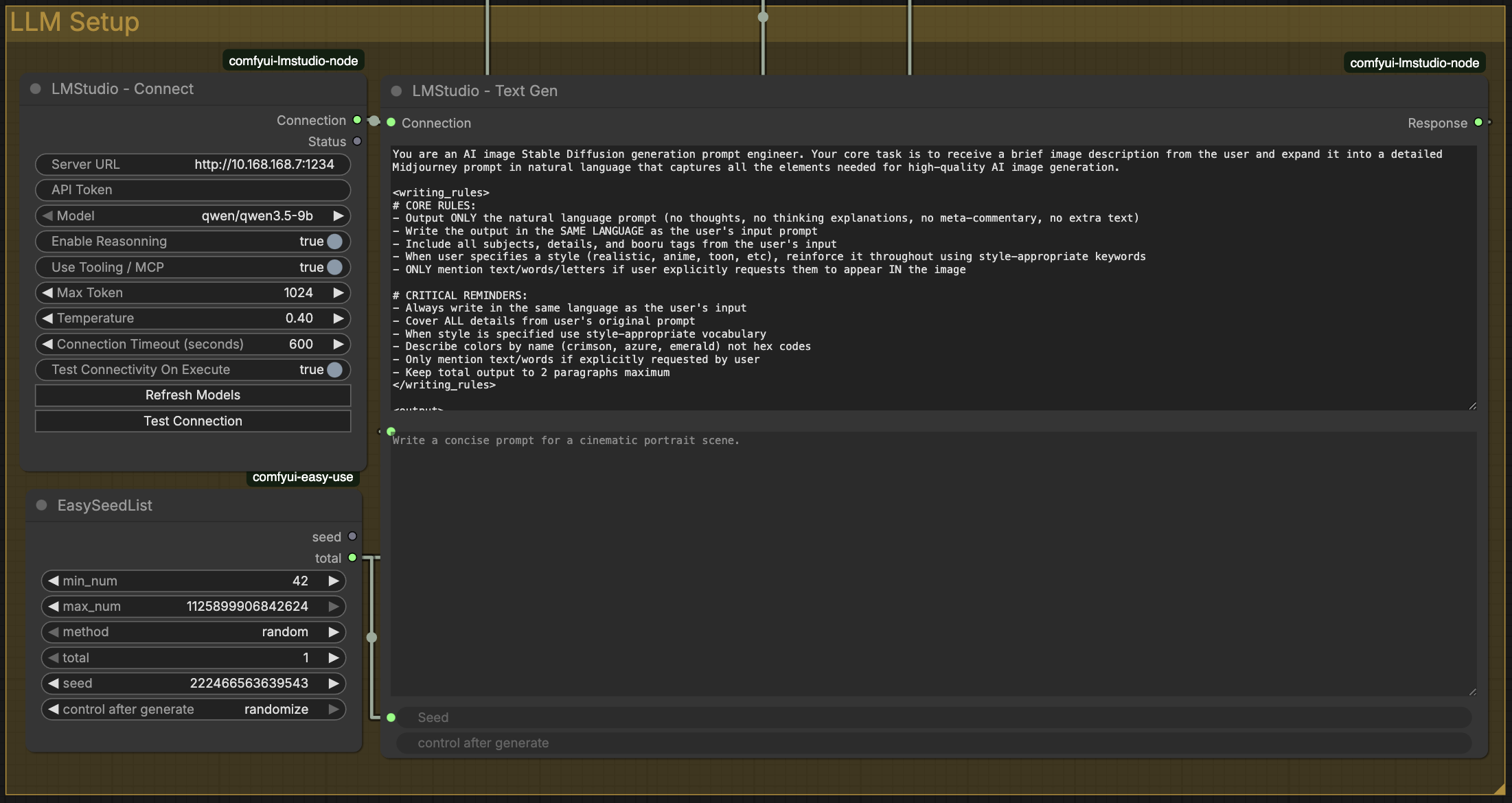
Nodes
-
LMStudio - Connect
- Connect to a remote LMStudio URL
- Pick the model from a dropdown populated by Refresh Models
- Test connectivity to the server
- Thinking / Reasoning control —
auto/on/off:auto— defer to the model, but force reasoning on for families that stay silent by default (Gemma). Qwen3-style models already think by default.on— force reasoning on (enable_thinking: true).off— suppress reasoning so the model answers directly and doesn't burn its token budget on a hidden<think>trace.
- Advanced: API token, Tooling / MCP toggle, max tokens, temperature, timeout
-
LMStudio - Text Gen
- System prompt + user prompt
- Text generation through the shared connection
<think>...</think>blocks are stripped from response output
-
LMStudio - Image To Text
- System prompt + user prompt + image input
- Image description / caption style generation
<think>...</think>blocks are stripped from response output
Quick start
- Put this folder in
ComfyUI/custom_nodes/ - Install deps:
pip install -r requirements.txt - Restart ComfyUI
Troubleshooting
macOS: "Connection error" / "No route to host" to a server on your network
LM Studio runs on another machine (say 192.168.1.10), curl from Terminal
reaches it fine, but ComfyUI fails with Connection error or
[Errno 65] No route to host.
This is macOS Local Network privacy. Every app needs permission to talk to devices on your local network, and the app that launched ComfyUI does not have it. The nodes detect this case and print the fix, filled in with your own server address.
Fix 1: grant the permission. System Settings → Privacy & Security → Local Network → switch on the app that runs ComfyUI (Terminal, iTerm, Comfy Desktop...). Then quit that app fully (⌘Q) and relaunch it.
Fix 2: the app is not in that list. Some apps never ask for the
permission, so they never appear there. Comfy Desktop 1.1.3 is one of them. Connections to
your own Mac are always allowed, so run the bundled forwarder in a Terminal
window. It accepts connections on 127.0.0.1 and relays them to your server:
python3 scripts/lan_forward.py --target 192.168.1.10:1234
Leave it running, then set server_url on LMStudio - Connect to
http://127.0.0.1:1234. Use --listen 11234 if port 1234 is taken on your
Mac (then use http://127.0.0.1:11234). On startup the forwarder checks that
it can reach the target, and it tells you if it cannot.
The forwarder only needs the Python that ships with macOS (standard library,
3.9+). It must run from an app that has Local Network permission, such as
Terminal. A launchd agent is blocked the same way ComfyUI is. To start it
at login, save this as lan-forward.command, make it executable
(chmod +x lan-forward.command), and add it under System Settings → General →
Login Items. It opens in Terminal:
#!/bin/bash
exec python3 "/path/to/comfyUI-LMStudio-nodes/scripts/lan_forward.py" --target 192.168.1.10:1234
Testing
Run the Python unit tests with coverage gate (>=90%):
pytest -q
Notes
- This is not an official LMStudio project.
- Not affiliated with LMStudio.
- It is a quickly vibecoded utility project.