
ComfyUI-FL-Qwen3TTS
Qwen3 TTS for ComfyUI - High-quality text-to-speech with voice cloning, voice design, and custom voices
Nodes (10)
Back from tokens to sound — the other half of the Qwen3 codec round trip
Turn any audio into Qwen3's discrete speech codes
Nine built-in speakers and a style knob — the fastest way to speech in this pack
Pick the right Qwen3-TTS brain before you generate a word
The quiet workhorse behind Qwen3's 12Hz speech codec
Fine-tune a Qwen3 voice without leaving the graph — loss chart and all
The Whisper sidekick that makes your voice clone actually work
Clone a voice from five seconds of audio — the node this pack is really about
Clone once, generate forever — precompute your voice prompt
Describe a voice, get a voice — no reference audio required
FL Qwen3 TTS
Advanced text-to-speech nodes for ComfyUI powered by Alibaba's Qwen3-TTS model family. Features voice cloning, voice design from text descriptions, predefined speakers, and a built-in fine-tuning UI with real-time training dashboard.


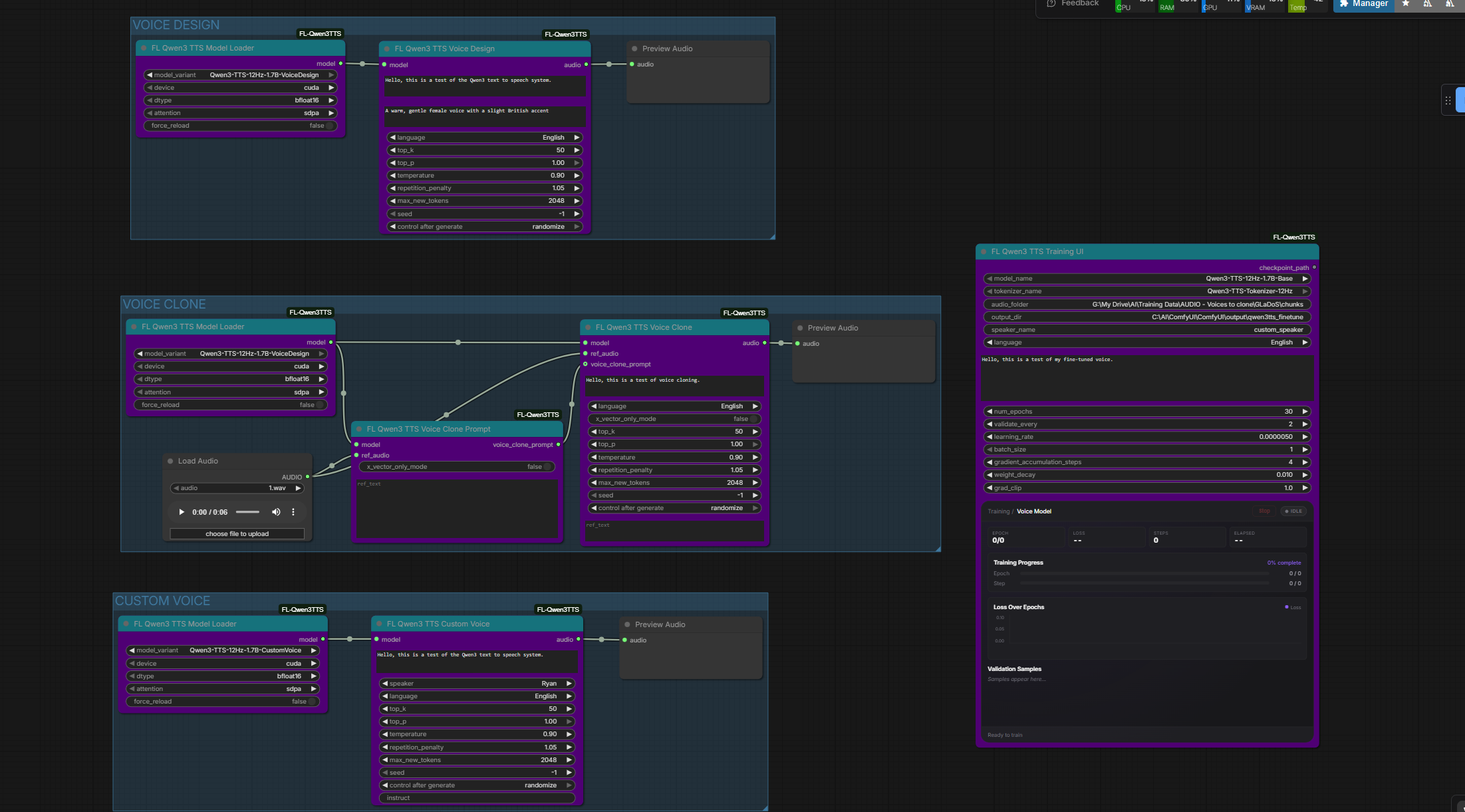
Features
- Voice Cloning - Clone any voice from 5-15 seconds of reference audio
- Voice Design - Create custom voices from natural language descriptions
- 9 Predefined Speakers - Ready-to-use voices across Chinese, English, Japanese, and Korean
- Fine-Tuning UI - Train custom voice models with a real-time dashboard (loss chart, progress, validation audio)
- 10 Languages - Chinese, English, Japanese, Korean, German, French, Russian, Portuguese, Spanish, Italian
- Auto Transcription - Built-in Whisper integration for generating reference text
- Audio Codec - Encode and decode audio using the Qwen3-TTS 12Hz tokenizer
Nodes
| Node | Description | |------|-------------| | Model Loader | Downloads and caches Qwen3-TTS models from HuggingFace | | Tokenizer Loader | Loads the 12Hz audio tokenizer for encoding/decoding | | Custom Voice | Generate speech using 9 predefined speakers with optional style instructions | | Voice Design | Create voices from natural language descriptions (e.g. "a warm British female voice") | | Voice Clone | Clone a voice from reference audio | | Voice Clone Prompt | Pre-compute a voice prompt for efficient multi-generation cloning | | Audio Encode | Encode audio to discrete codes using the tokenizer | | Audio Decode | Decode discrete codes back to audio | | Transcribe | Transcribe audio to text using Whisper (useful for ref_text) | | Training UI | All-in-one fine-tuning with real-time training dashboard |
Installation
ComfyUI Manager
Search for "FL Qwen3 TTS" and install.
Manual
cd ComfyUI/custom_nodes
git clone https://github.com/filliptm/ComfyUI-FL-Qwen3TTS.git
cd ComfyUI-FL-Qwen3TTS
pip install -r requirements.txt
Quick Start
Text-to-Speech
- Add FL Qwen3 TTS Model Loader and select a model variant
- Connect to Custom Voice, Voice Design, or Voice Clone node
- Enter your text, configure voice settings, and generate
Voice Cloning
- Load the Base model (
Qwen3-TTS-12Hz-1.7B-Base) - Connect to Voice Clone with 5-15 seconds of reference audio
- Optionally use Transcribe to generate ref_text for better results
- Enter target text and generate
Fine-Tuning
- Prepare a folder with audio files and matching
.txttranscripts - Add the Training UI node and point it to your dataset folder
- Configure training parameters (learning rate, epochs, etc.)
- Run the workflow — monitor progress in the real-time dashboard
- Use the output checkpoint with Custom Voice for inference
Models
| Model | Type | Use Case | |-------|------|----------| | Qwen3-TTS-12Hz-1.7B-Base | Base | Voice cloning and fine-tuning | | Qwen3-TTS-12Hz-1.7B-CustomVoice | Custom Voice | 9 predefined speakers with style control | | Qwen3-TTS-12Hz-1.7B-VoiceDesign | Voice Design | Create voices from text descriptions |
Models download automatically on first use to ComfyUI/models/tts/Qwen3TTS/.
Predefined Speakers
Available with the CustomVoice model:
| Speaker | Language | Description | |---------|----------|-------------| | Vivian | Chinese | Bright, edgy female | | Serena | Chinese | Warm, gentle female | | Uncle_Fu | Chinese | Seasoned male | | Dylan | Chinese | Beijing dialect male | | Eric | Chinese | Sichuan dialect male | | Ryan | English | Dynamic male | | Aiden | English | American male | | Ono_Anna | Japanese | Japanese female | | Sohee | Korean | Korean female |
Dataset Format (Training)
audio_folder/
  sample1.wav
  sample1.txt    # contains transcript of sample1.wav
  sample2.mp3
  sample2.txt
  ...
Supported audio formats: .wav, .mp3, .flac, .ogg, .m4a
Requirements
- Python 3.9+
- 16GB RAM minimum (32GB+ recommended for training)
- NVIDIA GPU with 12GB+ VRAM recommended (CPU and Mac MPS supported for inference)
License
Apache 2.0