
MOSS-Image BBOX Editor
A region editor and prompt builder for MOSS-Image in ComfyUI.
MOSS-Image BBOX Editor
Draw boxes and describe their contents in ComfyUI. The node emits the native MOSS-Image layout prompt and the canvas aspect ratio.
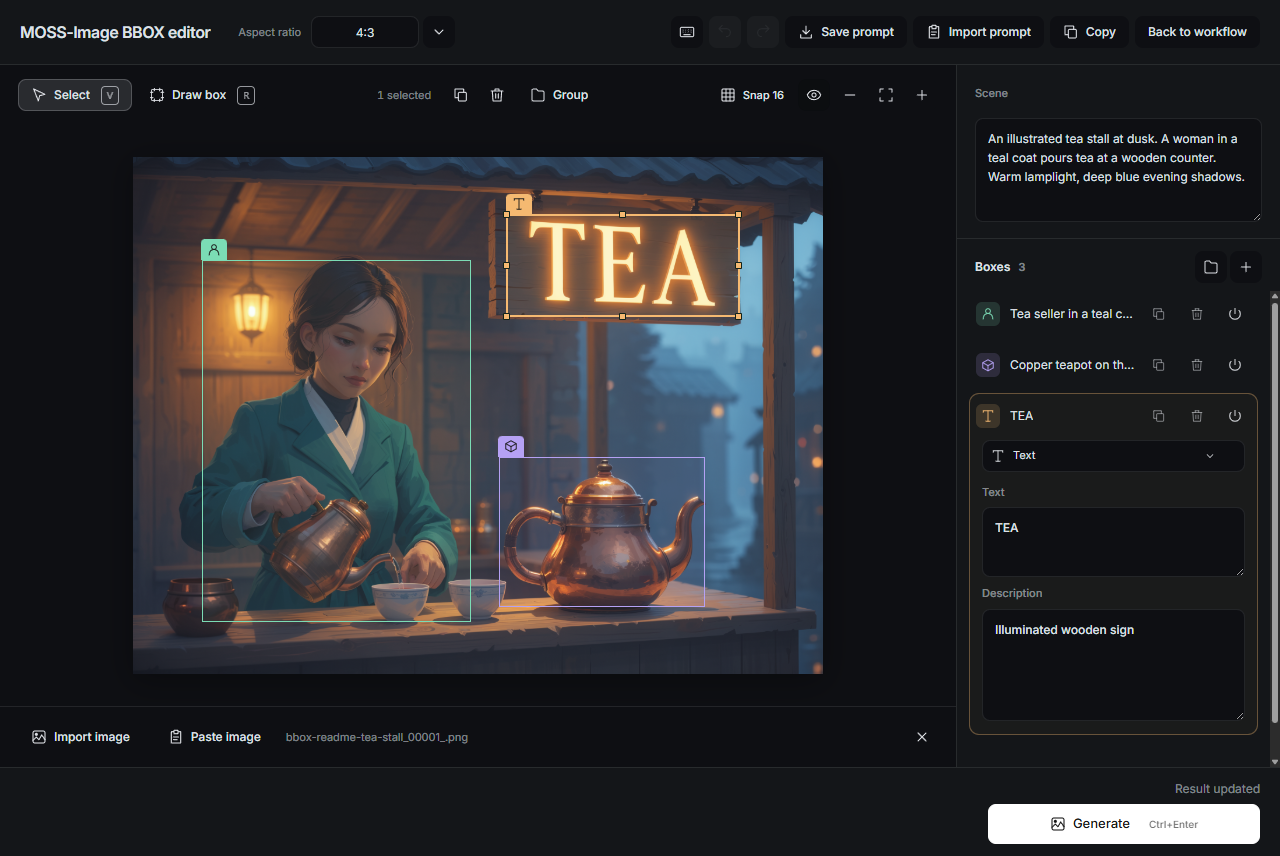
Use
Install comfyui-moss-bbox from ComfyUI Manager and restart ComfyUI. Add MOSS-Image BBOX editor from the conditioning menu. Connect prompt to the text encoder. Connect aspect ratio and the same megapixel value to MOSS Aspect Ratio Resolution, then use its dimensions for the latent.
Click Edit boxes for the editor, or Open BBOX workspace for the fullscreen view. Press R to draw a box. Select Character, Object, or Text and describe what belongs inside it. Generate or Ctrl+Enter runs the workflow. Sampler steps appear in the bar above Generate. Longer runs group steps into dots to fit the available width.
Kromoss example
Open kromoss-dmd-bbox.json and install its missing nodes with Manager. The example uses EXL3 CLIP Loader, ComfyUI-ppm, and ComfyUI-UtilsCollection.
| Download | ComfyUI folder |
|---|---|
| Kromoss INT8 OPD | models/diffusion_models/ |
| Kromoss 8-step OPD DMD LoRA | models/loras/ |
| FLUX.2 small VAE | models/vae/ |
| Qwen3.5-9B EXL3 4.00 bpw | models/text_encoders/exl3/Qwen3.5-9B-exl3-4.00bpw/ (download the whole revision) |
Select your adapter in Style LoRA, enable that node, and keep its CLIP strength at zero for model-only adapters.
Development
Run npm ci, npm run build:css, and npm test. The distributed CSS is built into the package.