
ComfyUI-PromptTranslator
A ComfyUI custom node for translating text prompts using local GGUF models via llama-cpp-python, supporting English or Chinese without internet.
Nodes (2)
ComfyUI-PromptTranslator
English | 中文
A ComfyUI custom node for translating text prompts using local GGUF models. Powered by llama-cpp-python, it supports translation to English or Chinese without requiring internet connection or API keys.
Features
- Local Translation: Uses GGUF models via llama-cpp-python, no internet required
- English & Chinese Support: Translate to English or Chinese (Simplified)
- VRAM Optimization: Automatically unload model after translation to free VRAM
- Text Display Node: Built-in ShowTextNode for debugging and displaying translation results
1. Installation
Prerequisites
- Python 3.10+
- ComfyUI installed
Install the Node
cd ComfyUI/custom_nodes
git clone https://github.com/er1cw00/ComfyUI-PromptTranslator.git
cd ComfyUI-PromptTranslator
pip install -r requirements.txt
Restart ComfyUI
2. Model Directory
Where to place GGUF models
Place your .gguf model files in models/gguf:
ComfyUI/
├── models/
│   └── gguf/
│       ├── Qwen2.5-7B-Instruct-Q4_K_M.gguf
│       ├── Qwen2.5-7B-Instruct-Uncensored.Q4_K_M.gguf
│       └── ...
The node will automatically:
- Scan and list all
.gguffiles inmodels/gguf/directory. - Create the
models/gguf/directory if it doesn't exist
Recommended Models
| Model | Size | Download | |-------|------|----------| | Qwen2.5-7B-Instruct-Q4_K_M.gguf | ~4.7GB | HuggingFace | | Qwen2.5-7B-Instruct-Uncensored.Q4_K_M.gguf | ~4.7GB | HuggingFace |
Note: Larger models provide better translation quality but require more VRAM/RAM.
3. Usage Guide
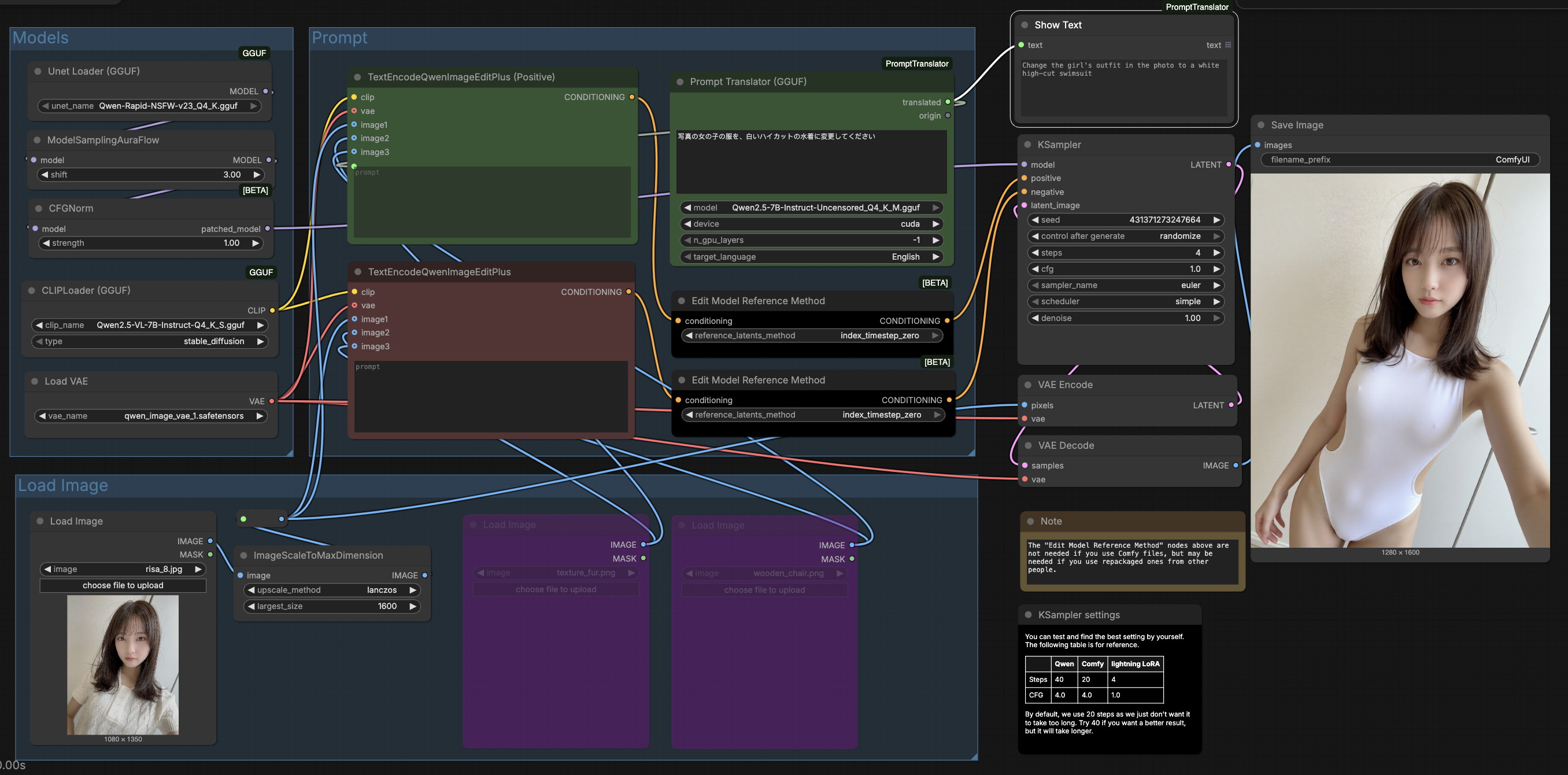
Prompt Translator Node
- prompt: Input prompt to be translated
- model: Select GGUF model
- device: Select inference device (cpu/cuda/mps)
- n_gpu_layers: Number of GPU layers (only effective when device=cuda, -1 means all layers on GPU)
- target_language: Target language (English or Chinese (Simplified))
Show Text Node
Used for displaying and debugging text content. Can visualize the translation results from PromptTranslatorNode.
- text: Input text (supports connection from other nodes' STRING output)
- Displays input text content on the node in real-time
License
MIT License