
comfyui_eimiss_nodes
A ComfyUI extension with 5 custom nodes.
Nodes (5)
comfyui_eimiss_nodes
Custom Eimiss nodes for ComfyUI.
- Universal Regional Prompter (Regional Prompter + Regional Painter nodes) — BREAK-based regional prompting with a paintable region map.
- Universal Model Loader — checkpoint loader with optional CLIP / VAE overrides.
- Empty Image Checker / Empty Conditioning Checker — optional-input fallbacks.
Universal Regional Prompter
The Universal Regional Prompter is the Regional Prompter node together with the
Regional Painter node (their names in ComfyUI). It builds conditioning for
regional prompting from one prompt split by BREAK. No training needed; tested with
illustrious, anima and other models that support masked conditioning.
Inputs:
- clip — the CLIP/text encoder to use.
- positive_prompt (connect from another node) — prompt with
BREAK-separated sections. - regions (connect from the painter's
regionsoutput) — region count. - prepend_base_to_regions (default on) — the first section is the base prompt: it covers the unpainted areas and is prepended to every region prompt.
- strength (default 0.5, max 1.0) — how much a region's prompt replaces the base prompt inside its region.
- cond_area —
mask bounds(default) orfull image, see below. - negative_prompt (optional), region_map (from the painter).
Outputs: positive and negative conditioning.
Prompt format:
base prompt                 - only with prepend_base_to_regions on
BREAK
region 1 prompt (blue)
BREAK
region 2 prompt (green)
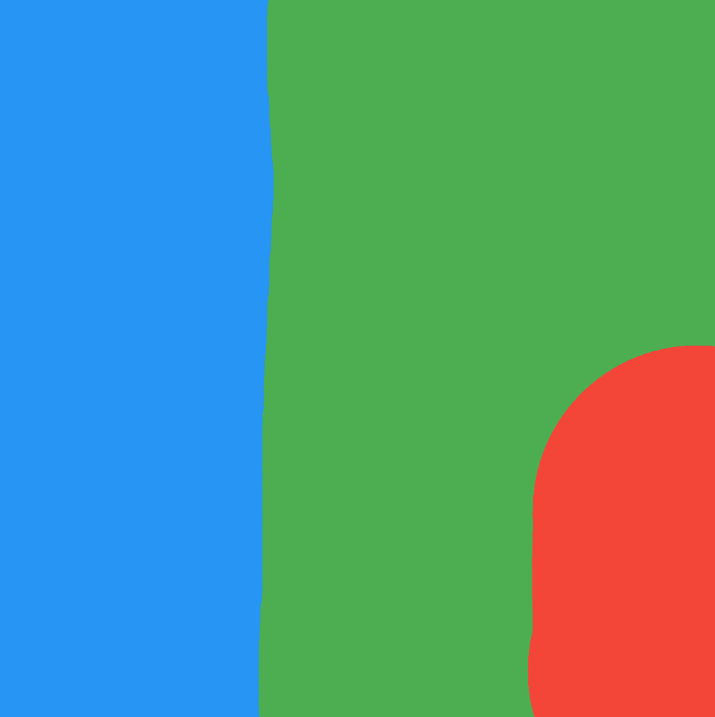
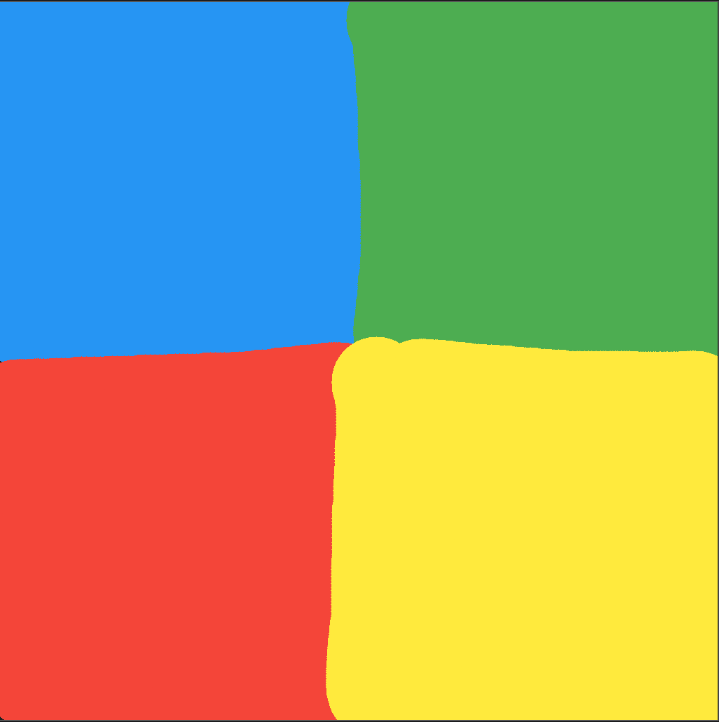
Region colors are fixed: blue, green, red, yellow, magenta, cyan, orange, purple, lime, pink. Colors from an external image are snapped to the nearest palette color; colors far from all of them, and colors of regions above the region count, are treated as unpainted.
cond_area
| | mask bounds (default) | full image |
|---|---|---|
| How | One image. Every step, each region samples the rectangle around its mask; the last 60% of the steps merge everything with the complete prompt | Each region is generated as its own full-size image, shrunk into its region, then the whole image is re-rendered |
| Region edges | Masks fade over each region's outer edge, so neighbouring regions overlap and blend | Region prompts cross-fade over each border; the re-render redraws edges and background strongly and keeps region centers |
| Small regions | Drawn at their own small size | Drawn at full size, then shrunk |
| Speed | About a normal image | About 3× (4 regions) |
Both modes scale the blending to each region's size, run inside a normal KSampler and
need no position words in the prompt — the painted map places the content. This pack
patches ComfyUI's sampler so mask bounds also works on 3D-latent models (anima/Wan)
and so full image can run its passes inside the KSampler; sampling without these
nodes is unchanged.
full image only runs its plan when the KSampler starts from full noise (denoise 1.0);
img2img and detailer passes with the same conditioning get the regional prompts
blended by mask.
Which one to use
mask bounds draws everything into one shared image from the first step.
- Pros: fast, about the cost of a normal image. Lighting, perspective and style stay consistent because there is only one image. Good for scenes, backgrounds and props.
- Cons: each region is drawn at its own size, so a character in a small region can come out as a fragment, and poses are limited by the region's shape.
full image draws every region as its own complete picture first.
- Pros: characters get full detail and more varied, natural poses, because each is drawn at full size without its neighbours. Small regions still get a complete subject, shrunk to fit.
- Cons: slower, one extra half-length pass per region (about 3× a normal image with 4 regions). The regions start as separate pictures, so lighting or perspective between them can disagree; the re-render blends the borders but cannot always reconcile them. Needs a KSampler denoise of 1.0.
Start with mask bounds; switch to full image when characters come out cramped,
cut off or stiff.
Strength
Inside a region the base prompt gets 1 − strength and the region prompt strength:
0.5 mixes them evenly, 1.0 uses only the region prompt (which still contains the
base text when it is prepended). Without a base prompt (prepend_base_to_regions
off) strength is ignored and the widget is greyed out.
Which value to use: start with the default 0.5. Raise it toward 1.0 when a
region's subject comes out weak or missing, which is common for characters. Lower it
toward 0.3 when the regions should melt into one scene, such as landscapes, lighting
or props. One value applies to every region of the node.
Tips
- Give characters room: a quarter of the image or more. A whole character in a small corner region often comes out as a fragment or just its aura.
- Keep regions compact.
mask boundssamples the rectangle around each region, so long arcs or stray specks of a color stretch it over most of the image. - Without a base prompt, paint the whole canvas: unpainted areas get an empty prompt.
Regional Painter
Paints the colored region map used by the Regional Prompter.
- Click the canvas on the node (or right-click -> "Paint Region Map") to open the painting dialog.
- Click a color swatch to select the region, left-drag paints, right-drag erases, the slider sets the brush size.
- Save stores the map in the node (base64 PNG, saved with the workflow); Cancel closes without saving, Clear wipes the map.
width/height/regionswidgets can be driven by other nodes (drag an INT output onto them). Changing them keeps the painted map.
Outputs:
- region_map -> Regional Prompter
region_map. - regions -> Regional Prompter
regions(keeps both in sync).
Tips
- To turn regional prompting off, bypass the Regional Painter and Regional Prompter and pick the plain conditioning with an Empty Conditioning Checker.
- The painter's
regionsmust match the number of region sections in the prompt (the base section does not count whileprepend_base_to_regionsis on). Otherwise the Regional Prompter stops with an error that names both counts.
Examples
Anima uses natural language, illustrious uses Danbooru tags. Each style is shown with
a base prompt (prepend_base_to_regions on) and without one (off). Images are read from the examples/ folder.
Ready-to-use workflow: drag examples/regional_prompter_workflow.json
into ComfyUI, pick your checkpoint in the Universal Model Loader and queue. It is
example 3 (night shrine) with its region map already painted. For the best faces, also
run a face detailer after the KSampler.
Negative prompt for anima:
bad quality, worst quality, blurry, deformed, bad anatomy, bad hands, text, watermark, signature, nsfw, nude, cleavage, revealing clothes, navel, midriff, bikini, shell bra, large breasts
Negative prompt for illustrious:
lowres, worst quality, bad quality, bad anatomy, bad hands, extra digits, jpeg artifacts, text, watermark, signature, artist name
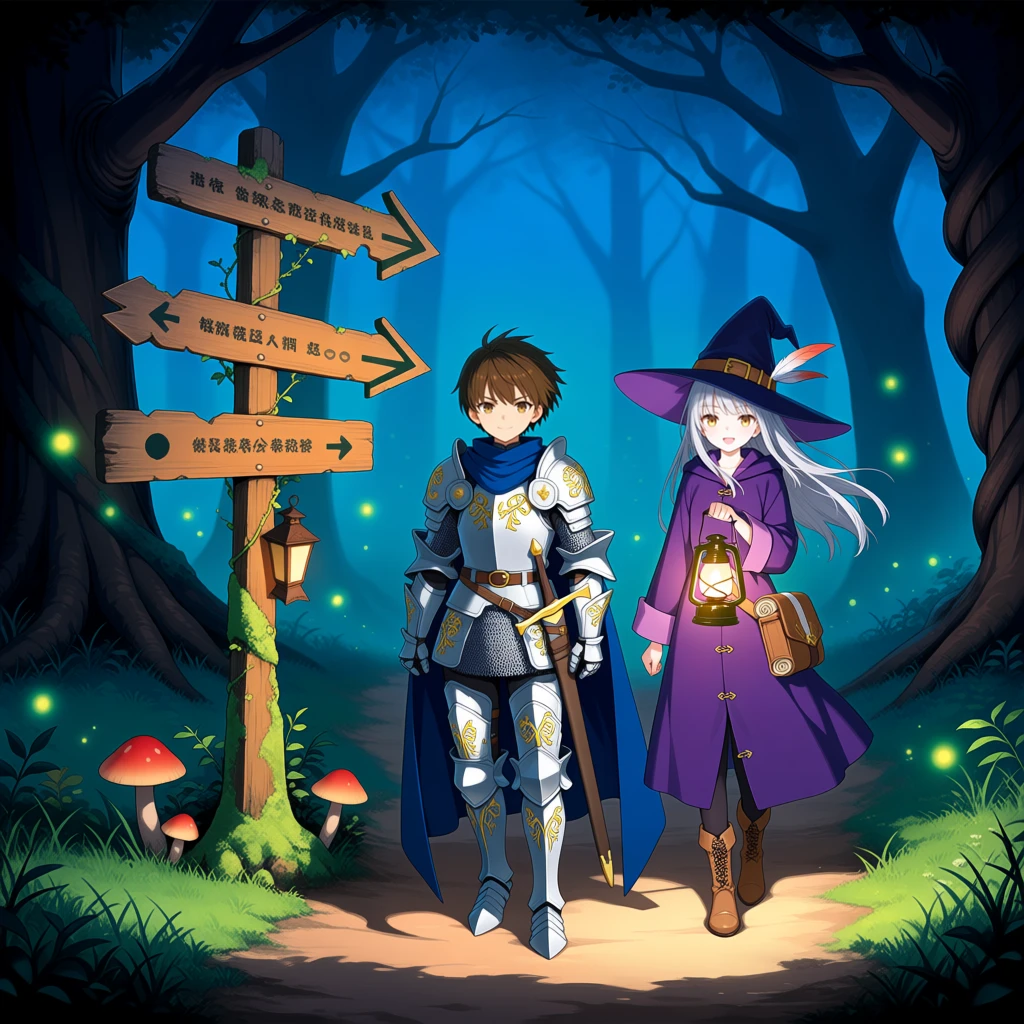
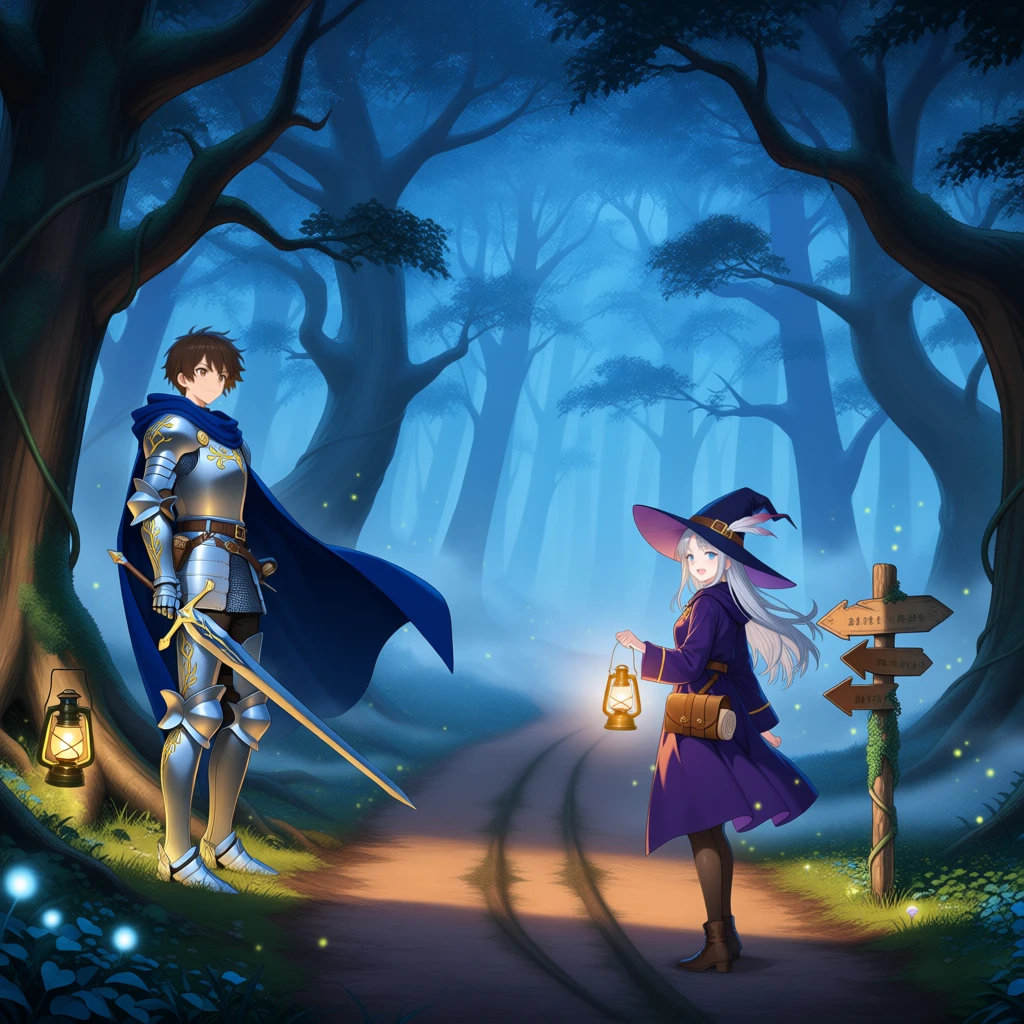
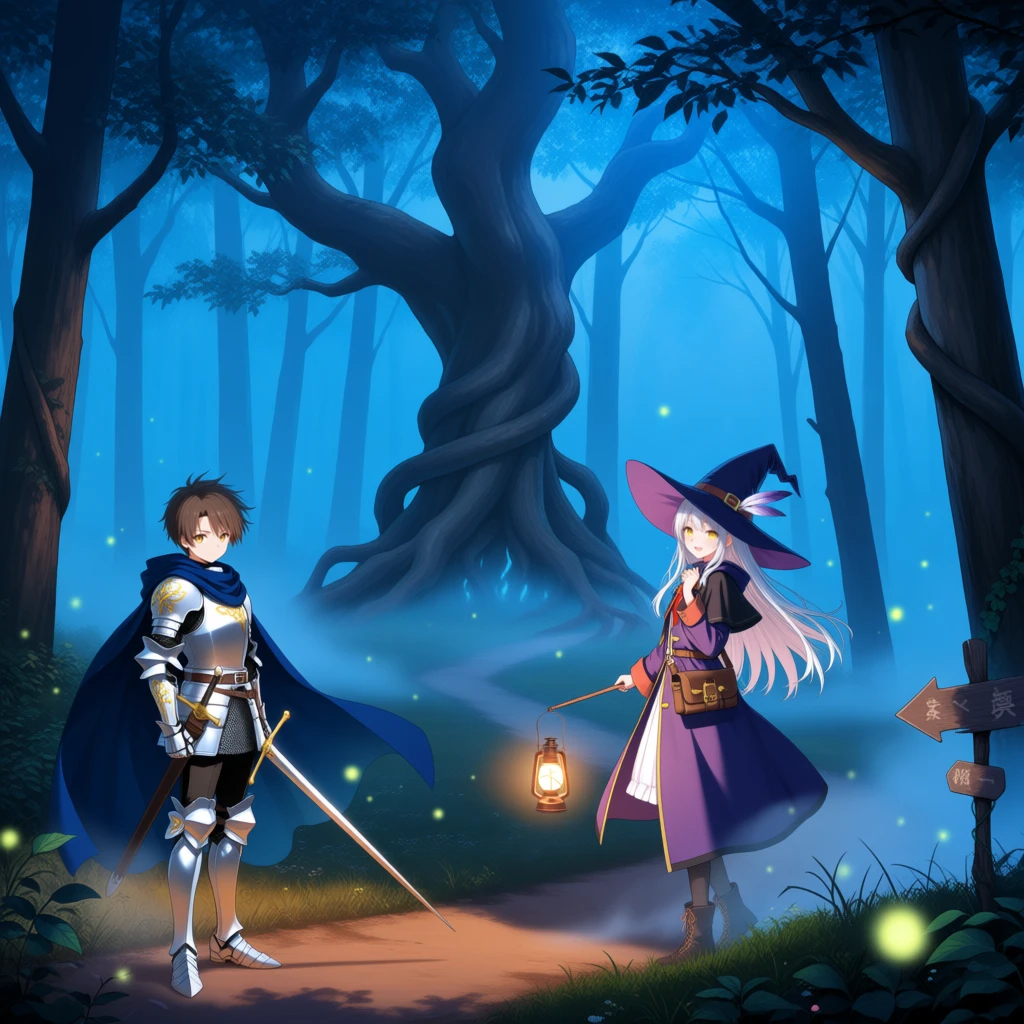
1. Crossroads — anima, with base
masterpiece, best quality, a misty crossroads deep in an enchanted forest at dusk, ancient trees with twisted roots arching over three dirt roads, glowing fireflies drifting through the fog, warm lantern light mixing with cool blue twilight, soft light rays, detailed anime illustration
BREAK
a young knight in polished silver armor engraved with golden vines, a long deep blue cape flowing behind him, short windswept brown hair, calm determined eyes, one gauntleted hand resting on the hilt of his sword
BREAK
a wandering witch girl with long silver hair under a wide pointed hat with a feather, a long violet coat with brass buttons, a satchel of scrolls at her hip, smiling as she holds up a glowing lantern
BREAK
an old wooden signpost wrapped in moss and ivy, its carved arrows pointing down three different roads, a small lantern hanging from it, tiny glowing mushrooms around its base
Paint: blue knight, green witch, red signpost. strength 0.5.
| Without | mask bounds | full image | Region map |
|:---:|:---:|:---:|:---:|
|  |
 |
 |
 |
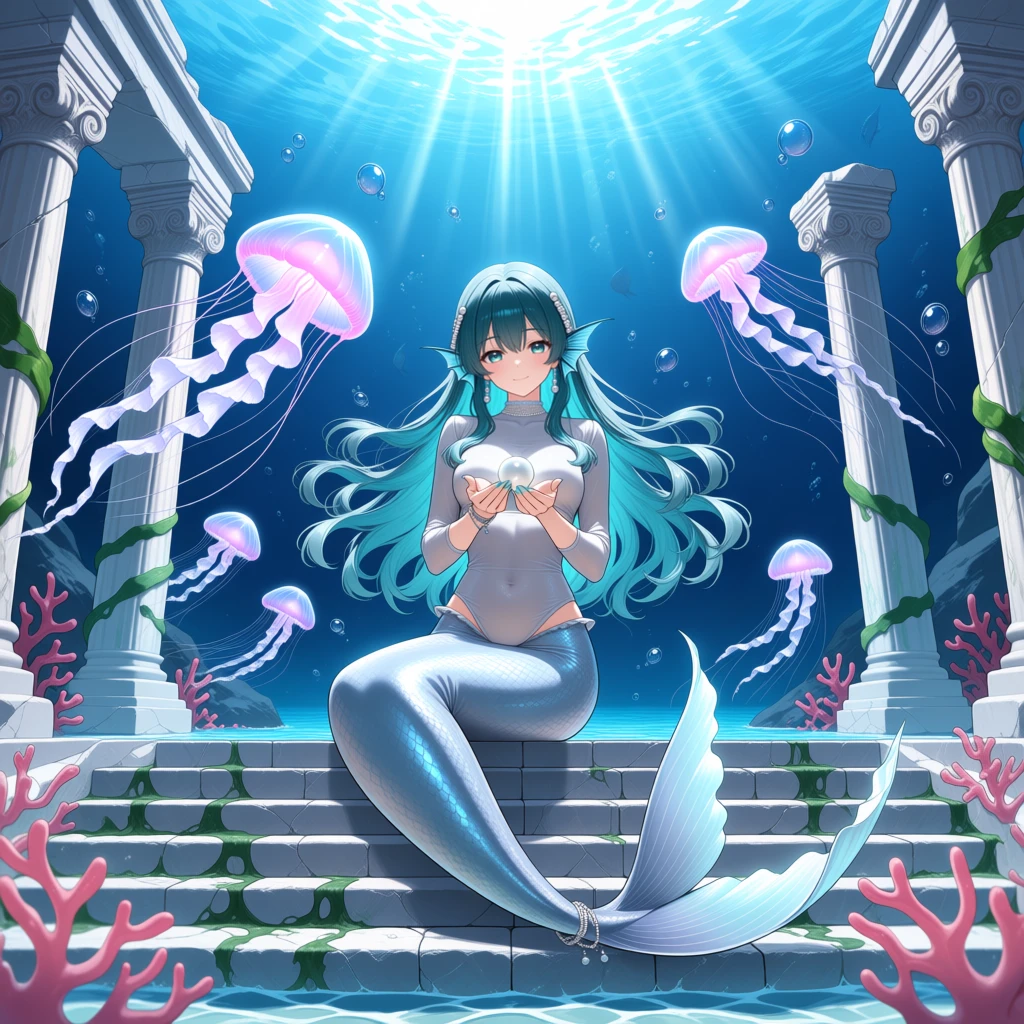
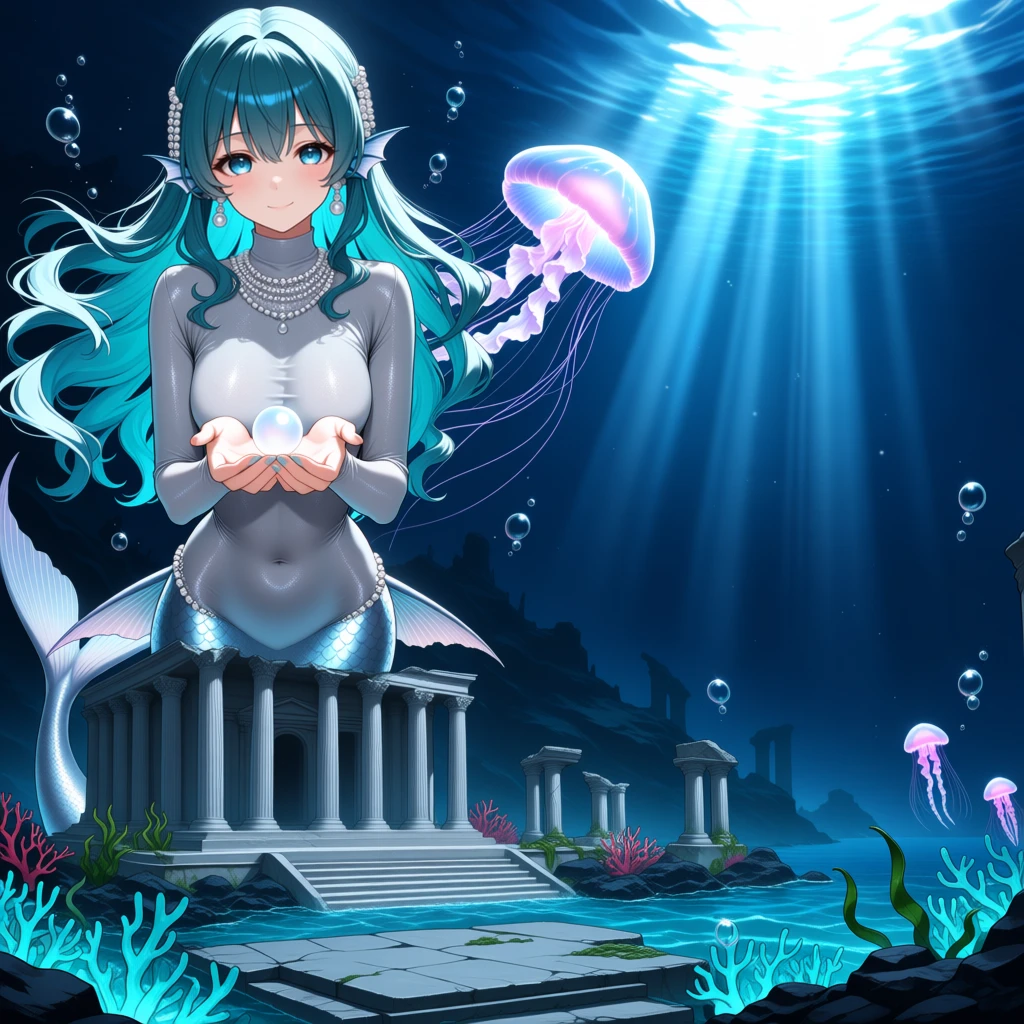
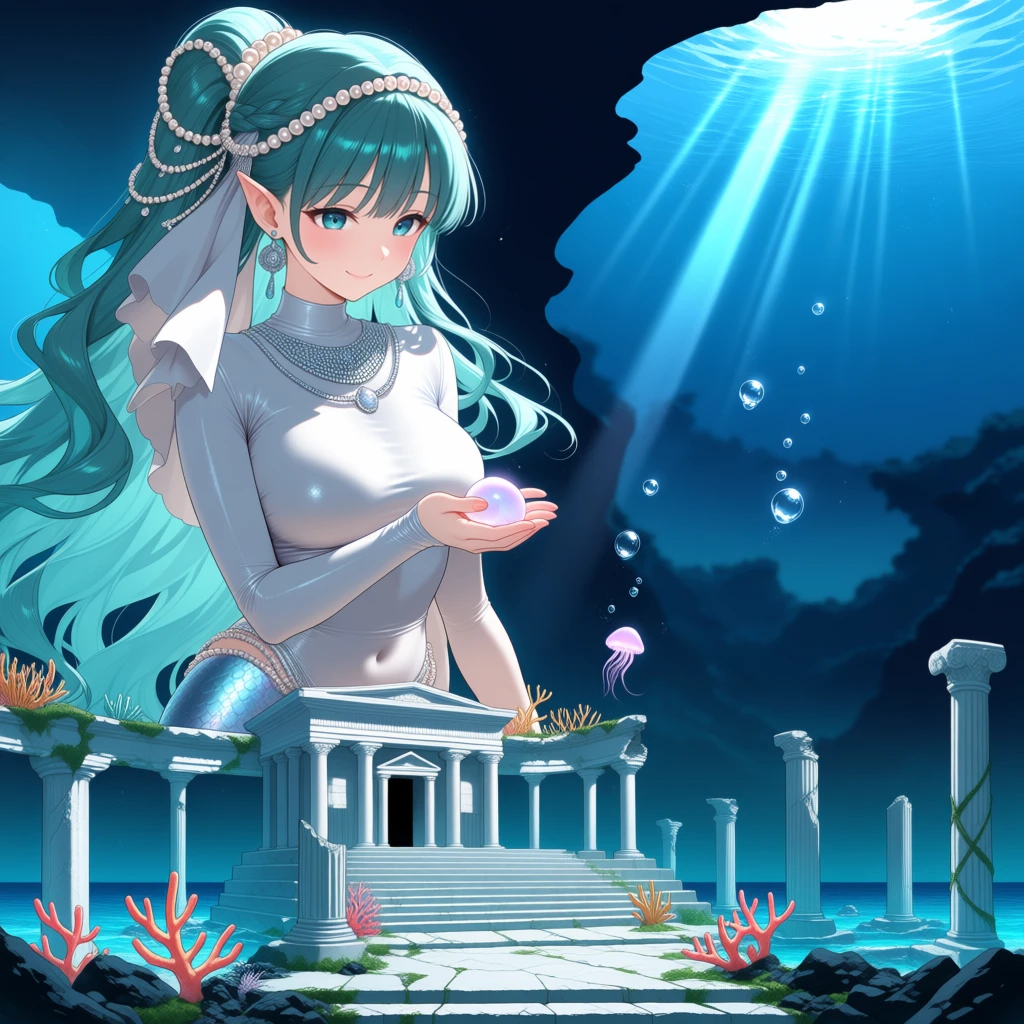
2. Sunken temple — anima, without base
a sunken marble temple at the bottom of the sea, broken columns and wide stone steps overgrown with glowing coral and swaying seaweed
BREAK
a young mermaid with long flowing teal hair and pearl hair ornaments, wearing a long-sleeved high-necked silver blouse that fully covers her chest and stomach down to her tail, a shimmering silver tail, adorned with silver jewelry, gentle smile, cupping a softly glowing pearl in both hands
BREAK
a swarm of luminous jellyfish drifting upward, translucent bells glowing soft pink and violet, long trailing tentacles
BREAK
bright rays of sunlight piercing the rippling water surface far above, streams of rising bubbles
Paint the whole canvas: blue temple, green mermaid, red jellyfish, yellow surface light.
| Without | mask bounds | full image | Region map |
|:---:|:---:|:---:|:---:|
|  |
 |
 |
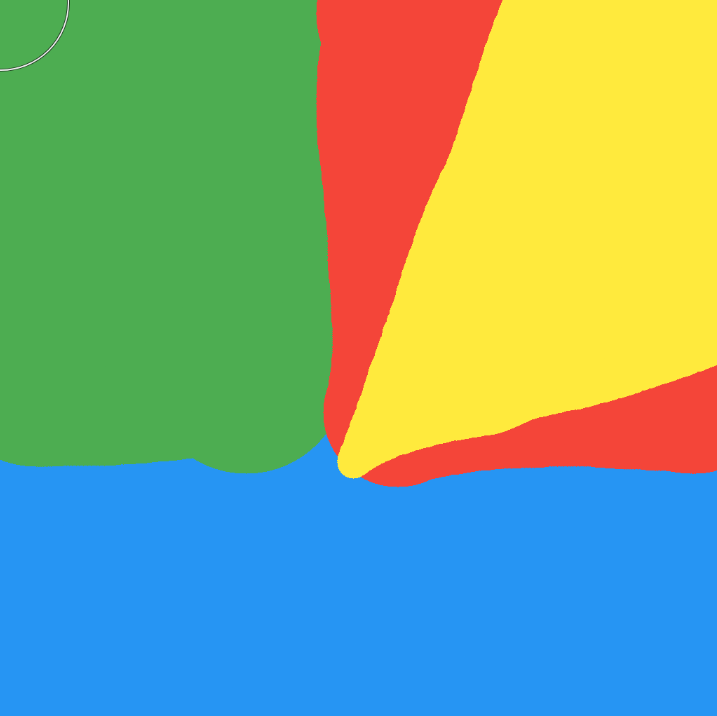 |
A hard case for regional prompting, because the red region is split, so full image doesn't fill properly.
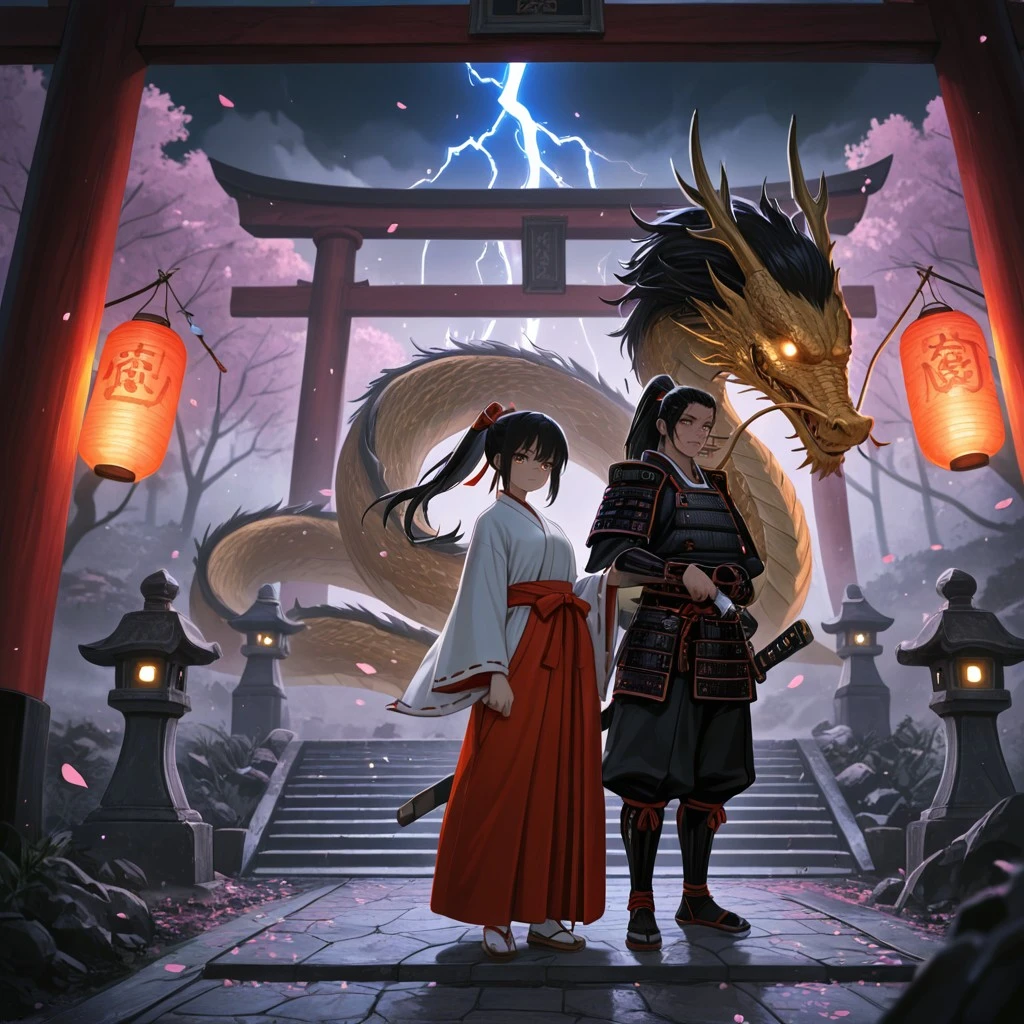
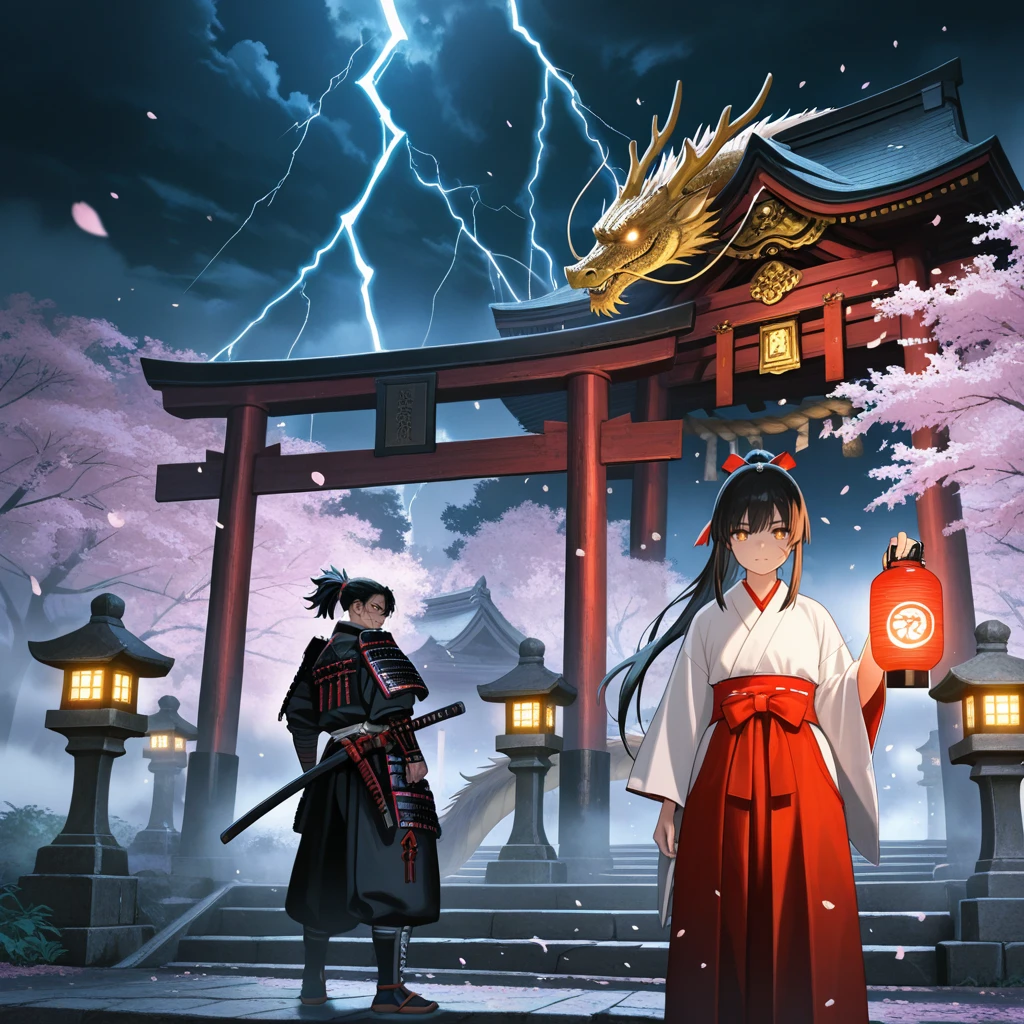
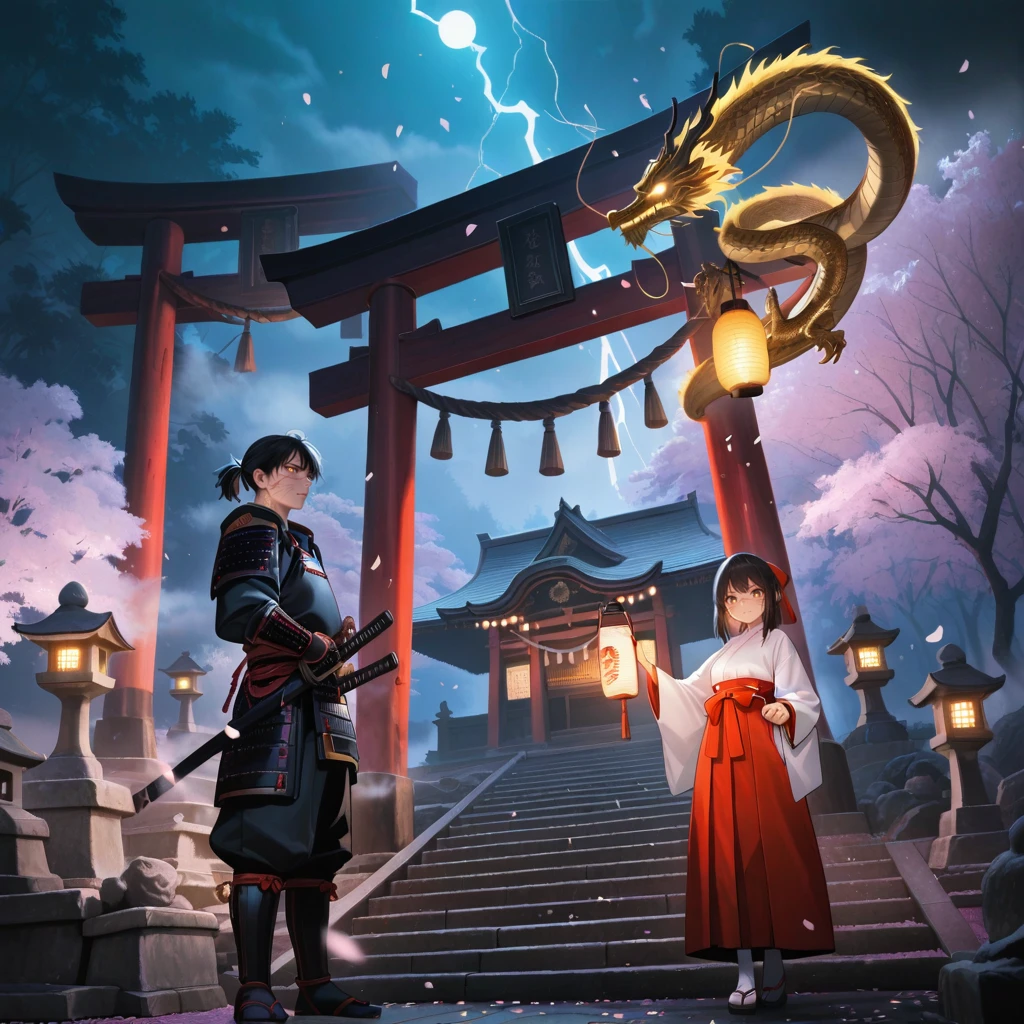
3. Night shrine — illustrious, with base
masterpiece, best quality, amazing quality, very aesthetic, absurdres, fantasy, night, outdoors, shrine, torii, stone lantern, stone stairs, cherry blossoms, falling petals, lantern light, glowing, fog, depth of field, cinematic lighting
BREAK
1girl, miko, white kimono, red hakama, wide sleeves, long black hair, hair ribbon, brown eyes, holding lantern, paper lantern, gentle smile, looking at viewer
BREAK
1boy, samurai, japanese armor, katana, sheathed sword, hand on hilt, black hair, ponytail, scar on face, serious, standing
BREAK
eastern dragon, golden scales, long whiskers, glowing eyes, flying, clouds, lightning, sparkle
Paint: blue miko, green samurai, red dragon. strength 0.75.
| Without | mask bounds | full image | Region map |
|:---:|:---:|:---:|:---:|
|  |
 |
 |
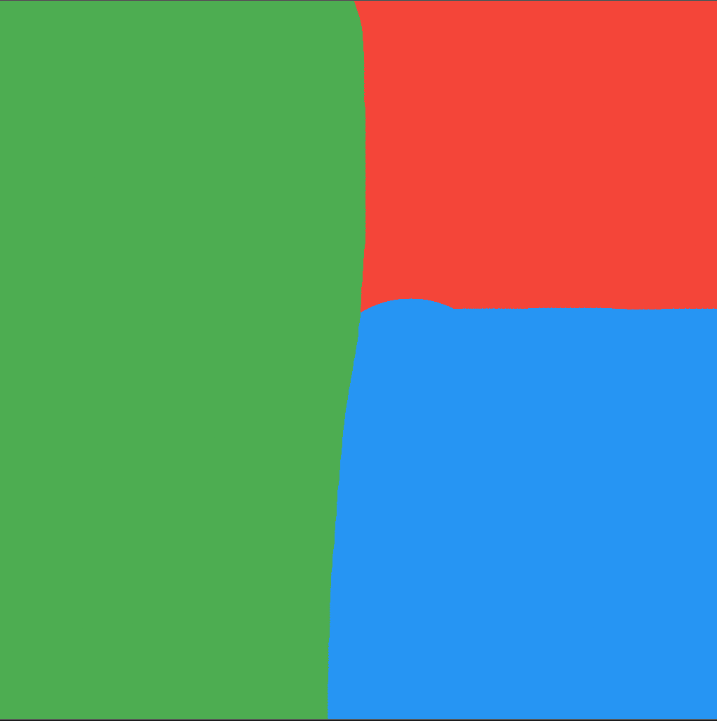 |
Without regions the samurai only appeared after adding extra words such as "2 people" to the plain prompt, and the result was still weaker. With regions each character gets its own area and prompt.
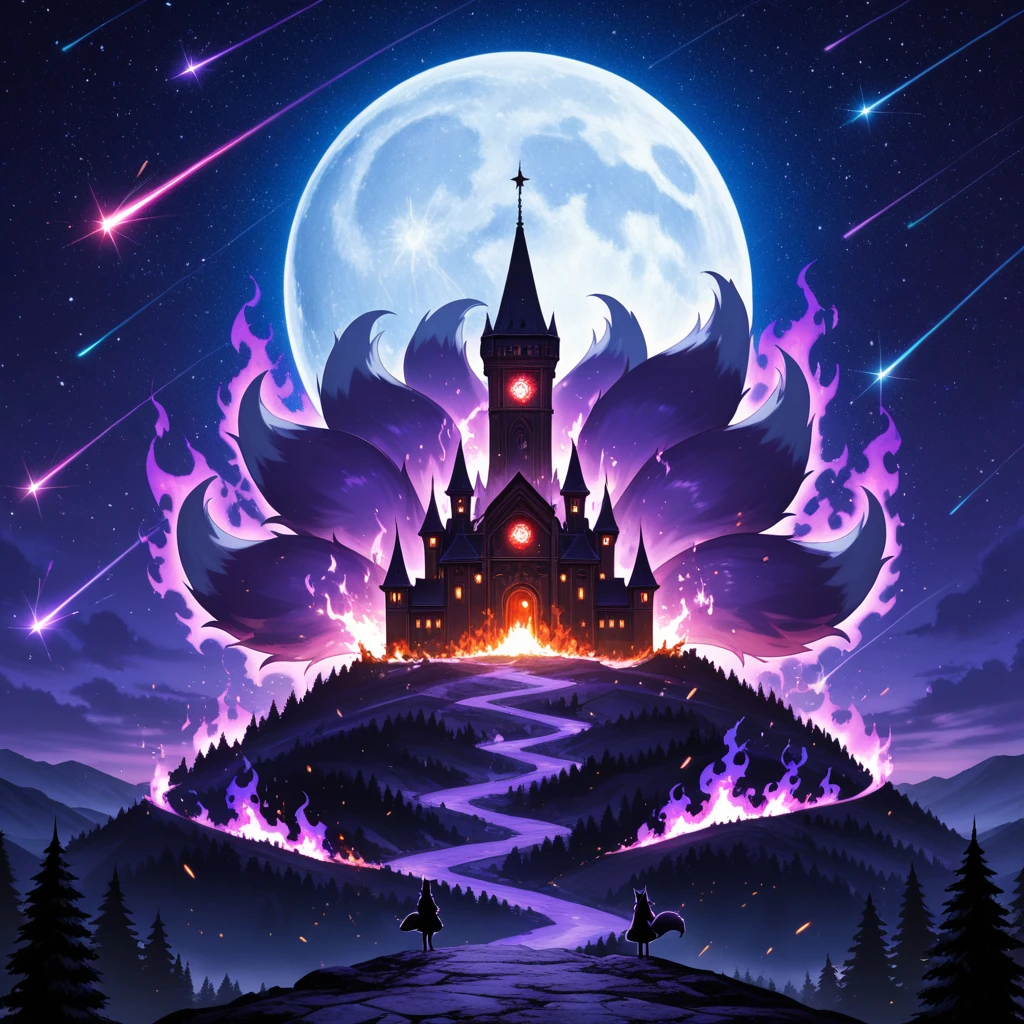
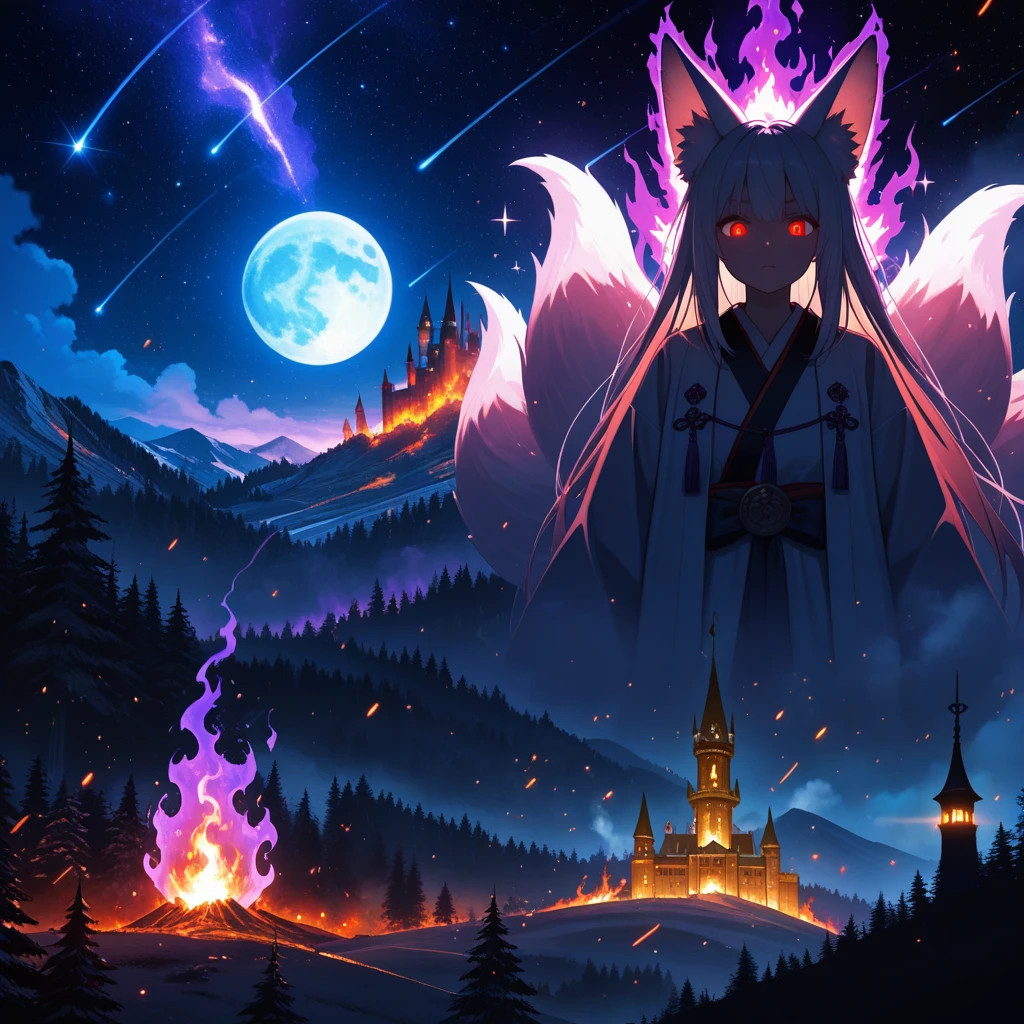
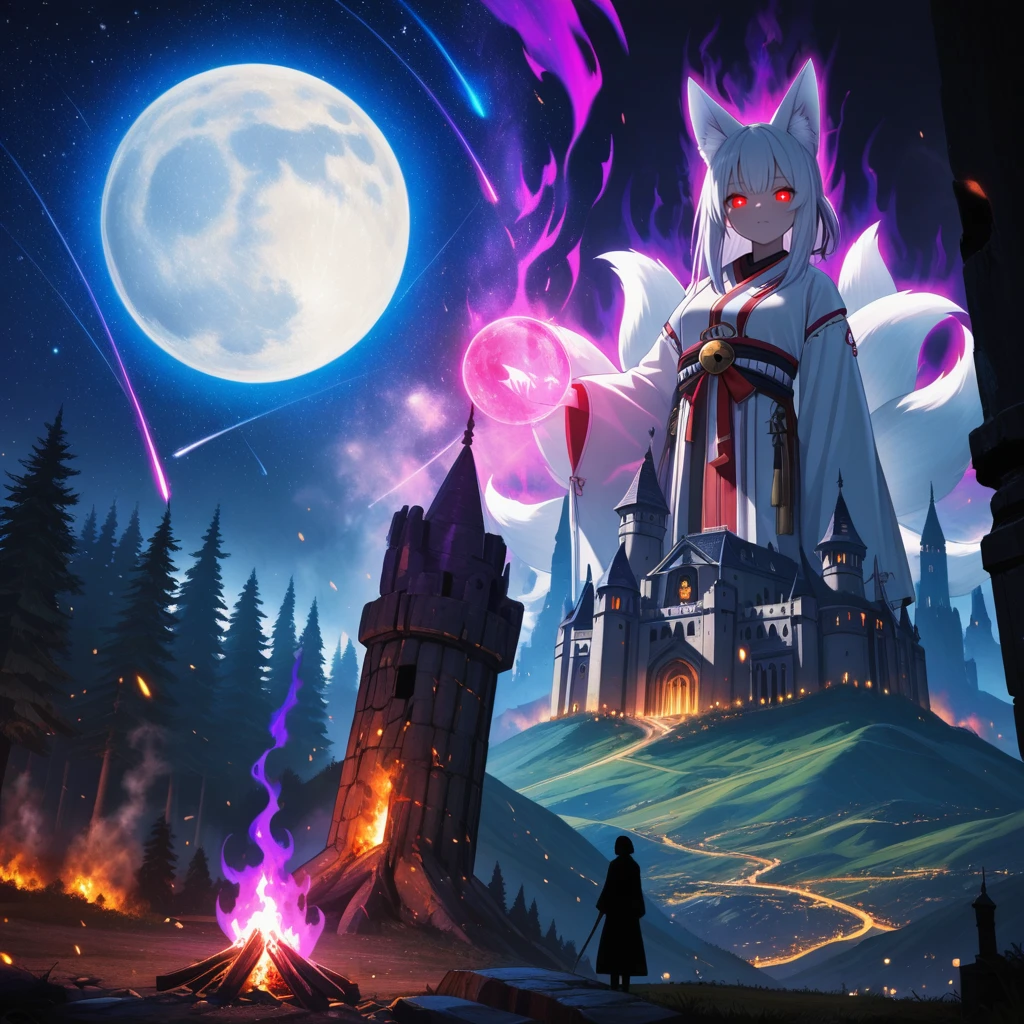
4. Moonlit kitsune — illustrious, without base
moon, full moon, huge moon, glowing, colorful, star (sky), shooting star, starry sky, sparkle
BREAK
1girl, solo, fox girl, kitsune, fox ears, animal ear fluff, fox tail, multiple tails, kyuubi, red eyes, glowing eyes, aura, purple aura, magic, looking at viewer
BREAK
forest, tree, pine tree, fire, purple fire, burning, smoke, embers, glowing
BREAK
castle, tower, spire, window, lights, silhouette, hill, from distance, landscape
Paint the whole canvas: blue moon, green fox girl, red forest, yellow castle.
| Without | mask bounds | full image | Region map |
|:---:|:---:|:---:|:---:|
|  |
 |
 |
 |
Universal Model Loader
Loads a checkpoint and lets you swap in a separate CLIP (text encoder) and VAE — no extra loaders needed for split models like anima. Single-file checkpoints such as illustrious need no overrides.
- checkpoint — any file from
models/checkpoints. - clip_override (optional) — text encoder from
models/clip, instead of the one inside the checkpoint. - vae_override (optional) — VAE from
models/vae, instead of the one inside the checkpoint.
Outputs model, clip, vae (same as Load Checkpoint).
Example (anima): checkpoint anima-base-v1.0.safetensors, clip_override
qwen_3_06b_base.safetensors, vae_override qwen_image_vae.safetensors.
Utils
Empty Image Checker
images1 and images2 are both optional: returns images1 when it has a value
(connected and not bypassed), otherwise images2.
Empty Conditioning Checker
conditioning1 and conditioning2 are both optional: returns conditioning1 when
it has a value (connected and not bypassed), otherwise conditioning2. Typical use: conditioning1 = Regional
Prompter output, conditioning2 = plain CLIP Text Encode, so bypassing the regional
nodes falls back to the plain conditioning automatically.
Installation
-
ComfyUI Manager: open the Manager, search for ComfyUI-Eimiss-Nodes, install it and restart ComfyUI.
-
GitHub: clone the repository into
ComfyUI/custom_nodesand restart ComfyUI:git clone https://github.com/eimiss/comfyui_eimiss_nodes
No extra Python packages are needed.
Credits
- The idea of painting regions with their own prompts is inspired by hako-mikan's sd-webui-regional-prompter (AGPL-3.0). This pack is an independent implementation for ComfyUI and shares no code with it.
- The per-pixel denoise in
full imagemode follows the idea of Differential Diffusion, written on top of ComfyUI's own denoise mask support. - Built on ComfyUI (GPL-3.0).
License
GPL-3.0, see LICENSE.