
ComfyUI-mflux2
ComfyUI custom nodes for mflux, including FLUX.2 workflows optimized for Apple Silicon.
ComfyUI-mflux2: ComfyUI MFlux Nodes with FLUX.2 support
This custom node pack is an updated version of the currently available MFlux node pack, now focused on exposing what is implemented today and explicitly supporting FLUX.2 workflows.
It is built on top of the mflux Python API, which is used here because these nodes are intended as a fast, Apple Silicon friendly path for image generation and editing (MLX-based, optimized for Apple architecture).
Installation
- Place this repository in your ComfyUI
custom_nodesfolder. - Install dependencies in the Python environment used by ComfyUI.
- Restart ComfyUI and search for nodes under the
MFluxcategories.
Example dependency install:
pip install mflux torch numpy pillow
Compatibility
- Primary target: macOS on Apple Silicon (M-series chips)
- Intended backend: mflux + MLX optimized paths
- ComfyUI integration: Python API usage, no CLI wrapper required
Node screenshots
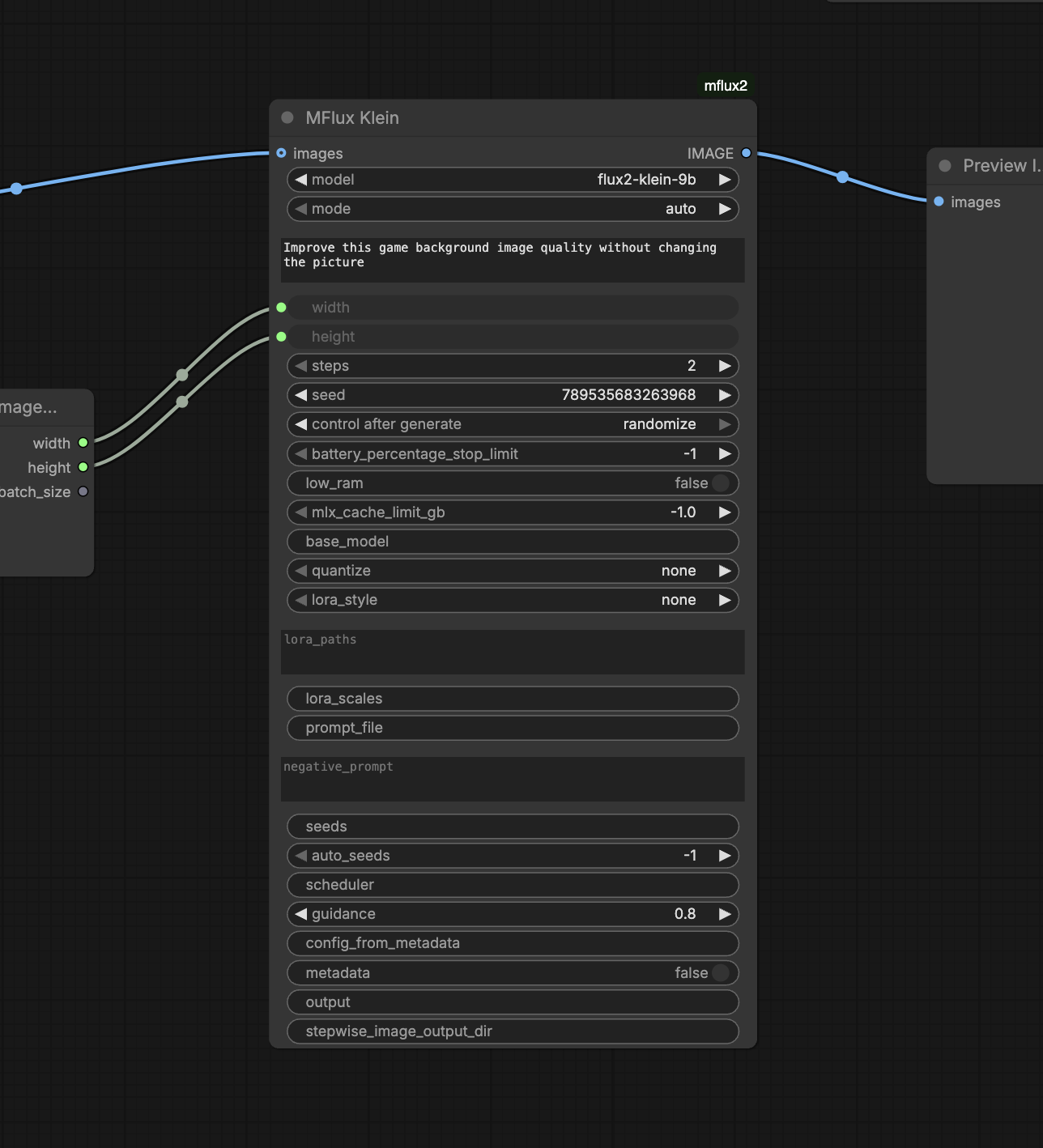
MFlux Klein
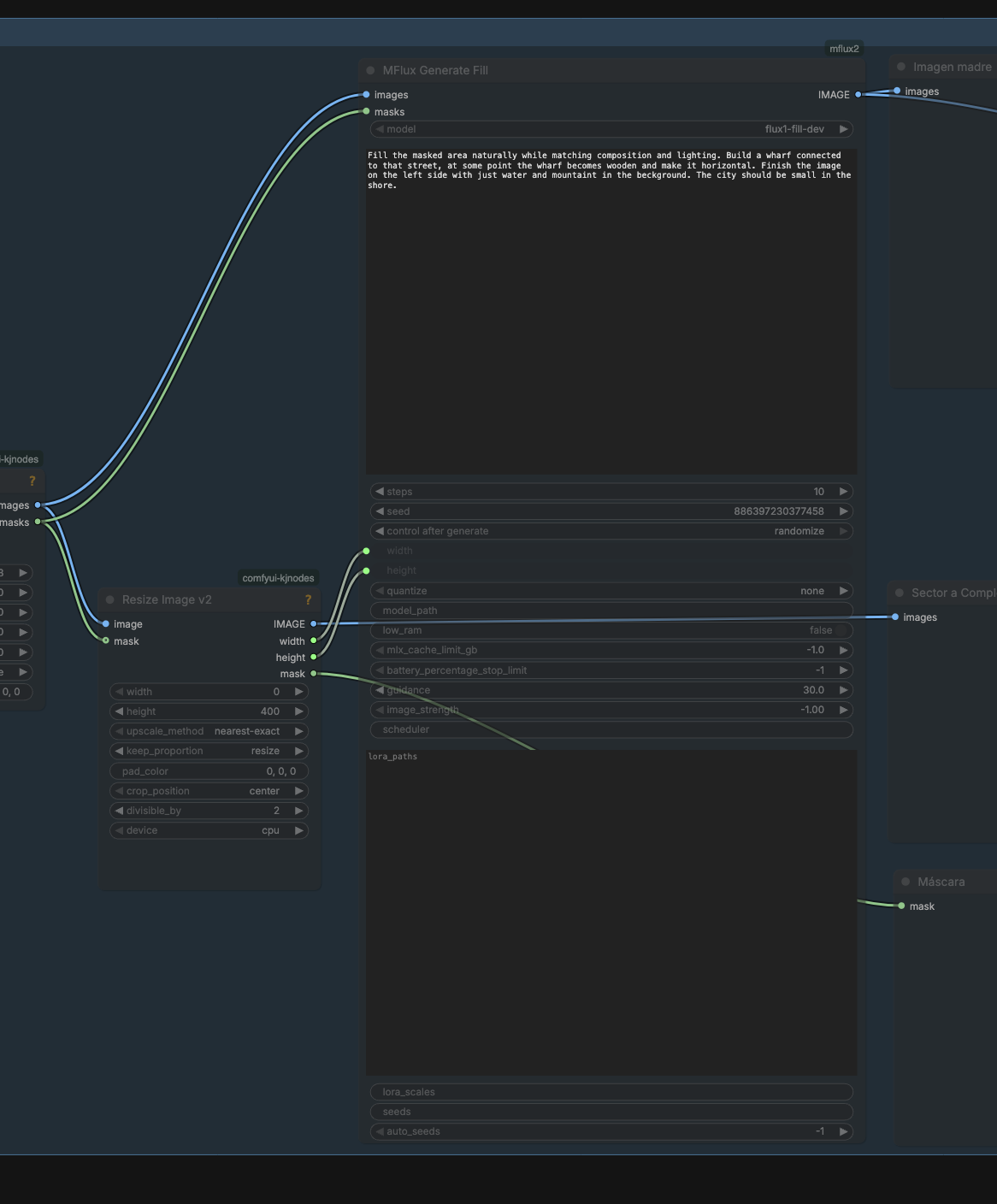
MFlux Generate Fill
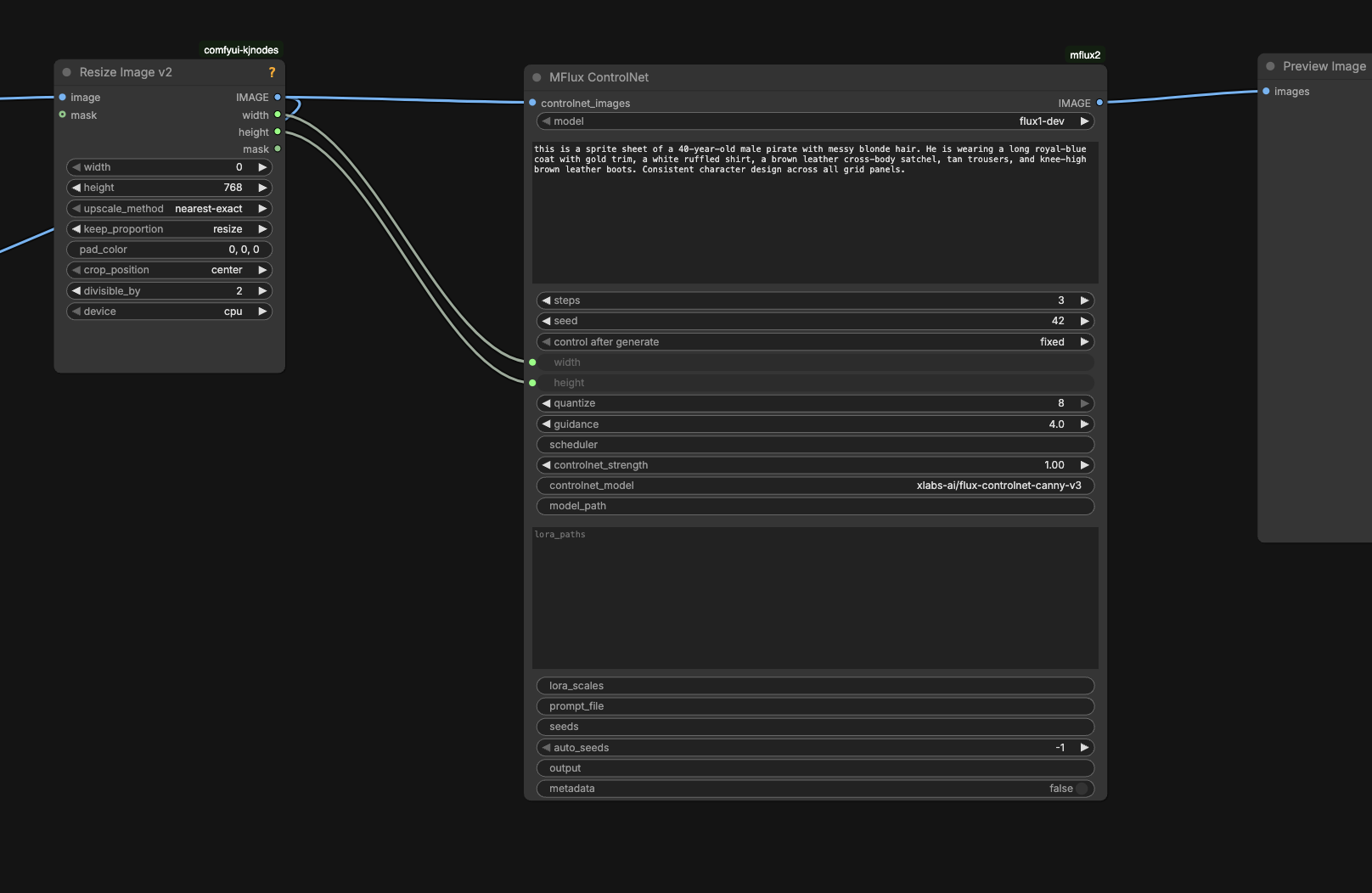
MFlux ControlNet
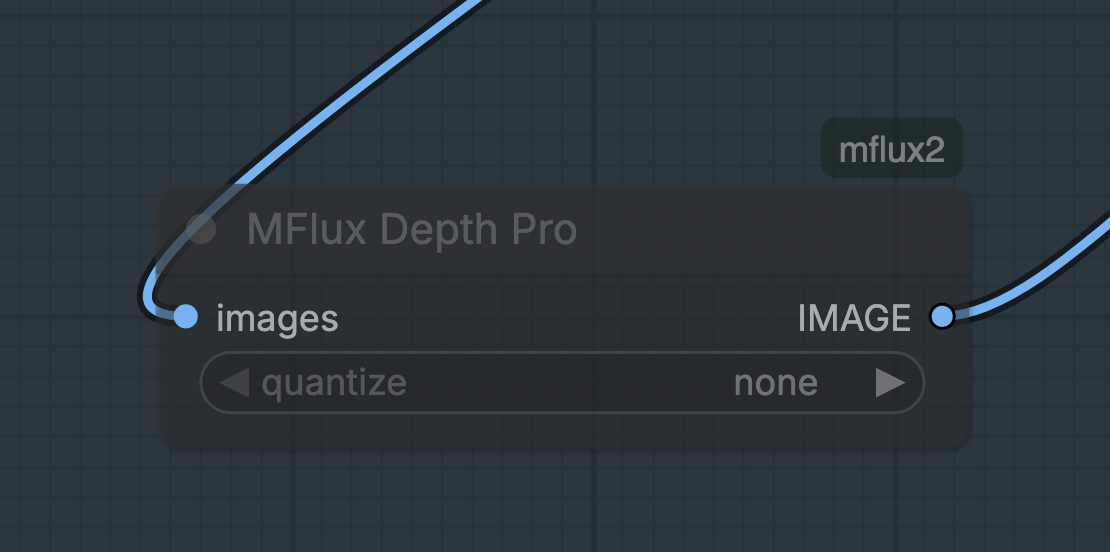
MFlux Depth Pro
Why this package exists
- Bring mflux model capabilities into ComfyUI nodes instead of shell-only CLI flows
- Prioritize fast local inference on Apple chips
- Expose FLUX.2 Klein generation/editing directly in graph workflows
- Keep node behavior aligned with the underlying API surface
Available nodes (current)
- MFlux Klein (
MFluxKlein) - MFlux Depth Pro (
MFluxDepthPro) - MFlux Generate Fill (
MFluxGenerateFill) - MFlux Concept From Image (
MFluxConceptFromImage) - MFlux ControlNet (
MFluxControlNet)
Requirements
- Python package:
mflux(with FLUX.2 support) - Python deps:
torch,numpy,Pillow - ComfyUI
IMAGE/MASKtensor inputs for image-conditioned nodes
Runtime notes:
- Depth Pro triggers an extra model download on first use (~1.9 GB)
- Some mflux-backed features download model weights the first time they are used
FLUX.2 support status
This repository supports FLUX.2 today through:
MFluxKleinusingFlux2KleinandFlux2KleinEditMFluxGenerateFillusing FLUX.2 Klein edit variants for masked workflows
Supported FLUX.2 model options:
flux2-klein-4bflux2-klein-9bflux2-klein-base-4bflux2-klein-base-9b
Node details
1) MFluxKlein
Primary FLUX.2 generation/edit node.
Modes:
auto: edit ifimagesis connected, otherwise generategenerate: always text-to-image (Flux2Klein)edit: always image-conditioned (Flux2KleinEdit, requiresimages)
Key options exposed:
- Prompting:
prompt,prompt_file,negative_prompt - Sampling:
steps,seed,seeds,auto_seeds,scheduler,guidance - Resolution:
width,height - Memory/perf:
low_ram,mlx_cache_limit_gb,battery_percentage_stop_limit,quantize - LoRA:
lora_style,lora_paths,lora_scales - Output/config:
config_from_metadata,metadata,output,stepwise_image_output_dir
2) MFluxDepthPro
Depth map extraction node using DepthPro.
- Input:
images(IMAGE, batch supported) - Optional:
quantize(none,3,4,5,6,8) - Output: depth map as
IMAGE(batch preserved)
3) MFluxGenerateFill
Mask-guided fill/inpaint style workflow.
- Required:
images(IMAGE),masks(MASK),prompt,steps,seed,width,height - Mask batch rule: mask batch must be
1or match image batch size
Model behavior:
flux1-fill-dev: runs nativeFlux1Fill- FLUX.2 Klein variants: runs
Flux2KleinEditand composites result with the provided mask so only masked regions are replaced
4) MFluxConceptFromImage
Image-guided concept attention generation.
- Backend:
Flux1ConceptFromImage - Supported model configs:
schnell,dev,krea-dev(aliasdev-krea) - Outputs:
image(generated image)heatmap(concept attention map)
- Exposes:
concept,heatmap_layer_indices,heatmap_timesteps,guidance,image_strength, etc.
5) MFluxControlNet
ControlNet-guided generation.
- Backend:
Flux1Controlnet - Supported model choices:
flux1-dev,flux1-schnell - Main input image socket:
controlnet_images - Notable options:
controlnet_model,controlnet_strength,quantize,guidance,scheduler,lora_paths,lora_scales,output,metadata
CLI-style mapping example:
--model flux1-dev->model=flux1-dev--controlnet-model ...->controlnet_model--controlnet-image-path ...->controlnet_images--steps->steps--controlnet-strength->controlnet_strength
List input format
For list-like text fields (seeds, lora_paths, lora_scales, layer/timestep lists), use space or comma-separated values.
Examples:
seeds:123 456 789or123,456,789lora_paths:/path/a.safetensors /path/b.safetensorslora_scales:0.6 0.8heatmap_layer_indices:15 16 17 18
Roadmap
Planned or potentially useful additions that are not currently exposed as dedicated nodes:
- [ ] Dedicated FLUX.2 edit node (separate from
MFluxKleinmode switch) - [ ] FLUX.2 training-oriented helpers/workflows
- [ ] Text-only concept attention node (
mflux-conceptequivalent) - [ ] Redux workflows (
mflux-generate-redux) - [ ] Kontext workflows (
mflux-generate-kontext) - [ ] In-context LoRA workflows (
mflux-generate-in-context) - [ ] CatVTON workflows (
mflux-generate-in-context-catvton) - [ ] IC-Edit workflows (
mflux-generate-in-context-edit) - [ ] Extra utility/export nodes for mflux tool commands where practical
Credits
- Upstream model/runtime and CLI inspiration: mflux by filipstrand
- FLUX.1/FLUX.2 model ecosystem: Black Forest Labs and related model contributors
License
This project is licensed under GNU GPL v3.0 (GPL-3.0-only). See LICENSE at repository root for full terms.