
ComfyUI Extension
LTX-2 Microscope
48-Layers Latent Previewer for Lightrick's LTX-2 model.
dorpxam/ComfyUI-LTX2-Microscope
Nodes1
On cloudLocal install
CategoryMXP/Experimental
Stars5
Updated6 months ago
Readme
LTX-2 Microscope
48-Layers Latent Previewer for Lightricks LTX-2 Video Transformer.
[!CAUTION] For now, this project is not compatible to the Node 2.0 (UI) of ComfyUI.
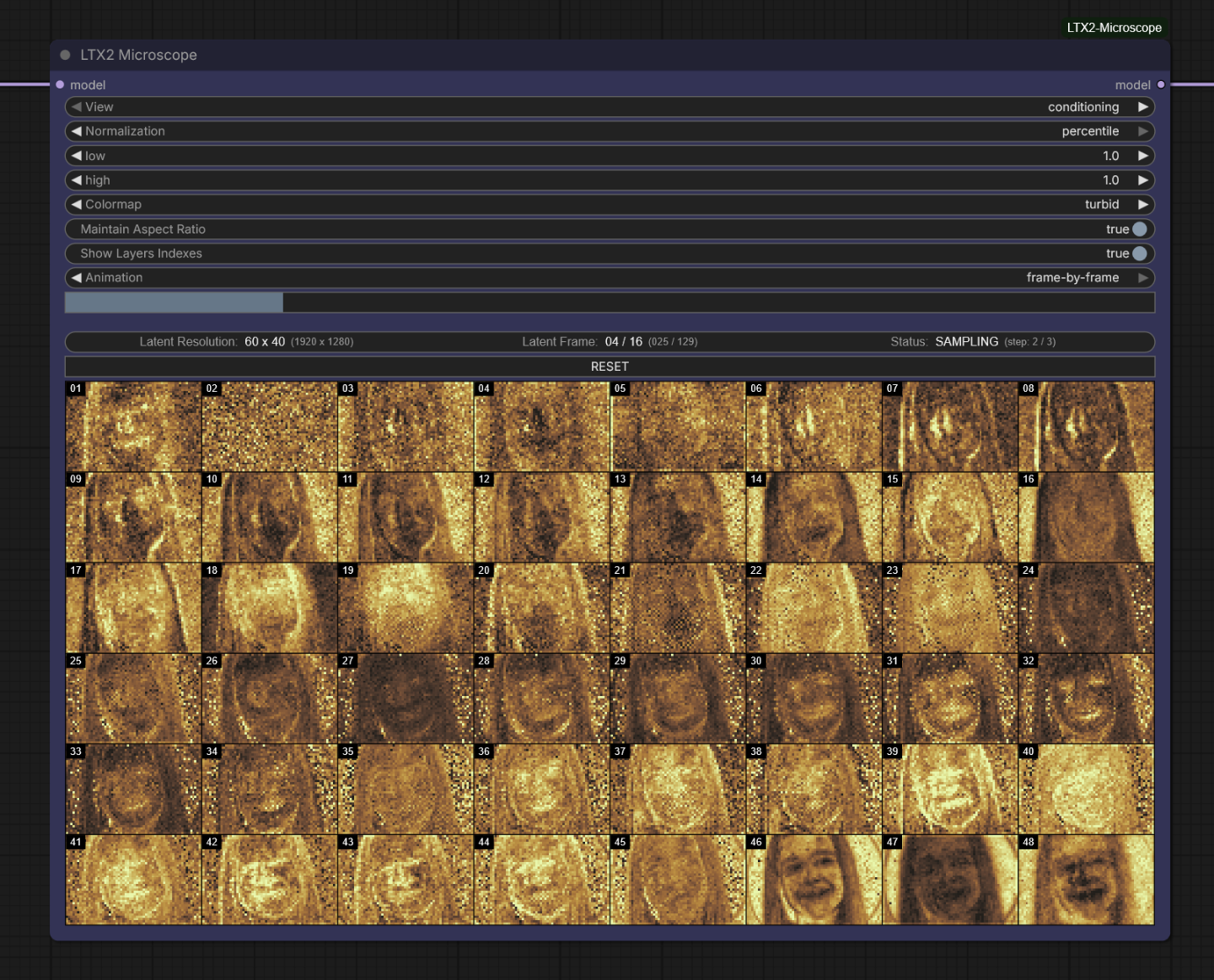
Description
LTX-2 Microscope is a technical diagnostic tool for ComfyUI designed to visualize the internal latent states across all 48 layers of the LTX-2 transformer model during the sampling process. It provides a real-time 8x6 grid overlay to analyze how noise transforms into signal through each layer of the architecture.
Features
- View Modes: Supports conditioning, unconditioning, and differential visualization.
- Normalization: Dynamic range remapping via none, min_max, z_score, or percentile modes.
- Colormaps: Integrated support for 11 perceptual colormaps (Cividis, Inferno, Viridis, Magma, etc.).
- Animation Control:
- Realtime: Automated looping playback with FPS control and freeze toggle.
- Frame-by-Frame: Manual navigation slider for precise temporal latent analysis.
Installation
No external dependencies required. This extension uses native ComfyUI and Python libraries.
- Navigate to
ComfyUI/custom_nodes. - Clone the repository:
git clone https://github.com/dorpxam/ComfyUI-LTX2-Microscope
- Restart ComfyUI.
Usage
The node can be inserted anywhere in the workflow where a MODEL link is available.
- Connect the model input/output.
- The UI will automatically synchronize with the LTX-2 sampling process.
- Use the RESET button to clear the local buffer and return to the idle state.
License
Apache 2.0