
EXR Inspector
EXR inspection and A/B QC for renders and AOVs: wipe/blink/diff, exposure, false color, eyedropper with exact float values. Multilayer EXR (Nuke/Blender) decoded on the server, every compression, overscan, data passes.
ComfyUI-EXR-Inspector
EXR inspection and A/B QC for renders and AOVs, inside ComfyUI. Made by a VFX compositor to check heavy multilayer EXRs the way you would in a compositing viewer: wipe a render against another (or against what your workflow generated), read the exact float under the cursor, look at depth, normals and vectors as data.
What it is good at: big multilayer files (decoded on the server, one layer at a time, any compression), overscan, data passes and exact values. What it is not: a general viewer panel. If you want Nuke-style buffers, video playback and a gallery, look at ComfyUI-NukeViewer or the viewer in Radiance.
Status: early release (v0.1). Bugs and requests: issues.
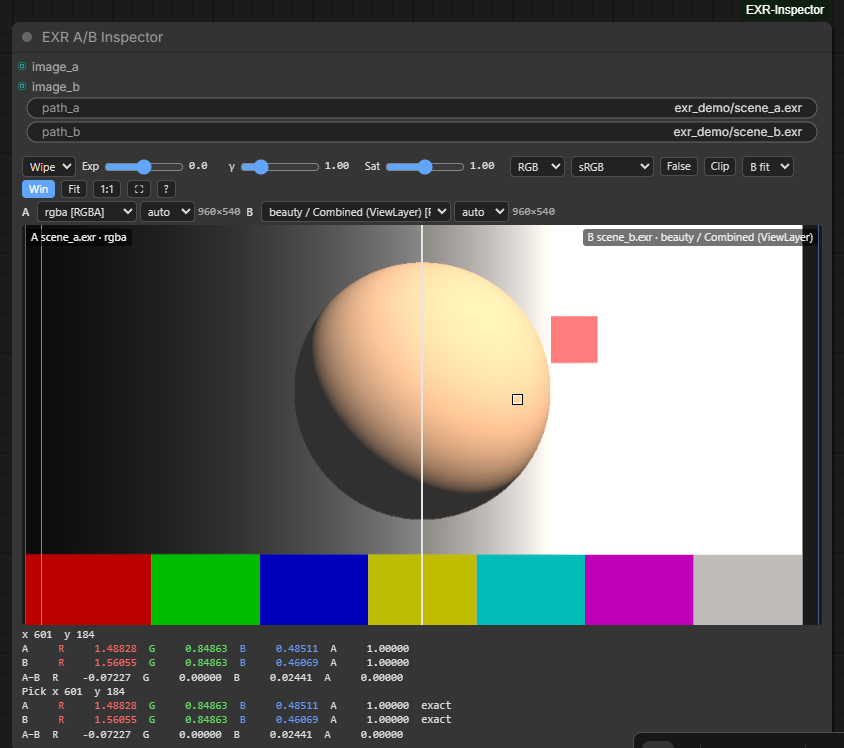
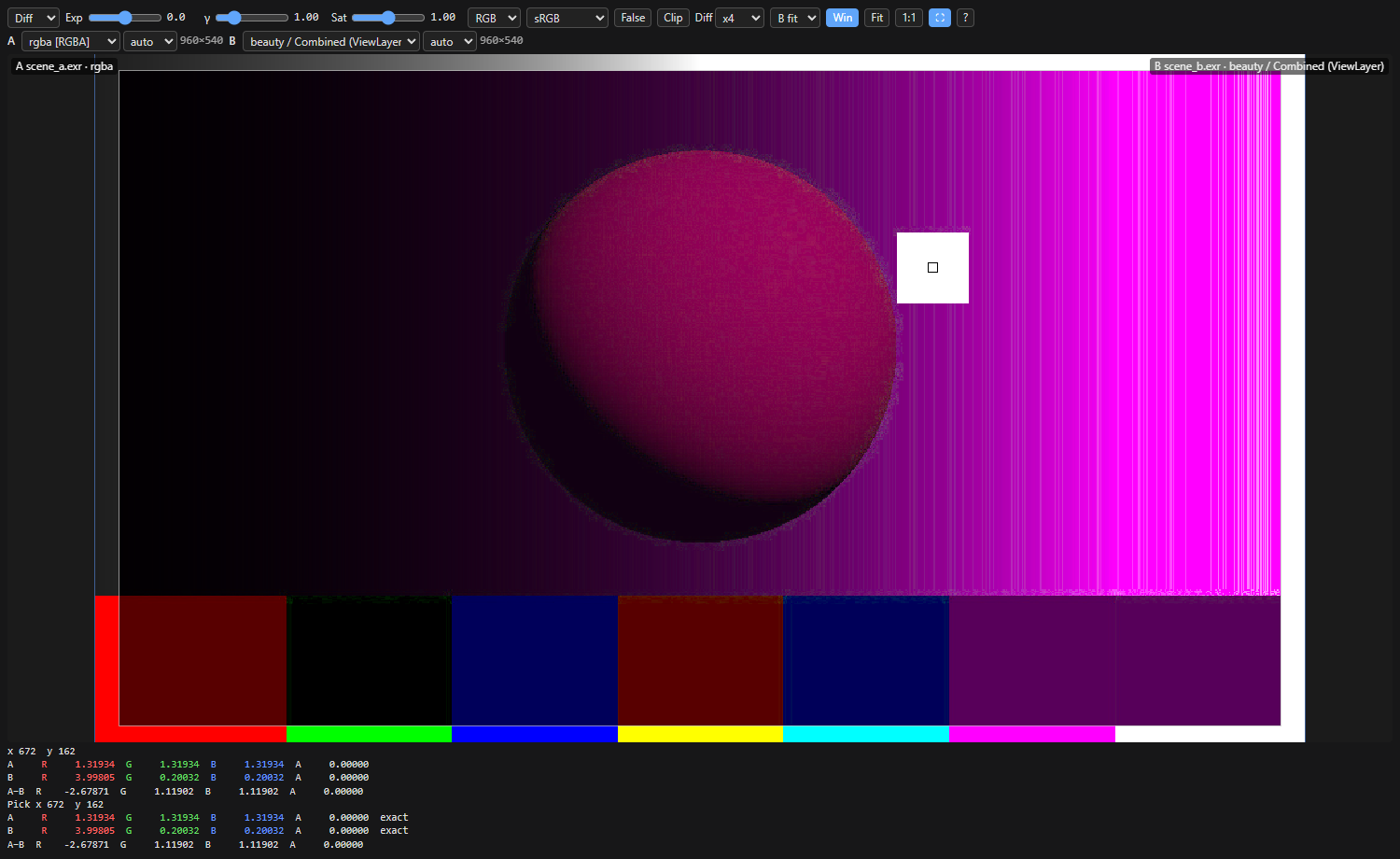
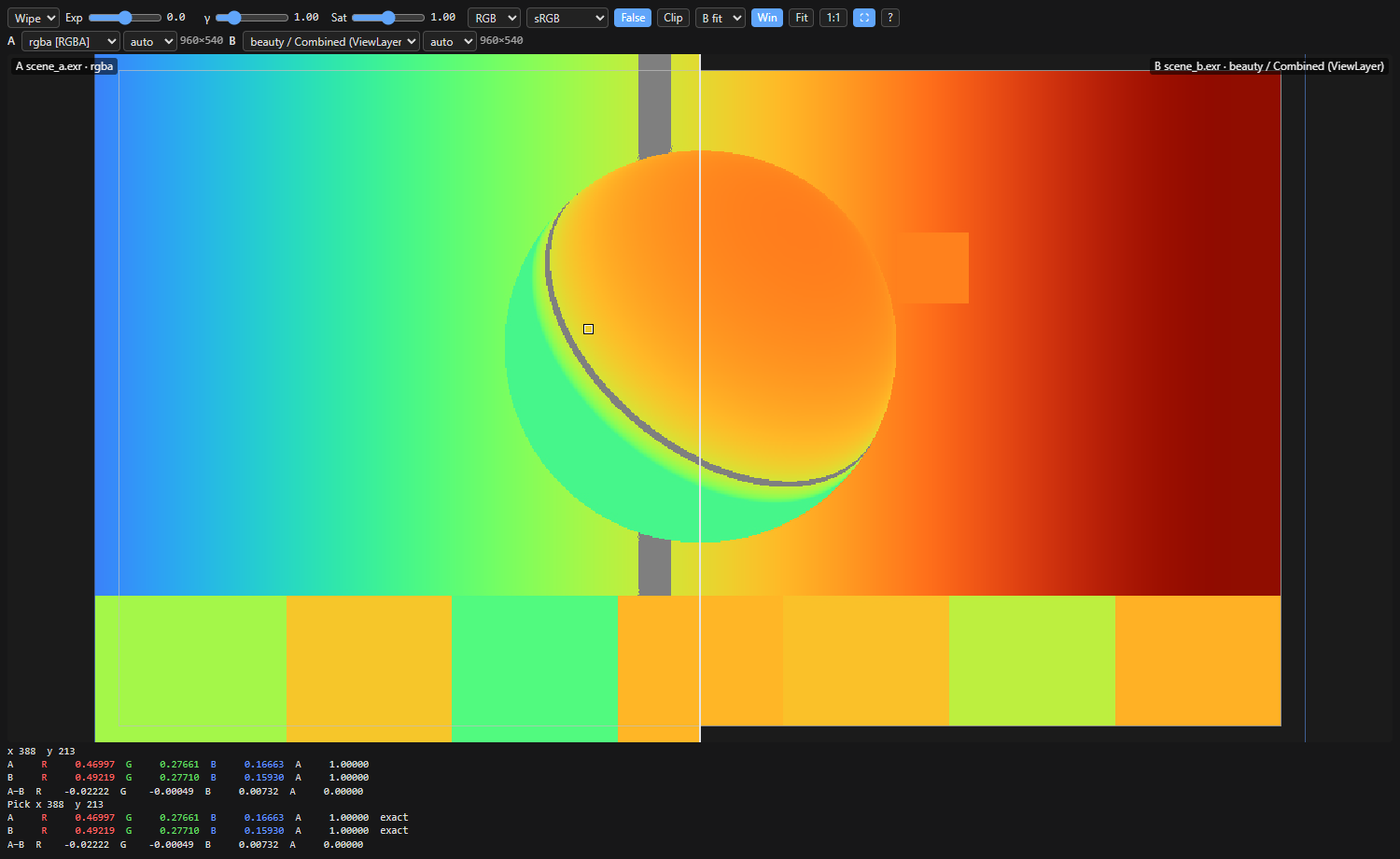
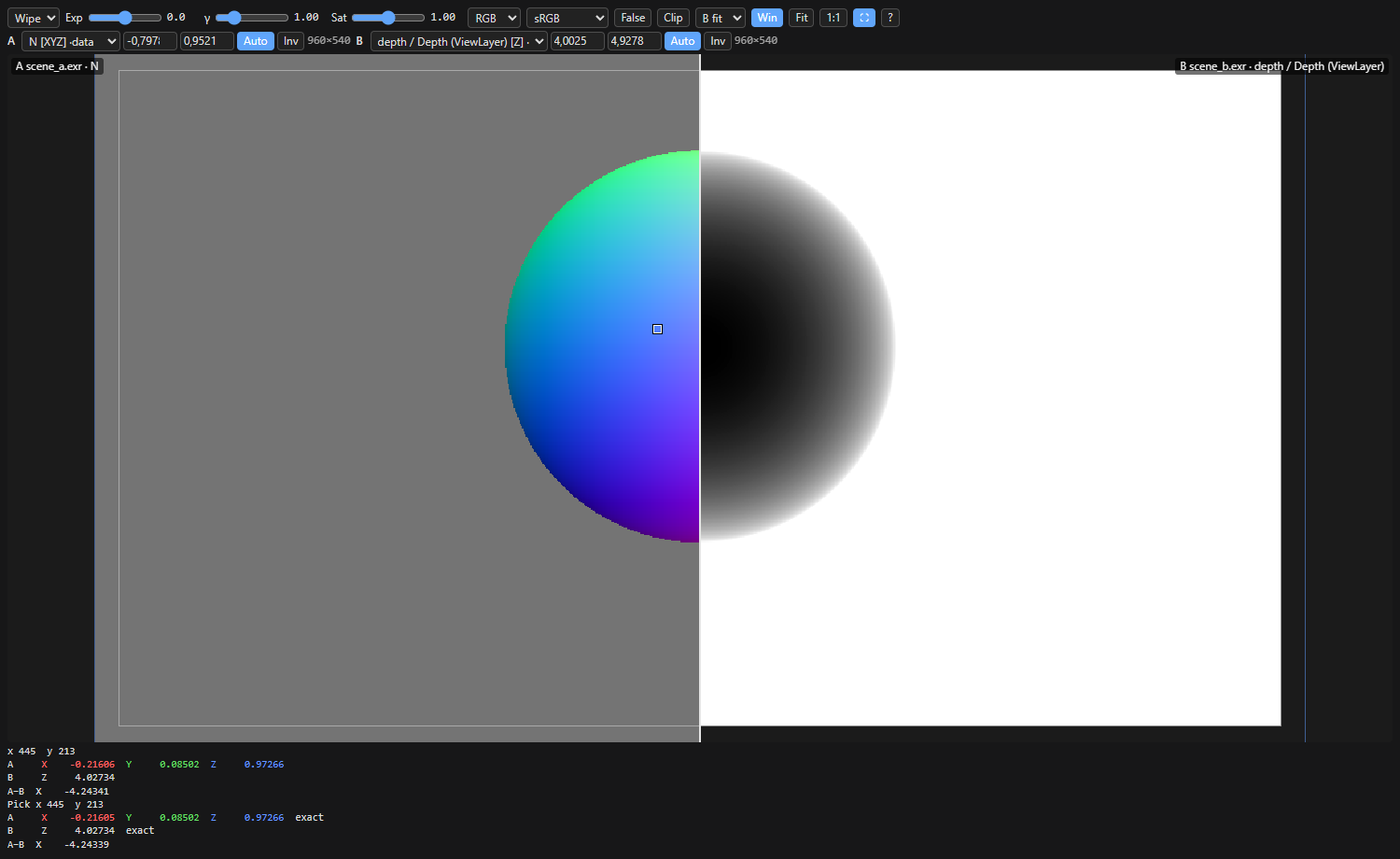
| Difference ×4, exact values on Ctrl+click | False colour (stops from 18% grey) | Data layers: normals vs depth |
|---|---|---|
|  |
|  |
|  |
|
The node
EXR A/B Inspector (image/EXR Inspector). Each side takes an IMAGE from the graph
or a path. A path wins over the image and shows up at once, without running the workflow.
- Wipe, blink and difference (with gain) between A and B; zoom and pan are shared.
- Exposure in stops, gamma and saturation, shared by A and B; R / G / B / A / luminance.
- Eyedropper: raw values of A, B and A−B at the same pixel. Ctrl+click reads the exact float from the file, even when the browser holds a float16 proxy.
- False colour (stops from 18% grey; heat map on data layers) and clipping zebras (> 1 red, < 0 blue, NaN/inf magenta).
- Per side: layer, input space (auto / sRGB / linear). View transform sRGB, gamma 2.2, gamma 2.4 or raw.
- Data layers (depth, normals, position, vectors...) skip the view transform and use a min/max remap (auto ignores the depth background) with invert; exposure and gamma apply after the remap, as in Nuke's viewer.
- B either fits A's format or lines up pixel for pixel. Display window (grey) and data window (blue) outlines.
- Fullscreen button. All settings are saved with the workflow.
| keys (pointer over the viewer) | | |---|---| | wheel / drag | zoom / move the wipe (pan in other modes) | | middle, Alt or Space + drag | pan | | double-click, F / 0 | fit / 100% | | Ctrl+click | exact values from the file | | 1 2 W K D | A, B, wipe, blink, diff | | R G B A Y | channel (again: RGB) | | [ ] / E | exposure −/+ 0.5 / reset exposure, gamma and saturation | | X / Z | false colour / clipping |
python tests/make_demo.py writes two demo EXRs to tests/_data/demo to try it out.
EXR support
Files (EXR, and also HDR, TIFF, PNG, JPG, DPX...) are decoded on the server with OpenImageIO and sent to the browser as float16, one layer at a time:
- every OpenEXR compression (NONE, RLE, ZIPS, ZIP, PIZ, PXR24, B44, B44A, DWAA, DWAB), scanline and tiled, multipart;
- Nuke and Blender layer names (
depth.Z,ViewLayer.Combined.R...); - data and display windows (overscan) and chromaticities (converted to Rec.709 for display);
- huge images are read in strips and box-filtered to a proxy (4096 px by default); the eyedropper still reads the exact float value from the file.
Deep EXR, full OCIO, sequences and Cryptomatte decoding are out of scope for v1.
Install
From ComfyUI-Manager: search for EXR Inspector. Or with comfy-cli:
comfy node install comfyui-exr-inspector
By hand: clone into ComfyUI/custom_nodes and install the requirements with ComfyUI's
Python (python_embeded\python.exe on the Windows portable build):
python -m pip install -r requirements.txt
Paths and settings
By default the node only reads files inside ComfyUI's input, output and temp folders.
Relative paths are looked up in input, then output.
To change that, copy config.example.json to config.json:
| key | default | |
|---|---|---|
| allow_any_path | false | read any path on the machine |
| extra_roots | [] | extra folders that are allowed |
| cache_mb | 2048 | RAM for decoded layers |
| max_texture | 4096 | longest side sent to the browser |
EXR_INSPECTOR_ALLOW_ANY_PATH=1 also turns free paths on. This is a server setting on
purpose: a workflow you download cannot switch it on.
Tests
python -m unittest discover -s tests -v
License
MIT, © 2026 David Borrull.