
ComfyUI-ControlPanel
A ComfyUI extension for local administration, custom node management, backup and restore, and workflow metadata repair.
ComfyUI-ControlPanel
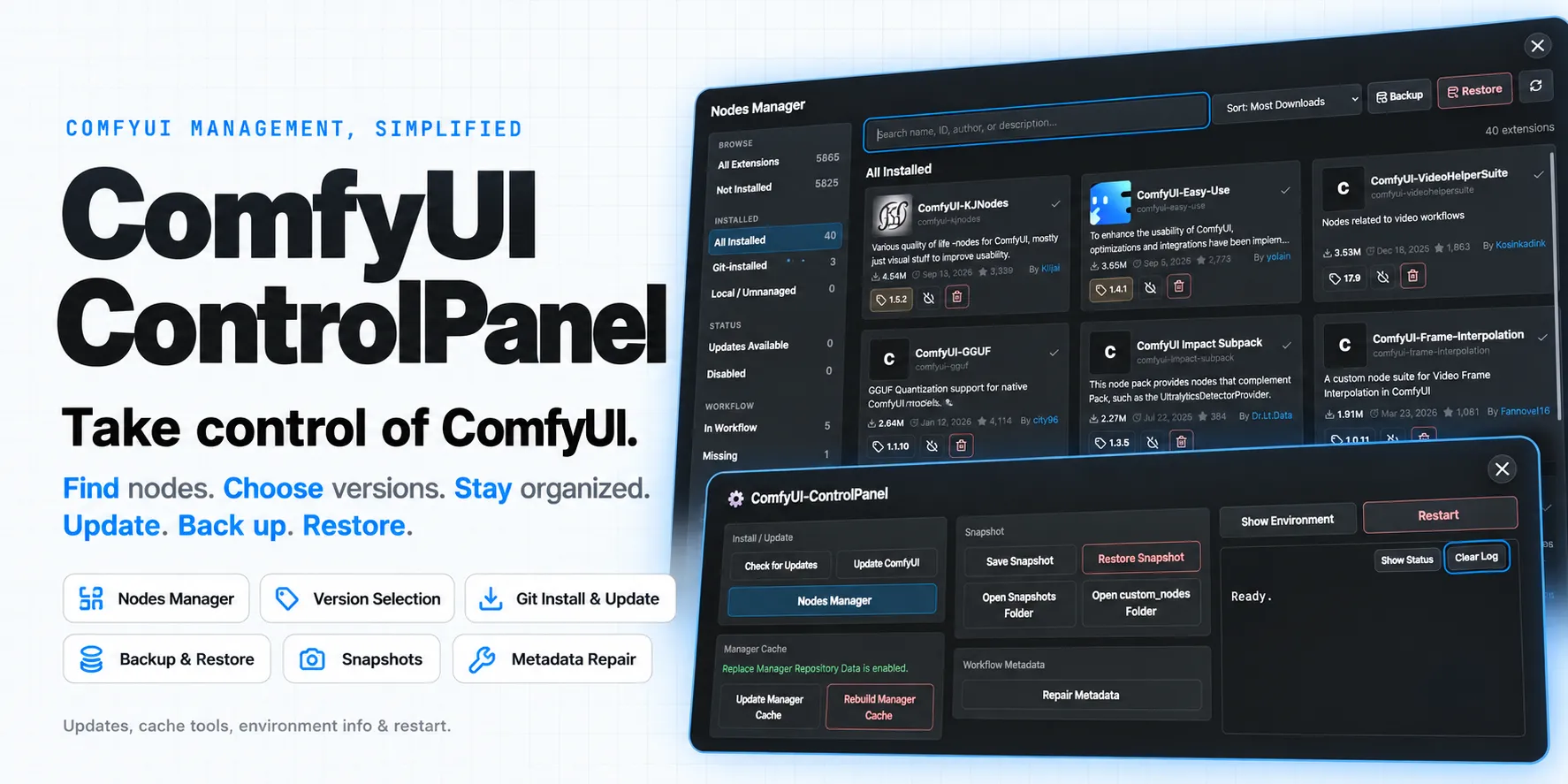
(Promo image is generated by GPT 6.1 Sol)
ComfyUI-ControlPanel brings system administration and custom node management into one interface. Browse and manage Registry and Git nodes, install missing workflow dependencies, back up and restore node installations, repair workflow metadata, and manage ComfyUI updates, caches, environment information, and restarts.
The extension is packaged as a single ComfyUI custom node pack. Backend routes
live in backend/, the frontend extension lives in frontend/, and ComfyUI
loads the built frontend from web/index.js through WEB_DIRECTORY = "./web".
This custom node pack is primarily maintained as a personal-use replacement for ComfyUI-Manager#3048.
Features
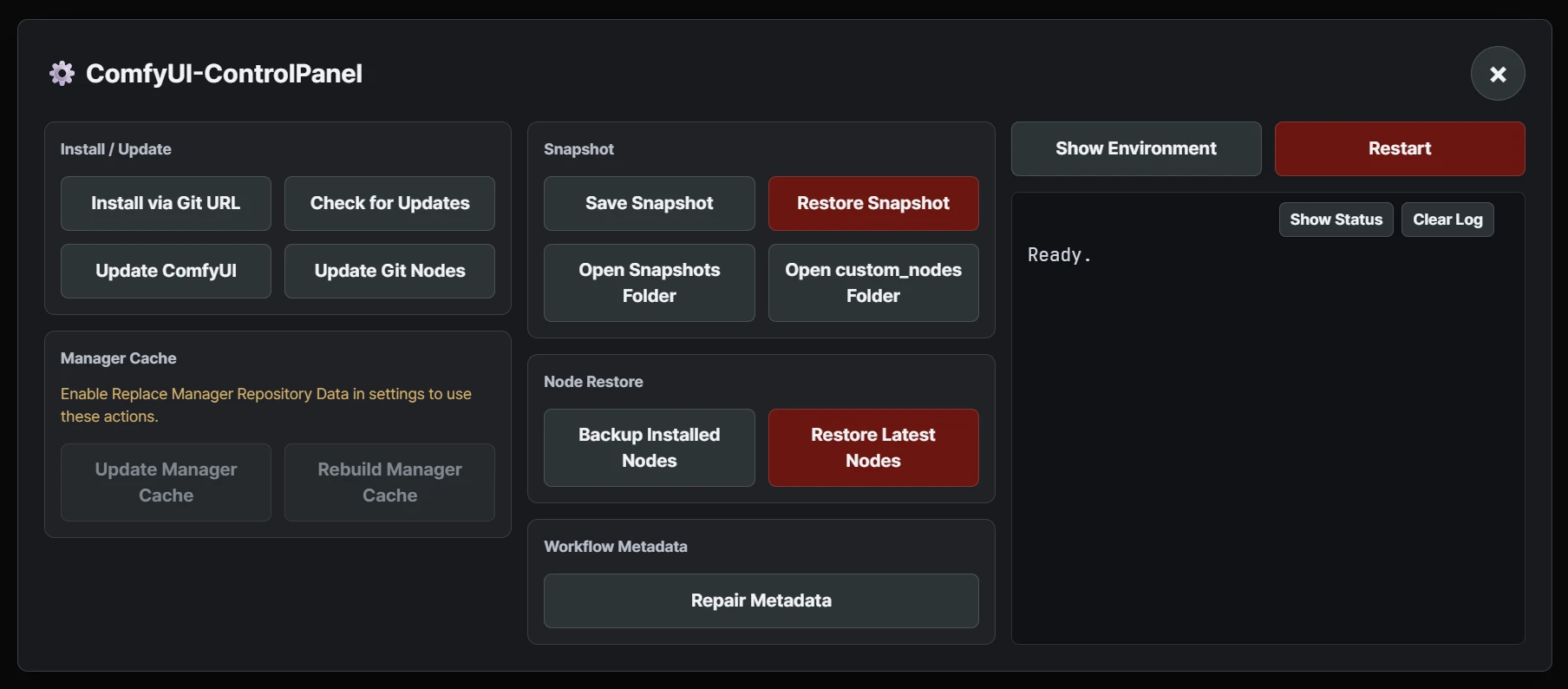
- Update ComfyUI without enabling the legacy Manager UI.
- Replace the Manager repository cache with a safer and more efficient cache path.
- Update or rebuild the Manager cache when Replace Manager Repository Data is enabled.
- Save and restore Manager snapshots through the Comfy CLI.
- Open the
custom_nodesand Manager snapshots folders from the panel on local installs. - Show the parsed
comfy --json envoutput in a table-style environment dialog. - Restart ComfyUI from the control panel.
- Inspect the latest status JSON and clear the local operation log.
- Add missing
cnr_id,aux_id, and version metadata when nodes are created or loaded. - Repair Registry metadata across the active workflow, including nested subgraphs, with one Undo step.
Node Manager
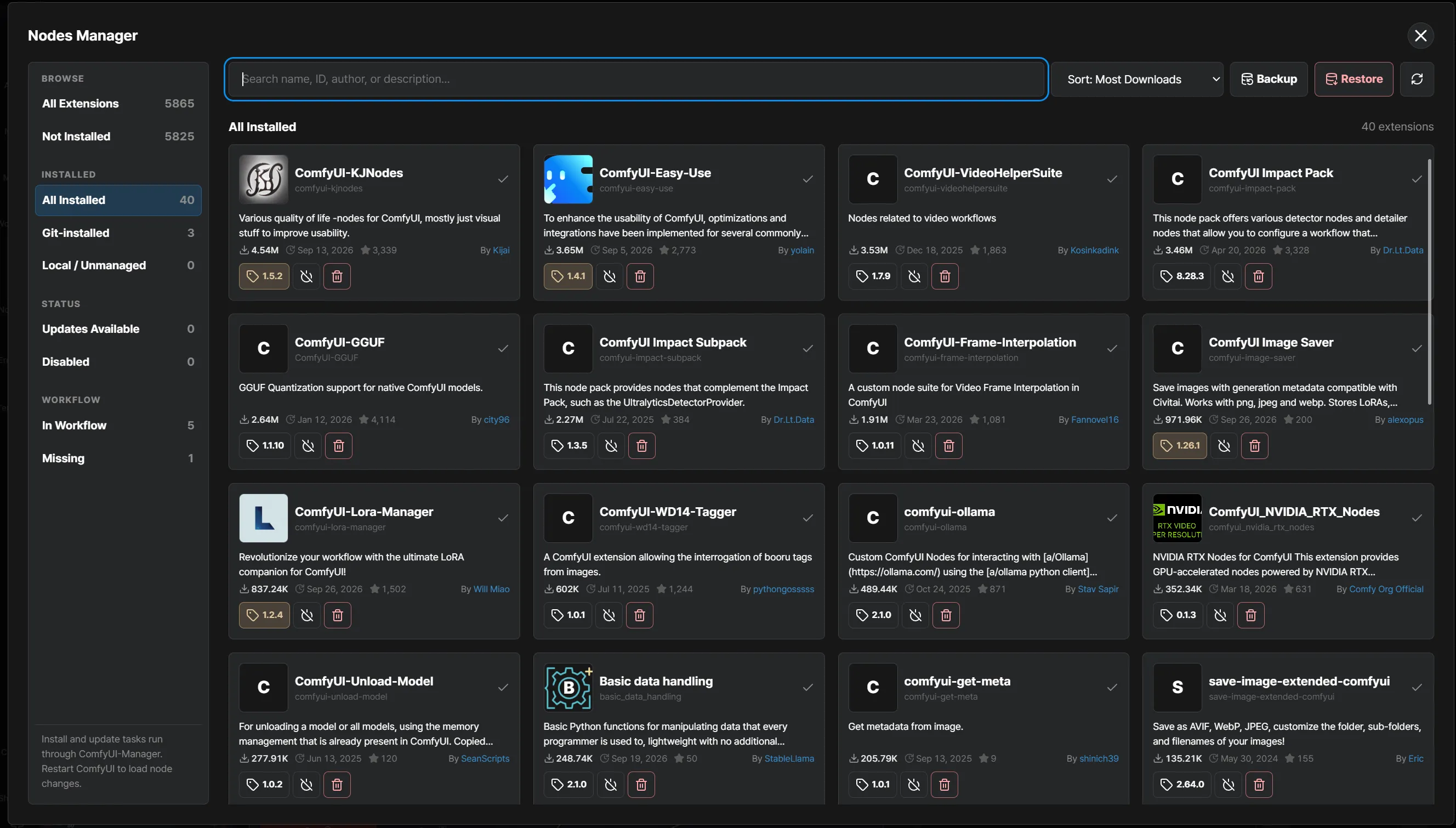
- Allow to use cache instead of off-cache fetch every time
- Effective and fast scroll between node view
- Manage Git nodes with fetch support
- Download a latest/specific version of custom-node and restore Registry/Git nodes from an uploaded JSON file.
- Install a custom node directly from a Git URL.
- Update Git-installed custom nodes.
Requirements
comfy-cli, with thecomfycommand available onPATH(invenv).- Git available on
PATHfor Git URL installation, updates, and restore manifests. - ComfyUI-Manager enabled for Manager cache, snapshot, and Registry metadata features.
Install
From the Comfy Registry
Install the published package through ComfyUI Manager, or target the current ComfyUI workspace with the Comfy CLI:
comfy node install comfyui-controlpanel
Restart ComfyUI after installation.
From a GitHub Release
As a manual alternative, install from the GitHub Release zip attached to a
version tag, not from GitHub's automatic source archive. The release zip
includes the built frontend file at web/index.js, which ComfyUI needs at
runtime.
For example, for v1.1.0, download the attached release asset named like:
ComfyUI-ControlPanel-v1.1.0.zip
Extract the ComfyUI-ControlPanel/ folder from the zip into:
ComfyUI/custom_nodes/
Then restart ComfyUI.
From Source
Install the development dependencies before building or testing from source:
bun install
uv sync --locked --group dev
For local ComfyUI usage, build the frontend once after installing dependencies:
bun run build:custom-node
Security Model
ComfyUI-ControlPanel is local-first. ComfyUI does not provide a built-in user or permission model for custom node HTTP routes, so the panel treats loopback access as the default trust boundary.
By default, all /control-panel/* routes and the frontend panel UI are available
only to localhost clients such as localhost, 127.0.0.1, and ::1. This is
intentional because the panel can install Git repositories, update custom nodes,
restore snapshots, open local folders, and restart ComfyUI.
When remote control is disabled, both the connection peer and HTTP Host must be
loopback. This prevents an external hostname routed through a local reverse proxy
or DNS rebinding from being treated as ordinary localhost access.
State-changing requests must also be same-origin. Requests without an Origin
header are accepted only from loopback clients so local command-line tools remain
usable. ControlPanel follows ComfyUI-Manager's operation policy: Git URL installs
require allow_git_url_install = true when Manager's config.ini is present,
middle-risk operations such as custom-node updates, snapshot restore, and restart
are blocked by security_level = strong, and ComfyUI updates remain low-risk
operations. When Manager's configuration is absent, ControlPanel remains usable
with its own access and same-origin checks rather than requiring Manager.
Commands that install or update code, restore state, or restart ComfyUI run only
after an explicit user action in the panel; loading a workflow does not execute
them. External commands are launched with argument arrays rather than shell
command strings. Custom nodes are installed without dependencies while ComfyUI
is running, and dependency reconciliation is delegated to comfy node uv-sync
after ComfyUI is closed. ComfyUI core updates and their requirements are
delegated to the official Comfy CLI updater.
To allow remote clients on a trusted private deployment, set this in the ControlPanel config file under the ComfyUI user directory:
{
  "allow_remote_control": true
}
Do not enable remote control for ComfyUI instances exposed to untrusted networks. Enabling it deliberately transfers responsibility for authenticating and protecting remote clients to the operator; browser requests must still be same-origin and all Manager operation policies continue to apply.
Development
See DEV.md for setup, build, and deployment commands and docs/TESTING.md for validation and manual checks.
License
MIT, with third-party notices.