
ComfyUI MarkItDown
This node pack helps to convert various files to Markdown. It supports pdf, pptx, xlsx, docx, html and image files.
Nodes (10)
Audio to Markdown means transcription — and it phones home to Google
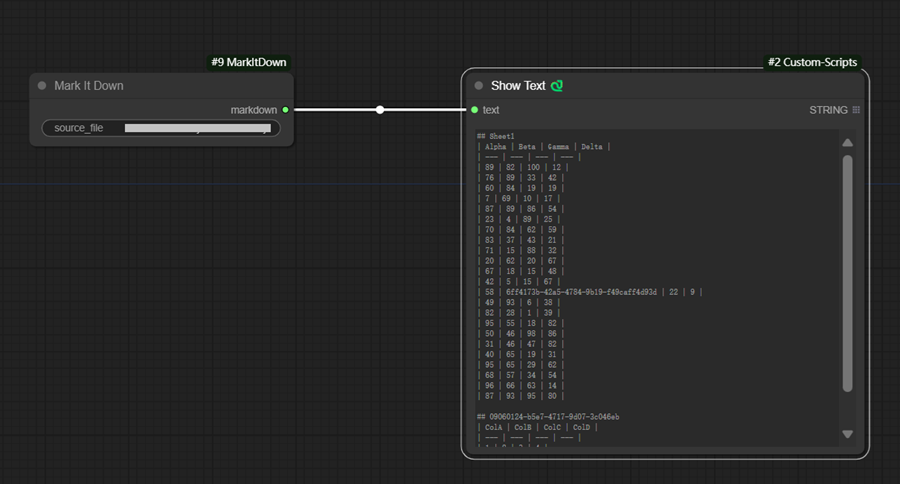
Spreadsheet cells become Markdown tables — your LLM will thank you
A saved web page becomes clean reading text, scripts and all stripped
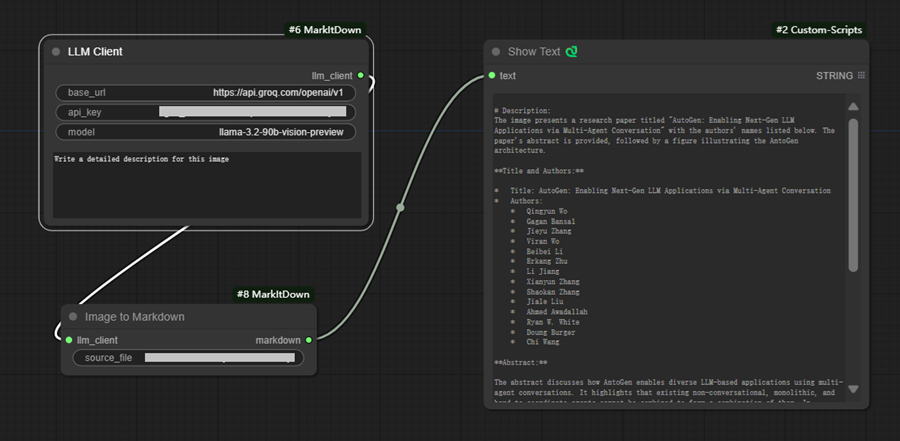
Get an image described in words — but bring your own vision model
Jupyter notebooks to Markdown — your saved experiments, as text
The config node that powers Image2Markdown
Any file to Markdown, no API key required
PDF to text for your LLM — as long as the PDF is actually text
Your slide deck, flattened to text in one click
Word documents to Markdown without opening Word
ComfyUI-MarkItDown
This ComfyUI node pack helps to convert various files to Markdown. It is a convenient ComfyUI wrapper for Microsoft markitdown .
Custom Nodes
MarkItDown- Convert a file to Markdown. The file can be pdf, pptx, xlsx, docx, htm and html.Image2Markdown- Convert an image file to Markdown. The file can be jpeg, png, webp, tiff, svg and bmp.LLMClient- OpenAI API-compitable LLM Client. This node is required byImage2Markdownnode.
Sample Workflows
- Convert data/test.xlsx to Markdown:
- Convert data/test.jpg to Markdown with Groq:

Credits
MarkItDown - Python tool for converting files and office documents to Markdown.