
ComfyUI PIH - Image Harmonization
ComfyUI custom node for Semi-supervised Parametric Real-world Image Harmonization (PIH, CVPR 2023)
Nodes (2)
ComfyUI-PIH
ComfyUI custom nodes for Semi-supervised Parametric Real-world Image Harmonization (PIH).
Credits
This node wraps the original PIH research code by:
Ke Wang, Michaël Gharbi, He Zhang, Zhihao Xia, Eli Shechtman
Adobe Research — CVPR 2023
Project Page | Paper | Original Repo
Please contact Ke ([email protected]) or Michaël ([email protected]) with questions about the underlying model.
If you use this in your research, please cite the original paper:
@article{wang2023semi,
  title={Semi-supervised Parametric Real-world Image Harmonization},
  author={Wang, Ke and Gharbi, Micha{\"e}l and Zhang, He and Xia, Zhihao and Shechtman, Eli},
  booktitle = {Proceedings of the IEEE/CVF Conference on Computer Vision and Pattern Recognition (CVPR)},
  year      = {2023}
}
PIH blends a composited foreground into a background by learning complex local appearance harmonization — matching color, tone, and shading — from unpaired real composites.
Examples
Same dog cutout, two very different backgrounds — PIH adapts the lighting, color, and tone to each scene:
| Tropical beach | Dusk alley |
|----------------|------------|
| 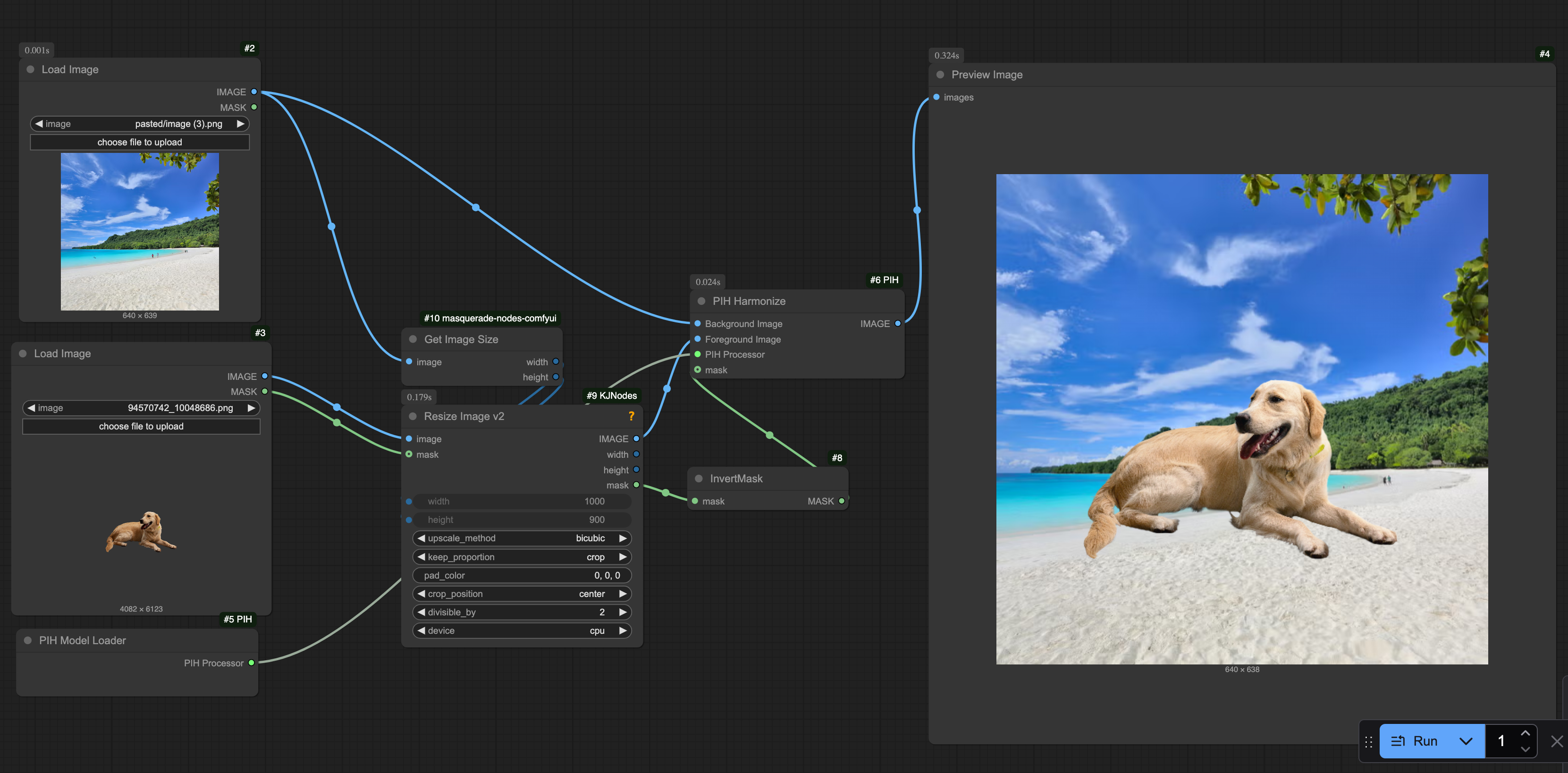 |
| 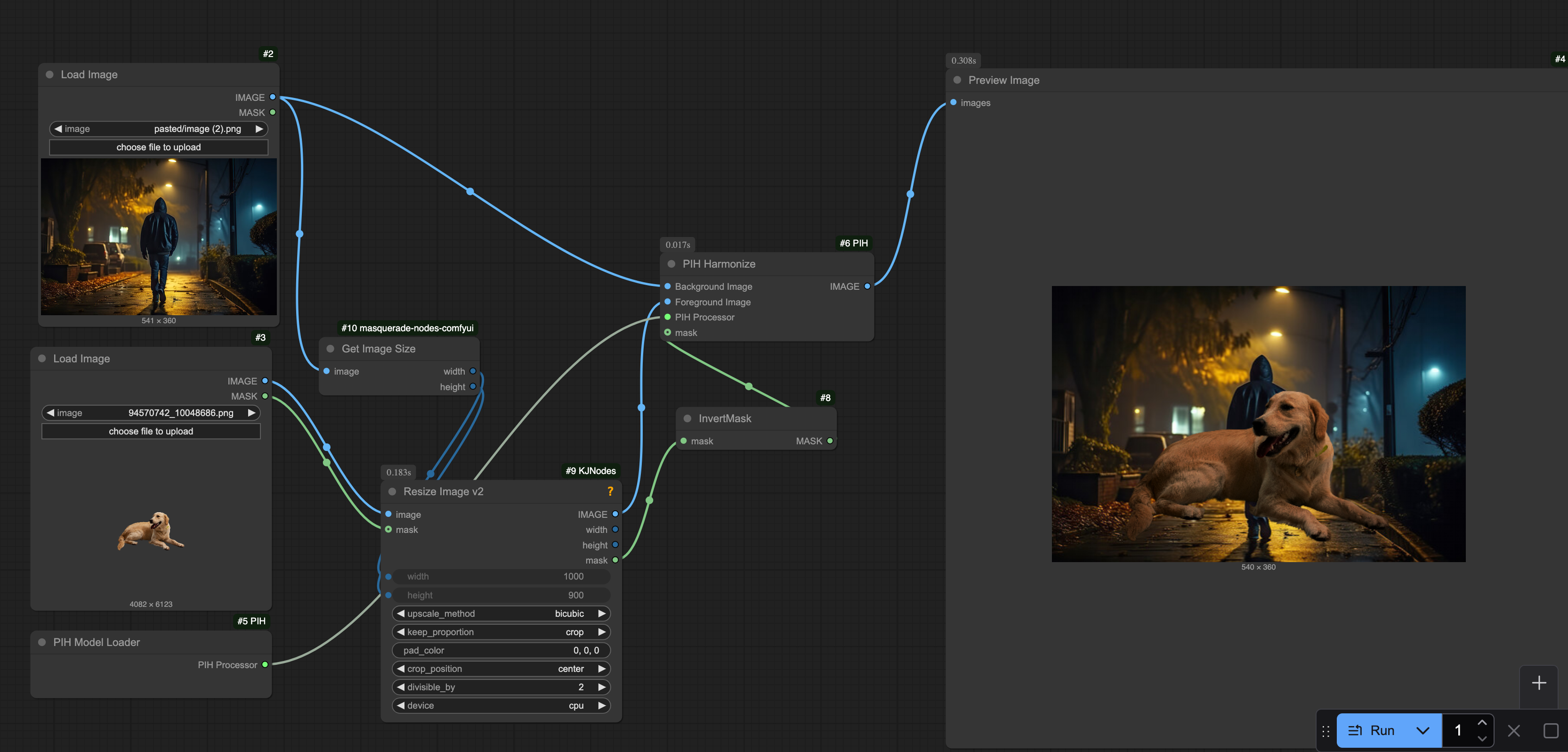 |
|
Nodes
| Node | Description | |------|-------------| | PIH Model Loader | Loads the PIH checkpoint (auto-downloads on first use) | | PIH Harmonize | Blends a foreground into a background with harmonization |
Installation
Via ComfyUI-Manager (recommended)
Search for ComfyUI PIH in the Custom Nodes section and click Install.
Manual
cd ComfyUI/custom_nodes
git clone https://github.com/chrismyau/ComfyUI-PIH
cd ComfyUI-PIH
pip install -r requirements.txt
Model Checkpoint
The checkpoint (~93M parameters, trained on Artist Retouched Dataset) downloads automatically the first time you run the PIH Model Loader node.
It is saved to ComfyUI/models/PIH/ckpt_g39.pth.
To download manually: Google Drive link — place the file at ComfyUI/models/PIH/ckpt_g39.pth.
Usage
- Add PIH Model Loader → connect its
PIH Processoroutput to PIH Harmonize - Connect your
Background ImageandForeground Image(RGB or RGBA) to PIH Harmonize - Optionally connect a
maskto control which region is harmonized - Adjust
Strength(0–1) to blend between the original composite and the harmonized result
⚠️ Mask polarity
This node uses the compositing convention: mask = 1 where the foreground subject is, 0 elsewhere.
ComfyUI's built-in LoadImage node outputs an inverted mask (1 - alpha) because it's designed for inpainting workflows. If you're feeding the MASK output of LoadImage from a PNG with a transparent background, insert an InvertMask node between LoadImage and PIH Harmonize, or you'll harmonize the background instead of the subject.
License
Apache 2.0 — see LICENSE. Original PIH model code © 2023 Adobe.