
Comfy-WaveSpeed
The all in one inference optimization solution for ComfyUI, universal, flexible, and fast.
Nodes (7)
The near-free speedup hiding inside your Flux workflow
Torch.compile that survives contact with your LoRAs
The loader that puts fp8 one dropdown away
The WaveSpeed compile node the README forgot to mention
Text encoders, pre-shrunk, in one node
Load the big model already in 4-bit
Shrink an already-loaded model without reloading it
Comfy-WaveSpeed
The all in one inference optimization solution for ComfyUI, universal, flexible, and fast.
No GPU to spare? The same model families run on WaveSpeed AI, an AI image & video generation platform — see Running these models without a local GPU.
Available today:
- [x] Dynamic Caching (First Block Cache)
- [x] Enhanced
torch.compile
Considered, but not implemented:
- [ ] Multi-GPU Inference (ComfyUI version of ParaAttention's Context Parallelism)
| FLUX.1-dev Original | FLUX.1-dev with First Block Cache and Compilation |
| - | - |
| 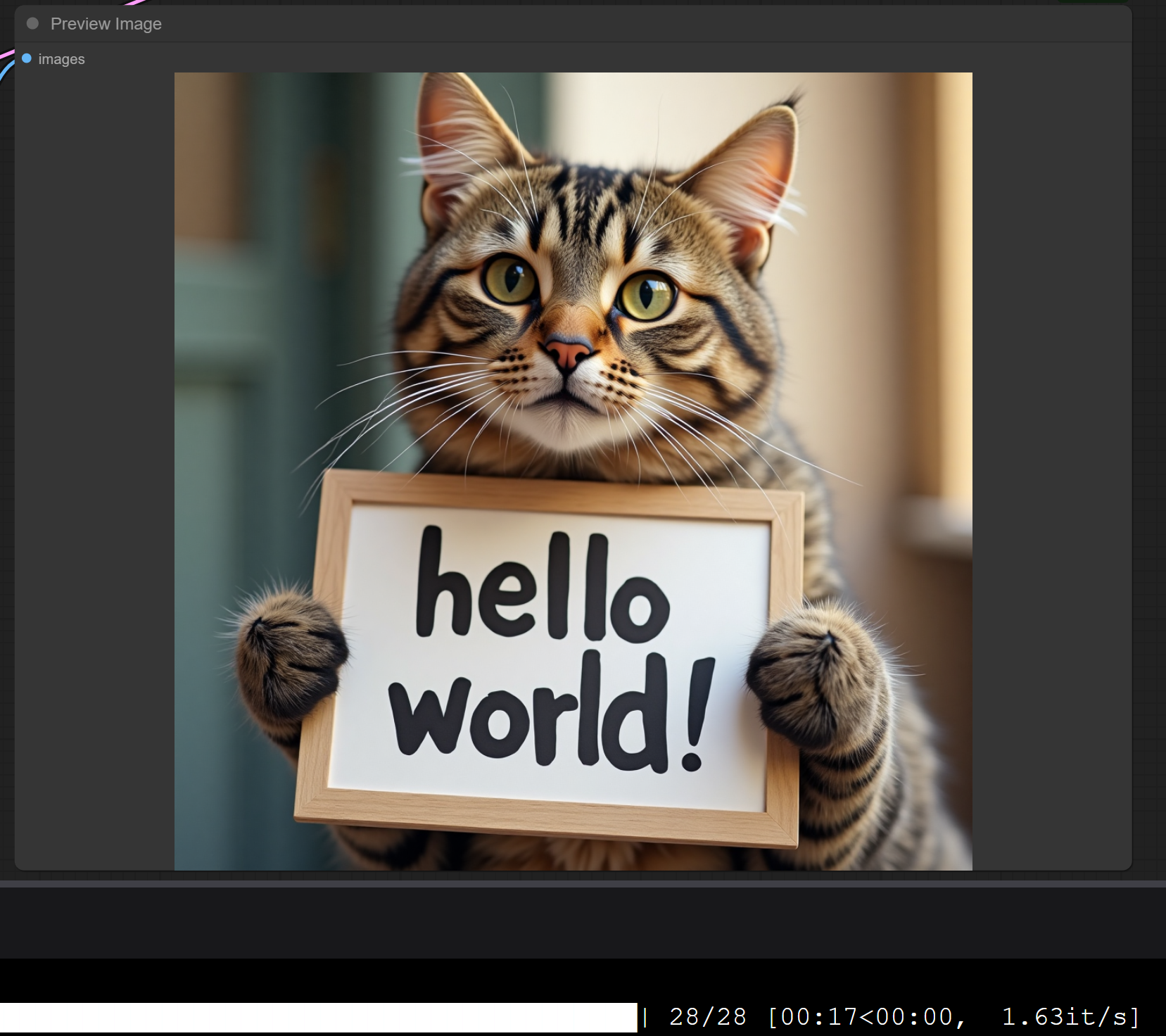 |
| 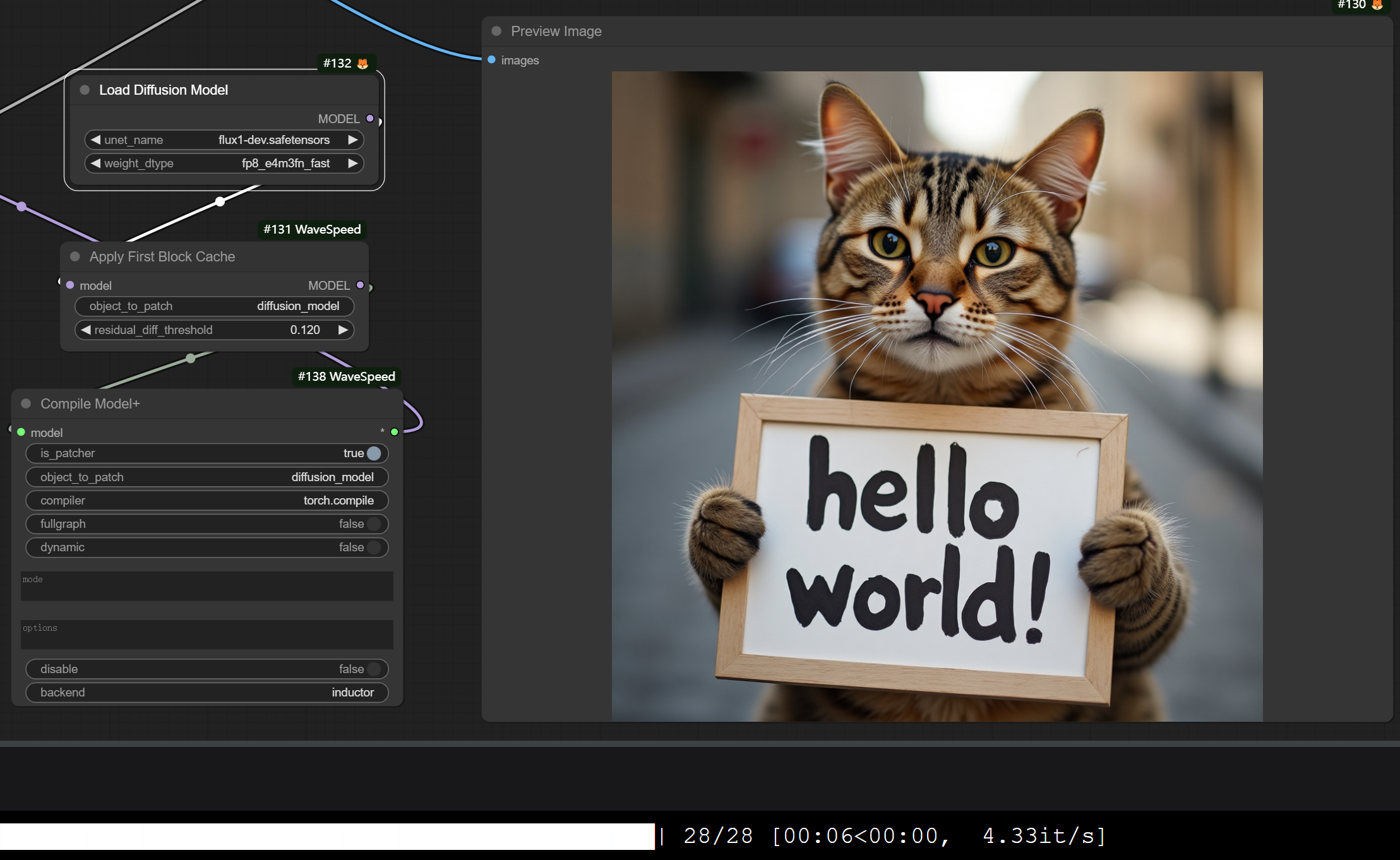 |
|
Project status: the caching and compilation nodes below are stable and widely used, but active development on this repository is intermittent — please treat the unchecked item above as an idea rather than a roadmap. Issues and pull requests are still welcome, and the Discord server is the fastest way to get a question answered.
Installation
cd custom_nodes
git clone https://github.com/chengzeyi/Comfy-WaveSpeed.git
Usage
Demo Workflows
You can find demo workflows in the workflows folder.
| Workflow | Path | | - | - | | FLUX.1-dev with First Block Cache and Compilation | workflows/flux.json | FLUX.1-dev ControlNet with First Block Cache and Compilation | workflows/flux_controlnet.json | LTXV with First Block Cache and Compilation | workflows/ltxv.json | HunyuanVideo with First Block Cache | workflows/hunyuan_video.json | SD3.5 with First Block Cache and Compilation | workflows/sd3.5.json | SDXL with First Block Cache | workflows/sdxl.json
NOTE: The Compile Model+ node requires your computation to meet some software and hardware requirements, please refer to the Enhanced torch.compile section for more information.
If you have problems with the compilation node, you can remove it from the workflow and only use the Apply First Block Cache node.
The Apply First Block Cache node can still bring you a significant speedup.
Dynamic Caching (First Block Cache)
Inspired by TeaCache and other denoising caching algorithms, we introduce First Block Cache (FBCache) to use the residual output of the first transformer block as the cache indicator. If the difference between the current and the previous residual output of the first transformer block is small enough, we can reuse the previous final residual output and skip the computation of all the following transformer blocks. This can significantly reduce the computation cost of the model, achieving a speedup of up to 2x while maintaining high accuracy.
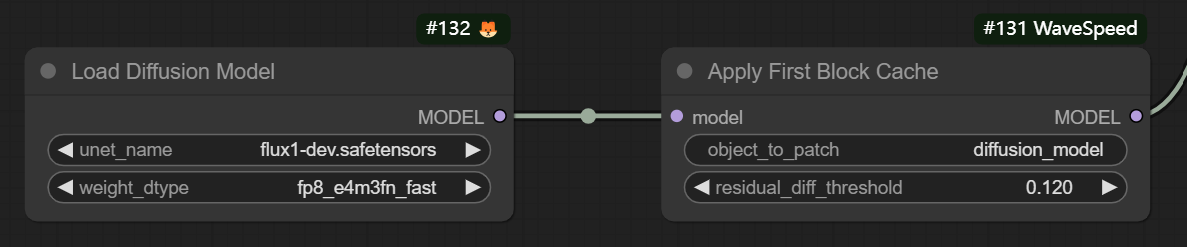
To use first block cache, simply add the wavespeed->Apply First Block Cache node to your workflow after your Load Diffusion Model node and adjust the residual_diff_threashold value to a suitable value for your model, for example: 0.12 for flux-dev.safetensors with fp8_e4m3fn_fast and 28 steps.
It is expected to see a speedup of 1.5x to 3.0x with acceptable accuracy loss.
It supports many models like FLUX, LTXV (native and non-native), HunyuanVideo (native), SD3.5 and SDXL, feel free to try it out and let us know if you have any issues!
Some configurations for different models that you can try:
| Model | Steps | residual_diff_threashold |
| - | - | - |
| flux-dev.safetensors with fp8_e4m3fn_fast | 28 | 0.12 |
| ltx-video-2b-v0.9.1.safetensors | 30 | 0.1 |
| hunyuan_video_720_cfgdistill_fp8_e4m3fn.safetensors | 20 | 0.1 |
| sd3.5_large_fp8_scaled.safetensors | 30 | 0.12 |
| sd_xl_base_1.0.safetensors | 25 | 0.2 |
NOTE: SDXL First Block Cache is incompatible with the FreeU Advanced node pack and will not function properly if it is installed and enabled.
See Apply First Block Cache on FLUX.1-dev for more information and detailed comparison on quality and speed.
Enhanced torch.compile
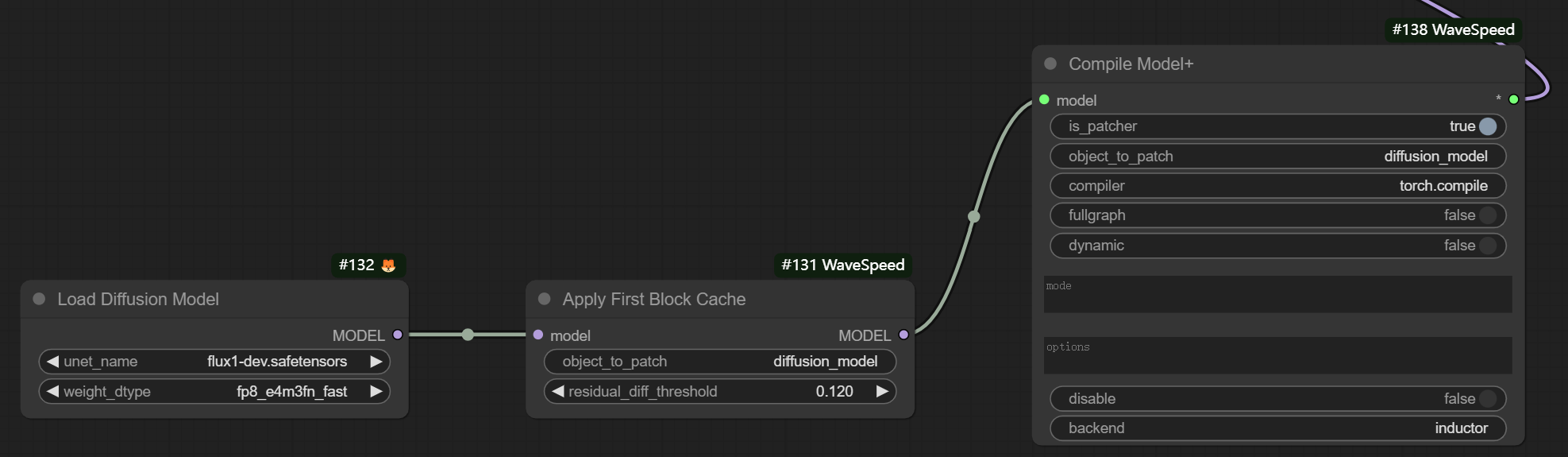
To use the Enhanced torch.compile, simply add the wavespeed->Compile Model+ node to your workflow after your Load Diffusion Model node or Apply First Block Cache node.
The compilation process happens the first time you run the workflow, and it takes quite a long time, but it will be cached for future runs.
You can pass different mode values to make it runs faster, for example max-autotune or max-autotune-no-cudagraphs.
One of the advantages of this node over the original TorchCompileModel node is that it works with LoRA.
It is suggested to pass --gpu-only when launching your ComfyUI if you are using this node, for example, if you are using comfy-cli:
comfy launch -- --gpu-only
If you encounter any problems with frequent compilation after changing the resolution or text prompt, you could try enabling the dynamic option of the Compile Model+ node.
Or you could launch your ComfyUI with environment variable TORCH_LOGS=recompiles_verbose to debug the reason for recompilation.
NOTE: torch.compile might not be able to work with model offloading well, you could try passing --gpu-only when launching your ComfyUI to disable model offloading.
NOTE: torch.compile does not work on Windows offcially, you should not use this node if you are facing this problem, or search on Google to find out how to make it work.
NOTE: Compiling a model with FP8 quantization does not work on pre-Ada GPUs like RTX 3090, you should try using FP16/BF16 models or removing the compilation node.
Running these models without a local GPU
This plugin makes local ComfyUI inference faster. If you don't have a GPU to run these models on in the first place, the same model families are available on WaveSpeed AI, an AI image & video generation platform.
Browser playgrounds — no install, no API key:
- Image generator — Nano Banana 2, Seedream, GPT Image, Z-Image and more, switchable from one page
- Video generator — Seedance, Wan, Kling, Veo and more
- Full model catalog
Popular endpoints:
| Model | Page | | - | - | | Z-Image Turbo (fast, inexpensive) | wavespeed-ai/z-image/turbo | | Nano Banana 2 | google/nano-banana-2/text-to-image | | Seedream 5.0 Pro | bytedance/seedream-v5.0-pro | | Seedance 2.5 (text to video) | bytedance/seedance-2.5/text-to-video |
From ComfyUI, the wavespeed-comfyui plugin exposes the whole hosted catalog through a single node whose widgets are generated from each model's schema. It is a separate project from this one — this repository optimizes local inference, that one calls the hosted API.
From the terminal or your own code, see the CLI and the Python / JavaScript SDKs.
Others
Use with diffusers
Please refer to ParaAttention for more information.