
Qwen-llm-loader
Local Qwen loader and prompt refiner for ComfyUI
Nodes (2)
Changelog (Nightly Branch – v2.0+)
v2.0 – Major Performance & Multi-GPU Update
- Added torch.compile support (
reduce-overhead+dynamic=True) for 30–100% faster inference after initial warmup - Enabled SDPA (Scaled Dot-Product Attention) backend for better speed and memory efficiency on NVIDIA GPUs
- Multi-GPU support via
device_map="auto"– new toggleable inputuse_multi_gpu(default: true). Turn off for single-GPU setups (e.g. RTX 3090 with only cuda:0) - Modernized dtype options (
bf16default,fp16,fp32,auto) - Improved logging, error handling, and model unloading
- Fixed tokenizer loading bug (no more NameError)
- Better compatibility with PyTorch 2.7–2.9+
Older Versions
- v1.0 – Initial release: basic offline loading, prompt refinement with thinking output, folder auto-detection, keep_loaded toggle
Contributions welcome! Especially multi-GPU testing and PRs from users with 2+ GPUs.
Qwen-llm-loader
Local Qwen loader and prompt refiner for ComfyUI.
ComfyUI-llm-loader
Local Qwen3-4B-Thinking-2507/ Qwen3_4b loader/ general LLM models and prompt refiner for ComfyUI.
This custom node lets you load the Qwen3-4B-Thinking-2507 or any LLM model completely offline and use it to refine text prompts with full control over the instructions. It supports visible thinking output, and optional full memory unloading to free VRAM after use.
Features
- Fully local loading (no internet required after downloading the model)
- Flexible prompt template and instruction bodies
- Visible chain-of-thought ("thinking") output
- Optional keep_loaded toggle to completely unload the model from GPU and RAM
- Works with any Stable Diffusion workflow
Installation
-
Clone or download this repository into your
ComfyUI/custom_nodes/folder: -
(or download as ZIP and extract)
-
Download the model files, For this example I'm using Qwen3-4B-Thinking-2507 (download all repo files):
https://huggingface.co/Qwen/Qwen3-4B-Thinking-2507
OR Download the merged model files from here (download all repo files): https://huggingface.co/Capitan01R/qwen-thinking-merged/tree/main/qwen_thinking_merged
- Place all files (
config.json,tokenizer.*,*.safetensors,model.safetensors.index.jsonor shards, and any.pyfiles) into:
ComfyUI/models/qwen/downloaded-model-folderfolder structure: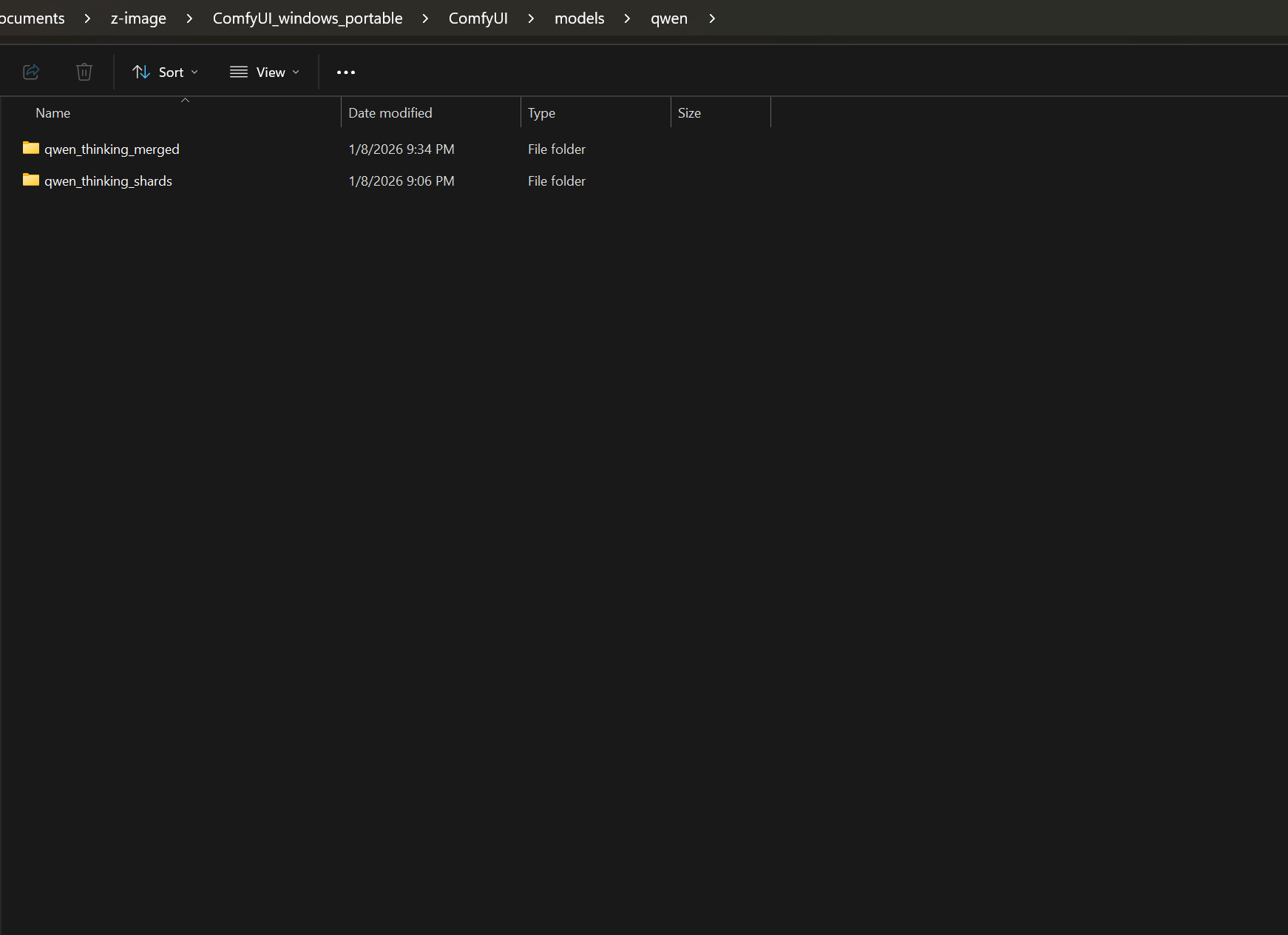 then inside the qwen/model-folder/files
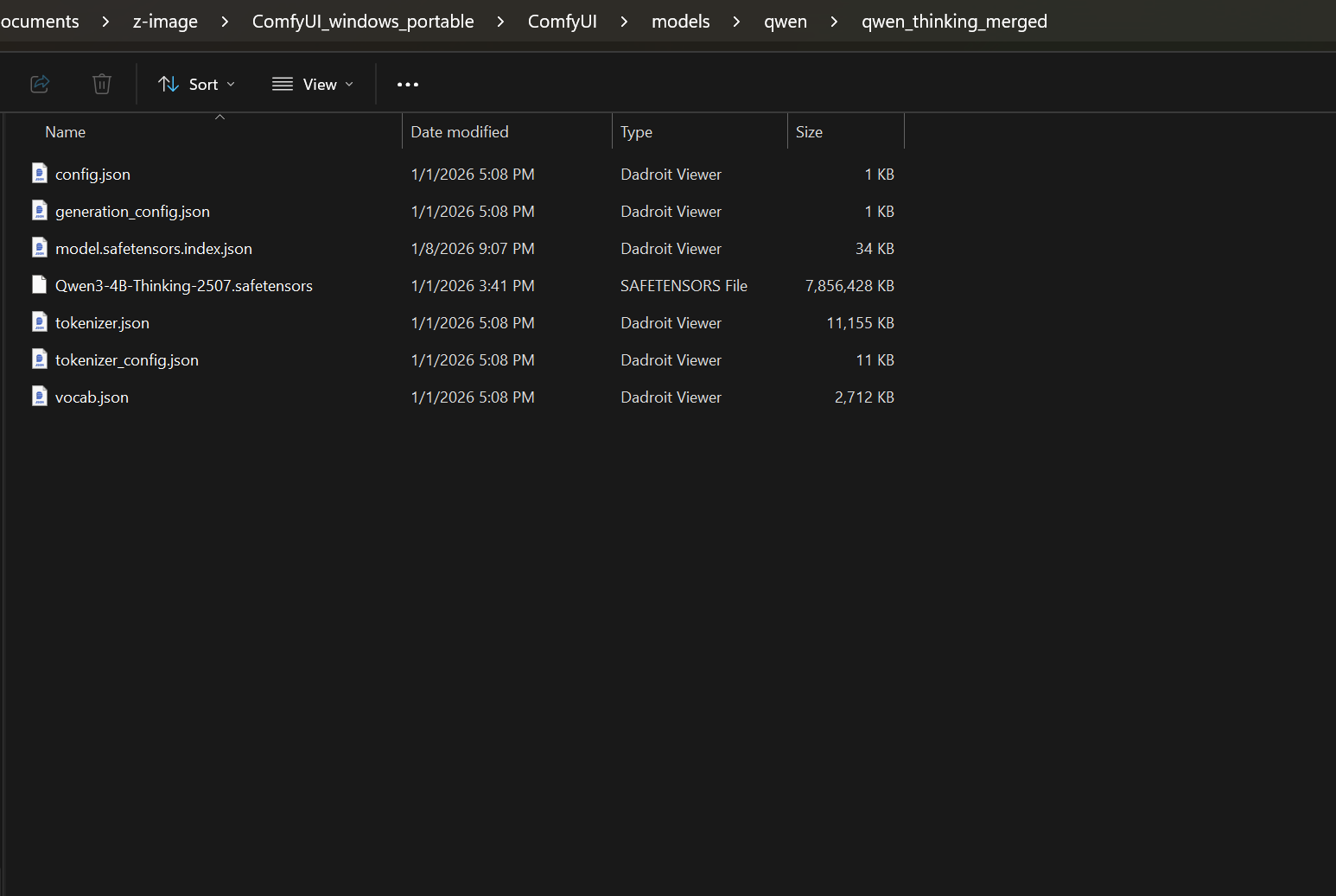
- Restart ComfyUI
No additional pip packages required.
Note
to load different llm models you must ensure they contain the json config files for them so the loader can read the model and loads it. as this loader is capable to load almost all llm models not just the qwen3-4b thinking, that was just an example and an inspirational name for this build.
Usage
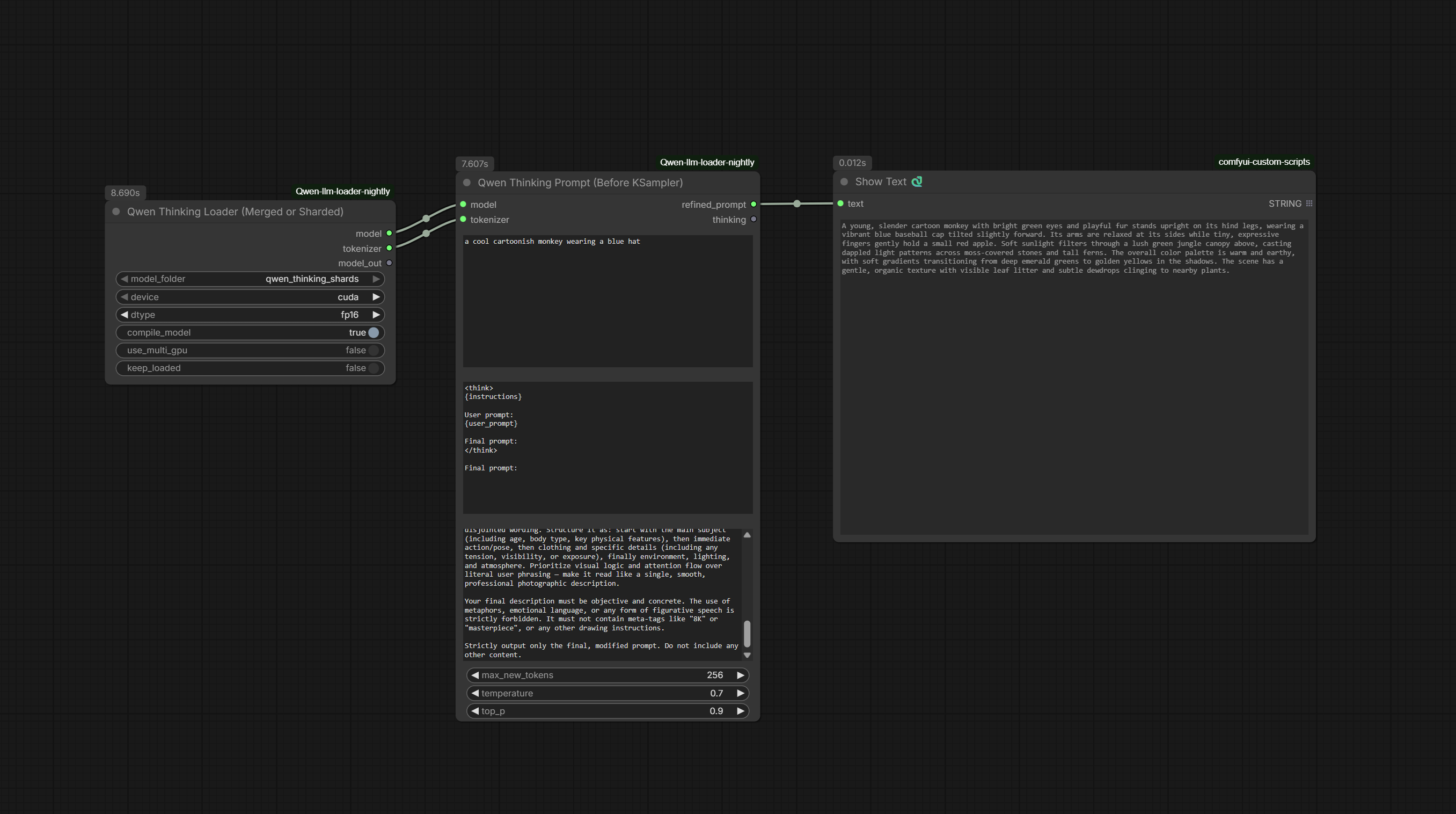
- Add the New Qwen Thinking Loader node
- Choose device (cuda/cpu), dtype, and keep_loaded as needed, I personally keep it off-loaded
- Connect it to the Qwen Thinking Prompt node
- Paste your raw prompt into
user_prompt - Customize
instruction_bodyfor different refinement styles - Adjust temperature, top_p, max_new_tokens as desired
- Use the
refined_promptoutput in your text-to-image workflow
Nodes
- New Qwen Thinking Loader – Loads the model locally
- Qwen Thinking Prompt – Refines prompts with customizable instructions and thinking visibility
Credits
Based on Qwen/Qwen3-4B-Thinking-2507 from Hugging Face.