
ComfyUI_FourierDomainAdaptation
A custom ComfyUI node that applies Fourier Domain Adaptation (FDA) between a target image and a reference image.
ComfyUI FDA — Fourier Domain Adaptation
A custom ComfyUI node that applies Fourier Domain Adaptation (FDA) between a target image and a reference image. FDA transfers the global color and style of the reference into the target by swapping low-frequency amplitude components in the frequency domain, while fully preserving the structural content of the target.
Screenshots
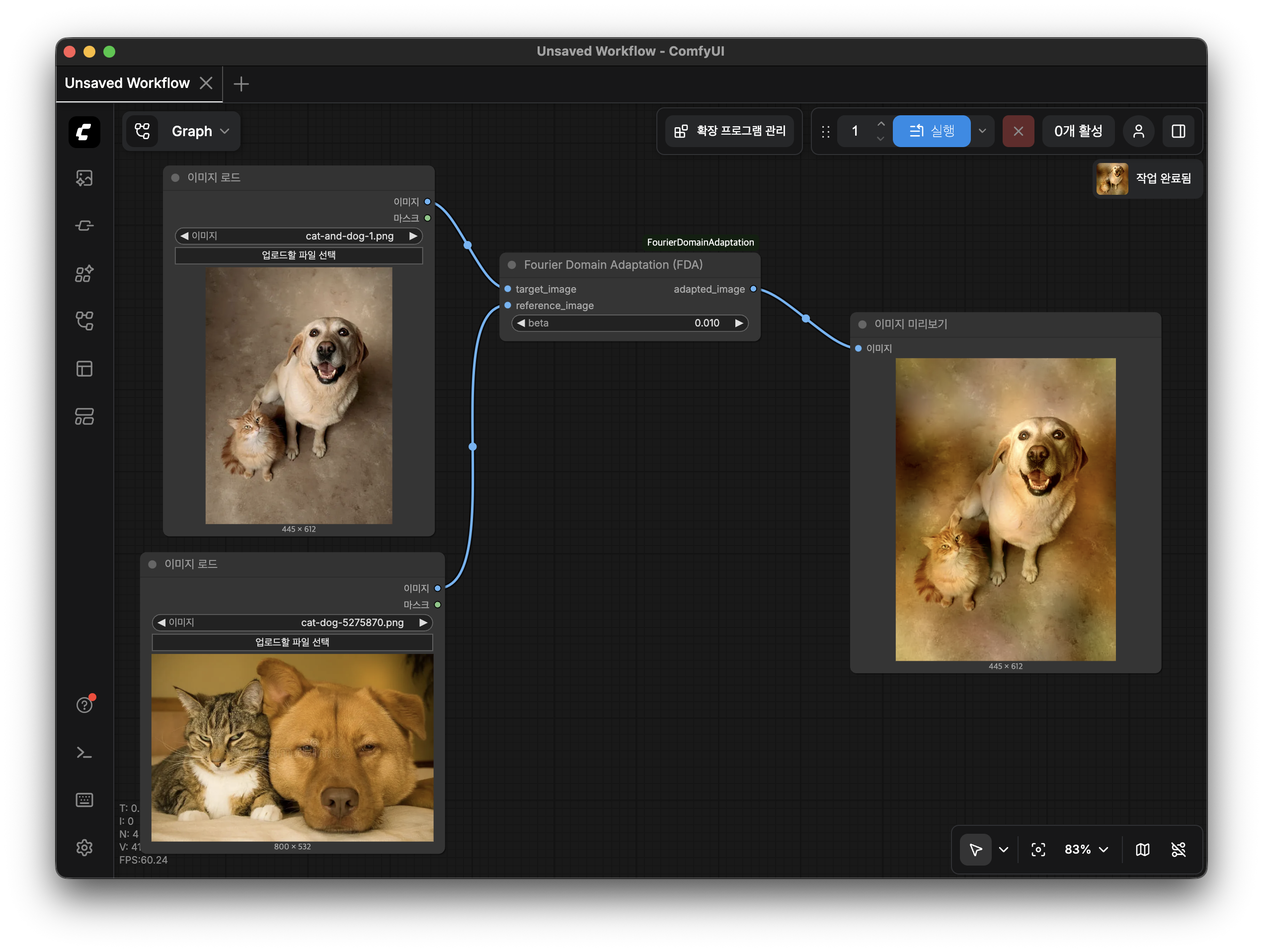
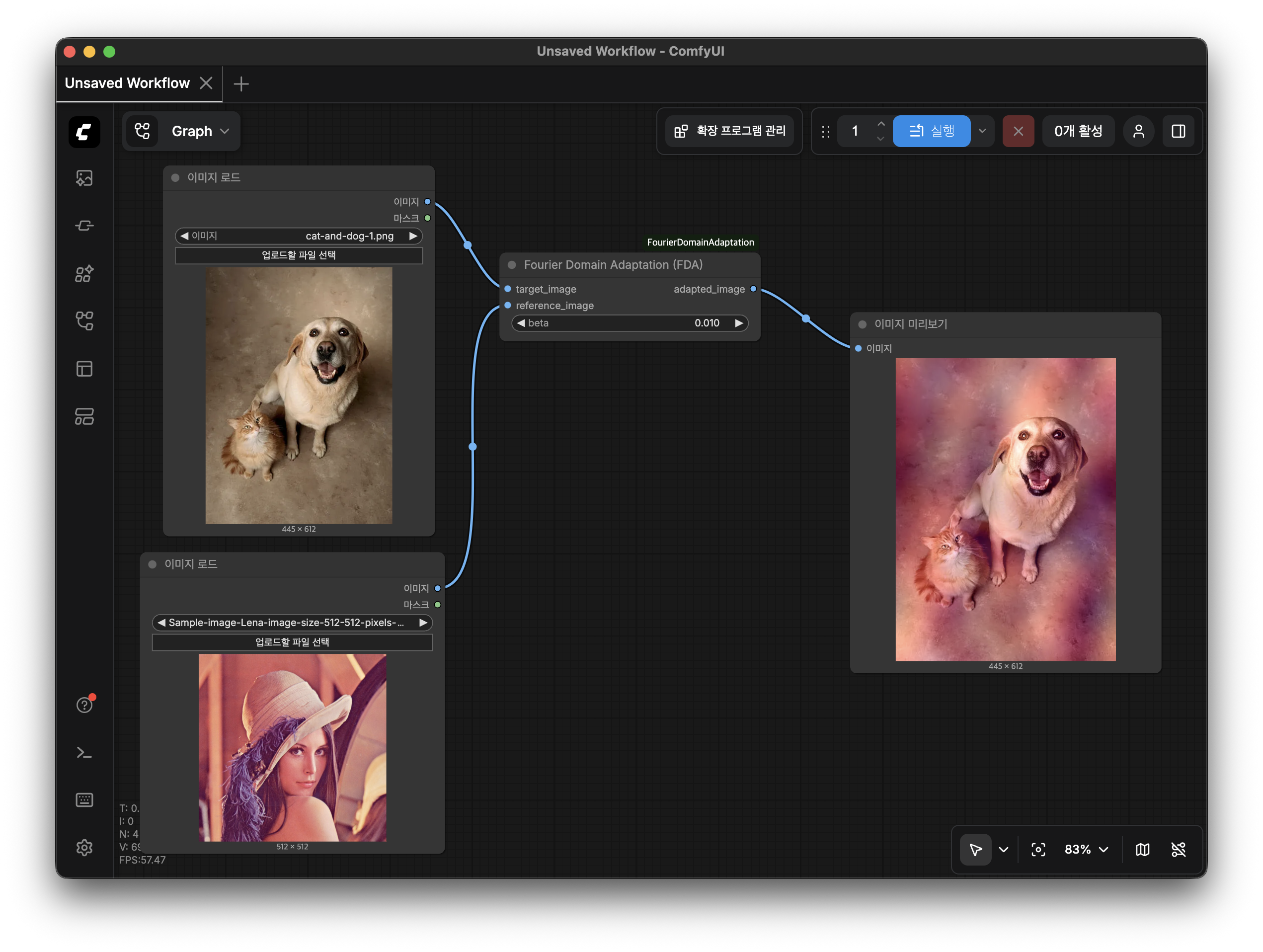
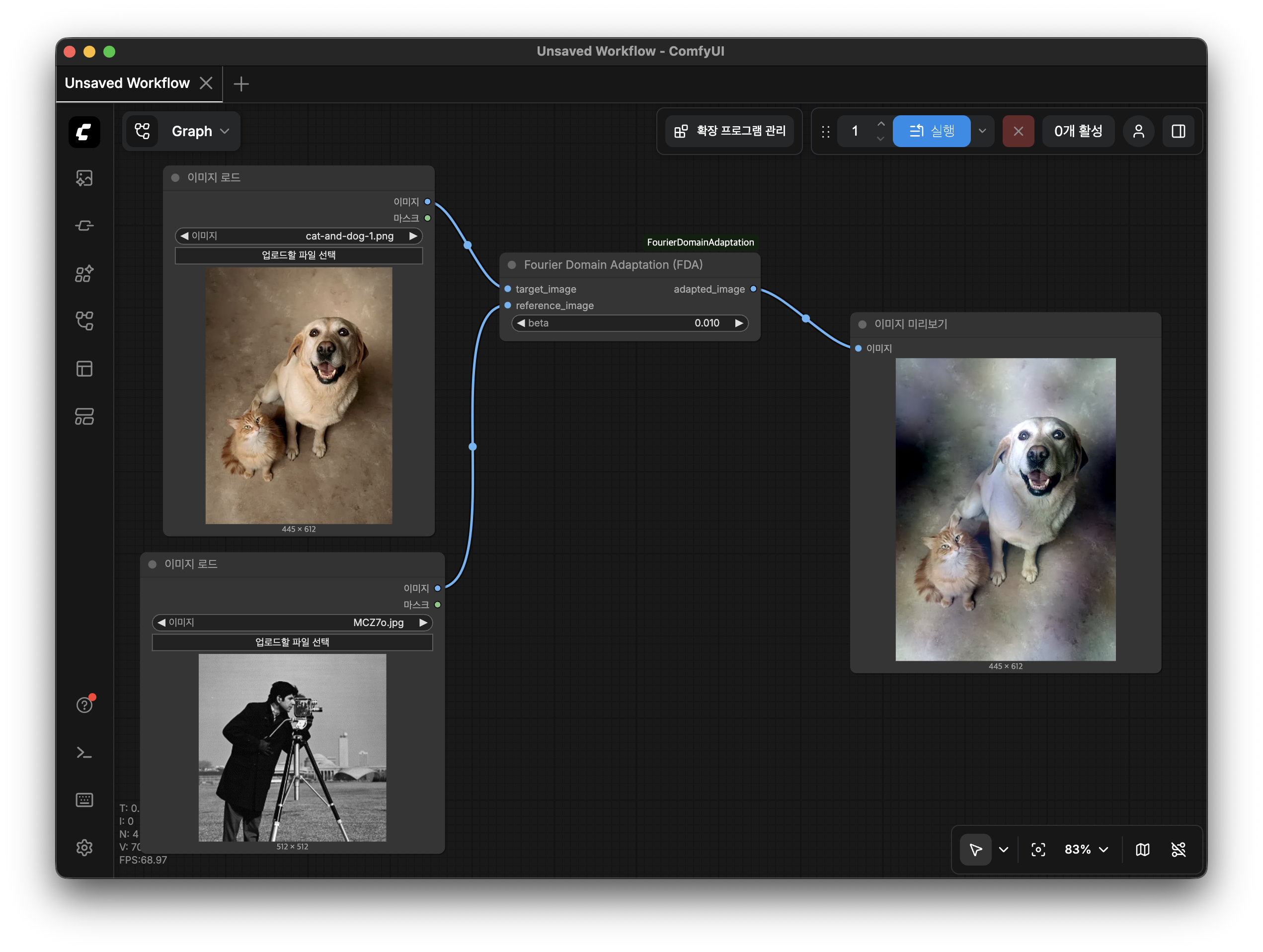
How It Works
- Apply 2D FFT to each channel of both images.
- Shift the zero-frequency component to the center of the spectrum.
- Decompose each spectrum into amplitude and phase.
- Replace the low-frequency amplitude region of the target with that of the reference. The region size is controlled by
beta. - Reconstruct the complex spectrum and apply the inverse FFT.
The result inherits the structure (edges, shapes) of the target and the color/tone statistics of the reference.
Installation
Copy the ComfyUI_FDA folder into your ComfyUI custom_nodes directory and restart ComfyUI.
cp -r ComfyUI_FDA /path/to/ComfyUI/custom_nodes/
No additional dependencies are required beyond the standard ComfyUI environment (torch, numpy).
Node
Category: image/transform
Display name: Fourier Domain Adaptation (FDA)
Inputs
| Name | Type | Description |
|---|---|---|
| target_image | IMAGE | The image whose structure you want to preserve. |
| reference_image | IMAGE | The image whose color/style you want to transfer. |
| beta | FLOAT | Low-frequency window size as a fraction of image dimensions. Range: 0.001 – 0.5. Default: 0.01. |
Output
| Name | Type | Description |
|---|---|---|
| adapted_image | IMAGE | The target image adapted to the style of the reference image. |
Parameter Guide: beta
beta controls how large the low-frequency window is relative to the image size.
| beta | Effect |
|---|---|
| 0.001 – 0.01 | Subtle color/tone shift; fine details unchanged. |
| 0.01 – 0.05 | Moderate style transfer; noticeable but natural-looking. |
| 0.05 – 0.2 | Strong style transfer; global color palette heavily influenced. |
| 0.2 – 0.5 | Aggressive transfer; may introduce visible artifacts. |
Start with the default (0.01) and increase gradually to taste.
Batch Behavior
- If the target batch size (
B_t) and reference batch size (B_r) differ, reference frames are cycled withi % B_r. - If the reference image has different spatial dimensions from the target, it is automatically bilinearly resized before processing.
Reference
Yang, Y., & Soatto, S. (2020). FDA: Fourier Domain Adaptation for Semantic Segmentation. CVPR 2020.