
ComfyUI-Smart-Face-Crop
An advanced, zero-dependency AI-powered custom node for ComfyUI. Designed for flawless face cropping, zooming, and padding using a local YuNet-based approach.
Nodes (1)
ComfyUI-Smart-Face-Crop
An advanced, zero-dependency AI-powered custom node for ComfyUI. Designed for flawless face cropping, zooming, and padding using a local YuNet-based approach. This tool is an essential utility for creating clean, high-quality datasets for model training, making it perfect for streamlining image preprocessing workflows for LoRA, Dreambooth, or other fine-tuning tasks.
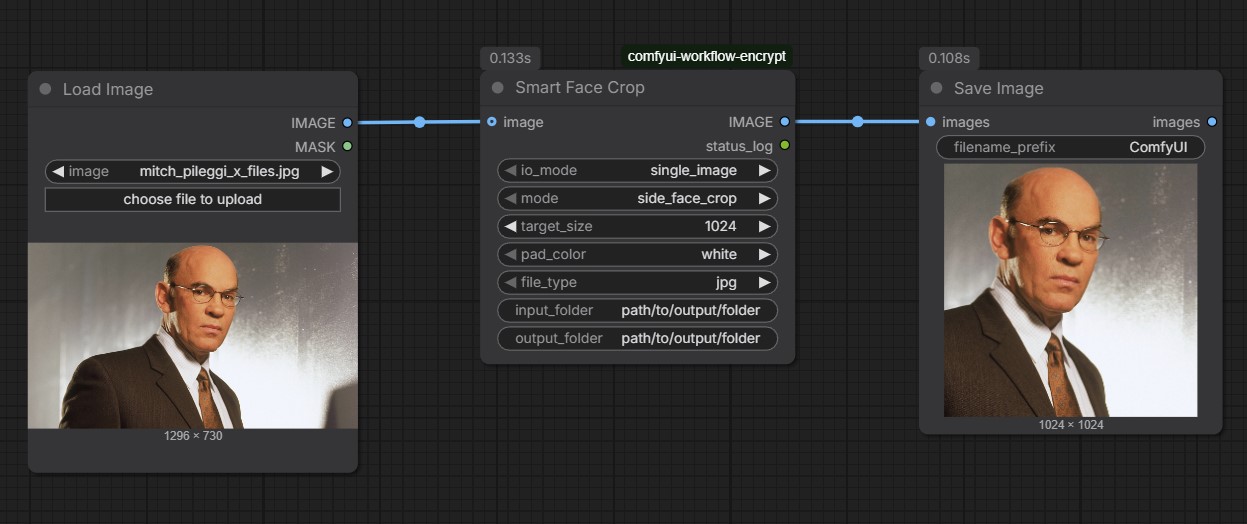
🌟 Key Features
- 🧠 Zero External Dependencies: No need for heavy packages like
onnxruntimeorinsightface. Works out of the box with standard Python/OpenCV. - 🔒 100% Offline & Secure: Perfect for privacy-focused workflows.
- 📐 Aspect Ratio Protection: Reads each file individually to maintain perfect facial proportions without stretching.
- 🔄 4 Processing Modes:
side_face_crop: Perfect 1:1 square crop centered on the face.pad_to_square: Adds borders (white/black) to square-fit the image.zoom_face_crop: Tight portrait close-up from crown to chin.extract_multiple_faces: Detects all faces in a group and outputs each separately.
⚙️ Interface & Parameters
| Parameter | Type | Description |
| :--- | :--- | :--- |
| io_mode | Selection | single_image (standard node link) or batch_folder (processes folder). |
| mode | Selection | Choose from the 4 cropping behaviors. |
| target_size | Integer | Resolution of the final output (e.g., 1024). |
| pad_color | Selection | white or black (for pad_to_square mode). |
| file_type | Selection | Output format (jpg or png) for saved images. |
| input_folder | String | Local path for batch input. |
| output_folder| String | Local path for batch output. |
🛠️ Installation
- Clone this repository into your
ComfyUI/custom_nodesdirectory:cd ComfyUI/custom_nodes git clone [https://github.com/YOUR_USERNAME/ComfyUI-Smart-Face-Crop.git](https://github.com/YOUR_USERNAME/ComfyUI-Smart-Face-Crop.git)