
comfyui-scene-framer
Scene Framer is a simple utility node for framing multiple shots from a single image.
Scene Framer - ComfyUI Custom Node
Scene Framer is a simple utility node for framing multiple shots from a single image.
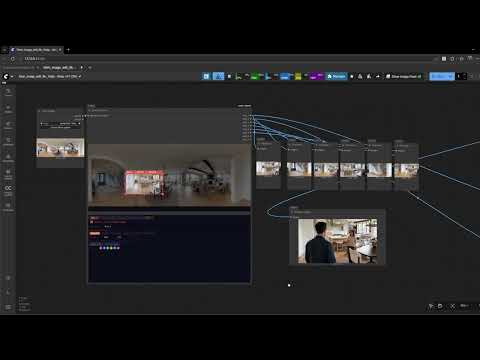
It lets you load a background or panorama image and define several crop areas directly inside the node. Each crop becomes a separate image output that can be used anywhere in your ComfyUI workflow.
This is useful when you want to extract different views of the same scene without creating multiple crop nodes or duplicating workflows.
Demo
Click the video below to see Scene Framer in action.
What This Node Does
Normally, if you want several cropped versions of the same image in ComfyUI, Instead of manually cropping images outside ComfyUI or creating several crop nodes, Scene Framer lets you visually frame shots directly on the image and outputs them individually. Each shot can then be connected to different parts of your pipeline. Scene Framer keeps everything inside one node. You can quickly frame several shots from the same image and send them to different parts of your ComfyUI workflow. This keeps the graph cleaner and easier to manage, especially when working with multiple shots with background consistancy.
Scene Framer simplifies this.
You can visually define several shot areas directly on the image, and each one becomes its own output.
This keeps the workflow cleaner and easier to manage, especially when working with multiple shots from the same environment image.
Features
Interactive Shot Framing
Drag and resize crop areas directly on the image.
Multiple Shots from One Image
Create up to 8 different shots from a single background or panorama image.
Add or Remove Shots as Needed
Enable only the shots you want to use.
Color-Coded Shot Boxes
Each shot is color coded, making it easier to identify and manage.
Separate Output per Shot
Every shot outputs as its own image socket.
Custom Output Resolution
Each shot can be resized to a different resolution if needed.
Example Workflow
An example workflow is included in the repository.
Author
Ankush Gawande
VFX Compositor | Genrative AI
Website:
https://www.ankushgawande.com/
LinkedIn:
https://www.linkedin.com/in/ankush-gawande-97430562