
saya-comfy-couple-plus
Saya Comfy Couple+ is a modified Comfy Couple node for ComfyUI made for cleaner solo, duo, and dual-character workflows with better control over prompts, masks, and IPAdapter routing.
Nodes (35)
Two characters, one image — Saya Comfy Couple stops their prompts from melting together
The SDXL fix
The copy node that stops your character regions drifting mid-workflow
Regional prompting for HiDream, with no patch on the model at all
The HiDream copy node that won't reload a 13.8 GB text encoder every queue
Your four prompts, stuffed into one string that survives anything
The other half of the envelope, and it does the thinking
A CLIP encode with a kill switch (and no, it's not 'dual' like you think)
Load a HiDream LoRA without dragging a text encoder along with it
One panel for your HiDream LoRA strength and its trigger word
One conditioning, five models, four hires stages — pick the combo
The 'like it or roll again' checkpoint that gates your whole pipeline
Pick your checkpoints without loading a single one
Seal the base image, then hand the queue to pass 2
Pass 2 wakes up already holding your base image
The hires pass saves its work and the queue rolls on
The refiner phase opens with phase 2's hires image in hand
The refiner's output becomes phase 4's starting point
The pre-detail upscale starts from the refiner's finished image
Seal the upscaled image and hand it to the detailers
Detailers start from the pre-detail upscale — on purpose, every time
The detailer pass is done — only the final upscale remains
The last phase opens holding a fully-detailed image
The last STOP doesn't queue anything — it sends you home
How one pass of your pipeline hands the image to the next
It says AUTO STOP / UNLOAD, but the unload is the other node's job
A GO button with zero inputs and zero wires in
Ten VAE dropdowns, zero outputs — a route table, not a loader
Sampler settings from one source — with output sockets that can't go stale
A latent that only knows its own shape — for rebuilding masks without a VAE
Load a checkpoint on demand — and skip the CLIP and VAE you don't need
From any image to a near-4K target that keeps its ratio
Pick it from a ladder that was built to be divisible
Pick 4K from a menu, pick your upscaler, and know what '4K' means here
Turn a pixel budget into width and height your image can live with
Saya Couple
I wanted two characters and a background to stop fighting each other. This got slightly out of hand.
Saya Couple is a ComfyUI custom node pack. One generation gets separate prompts that actually work together:
- MAIN: the world. Scene, background, mood, colours, lighting. Nothing about the characters.
- ACTION: what the two characters do together (2.0).
- P1: the first character's identity and attributes.
- P2: the second character's identity and attributes.
One switch turns the whole pipeline into Solo mode (MAIN + ACTION + P1, one character, no couple machinery at all).
| Couple mode | Solo mode |
|:---:|:---:|
| 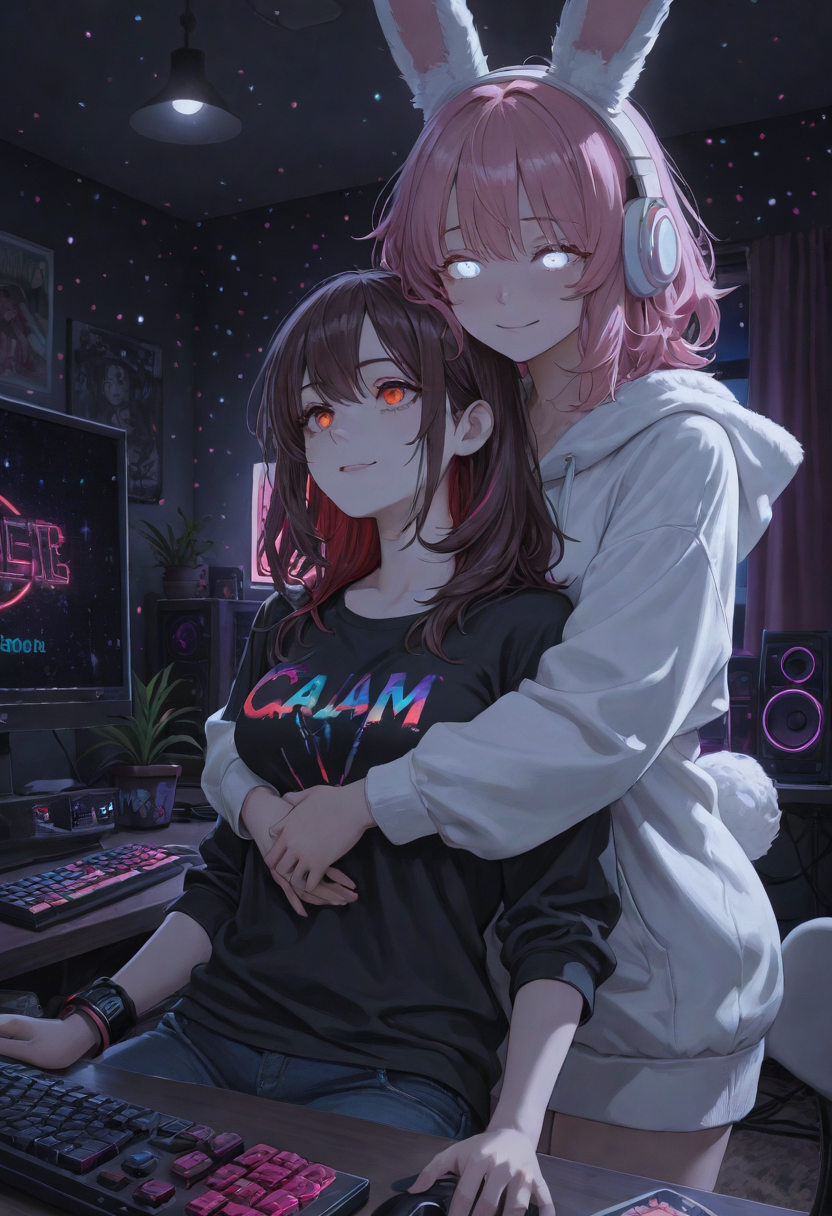 |
| 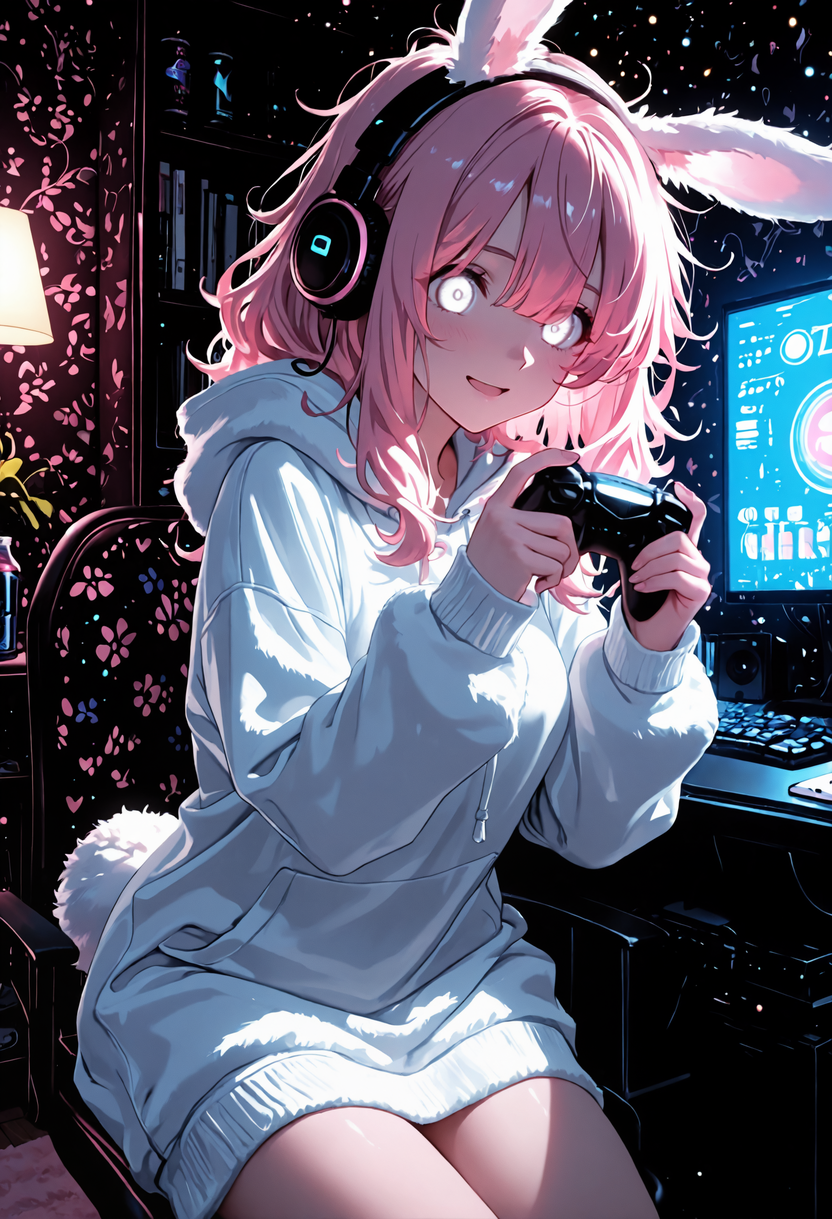 |
| demo workflow, MAIN + P1 + P2 (1.x render) | full workflow, MAIN + ACTION + P1 only (1.x render) |
|
| demo workflow, MAIN + P1 + P2 (1.x render) | full workflow, MAIN + ACTION + P1 only (1.x render) |
Current version: 2.2.2 (CHANGELOG.md). Tested on ComfyUI 41db8f4f (v0.34.0+77), Linux, AMD
RDNA4 16 GB. It is first and foremost a backup of my own ComfyUI setup, made public in case it helps someone
with the same problem. Take what you need.
2.0: no ComfyUI core modification any more
Saya Couple 1.x patched
comfy/ldm/modules/attention.py. 2.0 does not touch any ComfyUI file. The couple engine lives in the pack and is attached to the model with ComfyUI's officialModelPatcher.add_object_patchAPI, for the duration of the sampling only. The only core change the installer can still make is the optional AMD VRAM patch, and only if you say yes.Coming from 1.x: run
./saya installagain. It removes the 1.x core patch (exact reverse, your backup is kept), removes the obsolete pack files, installs 2.0 and verifies. See Upgrading from 1.x.Back up your ComfyUI folder anyway. The installer keeps its own backup and can restore, but your copy is the one you can trust. Use at your own risk.
Contents · Quick start · Upgrading from 1.x · Couple and Solo · What's in the box · Workflows · Writing prompts · How it works · Installation in detail · Verify / Restore · AMD VRAM patch · Compatibility · Testing · Known limitations · Licenses
Quick start
For a first run you only need the demo workflow. It takes about ten minutes.
-
Back up your ComfyUI folder (copy it somewhere).
-
Install the two custom nodes it depends on: MultiMaskCouple (required) and RES4LYF (for the demo samplers). ComfyUI-Manager works for both.
-
Install Saya Couple (it checks your ComfyUI first and changes nothing if something is wrong):
git clone https://github.com/alphaziod/saya-comfy-couple-plus saya-couple cd saya-couple ./saya install --comfyui /path/to/ComfyUI # Windows: saya.bat install --comfyui C:\path\to\ComfyUI -
Restart ComfyUI, open
workflows/Saya_Couple_Demo.json, select your SDXL / Illustrious model in both checkpoint loaders (the same model twice is fine), click Run. -
Something looks wrong?
./saya verify --comfyui /path/to/ComfyUItells you what;./saya restoreputs everything back.
Then write your own prompts: the scene in MAIN, the shared action in ACTION, each character in their own prompt. That separation is the whole point. docs/PROMPTS_GUIDE_EN.md (FR) is the full guide.
Upgrading from 1.x
cd saya-couple && git pull        # or clone the repository again
./saya install --comfyui /path/to/ComfyUI
./saya verify  --comfyui /path/to/ComfyUI
What happens, in order:
- the installer finds the 1.x install record and the 1.x core patch on
comfy/ldm/modules/attention.py; - it reverses the patch exactly (the same patch file, applied backwards; a file that does not match is
refused, nothing is written) and records it. The backup taken before your first 1.x install is kept, so
./saya restorestill puts back the file as it was before Saya ever existed; - it installs the 2.0 pack and removes the pack files 1.x shipped that 2.0 no longer has (the old
core_patch/folder among them); - the optional AMD patch is kept if you had it, offered otherwise;
verifymust printcore files : stock attention.py (2.0 needs no core modification)andRESULT : OK.
Your saved workflows keep loading: every 1.x node type still exists. Thirteen old node types are now deprecated
(category saya/deprecated, [DEPRECATED] in their title): they still run, log one warning per session, and the
warning says which node replaces them. The 1.x demo and full workflows run unchanged; the 2.0 ones in
workflows/ add the new nodes.
If you edited attention.py yourself after installing 1.x, the installer stops and tells you: restore it by hand
(or from .saya_backups/) and run install again.
Couple mode and Solo mode
The full workflow has one switch, MAIN · Couple / Solo (Couple Mode ON / OFF). It is the only authority:
every phase derives its behaviour from it, and nothing else can contradict it.
| Pass | Couple mode (ON) | Solo mode (OFF) | |---|---|---| | Phase 1 · base sampling | Saya couple engine: MAIN + P1 in its region + P2 in its region, regions decided by the model itself (dynamic ownership) | MAIN + ACTION + P1, no region, models unpatched | | Hires Fix, Phase 6 (full frame) | crop-aware couple attention on the Phase 1 ownership map | plain MAIN + ACTION + P1 | | USDU tiles, detailers (crops) | crop-aware couple attention: each tile/crop gets its own slice of the map | no couple patch, no crop | | Phase 3 · HiDream refine | two regions (P1, P2), text strictly separated | one global prompt (MAIN + ACTION + P1), no regional patch |
Solo is not "Couple with the masks turned off": the couple nodes, patches and regional conditionings are not run at all, and P2 is never read. Couple needs a P2 prompt: an empty P2 in Couple mode stops Phase 1 with a clear message instead of failing in Phase 2. The demo workflow is Couple only.
What's in the box
| Part | What it is | Needed? |
|---|---|---|
| Custom node pack custom_nodes/Saya_Couple/ (66 node types, 13 of them deprecated) | the couple engine and nodes, the MAIN prompt builder, plus the nodes my own workflow uses (phase checkpoints, HiDream helpers, upscale / detail passes, lazy loaders…) | install it all, ignore what you don't use |
| Installer ./saya | install / upgrade / verify / restore / check-compat | recommended |
| AMD VRAM safety patch comfy/model_management.py | keeps ROCm from starving the Linux desktop of VRAM | optional, AMD only |
| Demo workflow | MAIN / ACTION / P1 / P2 + the two sampling passes, nothing else | start here |
| Full workflow | my complete 6-phase pipeline, cleaned for publication | when you want everything |
| Third-party patches patches/third_party/ | optional diffs for Ultimate SD Upscale (per-tile masks) and RES4LYF (HiDream on 16 GB), applied by hand | if you use those passes |
| Tests & tools | proofs, installer scenarios, test campaigns, workflow builders | if you're curious |
Nothing under comfy/ is shipped any more. patches/legacy/saya_dual_attention_1.x.patch is only there so the
installer can remove it from a 1.x install.
Workflows
Demo (simple)
workflows/Saya_Couple_Demo.json: select your SDXL / Illustrious model, then click Run.
Deliberately bare: two checkpoint loaders, the Saya Main Prompt node (prefix + background + tags), ACTION, P1, P2, negative, the Saya split mask and Multi Couple in dynamic ownership, the two Shark samplers, decode, save. No phases, no detailers, no upscale. Random seed every run.
The sampling core is exactly the one of my validated setup (RES4LYF ClownsharKSampler): MODEL_1 base pass
30 steps / 27 run / cfg 5 with Epsilon Scaling, CFGZeroStar and DetailBoost, then MODEL_2 refine pass
3 steps / denoise 0.6 / cfg 2. The gain 0.78 lives in the pack's engine, not in the graph. The prompts
(workflows/demo_prompt.json) follow the 4-field grammar: a dense multicoloured gamer room in MAIN, a seated hug
in ACTION, two adult characters in P1 / P2. Saya_Couple_Demo_api.json is the same graph in API format.
Full (6 phases)
workflows/Saya_Couple_Full.json: the pipeline I actually use, with phase checkpoints and review gates.
| Phase | What it does | |---|---| | 1 · Base | two-pass Saya couple sampling (dynamic ownership, map captured after Sampler 1), then a review gate (continue / redo / stop and keep) | | 2 · Hires & USDU | hires fix (full frame) and two tiled Ultimate SD Upscale passes (crop-aware) | | 3 · HiDream | HiDream I1 refine: two text regions (P1 / P2) in Couple, one global prompt in Solo | | 4 · Pre-detail | light hires refine before the detailers | | 5 · Detailers | 13 detailer slots (Detailer 1 … 13), crop-aware couple attention | | 6 · Final | Naturalize V2: one light diffusion at the Phase 5 size with the real couple conditioning and an area colour lock (2.1: lines keep their own colour, highlight taming off), then the Remacri upscale to the final size, then soften and grain |
Phases 2 to 6 read the couple data through one Saya Couple Context · Load node per model (2.0): it resolves and validates the Phase 1 imprint once per phase and hands it to the reconstruct nodes.
Model 2 (Sampler 2, and every pass set to Model 2) goes through Saya LoRA Family Filter · Model 2 (2.1): it
receives the LoRAs of your Model 1 stacks and keeps only those its family can take, read from LoRA Manager
(SDXL model -> SDXL LoRAs; Illustrious model -> Illustrious + SDXL; other families -> all). Its report output says
what passed and what was blocked.
Cleaned for publication without simplifying it: same nodes, same wiring, same sampler and pass settings. Only
these were neutralised: checkpoints, VAEs, LoRAs (stacks shipped empty), detector models (SELECT_*
placeholders), prompts (same as the demo) and personal notes. Choose a detector model for each detailer slot you
want and bypass the others with their toggles. Download 4x_foolhardy_Remacri.pth into models/upscale_models
(or pick another upscaler in MAIN · Final Upscale Preset & Model).
It needs many other custom nodes (RES4LYF, Ultimate SD Upscale, Impact Pack + Subpack, GGUF, KJNodes, rgthree, LoRA Manager, Fearnworks, DaSiWa, JPS); the list with links and licenses is in THIRD_PARTY_NOTICES.md. The 6-phase run is validated on my own install, with my models.
Older saved workflows load as they are (see Upgrading from 1.x). If you customised the
0.2.0 Full workflow, python3 tools/migrate_workflow_v030.py old.json new.json still applies the 0.3.0 changes. For a customised 2.1 Full,
python3 tools/migrate_workflow_v220.py old.json new.json wires the 2.2 positive order (quality first, background last).
Writing prompts
The 2.0 grammar has four fields and a negative. The short version:
- MAIN = the background only. Quality tags, LoRA triggers, scenery, lighting, palette. No character word at all: MAIN is the only text the background pixels receive.
- ACTION = what the two do together, in neutral words, no names, no attributes.
- P1 / P2 = one character each: population tag, body, hair, eyes, outfit, expression. P1 left, P2 right unless the ACTION says otherwise.
- Negative: the usual quality negatives.
Since 2.2 the positive is read quality first, background last: wire Saya Main Prompt prefix (encoded apart) to
Saya Multi Couple quality and its scene to main (the shipped workflows do it). Inside P1 / P2, put the body and
anatomy first: tags are encoded in 75-token chunks, and the organ must share its chunk with the body it belongs to.
The Saya Main Prompt node builds MAIN for you: your prefix is copied as written (LoRA triggers and weights
untouched), a background is drawn from a stock of 8 799 backgrounds in 41 categories (seed locked,
randomised each run, or your own text, with a 5-entry history and an ultra detailed long form), one tag per
drop-down menu (lighting, time, weather, particles, palette, detail), then your extra text. The same node exists
with French labels (Saya Prompt MAIN · Préfixe + Décor + Tags); both emit English tags. Saya Background
Picker gives the background alone.
The full guide, with the validated tag families, the weight syntax and the things that break ownership: docs/PROMPTS_GUIDE_EN.md · docs/PROMPTS_GUIDE_FR.md.
How it works
The couple engine (Phase 1)
For every cross-attention layer of the model that runs the couple (MODEL_1):
- MAIN is computed exactly as ComfyUI normally does (native path).
- P1 and P2 are computed separately, with the same layer, on the conditional rows only.
- Inside each character's region, the character's difference from MAIN (its delta) is added on top of MAIN. The part of the delta that would cancel MAIN is removed ("locked" orthogonal to MAIN), so a character adds information without erasing the scene.
- The negative / unconditional side stays pure MAIN.
OUT = MAIN + g × (D1_locked + D2_locked)
Dynamic ownership (2.0 default). 1.x split the frame with two fixed masks. 2.0 lets the model decide: during the first steps of Sampler 1 the engine reads, in every cross-attention layer, how strongly each latent cell attends to P1's and to P2's anchor tokens, clusters those affinities into zones, confirms a zone's owner when it is stable across steps, and locks it. Cells nobody claims belong to MAIN (background = MAIN: the background is painted by MAIN alone, never by a character prompt), so a character never bleeds into the scene and the scene never bleeds into a character. The split masks you draw only seed the first steps. Everything is read from the model's own attention: there is no external detector of any kind.
One map for every pass. The Saya Ownership Map node runs right after Sampler 1, reads the final ownership of every cell once, writes it into the couple imprint (the data saved with the Phase 1 image) and rebuilds MODEL_2 on it. Sampler 2, Hires Fix, USDU tiles, HiDream, the detailers and Phase 6 all split P1 / P2 the same way, so a character cannot change side between passes. The map is bound to the sampling that produced it (keyed by its own P1 conditioning): a map from another image is never used.
Attached, not patched. The engine is attached to a clone of MODEL_1 with ModelPatcher.add_object_patch:
each cross-attention block of the clone is a shallow copy whose attn2 runs the engine when the Saya payload is
present and the stock cross-attention otherwise. ComfyUI installs the copies in patch_model() and restores the
originals in unpatch_model(); an ON_DETACH callback restores them too when a clone is dropped without
unpatching. State dict keys, LoRA patches and weights are those of the stock block. Images are bit-identical
to the 1.x core patch at the same seed.
The lesson from many failed attempts (weights, scheduling, mask variants, routing, alternative cores; see
docs/DEVELOPMENT_HISTORY.md): before tuning how strong MAIN, P1 and P2 are, you
first have to control how they interact inside attention. Once the interaction was clean, the balance became
a single knob, g.
| g | what tends to happen | |---|---| | too low (≈ 0.5) | MAIN gets strong (richer, more colourful background), characters start losing attributes | | too high (≥ 0.83) | the characters take over the frame; MAIN loses objects and detail | | ≈ 0.78 | current compromise: MAIN, P1 and P2 all contribute |
The couple mode is fail-closed: other extensions that hook cross-attention (attn2 patches, attn2 replacements, attention overrides, model wrappers that can rewrite the context) raise a clear error in that mode instead of being silently mixed in.
Recommended balance
# custom_nodes/Saya_Couple/src/engine/dual_attention.py
SAYA_LOCKED_DELTA_PERSON_GAIN = 0.78
- 1.0 is the neutral reference, proven bit-identical to the engine before the gain existed.
- 0.78 is the current recommended value, chosen after pure-RNG campaigns and tests across ten different environments. It suits my models and prompts; a nearby value may suit yours better.
To change it, edit that line and restart ComfyUI. There is deliberately no widget for it.
The other passes
- Full-frame passes (Hires Fix 1 / 3, Phase 6) and tiled / cropped passes (USDU, detailers) use the same crop-aware couple attention (PPM), rebuilt at the current resolution from the couple imprint and its ownership map. Each tile or crop receives its own slice of the full-image map, so P1 and P2 stay on the right side inside the tile.
- HiDream (Phase 3) has no SDXL-style cross-attention to patch: image and text share one joint attention. RES4LYF's regional mask restricts every image token to the text of its own region (P1 or P2, each carrying MAIN), in all 48 blocks. Exactly two regions are used on purpose: with a third one, RES4LYF's text mask lets P1's text tokens see P2's.
Installation in detail
Requirements: ComfyUI v0.23.0+ (see Compatibility), the custom node MultiMaskCouple, and RES4LYF for the workflows.
./saya check-compat --comfyui /path/to/ComfyUI      # read-only
./saya install      --comfyui /path/to/ComfyUI
What install does (7 steps, printed as it goes):
- Compatibility: finds ComfyUI and its Python (
.venv,venv,python_embeded, or--python), reads its version / commit and checks the three axes below from the code itself; - What will change:
core modification : NONE, the pack folder, and whether a 1.x core patch has to be removed; - Backup of the install record (and of
model_management.pyonly if you take the AMD patch); - Core patch: removes the 1.x patch if present (exact reverse), otherwise nothing;
- Custom node: installs
custom_nodes/Saya_Couple, removes files a previous version shipped that 2.0 no longer has; - AMD patch: offered only when it makes sense;
- Verification: hashes, quick smoke tests (core import, engine path live on a real block, gain value, pack import) and the report.
If a required check fails, nothing is modified. Re-running install is safe (idempotent). --dry-run shows
everything without writing; --full also runs the pack's test suite.
No git is needed for the installer; the pack's own tools/check_comfyui_compat.py --comfyui <root> is the same
check without the installer (reads the sources, imports nothing).
Verify / Restore
After a ComfyUI update, or when something looks off:
./saya verify --comfyui /path/to/ComfyUI
Short, paste-able report: ComfyUI version / commit, compatibility status per axis, core files : stock attention.py (or 1.x CORE PATCH STILL APPLIED), custom node OK / INCOMPLETE, AMD patch
ACTIVE / NOT INSTALLED / INCOMPATIBLE, hashes, dependencies (MultiMaskCouple, RES4LYF, Impact Pack, Ultimate SD
Upscale), known conflicts, quick tests. If you open an issue, please include it.
./saya restore --comfyui /path/to/ComfyUI
puts back exactly the files saved before the first install (never a guessed upstream file) and removes the custom node. If a file changed after the install (update, manual edit), it tells you and asks before overwriting. On a stock 2.0 install without the AMD patch there is no core file to restore: it only removes the pack.
AMD VRAM safety patch (optional)
On Linux with amdgpu, ROCm allocations cannot be evicted for other programs. When PyTorch fills the VRAM, the desktop compositor can fail to allocate and the whole graphical session can freeze or die. Switching between big models (SDXL → HiDream + LoRA) could also run out of memory.
The patch (a no-op on NVIDIA, CPU and anything that is not ROCm):
- caps ComfyUI's VRAM at startup to free VRAM − 1 GiB kept for the desktop, and makes loading decisions respect it;
- unloads models fully instead of partially, so gigabytes of the old model don't stay next to the new one;
- never grows an already partially loaded model back into the headroom reserved for activations and LoRA patching;
- 2.0: the cap is clamped to a valid fraction, so a second process starting while the server holds the VRAM no
longer crashes with
Invalid fraction value.
| AMD VRAM | Installer suggestion |
|---|---|
| ≤ 16 GB | strongly recommended for heavy workflows like mine (asks, default yes, you can refuse) |
| 16 – 24 GB | recommended with big models / heavy workflows (asks, default yes, you can refuse) |
| ≥ 24 GB | information only: generally not needed, not applied (./saya amd --yes if you want it) |
NVIDIA users are never offered it. You always keep the choice: ./saya amd --check | --yes | --revert. Launch
flags I use with it: --disable-dynamic-vram --reserve-vram 0.75.
The desktop reserve is counted once: with the AMD cap active, --reserve-vram 0.75 is already covered by its
1 GiB desktop headroom; --reserve-vram 2 retains another 1 GiB. The inference reserve is unchanged.
After pulling this update, run ./saya amd --yes --comfyui /path/to/ComfyUI and restart ComfyUI. The installer
also recognizes the previous AMD safety patch and applies only the reserve correction, preserving its backup.
Use this installer command for upgrades; the standalone pack helper applies the complete patch to clean sources.
Compatibility
Compatibility is decided from what your ComfyUI's code actually provides, not from its version number. An old version is never refused just for being old.
| Status | Meaning | |---|---| | OFFICIALLY TESTED | every key core file is byte-identical to the version validated with real generations | | POTENTIALLY SUPPORTED | all structures / APIs Saya uses are present; not validated with real generations | | UNSUPPORTED | something required is missing → the installer changes nothing |
It is checked on three separate axes:
- A. Engine: does
BasicTransformerBlock.forwardcallself.attn2(..., transformer_options=...), does theModelPatcherhaveadd_object_patch,object_patches_backupand theON_DETACHcallback, arecond_or_uncond/activations_shapepassed to the blocks (nine anchors read from the sources)? - B. Custom node pack: are all the ComfyUI imports / symbols the pack uses present, and is MultiMaskCouple installed?
- C. AMD patch: does it apply to your
model_management.py?
Tested setup (OFFICIALLY TESTED): ComfyUI 41db8f4f (v0.34.0 + 77 commits, 2026-09-08), Linux, AMD Radeon RX 9060 XT
16 GB (RDNA4), ROCm 7.13, PyTorch 2.13, Python 3.12, PyTorch attention. The 1.x patched attention.py is still
accepted as "tested" until the installer removes it.
Static scan of past releases (compatibility.json, tools/scan_history.py, made for 1.x; the 2.0 engine anchors
were verified on the tested commit):
| ComfyUI | A. engine (1.x scan) | B. pack | C. AMD patch |
|---|---|---|---|
| ≤ v0.3.59 | UNSUPPORTED (attention backends don't take transformer_options) | UNSUPPORTED | UNSUPPORTED |
| v0.3.69 – v0.22.x | POTENTIALLY SUPPORTED | UNSUPPORTED (APIs added later) | POTENTIALLY SUPPORTED |
| v0.23.0 – v0.37.4 | POTENTIALLY SUPPORTED | POTENTIALLY SUPPORTED | POTENTIALLY SUPPORTED |
So in practice: v0.23.0 or newer is needed; only the tested commit is OFFICIALLY TESTED. Run
./saya check-compat on your own install; it is the answer that counts. Because 2.0 modifies no core file, a
ComfyUI update can no longer break the install: it can only make a check fail, which verify reports.
Testing methodology
- Non-regression: pack test suite (165 tests, 173 with the full workflow loaded), bit-identical proofs
(
tests/proof_gain.py: g = 1.0 equals the pre-gain engine, only the character deltas are scaled, MAIN and unconditional rows untouched), installer scenarios (tests/installer_scenarios.py, 27 checks: install, verify, idempotence, restore, drift, modified core, missing dependency, NVIDIA / AMD simulations, dry-run, upgrade from a 1.x install). - 2.0 engine move checked pixel for pixel: same seeds, Phase 1 images bit-identical with the engine in the pack and with the 1.x core patch; the Couple context nodes and the single-pass cleanups are bit-identical too.
- Pure-RNG campaigns: a new random seed per image, 10 images per gain value from 0.68 to 0.83, plus earlier 0.5 / 0.75 / 0.85 / 1.0 comparisons; dynamic ownership measured on 900 images in three batches, then a 100-character crash test.
- Ten environments at 0.78 (café, beach, winter market, library, festival, rooftop, and four harder fantasy / steampunk / cyberpunk / forest scenes).
- Judged on harmony: are MAIN, P1 and P2 all clearly expressed? Small local attribution mistakes were tolerated.
- Every validated state archived with sha256 manifests.
Tools to rerun it yourself: tests/run_campaign.py (RNG and themed campaigns), tests/contact_sheet.py.
Full story: docs/DEVELOPMENT_HISTORY.md.
Known limitations and technical debt
- Validated on one setup only (AMD RDNA4 16 GB, Linux, ROCm, PyTorch attention). NVIDIA, Windows and other
attention backends pass the static checks but were not validated with real generations.
saya.batis untested. - SDXL / UNet only for the couple engine (plus HiDream through RES4LYF in Phase 3); other architectures and
temporal blocks are refused on purpose.
lowvramandtorch.compilepaths were not exercised with the 2.0 attachment. - Fail-closed couple mode: extensions that hook cross-attention cannot be combined with it.
- Dynamic ownership is a heuristic. The rules (zone clustering, persistence, link veto, background = MAIN) were each added against a measured failure, on my prompts and models; they were not A/B validated by blind review. When no owner can be confirmed the engine falls back to the static split and now logs it instead of staying silent. A deliberately large image (grid over the engine's token budget) also falls back, with a warning.
- Anchor vocabulary. The engine recognises "a person is here" from word lists (the
person_anchorinput of Saya Multi Couple, defaultwoman,autoaddsman) and derives per-character anchors from the words that differ between P1 and P2. Those lists grew with my own way of writing prompts; a prompt written very differently may need its own anchors (thep1_anchors/p2_anchorsinputs). - Engine state lives in the pack, per sampling. The ownership state is keyed by the P1 conditioning of the sampling that produced it and consumed once by the map node; it is not carried by the model object itself. It is bound and tested, but it is state outside the graph.
- Known technical debt, kept on purpose for 2.0: the MultiMaskCouple patch on MODEL_2 (Sampler 2) has no measured effect once the map is there; a few per-pass computations are repeated (one unused output, a map decoded several times, repeated checkpoint reads). All measured as cheap; listed in the audit, not fixed.
- Attribute swaps happen: with two characters the model sometimes gives an attribute (ears, eye colour) to the
wrong one, mostly in Phase 1 and 2. Later passes keep what they receive;
gdoes not remove it. - Hard themes: a third element (a creature, a specific prop) and very specific background details can be dropped.
gis a code constant, not a UI setting; changing it needs a restart.- Optional nodes rely on other packs: the USDU pass nodes on ComfyUI_UltimateSDUpscale (per-tile couple masks
need
patches/third_party/ultimatesdupscale_saya_couple_crop.patch, not installed by the installer; without it each Couple USDU pass logs a warning and every tile gets the full-frame masks), the detailer node on the Impact Pack, HiDream on 16 GB onpatches/third_party/res4lyf_hidream_attention_split.patch(optional, RES4LYF). No detector model is shipped. - Detailer crop position only works with an empty wildcard: a wildcard can reorder or skip SEGS, so the position is then not attached (one warning per detailer call) rather than risk a wrong one.
- HiDream negative prompt: with regional conditioning, RES4LYF repeats the negative over each region's token length, so each region sees the negative slightly duplicated or truncated instead of exactly once.
AI-assisted development
This project was heavily AI-assisted. AI models helped read and analyse ComfyUI's code, implement, test, diagnose, audit, write the installer and this documentation. 2.0 comes out of a full audit of the pack (bug classes, invariants, fresh install, architecture) whose every change was tested and compared with the previous state before being kept. The AI tools used for this work: Claude, Z Code, Codex and Kimi.
What stayed human: the goals, the expected behaviour, the visual evaluation of every campaign, and the decisions to keep or reject approaches. An alternative "dual-stream" core was dropped on visual results even though some numbers looked better. Changes were tested, compared with previous states, archived and audited before being kept, not generated and published as-is.
Personal project note
I'm not a professional developer. This started because ComfyUI didn't do exactly what I wanted, and I ended up modifying its attention; 2.0 is the version where that modification finally moved out of ComfyUI and into the pack. This repository is my setup: nodes I actually use, tools most people will never need, experimental ideas that became stable, and the scripts that tested them. Install everything and ignore what you don't need, or take one piece.
Reuse, contributions and licenses
If something here helps you, feel free to reuse, adapt, fork or rewrite it: only the engine, only the nodes, only the test scripts. I'm fine with that. The project exists to back up my work and maybe save someone a few weeks. Issues and PRs are welcome; this is a personal project maintained when I have time.
| What | License |
|---|---|
| Saya Couple's own code (pack, engine, installer, tests, tools, docs) | GPL-3.0-or-later: LICENSE |
| Patches to ComfyUI (optional AMD patch, legacy 1.x patch) | GPL-3.0, ComfyUI's license |
| src/ppm_vendor/** and src/nodes/saya_attention_couple.py (from ComfyUI-ppm) | AGPL-3.0-or-later: they stay AGPL here, each file says so (SPDX header), text in LICENSES/AGPL-3.0.txt |
| Third-party patches (patches/third_party/) | the license of the project they modify (GPL-3.0 for Ultimate SD Upscale, RES4LYF's for RES4LYF) |
| Dependencies you install yourself (MultiMaskCouple, RES4LYF, …) | their own licenses. RES4LYF adds a restriction on commercial services |
The repository has one main license but contains components under other licenses; nothing here relicenses them. Details and attributions: THIRD_PARTY_NOTICES.md.