
ComfyUI Extension
AALA Nodes
Simplest Media Manager and other helping nodes for ComfyUI: browse, preview, trim and crop images, video and audio, then output them as lists.
aalasolutions/ComfyUI-AALA-nodes
Nodes—
On cloudLocal install
Stars0
Updated17 days ago
Readme
ComfyUI-AALA-nodes
AALA node pack for ComfyUI. Nodes appear under AALA Nodes in the Add Node menu.
AALA Nodes
The nodes we built for us.
AALA Media Manager
AALA Nodes/media
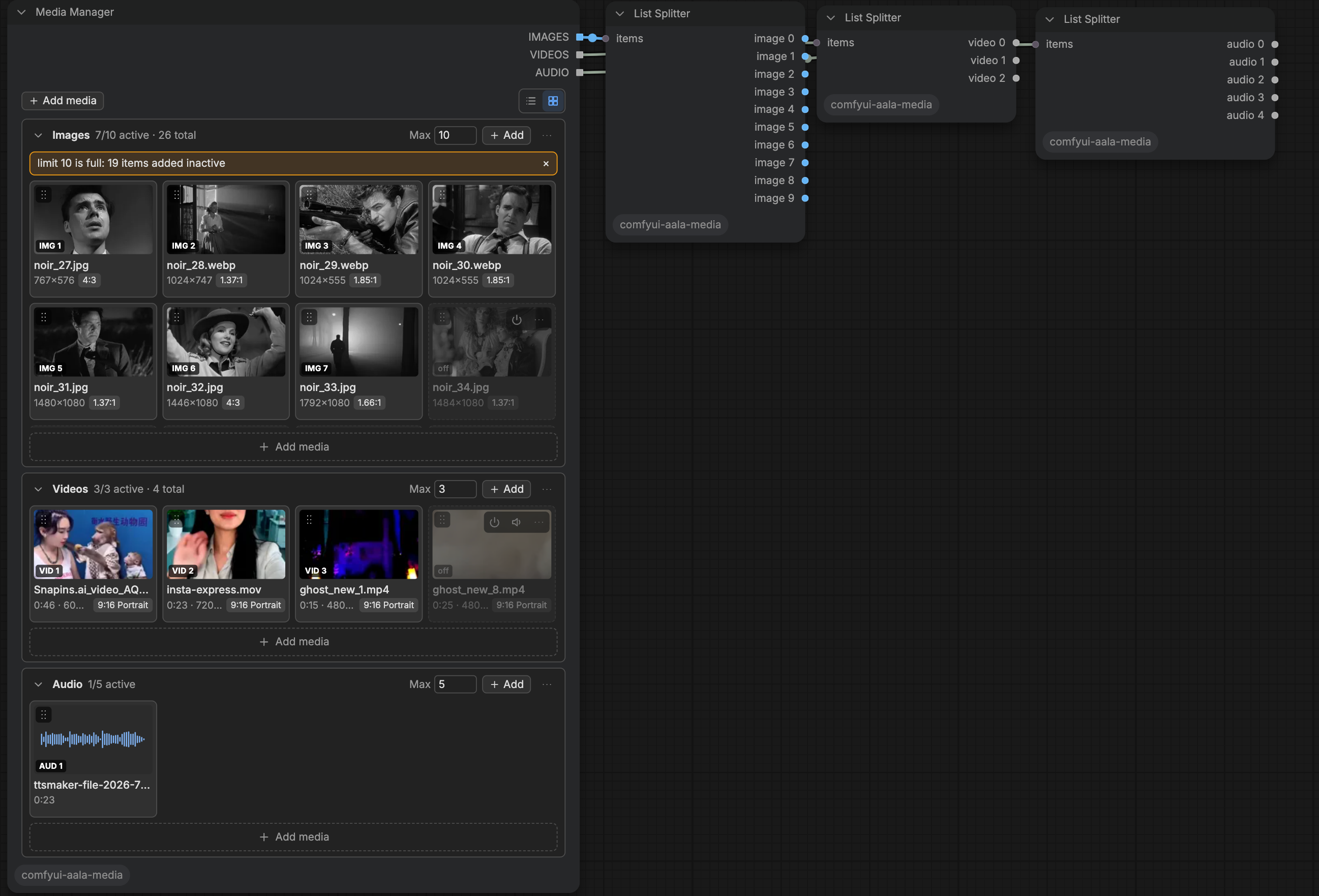
- Collects images, videos and audio from any folder on the machine running ComfyUI. The file browser opens at ComfyUI's input folder and offers places, a path bar, grid and list views, sort, search, kind filters and multi-select across folders.
- Files are referenced in place by path; nothing is copied into
input/. - Three groups (Images, Videos, Audio), each with its own order, a max active limit and a scrolling list. Items can be switched off, muted, reordered, previewed and relinked when missing.
- Outputs
IMAGES,VIDEOSandAUDIOas lists of the active items, in group order. Missing or unreadable files are skipped and flagged in the node. - Works in canvas mode and Vue Nodes mode; state is saved with the workflow and supports undo, redo and copy-paste. Notices are shown inline in the node.
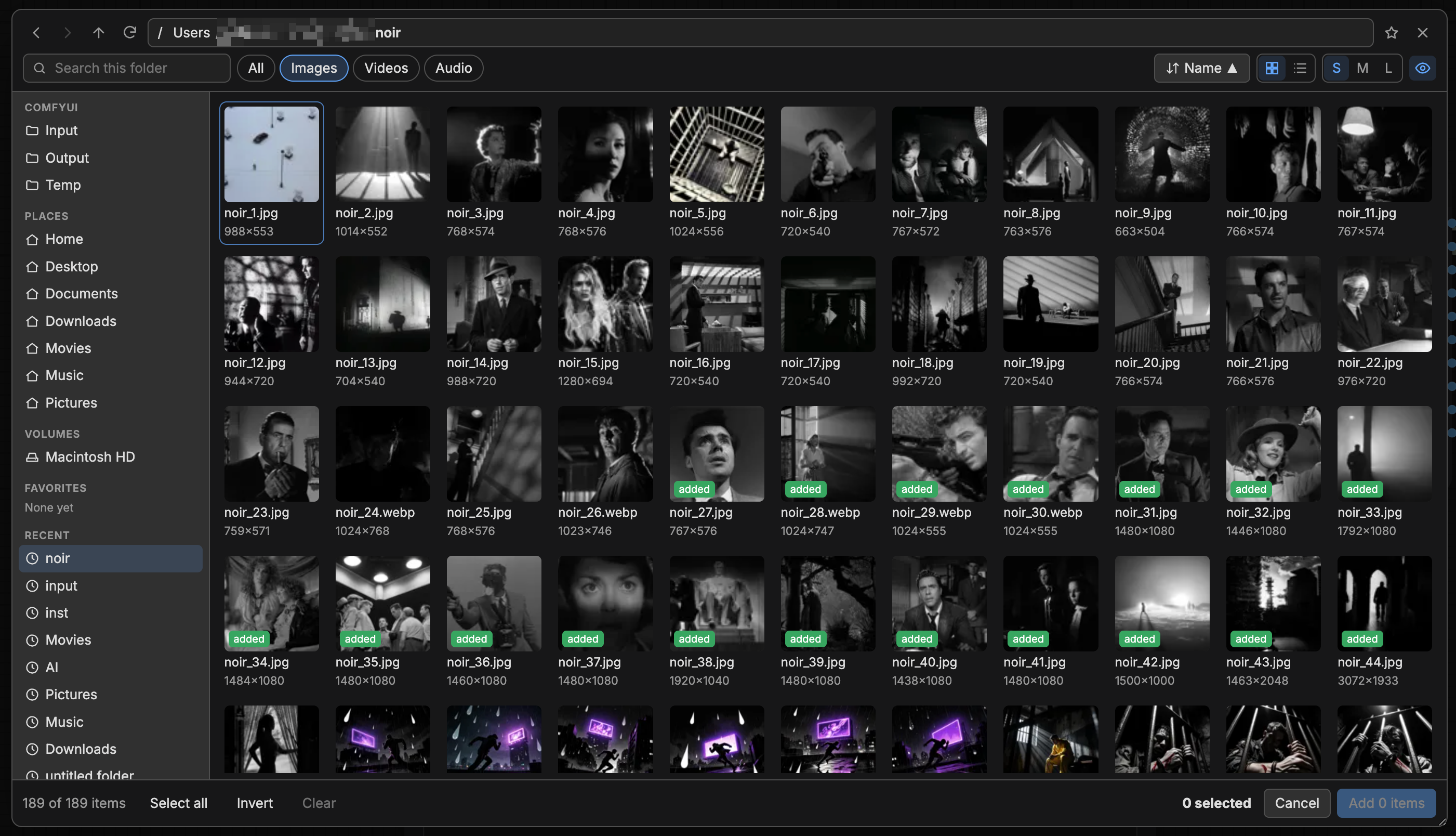
The browser can read any file the ComfyUI process can read. This is intended; keep ComfyUI off shared networks unless that is acceptable.
AALA List Splitter
AALA Nodes/utils
- Turns any list into one output per item, labelled by type (
image 0,image 1, ...). Slots with no item outputNone. - Linked to a Media Manager output, the number of outputs follows that group's max active limit. Linked to any other list, the count is set on the node.
Install
Clone into ComfyUI/custom_nodes/. The built frontend (web/dist/aala-media.js) is committed, so no build step is needed.
Development
cd frontend
npm install
npm run build      # type-checks, then writes web/dist/aala-media.js
npx vitest run     # frontend unit tests
Python tests (from the package root, using the ComfyUI Python environment):
python -m unittest discover -s tests