
tulut_comfyui_Gadget
A suite of custom nodes for ComfyUI specifically designed to assist Anima models in repairing the loss of details in full-body shots caused by insufficient pixel resolution.
Nodes (6)
A Llama that polishes prompts or reverse-describes images, no API key anywhere
See exactly what the detailer is about to catch, before it touches your image
Repair anime faces that crumbled in a full-body render, without leaving the graph
The neglected end of the full-body render, fixed
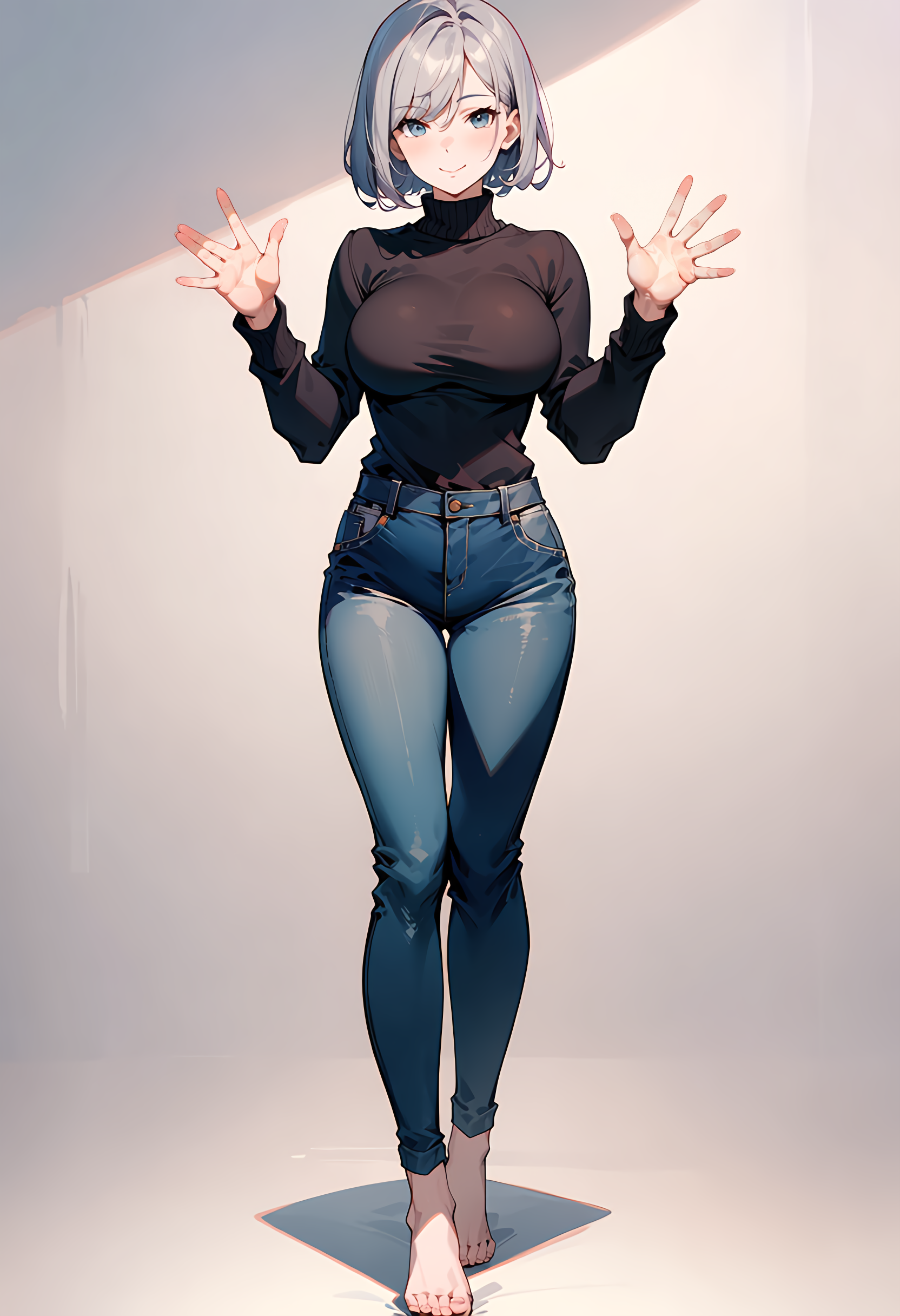
The dedicated pass for anime hands that never came out right
Give a whole anime character its own resolution budget
Tulut Auto Detailer for ComfyUI (Currently only for Anima Models)
A suite of custom nodes for ComfyUI specifically designed to assist Anima models in repairing the loss of details in full-body shots caused by insufficient pixel resolution.
When rendering full-body portraits, faces, hands, and feet often crumble due to a lack of allocated pixels. This tool solves that exact pain point: it leverages YOLOv8 models for precise object detection, crops and upscales the low-res regions, applies intelligent resampling, and features fully embedded AnimaLLLite support to restore crisp, high-quality anime aesthetics seamlessly.
Features
- Full-Body Detail Restoration: Specifically engineered to fix blurred faces, distorted hands, and missing foot details in wide/full-body anime compositions where pixel density is too low.
- Optimized for Anime/Anima Workflows: Tailored to maintain the sharp line art, clean shading, and stylistic consistency characteristic of anime models.
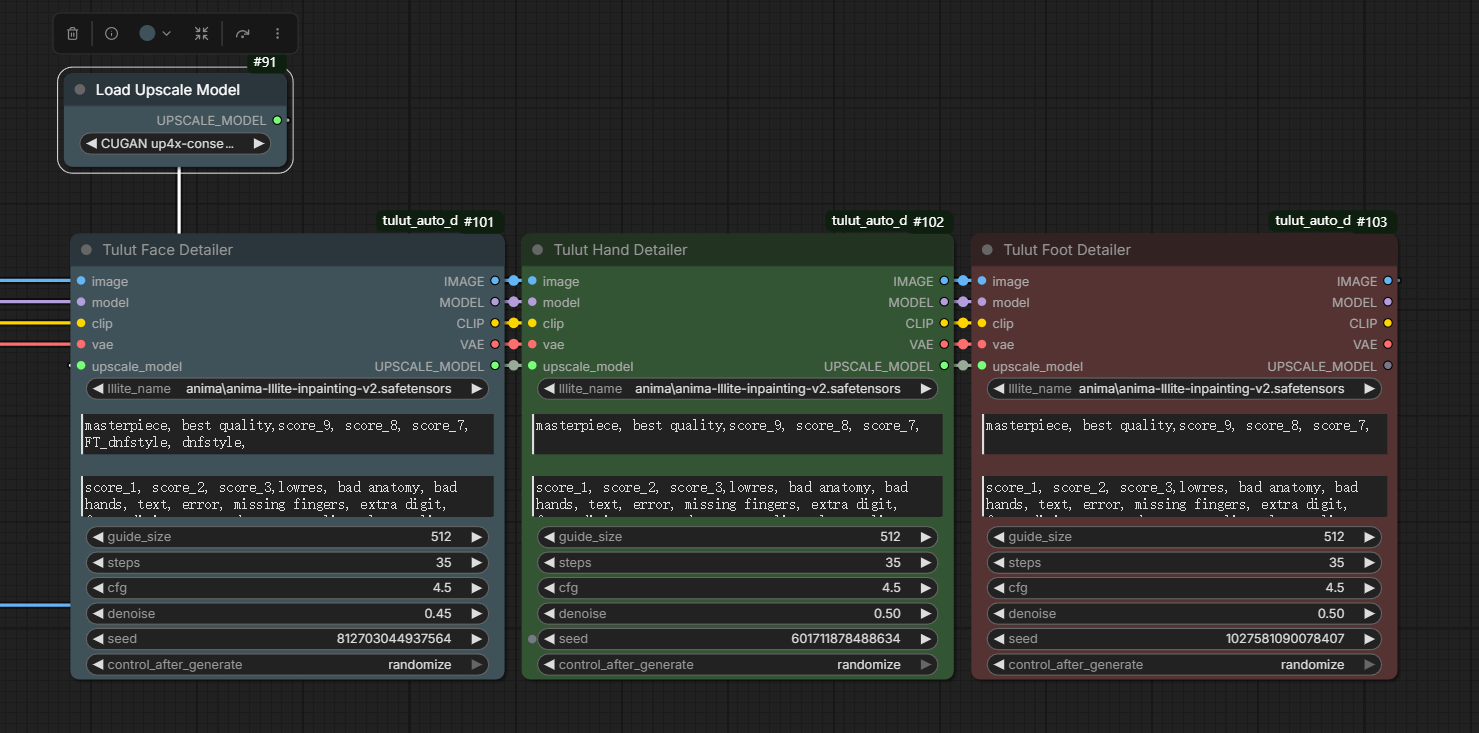
- Tulut Face Detailer: Automatically detects and refines anime faces using
face_yolov8m.pt. - Tulut Hand Detailer: Automatically detects and refines hands using
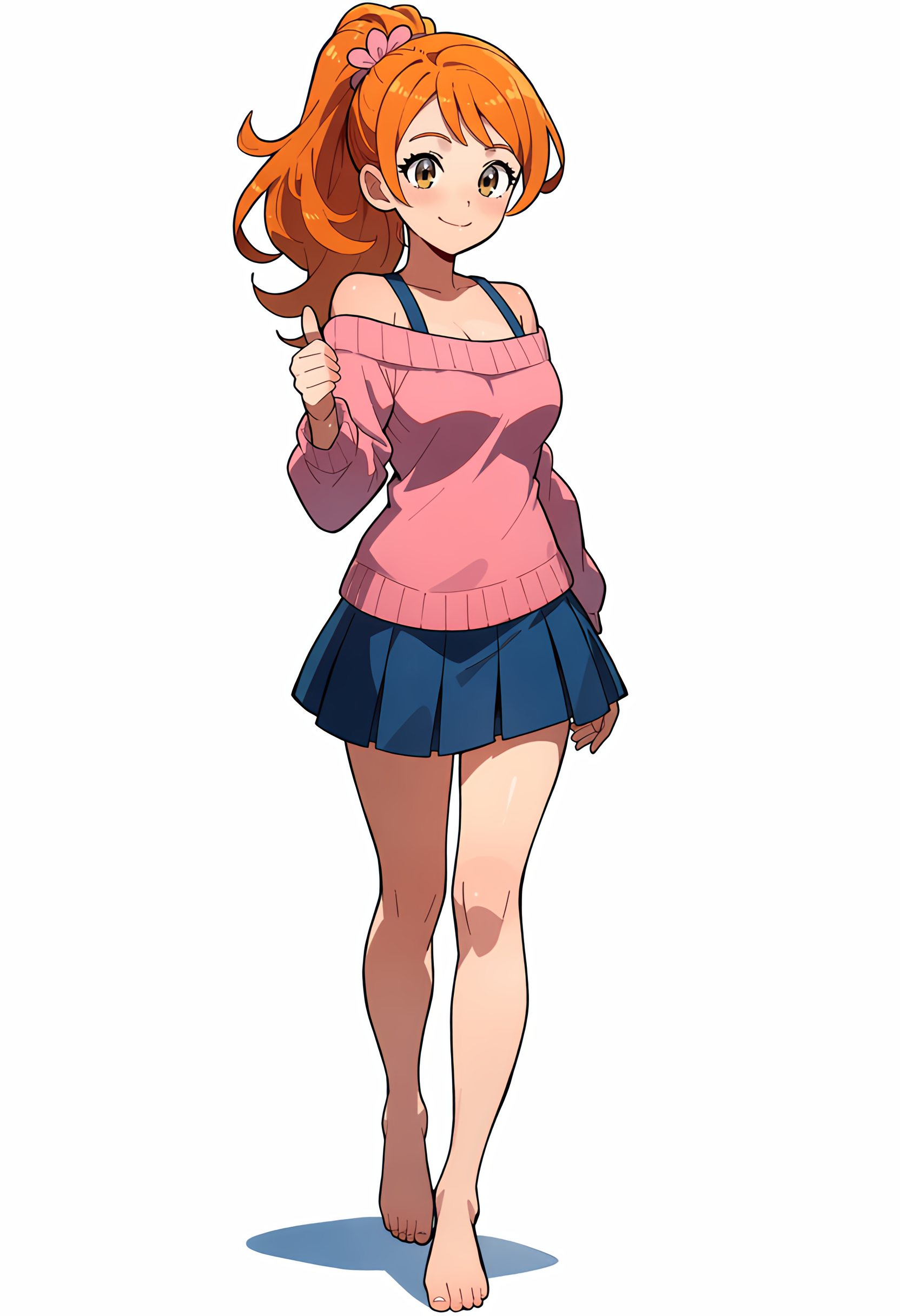
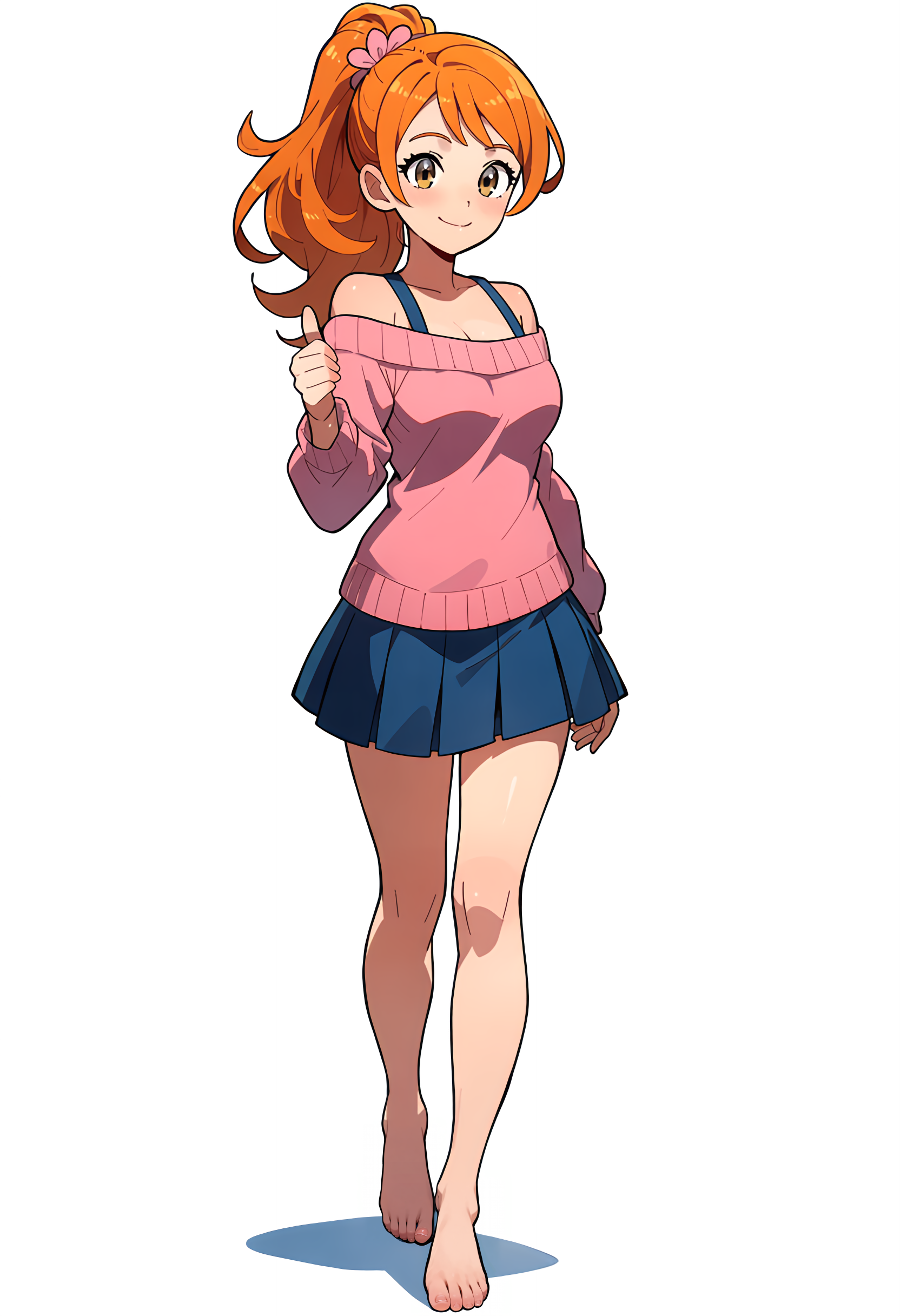
hand_yolov8s.pt. - Tulut Foot Detailer: Automatically detects and refines feet using
FootYolov8x_v20.pt. - Embedded AnimaLLLite Support: No external node connections needed. Select your AnimaLLLite model directly within the node parameters for precision localized network injection.
- Hardware Upscaling & Dynamic Resampling: Seamlessly incorporates upscale models (like CUGAN) with smart grid resampling based on the target guide size to keep lines perfectly crisp.
Workflow & Preview
1. Full Workflow Example
Here is a standard workflow demonstrating how to use the Tulut Detailer nodes with an upscale model (AnimaLLLite is natively embedded and selectable right inside the node):
2. Comparison (Before vs. After)
🔹 Face Refinement
| Before | After |
| :---: | :---: |
| 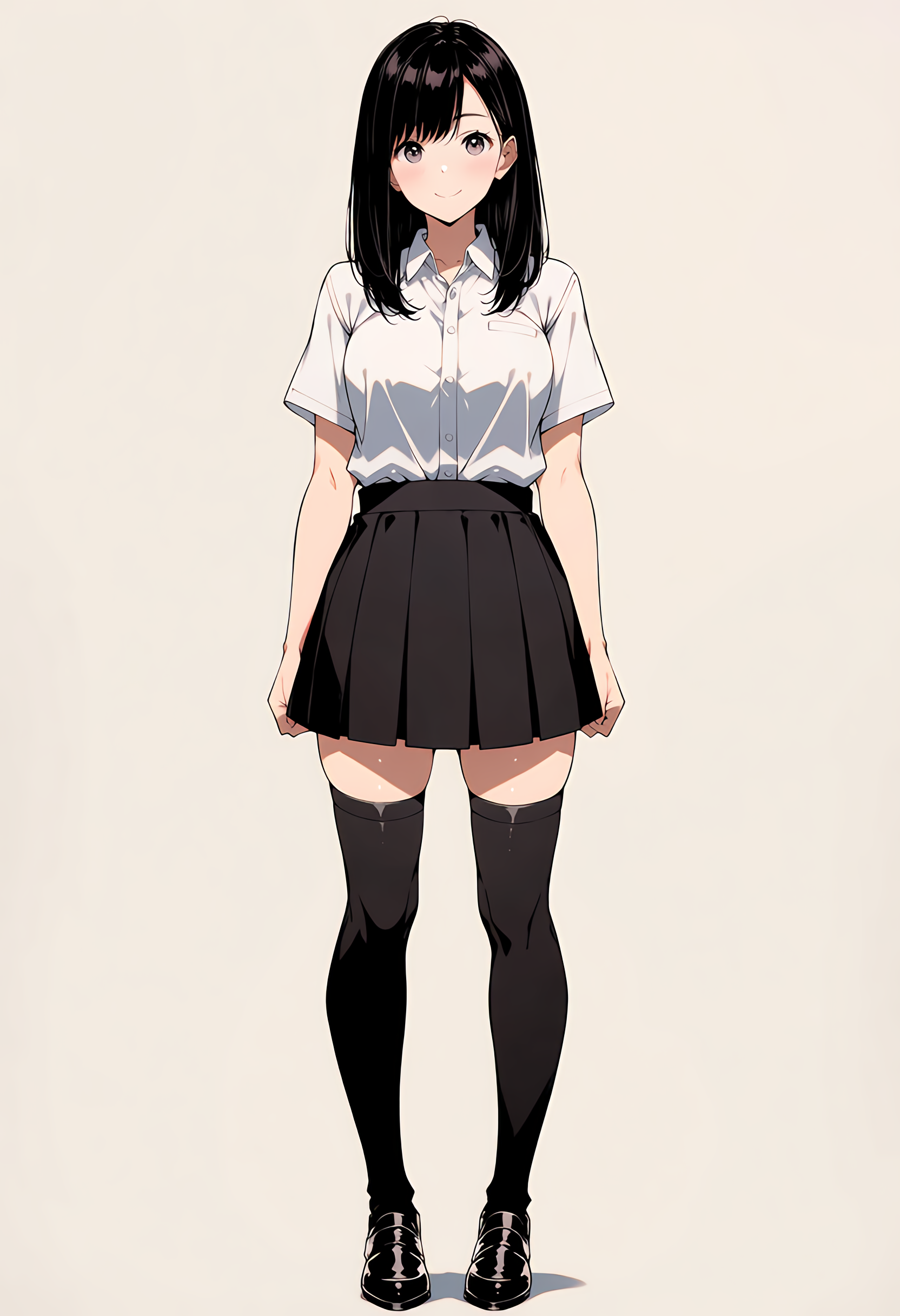 |
| 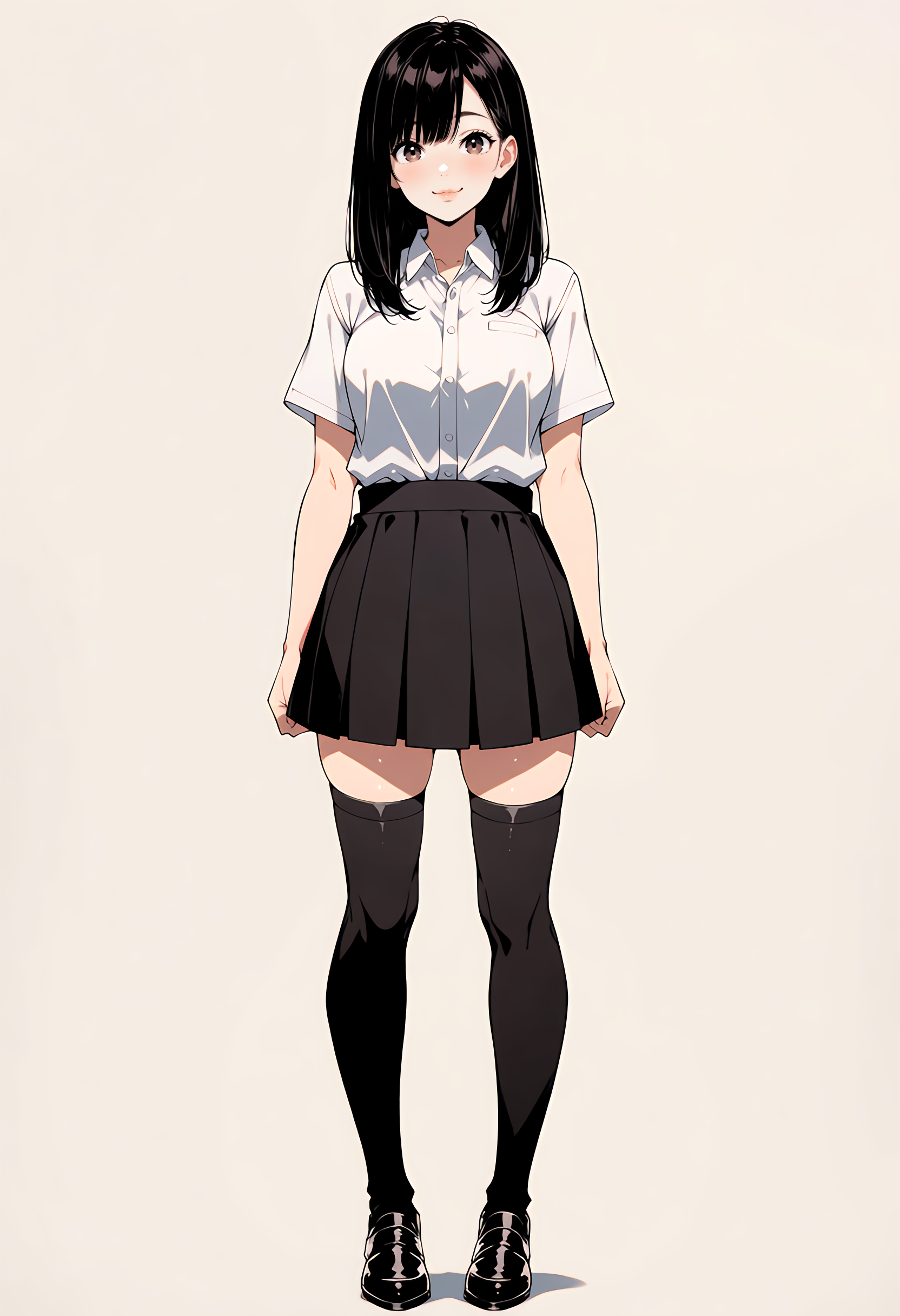 |
|
🔹 Hand Refinement
| Before | After |
| :---: | :---: |
| 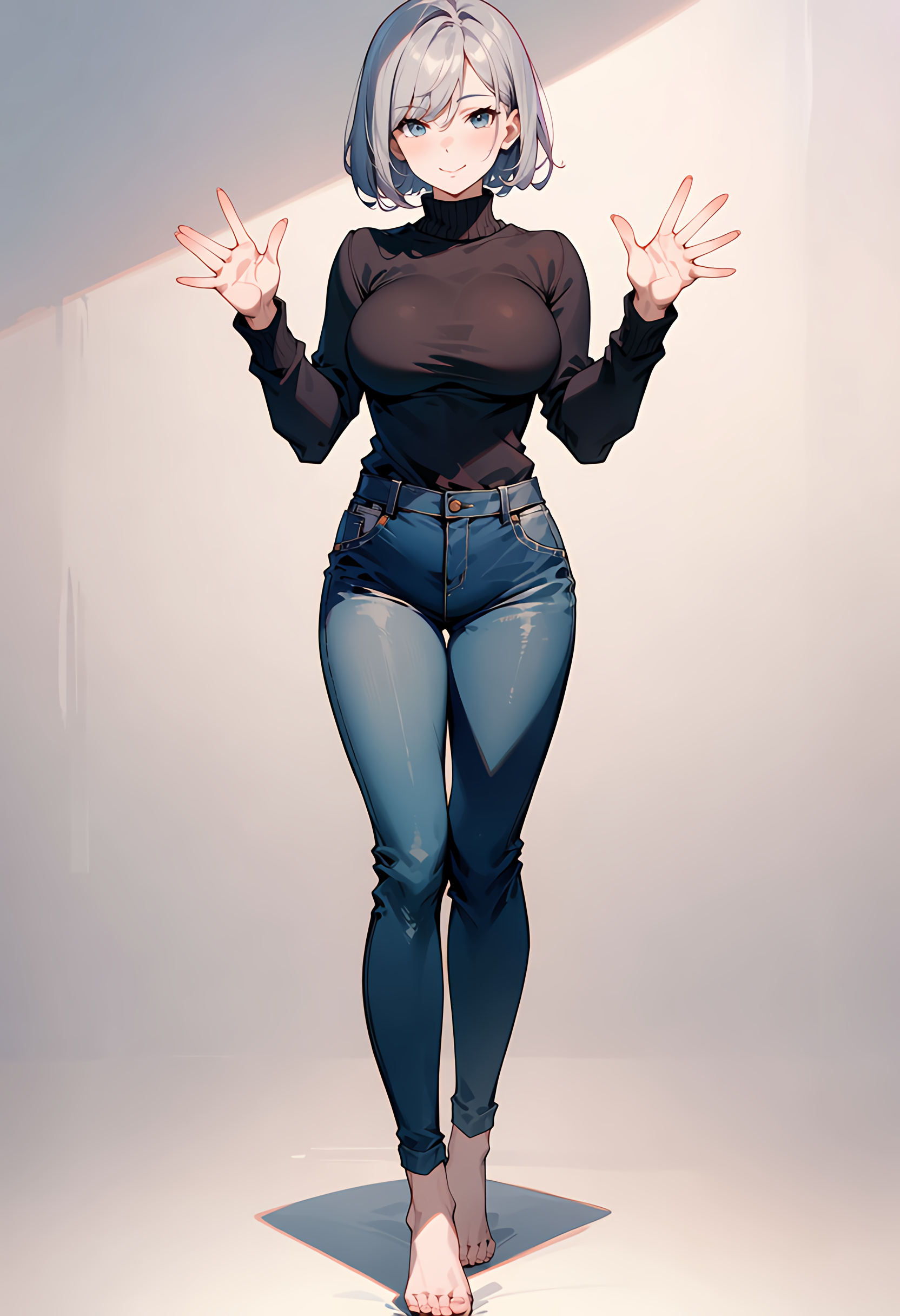 |
|  |
|
🔹 Foot Refinement
| Before | After |
| :---: | :---: |
|  |
|  |
|
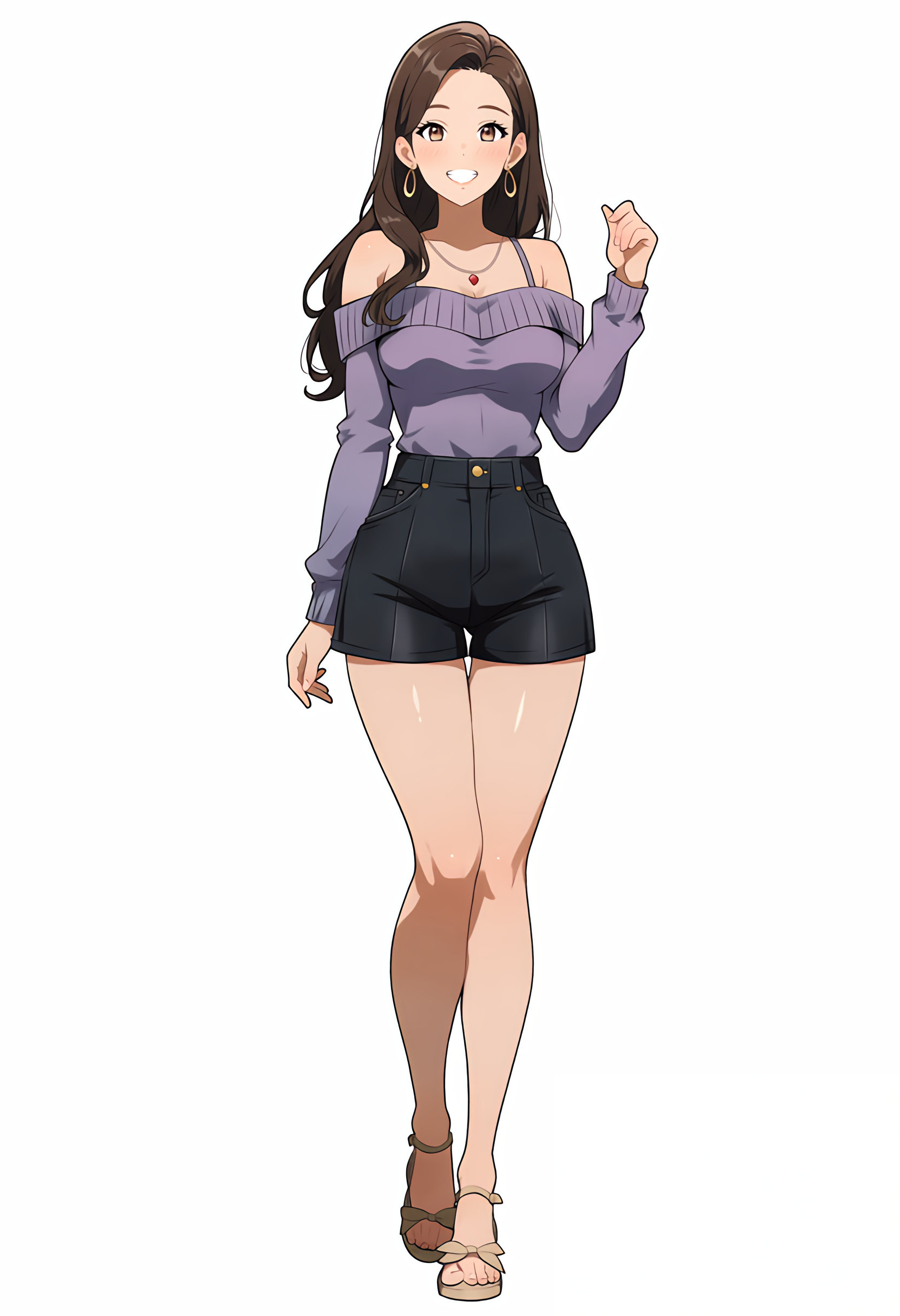
🔹 Full-Body Combined Refinement (All Three Enabled)
| Before | After |
| :---: | :---: |
|  |
| 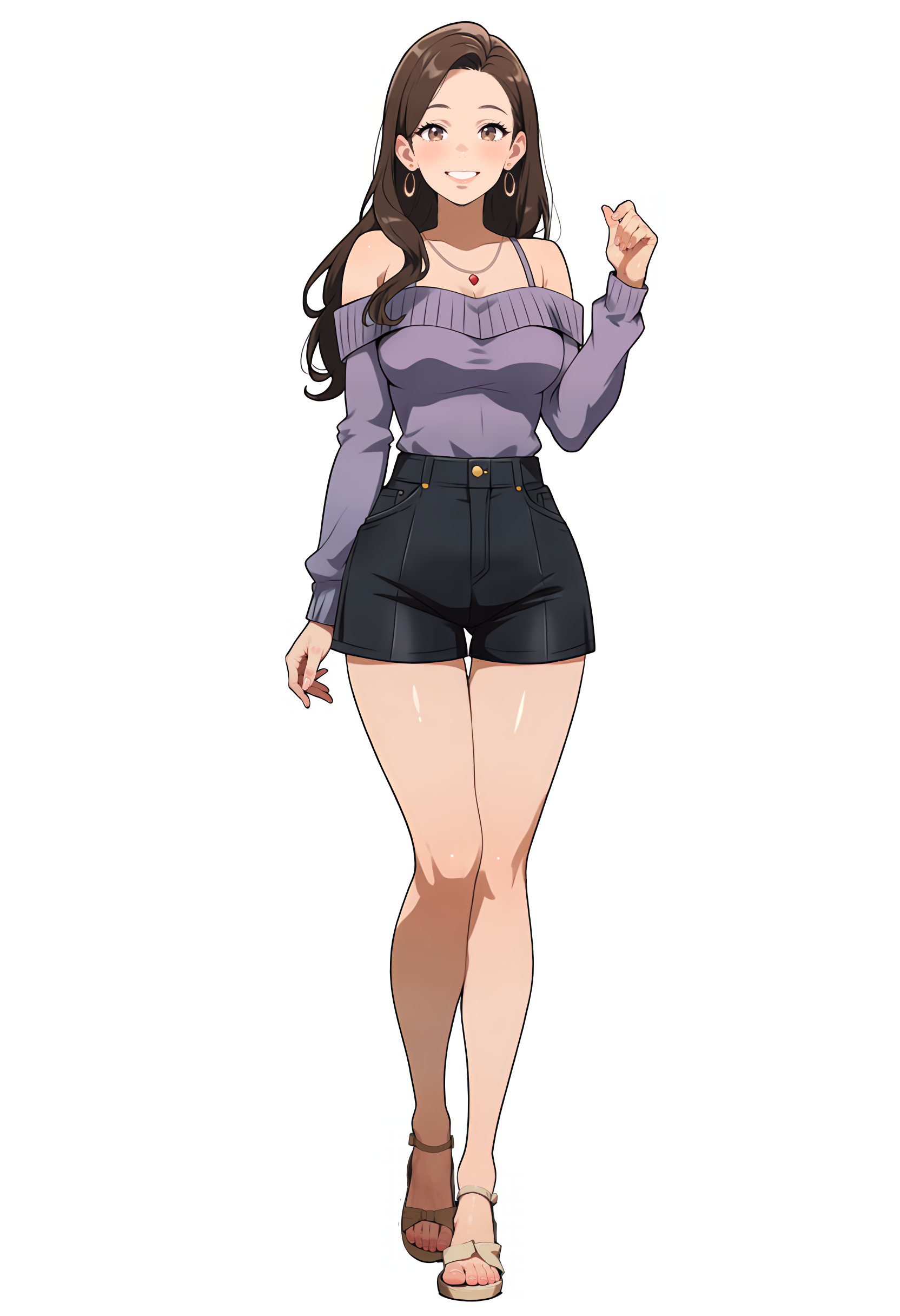 |
|
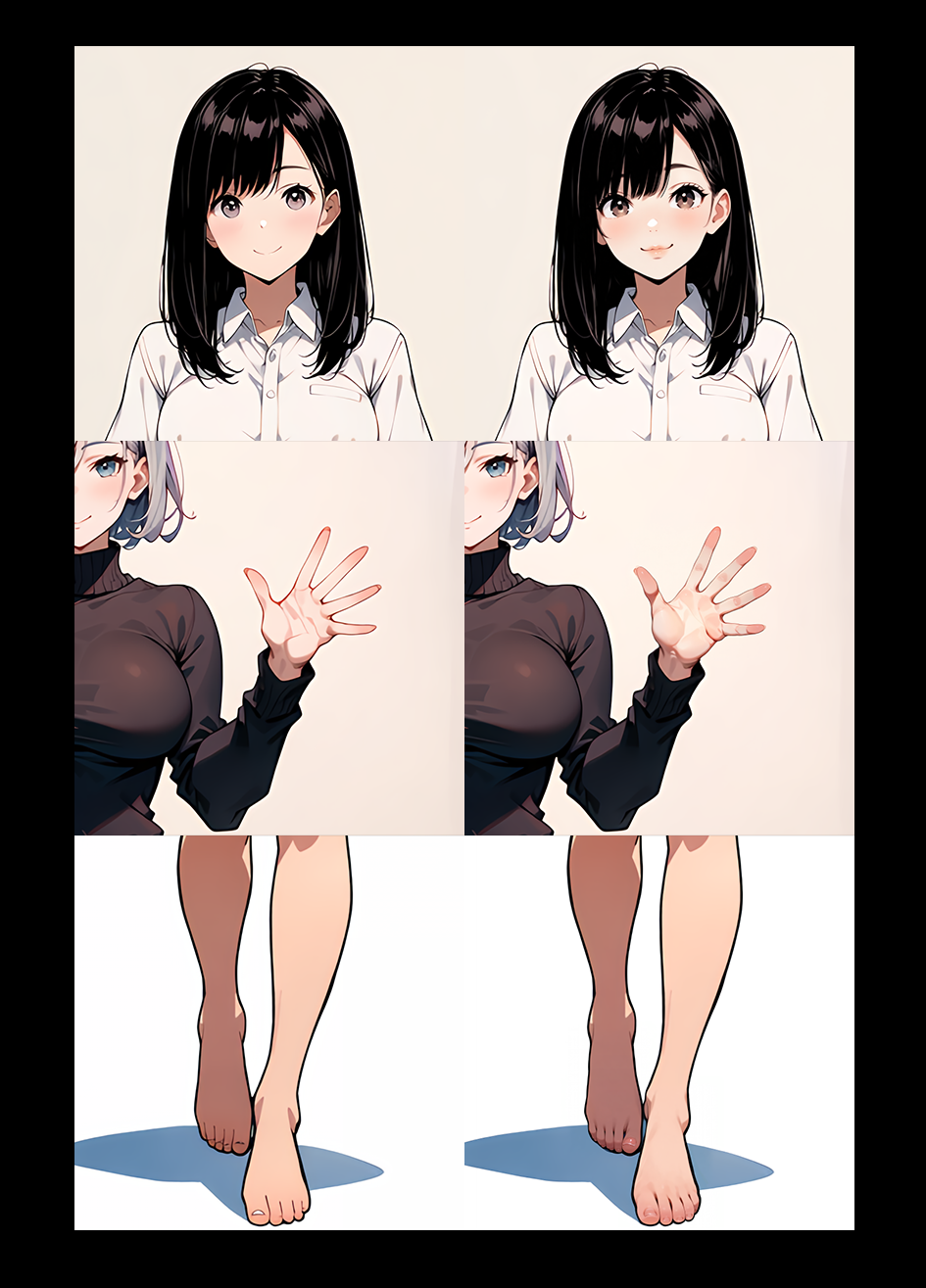
🔹 Side-by-Side Detailed Breakdown Matrix
Redrawing features for face, hands, and feet
Model Installation (Crucial)
Before using these nodes, you must download the required YOLO detection models and place them in the correct directory. The node will automatically create the subfolders if they do not exist.
Target Directory Path:
Put your .pt files into your ComfyUI models directory under the following structure:
<Your-ComfyUI-Root-Folder>/models/ultralytics/bbox/