
comfyui-manga-panel
ComfyUI nodes for selecting, generating, and compositing rectangular manga panels
Nodes (3)
ComfyUI Manga Panel
English | 日本語
GitHub-ready ComfyUI custom nodes for selecting a rectangular manga panel, calculating a generation resolution that preserves its aspect ratio, and compositing the generated image back onto the page. The nodes run locally and do not make external API requests.
Installation
Clone this repository into ComfyUI/custom_nodes/comfyui_manga_panel, then restart ComfyUI.
cd ComfyUI\custom_nodes
git clone https://github.com/Tsubasa109/comfyui_manga_panel.git
The package registers three nodes under image/manga:
Manga Panel SelectorManga Panel ResolutionManga Panel Composite
Nodes
Manga Panel Selector
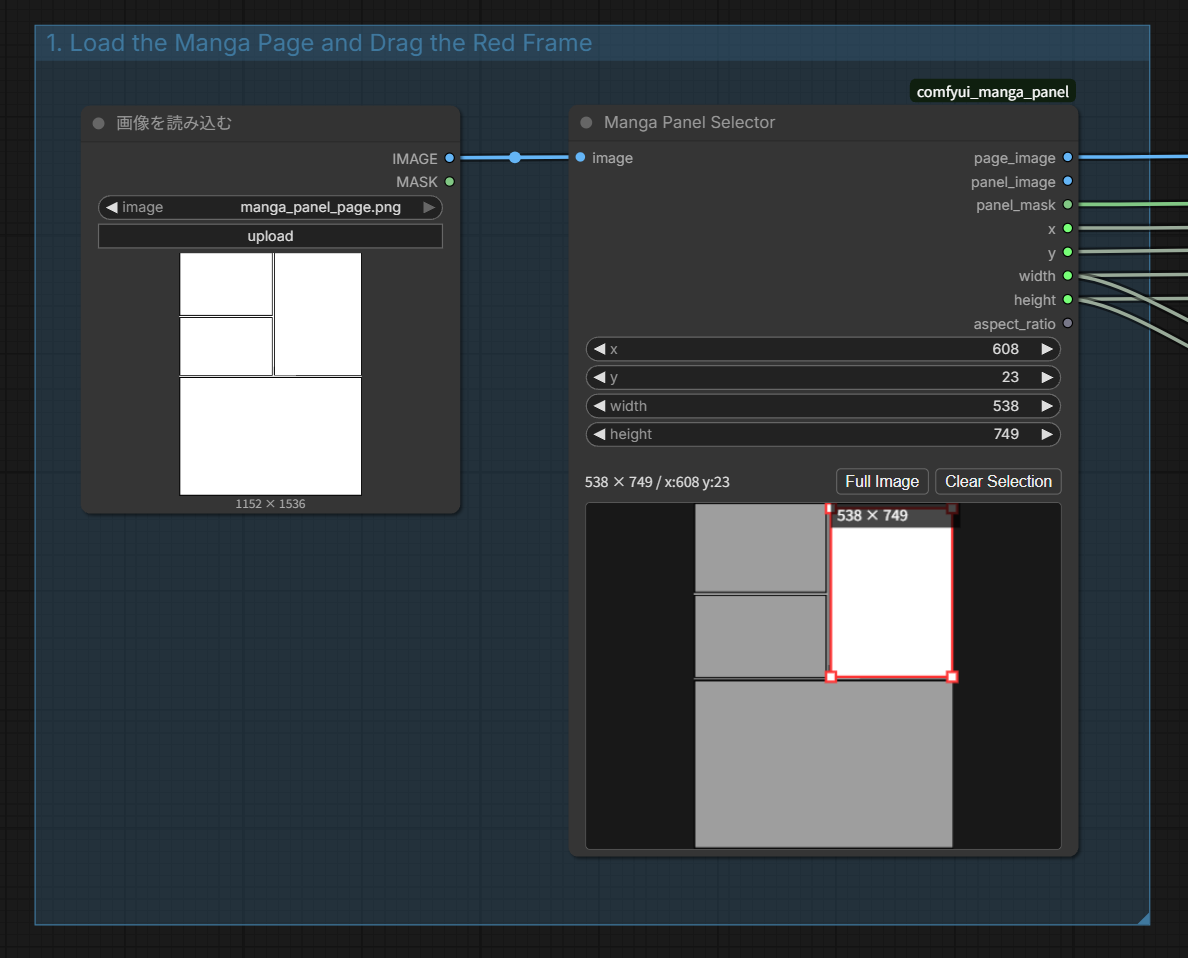
Receives a page image from Load Image and lets you select a panel with a red rectangle.
- Drag an empty area to create a new selection.
- Drag inside the selection to move it.
- Drag a white corner handle to resize it.
Full Imageselects the entire page.Clear Selectionclears the selected coordinates.
When connected directly to the standard Load Image node, the selected input image appears before execution. When connected to another image node, queue the workflow once to display its result in the selector.
Outputs include the page image, cropped panel, page-sized mask, coordinates, dimensions, and aspect ratio.
Manga Panel Resolution
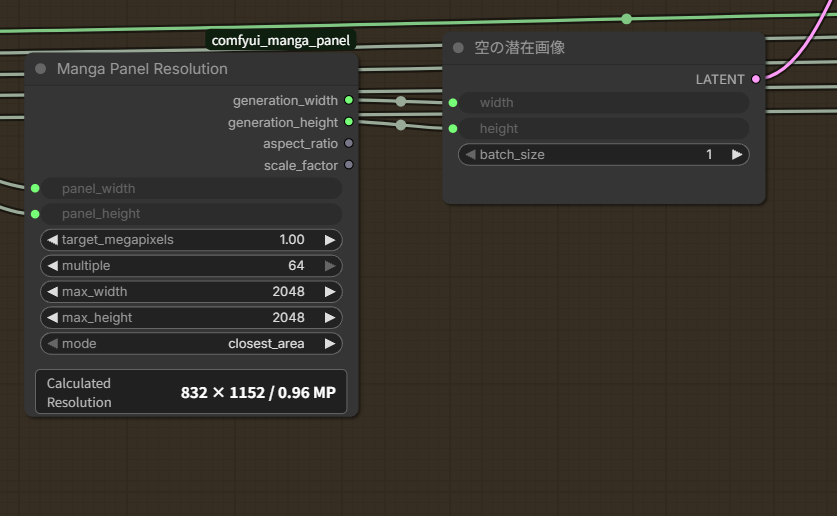
Calculates a model-friendly generation resolution while preserving the selected panel's aspect ratio.
target_megapixels: target pixel count; the default is 1.0 MP.multiple: unit used to round the generated dimensions.max_width/max_height: maximum generated dimensions.closest_area: chooses dimensions closest to the target pixel count.fit_within_bounds: keeps the result within the specified limits.
Connect generation_width and generation_height to Empty Latent Image or another model-specific latent node. After execution, the node displays the calculated size and actual pixel count in a format such as 768 × 1344 / 1.03 MP.
Manga Panel Composite
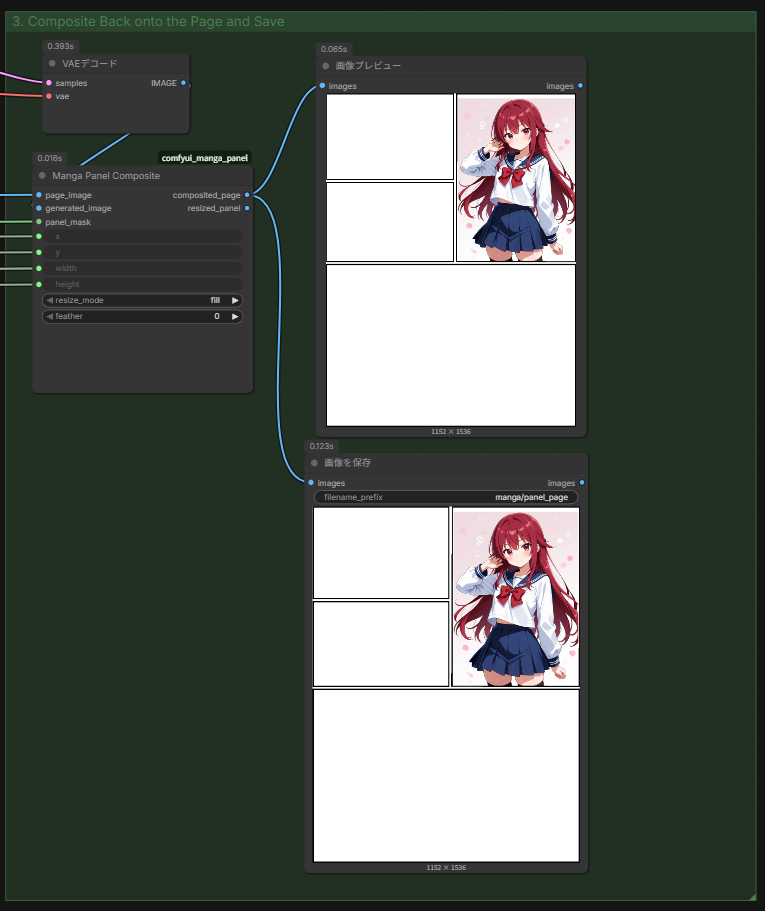
Resizes the generated image to the selected panel and composites it back onto the source page.
fill: fills the entire panel and center-crops overflow.fit: fits the whole generated image and preserves the source page in unused areas.feather: pixel radius used to soften the composite boundary.
Basic Workflow
- Restart ComfyUI or reload custom nodes.
- Drag
examples/manga_panel_generation.jsoninto ComfyUI. - Select a manga page in
Load Image.(Initially, examples/manga_panel_page.png is selected as an example.) - Drag over the target panel in
Manga Panel Selector. - Select a checkpoint and enter the prompts.
- Queue the workflow.
- Review or save the
Manga Panel Compositeoutput.