
Diffusion_pipe_in_ComfyUI
train your lora in Diffusion_pipe_in_ComfyUI in wsl2
Nodes (37)
The LoRA-vs-full-finetune switch at the heart of every Diffusion-Pipe workflow
The optional panel for when the stock training settings aren't enough
Hand-write your aspect-ratio buckets when auto-bucketing gets it wrong
Point at your AuraFlow files and this node builds the training config
Wire up Chroma, the community's uncensored Flux-architecture base, for training
Point this at NVIDIA's Cosmos 1.0 text2world model and it builds the train config
Cosmos-Predict2 training config, with the old-T5 and Wan-VAE gotchas spelled out
The two-path input node that powers image-editing model training
The evaluation dataset panel — check your LoRA against held-out data while you train
Train on Flux 2 (dev or klein) — three files and a shift value
Wire up Flux Kontext, BFL's image-editing model, for training
The original FLUX.1 config node — diffusers folder, single file, or a FLEX quirk
The frame-count bucket list that video training lives and dies by
The hub node — every training run in this pack flows through here
The dataset hub — resolutions, bucketing, and repeats for the whole run
The simplest node in the pack — a folder path with a free existence check
Training config for HiDream — where the Llama3 text encoder lives matters
Tencent's HunyuanImage 2.1 — four model files and a qwen-VL encoder
HunyuanVideo 1.5 training config — same encoder family as Image 2.1, plus a shift knob
The original HunyuanVideo config node — official ckpt or ComfyUI files, your choice
LTX-Video LoRA training, from a diffusers folder or one file
Three required paths, one optional shift
White stays, black goes, gray trains
The glue node that turns a model path into a training config
Multi-image edit training, one control path per line
OmniGen2 LoRA training, one complete checkpoint folder away
Pick the optimizer and LR without touching a config file
The dumbest node in the pack (and why it exists)
Five Qwen models, one node, a version dropdown
SD3 LoRA training from a plain diffusers folder
The one model node with actual learning-rate knobs
Watch your training loss without leaving ComfyUI
The node that actually launches your training run
Schedule validation images while training runs
One checkpoint dir is enough
Wan2.2 training means choosing your noise band
Z-Image training, and the turbo adapter that saves it

Diffusion-Pipe In ComfyUI Custom Nodes
Attention! This is the Linux(wsl2) version
If you use this custom node on Windows, you will not be able to train
注意!此处为Linux(wsl2)版本
如果你在windows上使用了这个插件,你将无法训练
<div align="center">

点击查看 中文文档
Project Overview
Diffusion-Pipe In ComfyUI custom nodes is a powerful extension plugin that provides complete Diffusion model training and fine-tuning functionality for ComfyUI. This project allows users to configure and launch training for various advanced AI models through ComfyUI's graphical interface, supporting both LoRA and full fine-tuning, covering the most popular image generation and video generation models.
Video Demo: https://www.bilibili.com/video/BV1CRk9BYErw/?vd_source=7fd137e57a445e84bd9ffea9b632c98d
Please read the notice in the workflow before training
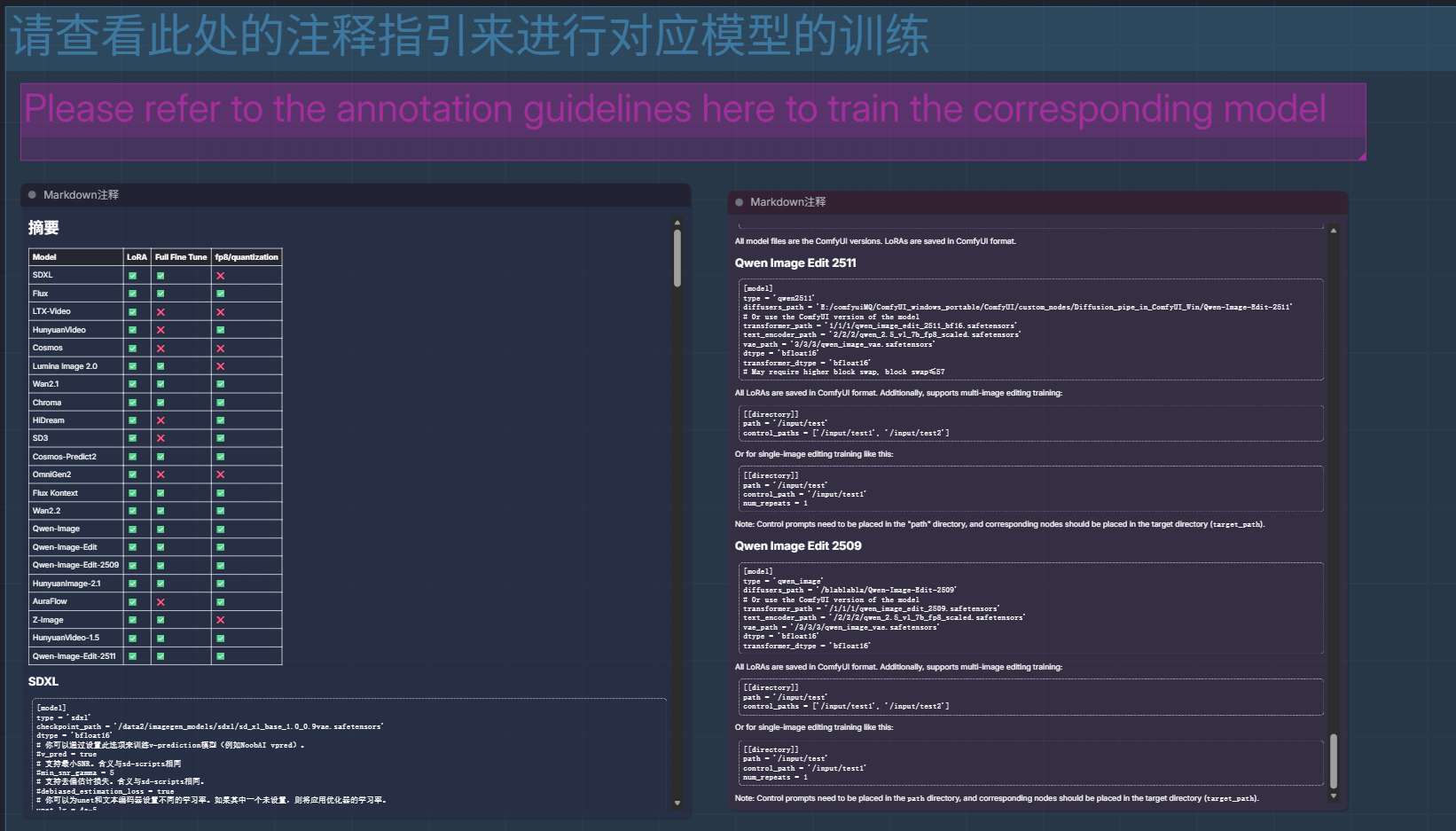
Quick Start
update
-
20260117: flux2 support, and follow the super huge update of the original project,deepspeed updated,comfyui submodules updated
-
20260103: add qwen2512 support, same as qwen_image
-
20260102: qwen2511 support, supports both Diffusers and ComfyUI format models
-
20251231, Zimage FP8 Comfy format training, supported by hunyuan-video_15 model.
-
20251130: Z-Image support, supports both Diffusers and ComfyUI format models
You need to download the latest diffusers development version to support training, e.g.:
pip install git+https://github.com/huggingface/diffusers
Z-Image-Turbo
merge_adapters = ['/data2/imagegen_models/comfyui-models/zimage_turbo_training_adapter_v1.safetensors']
Model files support using the ComfyUI version.
Also supports diffusers
If training Z-Image-Turbo, make sure to merge the adapter.
Credit to Ostris and AI Toolkit for making this adapter.
Z-Image LoRAs are saved in ComfyUI format. This is different from Diffusers format.
-
20251026:support eval
-
20251030:Supports training Aura models
-
20251103:support MultiImage Edit (qwen2509)
-
20251105:support mask trainning,Fix off-by-one error in plots when using examples as x-axis,Allow using captions.json without tar files,add reset_optimizer flag,--reset_optimizer_params flag(Reset optimizer parameters, which allows resetting the optimizer during resuming training),Fix datasets issue,Cast to float16 in dataset caching to cut size on disk in half
Installation Guide
Installation
Make sure you have ComfyUI on Linux or WSL2 system, refer to https://docs.comfy.org/installation/manual_install
ps: ComfyUI on WSL2 works so well that I even want to delete my ComfyUI on Windows
conda create -n comfyui_DP python=3.12
conda activate comfyui_DP
cd ~/comfy/ComfyUI/custom_nodes/
git clone --recurse-submodules https://github.com/TianDongL/Diffusion_pipe_in_ComfyUI.git
-
If you haven't installed submodules, follow these steps
-
If you don't do this step, training will not work
git submodule init
git submodule update
Install Dependencies
conda activate comfyui_DP
Here are the necessary dependencies for deepspeed, first install PyTorch. It is not listed in the requirements document because some GPUs sometimes require different versions of PyTorch or CUDA, and you may have to find a combination that suits your hardware.
pip install torch==2.7.1 torchvision==0.22.1 torchaudio==2.7.1 --index-url https://download.pytorch.org/whl/cu128
cd ~/comfy/ComfyUI/custom_nodes/Diffusion_pipe_in_ComfyUI
pip install -r requirements.txt
🚀 One-Click Import Workflow
To get you started quickly, we provide pre-configured ComfyUI workflow files:
📋 Click to Import Complete Workflow
Drag this file into the ComfyUI interface to import the complete training workflow, including all necessary node configurations.
Please read the prompts in the workflow carefully, this can help you build your dataset
📷 Workflow Interface Preview
<div align="center">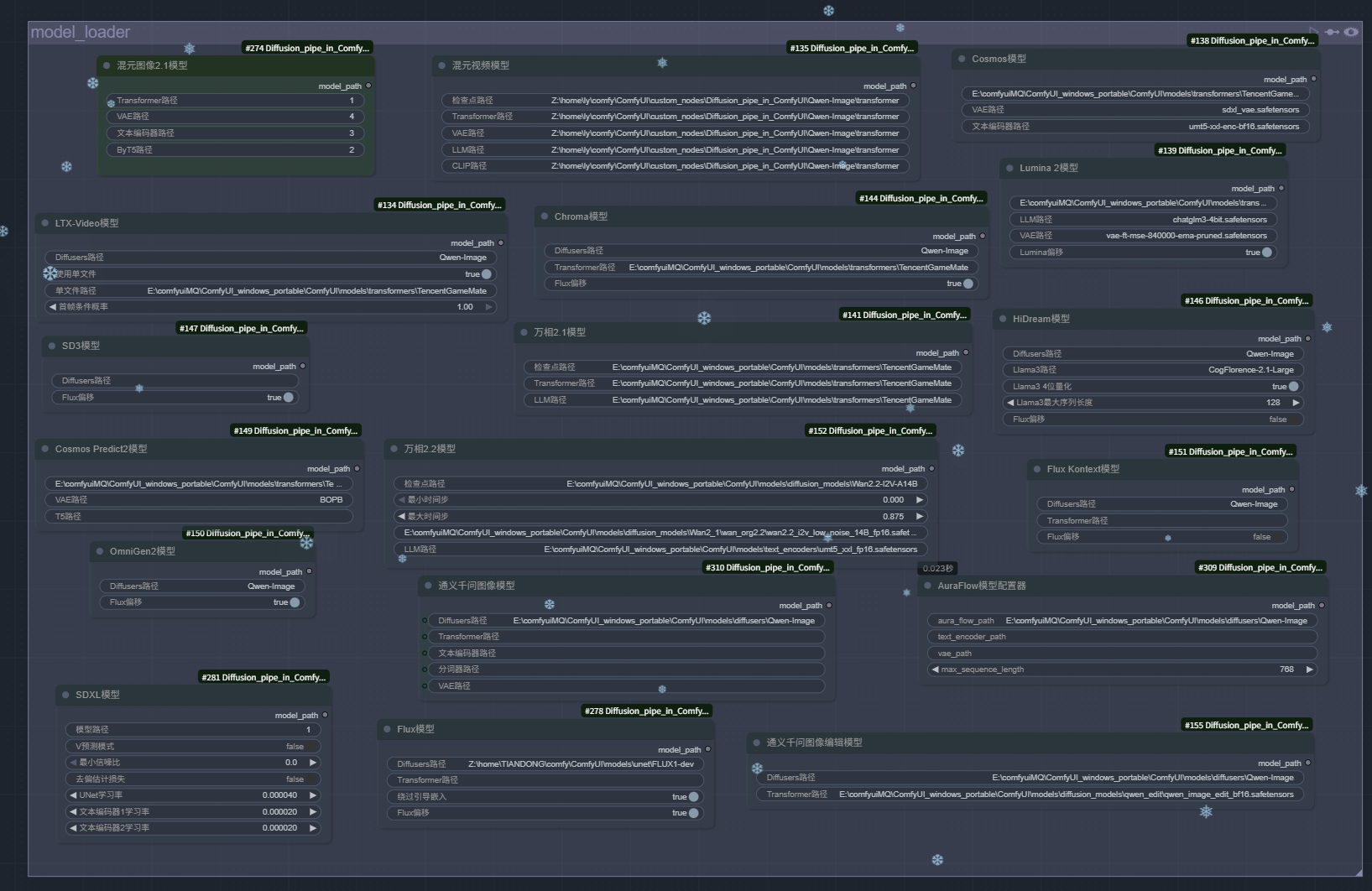 Models can be stored in the ComfyUI model directory
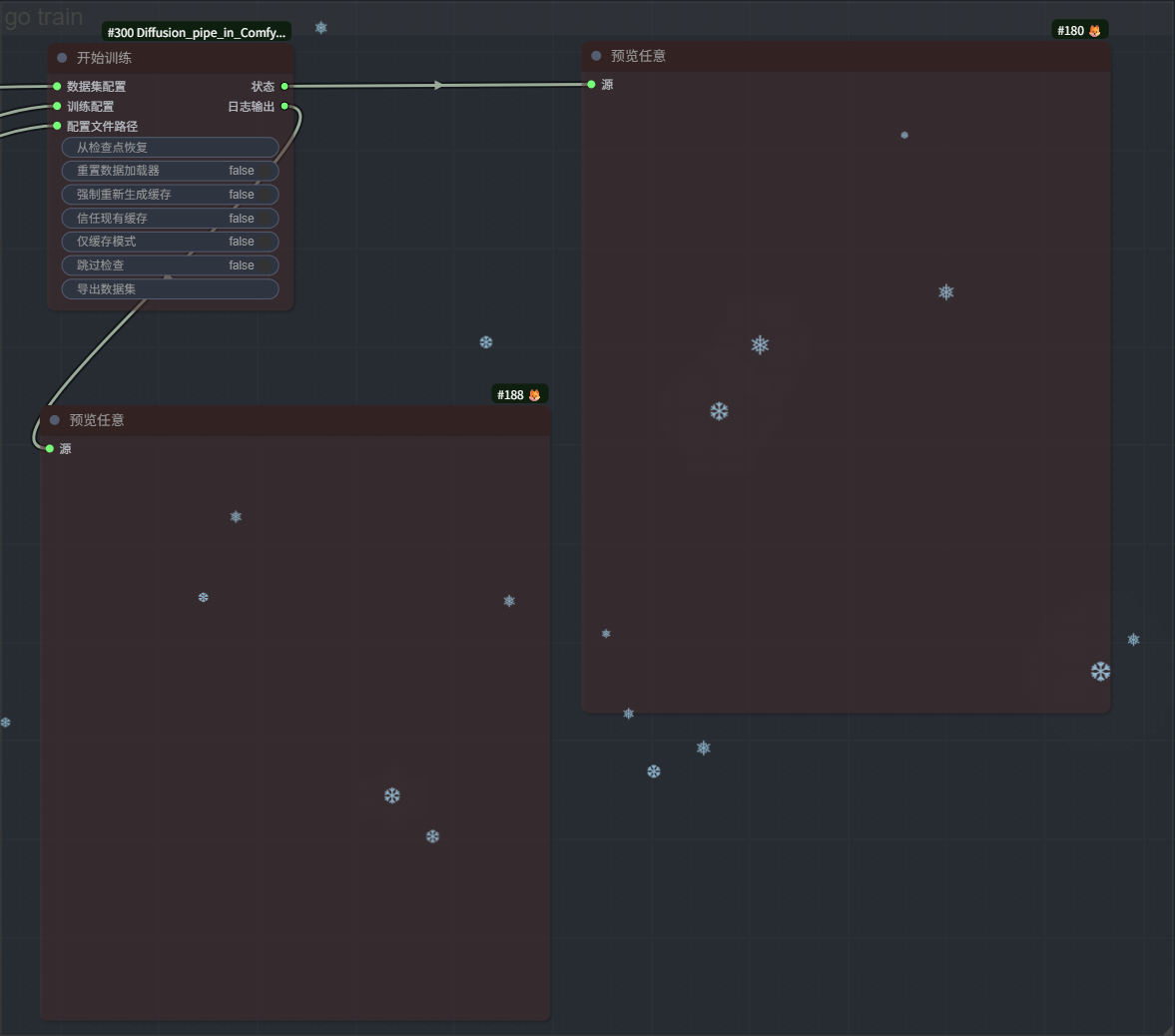 Disable Train node when debugging
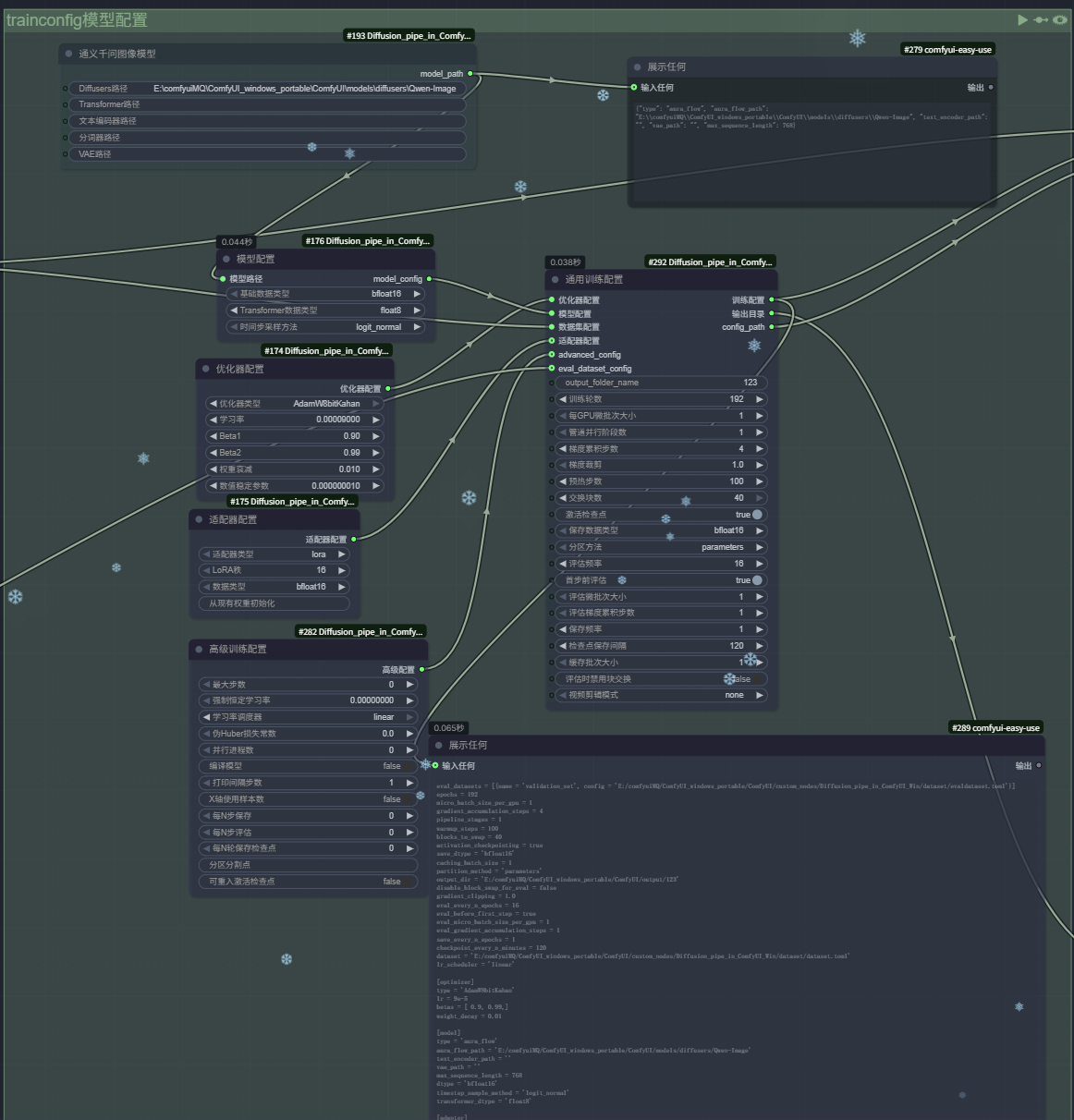 Models can be stored in the ComfyUI model directory
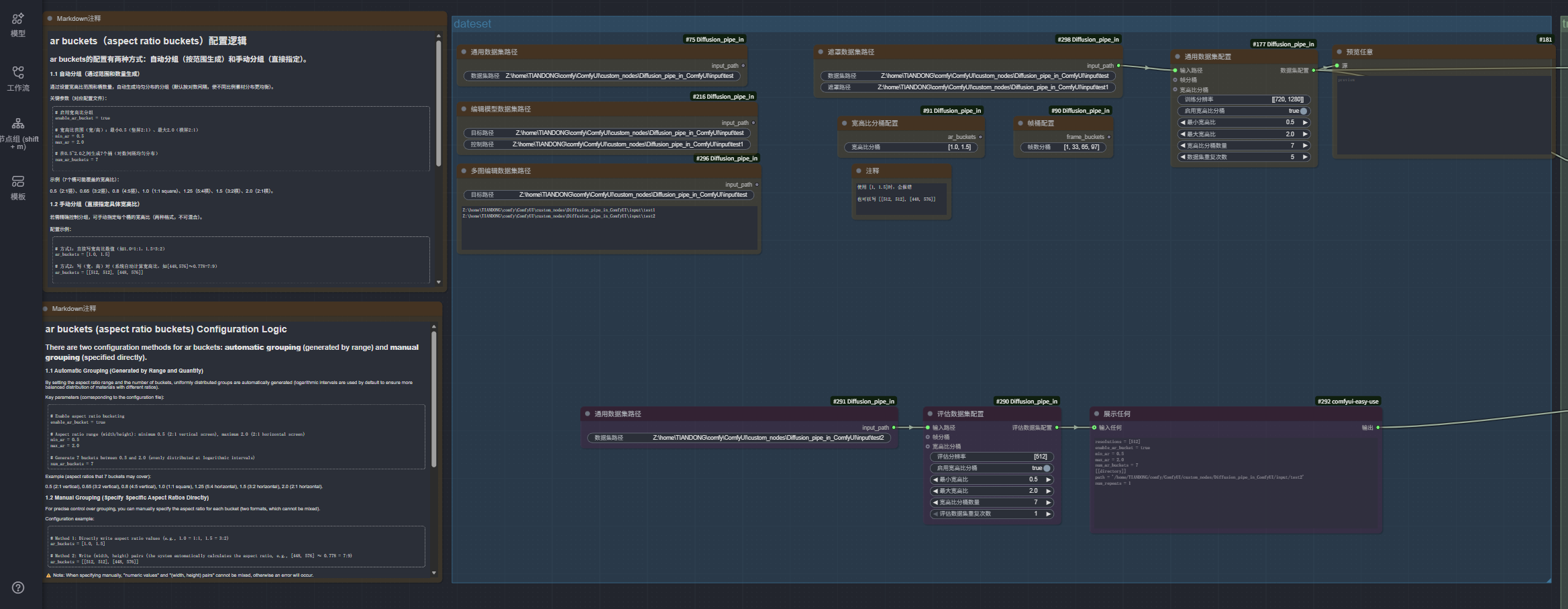 Dataset Configuration
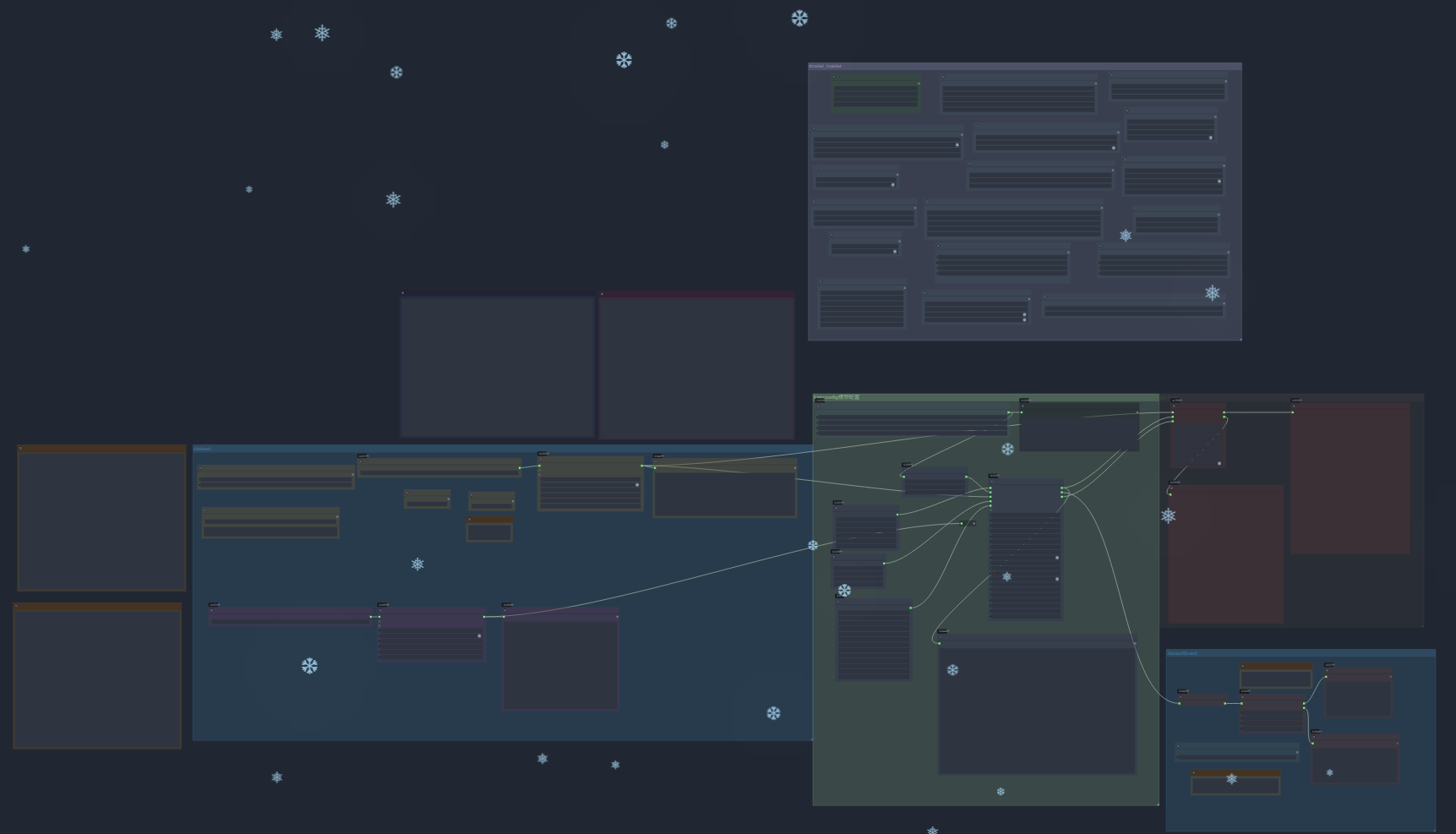 Workflow Overview
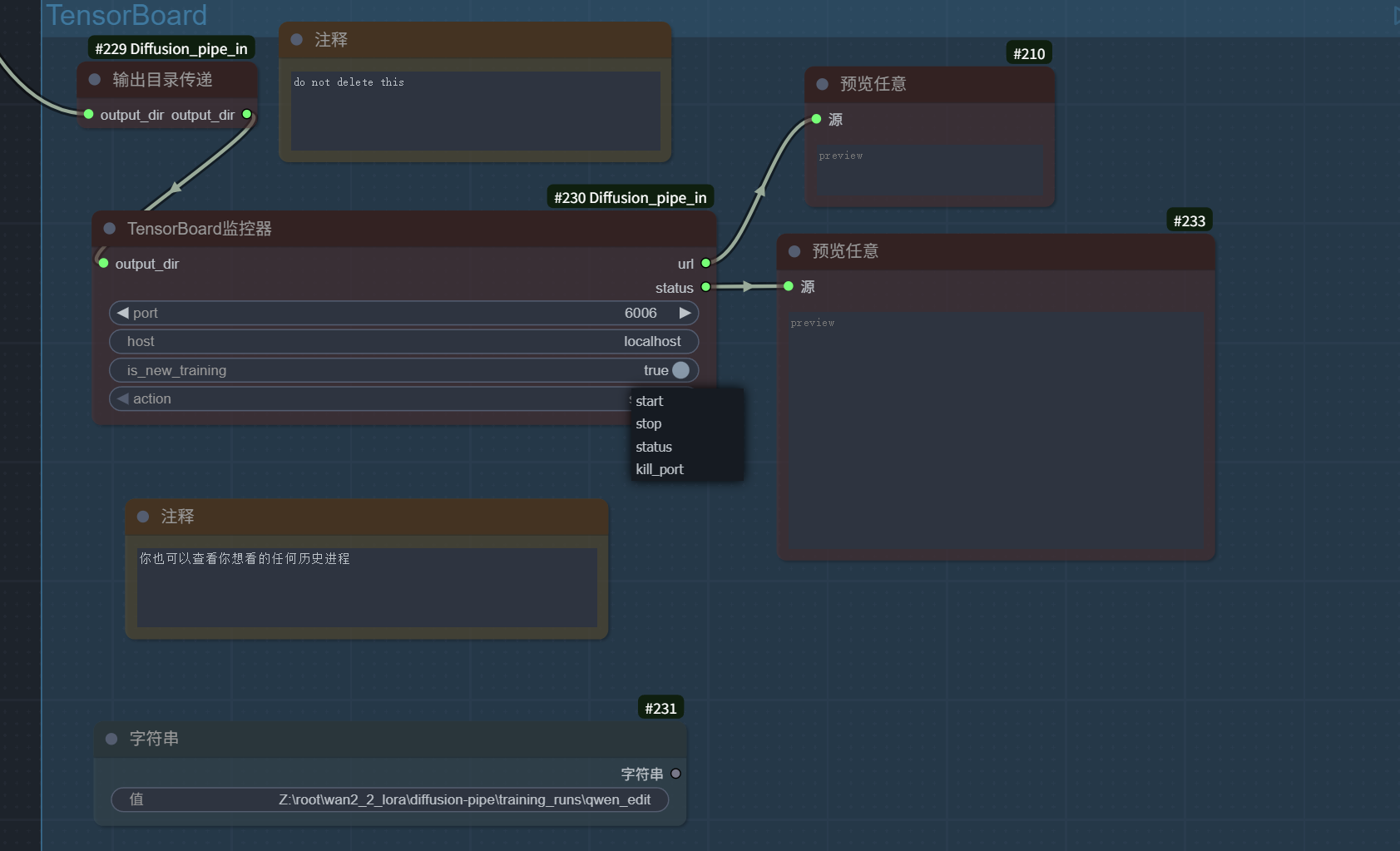 kill port will stop all monitoring processes on the current port
Core Features
- 🎯 Visual Training Configuration: Graphically configure training parameters through ComfyUI nodes
- 🚀 Multi-Model Support: Support for 20+ latest Diffusion models
- 💾 Flexible Training Methods: Support for LoRA training and full fine-tuning
- ⚡ High-Performance Training: DeepSpeed-based distributed training support
- 📊 Real-time Monitoring: Integrated TensorBoard training process monitoring
- 🔧 WSL2 Optimization: Specially optimized Windows WSL2 environment support
- 🎥 Video Training: Support for video generation model training
- 🖼️ Image Editing: Support for image editing model training
System Requirements
Hardware Requirements
-
- I don't know, you can try :-P
Software Requirements
- Operating System: Linux / Windows 10/11 + WSL2
- ComfyUI: Latest version
Supported Models
This plugin supports over 20 latest Diffusion models, including:
| Model | LoRA | Full Fine Tune | fp8/quantization | |----------------|------|----------------|------------------| |SDXL |✅ |✅ |❌ | |Flux |✅ |✅ |✅ | |LTX-Video |✅ |❌ |❌ | |HunyuanVideo |✅ |❌ |✅ | |Cosmos |✅ |❌ |❌ | |Lumina Image 2.0|✅ |✅ |❌ | |Wan2.1 |✅ |✅ |✅ | |Chroma |✅ |✅ |✅ | |HiDream |✅ |❌ |✅ | |SD3 |✅ |❌ |✅ | |Cosmos-Predict2 |✅ |✅ |✅ | |OmniGen2 |✅ |❌ |❌ | |Flux Kontext |✅ |✅ |✅ | |Wan2.2 |✅ |✅ |✅ | |Qwen-Image |✅ |✅ |✅ | |Qwen-Image-Edit-2509 |✅ |✅ |✅ | |HunyuanImage-2.1|✅ |✅ |✅ | |AuraFlow |✅ |❌ |✅ | |Z-Image |✅ |✅ |❌ | |HunyuanVideo-1.5|✅ |✅ |✅ | |Qwen-Image-Edit-2511 |✅ |✅ |✅ | |Flux 2(both dev and klein) |✅ |✅ |✅ |
License
This project is open source under the Apache License 2.0.
Contributing Guide
Issues and Pull Requests are welcome!
- Fork the project
- Create a feature branch
- Submit changes
- Create a Pull Request
Acknowledgments
Thanks to the following projects and teams:
- ComfyUI team
- @tdrussell, the original author of Diffusion_Pipe
- Hugging Face Diffusers
- DeepSpeed team
- Original authors of various models