
comfyui_venice_api_v3
ComfyUI custom node for Venice.ai text generation with E2EE support (v3 schema). Includes ECDH secp256k1 + AES-256-GCM end-to-end encryption for e2ee- models.
comfyui_venice_api_v3
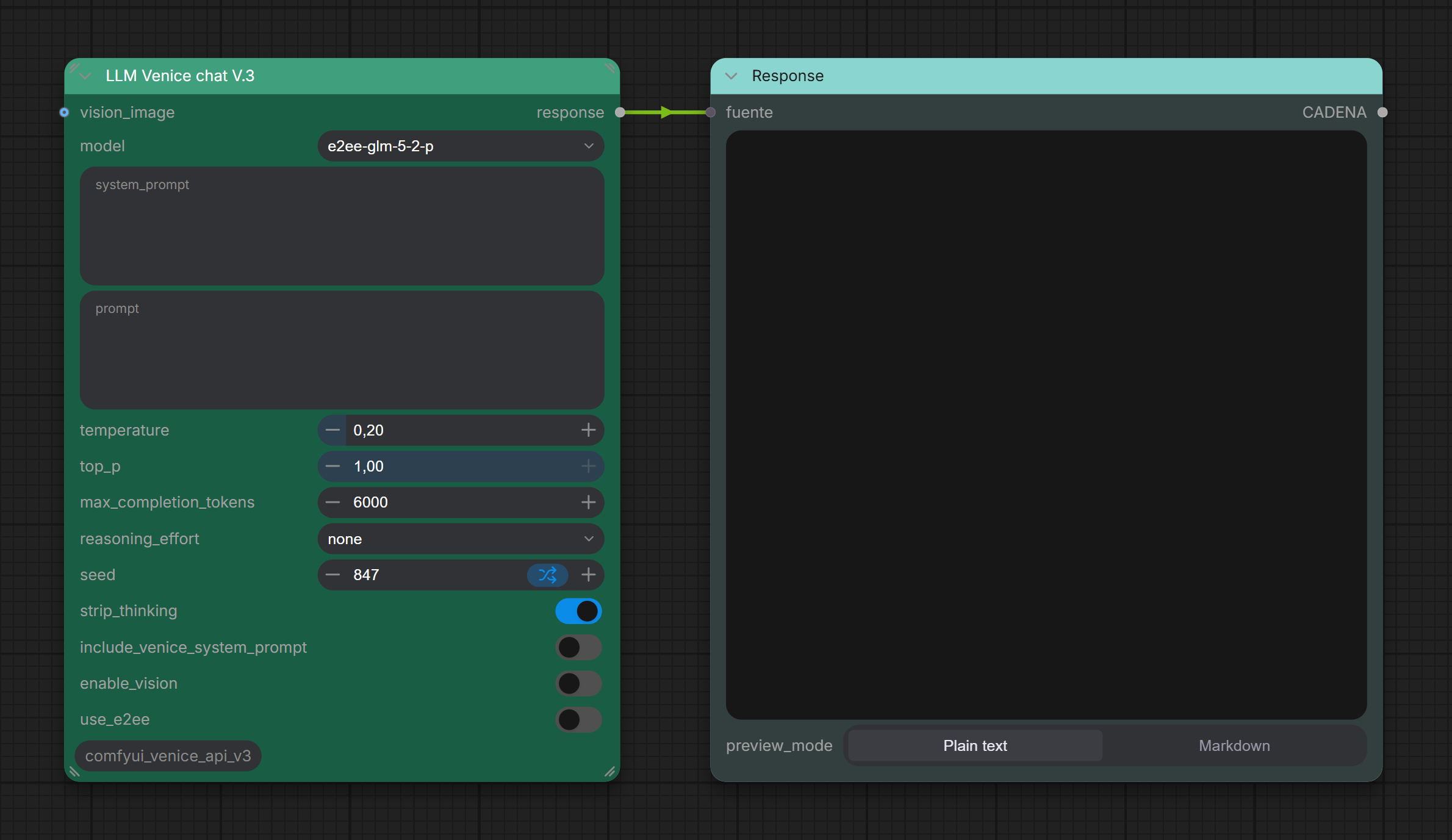
A ComfyUI custom node for text generation using the Venice.ai API, built on the ComfyUI v3 node schema.
Features
- LLM Venice chat V.3 node — simple, clean interface for Venice.ai text generation
- Full support for End-to-End Encryption (E2EE) via Venice TEE (Trusted Execution Environment)
- Automatically enabled for
e2ee-*models - ECDH secp256k1 + HKDF-SHA256 + AES-256-GCM with per-chunk ephemeral key derivation
- Automatically enabled for
- Reasoning model support —
reasoning_effortparameter +strip_thinkingto get clean output - Vision support — optional image input for vision-capable models
- Dynamic model list fetched from the Venice catalog (cached locally, refreshes every 15 min)
- Errors returned as text output instead of crashing the workflow
Node inputs
| Input | Type | Default | Description | |---|---|---|---| | model | Combo | llama-3.3-70b | Text model to use | | system_prompt | String | — | Optional system prompt | | prompt | String | — | User message | | temperature | Float | 0.20 | Sampling temperature | | top_p | Float | 1.00 | Nucleus sampling | | max_completion_tokens | Int | 3000 | Max tokens (includes reasoning) | | reasoning_effort | Combo | none | none / low / medium / high | | seed | Int | 1 | Seed (min 1, supports randomize) | | strip_thinking | Boolean | true | Strip reasoning blocks from output | | include_venice_system_prompt | Boolean | false | Include Venice's built-in system prompt | | enable_vision | Boolean | false | Send image to vision-capable model | | use_e2ee | Boolean | false | Force E2EE (auto for e2ee- models) | | vision_image | Image | — | Optional image input |
Installation
-
Clone this repo into your ComfyUI
custom_nodesfolder:cd ComfyUI/custom_nodes git clone https://github.com/ThinkingBells/comfyui_venice_api_v3.git -
Install dependencies:
pip install -r comfyui_venice_api_v3/requirements.txt -
Set your Venice API key:
- Open ComfyUI and go to Settings (⚙️ gear icon, top right)
- Find the VeniceAI → API Key section
- Paste your key — it is saved automatically
- Your API key can be obtained at venice.ai → Account → API Keys
-
Restart ComfyUI. The node appears under the venice.ai category as LLM Venice chat V.3.
Requirements
- ComfyUI with v3 node API support (
comfy_api.latest) - Python packages:
requests,Pillow,numpy,ecdsa>=0.18.0,cryptography>=41.0.0
E2EE usage
Select any model whose ID starts with e2ee- (e.g. e2ee-qwen-2-5-7b-p) — E2EE is enabled automatically. You can also force it on any model by toggling use_e2ee = true.
For each request the node:
- Generates a fresh secp256k1 keypair (never reused).
- Fetches the TEE attestation from Venice (
/tee/attestation) with a random nonce. - Verifies the nonce in the response matches and that
debug_modeis nottrue. - Encrypts all messages (system + user) with ECDH → HKDF-SHA256 → AES-256-GCM.
- Sends
X-Venice-TEE-Client-Pub-Key,X-Venice-TEE-Model-Pub-KeyandX-Venice-TEE-Signing-Algo: ecdsaheaders. - Decrypts the streaming response chunk by chunk using the per-chunk ephemeral server key.
Performance note — E2EE is slower than regular inference:
- TEE (Trusted Execution Environment) models run inside a secure hardware enclave. This adds significant overhead compared to a standard model call.
- The first request after startup (or after the 1-hour attestation cache expires) fetches the TEE attestation certificate — this adds a few extra seconds before inference starts.
- ComfyUI collects the full streaming response before showing the output, so the node appears to hang for the entire generation time. For long responses this can be 2–5 minutes or more.
- Keeping
max_completion_tokenslow (e.g. 1000–2000) gives noticeably faster responses. - If you need fast turnaround, use a non-
e2ee-*model withuse_e2ee = false.
Server errors you may see:
[Error] HTTP 504— the TEE model did not start responding in time. The server was overloaded; wait a minute and retry, or try a differente2ee-*model.[Error] HTTP 429— rate limit reached. Wait and retry.
E2EE-specific error messages:
[E2EE Error] Model '...' does not support E2EE/TEE attestation— the selected model has no TEE support; disableuse_e2eeor select ane2ee-*model.[E2EE Warning] The server did not encrypt the response— the model accepted the attestation but returned the reply in plaintext; E2EE is not fully supported by that specific model.[E2EE Error] E2EE attestation nonce mismatch— the attestation response may be replayed or tampered; the request was aborted.
Credits
Based on DraconicDragon/ComfyUI-Venice-API (dev-v3schema branch).