
ComfyUI Image Size Tool
Resolution calculator nodes for ComfyUI with model-specific constraints and optimal bucket resolutions
Nodes (6)
Pick a Flux-friendly width and height by megapixels
The unglamorous node that finally tells you what size that image is
A dropdown that keeps your 512-native model honest
Why your SDXL faces look melted — and the bucket-preset node that stops it
Twelve presets, one checkbox that's still decorative
WAN2.1 wants even numbers and 480p/720p — this node hands them to you
ComfyUI Image Size Tools
A professional resolution calculator node pack for ComfyUI that provides model-specific, constraint-aware image dimensions for optimal AI generation quality.
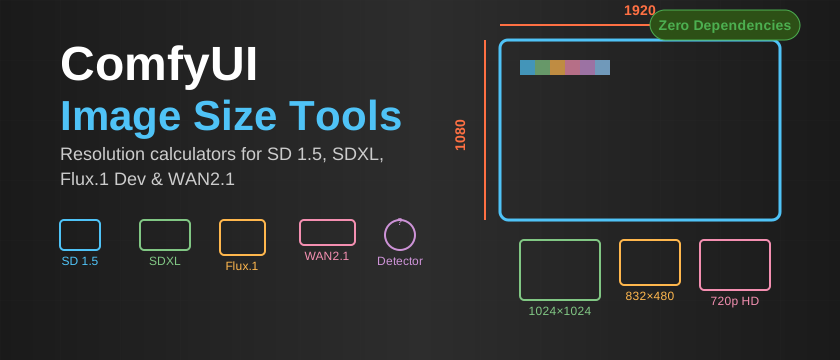
Why This Tool Exists
Most existing resolution tools either:
- Force you to manually enter width/height (error-prone)
- Ignore model-specific training constraints
- Provide arbitrary resolutions that hurt generation quality
- Break your ComfyUI installation with complex dependencies
This tool solves the resolution calculation problem by providing curated, model-optimized presets based on actual training specifications and bucket systems.
Features
✅ Zero Dependencies - No external libraries, no conflicts, no breakage
✅ Model-Aware - Respects VAE constraints (div by 8/64) and training buckets
✅ Quality Focused - Uses actual SDXL bucket resolutions, not arbitrary calculations
✅ Plug & Play - Simple dropdowns, clean outputs, works immediately
✅ Professional - Semantic versioning, proper documentation, stable API
Included Nodes
SD 1.5 Resolution
- 8 optimized presets from 512×512 to 912×512
- Divisible by 8 constraint validation (VAE requirement)
- Outputs:
width,height,aspect_ratio
SDXL Resolution
- 13 bucket-trained presets targeting ~1 megapixel
- Divisible by 64 constraint validation
- Based on the 43-bucket training system for optimal quality
- Outputs:
width,height,aspect_ratio,total_pixels
Flux.1 Dev Resolution
- 11 practical presets from 1024×1024 to 2560×1440
- No strict constraints - more flexible than SD models
- Hardware-optimized for common use cases
- Outputs:
width,height,aspect_ratio
WAN2.1 Resolution
- 4 core video presets - 480p and 720p in landscape/portrait
- Even-number dimensions for video encoding compatibility
- VRAM optimization - includes halved dimensions for lower memory usage
- Outputs:
width,height,aspect_ratio,halved_width,halved_height
WAN2.1 Advanced Resolution
- 12 extended video presets - includes 4:3, 3:4, 1:1, and intermediate sizes
- Multiple aspect ratios for diverse video generation needs
- VRAM optimization - includes halved dimensions for lower memory usage
- Outputs:
width,height,aspect_ratio,halved_width,halved_height
Image Size Detector
- Dynamic size detection - takes any image input and outputs dimensions
- Workflow integration - determine existing image sizes in your workflow
- Outputs:
width,height
Installation
Method 1: ComfyUI Manager (Recommended)
- Open ComfyUI Manager in your ComfyUI interface
- Go to "Install Custom Nodes"
- Search for "Image Size Tools" or install from Git URL:
https://github.com/TheLustriVA/ComfyUI-Image-Size-Tools - Click Install and restart ComfyUI
Method 2: Git Clone
cd ComfyUI/custom_nodes
git clone https://github.com/TheLustriVA/ComfyUI-Image-Size-Tools.git
Method 3: ComfyUI Registry (Future)
comfy node install image-size-tool
Note: Registry installation will be available once published to the official ComfyUI Registry
No additional dependencies to install - just restart ComfyUI.
Usage
- Add Node: Search for "Image Size Tools" in the node menu
- Select Resolution: Choose from the dropdown (e.g., "1920×1080 (16:9) - Full HD")
- Connect Outputs: Wire
widthandheightto your Empty Latent Image node - Generate: Enjoy optimal quality with proper model constraints
Example Workflow
[Flux.1 Dev Resolution] → [Empty Latent Image] → [KSampler] → [VAE Decode] → [Save Image]
     ↓ width=1920
     ↓ height=1080
Why Model-Specific Resolutions Matter
SD 1.5
- Trained at 512×512 - quality degrades significantly when deviating
- VAE constraint - dimensions must be divisible by 8 or generation fails
SDXL
- Bucket training system - uses 43 specific resolutions targeting 1MP
- Quality buckets - arbitrary resolutions produce inferior results
- VAE constraint - dimensions must be divisible by 64
Flux.1 Dev
- Flexible architecture - handles 0.2 to 2 megapixels effectively
- Hardware optimized - common resolutions for practical generation
WAN2.1
- Video generation model - optimized for 480p/720p video output
- VRAM considerations - includes halved dimensions for memory optimization
- Even dimensions - ensures video encoding compatibility
Troubleshooting
Nodes Don't Appear
cd ComfyUI/custom_nodes/ComfyUI-Image-Size-Tool
git pull
find . -name "__pycache__" -exec rm -rf {} +
Then restart ComfyUI.
Import Errors (If Any)
This tool uses zero external dependencies and a single-file architecture specifically to avoid import issues. If you encounter problems, please open an issue.
Technical Details
- Architecture: Single-file design with embedded constants
- Dependencies: None (Python stdlib only)
- Compatibility: ComfyUI (all recent versions)
- Performance: Instant loading, zero overhead
Contributing
Issues and pull requests welcome! This tool aims to be the definitive resolution calculator for ComfyUI.
License
MIT License - see LICENSE file for details.
Generated with professional AI development practices
No more resolution guesswork - just optimal image generation