Fens-Simple-Nodes
Simple nodes for ComfyUI - Token Counter - Optimal Empty Latent
Nodes (5)
Your Anima LoRA Isn't Broken on 2.9B — It's Landing on the Wrong Blocks
Anima 3.8B Is Two Expansions From Your LoRA — This Node Bridges Both
Your prompt was quietly truncated — this node finally shows you the token count
Stop guessing image sizes — Optimal Empty Latent picks the resolution your model was trained on
The same great size-picker, now with a Custom knob for models the presets forgot
Fens Simple Nodes for ComfyUI





A suite of custom nodes designed for simplicity, flexibility, and power.
How to Use
-
Install:
- Find
Fens-Simple-Nodesin ComfyUI-Manager, or - Clone this repo into your
ComfyUI/custom_nodesfolder.
- Find
-
Restart ComfyUI.
-
Drag the nodes into your workflow and enjoy!
What’s Included
-
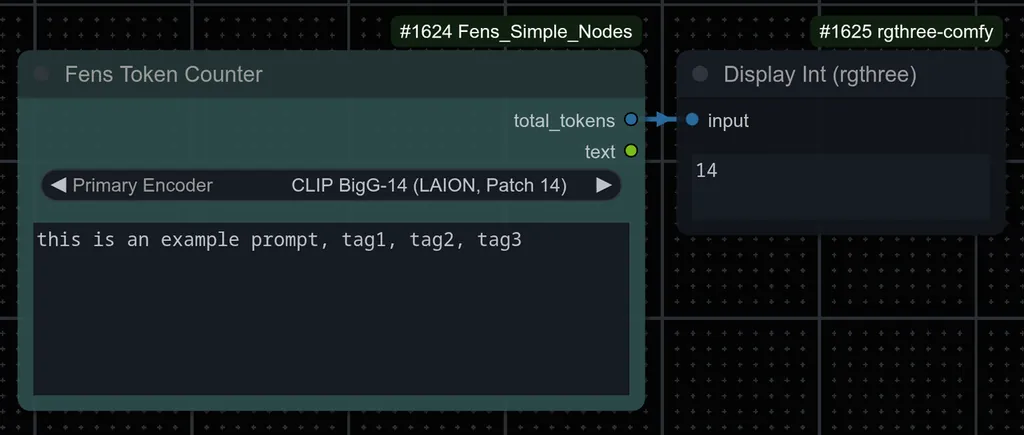
Token Counter: Count typed prompt tokens and see how full the active context window is, using your connected text encoder. Fixed-window and unbounded encoders (CLIP, T5XXL, Qwen3-family) are both handled, including multi-encoder models and BREAK splitting.
-
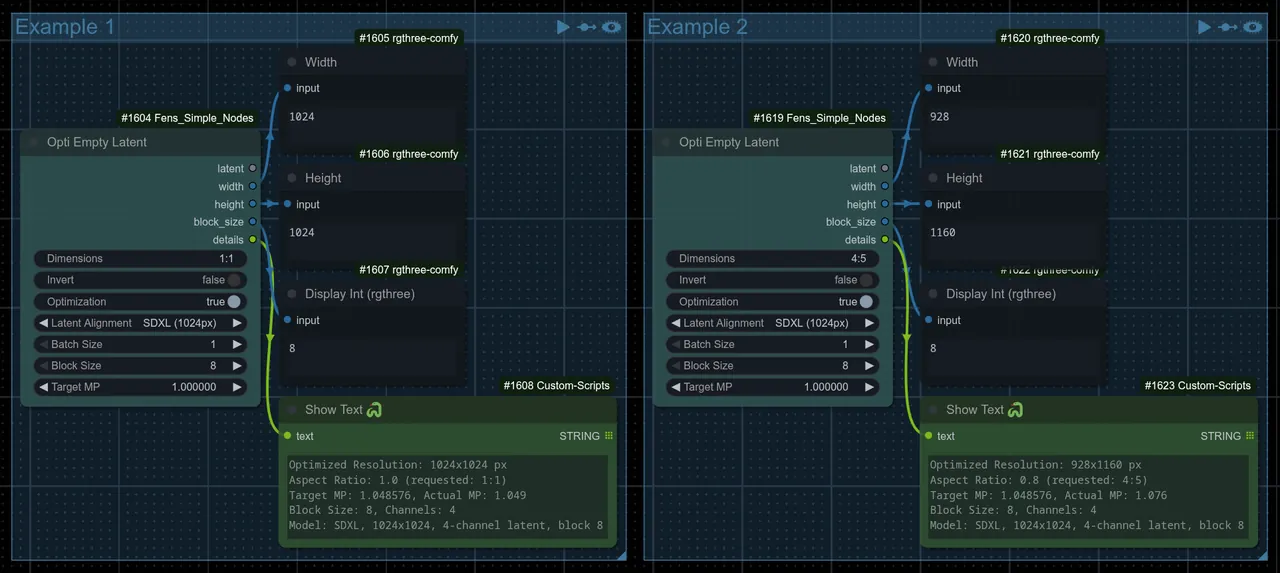
Optimal Empty Latent: Quickly get the perfect image size for your model and aspect ratio.
- Enter aspect ratio as
16:9,1920x1080, or even1.7778 - Let the node pick the best resolution for your model, or set your own.
- Easily swap between portrait and landscape.
- Presets for SD1, SD2, SDXL, SD3, FLUX.1, FLUX.2, Anima/Cosmos-Predict2, Qwen-Image, Qwen-Image 2.1, HunyuanImage 2.1, MOSS-Image, and Stable Cascade (C-prior).
- Optionally connect a MODEL so the latent channels and VAE scale come straight from the model itself (KSampler auto-fits zero latents either way).
- Supports batch generation.
- Enter aspect ratio as
-
Optimal Empty Latent (Advanced): Everything above, plus a
Custompreset so you can set block size, VAE scale factor, target MP, search range, and channel count yourself. -
Anima LoRA Remap: Anima 2.9B and 3.8B are bigger, expanded versions of the base Anima 2B model (
anima-base-v1.0). A LoRA trained on the smaller model doesn't line up correctly on the bigger one by default. It still loads and runs, but with no warning that it's landing on the wrong layers, usually giving weaker, off or no result at all. This node fixes that automatically.- Add the node right after your model loader, and before any LoRA loader or LoRA stack node so it just passes the model through, ready for LoRAs to be applied correctly downstream.
- Two versions, both for LoRAs trained on Anima 2B — one to use with the 2.9B model, and one to use with the 3.8B model.
- Works with whatever LoRA loader or stacker you already use, so no need to switch nodes.
Screenshots
Token Counter Example:
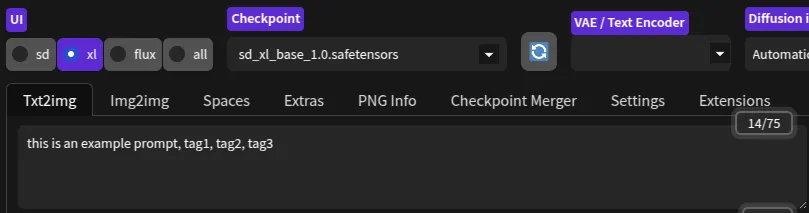
WebUI-Forge Token count for comparison:
Optimal Empty Latent Example: