
Visual Crop (Studio Leiel)
Drag a box on the node preview to set crop coordinates for a ComfyUI workflow.
Visual Crop (Studio Leiel)
This node has moved. It is now part of Visual Suite, which includes this node and five others.
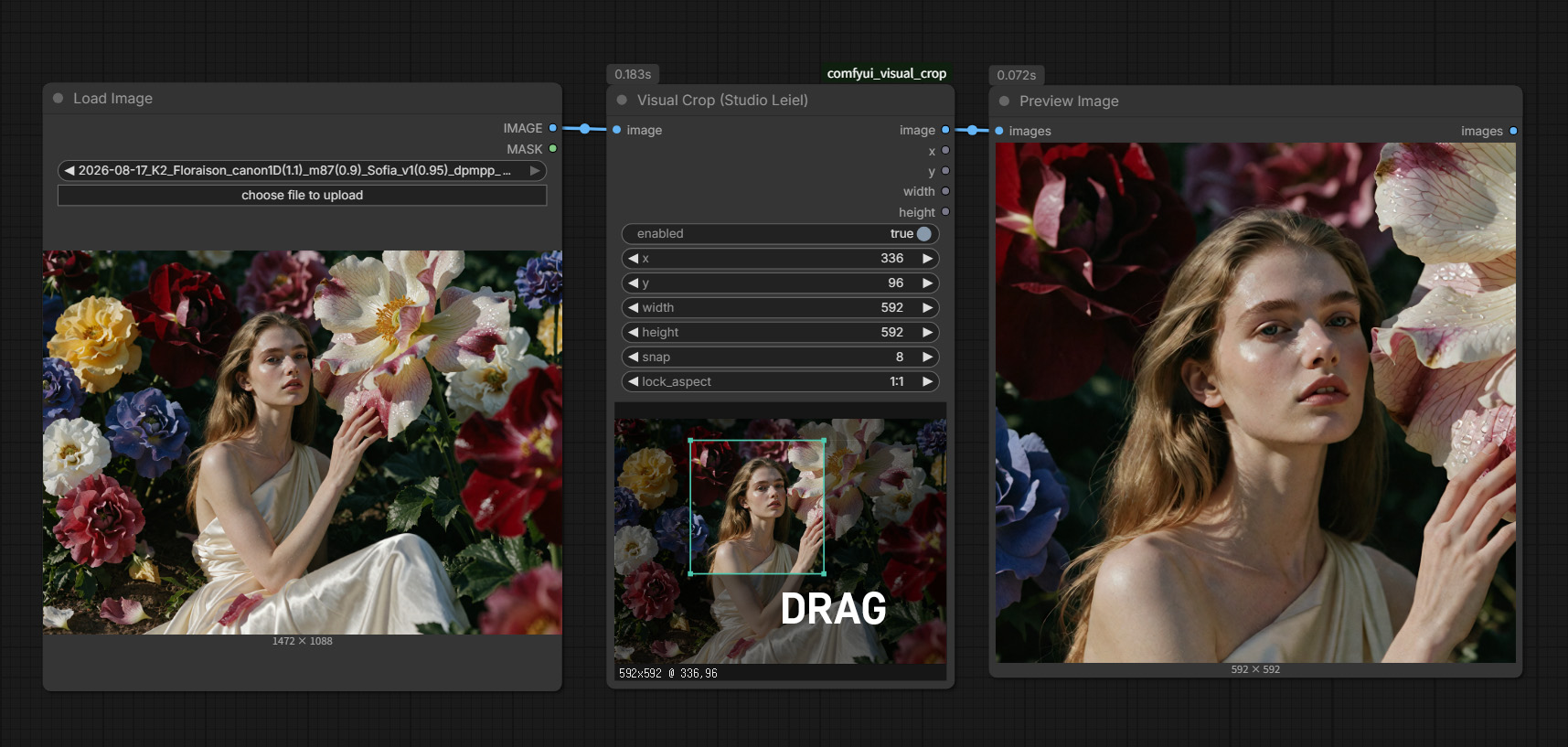
A ComfyUI node that lets you drag a box directly on the preview image to set crop coordinates — no manual number entry required.
Install
ComfyUI Manager (recommended): search for "Visual Crop" and click Install.
Manual: copy the folder to ComfyUI/custom_nodes/ and restart ComfyUI.
ComfyUI/custom_nodes/comfyui_visual_crop/
├── __init__.py
├── visual_crop.py
└── web/
    └── visual_crop.js
If the browser cache keeps an old version of the JS, hard-refresh (Ctrl+Shift+R).
Usage
Image Loader (Folder Path)→Visual Crop (Studio Leiel)→Ultimate SD Upscale- Run once — the node shows a preview of the source image
- Drag on the preview to select the region you want
- Run again — only that region is cropped and passed downstream
From then on: drag → run, repeat.
Controls
| Action | Result | |---|---| | Drag on empty space | Create a new box | | Drag inside the box | Move the box | | Drag a corner handle | Resize the box |
The current selection is shown below the box as 1024x1024 @ 612,180.
Widgets
| Name | Description |
|---|---|
| enabled | When OFF, the original image passes through uncropped. Turn it off for final renders instead of removing the node |
| x y width height | Filled in automatically by dragging. Can also be edited directly |
| snap | Coordinate snapping unit. Default 8 |
| lock_aspect | Lock the aspect ratio. Default 1:1 |
Outputs
| Port | Purpose |
|---|---|
| image | The cropped image |
| x y width height | The coordinates actually applied — useful for compositing back onto the source later |
You can use the coordinate outputs to build a crop → upscale → composite-back-onto-source workflow.
When feeding them into ImageCompositeMasked, multiply the coordinates by upscale_by
(for a 4x upscale, use x*4, y*4).
Notes
- The preview is downscaled to a maximum of 1024px for display, but the crop is always calculated against the full source resolution
- If the box goes outside the image bounds, it's automatically pulled back inside
- For upscale testing, a crop around 1024×1024 works well. Too small and only a single tile is generated, which won't reflect real render conditions
License
MIT — see LICENSE.