
Visual Suite (Studio Leiel)
Seven visual nodes for ComfyUI: prompt composer with image reading, series lab, filename manager, save image with folder browsing, latent size picker, node bag and image crop.
Nodes (7)
Stop wiring 40 string nodes together — drag your filename into shape instead
Your prompt is a wall of text — this node gives it landmarks
Visual Save Image, and the folder it lets you walk
Stop settling for one aspect ratio — keep a list of sizes in a single node
Drag a crop box instead of typing coordinates
Fold your finished nodes into chips — without touching the graph
A render queue you can see into and change mid-run
Visual Suite (Studio Leiel)
Seven nodes for ComfyUI, built for people who spend their day in the graph
rather than passing through it. They share one design language: the same palette, the
same chips, the same ? button that opens a manual on the node itself.
The nodes
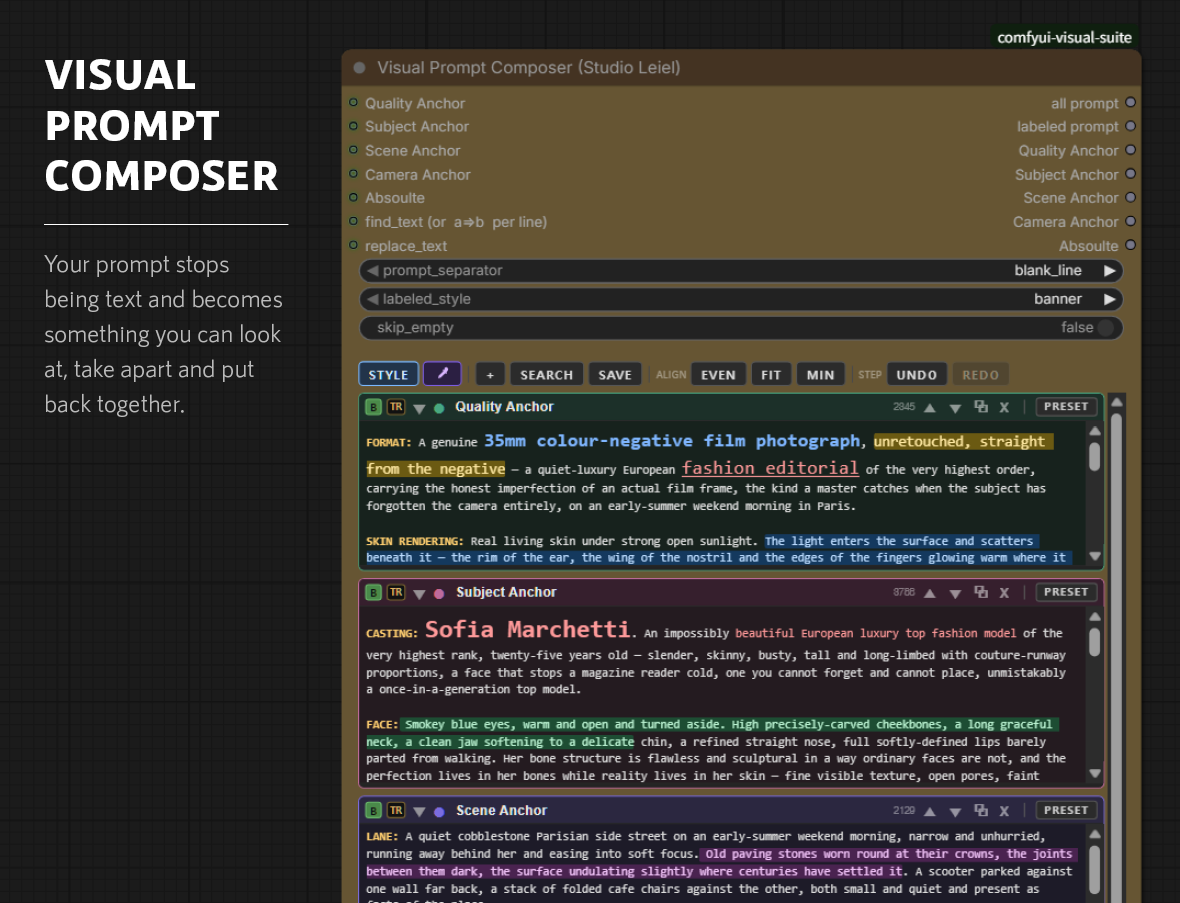
Visual Prompt Composer
A prompt editor: named sections you can switch off, reorder, mark up and reuse.
Use it however you like: with a single section it is simply a free text input, and you can split it into quality, subject, scene and camera - or any parts of your own - only if that helps. Nothing requires a particular layout.
A prompt usually arrives as one long string with nothing in it to hold on to, so it gets pasted in and run, and when the result is wrong the whole thing is replaced rather than examined. Here it has parts. Bypass one section to find out what it was contributing without deleting it. Colour a clause you are unsure about and it is still coloured next week. Save the part that worked and load it into the next workflow. Read any of it back in 26 languages to check it says what you meant. None of the styling reaches the model — it is metadata, the output is plain text — so annotate as freely as you like.
And when you want it, a reader fills a section from a reference image, one layer
at a time: quality from one picture, subject from another, scene from a third,
camera from a fourth. That part needs transformers; nothing else here does.
Visual Series Lab
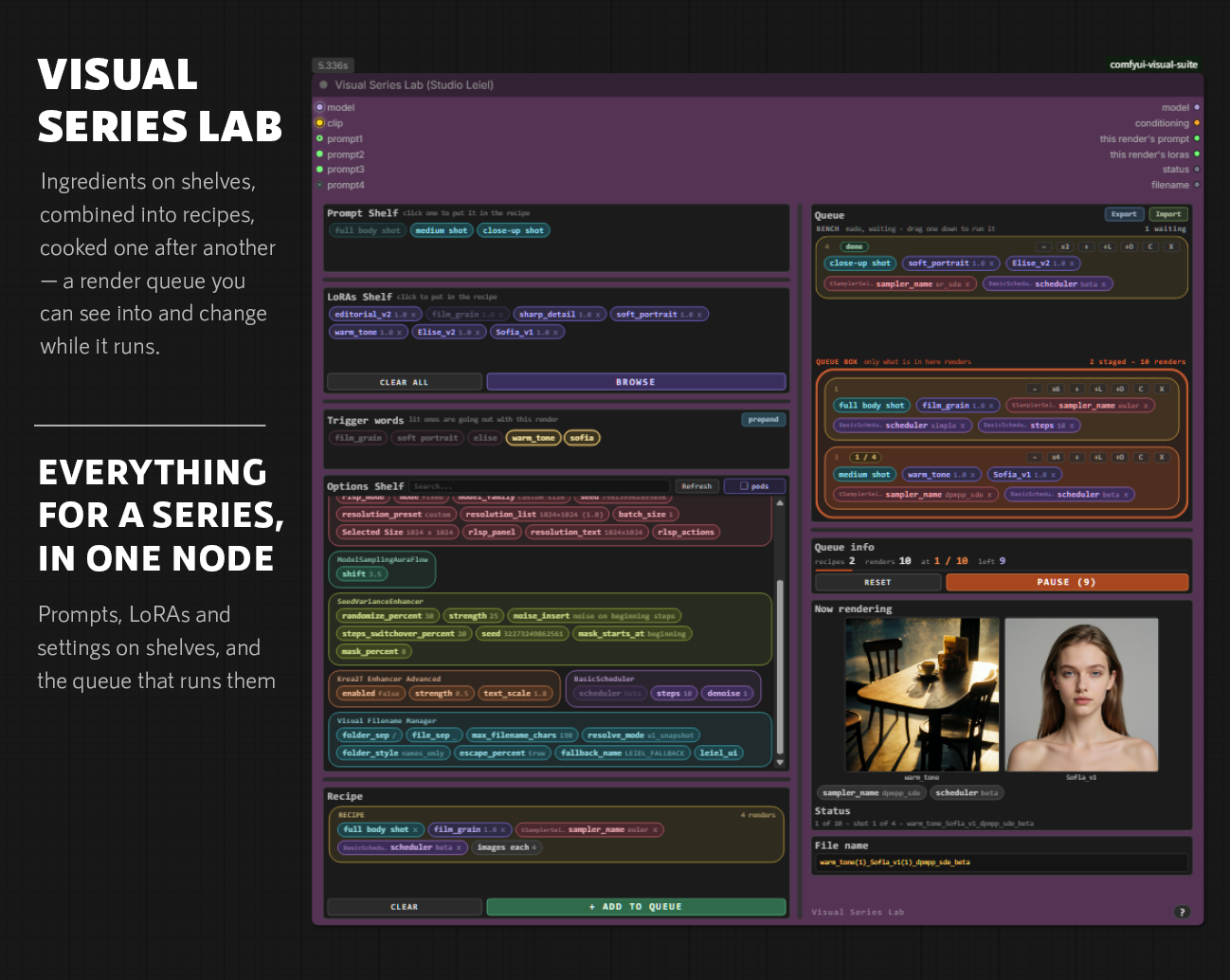
Ingredients on shelves, combined into recipes, cooked one after another — a render queue you can see into and change while it runs.
A queued run is normally a sealed box: you cannot tell which of sixty renders you are looking at, and you cannot change your mind without cancelling by hand. Here every render says which prompt, which LoRAs and which settings made it, while it happens — and a recipe can be pulled out, added, or given a bigger count mid-run, with nothing already rendered repeated.
Visual Filename Manager
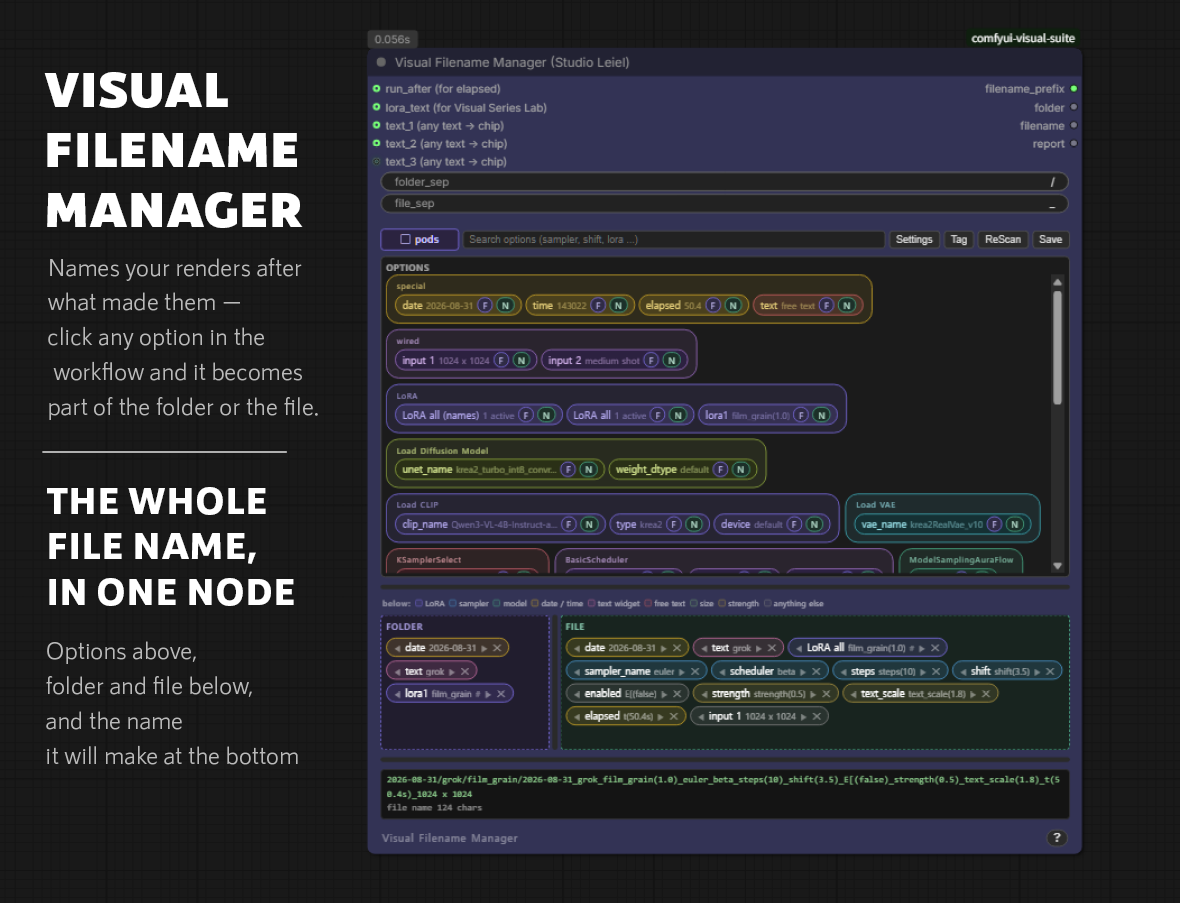
Names your renders after what made them — click any option in the workflow and it becomes part of the folder or the file.
Twenty images called ComfyUI_00017_ tell you nothing about which setting made
the one you liked. Building a useful name by hand takes dozens of nodes across
several packs, rewired every time you want a different setting in it. This reads
the workflow instead: every option is already listed, and a click puts it in the
folder or the file.
Visual Save Image
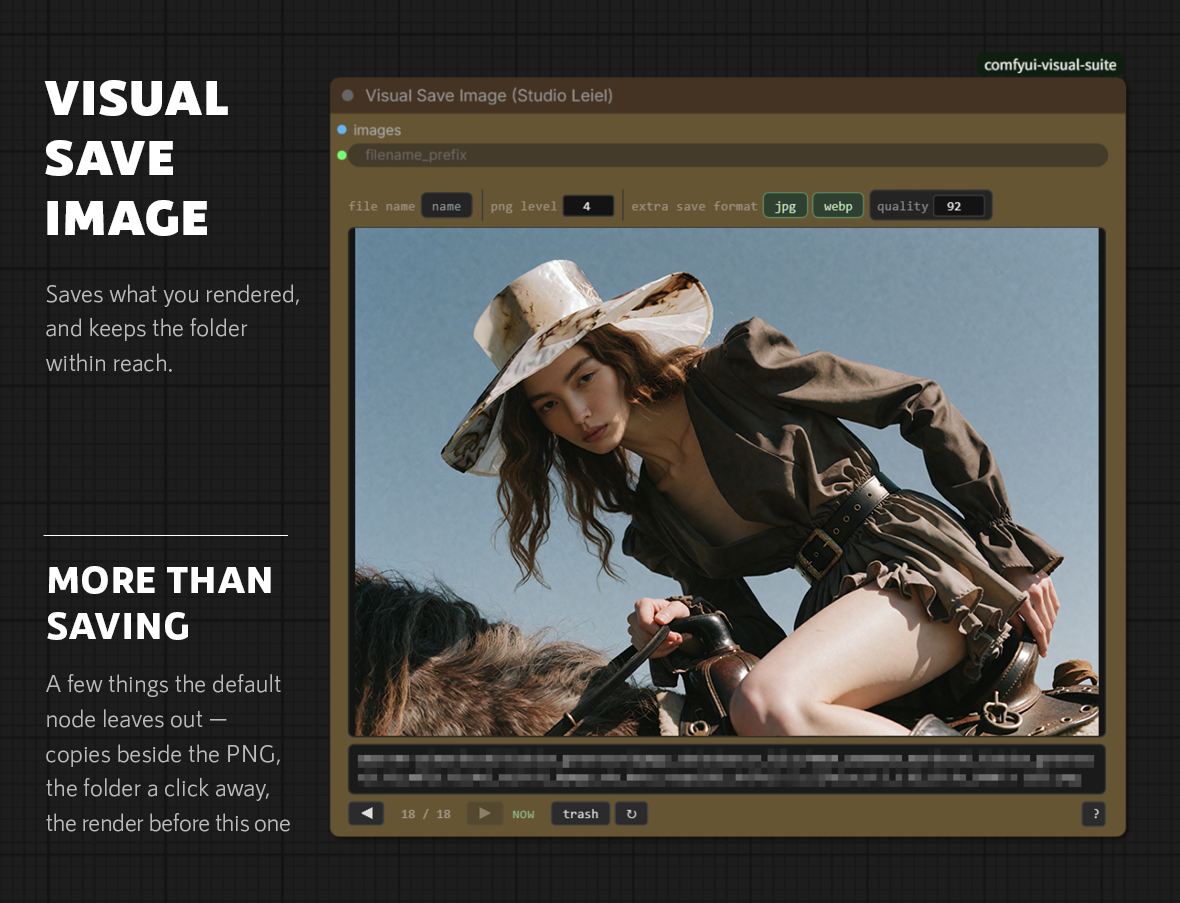
Saves what you rendered, and keeps the folder within reach.
ComfyUI's own Save Image appends a five digit counter to every name it is
handed. On a name that already carries the date, the settings and the size that
counter reads 00001 for ever, and costs seven characters on a name long
enough to be arguing with the path limit. This one writes the name as given —
and then, because the folder is right there, lets you walk it: arrow keys
through everything rendered into it, t to move a bad one to _trash, and
optional JPEG or WebP copies beside the PNG. Give the Filename Manager a seq
chip and that walk is in the order the renders were made.
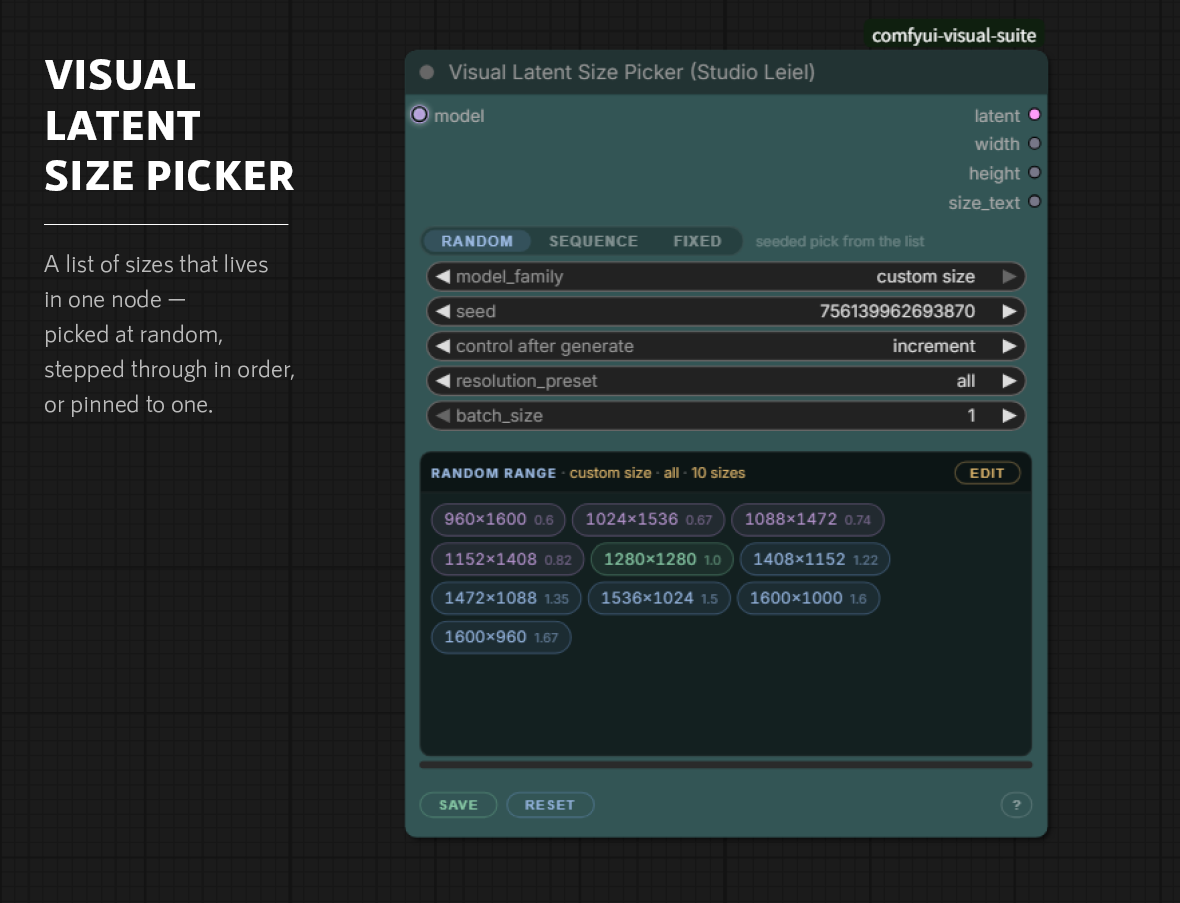
Visual Latent Size Picker
A list of sizes that lives in one node — picked at random, stepped through in order, or pinned to one.
A node graph cannot hold a list, so ten sizes mean twenty nodes and two switches to choose between them. Most workflows give up and settle on one aspect ratio. This one keeps the sizes on disk instead: every workflow sees the same list, adding one costs a line of typing, and width and height can never come apart.
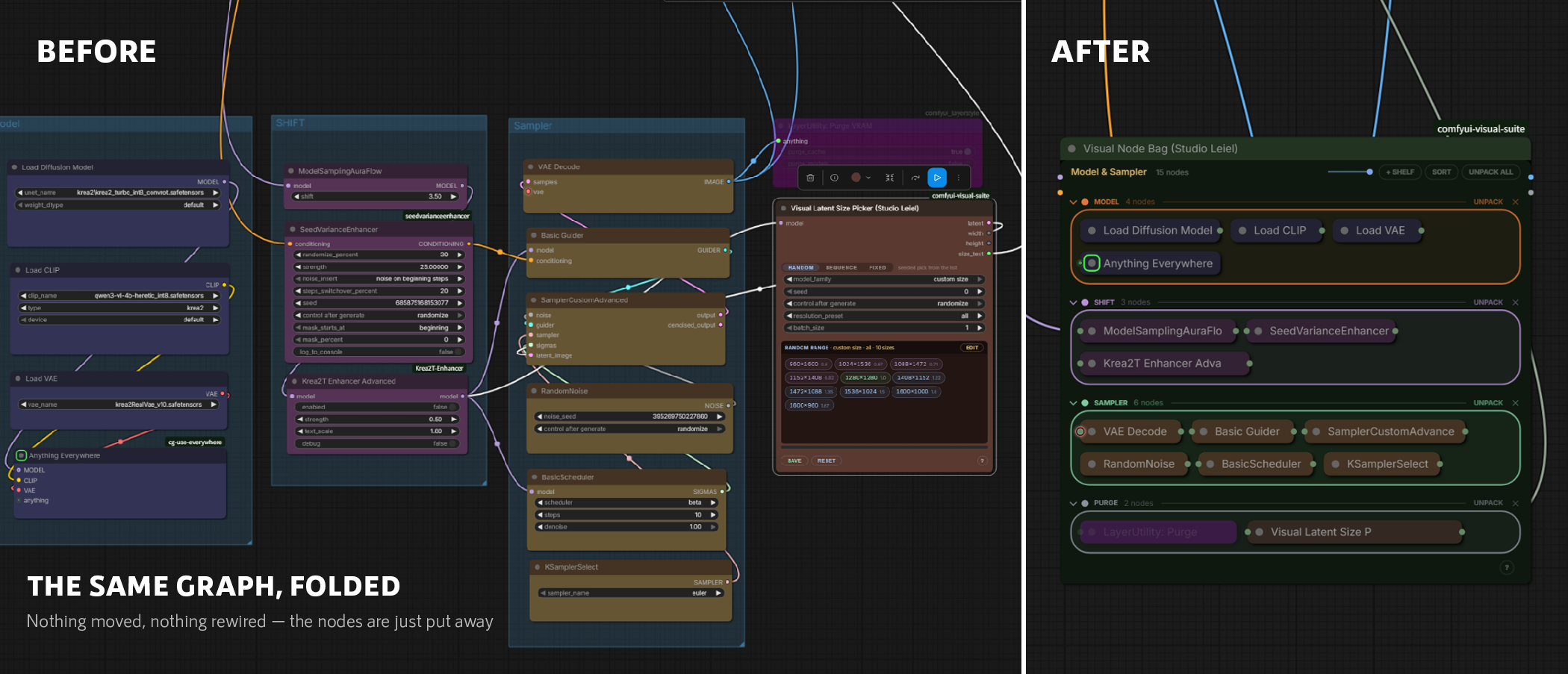
Visual Node Bag
Drop nodes into a bag and they fold into chips — without touching the graph.
Most of a workflow is finished and never needs looking at again, but it still takes up the screen and runs wires across whatever you are working on. A bag puts those nodes away where they are: same links, same ids, same execution. Sort them onto named shelves, open one in place to change a widget, and delete the bag whenever you like — every node comes back as it was.
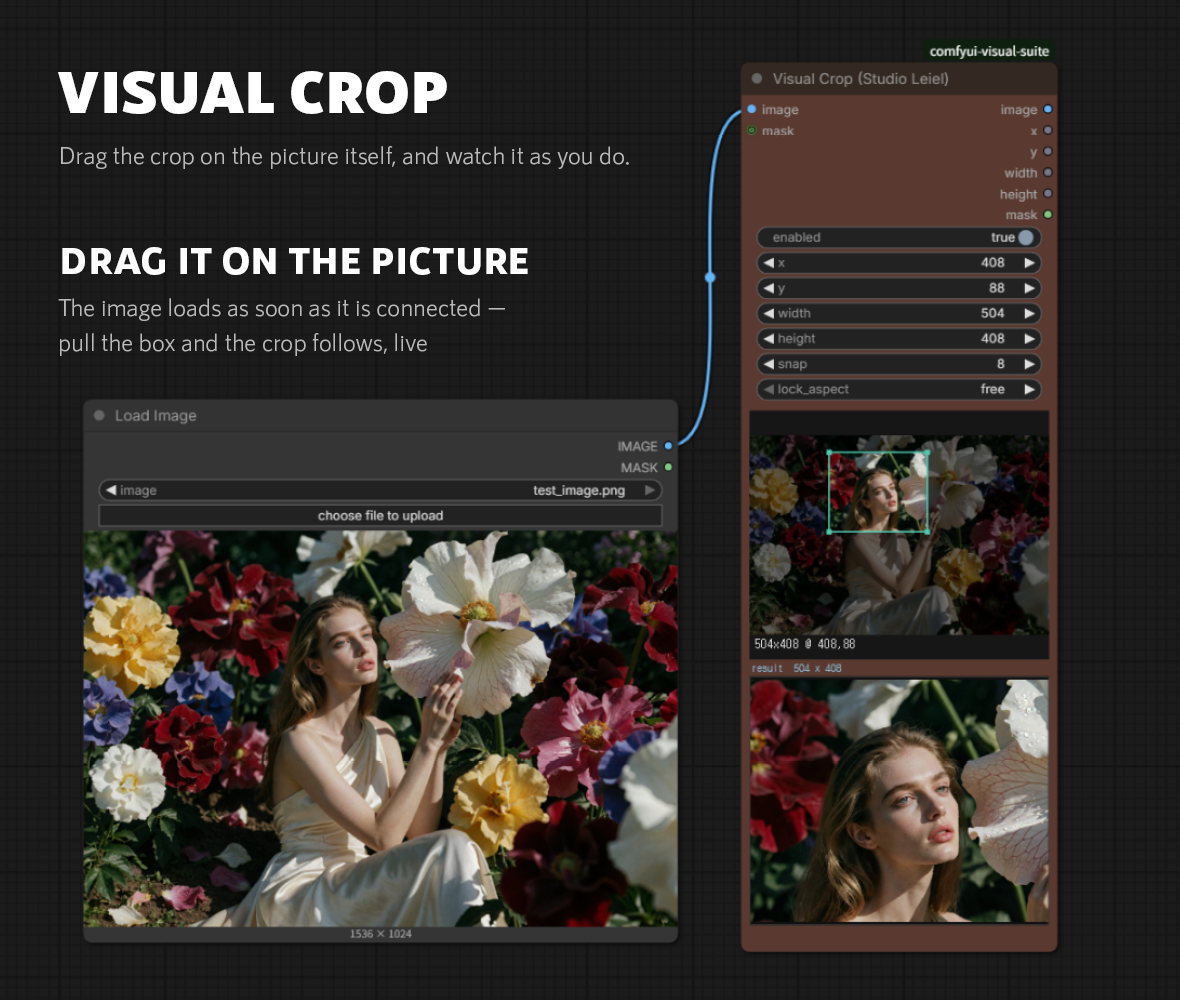
Visual Crop
Drag the crop on the picture itself, and watch it as you do.
Cropping in a node graph usually means typing four numbers, running the graph, and adjusting. Here the picture is on the node: draw a box on it, and the coordinates follow — with the result shown underneath as you drag.
Install
Search for Visual Suite (Studio Leiel) in ComfyUI Manager, or clone into
custom_nodes:
cd ComfyUI/custom_nodes
git clone https://github.com/StudioLeiel/comfyui-visual-suite
Restart ComfyUI. Nothing is installed beyond what ComfyUI already ships, and
there is no requirements.txt on purpose - the pack stays as light to install
as it has always been.
One optional feature asks for more. Reading a reference image in the Prompt
Composer needs transformers, which is a large install and is therefore left to
you:
pip install transformers accelerate
Run that in the environment ComfyUI runs in if you want it. Every other node, and every other part of the composer, works without it; the Read button says so plainly rather than failing quietly.
How the pack is put together
nodes/<name>/     one Python package per node
web/<name>/       its frontend, served from /extensions/comfyui-visual-suite/<name>/
Each node is imported separately. If one fails - a ComfyUI frontend change, a bad edit - it is skipped with a message in the console and the other six still load. The console line at startup says how many came up.
Nodes that keep state (prompt presets, series favourites, custom size lists)
write it to ComfyUI's user/ directory, so updating or reinstalling the pack
never deletes it.
A note on node ids
Display names are consistent; the internal class ids are not. Visual Latent Size Picker is still RandomLatentSizePicker inside, because that is what it
shipped as a year ago and renaming it would break every workflow already using
it. The ids are invisible unless you read the workflow JSON.
Nodes in this pack
| Display name | Class id |
| --- | --- |
| Visual Prompt Composer (Studio Leiel) | LeielPromptComposer |
| Visual Series Lab (Studio Leiel) | VisualSeriesLabSetup |
| Visual Filename Manager (Studio Leiel) | LeielFilenameStudio |
| Visual Save Image (Studio Leiel) | LeielSaveImage |
| Visual Latent Size Picker (Studio Leiel) | RandomLatentSizePicker |
| Visual Node Bag (Studio Leiel) | VisualNodeBag |
| Visual Crop (Studio Leiel) | VisualCrop_StudioLeiel |
History
Visual Crop and Visual Filename Manager were published separately first, as
comfyui_visual_crop and comfyui-visual-filename-manager. Both are folded
into this pack; the old repositories are archived and point here.
The image reader in the Prompt Composer was tried out the same way, as
comfyui-visual-atelier, so that a multi-gigabyte dependency could be lived
with for a while before being asked of anyone else. It is now part of the
composer and that repository is archived too. The node id, the routes and the
stored presets are unchanged, so workflows made with either carry on working.
Licence
Apache License 2.0. See LICENSE and NOTICE.
You may use, modify and redistribute this pack, including commercially. If you redistribute it, keep the copyright and licence notices, state what you changed, and pass on the NOTICE file. Contributors grant a patent licence for their own contributions, which is the main thing Apache 2.0 adds over a shorter permissive licence.
Using the nodes needs nothing from you at all: install and work.