
Prompt Concatenate Pro
Modular prompt library for ComfyUI: group cards → str_pos/str_neg, pin to sidebar, local SQLite presets (structure), templates (full packs), pairs, manager, optional autocomplete from your own library.
Prompt Concatenate Pro
Modular prompt library for ComfyUI — groups on the node, pairs on the shelf, presets for structure, templates for full looks.
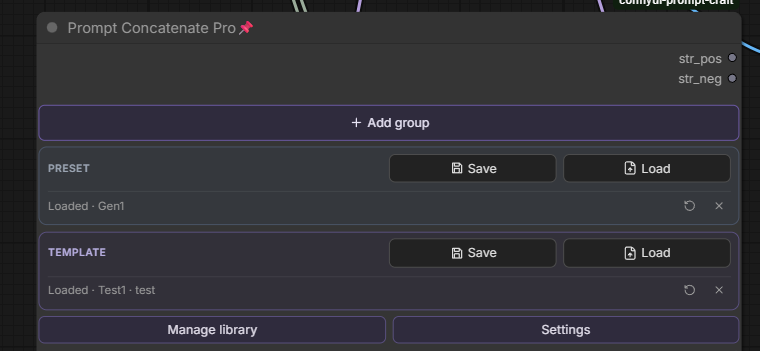
One node replaces a wall of text widgets. Split the prompt into groups (skin, lighting, outfit, background…), toggle and reorder them, and get two clean outputs: str_pos and str_neg.
Built-in SQLite library (no cloud, no external tag DB):
| Layer | What it stores | Typical use |
| ----- | -------------- | ----------- |
| Preset | Slot names + order only | Empty canvas: Base · Scene · Character · Style |
| Template | Full prompt pack (non-empty pairs) | Drop a look onto the node; merge by slot name |
| Pair | One pos/neg (+ notes) in a group shelf | Reuse “alisa…”, “sunset room…”, etc. |
| Group | Live card on the node | Edit, pin to sidebar, Save/Load pair |
Manage library covers Presets, Prompts, Templates, and (optional) Suggest — last opened tab and prefs persist in SQLite.
MIT — see LICENSE © StoneZol · Changelog
Why Prompt Concatenate Pro?
| Without | With Prompt Concatenate Pro |
| ------- | --------------------------- |
| One giant positive string | Named groups you enable / disable / reorder |
| Re-paste the same skin / lighting every graph | Save / Load pair from a local library |
| Rebuild slot lists by hand | Presets = structure; Templates = filled packs |
| Favorites panel chaos | Pin positive / negative per group to the sidebar |
| Guess shelf names (Scene255 vs Scene 69) | Add group lists library shelves you’ve already saved pairs into |
Features
- Group cards — title, positive, negative, drag reorder, collapse, duplicate, enable toggle, Clear
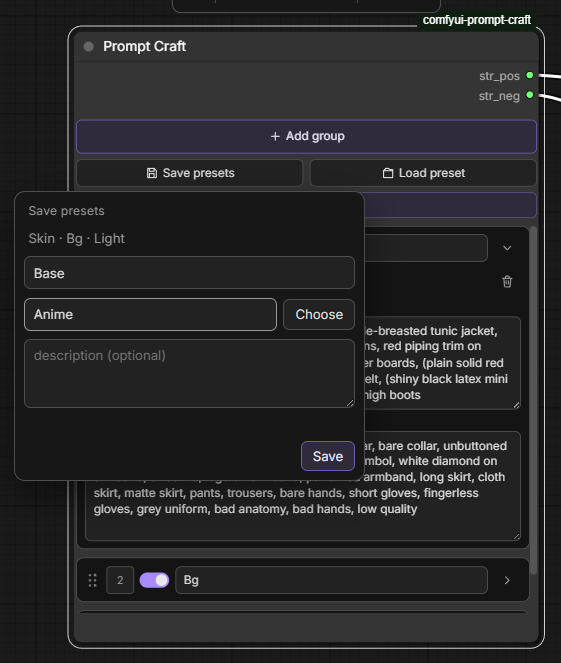
- Add group — type a new name, or pick a library shelf that already has saved pairs (exact name)
- Join engine — merges enabled groups with
,, skips empty, normalizes commas and spacing - Pin to sidebar —
Group \| positive/Group \| negativein Inputs / Favorites - Loaded tracking — after Load, Loaded · name (+ folder); notes / reload / detach; Save prefills from the chip
- Presets — slot names + order; folders; edit as comma-separated text in the manager
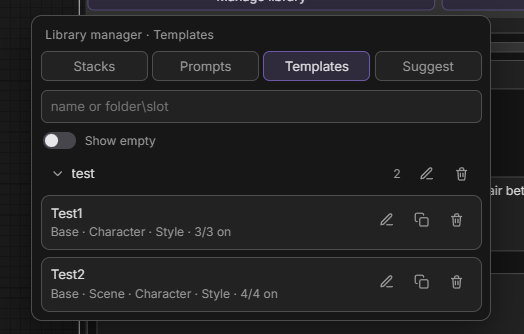
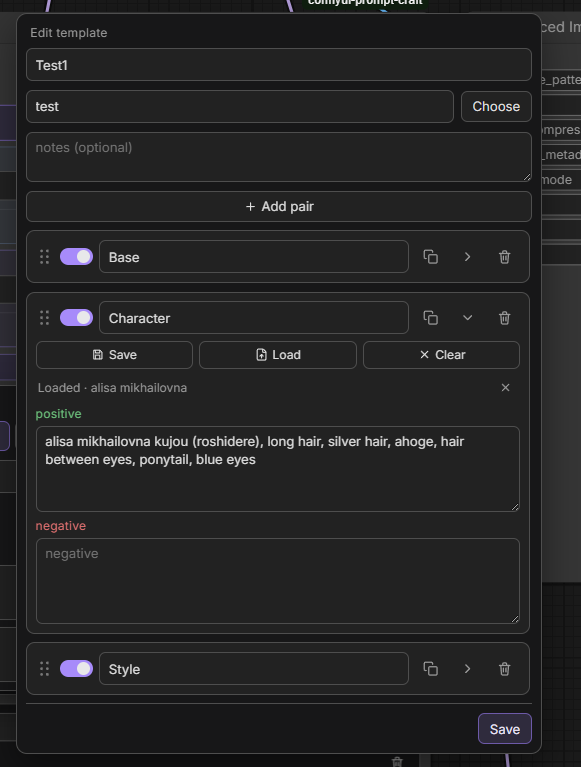
- Templates — full packs; load merges by slot name (insert missing, leave unrelated groups alone); empty pairs omitted on save
- Prompt pairs — save / load / append per group shelf; preview; Search in prompts
- Smart search — AND tokens;
shelf\keywordfilters a collection first - Library manager — Presets / Prompts / Templates (+ Suggest when autocomplete is on); duplicate, rename, move, delete; last tab remembered
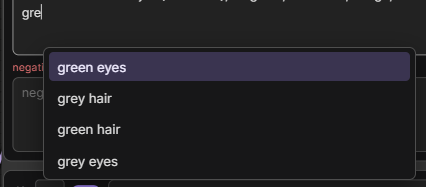
- Prompt autocomplete (experimental, Settings) — suggests segments from your library; caret popup (Tab accept); Suggest tab + rebuild
- PNG-friendly prompts — optional Settings: on queue, write joined text into stock CLIP
text; wires restore after (off by default) - Local SQLite —
db/presets.sqlite(+db/autocomplete/when Suggest is used)
Install
-
Clone into
ComfyUI/custom_nodes/:git clone https://github.com/StoneZol/prompt-concatenate-pro.git -
Restart ComfyUI (or refresh the browser after a hot reload).
-
Add node:
Prompt Concatenate Pro.
No pip dependencies — Python 3.8+ stdlib + SQLite only.
Quick start
- Add Prompt Concatenate Pro to the graph.
- Add group — new name, or pick from Groups: library shelves that already contain saved pairs (not every card ever added on a node).
- Fill positive / negative; connect
str_pos/str_negto two stock CLIP Text Encode (Prompt) nodes. - Preset → Save / Load — snapshot or restore the empty slot layout.
- Template → Save / Load — ship or apply a full look (merge by slot name).
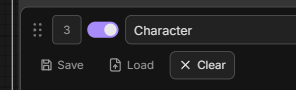
- On a card: Save / Load / Clear pair; use Loaded · reload / detach when linked.
- Manage library — edit presets, prompts, templates; optional Suggest after enabling autocomplete in Settings.
Save / load a preset
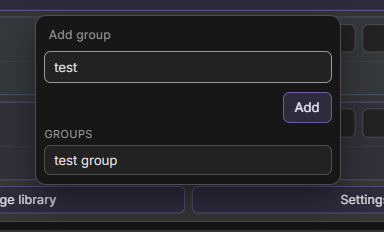
Snapshot slots (Skin · Bg · Light) into a named preset (optional folder). Load applies names + order only.
Save / load a pair
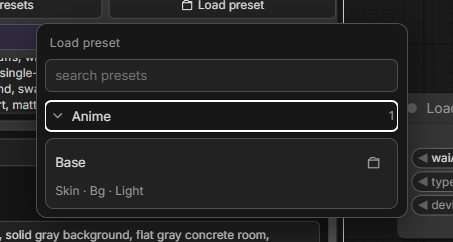
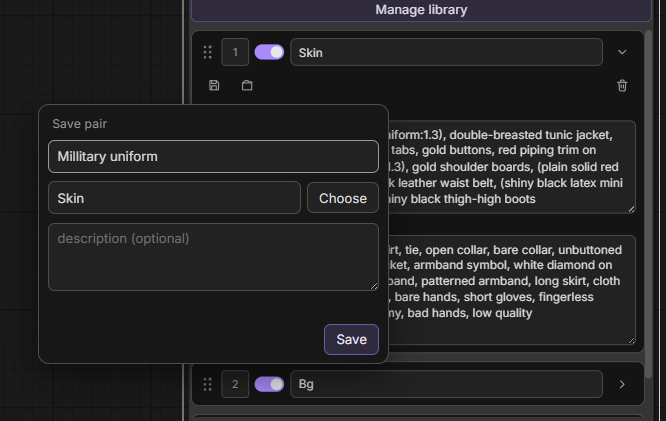
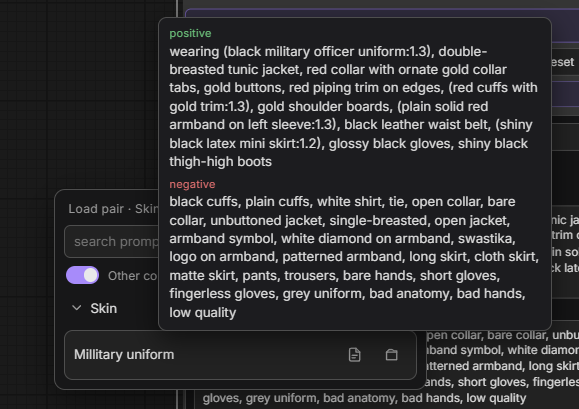
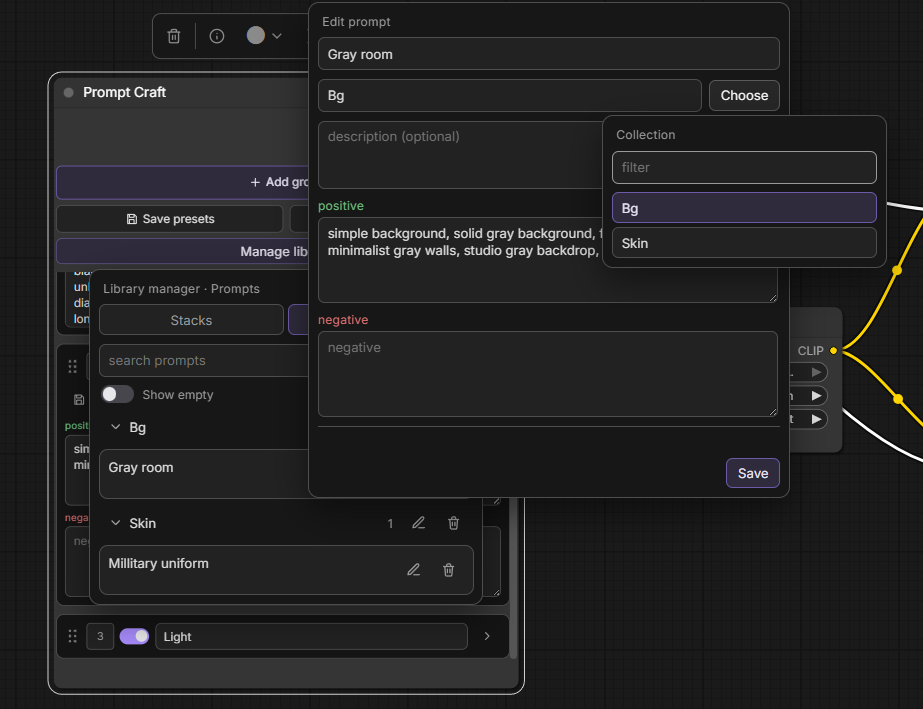
From a group card: store or recall pos/neg under a group shelf (defaults to the card title). Search with shelf\keyword; preview before load; + appends instead of replace.
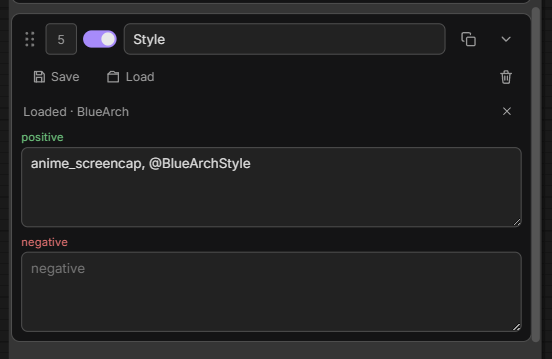
After load: Loaded · chip — Save prefills; × detaches; reload pulls the last saved copy from SQLite.
Templates
Save template stores non-empty pairs (+ Loaded pair meta). Load template keeps your node order, fills matching titles, inserts missing slots before the next already-present pack slot, and leaves groups that aren’t in the pack alone.
Autocomplete (experimental)
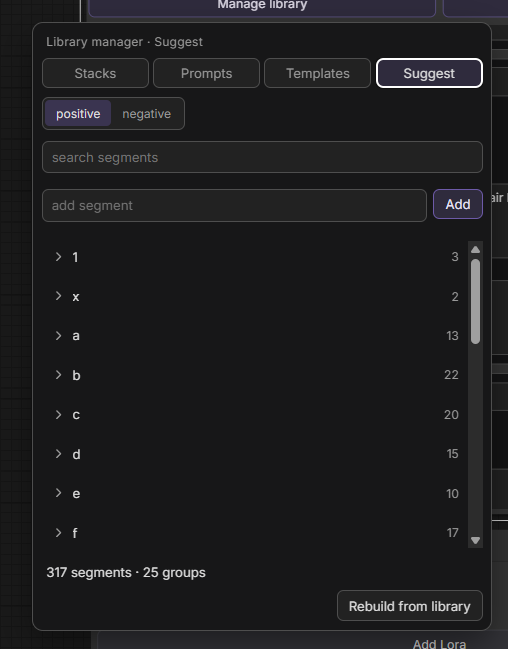
Settings → Prompt autocomplete. While typing, suggestions from your library appear at the caret (Tab to accept). Manager Suggest tab: browse / edit / rebuild dictionaries (db/autocomplete/).
Concepts
Groups (on the node)
Live cards: title, positive, negative, order, enabled.
Sidebar labels (Skin | positive) are stamped when the group is created. Renaming the card is local — it does not rewrite pin labels or rename library shelves.
Presets (layout)
Save preset in the header. Slot names + order only (empty pairs). Optional folder (default Uncategorised). Planning canvas, not content.
Templates (prompt packs)
Save / Load template in the header. Content packs merged by slot name. Use when a look should land on the node without wiping unrelated groups.
Prompt pairs
Save / Load pair on a card. Live in a group shelf (collection). Title, notes, positive, negative.
Folders vs group shelves
| Term | Used for | Table |
| ---- | -------- | ----- |
| Folder | Presets and Templates | layout_folders / template folders |
| Group (collection) | Prompt pairs | categories |
Shelves are created when you Save pair. Those with at least one pair show under Add group → Groups (so you can reuse exact names like Scene255).
Pinning to the sidebar
Each group exposes two hidden STRING widgets:
Skin | positiveSkin | negative
Pin from the node Inputs panel or Favorites. Edits sync both ways with the card.
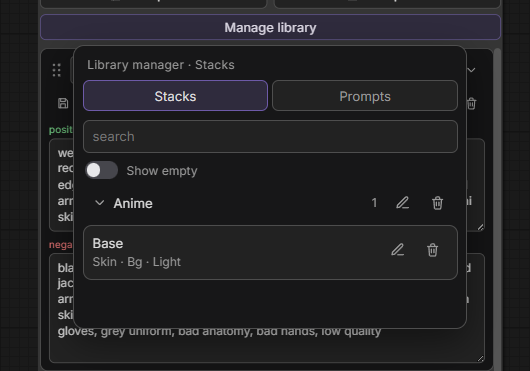
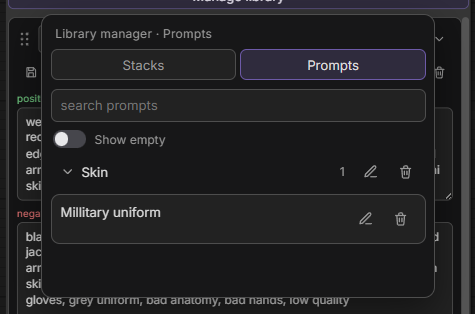
Library manager
Manage library under the Preset / Template sections:
- Presets — layout by folder; rename / move / delete / duplicate; edit slots as
Base, Scene, … - Prompts — pairs by group shelf; full editor; duplicate
- Templates — packs; edit pairs (Save / Load / Clear, reorder, collapse); duplicate
- Suggest — autocomplete dictionary (when the Settings toggle is on)
- Show empty / Search in prompts — toggles; last opened tab + prefs in SQLite
Settings
- Embed prompts in CLIP for PNG meta — on queue, write joined text into stock CLIP widgets (off by default so PNG-loaded workflows keep wires)
- Prompt autocomplete — experimental; enables caret suggestions + Suggest tab
Join preview (debug)
In js/pc/config.json:
"debug_join": true
Or in the browser console:
localStorage.setItem("pc-debug-join", "1"); // on
localStorage.setItem("pc-debug-join", "0"); // off
Python also logs joined strings on execute ([PromptConcatenatePro] str_pos …). Turn debug off before release if you don’t need it.
Known issues
- Vue Nodes 2.0 — toggling Vue mode can briefly glitch layout on the canvas; refresh heals it. Widget data is fine.
- Two installs — two folders in
custom_nodes⇒ two nodes, twopresets.sqlitefiles, conflicting routes. Keep a single copy.
File layout
prompt-concatenate-pro/
├── nodes.py              # Join logic, node class
├── routes.py             # REST API for library
├── db/
│   ├── db.py             # SQLite CRUD
│   ├── presets.sqlite    # created at runtime
│   └── autocomplete/     # letter DBs when Suggest is used
├── js/
│   ├── prompt_craft.js   # Node UI entry
│   └── pc/               # Dialogs, manager, autocomplete, API
├── changelog/
│   └── CHANGELOG.md
└── docs/screenshots/
Links
- Repository: https://github.com/StoneZol/prompt-concatenate-pro
- Changelog: changelog/CHANGELOG.md
- ComfyUI Registry: Manager → search Prompt Concatenate Pro
If Prompt Concatenate Pro saves you time, star the repo — it helps others find it.