
Size Presets
Save and load width/height size presets and named INT/FLOAT value presets for ComfyUI — field library, categories, search, and a built-in SQLite store.
Nodes (2)
ComfyUI Size Presets
Save and load image sizes — and named INT/FLOAT values — with categories.
Two nodes, one local SQLite library: classic width/height presets, plus dynamic Value Presets for any named numbers (cfg, steps, denoise, …) with typed sockets.
MIT — see LICENSE
Screenshots
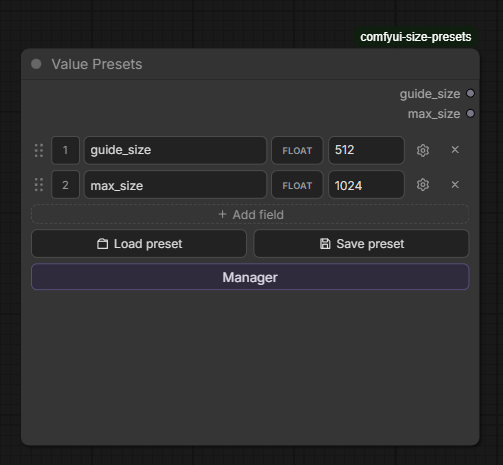
Value Presets · 2.0
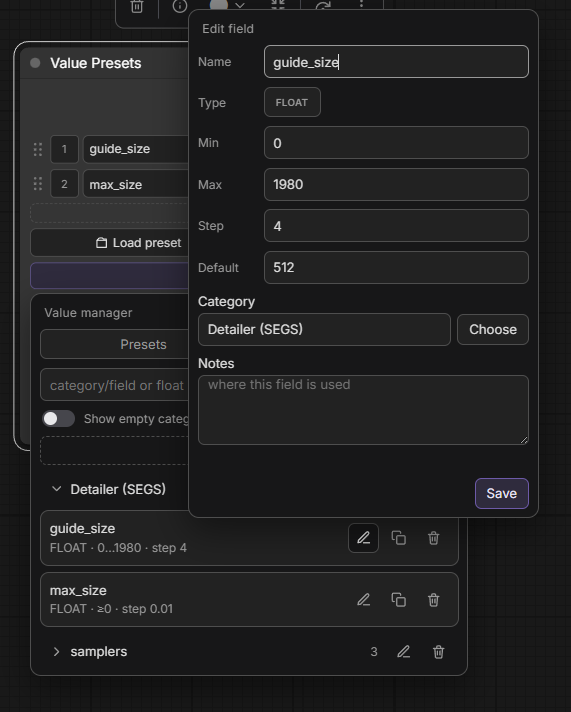
| Node | Field library |
| ---- | ------------- |
|  |
|  |
|
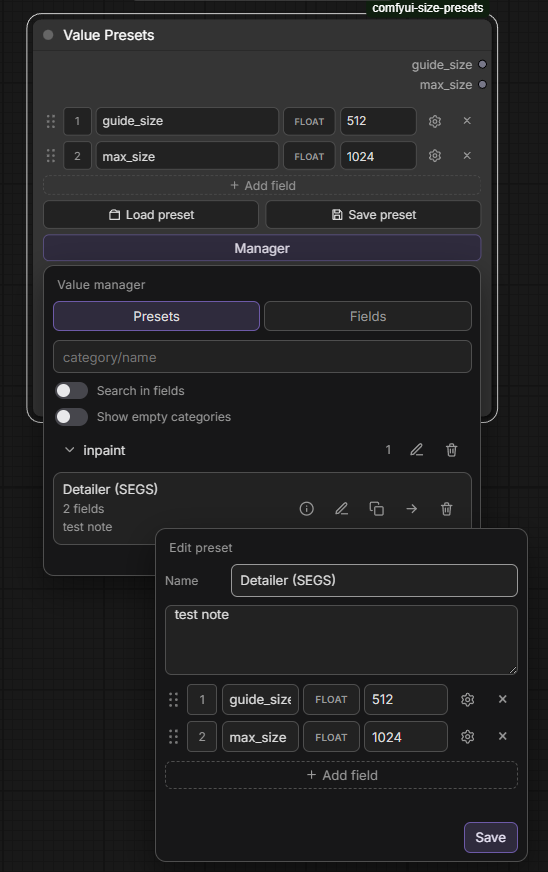
| Manager · edit preset |
| --------------------- |
|  |
|
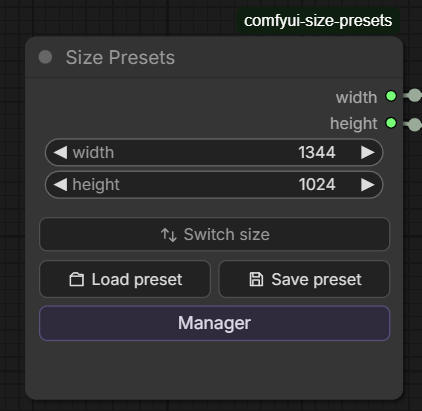
Size Presets
| Node | Load preset |
| ---- | ----------- |
|  |
| 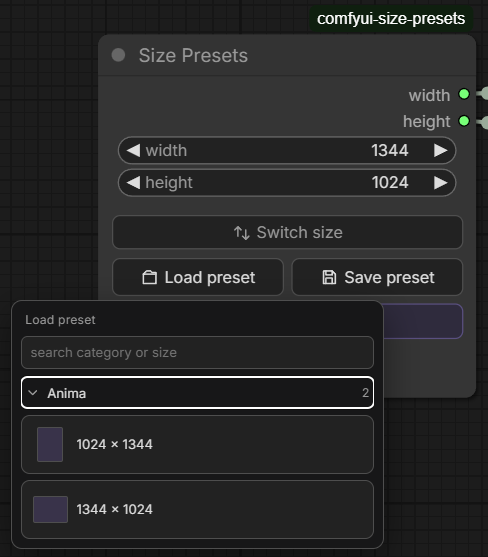 |
|
| Save preset | Manager |
| ----------- | ------- |
| 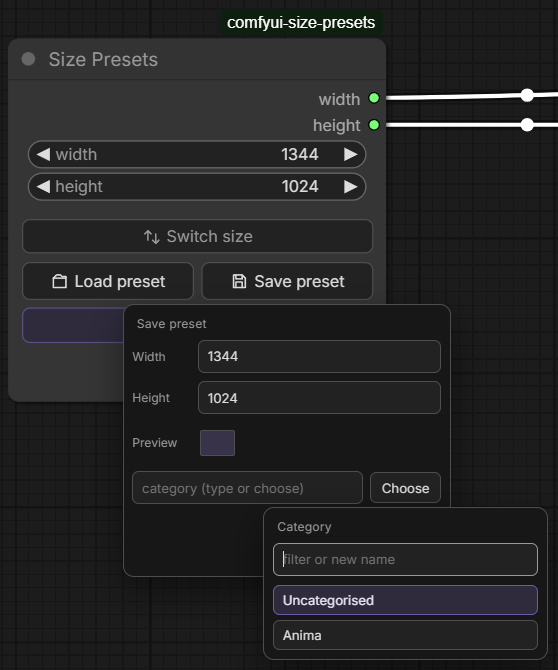 |
| 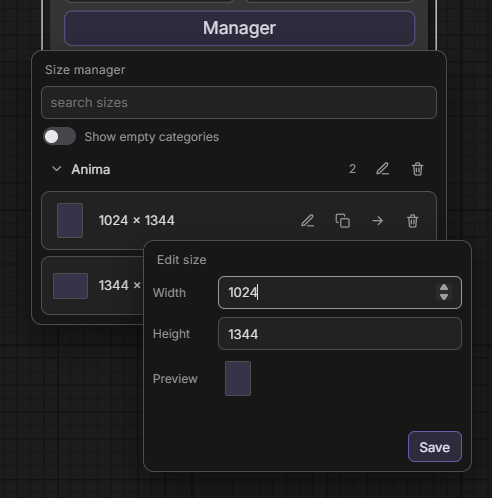 |
|
Features
Size Presets
- Native width / height — INT widgets you can pin and wire to Empty Latent Image, etc.
- Save / Load / Manager — categories, search, copy/move
- Switch size — swap width ↔ height
- Size = identity —
1024 × 768(no extra naming)
Value Presets
- Dynamic fields — name + INT/FLOAT + value (up to 16); empty node allowed
- Typed outputs — each field is an INT or FLOAT socket (type fixed after create; replace via type badge)
- Reorder — drag handle + position number
- Field library — reusable defs with min / max / step, category, notes; gear → Save to library
- Same library UX — Load / Save / Manager with categories and notes
- Search —
category/…·category:…·category\…, then AND tokens; optional Search in fields - Manager — Presets + Fields tabs; edit / copy / move / delete
Install
-
Clone into
ComfyUI/custom_nodes/:git clone https://github.com/StoneZol/comfyui-size-presets.git -
Restart ComfyUI (or refresh the browser after a hot reload).
-
Add node: Size Presets or Value Presets
No pip dependencies — Python 3.8+ stdlib + SQLite only.
Size Presets layout
      │ width  ──→
      │ height ──→
width  [____512____]
height [____512____]
[   Switch size   ]
[Load preset] [Save preset]
[     Manager     ]
Value Presets layout
      │ guide_size ──→ FLOAT
      │ max_size   ──→ FLOAT
[≡] [1] [name] [FLOAT] [value] [⚙] [×]
[        + Add field        ]
[Load preset] [Save preset]
[        Manager          ]
Quick start
Sizes
- Add Size Presets, set width/height (or connect inputs).
- Save preset → pick a category.
- Load preset → click a size card.
- Wire width / height to latent or resize nodes.
Values
- Add Value Presets.
- Add field → blank (pick INT/FLOAT) or from the field library.
- Name fields, set values; gear for limits / save to library.
- Save/load presets; outputs match field types.
Library
Presets are stored in db/presets.sqlite (auto-created on first use).
- Sizes: unique
(category, width, height) - Values: unique
(category, preset name) - Field defs: unique by name (shared library)
Default bucket: Uncategorised. Size, value, and field categories are separate tables.
File layout
comfyui-size-presets/
├── nodes.py              # SizePresets + ValuePresets
├── routes.py             # REST API
├── db/
│   ├── db.py             # size tables + SQLite
│   ├── values.py         # value preset + field-def CRUD
│   └── presets.sqlite    # created at runtime
├── docs/screenshots/     # README images (incl. 2.0.0/)
└── js/
    ├── size_presets.js   # Size node UI
    ├── value_presets.js  # Value node UI
    ├── sp/               # Shared popups / search / size dialogs
    └── vp/               # Value dialogs + field config + API
API routes
| Method | Path | Purpose |
| --------------------- | --------------------------- | ------------------------ |
| GET/POST/PATCH/DELETE | /size_presets/sizes | Size presets |
| GET/PATCH/DELETE | /size_presets/categories | Size categories |
| GET/POST/PATCH/DELETE | /value_presets/presets | Value presets |
| GET/PATCH/DELETE | /value_presets/categories | Value categories |
| GET/POST/PATCH/DELETE | /value_presets/fields | Shared field definitions |
| GET/PATCH/DELETE | /value_presets/field_categories | Field categories |