
ComfyUI-ImageAutotone
A node for ComfyUI that takes an input image and clips the color channels independently to increase contrast and alter color cast. This is a reinterpretation of PhotoShop's 'Auto Tone' algorithm.
ComfyUI-ImageAutotone
A node for ComfyUI that takes an input image and clips the color channels independently to increase contrast and alter color cast. This is a reinterpretation of PhotoShop's "Auto Tone" algorithm.
Special thank you to Gerald Bakker for his writeup on Adobe's various algorithms:
- https://geraldbakker.nl/psnumbers/auto-options.html
Installation
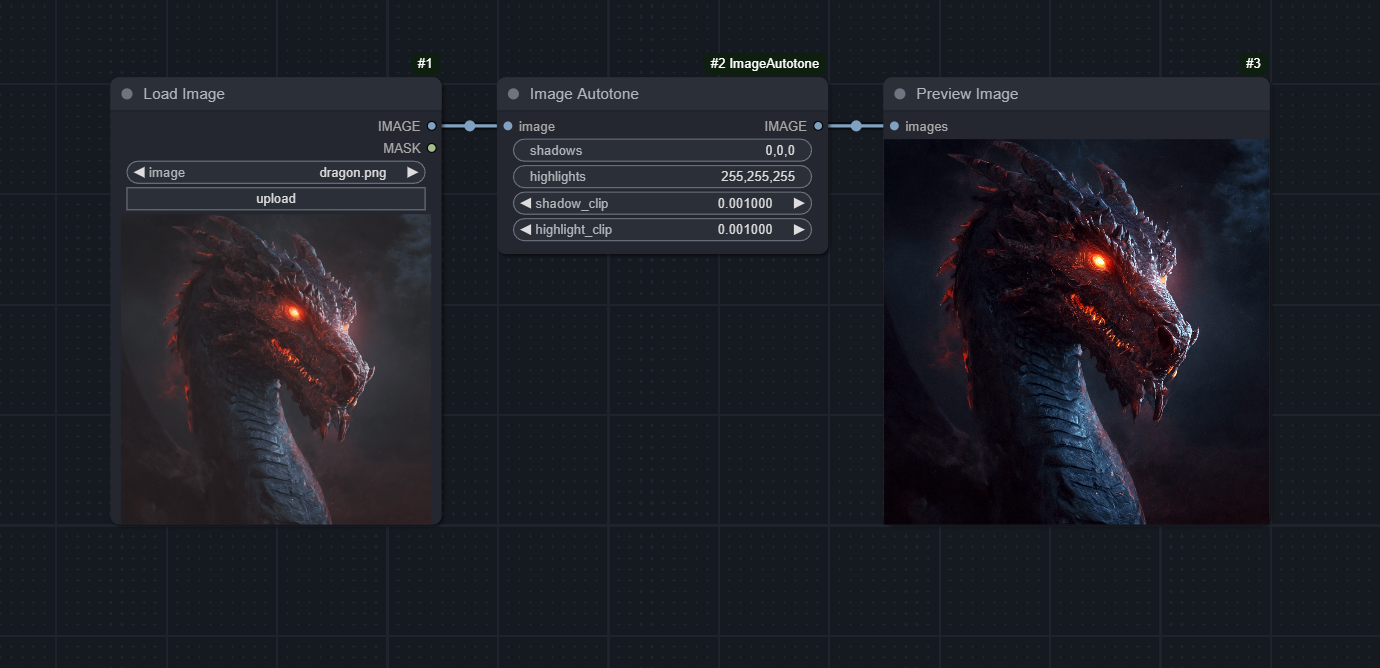
Simply drag the image above into ComfyUI and use ComfyUI Manager » Install Missing Custom Nodes.
Inputs
image: The input image(s) to process with the autotone algorithmshadows: The color that defines the shadows of the image. This should be a comma-separated RGB value (e.g., '0,0,0' for black) or HEX string (e.g. '#000000').highlights: The color that defines the highlights in the image. This should be a comma-separated RGB value (e.g., '255,255,255' for white) or HEX string (e.g. '#FFFFFF').shadow_clip: The percentage of pixels to clip from the shadows. This is a value between 0 and 1.highlight_clip: The percentage of pixels to clip from the highlights. This is a value between 0 and 1.
Bonus Comparison
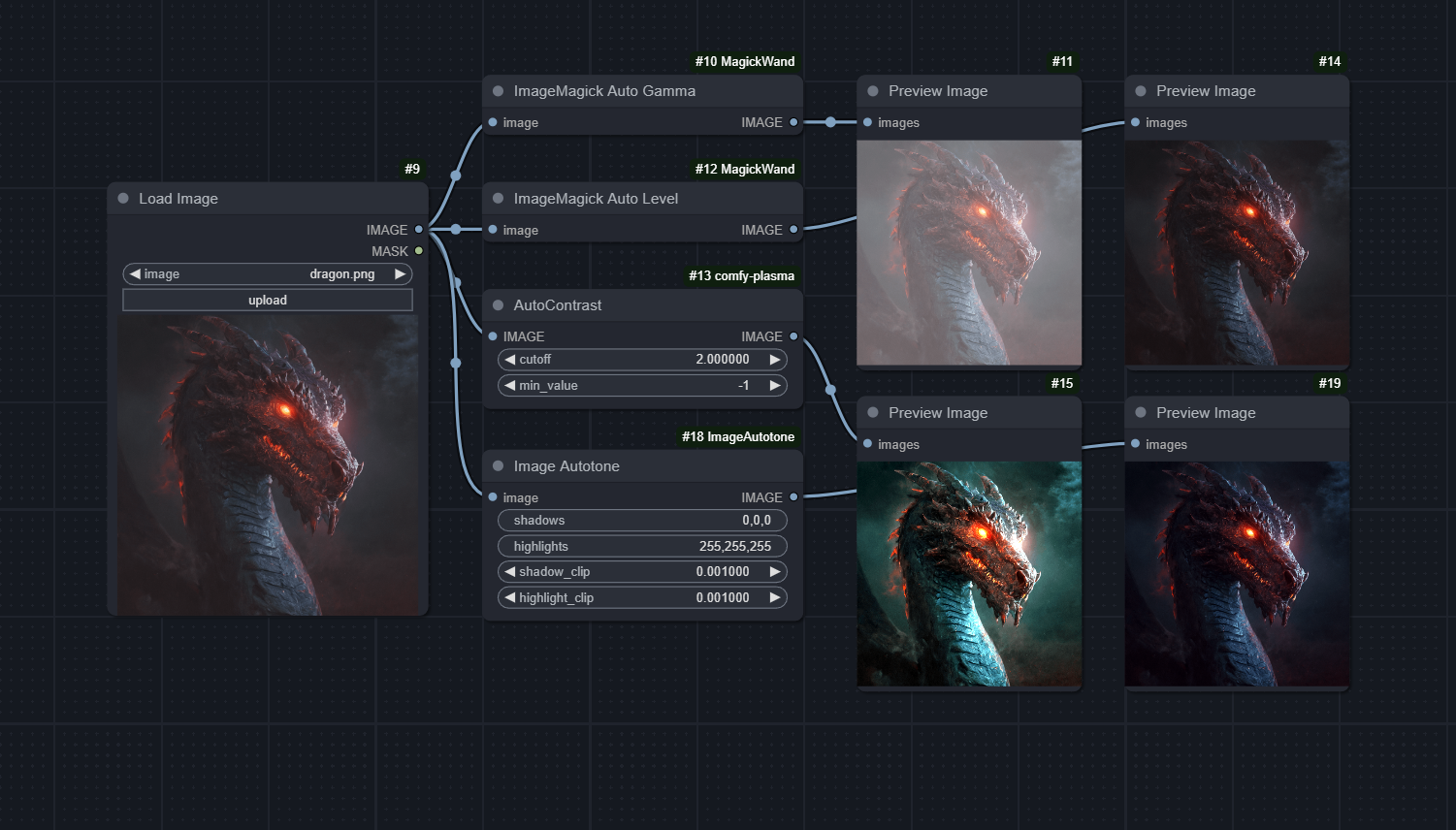
Below is a workflow that demonstrates the difference between Image Autotone and a few other image contrast nodes on the ComfyUI Registry.
This node was adapted from the [image_edit] shortcode of Unprompted, my Automatic1111 extension.