
Realtime LoRA Trainer
Train, analyze, selectively load, and extract/merge LoRAs inside ComfyUI. Supports Z-Image, Qwen Image, Qwen Image Edit, SDXL, FLUX, FLUX Klein, Wan 2.2, and SD 1.5. Includes LoRA layer analyzers, selective block loaders, model layer editors, and text-encoder debiasing/inspection tools.
Nodes (43)
Load the LoRA you just trained back into your model
57-block control with strength scheduling
Pick which of Klein's 25 blocks a LoRA actually uses
Block-level control for Klein LoRAs
Control 63 sub-components inside Klein, not just its blocks
Scale the base model's blocks before any LoRA touches it
57 blocks, on or off, per LoRA
Fix color and contrast at the decoder level
Find which tensor is causing a color shift
Don't re-train that Krea 2 LoRA — just mute the blocks that are fighting you
The no-frills way to cut a Krea 2 LoRA's problem blocks out
Find out which blocks your LoRA actually uses
A drop-in LoRA loader that tells you what the LoRA actually did
Block-by-block control over your MiniMax H3 LoRA — 50 DiT blocks, one node
50 checkboxes for your MiniMax H3 LoRA, no analysis needed
Train LoRAs for FLUX Klein 4B and 9B
Teach Qwen-Image-Edit a new editing behavior
Train Qwen-Image style and subject LoRAs in ComfyUI
Train Wan 2.2 LoRAs with High/Low/Combo noise modes
Train on the undistilled Z-Image for LoRAs that hold up on Turbo
Train a Z-Image LoRA without leaving ComfyUI
Tune what the LLM text encoder pays attention to
Activation analysis for Klein 4B's encoder
182 sub-component dials for Klein's encoder
See which layers your prompt actually activates
Block-level control for Qwen-Image LoRAs
Scale Qwen-Image's 60 blocks before any LoRA sees them
60-block control for Qwen-Image LoRAs
Train a LoRA on AI-Toolkit without leaving ComfyUI
Make a LoRA fade in or out mid-generation
A LoRA in under two minutes, inside ComfyUI
Scale the UNet's blocks before any LoRA is applied
Find the block that's ruining your SDXL LoRA
Fast, in-workflow SDXL LoRA training via Kohya's sd-scripts
Scale the base checkpoint's blocks, not just a LoRA's
Toggle SDXL's 13 blocks per LoRA
Block-level control for Wan 2.2 LoRAs
Scale Wan 2.2's 40 blocks on the base model, not the LoRA
Per-block control for Wan 2.2 LoRAs
Block control plus strength scheduling in one node
174 controls inside Z-Image, below block level
Scale the base model's layers before any LoRA touches it
Turn individual layers on and off
ComfyUI Realtime LoRA Toolkit


Train, analyze, selectively load by block, and edit base models for SDXL, SD 1.5, FLUX, Z-Image, Qwen Image, Qwen Image Edit, Wan 2.2, and Krea 2 LoRAs directly inside ComfyUI. One unified interface across three training backends, plus powerful analysis, block-level loading, strength scheduling, and model editing tools.
Version 2 Now Available: Combined analyzer + selective loader nodes with strength scheduling and LoRA saving!
At a Glance
| Backend | Models | Best For | |---------|--------|----------| | sd-scripts | SDXL, SD 1.5 | Fast training, mature workflows, broad checkpoint compatibility | | Musubi Tuner | Z-Image, Z-Image Base, FLUX Klein 4B/9B, Qwen Image, Qwen Image Edit, Wan 2.2 | Cutting-edge models, smaller LoRAs, excellent VRAM efficiency | | AI-Toolkit | FLUX.1-dev, Z-Image, Wan 2.2 alternative training pipeline |
**8 training architectures plus Krea 2 LoRA block loading. 3 training backends. 33 nodes total. **
- 10 trainer nodes
- 15 selective loaders (6 V1 + 9 V2 combined)
- 2 analyzers (V1 + V2)
- 6 model layer editors
- 1 utility node
What's New
FLUX Klein 4B/9B Training & Editing
Full training and editing support for Black Forest Labs' fastest FLUX models:
Training (via Musubi Tuner):
- FLUX Klein 4B - ~13GB VRAM, Apache 2.0 license
- FLUX Klein 9B - ~29GB VRAM
- Independent block swap control - Fine-tune VRAM usage separately from resolution/fp8 settings
Editing & Analysis (new V2 nodes):
- FLUX Klein 4B Analyzer + Selective Loader V2 - 25 blocks (5 double + 20 single)
- FLUX Klein 9B Analyzer + Selective Loader V2 - 32 blocks (8 double + 24 single)
- Per-block strength control, scheduling, and LoRA saving
Uses Qwen3 text encoder and FLUX.2 VAE. Train on "base" (undistilled) versions.
Z-Image Base Training
Train with the undistilled Z-Image base model for maximum quality:
- Trained LoRAs work with both base and turbo models
- Same VRAM presets as turbo trainer (block swaps built into Low/Min modes)
- Existing Z-Image V2 Analyzer works with base-trained LoRAs (same architecture)
V2 Combined Analyzer + Selective Loader Nodes
The V2 nodes combine analysis and selective loading into a single node, with powerful new features:
- Strength Scheduling - Apply LoRA at different strengths during generation using keyframes
- Save Refined LoRA - Export your block-filtered LoRA as a new file
- 40+ Schedule Presets - Fades, bell curves, pulses, step functions, and inverted versions
- Extra Z-Image Blocks - Control context_refiner, noise_refiner, final_layer, x_embedder
- Krea 2 LoRA Block Loading - Control 28 main SingleStreamBlocks, with non-main Krea 2 Linear layers grouped under
other_weights - LoKR/LoHa Support - Proper handling of decomposed LoRA formats (common for Z-Image)
Model Layer Editor Nodes
Scale individual blocks of your base model before applying LoRAs:
- 6 nodes covering all architectures (SDXL, SD 1.5, FLUX, Z-Image, Wan, Qwen)
- Presets for common adjustments
- User preset system (save/delete your own configurations)
- Save modified models to disk
Utility Nodes
| Node | Description | |------|-------------| | Scheduled LoRA Loader | Standalone strength scheduling for any LoRA |
See Utility Nodes section below for full details.
SDXL Training Improvements
- Added
--no_half_vaeoption to fix NaN errors with some SDXL checkpoints - Fixed batch_size to 1 for all VRAM presets for stability
Supported LoRA Formats
The analyzer and selective loaders detect and properly handle multiple LoRA formats:
- Standard LoRA (lora_up/lora_down)
- LoKR (Low-Rank Kronecker) - common for Z-Image LoRAs
- LoHa (Low-Rank Hadamard)
- GLoRA
- AI-Toolkit, Kohya sd-scripts, and Musubi Tuner formats
The V2 nodes display the detected type in the analysis (e.g., "ZIMAGE (LoKR)").
Use Cases
- Subject consistency - Train on a character or face, use across multiple generations
- Style transfer - Capture an art style from a few reference images
- Rapid prototyping - Test a LoRA concept in minutes before committing to longer training
- Video keyframes - Train on first/last frames for Wan video temporal consistency
- Image editing behaviors - Use Qwen Image Edit to teach specific transformations with paired images
What This Does
This node trains LoRAs on-the-fly from your images without leaving ComfyUI. SDXL and SD 1.5 training is particularly fast - a few minutes on a decent GPU, or under 2 minutes for SD 1.5 on modern hardware. This makes it practical to train a quick LoRA and immediately use it for img2img variations, style transfer, or subject consistency within the same workflow.
Personal note: I think SDXL is due for a revival. It trains fast, runs on reasonable hardware, and the results are solid. For quick iteration - testing a concept before committing to a longer train, locking down a subject for consistency, or training on frames for Wan video work - SDXL hits a sweet spot that newer models don't always match. Sometimes the "old" tool is still the right one.
Supported Models
Via Kohya sd-scripts:
- SDXL (any checkpoint) - tested with Juggernaut XL Ragnarok, base SDXL will work too
- SD 1.5 (any checkpoint) - blazingly fast, ~2 mins for 500 steps on a 5090
Via Musubi Tuner:
- Z-Image - faster training, smaller LoRA files, no diffusers dependency. Requires the de-distilled model for training, but trained LoRAs work with the regular distilled Z-Image Turbo model.
- Z-Image Base - Train with the undistilled base model for maximum quality. Trained LoRAs work with both base and turbo models.
- FLUX Klein 4B/9B - Black Forest Labs' fastest models. 4B (~13GB VRAM, Apache 2.0), 9B (~29GB VRAM). Uses Qwen3 text encoder and FLUX.2 VAE.
- Qwen Image - text-to-image generation. Supports Qwen-Image, Qwen-Image-Edit, and Qwen-Image-Edit-2509 models for style/subject LoRAs.
- Qwen Image Edit - for training image editing behaviors with source/target image pairs. Uses folder paths for paired training data.
- Wan 2.2 - single-frame image training with High/Low/Combo noise modes. Separate block offloading control for fine-tuned VRAM management.
Via AI-Toolkit:
- Z-Image Turbo
- FLUX.1-dev
- Wan 2.2 (High/Low/Combo)
Note on Wan 2.2 modes: Wan uses a two-stage noise model - High handles early denoising steps, Low handles later steps. You can train separate LoRAs for each, or use Combo mode which trains a single LoRA across all noise steps that works with both High and Low models.
Technical note: When using High or Low mode, the example workflows still pass the LoRA to both models but at zero strength for the one you didn't train. This prevents ComfyUI from loading the base model into memory before training starts - a workaround to avoid unnecessary VRAM usage.
Requirements
JUST WANT TO ANALYZE, EDIT, OR LOAD LORAS?
The Analyzers, Selective Loaders, Model Layer Editors, and Utility Nodes work out of the box - no additional installation required!
The training backend requirements below ONLY apply if you want to train LoRAs. Skip this section if you're just using the analysis, editing, and utility features.
Python version: Both AI-Toolkit and sd-scripts work best with Python 3.10-3.12. Python 3.10 is the safest bet. Avoid 3.13 for now.
For training nodes only - install the backend(s) you need:
For SDXL / SD 1.5 training:
- Install sd-scripts: https://github.com/kohya-ss/sd-scripts
- Follow their install instructions
For Musubi Tuner models (Z-Image, Qwen Image, Wan 2.2):
-
Install Musubi Tuner: https://github.com/kohya-ss/musubi-tuner
-
Follow their install instructions
-
Download the required models:
Z-Image: Download the de-distilled model from https://huggingface.co/ostris/Z-Image-De-Turbo/tree/main - save to
models/diffusion_models. Your trained LoRAs will work with the regular distilled Z-Image Turbo model.Qwen Image: Download bf16 models (not fp8) from Comfy-Org or from the links in the example workflows:
- DiT: https://huggingface.co/Comfy-Org/Qwen-Image_ComfyUI (qwen_image_bf16.safetensors) or https://huggingface.co/Comfy-Org/Qwen-Image-Edit_ComfyUI for Edit models
- VAE: qwen_image_vae.safetensors
- Text Encoder: qwen_2.5_vl_7b.safetensors (from clip folder)
- Note: Pre-quantized fp8 models don't work for training - use bf16 versions.
Wan 2.2: Download fp16 models from Comfy-Org or from the links in the example workflows:
- DiT: wan2.2_t2v_14B_fp16.safetensors (High or Low noise variant)
- VAE: wan_2.2_vae.safetensors
- T5: models_t5_umt5-xxl-enc-bf16.pth
FLUX Klein: Download from Hugging Face:
- DiT: flux-2-klein-base-4b.safetensors or flux-2-klein-base-9b.safetensors (from black-forest-labs)
- VAE: ae.safetensors from FLUX.2-dev (336 MB) - same VAE for all FLUX.2 variants
- Text Encoder: Qwen3-4B (for 4B model) or Qwen3-8B (for 9B model)
- Note: Use the "base" (undistilled) versions for training, not the distilled versions.
For FLUX/Z-Image/Wan training (AI-Toolkit):
- Install AI-Toolkit: https://github.com/ostris/ai-toolkit
- Follow their install instructions
RTX 50-series GPUs (AI-Toolkit only): Blackwell GPUs (RTX 5080/5090) require PyTorch 2.7+ with CUDA 12.8 support. The standard AI-Toolkit installation may not work out of the box. A community installer is available at https://github.com/omgitsgb/ostris-ai-toolkit-50gpu-installer that handles the correct PyTorch/CUDA versions. Note: sd-scripts for SDXL/SD1.5 training & Musubi Training is unaffected - this applies only to AI-Toolkit.
You don't need to open the training environments after installation. The node just needs the path to where you installed them.
Installation
Clone this repo into your ComfyUI custom_nodes folder:
cd ComfyUI/custom_nodes
git clone https://github.com/ShootTheSound/comfyUI-Realtime-Lora
Restart ComfyUI.
Nodes
Search for these in ComfyUI:
- Realtime LoRA Trainer - Trains using AI-Toolkit (FLUX, Z-Image, Wan)
- Realtime LoRA Trainer (Z-Image - Musubi Tuner) - Trains Z-Image using Musubi Tuner (recommended)
- Realtime LoRA Trainer (Qwen Image - Musubi Tuner) - Trains Qwen Image/Edit models for style/subject LoRAs
- Realtime LoRA Trainer (Qwen Image Edit - Musubi Tuner) - Trains edit behaviors with source/target image pairs
- Realtime LoRA Trainer (Wan 2.2 - Musubi Tuner) - Trains Wan 2.2 with High/Low/Combo noise modes
- Realtime LoRA Trainer (Z-Image Base - Musubi Tuner) - Trains Z-Image using the undistilled base model
- Realtime LoRA Trainer (FLUX Klein - Musubi Tuner) - Trains FLUX Klein 4B or 9B models
- Realtime LoRA Trainer (SDXL - sd-scripts) - Trains using sd-scripts (SDXL)
- Realtime LoRA Trainer (SD 1.5 - sd-scripts) - Trains using sd-scripts (SD 1.5)
- Apply Trained LoRA - Applies the trained LoRA to your model
Analysis & Selective Loading (V1):
- LoRA Loader + Analyzer - Loads a LoRA and analyzes block-level impact (outputs analysis JSON for selective loaders)
- Selective LoRA Loader (SDXL) - Load SDXL LoRAs with per-block toggles and strength sliders
- Selective LoRA Loader (Z-Image) - Load Z-Image LoRAs with per-layer toggles (30 layers)
- Selective LoRA Loader (FLUX) - Load FLUX LoRAs with per-block toggles (57 blocks: 19 double + 38 single)
- Selective LoRA Loader (Wan) - Load Wan LoRAs with per-block toggles (40 blocks)
- Selective LoRA Loader (Qwen) - Load Qwen LoRAs with per-block toggles (60 blocks)
- Selective LoRA Loader (Krea 2) - Load Krea 2 LoRAs with per-block toggles (28 main blocks)
- Selective LoRA Loader (MiniMax H3) - Load MiniMax H3 LoRAs with per-block toggles (50 main DiT blocks)
V2 Combined Analyzer + Selective Loader (Recommended):
These combine analysis and selective loading in one node, with strength scheduling and LoRA saving:
- Z-Image Analyzer + Selective Loader V2 - 30 layers + extra blocks (context_refiner, noise_refiner, final_layer, x_embedder)
- SDXL Analyzer + Selective Loader V2 - 14 blocks with strength scheduling
- FLUX Analyzer + Selective Loader V2 - 57 blocks with strength scheduling
- Wan Analyzer + Selective Loader V2 - 40 blocks with strength scheduling
- Qwen Analyzer + Selective Loader V2 - 60 blocks with strength scheduling
- Krea 2 Analyzer + Selective Loader V2 - 28 main blocks with strength scheduling
- MiniMax H3 Analyzer + Selective Loader V2 - 50 main DiT blocks with strength scheduling
- FLUX Klein 4B Analyzer + Selective Loader V2 - 25 blocks (5 double + 20 single) with strength scheduling
- FLUX Klein 9B Analyzer + Selective Loader V2 - 32 blocks (8 double + 24 single) with strength scheduling
- LoRA Loader + Analyzer V2 - Basic V2 analyzer without selective loading
Model Layer Editors:
Scale individual blocks of your base model before LoRA application:
-
SDXL Model Layer Editor
-
SD 1.5 Model Layer Editor
-
FLUX Model Layer Editor
-
Z-Image Model Layer Editor
-
Wan Model Layer Editor
-
Qwen Model Layer Editor
Deep Debiaser & Inspector Nodes
A new suite of 8 nodes for sub-component-level control and analysis of DIT models, VAEs, and text encoders. These go far deeper than block-level editing — you can scale individual attention heads, MLPs, norms, and convolutions inside each block.
No additional installation required — these work out of the box like the existing analysis and editing nodes.
What is "Debiasing"?
Deep debiasers let you scale individual functional sub-components (attention, MLP, norms, embedders) of your base model before LoRA application. This is useful for:
- Fixing color/saturation bias in VAE decoders by scaling specific conv layers
- Reducing text encoder dominance on certain prompt tokens by weakening specific attention layers
- Fine-tuning DIT behavior at sub-block granularity — go beyond block-level control to target the exact sub-component causing an issue
- Saving modified models to disk for reuse
All debiasers are LoRA-safe via ComfyUI's add_patches system — your LoRAs still apply correctly on top.
Deep Debiaser Nodes (5)
| Node | Target | Controllable Units | Architecture | | --- | --- | --- | --- | | DIT Deep Debiaser (Z-Image Sub-Component) | Z-Image DIT | 174 sub-components | 5 embedders, 2×4 context_refiner subs, 30×5 layer subs, 2×5 noise_refiner subs, 1 final_layer | | DIT Deep Debiaser (FLUX.2 Klein — Verified) | FLUX Klein DIT | 63 sub-components | 7 global, 8×4 double block subs, 24 single blocks. Architecture verified via forward-pass hook tracing | | VAE Deep Debiaser (Flux 2 Klein — 125 Tensors) | Flux VAE (32ch latent) | 125 tensor units | 1 batch norm, 70 decoder units, 54 encoder units. Every conv, norm, shortcut, q/k/v/proj individually controllable | | Text Encoder Deep Debiaser (Qwen3-4B) | Qwen3-4B text encoder | 182 sub-components | 1 embed_tokens, 36×5 layer subs (input_norm, attn, attn_norm, mlp, post_norm), 1 final_norm | | Text Encoder Deep Debiaser (Qwen3-8B / Flux 2 Klein) | Qwen3-8B text encoder | 182 sub-components | Same structure as 4B variant but for the 8B encoder used by Flux 2 Klein 9B |
Common features across all debiasers:
- Per-sub-component strength sliders (0.0–2.0, default 1.0)
- Preset system with save/load/delete for your own configurations
- Save modified models to disk (safetensors format)
- Persistent save paths between sessions
- Handles quantized weights where applicable
Warning: Setting any sub-component to 0.0 will likely produce noise or artifacts. Use values between 0.5–1.5 for most adjustments.
Inspector Nodes (3)
| Node | Target | What It Analyzes | | --- | --- | --- | | VAE Inspector (Flux 2 Klein — 125 Tensors) | Flux VAE | Weight norms, distributions, and optional decode ablation for all 125 tensor units | | Text Encoder Inspector (Qwen3-4B) | Qwen3-4B text encoder | Per-layer activation analysis — magnitude, variance, sparsity, and attention pattern stats | | Text Encoder Inspector (Qwen3-8B / Flux 2 Klein) | Qwen3-8B text encoder | Same analysis for the 8B encoder used by Flux 2 Klein 9B |
Inspector features:
- Weight analysis (fast) — weight norms, distributions, max values per sub-component. Identifies which layers dominate.
- Activation analysis (text encoders) — run a prompt through the encoder and measure per-layer activation magnitude, variance, and sparsity. Reveals which layers actually contribute most to your specific prompt.
- Decode ablation (VAE, slow) — weakens each decoder unit individually, decodes, and measures pixel-level + per-channel (R/G/B) impact. Precise importance rankings for color tuning.
- Outputs both human-readable reports and JSON data for further processing.
Recommended workflow: Run the inspector first to identify high-impact sub-components, then use the corresponding debiaser to make targeted adjustments.
FLUX Klein Pipeline Coverage
These nodes provide full-stack coverage for the FLUX Klein pipeline:
- Text Encoder → Qwen3-4B Inspector + Debiaser (for Klein 4B) or Qwen3-8B Inspector + Debiaser (for Klein 9B)
- DIT → FLUX Klein Deep Debiaser (63 sub-components with verified architecture mapping)
- VAE → Flux VAE Inspector + Debiaser (125 individual tensor controls)
This means you can inspect and tune every component of the generation pipeline at sub-block granularity.
Node List (for ComfyUI search)
Search for these in ComfyUI:
- DIT Deep Debiaser (Z-Image Sub-Component) — 174 sub-component controls for Z-Image DIT
- DIT Deep Debiaser (FLUX.2 Klein — Verified) — 63 sub-component controls for FLUX Klein DIT
- VAE Deep Debiaser (Flux 2 Klein — 125 Tensors) — Individual tensor control for Flux VAE
- VAE Inspector (Flux 2 Klein — 125 Tensors) — Analyze Flux VAE tensor importance
- Text Encoder Deep Debiaser (Qwen3-4B) — 182 sub-component controls for Qwen3-4B
- Text Encoder Inspector (Qwen3-4B) — Analyze Qwen3-4B layer importance
- Text Encoder Deep Debiaser (Qwen3-8B / Flux 2 Klein) — 182 sub-component controls for Qwen3-8B
- Text Encoder Inspector (Qwen3-8B / Flux 2 Klein) — Analyze Qwen3-8B layer importance
Utility Nodes:
- LoRA Loader (Scheduled) - Standalone strength scheduling for any LoRA
Getting Started
There are critical example workflows with useful info included in the custom_nodes/comfyUI-Realtime-Lora folder. Open one in ComfyUI and:
- Paste the path to your training backend installation (sd-scripts, Musubi Tuner, or AI-Toolkit)
- For SDXL/SD1.5: select your checkpoint from the dropdown
- For Musubi Tuner Z-Image: select your de-distilled model, VAE, and text encoder from the dropdowns
- For AI-Toolkit models: the first run will download the model from HuggingFace automatically
First run with AI-Toolkit: The model will download to your HuggingFace cache folder. On Windows this is C:\Users\%USERNAME%\.cache\huggingface\hub. You can watch that folder to monitor download progress - these models are large (several GB).
Basic Usage
- Add the trainer node for your model type
- Connect your training image(s)
- Set the path to your training backend installation
- Queue the workflow
- Connect the lora_path output to the Apply Trained LoRA node
Example Workflows
Workflows are included in the workflows/ folder, organized by category.
Note: Many examples use Z-Image, but equivalent nodes exist for all architectures (SDXL, SD 1.5, FLUX, Wan, Qwen). Just search for the same node name with your architecture - e.g., "SDXL Analyzer + Selective Loader V2" or "FLUX Model Layer Editor".
Training Workflows (workflows/Training/):
SDXLDemo-SDSCRIPTS.json- SDXL training demoSD_1.5-SDSCRIPTS.json- SD 1.5 training demoZ-ImageTurbo_MUSUBI-TUNER-VERSION.json- Z-Image via Musubi TunerZ-ImageTurbo_AiToolkitVersion.json- Z-Image via AI-ToolkitFluxDev-Ai-Toolkit.json- FLUX trainingWan2.2 High Noise_MUSUBI-TUNER-VERSION.json- Wan High noise modeWan2.2 Low Noise_MUSUBI-TUNER-VERSION.json- Wan Low noise modeWan2.2 Combo Mode_MUSUBI-TUNER-VERSION.json- Wan Combo modeQwen image and Qwen image edit 2509 Lora-MUSUBI.json- Qwen Image trainingQwen image Edit with Control images pairs-MUSUBI.json- Qwen Edit with paired imagesZ-ImageBase_MUSUBI-TUNER-VERSION.json- Z-Image Base training (undistilled model)FluxKleinBase4B_MUSUBI-TUNER-VERSION.json- FLUX Klein 4B trainingFluxKleinBase9B_MUSUBI-TUNER-VERSION.json- FLUX Klein 9B training
Analysis & Editing Workflows (workflows/Lora Analysis, Block and Model Editing/):
Lora Analysis and Block Control Demo - Z-Image.json- V1 selective loader demoLora Analysis and Block Control Demo- ADVANCED - Z-Image.json- V2 with strength schedulingScheduled Lora Loader Demo - zimage.json- Standalone strength schedulingModel Layer Editor - Zimage.json- Base model editing demoSave Lora from Multiple Editors Demo.json- LoRA extraction, merging, and compression
Features
- Train from 1 to 100+ images
- Per-image captions (optional)
- Folder input for batch training with .txt caption files
- Automatic caching - identical inputs skip training and reuse the LoRA
- VRAM presets for different GPU sizes
- Settings are saved between sessions
LoRA Analysis & Selective Loading
Beyond training, this toolkit includes tools for understanding and fine-tuning how LoRAs affect your generations.
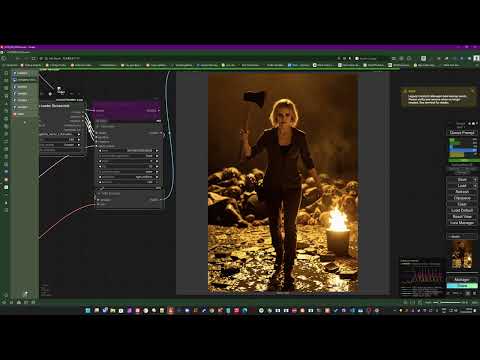
▶ Watch Demo: LoRA Analysis & Selective Block Loading
LoRA Loader + Analyzer
The analyzer loads any LoRA and shows you which blocks have the most impact. It calculates a "strength" score (0-100%) for each block based on the weight magnitudes in that block. High-impact blocks are where the LoRA learned the most - these are often the blocks responsible for the subject's face, style, or composition.
Outputs:
model/clip- The model with LoRA appliedanalysis- Human-readable text breakdownanalysis_json- JSON data for selective loaders (enables impact-colored checkboxes)lora_path- Path to the loaded LoRA (can connect to selective loaders)
Selective LoRA Loaders
Each architecture has its own selective loader with toggles and strength sliders for every block or layer. This lets you:
- Disable low-impact blocks to reduce LoRA influence on parts of the image
- Focus on specific blocks (e.g., face blocks, style blocks, composition blocks)
- Fine-tune strength per-block instead of using a single global strength
Presets included:
- Default (all on at 1.0)
- All Off
- Half Strength
- Architecture-specific presets (High Impact, Face Focus, Style Only, etc.)
Impact-Colored Checkboxes
Connect the analysis_json output from the Analyzer to a Selective Loader's analysis_json input. The checkboxes will color-code by impact:
- Blue = Low impact (0-30%)
- Cyan/Green = Medium impact (30-60%)
- Yellow/Orange = High impact (60-90%)
- Red = Very high impact (90-100%)
This makes it easy to see at a glance which blocks matter most for your LoRA.
Disabled blocks show dimmed colors so you can still see their impact level.
V2 Strength Scheduling
The V2 nodes support strength scheduling - varying LoRA strength during generation:
Format: step:strength pairs, comma-separated. Steps are 0-1 (percentage of generation).
Examples:
0:0, 1:1- Linear fade in (off at start, full at end)0:1, 0.5:1, 0.6:0, 1:0- Full strength for first half, then off0:0, 0.5:1, 1:0- Bell curve (peak at middle)
40+ Presets included:
- Basic fades (Linear In/Out)
- Ease curves (slow start/end)
- Bell curves (peak middle, wide, sharp)
- Structure LoRA favorites (High Start → Cut)
- Detail LoRA favorites (Low Start → Ramp Late)
- Step functions and pulses
- Inverted versions of all presets
Usage Notes
-
Analyzer standalone: The LoRA Loader + Analyzer works on its own as a drop-in replacement for ComfyUI's standard LoRA loader. The analysis outputs are optional - you can ignore them and just use the model/clip outputs.
-
Path override: When you connect a path to a Selective Loader's
lora_pathinput, the dropdown selection is ignored. This lets you analyze one LoRA and selectively load it in one step. -
Trainer → Selective Loader: The
lora_pathoutput from any trainer node is compatible with the Selective Loader's path input. Train a LoRA and immediately load it with per-block control - useful for testing which blocks matter for your freshly trained subject.
Utility Nodes
Clippy Reloaded, Image of the Day & Model Diff to LoRA — now standalone
These three utility nodes used to ship inside this pack. They're now maintained as their own nodes — install them from ComfyUI Manager or the Comfy Registry:
- Model Diff to LoRA — bake a chain of LoRAs / model edits into one
.safetensorsLoRA. GitHub · Registry:comfyui-model-diff-to-lora - Clippy Reloaded — load an image straight from your clipboard. GitHub · Registry:
comfyui-clippy-reloaded - Image of the Day — fetch a daily/random image from 8 sources. GitHub · Registry:
comfyui-image-of-the-day
Scheduled LoRA Loader
A standalone LoRA loader with the same 40+ strength scheduling presets as the V2 nodes, plus schedule chaining for advanced workflows.
Features:
- 40+ schedule presets - Same as V2 nodes (fades, bells, pulses, steps, etc.)
- Schedule chaining - Pass schedules between nodes via
schedule_out→schedule_in - Inverted schedule output - Automatic
schedule_invfor crossfade effects
Outputs:
model- Model with LoRA appliedpositive/negative- Conditioning (with hooks if scheduled)schedule_out- The active schedule string (for chaining)schedule_inv- Inverted schedule (1 - strength at each keyframe)
LoRA Crossfading:
Connect two Scheduled LoRA Loaders to crossfade between LoRAs during generation:
- LoRA A uses "Linear Out (1→0)" - fades from full strength to zero
- Connect
schedule_invfrom LoRA A →schedule_inon LoRA B - LoRA B automatically receives "0:0, 1:1" - fades from zero to full strength
Result: LoRA A fades out while LoRA B fades in, creating a smooth transition.
Use cases:
- Crossfade between structure LoRA (early) and detail LoRA (late)
- Blend styles progressively during generation
- Chain multiple LoRAs with complementary schedules
Defaults (Z-Image example)
- 400 training steps
- Learning rate 0.0002
- LoRA rank 16
- Low VRAM mode (768px)
These defaults are starting points for experimentation, not ideal values. Every subject and style is different.
Learning rate advice:
- 0.0002 trains fast but can overshoot, causing artifacts or burning in the subject too hard
- Try lowering to 0.0001 or 0.00005 for more stable, gradual training
- If your LoRA looks overcooked or the subject bleeds into everything, lower the learning rate
- If your LoRA is too weak after 400-500 steps, try more steps before raising the learning rate, its already high in the example workflows.
Support
If this tool saves you time or fits into your workflow, consider buying me a coffee.
I'm currently between contracts due to family circumstances, which has given me time to build and maintain this project. Your support helps me keep developing it.
Members get early access to new builds before public release.
Credits
This project makes use of these excellent training tools for the training nodes:
- AI-Toolkit by ostris: https://github.com/ostris/ai-toolkit
- sd-scripts by kohya-ss: https://github.com/kohya-ss/sd-scripts
- Musubi Tuner by kohya-ss: https://github.com/kohya-ss/musubi-tuner
The training is done by these projects. This node just makes them accessible from within ComfyUI in a user centric manner. Essentially i want to democratize training and make it easier to get into creativly.
Author
Peter Neill - ShootTheSound.com / UltrawideWallpapers.net
Background in music industry photography and video. Built this node to make LoRA training accessible to creators who just want to get things done without diving into command line tools.
Feedback is welcome - open an issue or reach out.
License
MIT