
Draftsman
Styling and layout tools for the ComfyUI graph: separate header/body colors for nodes and groups, format painter, color rules and themes, alignment guides, spacing magnet, align / line up / same size / fit group by grid cells, arrow-key nudging. English and Russian UI.
ComfyUI-Draftsman
English · Русский
Styling and layout tools for the ComfyUI graph: separate header and body colors for nodes and groups, a format painter, color rules and theme files, alignment guides, a spacing magnet, and align / line up / same size / fit-group tools that work in grid cells. The UI is available in English and Russian.
Installation
- ComfyUI-Manager: Custom Nodes Manager → search for “Draftsman” → Install.
- comfy-cli:
comfy node install comfyui-draftsman - Manually:
git clone https://github.com/ScrudgMcDack/ComfyUI-DraftsmanintoComfyUI/custom_nodes/.
Restart ComfyUI afterwards. There are no Python dependencies — this is a frontend-only extension.
Language
Follows the ComfyUI Comfy.Locale setting: ru gives Russian, any other locale falls back to English.
Menus, dialogs and canvas labels switch immediately; setting and command names switch after a ComfyUI restart.
Context menu
Everything lives in one Draftsman block, with hotkey hints on the right (they follow your own key bindings).
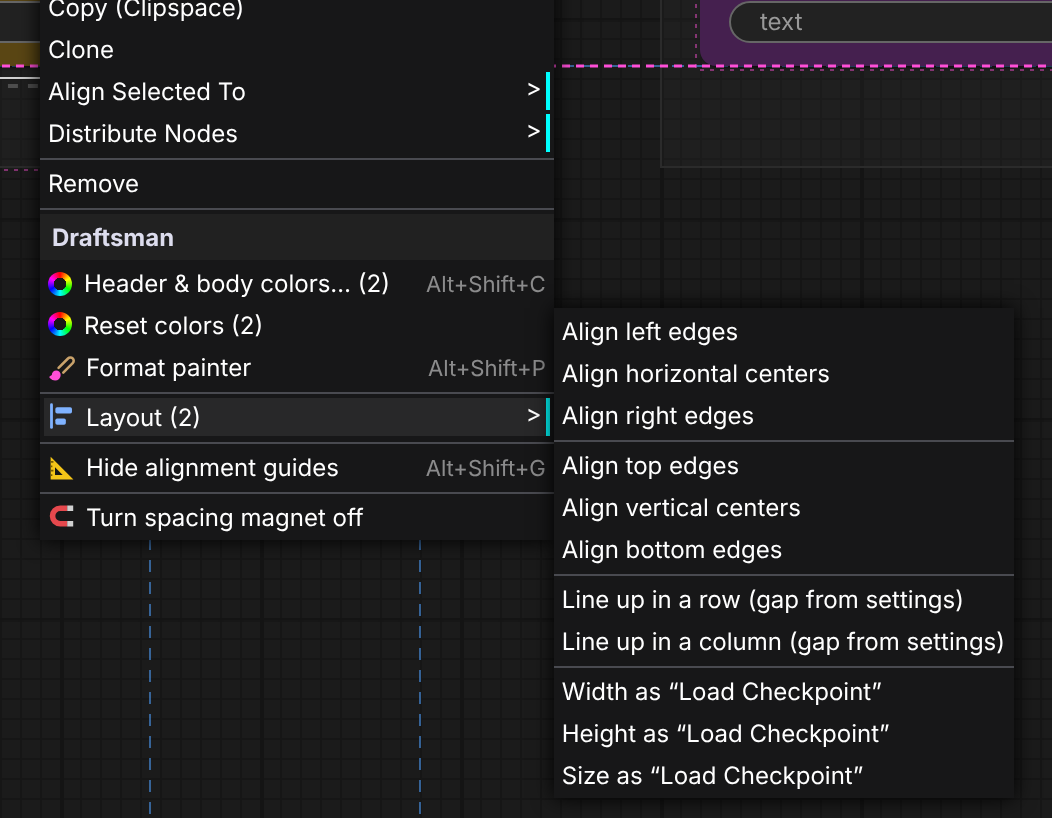
| Where | What | |---|---| | Right-click a node | header & body colors · reset · format painter · Layout ▸ · guides · spacing magnet | | Right-click a group | group colors · color the group's nodes · reset · format painter · fit group to nodes · theme & rules | | Right-click the canvas | colors of the selection · theme & color rules · Layout ▸ · guides · spacing magnet |
Colors
- Nodes: header →
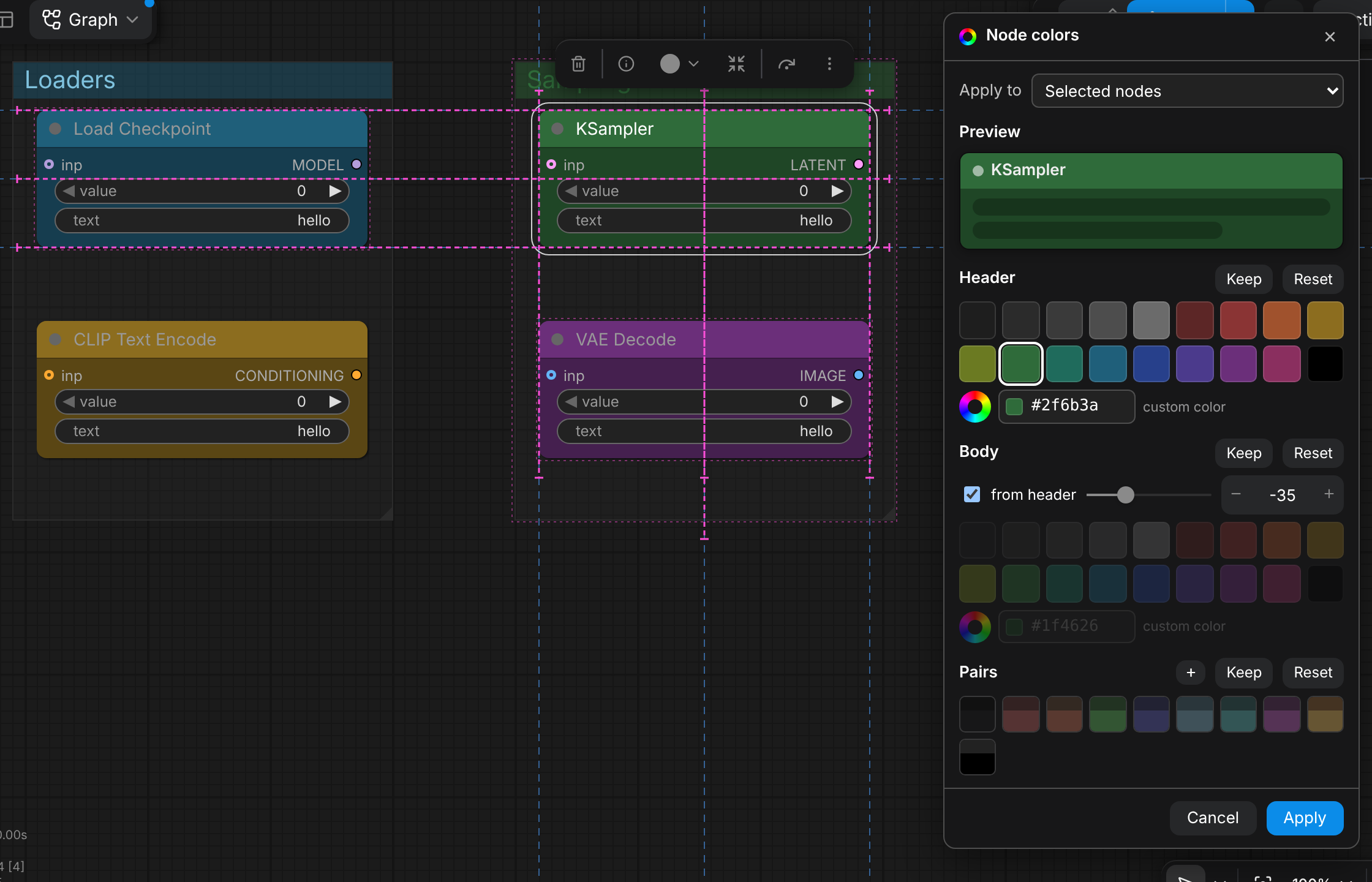
node.color, body →node.bgcolor(stock LiteGraph fields, so colors stay in the workflow and show up even without the extension). Groups: header →group.color, body →group.flags.dm_body. - Color dialog (
Alt+Shift+C): apply to the selection, all nodes of a type, all nodes of a group or the whole graph; live preview; swatches, a custom color picker, “body from header” with a lightness shift; saved pairs; Keep / Reset per part. Esc reverts, Ctrl+Z undoes an applied change in one step. - Format painter (
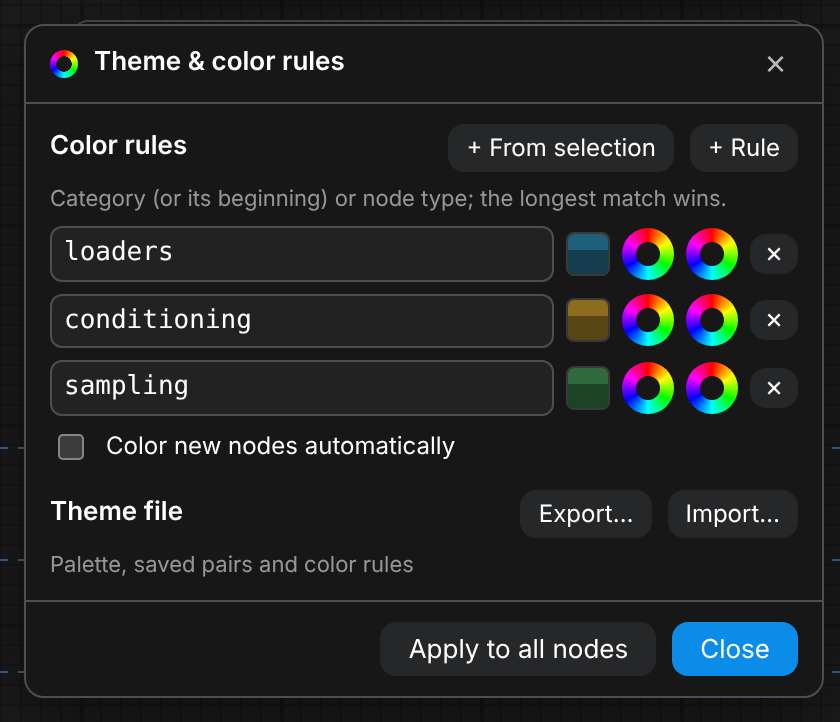
Alt+Shift+Por the menu): takes the style of a node or group, then every node or group you click gets it. Esc, right-click or a click on empty canvas exits. - Theme & color rules (canvas menu): a rule maps a category (or its beginning, e.g.
loaders) or a node type to a header and body color; the longest match wins. “Apply to all nodes” recolors the graph, “Color new nodes automatically” colors nodes as you add them (workflows being loaded are left alone). - Theme export / import:
draftsman-theme.jsonwith the palette, lightness shift, pairs and rules. - Copy / Paste colors are hidden by default — the format painter covers the one-by-one case. Turn them on in Settings for the extended mode: paste a style into the whole selection at once and carry it between workflow tabs.
Layout
The Layout ▸ submenu (two or more selected nodes):
- align left / right / top / bottom edges or centers;
- line up in a row / column with the gap from the settings (node gap inside a group, group gap across groups);
- same width / height / size — from a node's menu as that node, from the canvas menu as the largest one.
Fit group to nodes (grid): padding in cells (1 by default) plus the group header. With 1 cell of padding and 1 cell between groups, nodes of neighbouring groups end up exactly 3 cells apart side by side and 6 cells apart stacked — matching the spacing magnet.
Arrow keys move the selection (nodes and groups) by 1 cell, with Shift by 5 cells (configurable).
Alignment guides and spacing magnet
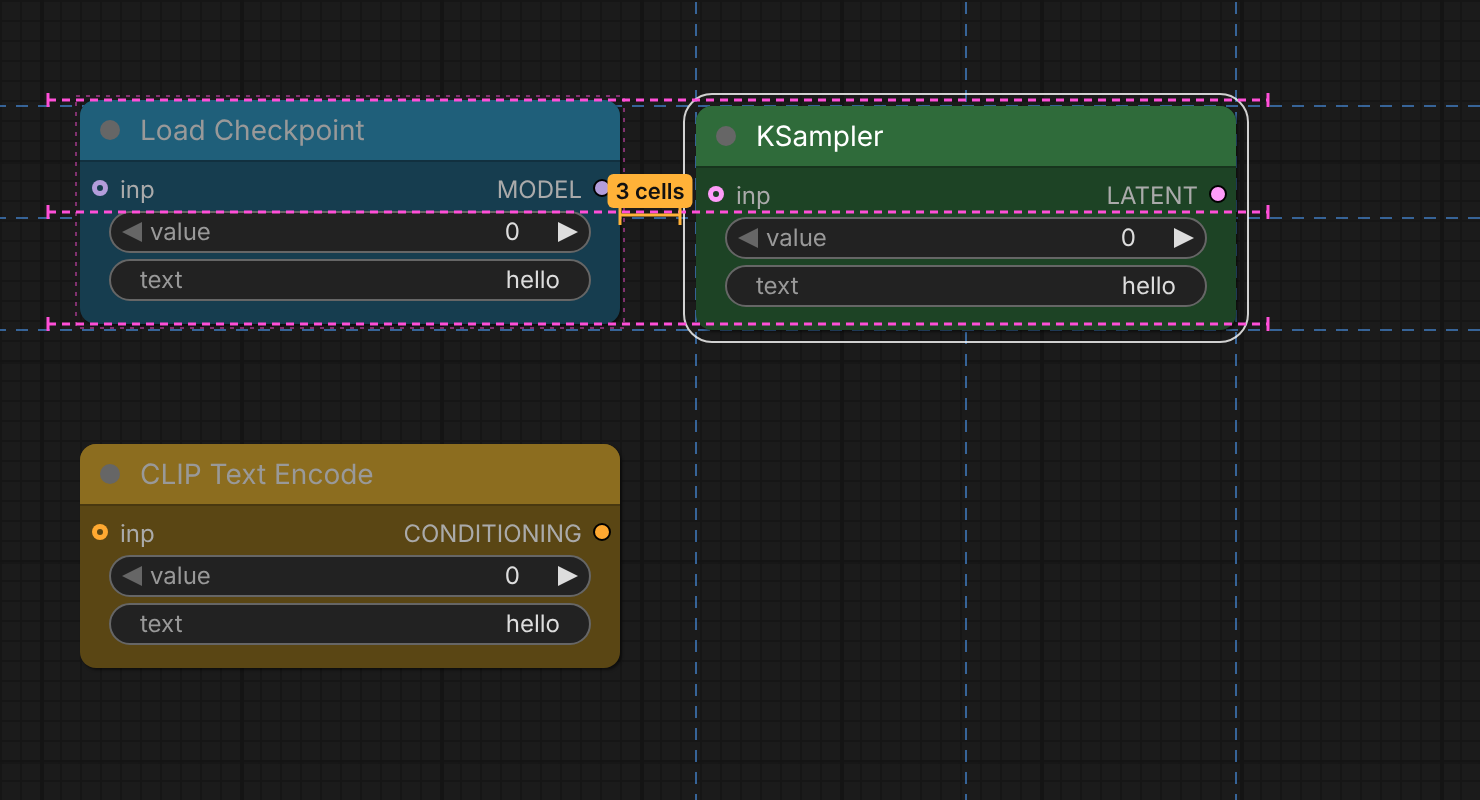
- Dashed extensions of the selection edges, a bright dashed line when edges or centers match other nodes or groups,
and a snap on release (hold Shift to skip).
Alt+Shift+Gtoggles the guides. - The spacing magnet pulls a node or group to an exact number of grid cells from its neighbour: 3 / 3 inside a group, 3 between side-by-side groups, 6 between stacked groups (measured between the nodes closest to the facing group edges). An orange dimension line with a label shows when the magnet has caught.
- Works with the classic canvas and with Vue nodes (Nodes 2.0).
Hotkeys
| Keys | Action |
|---|---|
| Alt+Shift+C | color dialog for the selection |
| Alt+Shift+P | format painter from the selected node or group |
| Alt+Shift+G | toggle alignment guides |
| ← → ↑ ↓ / Shift + arrows | move the selection by 1 / 5 cells |
All commands (Draftsman: …) can be rebound in Settings → Keybinding.
Settings
Settings → Draftsman: Guides, Spacing, Layout, Colors. Each non-obvious setting has an ⓘ tooltip.
Limitations
- The separate group header/body rendering replicates the stock group look of the 1.5x frontend.
- The node title text color is chosen by ComfyUI.
License
MIT — see LICENSE. Lucide icons are ISC-licensed, see THIRD_PARTY_NOTICES.md.