
ComfyUI-Amage
This repository provides a set of custom nodes for ComfyUI, designed to improve workflow convenience when working with text, image, video, and audio data.
Nodes (4)
A control panel for your workflow, if you keep your expectations in check
The 'interpolate' here is a lie — a straight talk about Amage FPS Converter
In-graph speech-to-text, and the model that'll make you shout
The two-field prompt node that keeps your LoRA triggers out of your prompt
Amage ComfyUI Custom Nodes


This repository provides a set of custom nodes for ComfyUI, designed to improve workflow convenience when working with text, image, video, and audio data.
📦 Nodes Overview
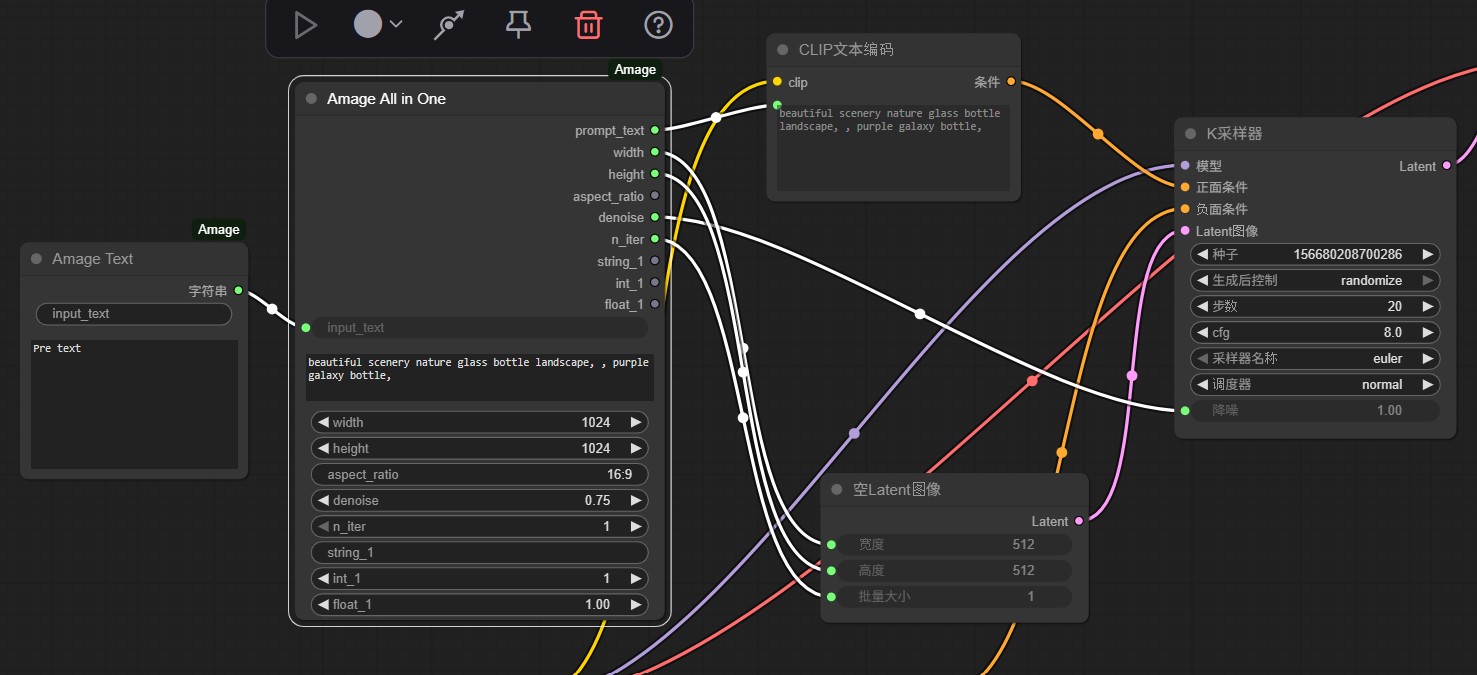
1. Amage Text (AmageTextNode)
A simple text input node.
- Allows users to add prompt texts or other strings.
- Provides an
input_textfield to concatenate extra text into the node. - A typical use case is adding LoRA trigger words in front of the main prompt.
2. Amage All in One (AmageOneNode)
An extended version of the text node that bundles multiple generation parameters into one place.
- Centralizes common inputs needed for AI image or video generation, such as:
- Prompt text
- Image width & height
- Aspect ratio
- Denoise value
- Iteration count
- Includes three customizable inputs (string, integer, float) for more flexible usage.
- Each parameter is also available as an individual output.
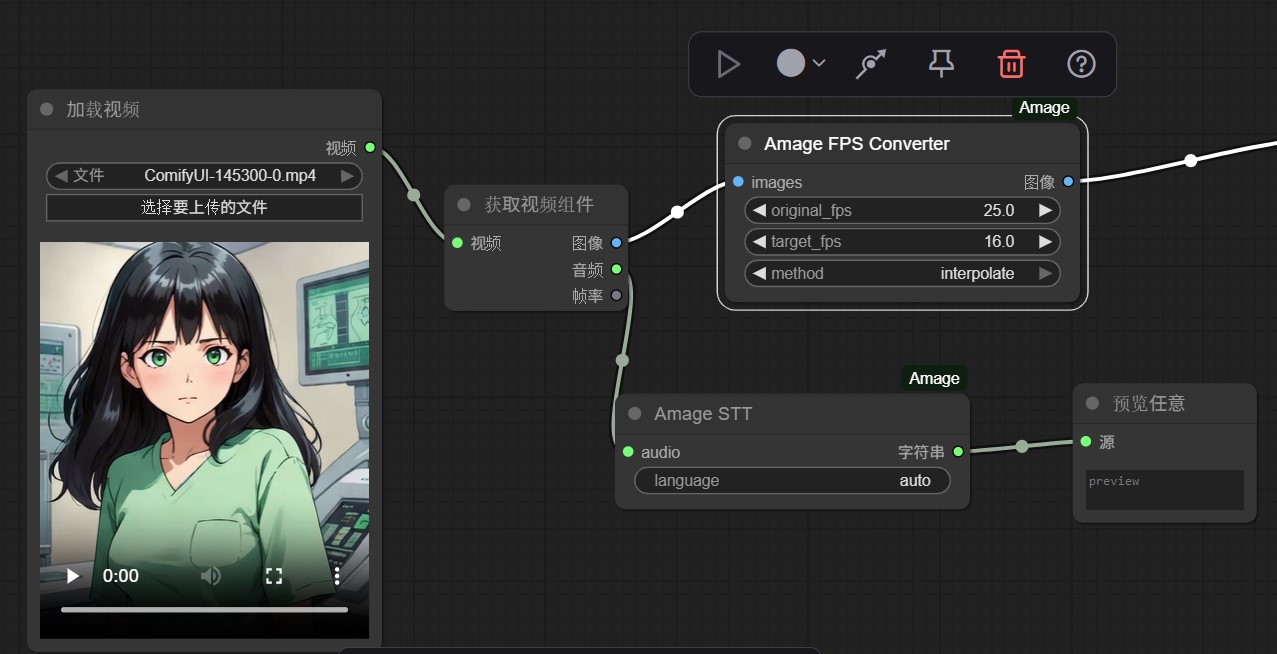
3. Amage FPS Converter (AmageFpsConverterNode)
A video utility node for adjusting frame rate (FPS).
- Inputs:
original_fps,target_fps, andmethod. - Methods available:
- downsample (reduce FPS by skipping frames)
- duplicate (increase FPS by repeating frames)
- interpolate (smoothly increase FPS by interpolating frames)
4. Amage STT (AmageSTTNode)
A speech-to-text (STT) node powered by Whisper-tiny.
- Converts input audio into text.
- Automatically searches for the model at:
models/sonic/whisper-tiny - Supports automatic language detection (
language="auto") or manual specification.
📸 Screenshots
Here are some examples of the nodes inside ComfyUI:
Amage Text & Amage All in One
Amage FPS Converter & Amage STT
🔧 Installation
Method 1: Via ComfyUI-Manager (Recommended)
- Search for "Amage" in the Custom Nodes Manager.
- Click Install.
- Restart ComfyUI.
Method 2: Manual Installation
-
Clone or download this repository into your ComfyUI
custom_nodesfolder:git clone https://github.com/Sampkao/ComfyUI-Amage.git -
Restart ComfyUI.
-
The new nodes will appear under categories like Amage/Audio, Amage/Video, and Text.
[!IMPORTANT] For Amage STT Node: > Please ensure the Whisper model is placed at: ComfyUI/models/sonic/whisper-tiny. You may need to create these folders manually.
📜 License
MIT License. Feel free to use, modify, and share.