
RuYi-Nodes
ComfyUI nodes for visual multi-LoRA loading, prompt editing, empty latent presets, and image comparison/saving.
Nodes (5)
Chained to the wrong channel count, your Flux run dies quietly
Compare Any Two Outputs Without Rewiring
The RuYi multi-Lora loader
The model-only loader
A real prompt editor inside the graph, with 508k Danbooru tags working offline
RuYi-Nodes
Practical ComfyUI nodes for visual LoRA loading, prompt editing, empty latent presets and image comparison/saving.<br> 面向 ComfyUI 的实用节点:可视化 LoRA 加载、提示词编辑、空 Latent 分辨率管理、图像对比与保存。
Node gallery / 节点演示
The English and Chinese screenshots for each example use the same dimensions and sample content. Comparison images are local geometric examples, not generated model results.<br> 每组中英文截图采用相同尺寸与示例内容。图像对比使用本地几何示例图,不代表模型生成效果。
<table> <tr><th width="50%">English</th><th width="50%">简体中文</th></tr> <tr><td colspan="2" align="center"><h3>Visual Multi-LoRA Loader / 可视化多 LoRA 加载器</h3>Model-only variant · 仅模型版</td></tr> <tr> <td valign="top"><img src="docs/images/en-multi-lora-loader.jpg" alt="English model-only LoRA loader" width="100%"></td> <td valign="top"><img src="docs/images/zh-multi-lora-loader.jpg" alt="中文仅模型 LoRA 加载器" width="100%"></td> </tr> <tr><td colspan="2" align="center"><h3>RuYi Prompt / RuYi 提示词</h3>Sections, search, local completion and positive/negative conditioning · 分段、搜索、本地联想与正负条件输出</td></tr> <tr> <td valign="top"><img src="docs/images/en-prompt.jpg" alt="English prompt editor" width="100%"></td> <td valign="top"><img src="docs/images/zh-prompt.jpg" alt="中文提示词节点" width="100%"></td> </tr> <tr><td colspan="2" align="center"><h3>RuYi Empty Latent Image / RuYi 空Latent图像</h3>Swap dimensions, presets, alignment and proportional scaling · 交换宽高、预设、对齐与等比缩放</td></tr> <tr> <td valign="top"><img src="docs/images/en-empty-latent.jpg" alt="English empty latent node" width="100%"></td> <td valign="top"><img src="docs/images/zh-empty-latent.jpg" alt="中文空 Latent 节点" width="100%"></td> </tr> <tr><td colspan="2" align="center"><h3>Image Compare & Save / 图像对比与保存</h3>Dynamic A/B comparison, enlarged view and independent save rules · 动态 A/B 对比、放大查看与独立保存规则</td></tr> <tr> <td valign="top"><img src="docs/images/en-image-compare.jpg" alt="English image comparison node" width="100%"></td> <td valign="top"><img src="docs/images/zh-image-compare.jpg" alt="中文图像对比节点" width="100%"></td> </tr> </table>English
Included nodes
| Node | Input | Output | Purpose |
| --- | --- | --- | --- |
| RuYi multi-Lora-loader | MODEL, CLIP | MODEL, CLIP, trigger_words | Manage multiple LoRAs with independent MODEL and CLIP strengths. |
| RuYi multi-Lora-loader (model only) | MODEL | MODEL, trigger_words | Apply LoRAs to MODEL only. |
| RuYi Prompt | CLIP, optional trigger-word STRING | Positive and negative CONDITIONING | Edit sections and encode both prompts for a sampler. |
| RuYi Empty Latent Image | Width, height, batch, alignment, latent type | LATENT | Swap dimensions, manage presets and scale proportionally. |
| RuYi image-compare | Dynamic IMAGE inputs | — | Compare connected images and save them independently. |
Visual Multi-LoRA Loader
- Add, remove, reorder and enable/disable LoRAs independently. Switching a LoRA or its trigger output preserves the list position.
- Use the full loader for separate MODEL/CLIP weights; use the model-only variant when your workflow applies LoRAs only to MODEL/UNET.
- Centered weight fields have left/right arrows. Settings → Weight step sets their adjustment amount, initially
0.1. - Settings → Show N LoRAs controls the viewport (
3by default;0means unlimited). - The searchable picker has separate folder and base-model filters. Open LoRA picker with → Initial / Remember last controls whether those filters reset or retain the last visit, including combinations with no matching entries.
- Enabled entries with Output trigger contribute to the deduplicated
trigger_wordsSTRING output. It can connect directly to RuYi Prompt's optional input; leaving it unconnected does not affect LoRA loading. - Covers, friendly model names, trigger words, usage tips, notes, source links and recommended strengths are read from available metadata.
Metadata companion
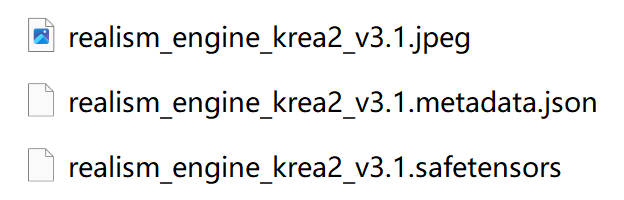
Normal LoRA loading works independently. For rich previews and metadata, ComfyUI-Lora-Manager is recommended. RuYi reads its sidecars:
my_lora.safetensors
my_lora.metadata.json
my_lora.jpeg
The prompt, latent and comparison nodes do not depend on LoRA Manager.
RuYi Prompt
Connect the model's compatible CLIP encoder. The two outputs connect directly to a sampler's positive and negative inputs:
CLIP ─────────────────────────> RuYi Prompt ── positive ──> Sampler
RuYi LoRA trigger_words STRING ─>             └─ negative ──> Sampler
- Positive and negative sides each support named sections, ordering, folding, enable switches and deletion. Drag a section's bottom bar to change its display height.
- Enabled sections are joined in order. LoRA trigger words are appended to the positive prompt during execution.
- Search highlights all matches; the arrows select and reveal the previous/next match. The main toolbar shows search hits and complete vocabulary-tag hits in enabled text.
- Settings can hide the negative panel without deleting its text. While hidden, the negative output encodes an empty prompt; a sampler may still require that connection.
- Local completion searches contiguous tag names/translations, ignoring case and treating spaces and underscores equivalently. Aliases require an exact match and are identified in the suggestion. Dispersed letters and single-letter queries do not produce loose matches.
- Completion runs about 120ms after a text edit. Focusing, clicking or moving the caret only dismisses suggestions; typing inside an existing word does not query its left-hand prefix. Candidates stay below the source line, even if the window edge clips them. Use Up/Down to select, Enter/Tab to insert, Escape to dismiss. It pauses during IME composition and preserves surrounding prose when inserting.
- Offline English spelling checks run after about 500ms of inactivity. Existing unchanged typo chips stay in place while typing. Click a chip under Spelling errors: to locate the word, replace it, ignore it or add it to the custom dictionary. Known tags and available LoRA trigger words are exempt; suggestions can still require manual judgment.
- Settings include prompt font size (
10–32px, default13px), underscore mode, vocabulary sources, CSV import and custom words. Vocabulary readiness and record count are shown in settings. - The gear opens settings.
Ctrl+Enterruns the workflow while editing;Ctrl+Shift+Enterqueues at the front. Ordinary Enter still accepts an active autocomplete candidate. - The bundled vocabulary has 508,152 entries, merging local Danbooru exports, Chinese translations and a public snapshot. See vocabulary provenance and rebuild instructions, Typo.js license and dictionary licenses.
- Imported CSVs live in this browser's IndexedDB; custom words, section heights, font size and prompt settings travel with the workflow. Re-import CSVs when moving to another browser. Runtime features use local resources and do not automatically fetch updates.
Sections organize and concatenate text. They do not implement spatial regional conditioning. The node requires CLIP and outputs conditions rather than a plain STRING.
RuYi Empty Latent Image
- Swap W / H switches orientation while retaining batch and latent type.
- Resolution preset stores only dimensions. Save preset always adds the current resolution or selects its existing identical entry; it never overwrites a different selected resolution. Load and Delete operate on the selected preset. Presets are shared in this browser's local storage.
- Resolution alignment selects multiples of
8,16,32or64, initially16. Manual dimension changes, preset loading, scaling and execution round to the nearest chosen multiple. - Scale applies a percentage to a stable base. Arrows adjust it by 10 percentage points. Manual width/height edits and preset loading reset the base; Set base also resets it. Rounding can slightly change the aspect ratio (hover over the percentage for the reminder). At the maximum size, both sides are limited together.
- Latent type controls the tensor layout:
SD3 / Flux (16)uses 16 channels;Anima (16)adds a single-frame dimension;SD1 / SDXL (4)uses the native 4-channel image layout. The default is 16-channel SD3/Flux. Choose the layout expected by the model. - Alignment and latent type are independent: alignment controls the image dimensions, while type controls channels/layout. All these layouts use an 8× spatial downscale; choosing alignment 16 does not make the latent 16 channels.
- Width/height range:
16–16384; batch:1–4096. Connected width/height inputs disable local resolution actions; adjust them upstream. - Scale base travels with the workflow. Controls fit their actual content height in either language, without a reserved blank status area.
Image Compare & Save
- Connect IMAGE outputs. An additional input appears as connections grow.
- Select any two candidates with the A and B dropdowns.
- Wipe follows horizontal pointer movement at every zoom level and pauses while you drag anywhere on the zoomed image to pan, including the divider position. In Click mode, a click switches between A and B; after zooming, drags pan without switching sides. Small pointer jitter is treated as a click.
- Click the magnifier with a plus at the preview's bottom right to open the enlarged comparison. A/B selection, wipe/click mode and comparison interactions remain available. Escape, the close button or clicking the backdrop closes it; the chosen state remains in the node.
- Each candidate supports its own display name, save-name/path template, auto-save toggle and manual save button. Resolution and PNG file size are displayed below its fields.
The gear next to the comparison-mode button controls the maximum visible image rows: default 2; 0 shows all rows and grows the node. Connecting an IMAGE input immediately creates a waiting row so naming, paths and auto-save can be prepared before execution. Manual saving and comparison become available after the image arrives. The toolbar has a protected minimum width; A/B selectors are compact.
Wheel over the comparison image to zoom around the pointer, or use the circular-thumb slider at the bottom left. The default range is 100–300%; Maximum zoom percentage in settings changes the upper limit and is saved with the node. 100% means fitting the image into the current preview area. The reset icon restores 100% and centers the image. Both A/B images share their scale and position; the same controls work in the enlarged view. These controls affect viewing only, preserving the original image and saved resolution.
Without an explicit folder, saves go under ComfyUI/output/RuYi-Compare/. The default template is:
%display_name-date:yyyy-MM-dd_HHmmss%
Available fields: %display_name%, %save_name%, %index%, %input%, %frame% and %date:yyyy-MM-dd_HHmmss%. RuYi's combined default template remains supported. Date patterns also work in folder components:
%date:yyyy-MM-dd%/%display_name-date:yyyy-MM-dd_HHmmss%
D:\AI\Output\%date:yyyy-MM-dd%\%display_name-date:yyyy-MM-dd_HHmmss%
Date placeholders must include the surrounding percent signs (%date:...%); bare date:... is treated as literal text and its colon is sanitized. Relative folders stay under RuYi-Compare; absolute Windows paths save directly to that location. Existing names receive numeric suffixes rather than being overwritten.
Right-click a thumbnail for Save as... or Copy image using the full-resolution source. These are separate from Save, which follows the configured path. PNG saves retain prompt/workflow metadata when enabled and can restore a workflow when dragged into ComfyUI.
Comparison previews are registered in Media Assets/history. Their asset copies are separate from the node's A/B cache, so re-running a node replaces its comparison cache without invalidating earlier asset/history entries. ComfyUI manages those standard temporary assets. The redundant native in-node preview is suppressed.
Installation and updates
cd ComfyUI/custom_nodes
git clone https://github.com/RuYi-Xiao/RuYi-Nodes.git
For an existing installation:
cd ComfyUI/custom_nodes/RuYi-Nodes
git pull
Or extract the GitHub ZIP into custom_nodes/RuYi-Nodes, with __init__.py directly inside that folder. Restart ComfyUI after installation or Python-node updates; use Ctrl+F5 for frontend cache refresh.
Search for the node names listed above. The former RuYi text-preview testing node has been removed; replace it in old workflows with a suitable STRING display utility.
简体中文
包含的节点
| 节点 | 输入 | 输出 | 用途 |
| --- | --- | --- | --- |
| RuYi 多 LoRA 加载器 | MODEL、CLIP | MODEL、CLIP、trigger_words | 管理多个 LoRA,分别调整 MODEL 与 CLIP 权重。 |
| RuYi 多 LoRA 加载器(仅模型) | MODEL | MODEL、trigger_words | 只向模型加载 LoRA。 |
| RuYi 提示词 | CLIP、可选触发词 STRING | 正面与负面 CONDITIONING | 分段编辑提示词并编码为采样条件。 |
| RuYi 空Latent图像 | 宽高、批次、对齐、Latent 类型 | LATENT | 交换宽高、管理预设、等比缩放。 |
| RuYi 图像对比 | 动态 IMAGE 输入 | — | 选择任意两张对比,并独立保存。 |
可视化多 LoRA 加载器
- 独立添加、删除、排序和开关 LoRA;切换开关或触发词输出时保持列表滚动位置。
- 完整版分别调整 MODEL / CLIP 权重;仅模型版用于只向 MODEL / UNET 应用 LoRA 的工作流。
- 权重数值居中,使用左右箭头调整。设置中的 权重增减幅度 默认为
0.1。 - 显示 N 个 LoRA 已移入设置,默认
3,0表示不限制列表显示数量。 - LoRA 选择界面分别筛选文件夹与基础模型。初始 / 记忆上次 决定重新打开时是否保留筛选组合,即使该组合没有匹配项也会保留。
- 已启用且勾选 输出触发词 的 LoRA 会合并去重后输出 STRING,可直接接入 RuYi 提示词。未连接此输出不影响加载。
- 支持读取封面、模型名、触发词、使用提示、备注、发布页链接和推荐权重。
普通 LoRA 加载可独立使用。丰富资料推荐配合 ComfyUI-Lora-Manager,读取同名 .metadata.json 与预览图片。完整加载器和选择界面的中英文对照图见上方英文部分。提示词、Latent 与图像对比节点不依赖 LoRA Manager。
RuYi 提示词
连接模型对应的 CLIP 编码器,正负两个 CONDITIONING 输出可直接接入采样器。完整 LoRA 加载器可连接其 CLIP 输出;仅模型版使用原文本编码器。
- 正负提示词均支持段落命名、添加、折叠、排序、停用和删除;拖动段落底部横条调整显示高度。
- 按顺序拼接启用段落,执行时把已连接的 LoRA 触发词追加到正面提示词。
- 搜索高亮全部匹配;左右箭头定位上一处/下一处。常驻统计显示搜索命中与启用文本中完整词库标签的命中次数。
- 设置可关闭负面板块,保留已写内容;关闭时负面输出编码空提示词,采样器仍可能要求连接负面条件。
- 本地联想要求名称或译名连续匹配完整输入,忽略大小写并统一空格与下划线;别名只接受完整精确匹配并注明命中别名,不把分散字母或单字母当作宽泛匹配。
- 文字编辑后约 120ms 查询;点击、重新聚焦或移动光标只关闭候选,不触发联想。在已有单词内部输入时,不把光标左侧的半个词作为查询。候选框始终位于源文本行下方,允许被窗口边界裁切。上下箭头选候选,Enter/Tab 插入,Escape 关闭;中文输入法组词期间暂停,插入时保留句子其余内容。
- 停止输入约 500ms 后检查英语拼写,未变化的错词标签不反复清空重建。点击 拼写错误: 下的标签,菜单可定位单词、替换、忽略或加入自定义词典。已知 tags 与可用触发词作为例外;建议仍需按语境判断。
- 设置可调整文字大小(默认
13px,10–32px)、下划线模式、词库来源,导入 CSV 并编辑自定义词。词库就绪状态和总量移入设置。 - 点击齿轮打开设置;编辑时
Ctrl+Enter运行工作流,Ctrl+Shift+Enter插入队列最前,普通 Enter 仍用于接受当前联想候选。 - 内置 508,152 条本地词库,合并导出的 Danbooru tags、中文译名及公开快照。来源、构建方式和第三方许可见 词库说明。运行时仅访问本机资源,不自动联网更新。
- 导入词表保存在当前浏览器 IndexedDB;自定义词、段落高度、字号和设置随工作流保存。更换浏览器后需重新导入词表。
分段用于组织和拼接文本,不等同于空间区域条件或区域采样。此节点需要 CLIP,输出采样条件而非普通 STRING。
RuYi 空Latent图像
- 交换宽高一键切换横竖构图,保留批次和类型。
- 分辨率预设只保存宽高。保存时新增分辨率,完全相同的宽高自动去重;不会覆盖当前选中的其他预设。支持读取、删除,预设保存在当前浏览器本地存储并供不同工作流共用。
- 分辨率对齐选择
8 / 16 / 32 / 64的倍数,默认16。手动调整、读取预设、缩放和执行时均按最近倍数取整。 - 等比缩放按稳定基准和百分比计算,箭头每次调整 10 个百分点。手动改宽高或读取预设会更新基准,也可点击“设为基准”。对齐会造成轻微比例偏差,鼠标悬停百分比可查看说明;到达上限时两边一起限制。
- Latent 类型决定通道和张量布局:默认
SD3 / Flux (16);Anima (16)增加单帧维度;SD1 / SDXL (4)与原生空 Latent 图像的 4 通道布局一致。按模型要求选择。 - 对齐和类型相互独立:前者约束图像宽高,后者决定通道/布局。它们都按 8 倍空间下采样;对齐选择 16 并不意味着 16 通道。
- 宽高范围
16–16384、批次1–4096。宽高接入连线时禁用本地分辨率操作,请在上游调整。 - 缩放基准随工作流保存。中英文控件区均按实际内容收紧,不预留空白状态区域。
图像对比与保存
- 连接 IMAGE 输入后自动补充下一输入,使用 A/B 选单切换任意两张。
- 连线后立即显示待输入栏位,可提前设置名称、保存路径与自动保存;收到实际图片后沿用这些设置,并启用手动保存和图片对比。
- 对比方式右侧的齿轮设置可调整最多陈列图片数,默认
2;0完整显示所有栏位并延展节点。选单宽度收紧,节点最小宽度保证工具栏完整显示。 - 滑动模式在所有缩放比例下均随鼠标水平移动对比线,放大后在图片任意位置(包括分界线处)按住拖动均为平移,期间暂停对比。点击模式中单击切换 A/B,放大后拖动则平移而不切换,轻微手抖仍按单击处理。
- 点击展示区右下角 加号放大镜,在放大界面继续选择 A/B、切换模式和对比;Escape、关闭按钮或点击遮罩退出,状态保留。
- 鼠标滚轮以指针位置为中心缩放,左下角提供圆形滑块和复位图标。默认
100–300%,设置中的“最大缩放百分比”可调整上限并随节点保存。100% 指适配当前展示区的大小;复位回到 100% 并居中。两图共用缩放和位置,常态与放大界面均生效;显示缩放不改变原图及保存分辨率。 - 每张图片可独立设置图像名称、保存文件名/路径、自动保存和手动保存,显示分辨率与 PNG 文件体积。
- 没有明确文件夹时保存到
ComfyUI/output/RuYi-Compare/,默认命名为%display_name-date:yyyy-MM-dd_HHmmss%。 - 支持
%display_name%、%save_name%、%index%、%input%、%frame%、%date:yyyy-MM-dd_HHmmss%。组合模板保持兼容,日期也可用于文件夹:
%date:yyyy-MM-dd%/%display_name-date:yyyy-MM-dd_HHmmss%
D:\AI\Output\%date:yyyy-MM-dd%\%display_name-date:yyyy-MM-dd_HHmmss%
日期占位符需要包含两侧百分号,如 %date:yyyy-MM-dd%;不带百分号的 date:... 会被当作普通文字,冒号会被替换。相对路径保存在 RuYi-Compare 内,绝对 Windows 路径直接保存到指定位置;同名文件自动增加编号,不覆盖已有图片。
右键缩略图可 另存为 / 复制图片,使用原始分辨率;与遵循节点保存规则的“保存”按钮相互独立。启用元数据时 PNG 保留提示词和工作流,可拖回 ComfyUI 恢复。
结果显示在媒体资产/历史中,其副本与节点 A/B 预览缓存分离;重新执行替换节点缓存时,不使旧媒体资产失效。标准临时资产仍由 ComfyUI 管理。节点内冗余的原生预览已隐藏。
安装和更新
在 ComfyUI/custom_nodes 中执行:
git clone https://github.com/RuYi-Xiao/RuYi-Nodes.git
更新已有安装:
cd ComfyUI/custom_nodes/RuYi-Nodes
git pull
也可下载 GitHub ZIP,确保 custom_nodes/RuYi-Nodes/__init__.py 直接存在,避免多套一层同名目录。安装或 Python 节点更新后重启 ComfyUI;前端缓存可用 Ctrl+F5 刷新。
旧的 RuYi 文本监视 测试节点已移除;旧工作流可改用其他 STRING 显示工具。
Changelog and license / 更新记录与许可
See CHANGELOG.md for changes. Released under the MIT License; third-party vocabulary/spelling resources retain their own attribution and licenses.<br> 更新内容见 CHANGELOG.md。项目使用 MIT License,第三方词库与拼写资源保留各自来源及许可。