
comfyui-bot-runner
Keep a ComfyUI workflow running from the server itself (no browser tab): ideal for Telegram/Discord listener bots. Sidebar panel + free VRAM when idle.
ComfyUI Bot Runner
Keep a workflow running from the ComfyUI server itself — no browser tab needed.
Listener-style workflows (Telegram or Discord bots, folder watchers, webhooks…) are usually kept alive with the frontend's Run (Instant) mode, which only works while a browser tab with ComfyUI stays open. Close the tab, lose the connection, or restart ComfyUI and the bot stops answering.
Bot Runner moves that loop to the server: it re-queues one captured workflow every time the queue becomes empty, survives closed tabs and restarts, and frees VRAM when the bot has been idle for a while so other GPU apps (for example llama.cpp / llama-swap) can use the memory.
Features
- 🔁 Server-side loop – re-queues the workflow whenever the queue is empty. Works with no browser open.
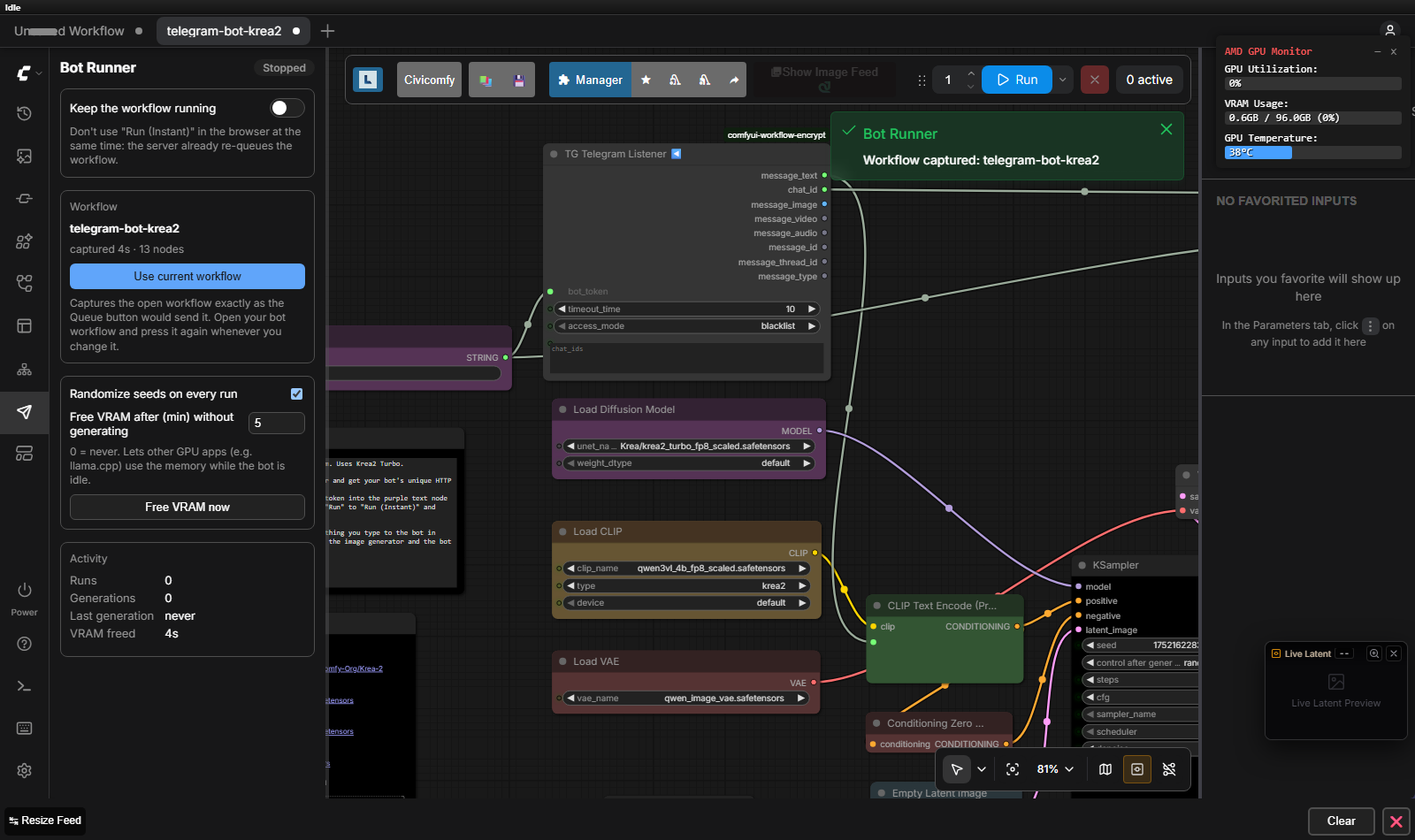
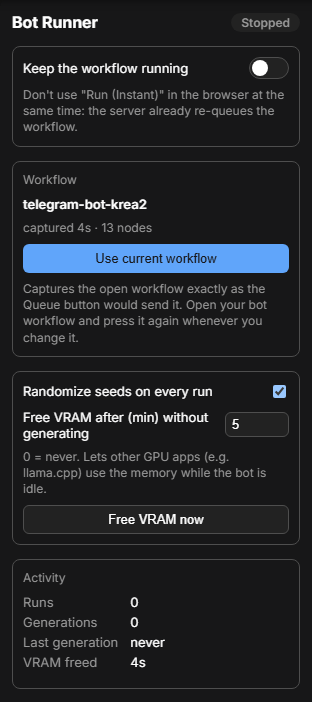
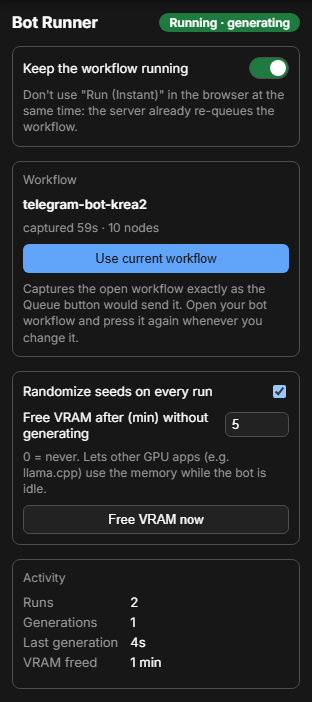
- 🧭 Sidebar panel – on/off switch, current workflow, settings and live activity.
- 📸 One-click capture – "Use current workflow" stores the open workflow exactly as the Queue button would send it (Get/Set nodes, bypassed groups and subgraphs are resolved by the frontend).
- 🎲 Fresh seeds – optionally randomizes every
seed/noise_seedinput on each run. - 🧹 Free VRAM when idle – after N minutes without real generation work, models are unloaded and
ComfyUI's caches are cleared, so the GPU memory is actually returned (also with
--highvram). - ♻️ Resumes after restart – if it was enabled, it starts again a few seconds after ComfyUI boots.
- 🛑 Safe stop – disables itself if ComfyUI rejects the workflow or after 3 consecutive execution errors.
- 🌐 Panel in English and Spanish (follows the browser language).
| Stopped | Running |
| --- | --- |
|  |
|  |
|
Installation
ComfyUI-Manager / Comfy Registry
Search for Bot Runner in ComfyUI-Manager and install it, or with comfy-cli:
comfy node install comfyui-bot-runner
Manual
cd ComfyUI/custom_nodes
git clone https://github.com/Ramon-Balaguer/comfyui-bot-runner.git
Restart ComfyUI. There are no extra Python dependencies. A new paper plane icon appears in the left sidebar.
Usage
- Build (or open) the workflow you want to keep running, for example a Telegram bot.
- Open the Bot Runner tab in the sidebar and press Use current workflow.
- Turn on Keep the workflow running.
- Close the browser if you like — the server keeps re-queuing it.
Whenever you edit the workflow, press Use current workflow again: the runner always executes the last captured version, not what is on the canvas.
⚠️ Don't use Run (Instant) in the browser at the same time — both would re-queue the workflow.
Example: Telegram bot
Bot Runner pairs well with ComfyUI Autonomous Telegram Bot, whose Telegram Listener node waits for the next message and outputs its text / image / chat ID:
Telegram Listener ─ message_text ─► CLIP Text Encode ─► KSampler ─► VAE Decode ─► Send Image ◄─ chat_id
- When no message arrives within the listener's
timeout_time, the run finishes doing nothing and Bot Runner queues the next one. A short timeout (≈20 s) keeps the queue responsive for jobs you start by hand. - Use the listener's whitelist so only your chat IDs can use your GPU.
- Messages received while the runner is off are buffered by the listener and processed when it is turned on again (they are lost if ComfyUI restarts).
- Telegram rejects photos larger than 10 MB: send big images as JPG or as a document.
How it works
             ┌─────────── queue empty? ───────────┐
             │                                     ▼
  Bot Runner loop (server, every 1 s) ──► POST /prompt (captured workflow, new seeds)
             ▲                                     │
             └──── run finished (history) ◄────────┘
- The captured workflow (API format plus the UI workflow for image metadata) and the settings are stored in
ComfyUI/user/default/bot-runner.json. - Real work detection: ComfyUI sends
progressevents only while samplers, VAEs or other long nodes are working — never while a listener just waits. Those events (from the bot or from jobs you queue in the UI) reset the idle timer, so VRAM is never freed under an active user. - Freeing VRAM: the runner sets ComfyUI's
unload_models+free_memoryflags. The prompt worker only applies them after it finishes a queue item, so when nothing is queued the runner sends a tiny flush prompt (PrimitiveInt → PreviewAny). With--highvramthis matters: unloading alone keeps the weights on the GPU; clearing the caches is what releases them. Measured on an AMD Strix Halo (gfx1151) with Krea 2: 21.4 GB → 0.6 GB used after the idle period. - The next message simply reloads the models (a "cold" run takes a few seconds longer).
Settings
| Setting | Default | Description |
| --- | --- | --- |
| Keep the workflow running | off | Enables the server-side loop. |
| Randomize seeds on every run | on | Sets a new random value on every seed / noise_seed input of each run. |
| Free VRAM after (min) without generating | 5 | 0 disables it. |
| Free VRAM now | — | Unloads models immediately. |
HTTP API
The panel uses a small API that you can also script:
| Method | Path | Body | Description |
| --- | --- | --- | --- |
| GET | /bot-runner/status | — | Settings, activity counters, last error, PyTorch VRAM usage. |
| POST | /bot-runner/capture | {"name", "prompt", "workflow"} | Store a workflow (prompt in API format). |
| POST | /bot-runner/config | {"enabled"?, "randomize_seeds"?, "idle_free_minutes"?} | Change settings. |
| POST | /bot-runner/free | {} | Free VRAM now. |
curl -s http://localhost:8188/bot-runner/status
curl -s -X POST http://localhost:8188/bot-runner/config -H "Content-Type: application/json" -d '{"enabled": false}'
Troubleshooting
| Symptom | Cause / fix |
| --- | --- |
| The runner switched itself off | The panel shows the last error. ComfyUI rejected the workflow (missing model, invalid input) or it failed 3 times in a row. Fix it, capture again and turn it back on. |
| Telegram: polling conflict | Only one process may poll a bot token. Stop the other instance (another ComfyUI, a browser tab in Run (Instant)…). |
| Two jobs per message | Run (Instant) is also active in a browser tab. Turn it off. |
| VRAM is not freed | Something kept generating (the timer restarts with every progress event), or the setting is 0. |
Uninstall
Delete ComfyUI/custom_nodes/comfyui-bot-runner (and optionally ComfyUI/user/default/bot-runner.json) and
restart ComfyUI.