
UniRig
Warning, uses experimental package comfy-env to attempt a one click isolated install. Will download and use pixi package manager. Automatic skeleton extraction for ComfyUI using UniRig (SIGGRAPH 2025)
[!WARNING] Warning, uses experimental package
comfy-envto attempt a one click isolated install. Will download and use pixi package manager.
ComfyUI-UniRig
Installation
Three options, in order of speed → reliability:
- ComfyUI Manager (recommended) — search for
UniRigin the Manager and click Install from the highest version displayed. If that doesn't work, try nightly. - Manager via Git URL — in ComfyUI Manager: "Install via Git URL" with
https://github.com/PozzettiAndrea/ComfyUI-UniRig.git. - Manual (most reliable):
cd ComfyUI/custom_nodes
git clone https://github.com/PozzettiAndrea/ComfyUI-UniRig.git
cd ComfyUI-UniRig
pip install -r requirements.txt --upgrade
python install.py
Please report any problems you hit during installation or use of my nodes — open a Discussion or Issue. Very grateful for your help! 🙏
<div align="center"> <a href="https://pozzettiandrea.github.io/ComfyUI-UniRig/"> <img src="https://pozzettiandrea.github.io/ComfyUI-UniRig/gallery-preview.png" alt="Workflow Test Gallery" width="800"> </a> <br> <b><a href="https://pozzettiandrea.github.io/ComfyUI-UniRig/">View Live Test Gallery →</a></b> </div>
Automatic skeleton extraction for ComfyUI using UniRig (SIGGRAPH 2025) or Make it Animatable (CVPR 2025). Self-contained with bundled Blender and UniRig/MIA code.
It is recommended to use MIA for humanoid characters.
Rig your character mesh and skin it!
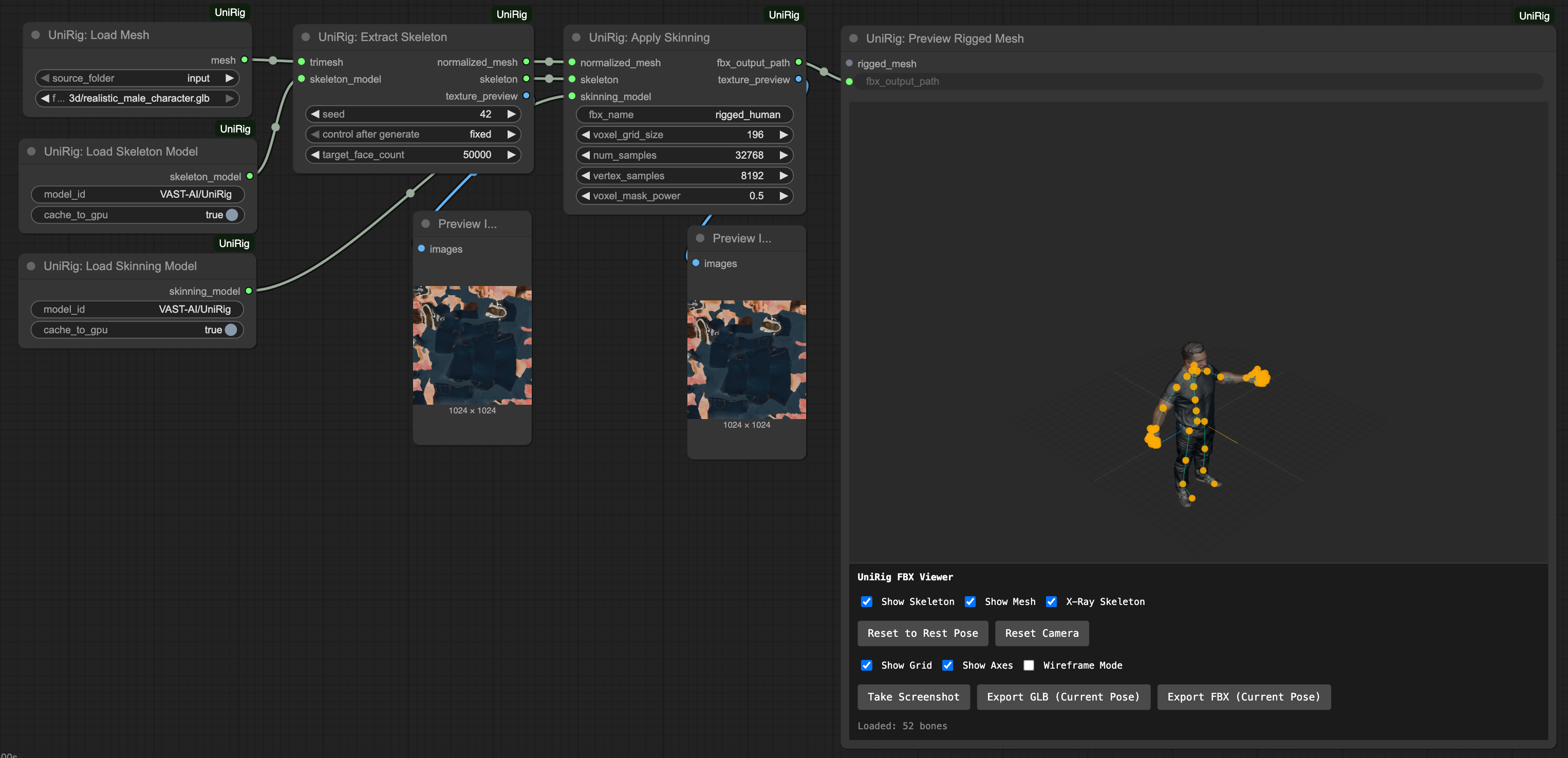
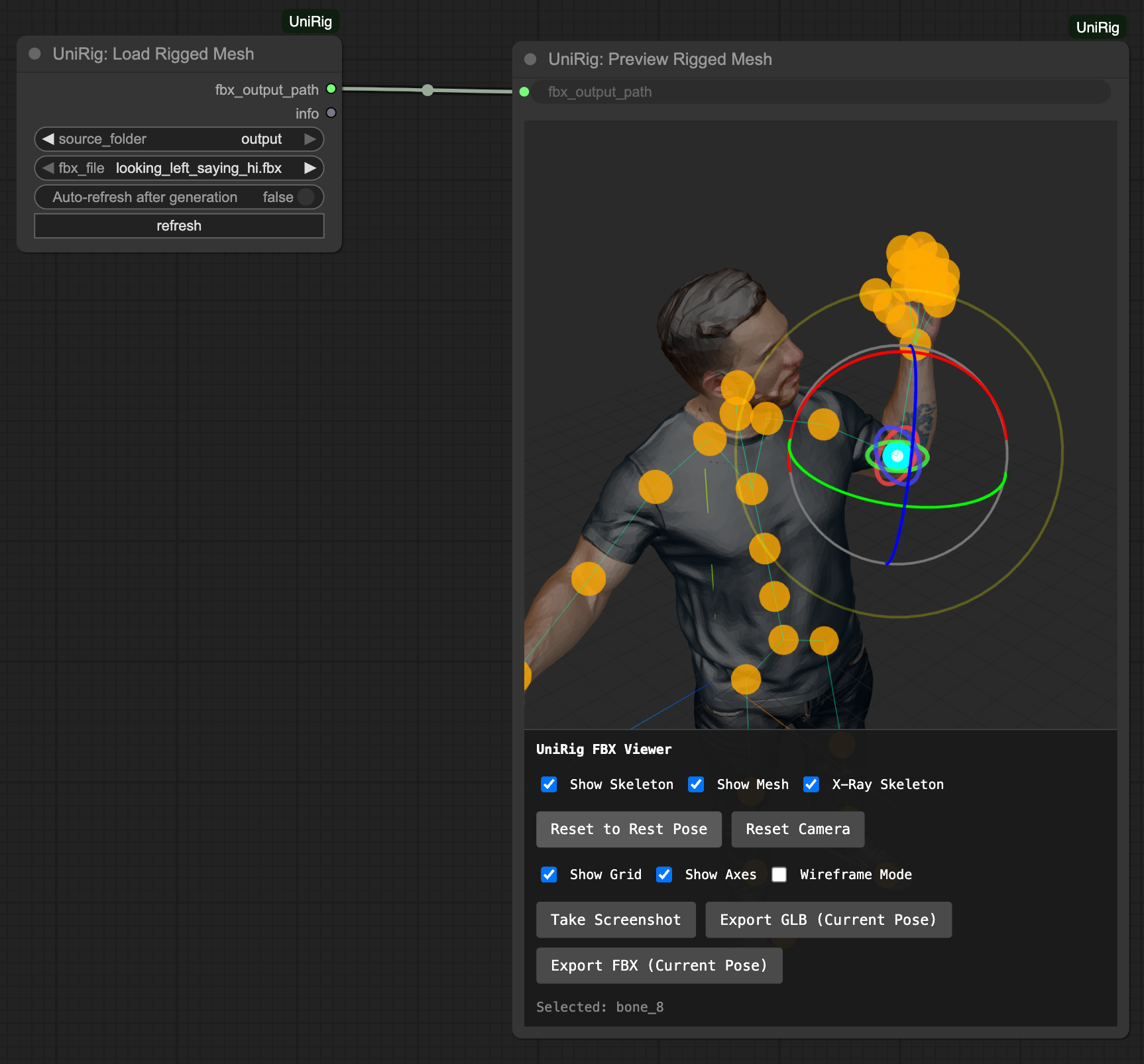
Change their pose, export a new one
Video demos
https://github.com/user-attachments/assets/1cd513cd-ca51-4828-8125-ee89f62af3b6
Rigging/skinning workflow (video is sped up for documentation purposes):
https://github.com/user-attachments/assets/6d06a3cd-db63-4e3a-b13b-78ff7868a162
Manipulation/saving/export:
https://github.com/user-attachments/assets/f320db66-4323-4993-a46e-87e2717748ef
Community
Questions or feature requests? Open a Discussion on GitHub.
Join the Comfy3D Discord for help, updates, and chat about 3D workflows in ComfyUI.