
H3 Image EasyFix
Cleaner MiniMax-H3-Image text-to-image in ComfyUI: Steering and a Re-Noise Sampler against grainy fine texture, and a Resolution Selector up to 256 MP.
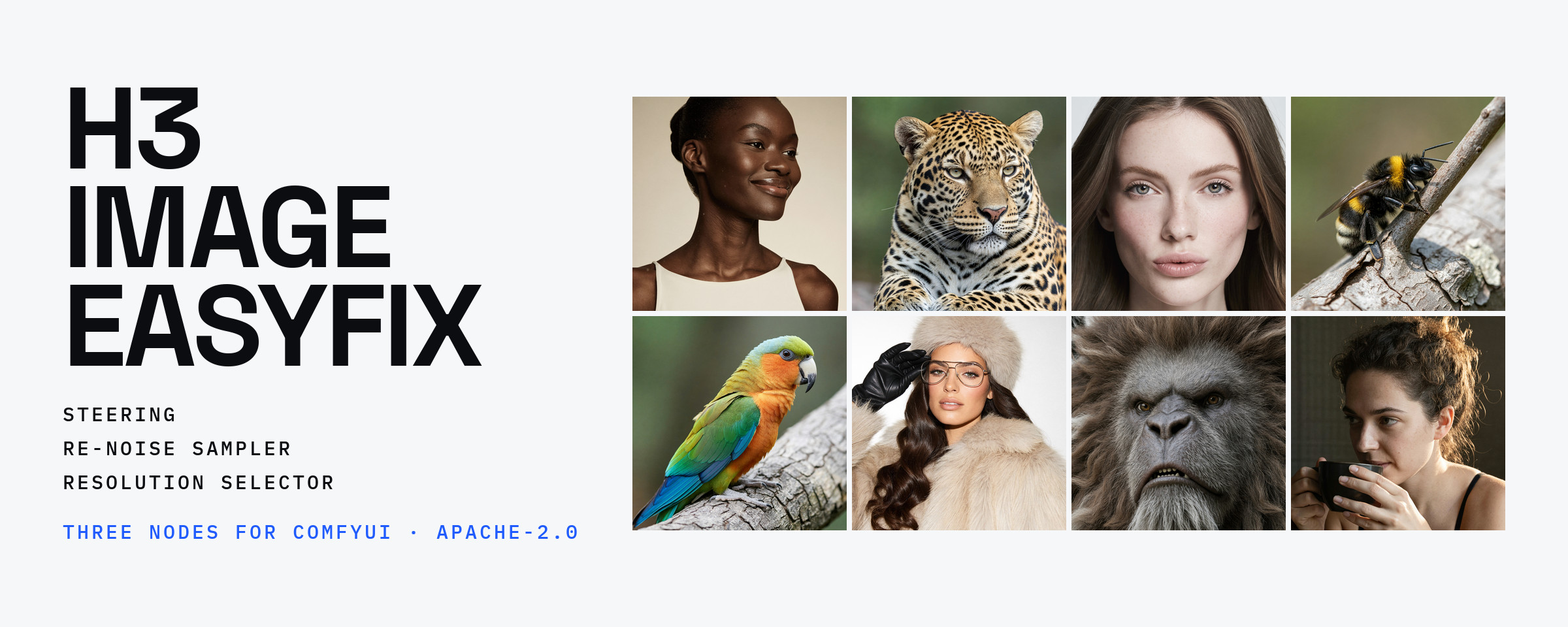
ComfyUI-H3-Image-EasyFix
Cleaner text-to-image for MiniMax-H3-Image in ComfyUI. Plain text-to-image often comes out with grainy, speckled fine texture on skin, fur and stone. Steering and the Re-Noise Sampler clean it up; the Resolution Selector picks sizes above the 16 MP cap of ComfyUI's own selector.
Needs a ComfyUI version with MiniMax-H3-Image support.
Examples
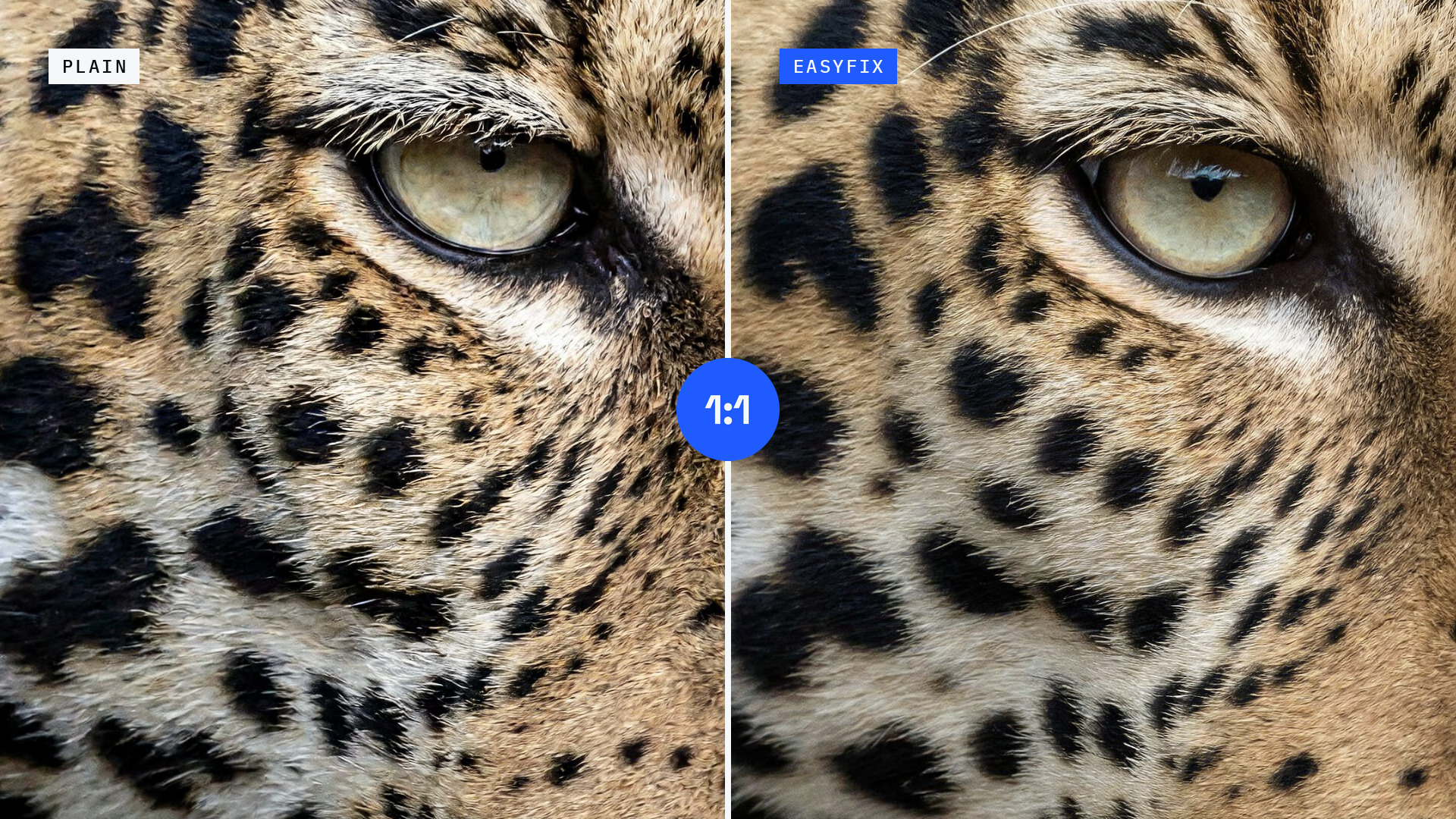
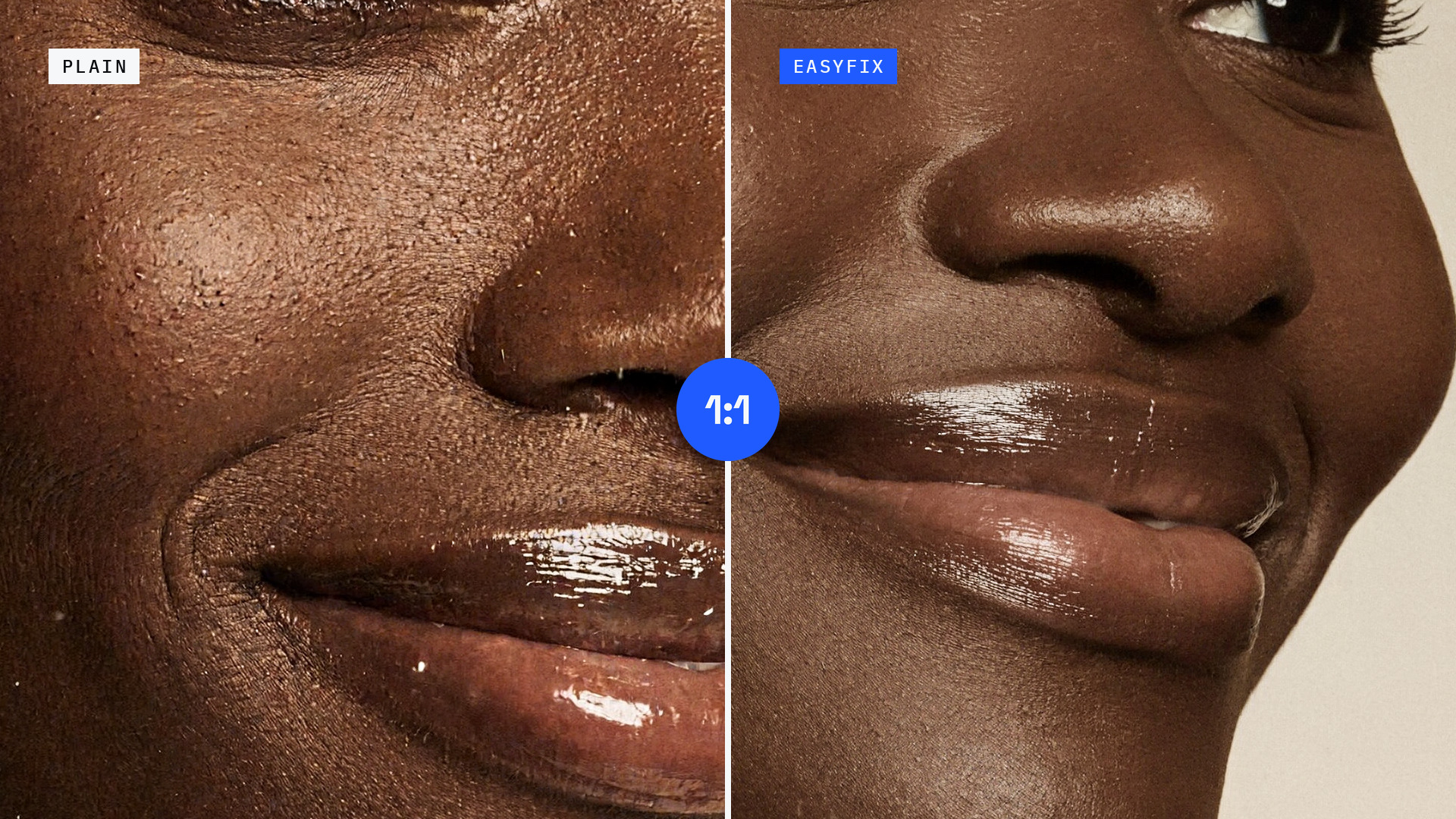
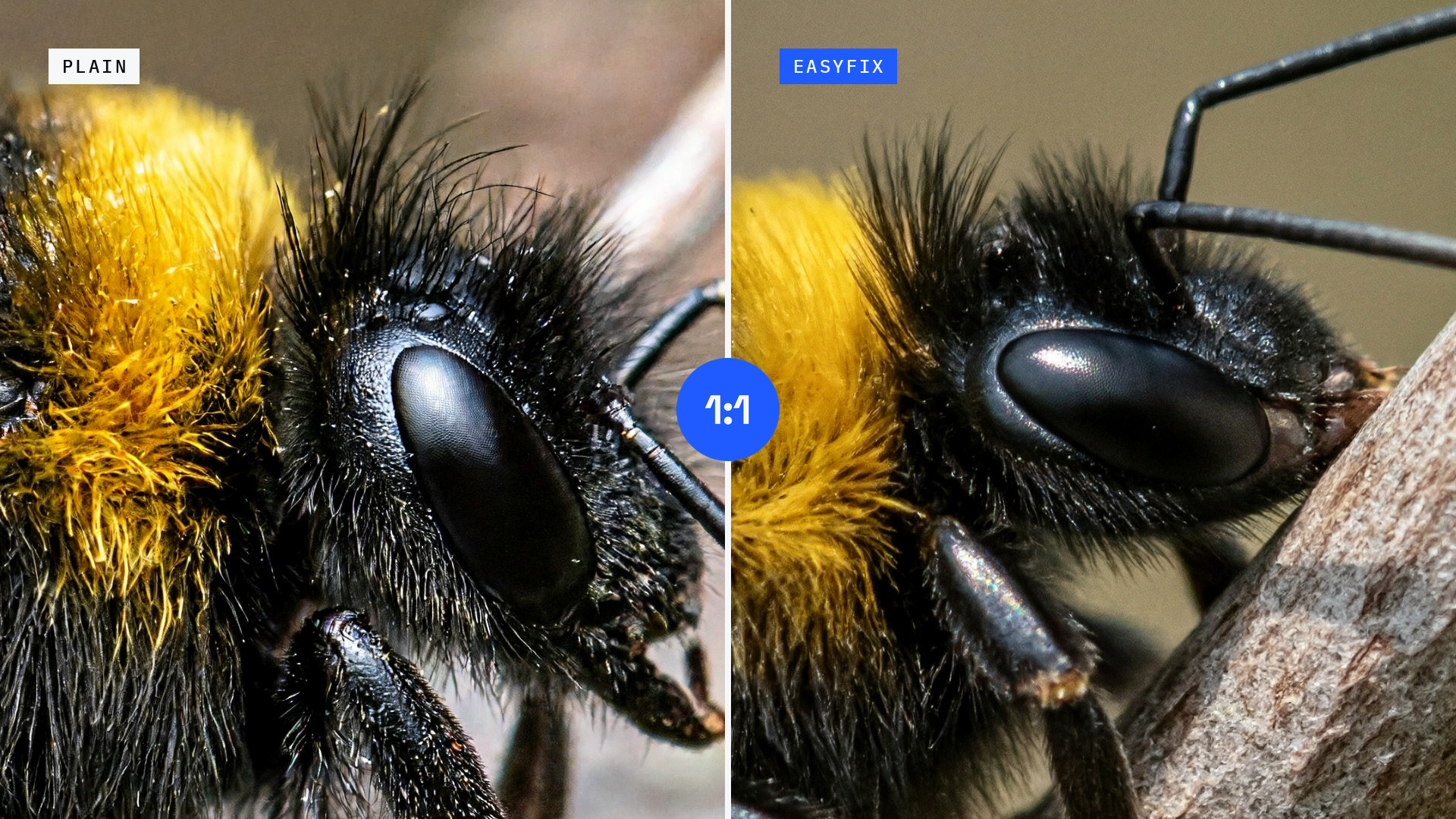
Plain H3 Image on the left (or top), with EasyFix on the right (or bottom): same prompt, 16 MP, Steering at 0.7 and
RNmid with s_noise 0.95. Every pair shares its seed except the lion. Click an image for full size.
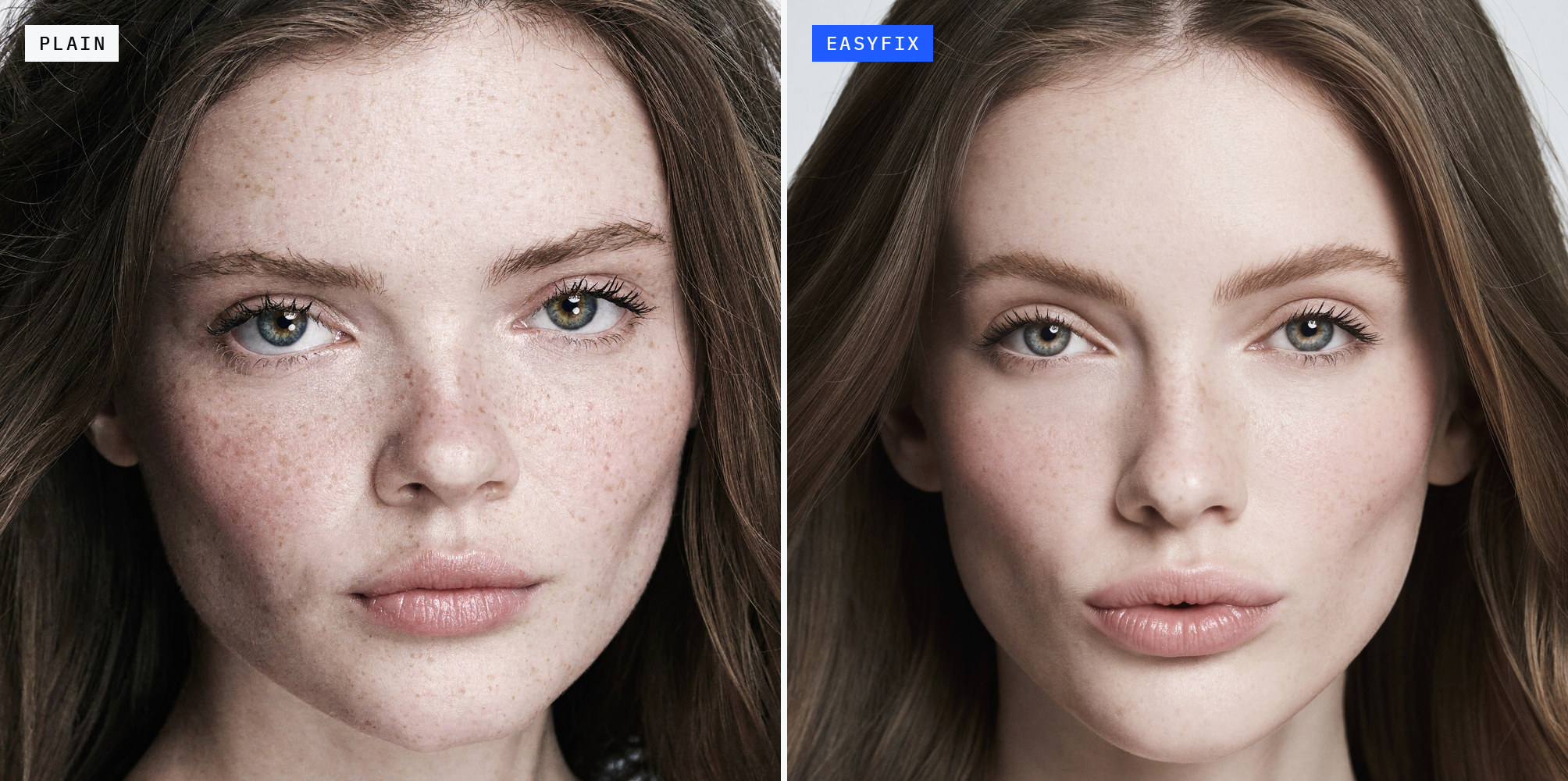
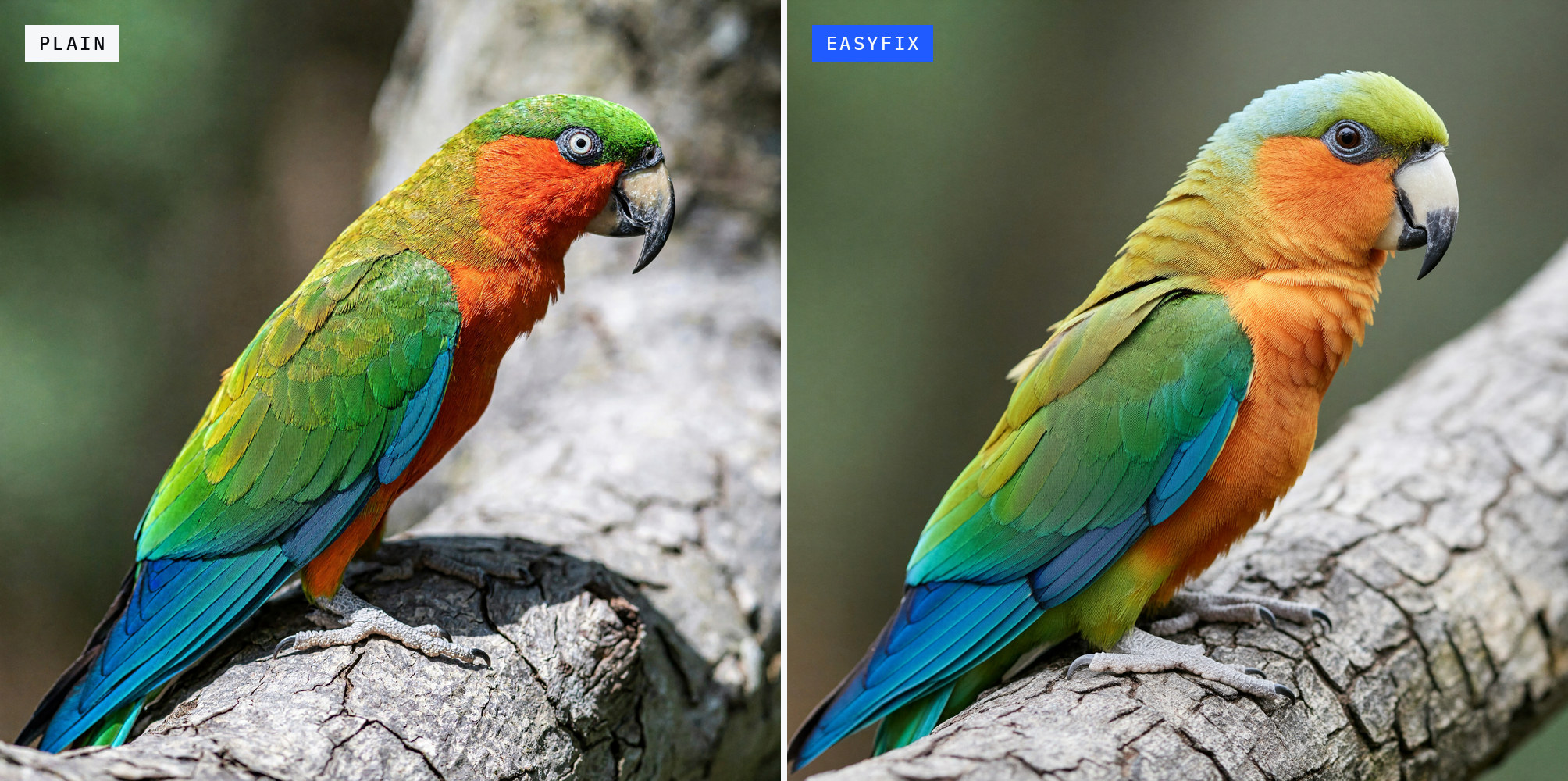
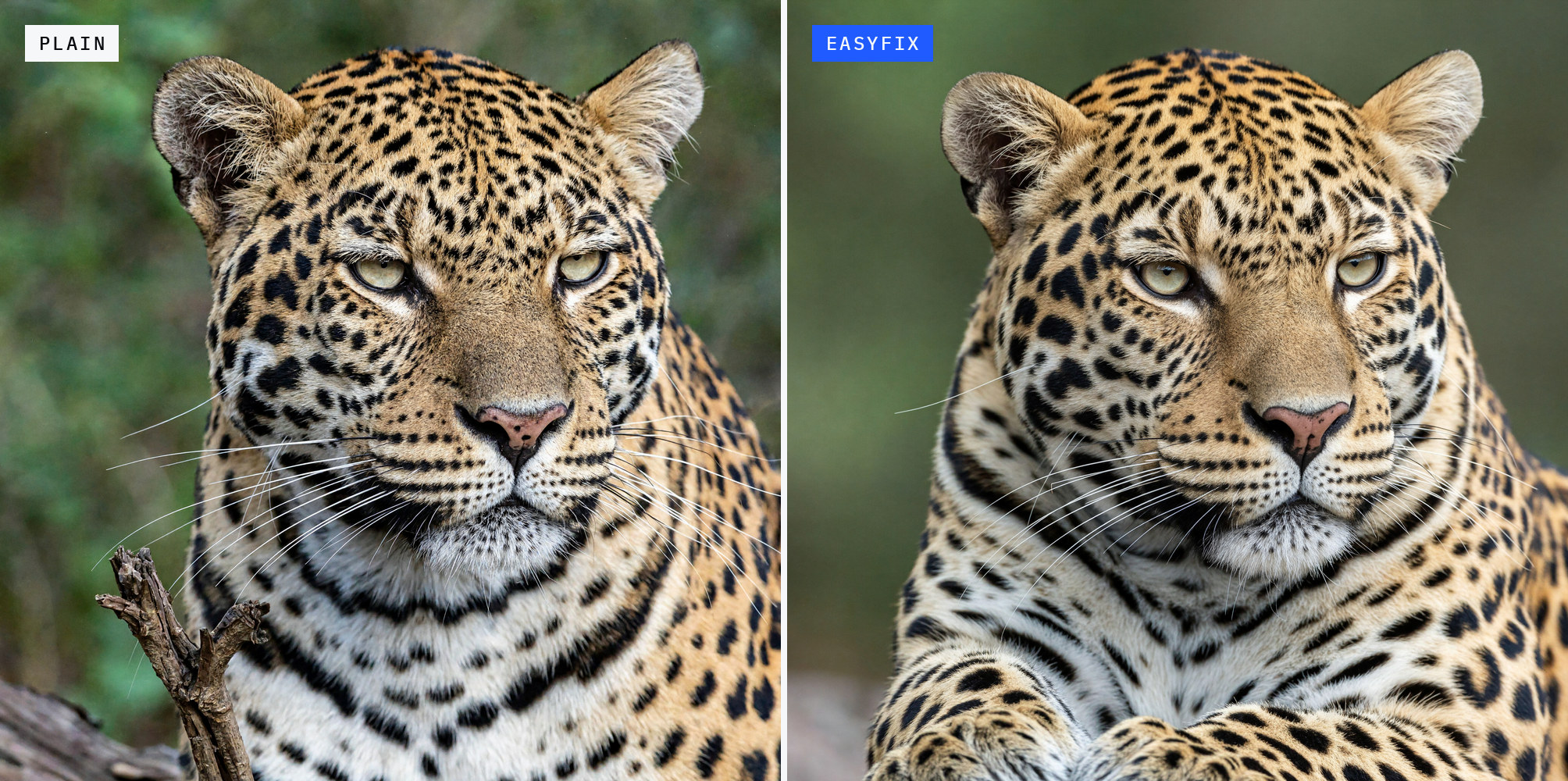

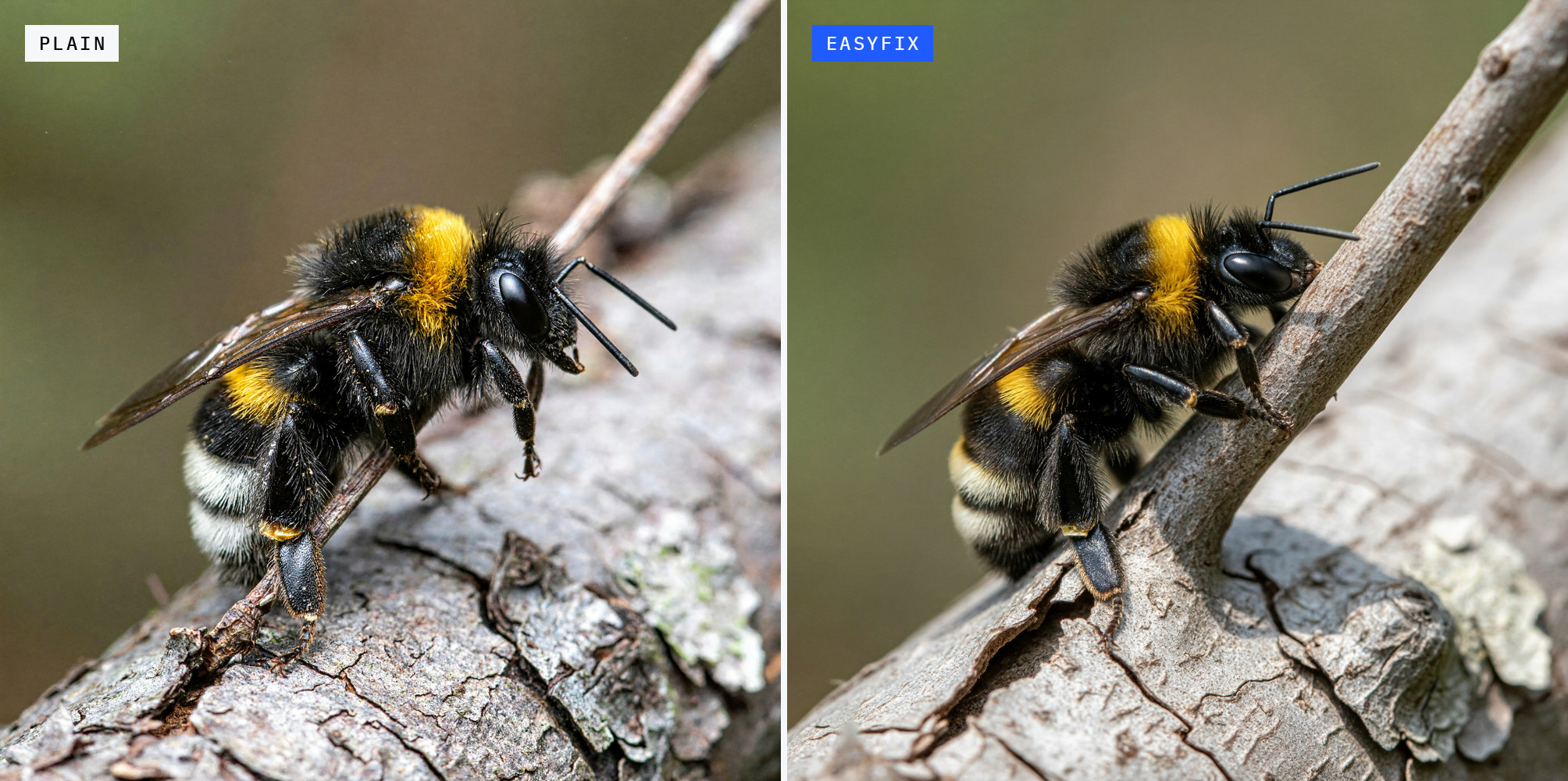


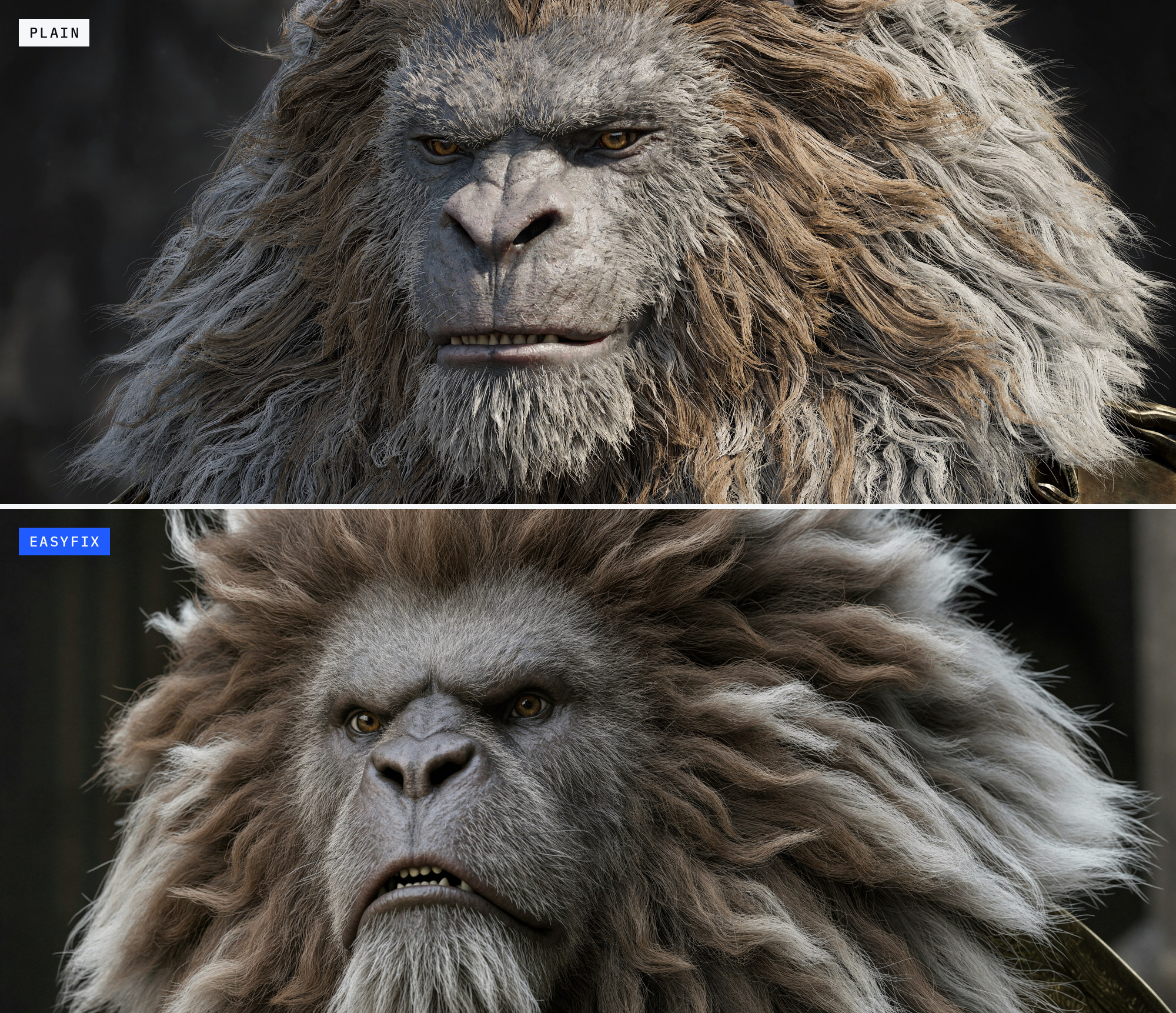
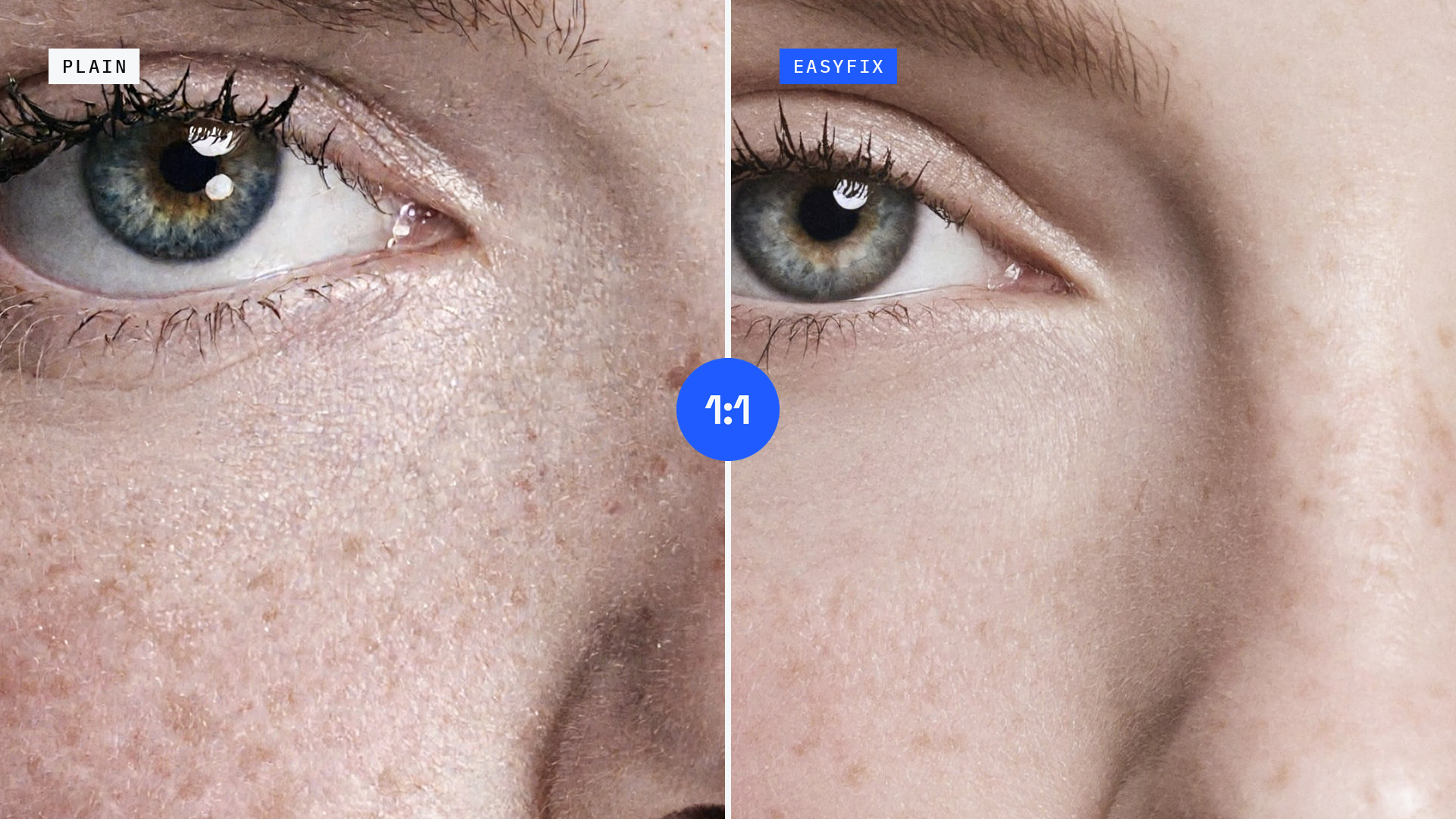
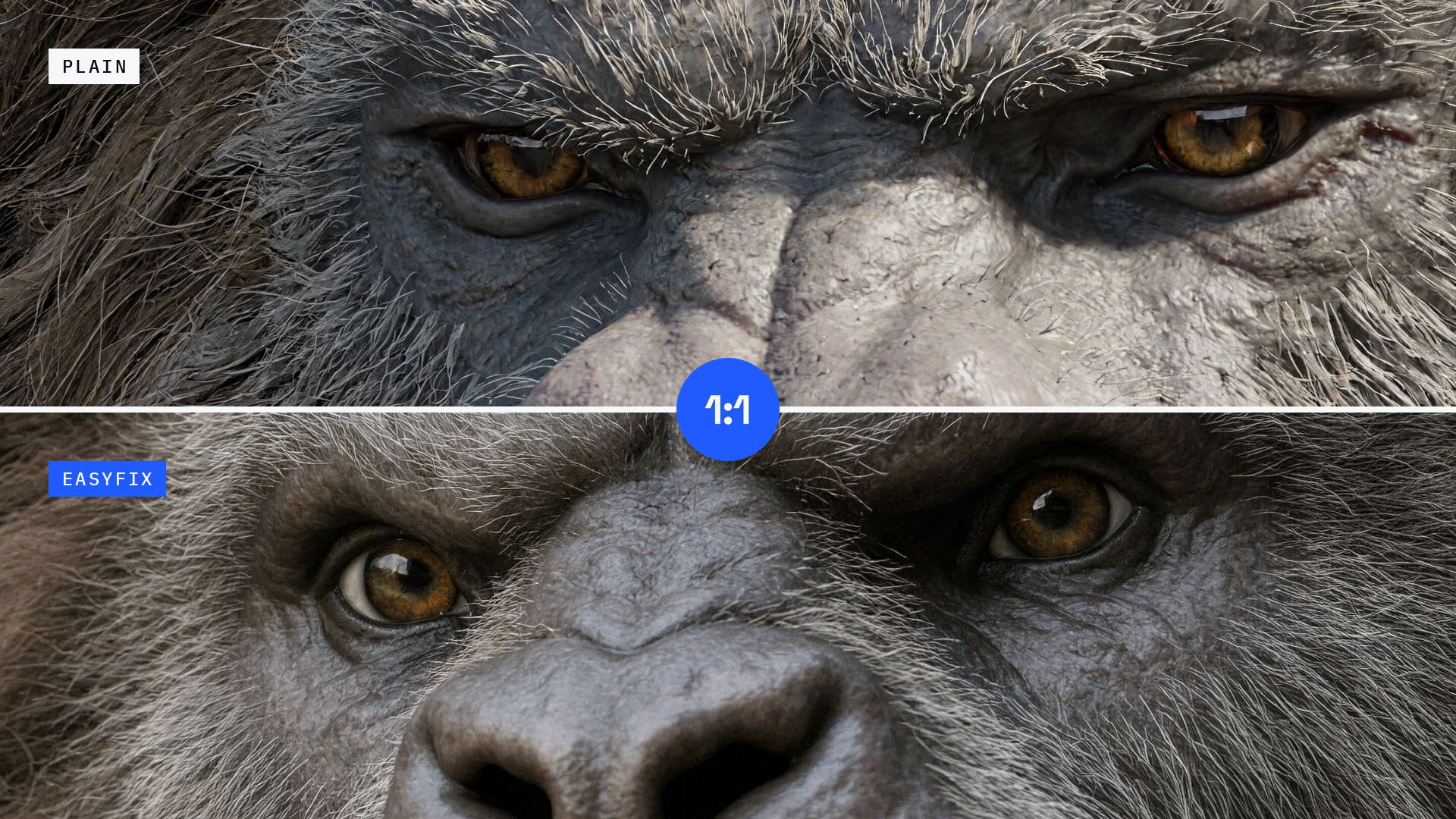
1:1 crops
Source pixels, not resized. Open them at full size to see the texture.
Nodes
MiniMax H3 Image Steering (model in, model out) nudges the image toward what H3 Image draws when an empty picture is added to the prompt, which gives cleaner texture, without adding anything to the prompt. It acts on the first steps only and leaves images with reference pictures (edit mode) alone.
strength: how far to nudge. 1 is the full shift, 0 turns it off, values in between are milder (0.7 is a good start).steps: which steps are steered:0(the first, default),1, or0 and 1.
MiniMax H3 Image Re-Noise Sampler (sampler out, for SamplerCustomAdvanced) runs a sampler on some steps and
re-noises on the others. A re-noise step takes the model's prediction of the finished image and adds fresh noise back
to the next step's level, as ComfyUI's lcm sampler does on every step. The model then redraws the fine texture
instead of keeping what it settled on early.
-
sampler(optional): the sampler for the normal steps, for example from KSamplerSelect. Euler when nothing is plugged in. -
plan: which of the six steps re-noise. S runs the sampler, R re-noises.| plan | steps | | |---|---|---| |
RNmid(default) | SSRRRS | re-noises after steps 2, 3 and 4 | |RN34| SSSRRS | milder: after steps 3 and 4 | |lcm| RRRRRR | every step; the plugged-in sampler is not used | |no re-noise| SSSSSS | the sampler alone | |custom|custom_plan| your own letters | -
custom_plan: six letters, S or R, used whenplaniscustom. The last step always runs the sampler. -
s_noise: how much fresh noise the R steps add. 1 is the full amount; a little below (0.85 to 0.95) is smoother. It does not change the noise that ancestral or SDE samplers add on their own steps.
The plan follows H3 Image's official 6-step sigmas. When the sigmas start later in that schedule (a second pass), the plan continues from the matching step.
MiniMax H3 Image Resolution Selector (width and height out) works like ComfyUI's Resolution Selector, up to 256 MP.
aspect_ratio: 1:1, 2:3, 3:2, 3:4, 4:3, 9:16, 16:9, 9:21 or 21:9.megapixels: the image size, with 1 MP = 1024 x 1024 pixels: 16 is 4096 x 4096, 64 is 8192 x 8192 for a square image. H3 Image is trained for 4 to 20 MP; 64 MP worked in our tests, larger sizes were not tested.multiple(advanced): width and height are rounded to this, 32 by default (one H3 Image token).
Workflows
workflows/H3 Image EasyFix - T2I.json: text-to-image at 16 MP with
Steering at strength 0.7 on step 0 and the Re-Noise Sampler on RNmid with s_noise 0.95 and euler_ancestral. It
uses the official sigmas in ManualSigmas
(1.0, 0.9675236940383911, 0.8875485062599182, 0.75, 0.5327739119529724, 0.23200887441635132, 0.0), BasicGuider and
SamplerCustomAdvanced. Point its three loaders at your own H3 Image model, text encoder and VAE files.
License
Apache-2.0 (see LICENSE).