
ComfyUI Extension
ComfyUI-OmniVoice_CRT
ComfyUI wrapper nodes for OmniVoice multilingual zero-shot TTS.
PGCRT/ComfyUI-OmniVoice_CRT
Nodes2
On cloudLocal install
CategoryOmniVoice/Process, OmniVoice/Load
Stars5
Updated7 months ago
Nodes (2)
Readme
ComfyUI-OmniVoice
ComfyUI custom node wrapper for k2-fsa/OmniVoice, a multilingual zero-shot TTS model supporting voice cloning, voice design, and automatic voice generation.
Source
- OmniVoice repo:
https://github.com/k2-fsa/OmniVoice - OmniVoice model:
https://huggingface.co/k2-fsa/OmniVoice
Features
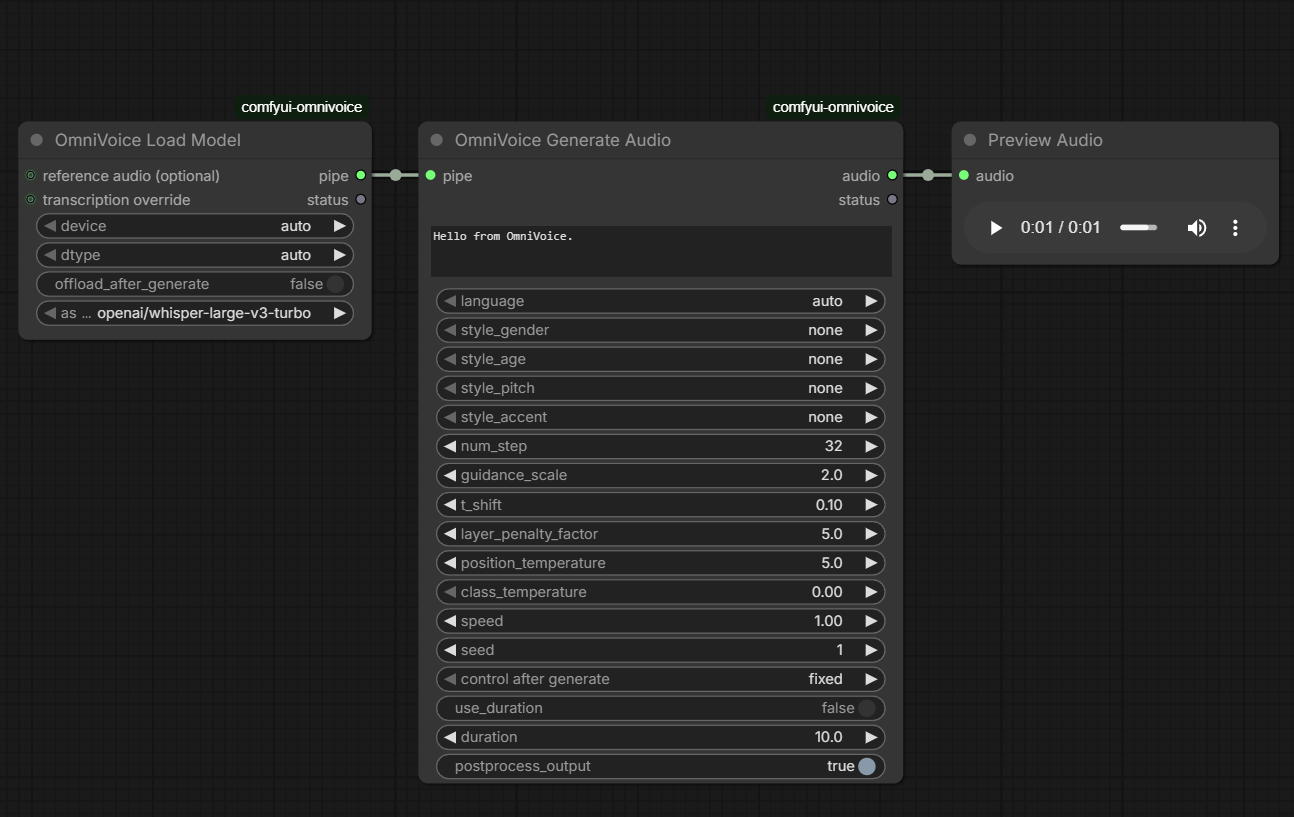
- Voice cloning via reference audio/transcript prepared in the load node pipe
- Voice design (
instructprompt) - Automatic mode selection based on reference audio presence
- Automatic first-run model download from Hugging Face into Comfy model cache
Installation
-
Install via ComfyUI Manager
- Search for
ComfyUI-OmniVoice_CRTand install.
OR
Clone manually into
ComfyUI/custom_nodesand install dependencies: - Search for
cd ComfyUI/custom_nodes
git clone https://github.com/PGCRT/ComfyUI-OmniVoice_CRT.git
cd ComfyUI-OmniVoice_CRT
install_omnivoice_safe.bat
The BAT installer auto-detects python_embeded\\python.exe and installs:
omnivoice>=0.1.0with--no-deps(prevents Torch/Torchaudio override)huggingface_hub>=1.3.0,<2.0
- Restart ComfyUI.
Usage Notes
- For voice cloning:
- connect
reference audio (optional)(and optionaltranscription override) toOmniVoice Load Model
- connect
- For voice design:
- do not connect reference audio
- set
instruct(example:female, low pitch, british accent), or leave empty for fallback
Troubleshooting
- Model download fails
- Check internet/Hugging Face access.
- ASR auto-transcription fails
- Connect reference audio to
OmniVoice Load Modeland ensure network access for Whisper model download.
- Connect reference audio to
Not Implemented
- Batch multi-utterance generation in a single node execution (this wrapper generates one output audio at a time).