
comfy-vllm
https://www.theoath.studio/projects/comfy-vllm-node Generates Stable Diffusion prompts using a locally running vLLM server. Supports {wild|card} expansion, a prefix field for quality tags, auto model detection via /v1/models, live preview on the node face, and configurable retry logic. No API keys or internet connection required. Wire the single output directly into CLIPTextEncode.
vLLM Prompt Node for ComfyUI
A ComfyUI custom node that generates Stable Diffusion prompts using a locally running vLLM server. Supports wildcard expansion and a fixed prefix for quality tags or style anchors.
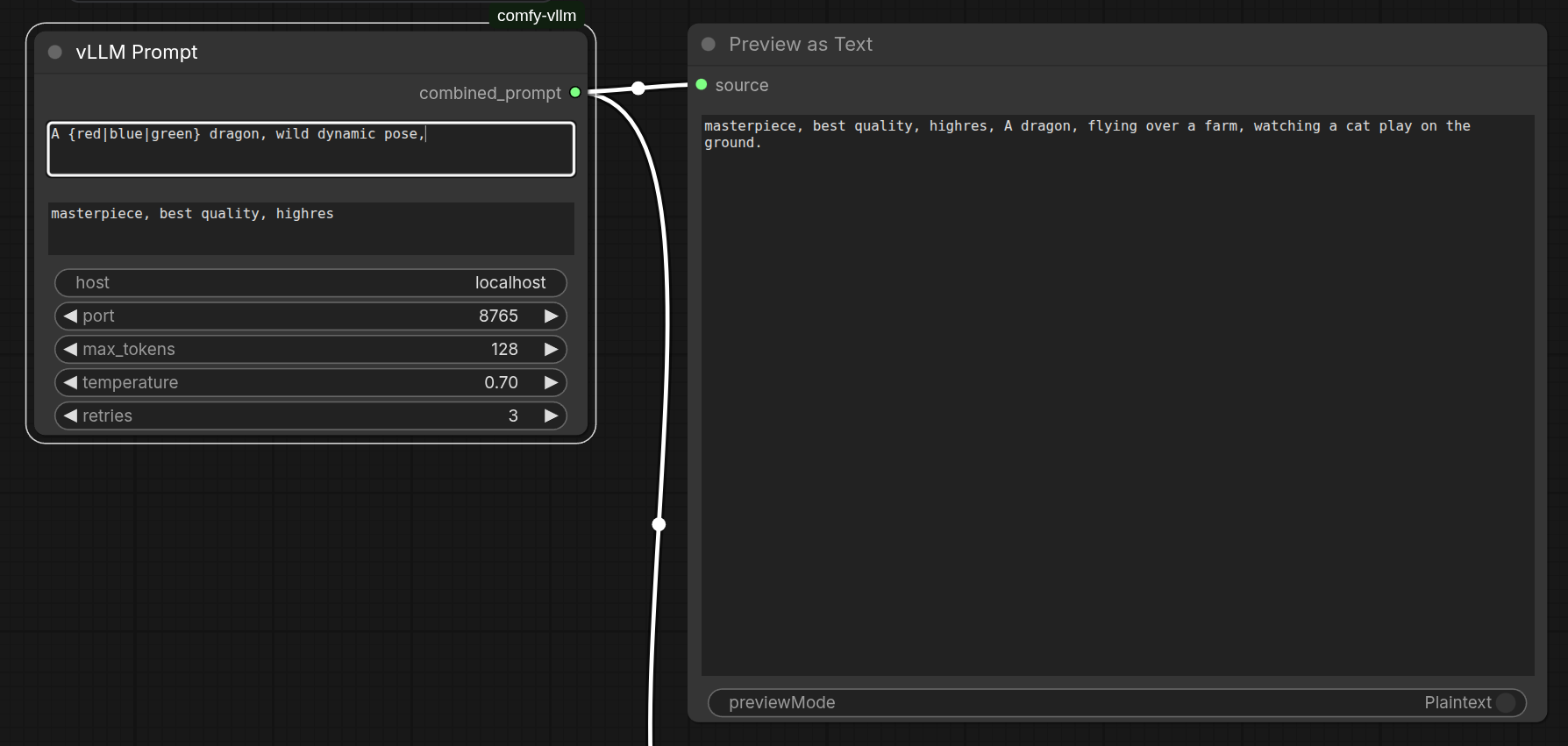
https://www.theoath.studio/projects/comfy-vllm-node
Requirements
- A running vLLM server (see vLLM docs)
- Python package:
requests(pip install requests) - ComfyUI
Installation
- Clone or copy this folder into your
ComfyUI/custom_nodes/directory:
cd ComfyUI/custom_nodes
git clone https://github.com/OATH-Studio/comfy-vLLM
- Restart ComfyUI.
Setup
Start your local vLLM server. The node will automatically detect whichever model is currently loaded no need to specify it in the node.
Example launch:
vllm serve ./models/Qwen2.5-3B \
    --host 0.0.0.0 \
    --port 8765 \
    --served-model-name Qwen2.5-3B
Note: The node queries
/v1/modelson each generation and uses the first model returned. If you change models, just restart your vLLM server the node picks it up automatically.
Node Inputs
| Input | Type | Default | Description |
|---|---|---|---|
| prompt | STRING | | Generation instruction. Supports {wild\|card} syntax. |
| prefix | STRING | masterpiece, best quality, highres | Fixed tags prepended to the output. Not sent to the model. |
| host | STRING | localhost | vLLM server host. |
| port | INT | 8765 | vLLM server port. |
| max_tokens | INT | 128 | Maximum tokens to generate. |
| temperature | FLOAT | 0.7 | Sampling temperature. Higher = more creative. |
| retries | INT | 3 | How many times to retry on empty or failed responses. |
Node Output
| Output | Type | Description |
|---|---|---|
| combined_prompt | STRING | prefix + generated text, ready to wire into CLIPTextEncode |
The node displays a live preview on the node face after each generation showing the prefix, the raw generated text, and the final combined string separately so you can see exactly what was assembled.
Wildcard Syntax
Use {option1|option2|option3} anywhere in your prompt. One option is chosen
at random each run. Multiple wildcards are each resolved independently.
A {red|blue|green} dragon, {breathing fire into the sky|coiled around a mountain peak in a storm|diving into a glowing ocean abyss|rearing up against a blood moon}
Wildcards are expanded before the prompt is sent to the model, so the model always receives a fully resolved string.
Example Workflow
VLLMPromptNode ──→ CLIPTextEncode (positive) ──→ KSampler
                                                      ↑
                         CLIPTextEncode (negative) ───┘
Prompt Format
The node uses the completions endpoint with a structured format that instructs the model to return comma-separated tags only, with no conversational filler:
### Stable Diffusion prompt tags (comma separated, no sentences):
Input: <your expanded prompt>
Output:
Generation stops at the first newline, so the model cannot ramble past a single line of tags. If you still get conversational responses, try:
- Lowering temperature to
0.3–0.5 - Increasing to a larger model (1.5B or 3B recommended minimum)
- Reducing
max_tokensto leave less room for filler
Model Recommendations
| Model | Quality | Notes | |---|---|---| | Qwen2.5-0.5B | ⚠️ Unreliable | Too small for consistent instruction following | | Qwen2.5-1.5B | ✓ Usable | Occasional filler, mostly clean | | Qwen2.5-3B | ✓✓ Recommended | Clean output, follows format reliably | | Qwen2.5-32B | ✓✓✓ Best | Overkill for this task but flawless |
Tested With
- vLLM 0.4+
- Qwen2.5-0.5B, Qwen2.5-1.5B, Qwen2.5-3B
- ComfyUI (latest)