
ZenTrainer
A ComfyUI extension with 3 custom nodes.
Nodes (3)
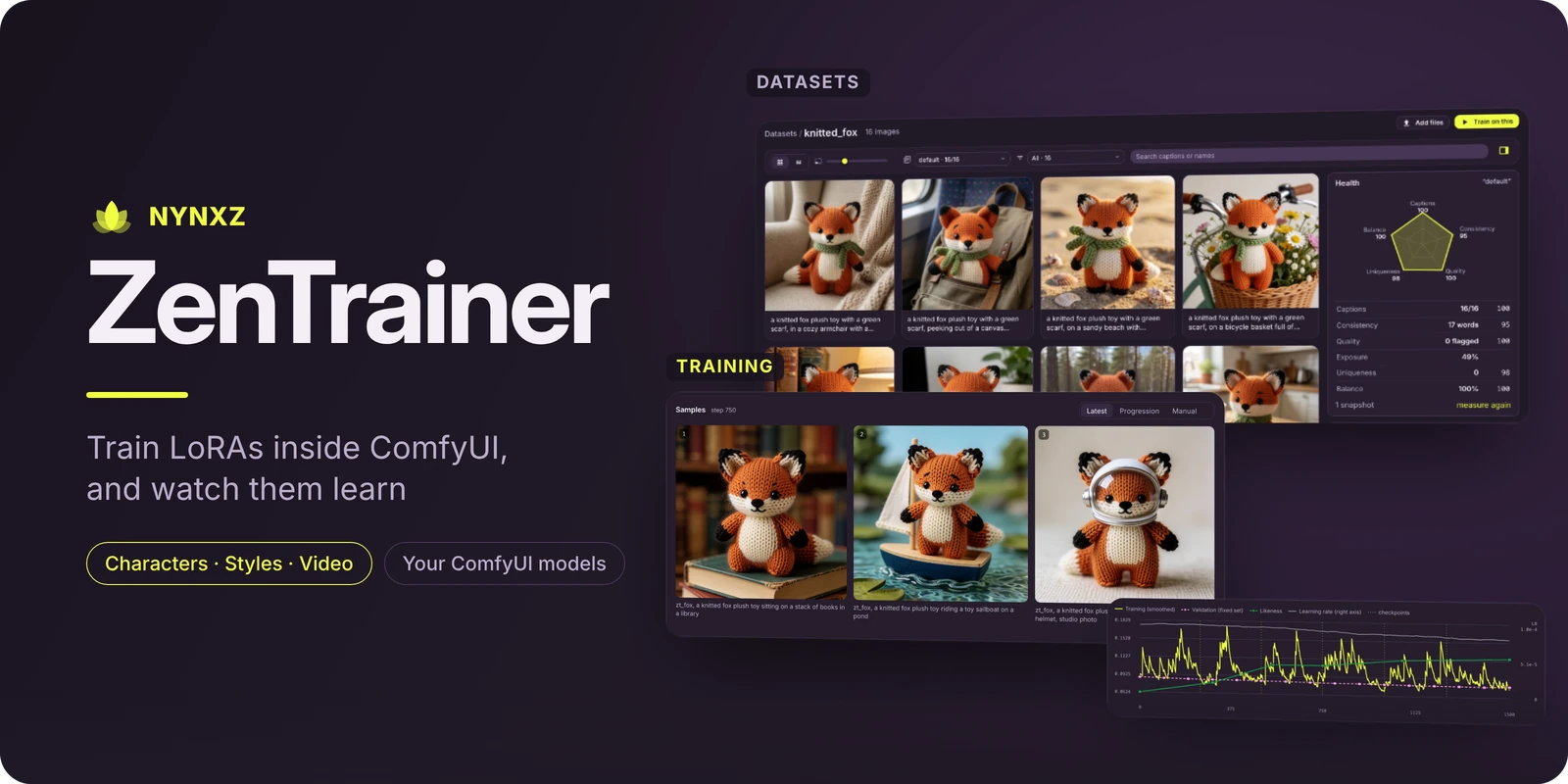
Train LoRAs inside ComfyUI, with an app built for it. Nothing new to download: it uses the models and the GPU your ComfyUI already has, and it trains on ComfyUI's own model code, so whatever ComfyUI can load, you can train.
Training you can watch
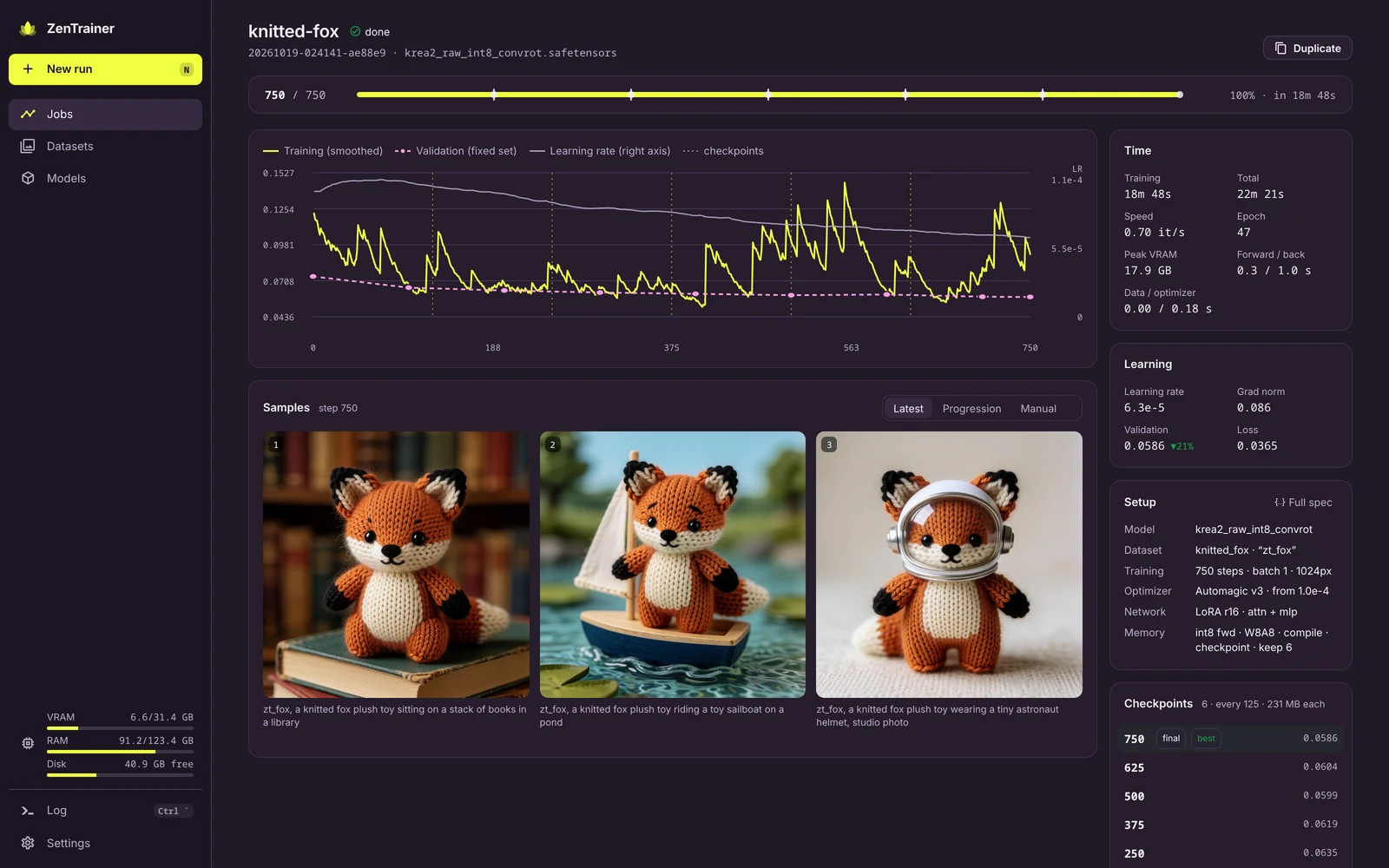
Every run gets one page: the newest sample for each prompt beside the loss, and the numbers that matter in a rail on the right. While a sample renders you see it denoise in its tile. Notches on the bar mark each checkpoint and sample, so you know what's coming and when.
- Pause, sample now, save now, change the learning rate, all mid-run
- Resume a stopped or crashed run from any checkpoint, optimizer state and all
- Validation loss on a fixed set, so the curve only moves when the LoRA does
- Likeness for character LoRAs: how much each checkpoint's samples look like your dataset's face
- Try a prompt at the current step, or on any finished run's checkpoint
- Progression: every prompt across every step; in the viewer ←/→ moves through training, ↑/↓ switches prompt
- Training time apart from total time, so loading models and sampling don't make a run look slow
- A queue on the Jobs page: line runs up, reorder them, and they train one after another
Datasets
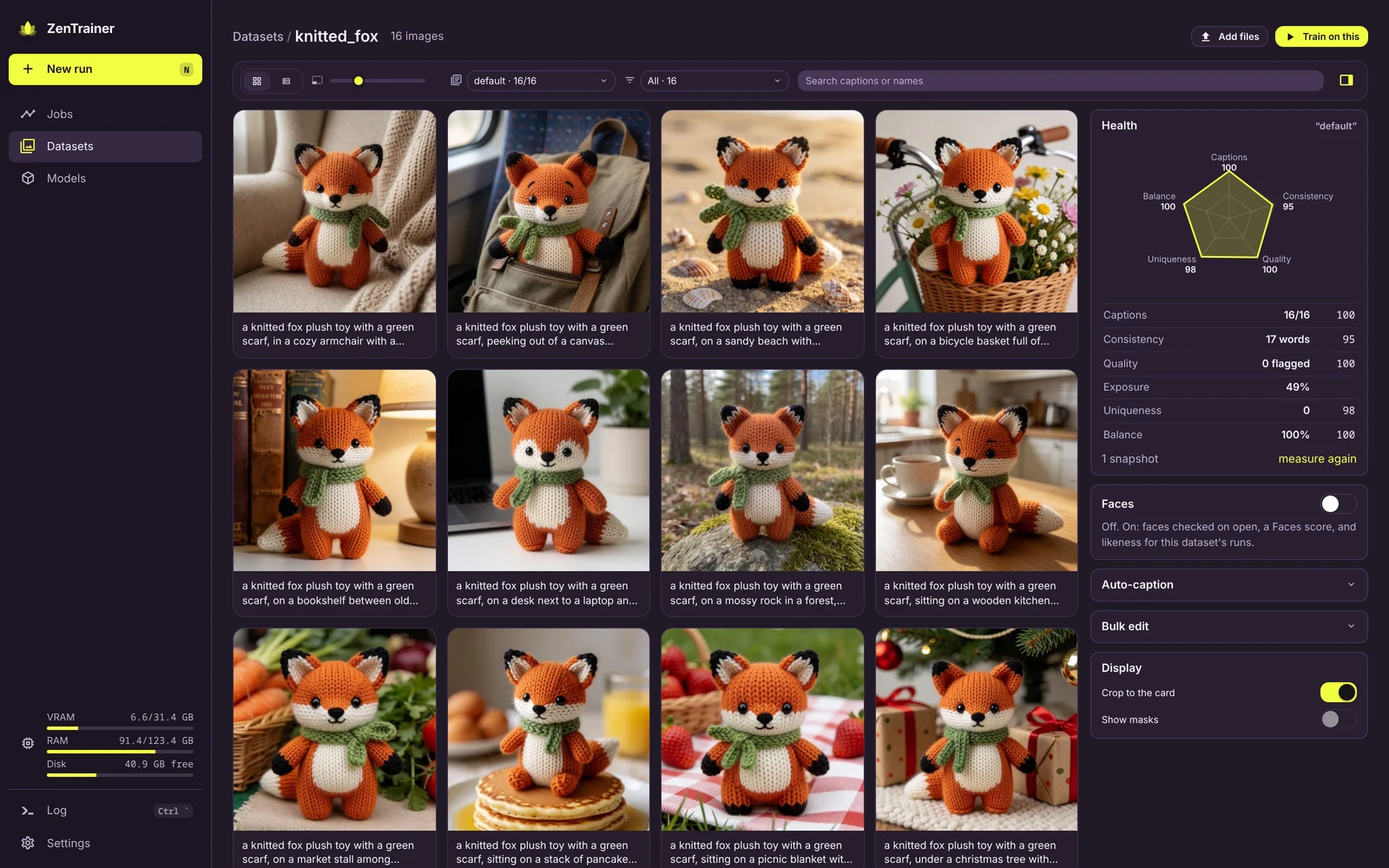
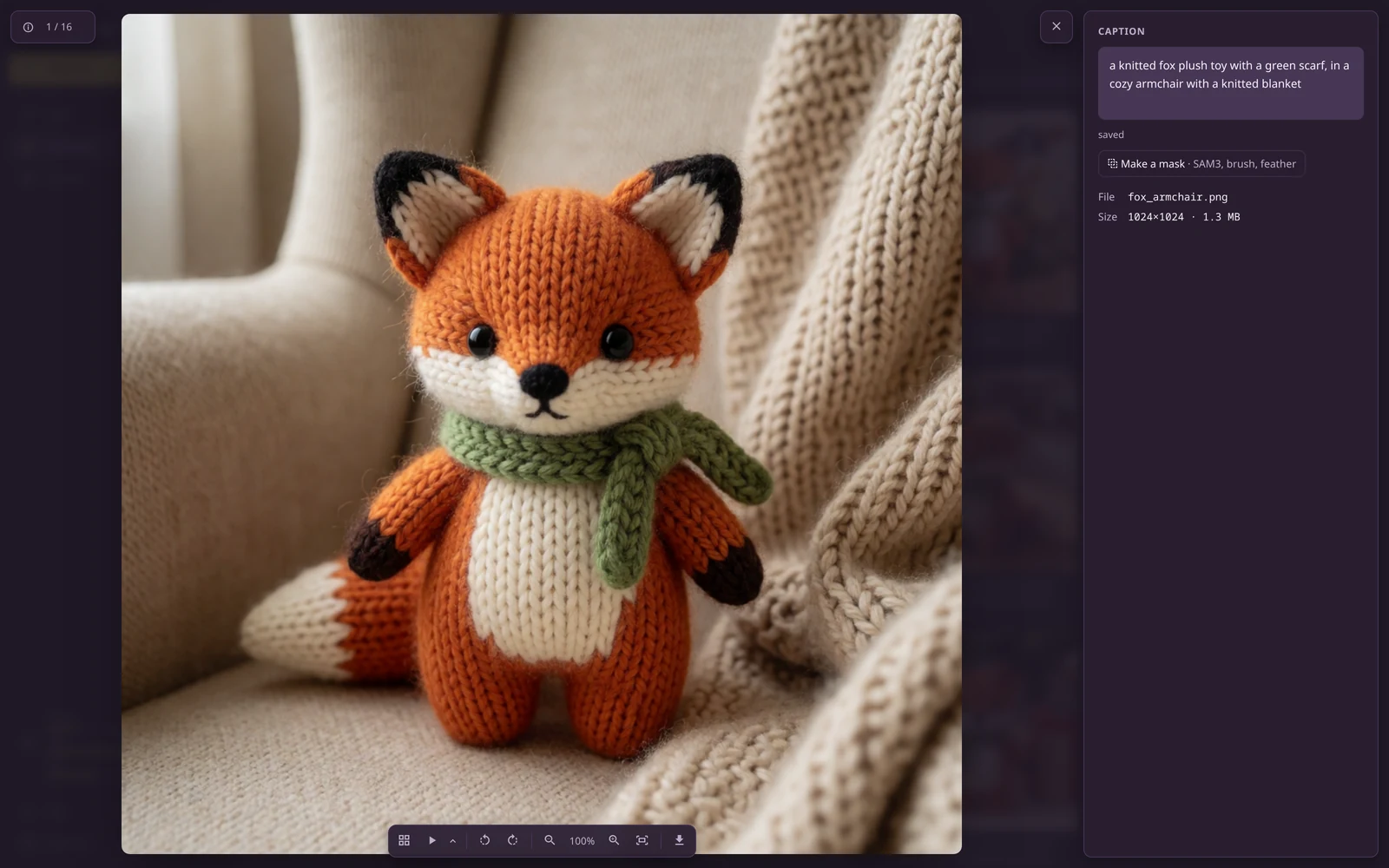
Any folder in ComfyUI's input/ is a dataset. Browse it as a grid or a table and edit captions in
place. Click an image to open it big, with its caption beside it and its training mask overlaid.
- Caption sets: keep long and short captions side by side and train on either, or a mix
- Auto-caption with a vision model through ComfyUI's own text generation (Qwen-VL, Gemma)
- Bulk edits: prefix, suffix or find and replace across a set
- Masks: drop
name-masklabel.pngbeside an image, or paint one, and it learns only where the mask is white - Your files are safe: uploads never replace a file, edits are written whole (a crash can't leave half a caption), and nothing outside ZenTrainer's own folders is ever deleted
Set up a run
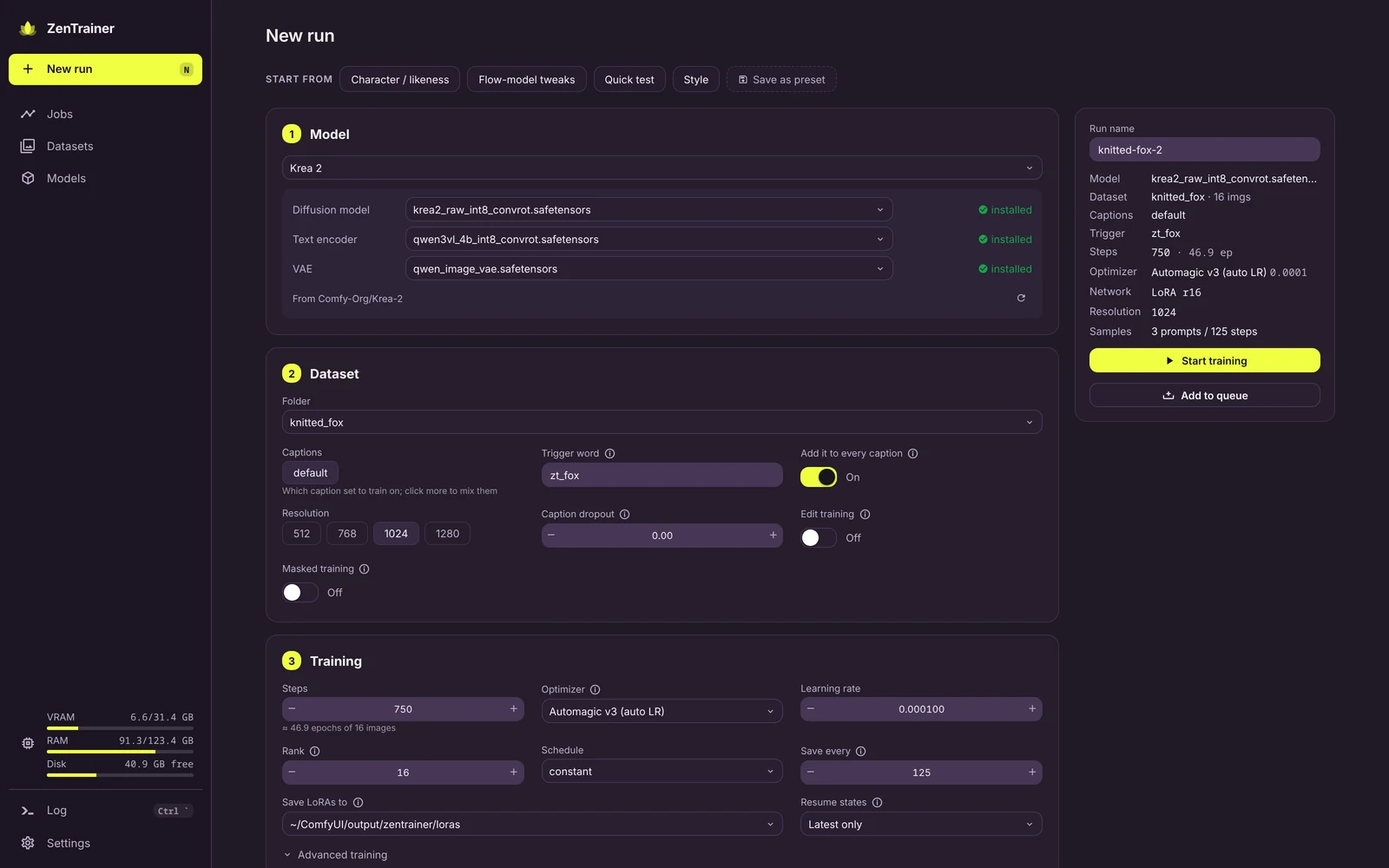
Pick a model by name (Krea 2, Z-Image, Qwen-Image, SDXL…) and every part is filled in: the base build to train on, its text encoder and VAE, each marked installed or one click from downloading off its Comfy-Org Hugging Face repo. The family's turbo build is offered for fast previews, with the sampler settings ComfyUI's own template uses. The Models page lists every family, what you have of it, and the rest.
Start from a preset (Character, Style, Flow-model tweaks, Quick test) or one of your own, and the form warns you about what usually goes wrong: no trigger word, sample prompts that never use it, a learning rate the optimizer won't like, too few epochs.
- Trigger word added to every caption, and
[trigger]in captions and prompts - Optimizers: AdamW, Prodigy, Lion, Adafactor, CAME, schedule-free, 8-bit and more, each with a suggested learning rate
- LoRA, LoHa, LoKr or OFT; masked training; caption dropout; mixed caption sets
- Sample with another model: train on the raw base, preview on its turbo version
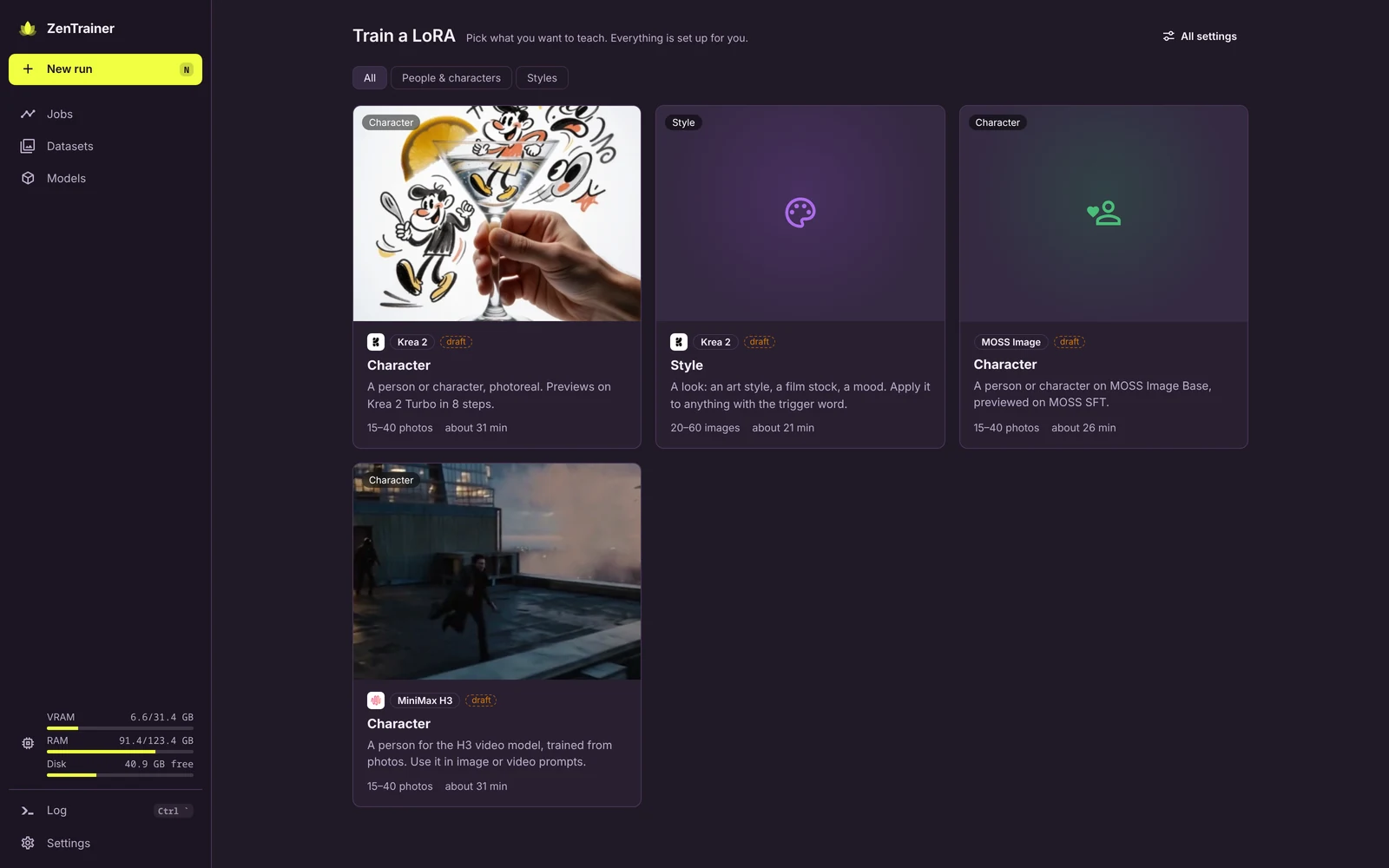
Simple mode
Pick what you want to teach (a character, a style), drop in your photos, name it, and train. The recipe picks the model files (downloading what's missing), captions the photos, and sets every knob. While it trains you see each preview land, when the next one is due, and you can try a prompt of your own at the current step. Switch to Advanced in Settings for every setting.
Apps (experimental)
ComfyUI workflows with an interface built for the job: Test LoRA renders checkpoints × strengths × prompts on a fixed seed, Generate is a clean txt2img on any model with your LoRAs. They're still being finished, so they sit behind Settings → Experimental pages (a run's Try buttons open them either way). → Writing apps
Your ComfyUI, kept safe
ZenTrainer runs on its own pinned copy of ComfyUI, so updating your main install or its custom
nodes can't break a training run. Your models stay where they are, read through
extra_model_paths.yaml. Themes come from ZenKit, so it matches
the rest of your setup.
Install
Two ways in, same engine:
Into your ComfyUI, as a node pack (the simple way). Install ZenTrainer from ComfyUI Manager or
the Registry, or clone this repository into ComfyUI/custom_nodes/, then restart ComfyUI and click the lotus
in its top bar (or open /zentrainer/ on its port, e.g. http://127.0.0.1:8188/zentrainer/). It uses that ComfyUI's
models, input/ and output/; it needs ComfyUI 0.41 or newer and says so if yours is older.
Nothing extra to install: everything it needs ships with ComfyUI (optional optimizers:
pip install -r requirements-optional.txt). A Registry/Manager install includes the built app; a
git clone needs it built once (cd web && pnpm install && pnpm build).
Its own pinned ComfyUI, with scripts/zt (for keeping training separate, below): a
dedicated ComfyUI at the tested commit with its own venv, reading your existing models in place.
Updating your main ComfyUI or its custom nodes can't break a run.
Run it (scripts/zt)
scripts/zt setup --models-from /path/to/your/ComfyUI   # clone pinned ComfyUI, install, link the engine
scripts/zt start --open                                # http://127.0.0.1:8189/zentrainer/
scripts/zt dev                                         # ComfyUI + web app with hot reload (:5173/zentrainer/)
scripts/zt restart                                     # restart ComfyUI (picks up engine changes)
scripts/zt doctor                                      # what's installed, where models come from
--models-from takes an existing ComfyUI install (its models/ and its
extra_model_paths.yaml) or a plain models folder. To point at a yaml directly, use
--extra-model-paths /path/to/extra_model_paths.yaml. Both flags are repeatable and
can be combined. Or skip the flags and drop (or symlink) an extra_model_paths.yaml
into comfyui/: ComfyUI loads that file on its own.
Datasets go in comfyui/input/<name>/; trained LoRAs land in
comfyui/output/zentrainer/loras/, and run history in comfyui/user/zentrainer/. That's your
work: to reinstall, use scripts/zt update rather than deleting comfyui/, or move those three
folders out first. Theme packs are bundled; --zenkit is optional.
Prefer one ComfyUI? scripts/zt attach /path/to/ComfyUI links the engine into it
instead. It works as long as that ComfyUI is close to the pin in comfy.lock.
comfy.lock pins the ComfyUI commit and torch build that the harness is tested
against. The harness uses ComfyUI internals, so move the pin with
scripts/zt update --ref <commit|tag> and test before committing it.
How it works
The training loop is ZenTrainer's own: it loads models, patches in the LoRA and steps the optimizer with ComfyUI as a library, not through workflows. While a run trains, a one-node job holds ComfyUI's queue, so a generation can't land on the GPU mid-step. Design and rationale are in docs/ARCHITECTURE.md.
engine/   ComfyUI node pack: training harness (ComfyUI as a library), run API, session node
web/      Vue app (zenkit-ui, ZenKit themes), served by ComfyUI at /zentrainer/
tests/    harness tests that need no ComfyUI
scripts/  zt (setup, start, dev, …); devrun.py runs a spec through the harness without the server
docs/     architecture, apps; banner/ holds the README banner's source
Develop
scripts/zt dev is the loop: web edits hot-reload at http://localhost:5173/zentrainer/,
engine (Python) edits need scripts/zt restart (or Restart on the System page).
# tests (no GPU)
uv run --with pytest --with torch --with pillow --with numpy --no-project python -m pytest

# a spec straight through the harness, using ComfyUI as a library (see examples/)
comfyui/.venv/bin/python scripts/devrun.py examples/sdxl-quick.json --comfy comfyui

# README screenshots, from an install holding only demo content (maroon-volt, dark)
uv run --with playwright --with pillow --no-project python docs/banner/shots.py --url http://127.0.0.1:8188 --run <id> --dataset <folder>
# banner and Registry icon (docs/banner/banner.html → docs/images/banner.webp, icon.png)
uv run --with playwright --with pillow --no-project python docs/banner/render.py