
ComfyUI-Wavelet-2D
2D Discrete Wavelet Transform (DWT) nodes for ComfyUI. Requires comfyui-signed-image (install separately).
Nodes (4)
Photoshop's frequency-split, in a node
It's Just Four Multiplications — and That's Exactly Why It's Useful
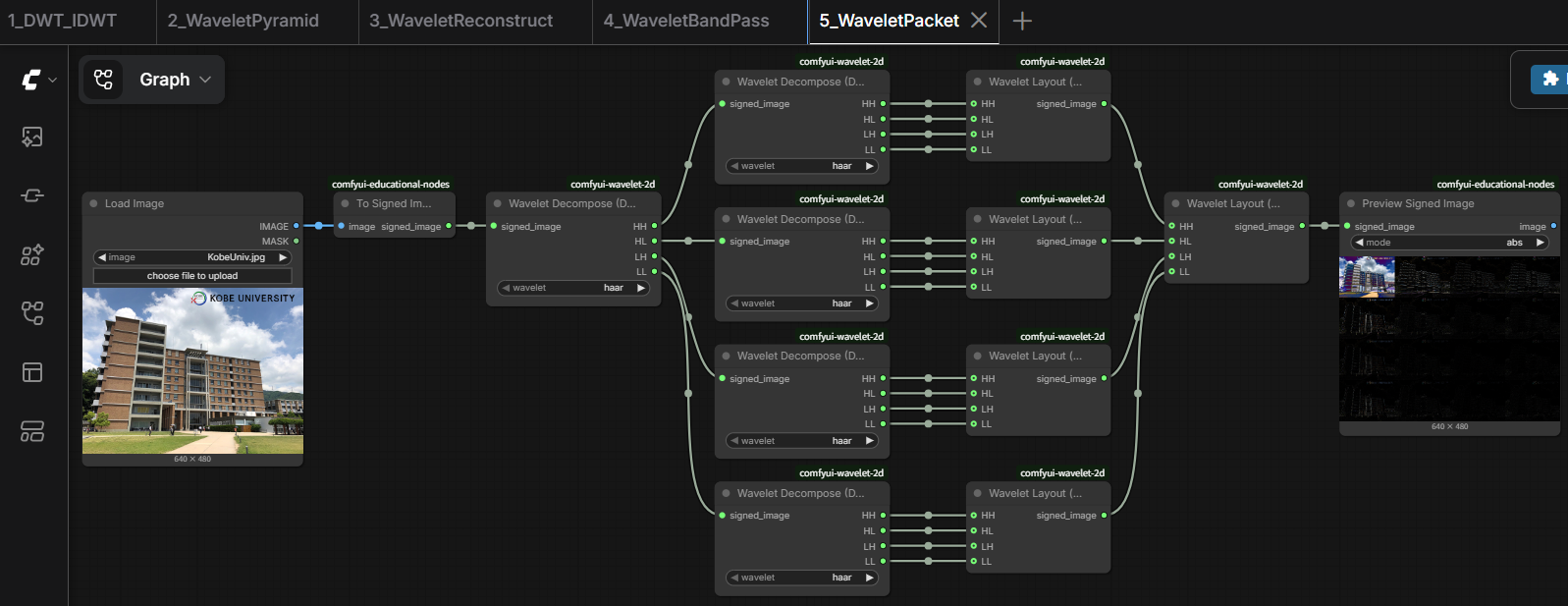
The Textbook Wavelet Diagram, Minus Any Actual Math
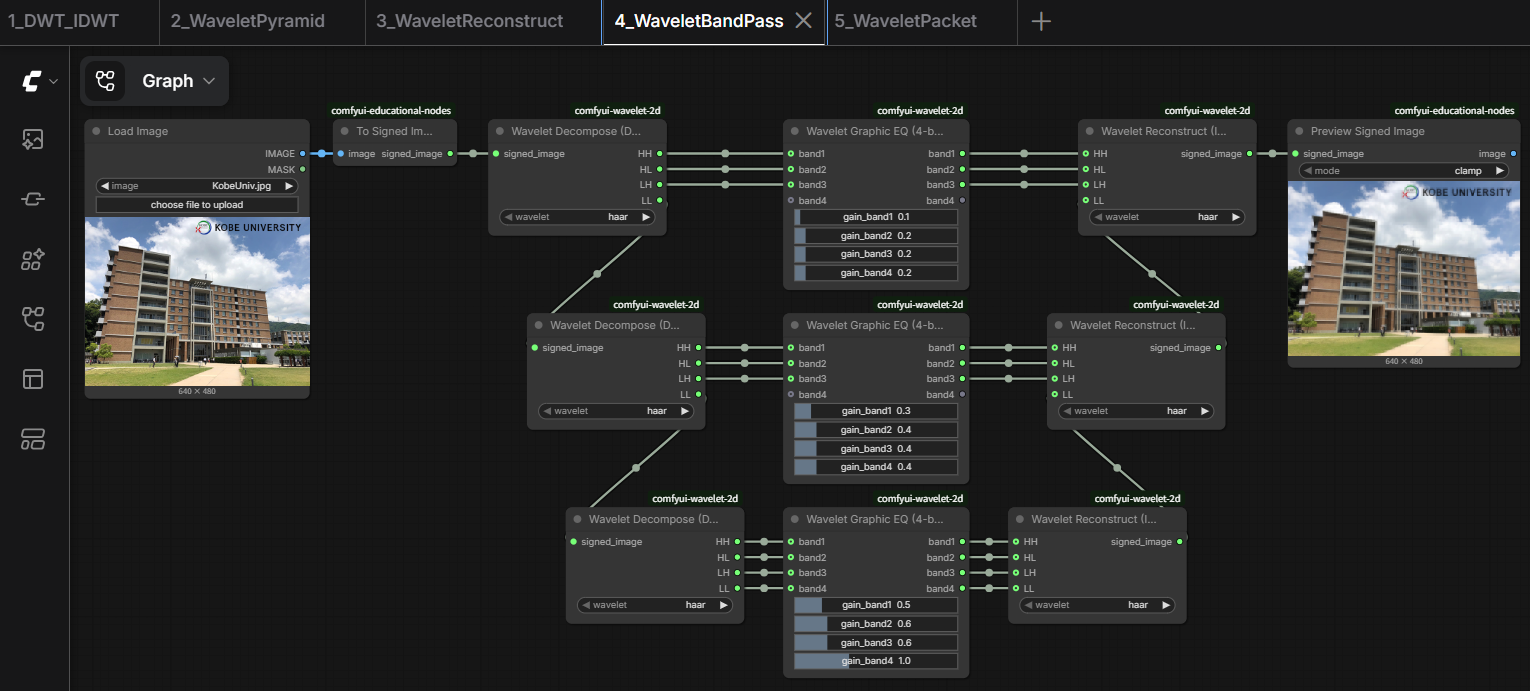
The Undo Button That Doubles as a Band-Pass Filter
ComfyUI-Wavelet-2D
2D Discrete Wavelet Transform (DWT) nodes for ComfyUI.
This package provides 2D wavelet decomposition, reconstruction, subband visualization, and subband-mixing nodes for ComfyUI, along with educational sample workflows.
Features
- 2D DWT / IDWT (haar, db4, sym4, bior4.4)
- LL / LH / HL / HH subband decomposition
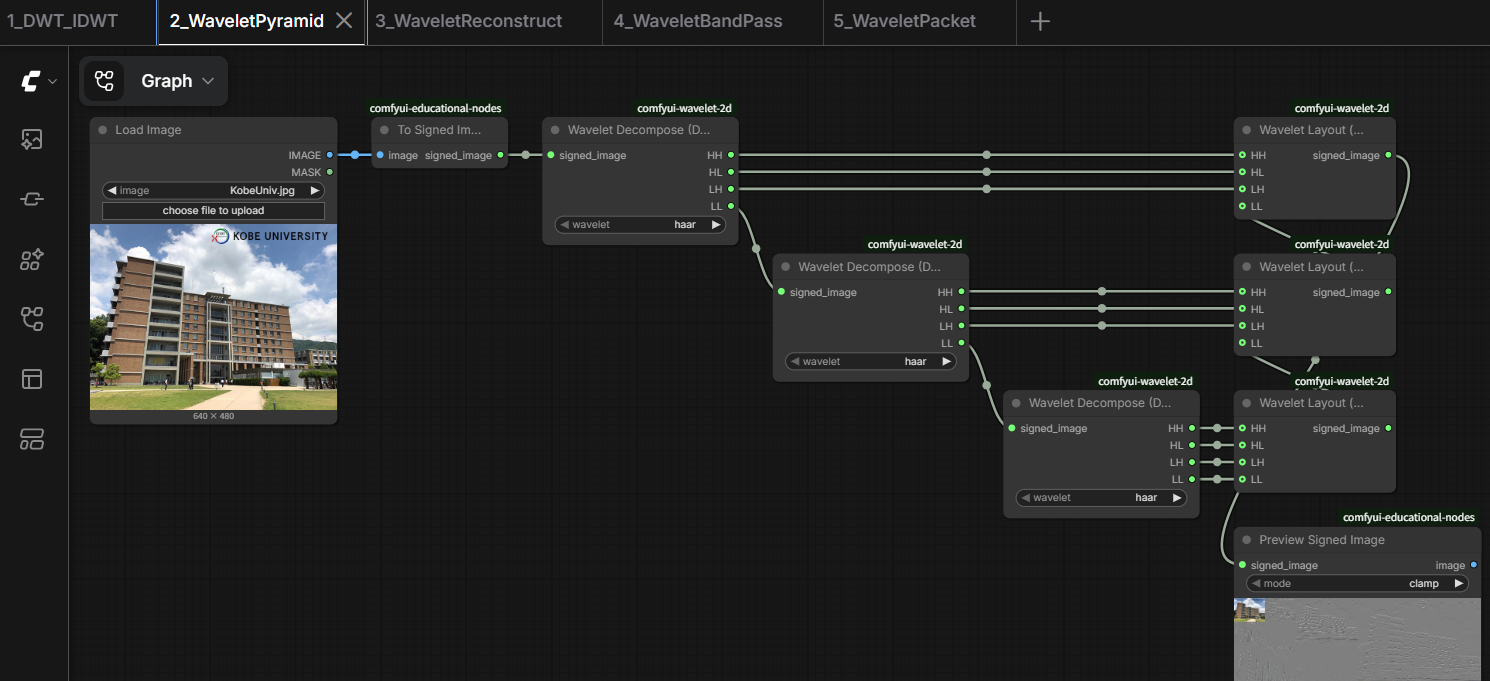
- Classic textbook 2x2 subband layout, usable recursively for multi-level wavelet pyramids
- 4-band graphic equalizer for mixing subbands
- Symmetric boundary handling
- Operates on the
SIGNED_IMAGEconvention, so subband coefficients keep their sign and out-of-range values intact instead of being clipped
Included Nodes
Transform
- Wavelet Decompose (DWT)
- Wavelet Reconstruct (IDWT)
Visualization
- Wavelet Layout (2x2)
Mixing
- Wavelet Graphic EQ (4-band)
Sample Workflows
Sample input images are included in the examples folder. Copy them to your ComfyUI input folder.
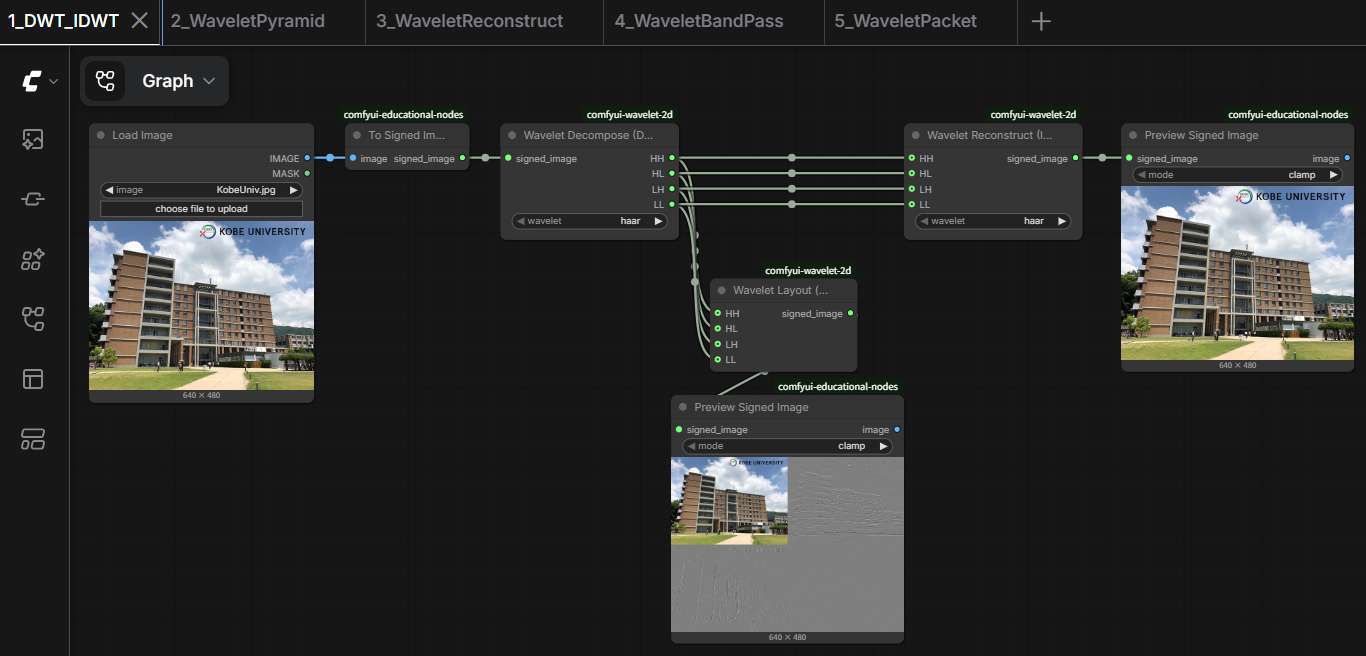
Lesson 1. DWT → IDWT
Lesson 2. Wavelet Pyramid
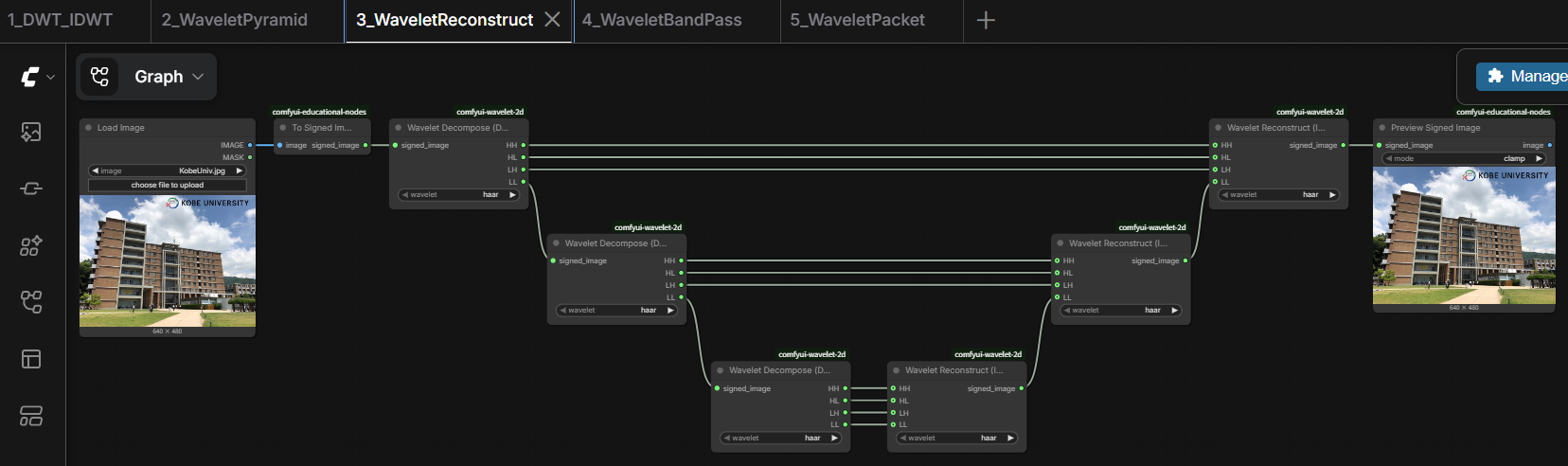
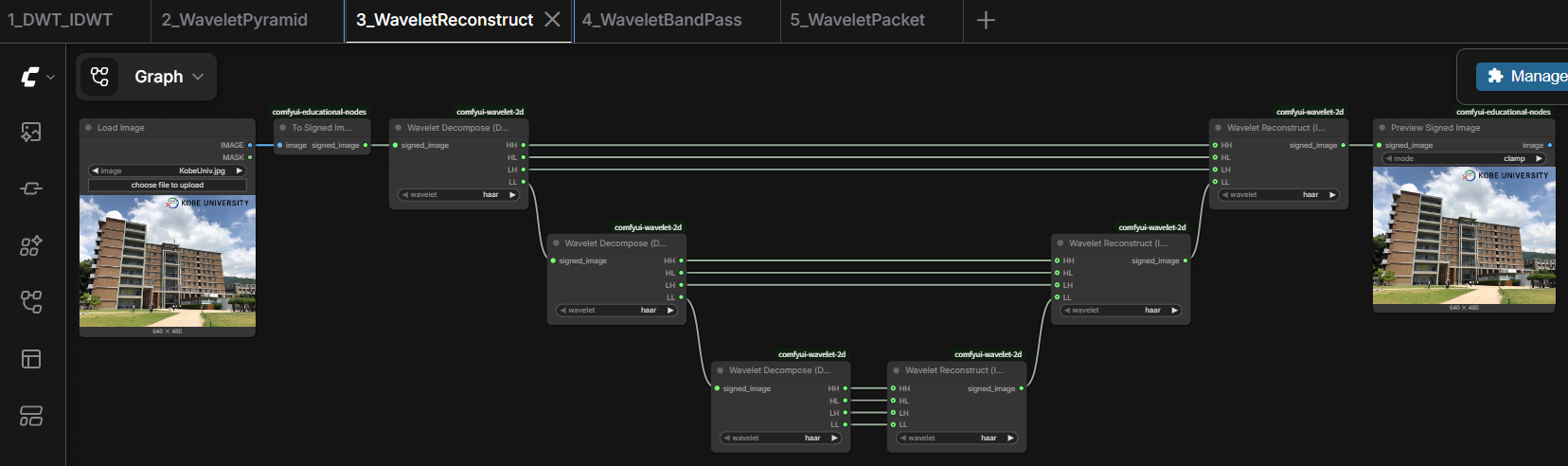
Lesson 3. Wavelet Reconstruct
Lesson 4. Wavelet Band-pass
Lesson 5. Wavelet Packet
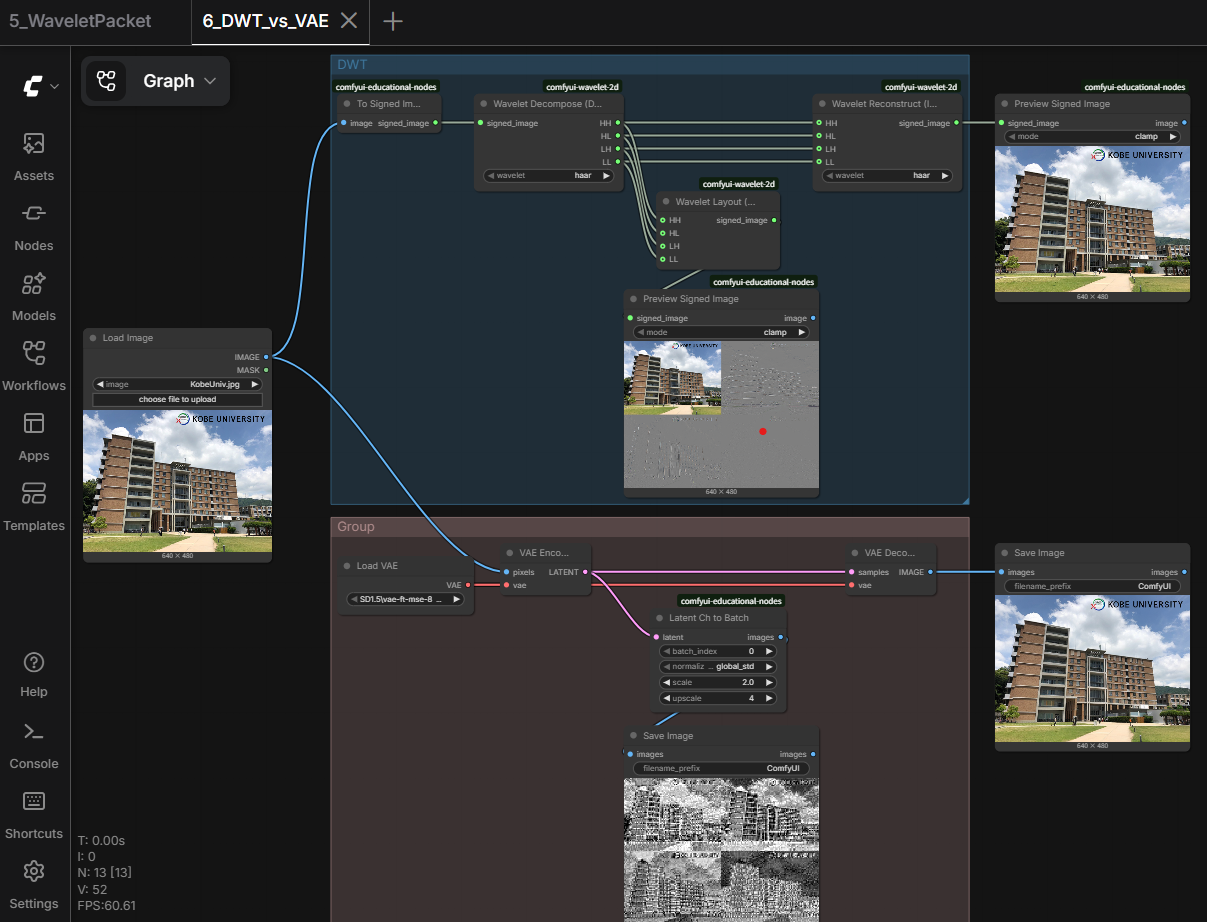
Lesson 6. DWT vs VAE
Companion Packages
All sample workflows above use To Signed Image / Preview Signed Image, which live in comfyui-signed-image - install it alongside this package to run any of them.
Lesson 6 (DWT vs VAE) additionally uses Latent Ch to Batch from comfyui-latent-viewer.
Installation
Clone this repository into your ComfyUI custom_nodes folder.
ComfyUI/
└── custom_nodes/
    └── comfyui-wavelet-2d/
Then install the Python dependencies:
pip install -r requirements.txt
Restart ComfyUI after installation.
SIGNED_IMAGE Data Type
These nodes operate on a lightweight custom data type:
IMAGE
   ↓
SIGNED_IMAGE
   ↓ Wavelet Decompose / Wavelet Layout / Wavelet Graphic EQ / Wavelet Reconstruct
SIGNED_IMAGE
   ↓
IMAGE
Unlike IMAGE (range 0.0 ... 1.0), SIGNED_IMAGE is zero-centered (nominally -1.0 ... +1.0) and is not clamped during intermediate processing, so wavelet coefficients keep their sign and magnitude intact instead of being clipped for display.
License
See the repository license file for details.