
ComfyUI-Image-Metrics
Full-reference image quality metrics for ComfyUI - PSNR, MAE, and SSIM between two images.
Nodes (3)
ComfyUI-Image-Metrics
Full-reference image quality metrics for ComfyUI - PSNR, MAE, and SSIM between two images.
This package provides teaching nodes for quantifying how similar two images are, e.g. to score a reconstruction, an upscaling method, or a compression result against a reference - shown directly on the node and output as FLOAT for further use.
Features
- PSNR (Peak Signal-to-Noise Ratio, dB) plus the underlying MSE it's computed from, for free
- MAE (Mean Absolute Error)
- SSIM (Structural Similarity Index), fixed to the standard Wang et al. 2004 parameters (11x11 Gaussian window, sigma=1.5, K1=0.01, K2=0.03) - no parameters exposed, since these defaults are what "SSIM" conventionally means in papers
- A batch is scored by computing the metric per image pair and averaging - the same convention benchmark papers use over a whole test set - rather than pooling every pixel from every image together
- Assumes the standard
0..1IMAGE range; not offered forSIGNED_IMAGE, since PSNR's reference range has to match the data's true peak-to-peak range to mean anything
Included Nodes
Metrics
- Image PSNR
- Image MAE
- Image SSIM
Sample Workflows
Lesson 1. Image PSNR
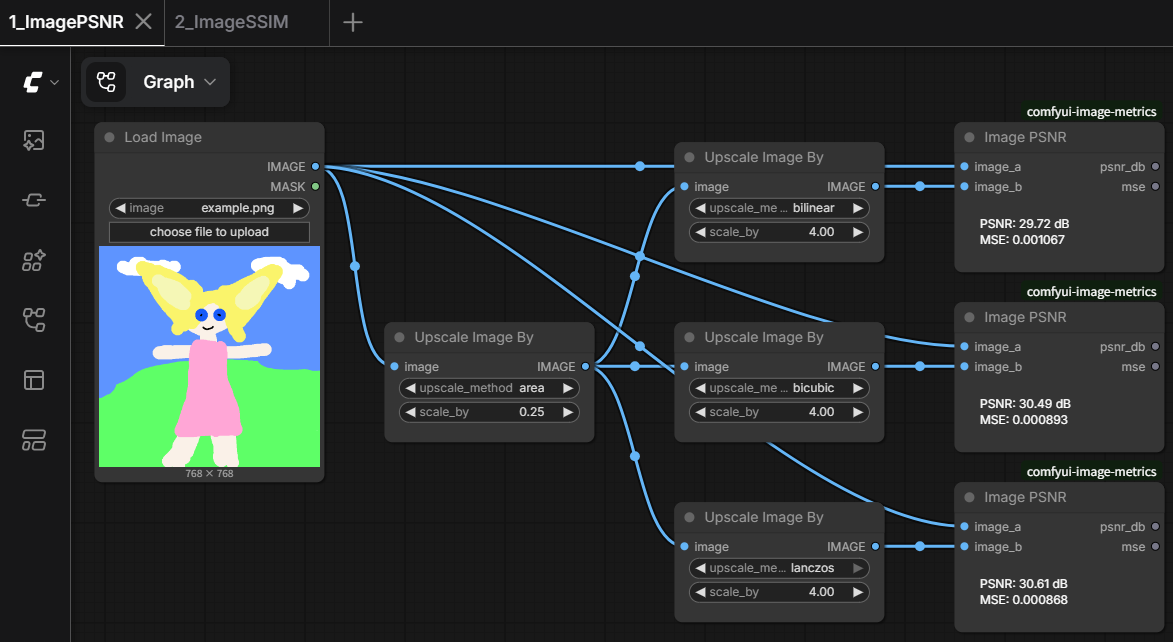
Downscales an image and upscales it back with three different interpolation methods (bilinear, bicubic, lanczos), then scores each reconstruction against the original with Image PSNR - a quick way to compare resampling methods numerically.
Lesson 2. Image SSIM
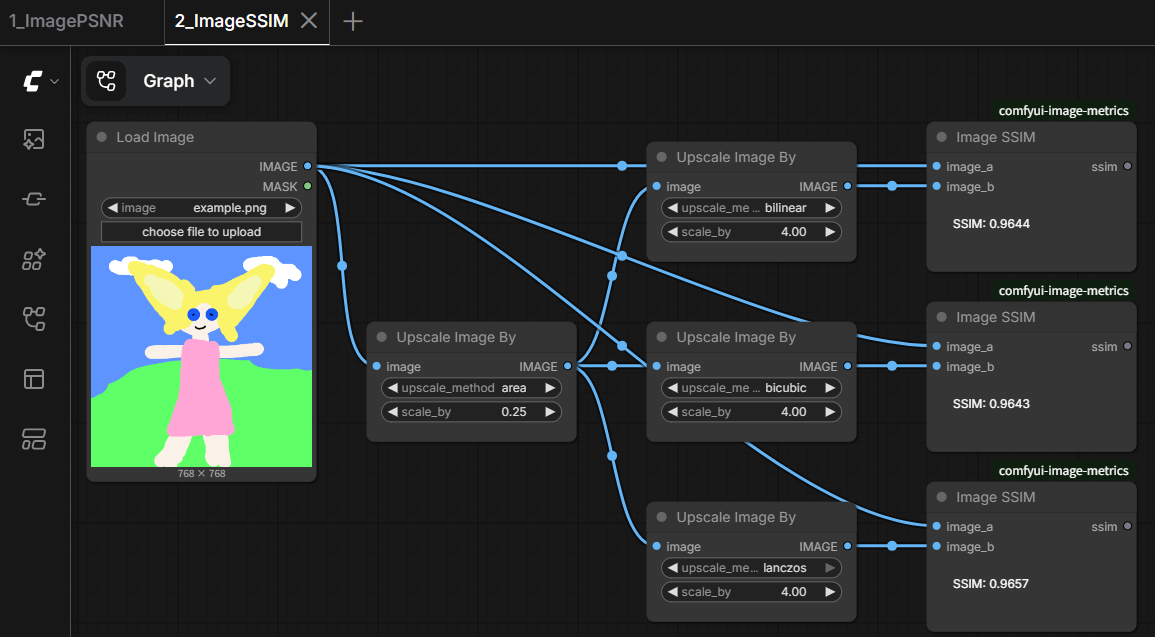
Same comparison as Lesson 1, scored with Image SSIM instead - useful for seeing where PSNR and SSIM agree or disagree on which method looks "better".
Installation
Clone this repository into your ComfyUI custom_nodes folder.
ComfyUI/
└── custom_nodes/
    └── comfyui-image-metrics/
Restart ComfyUI after installation. No extra Python dependencies are required.
License
See the repository license file for details.