
ComfyUI-Frame-Step
Step through a VIDEO one frame at a time, delay a frame for frame differencing, detect the moving area between two frames, and capture straight from a server-side camera.
Nodes (4)
Grab a Camera Frame Straight From the Server — No Browser Permission Popup
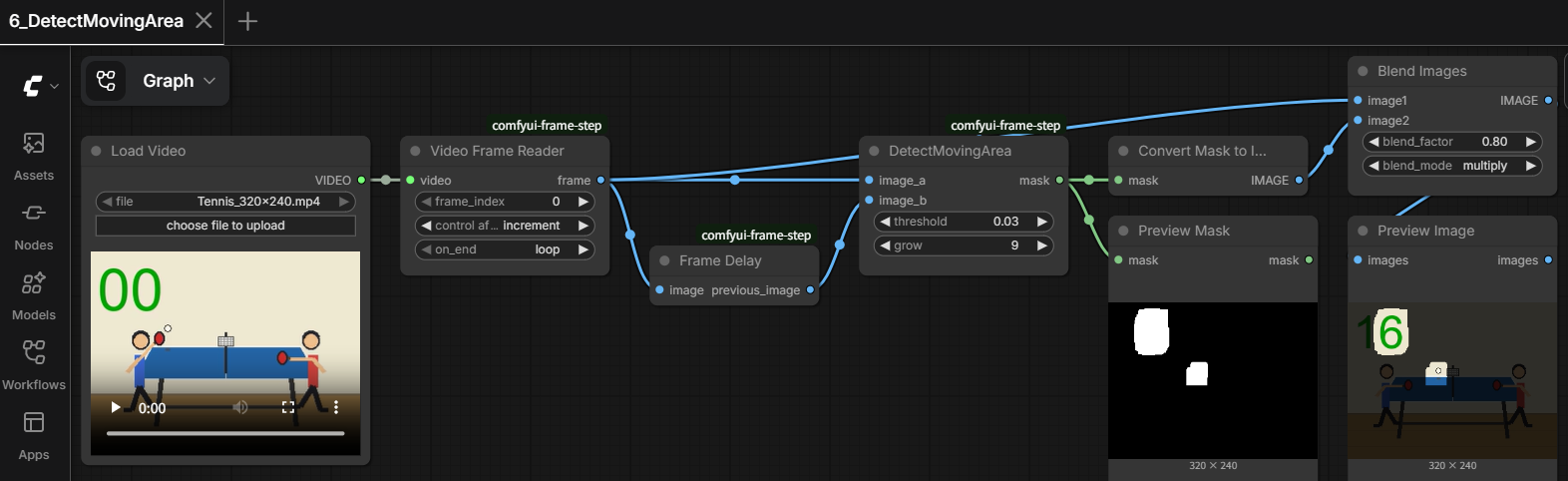
Two Frames In, a Clean Mask Out
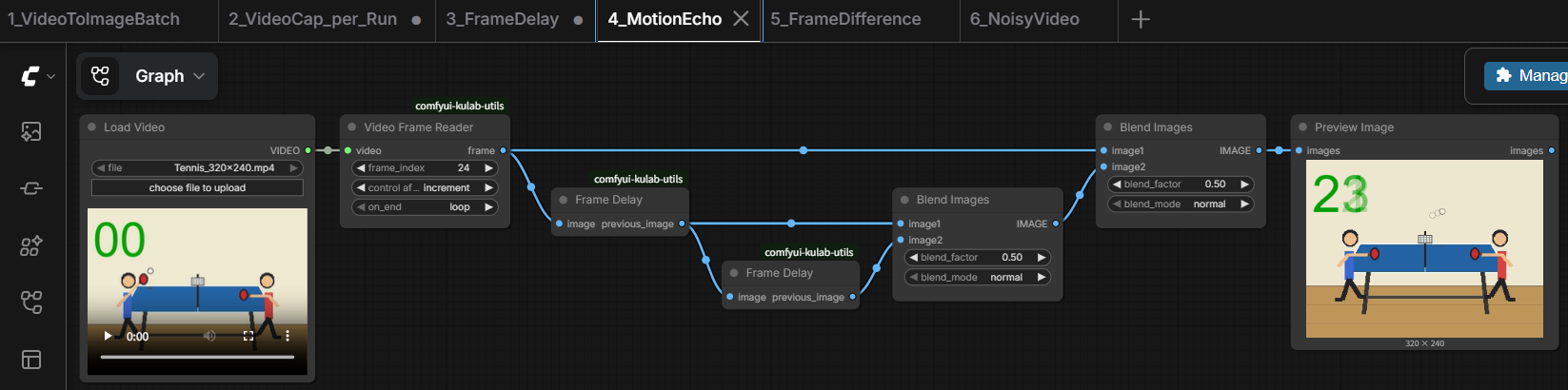
Frame Delay Is One Small Stateful Trick — and It Powers Every Motion Trick in This Pack
Step Through a Video One Frame at a Time — Without Loading the Whole Thing Into RAM
ComfyUI-Frame-Step
Step through a VIDEO one frame at a time, delay a frame for frame differencing, detect the moving area between two frames, and capture straight from a server-side camera.
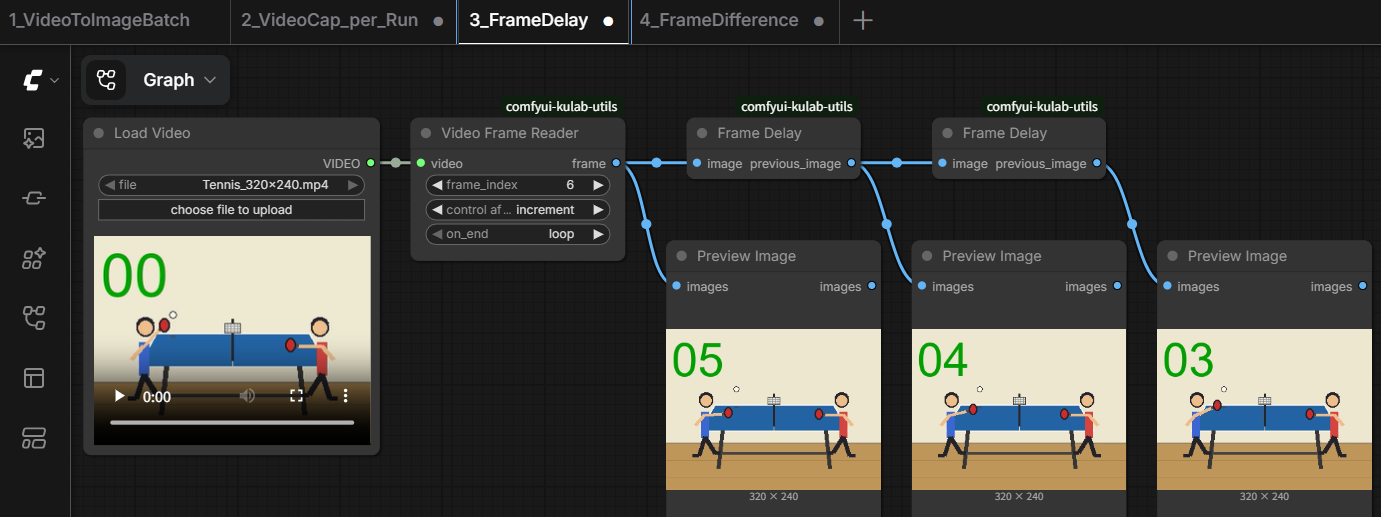
This package provides teaching nodes for temporal/motion video processing in ComfyUI: reading a video frame-by-frame without decoding the whole thing into memory, a one-step delay line for frame-to-frame comparisons, a ready-made motion-detection mask, and a lightweight live-camera source.
Features
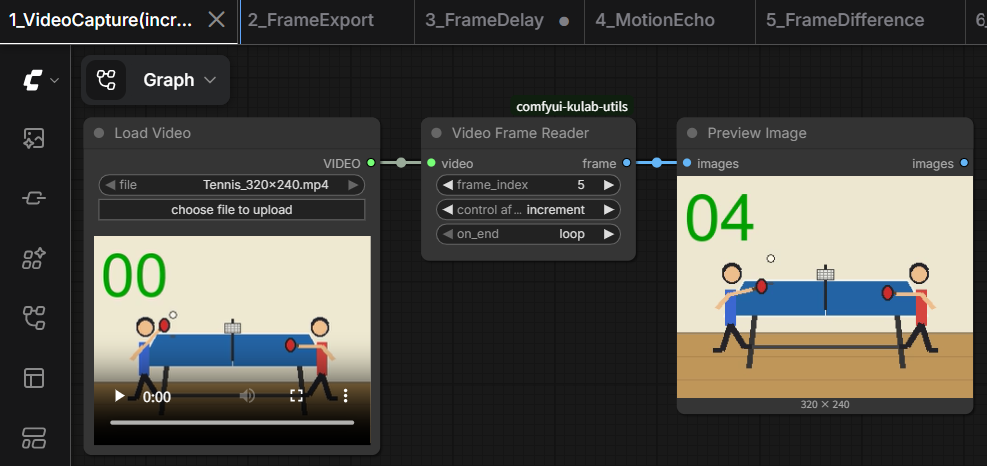
- Reads a VIDEO one frame at a time via PyAV's streaming decoder - never loads the whole clip into memory at once
frame_indexuses the same seed-stylecontrol_after_generatepattern as core's RandomNoise/KSampler, so playing forward is just hitting Run repeatedly, and rewinding is just resetting the widget to 0- Configurable end-of-video behavior: loop back to the start, or stop with a clear error
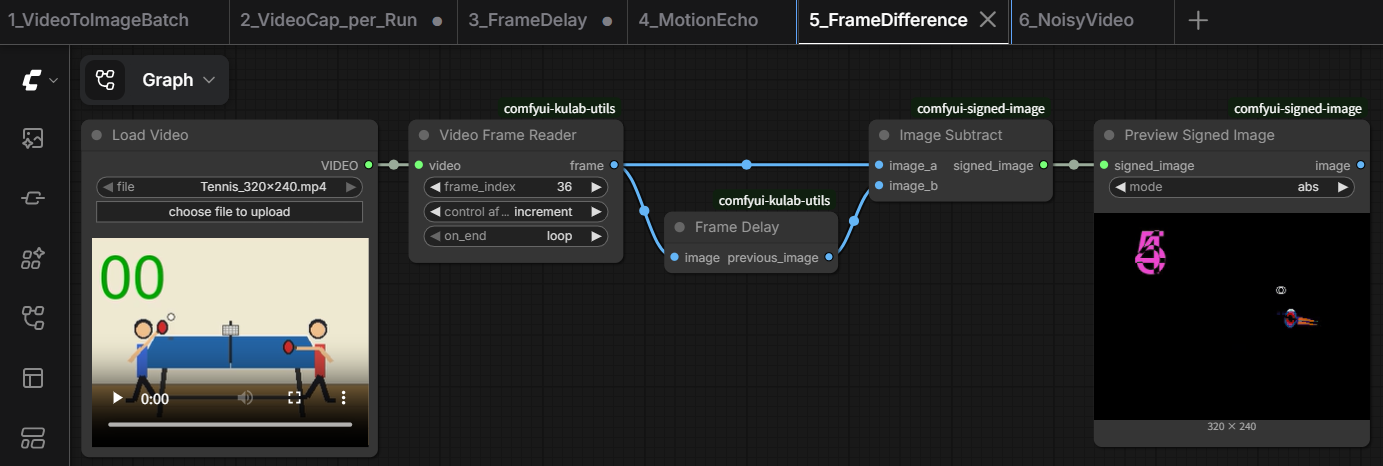
- A one-frame delay line (
z^-1), the building block for frame-to-frame differencing and motion detection - A ready-made motion-detection mask (luma-weighted difference, threshold, optional dilation) bundling what would otherwise take several separate nodes
Camera Capturegrabs a frame directly from a camera on the machine running the ComfyUI server (via OpenCV), instead of asking the browser for one like core's Webcam Capture does - no stacked live-preview/captured-image widgets, just a plainIMAGEoutput, so it drops straight into any workflow built around Video Frame Reader
Included Nodes
Video
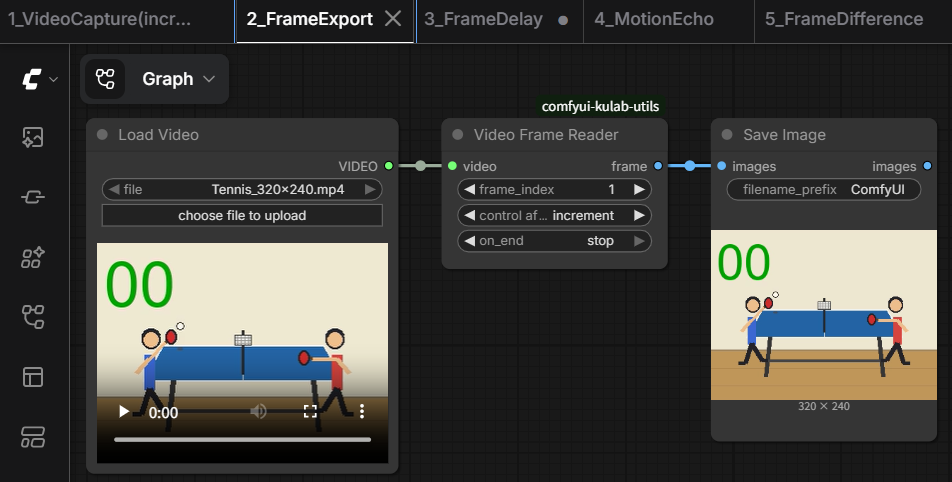
- Video Frame Reader
- Frame Delay
- DetectMovingArea
- Camera Capture
Sample Workflows
Sample input video is included in the examples folder. Copy it to your ComfyUI input folder.
Camera Capture is a drop-in swap for Video Frame Reader in every lesson below (same IMAGE output) - useful if a live camera is more convenient than a sample video, or if core's Webcam Capture isn't working for you.
Lesson 1. Video Frame Reader
Lesson 2. Frame Export
Lesson 3. Frame Delay
Lesson 4. Motion Echo
Lesson 5. Frame Difference
Lesson 6. DetectMovingArea
Installation
Clone this repository into your ComfyUI custom_nodes folder.
ComfyUI/
└── custom_nodes/
    └── comfyui-frame-step/
Then install the Python dependencies:
pip install -r requirements.txt
Restart ComfyUI after installation.
Companion Packages
Lesson 5 (Frame Difference) uses Image Subtract / Preview Signed Image from comfyui-signed-image - install it alongside this package to run that workflow. The other five lessons only need ComfyUI core nodes.
License
See the repository license file for details.