
ComfyUI Extension
GalleryEnhanced
Fast ComfyUI output gallery with batch selection, trash/favorites, quick cleanup, folder editing, A/B comparison, mask editing, and gallery loader nodes.
Nivarrym/GalleryEnhanced
Nodes—
On cloudLocal install
Stars0
Updatedabout 19 hours ago
Readme
GalleryEnhanced
Fork of PanicTitan/ComfyUI-Gallery. Original project by PanicTitan; this fork is maintained by Nivarrym.
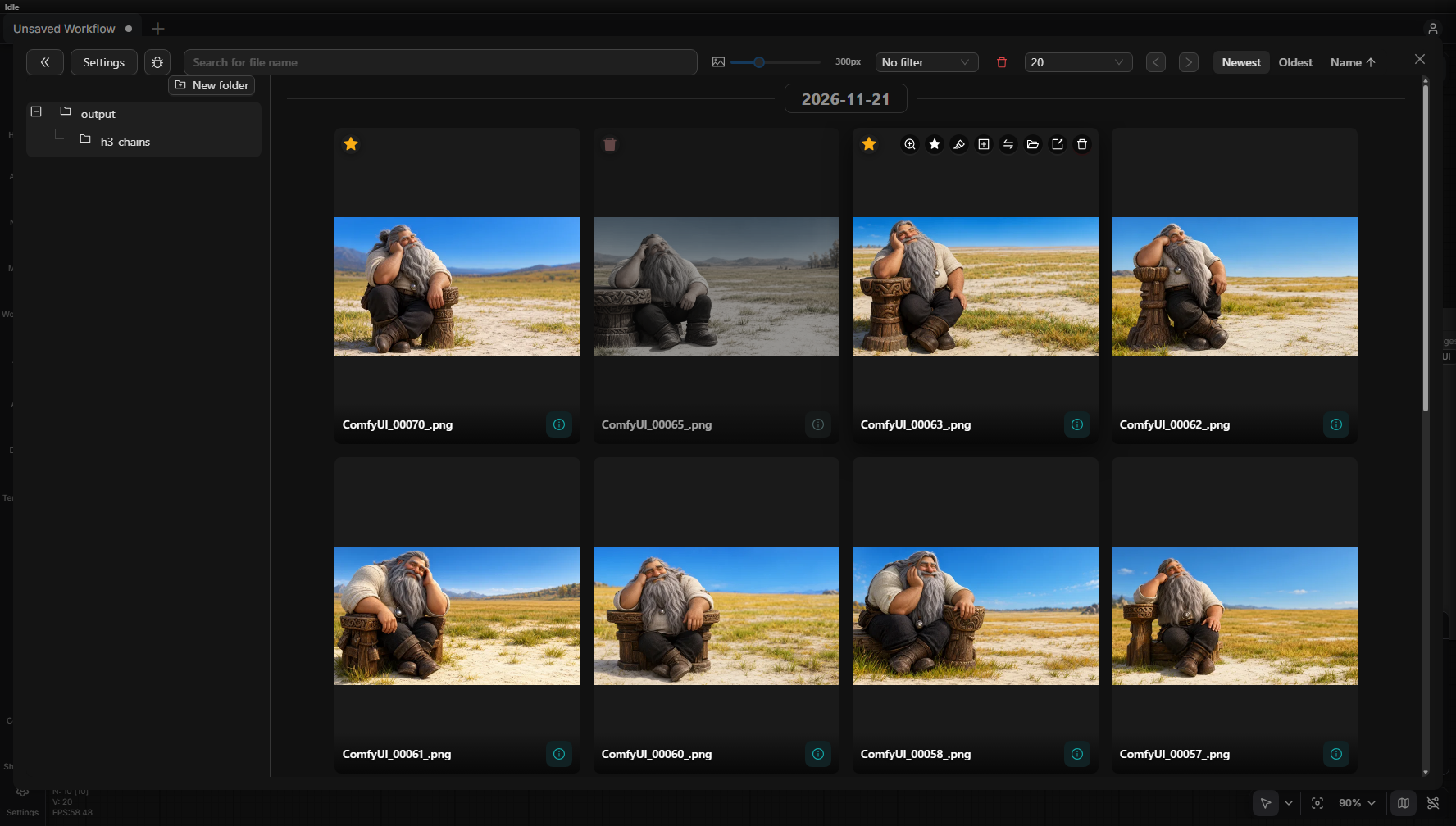
A fast, native gallery for ComfyUI output: images, video, audio, 3D,
metadata, graph loaders and batch management.
Fork highlights
- Selection & batch actions — Ctrl/Cmd+click, Shift+range, box selection, select all, batch ZIP download and batch delete.
- Trash & favorites — Space marks trash, F marks favorite; muted cards, card icons, preview auto-advance and No filter / Favorites / Trash filter.
- Quick trash cleanup — top-bar trash button deletes marked assets with an optional From/To date-time range.
- Folder editing — create, rename and delete empty folders from the sidebar and its right-click menu.
- Comparison mode — two images/videos with wipe divider, horizontal/vertical direction, Overlay/Fade modes, fit modes, 3×3 anchor and Swap A/B.
- Mask editor — open ComfyUI's built-in mask editor directly from a card or the selection toolbar.
- Graph integration — Add to Graph, Replace selected node, in-node image
preview, and
Load Image / Video / Audio From Gallerynodes. - Faster browsing — lazy scans, cached WebP thumbnails, on-demand metadata, endless scroll, pagination, resizable sidebar, card-size slider and dark theme.
Install
- Copy
ComfyUI-Gallery-ForkintoComfyUI/custom_nodes/. - Restart ComfyUI.
- Open the gallery from the toolbar button or press Ctrl+G.
Requirements
- ComfyUI with Python 3.10+
aiohttp,Pillow,watchdogffmpegis recommended for video/audio metadata and previews
Documentation
- CHANGELOG.md — complete fork history
- FORK_CHANGES.md — technical implementation notes
- AUTHORS.md — attribution
Based on ComfyUI-Gallery by PanicTitan. Fork maintained by Nivarrym.