
ComfyUI-Visage
ComfyUI nodes for Visage-Image, a 256px text-to-image model for face generation.
ComfyUI-Visage
ComfyUI nodes for Visage-Image, a 256px text-to-image model for face generation. The model code lives in Visage-Image; this pack wraps it as nodes.
Install
With ComfyUI-Manager, search for Visage. By hand:
cd ComfyUI/custom_nodes
git clone https://github.com/Nikita-Sherstnev/ComfyUI-Visage
pip install -r ComfyUI-Visage/requirements.txt   # with ComfyUI's Python
The weights (~0.7 GB DiT + VAE, plus the Qwen3-0.6B text encoder) download to the Hugging Face cache on first run.
No files go in ComfyUI/models.
Nodes
| Node | Does |
|---|---|
| Visage Loader | Loads the DiT, VAE and text encoder from a hub repo id or a local model folder. bf16 on CUDA, fp32 otherwise. |
| Visage Text Encode | Encodes a prompt. |
| Visage Sampler | Samples latents. Defaults (50 steps, CFG 3, sde, churn 0.3, shift 3.3) are the tuned recipe. |
| Visage VAE Decode | Latent to IMAGE. |
The model brings its own sampler, VAE and text encoder, so these nodes use their own socket types (VISAGE_*)
and do not connect to KSampler, CLIP or core VAE nodes. Any IMAGE node (Save, Preview, upscalers) works on the output.
Workflow
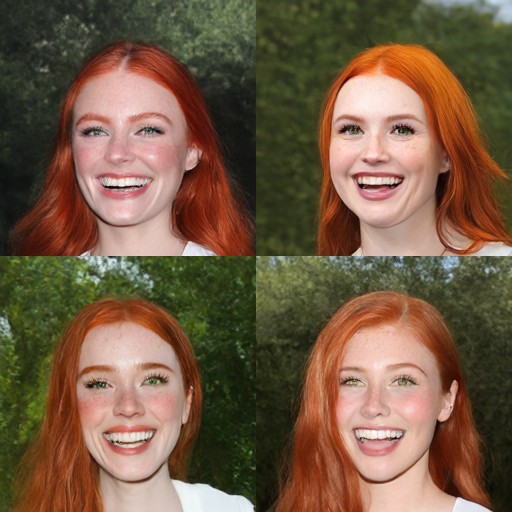
example_workflows/visage_text_to_image.json turns a prompt into a batch of 4.
It also shows up under Templates → ComfyUI-Visage.
Prompting: see the prompting guide.
Speed and memory
About 0.3 s per image at 50 steps on a modern GPU; on CPU, about 13 s at 16 threads.
The example workflow (batch of 4) peaks at about 1.6 GB of VRAM in bf16, or about 2.3 GB per process including the CUDA context, so any 4 GB GPU runs it. Batch 1 needs 1.3 GB, batch 16 about 2.6 GB (plus the context).
License
Apache-2.0, as the model.