
MiniMax H3 CLIP-Cached
Cached alternatives to ComfyUI's native MiniMax H3 FL2VA and Ref2VA conditioning nodes that avoid repeatedly loading the large Qwen3-VL text/vision encoder when the same H3 conditioning was already computed.
Nodes (5)
Stop reloading the Qwen3-VL encoder on every MiniMax H3 run
The Dual Resolution FL2VA
MiniMax H3 reference-to-video, without re-encoding your references every run
The Ref2VA Dual Resolution node
The MiniMax H3 CLIP Name helper
ComfyUI-MiniMaxH3-CLIPCached
<table> <tr> <td align="center"><strong>Native FL2VA</strong></td> <td align="center"><strong>CLIP-Cached FL2VA — cache HIT</strong></td> </tr> <tr> <td><img src="docs/img/intro_native_memory.png" alt="Native MiniMax H3 FL2VA memory usage" width="360"></td> <td><img src="docs/img/intro_cached_memory.png" alt="CLIP-Cached MiniMax H3 FL2VA cache HIT memory usage" width="360"></td> </tr> </table>ComfyUI-MiniMaxH3-CLIPCached provides cached alternatives to ComfyUI's native MiniMax H3 FL2VA and Ref2VA conditioning nodes. It avoids repeatedly loading and running the large Qwen3-VL text/vision encoder when the same H3 conditioning has already been computed.
On a cache HIT, the stored conditioning is restored from disk and Qwen3-VL
is not loaded. On a MISS, CLIPCached follows ComfyUI's normal MiniMax H3
path, runs the real encoder, unloads it, and stores the result for future reuse.
refresh deliberately forces a new encode and replaces the matching cached
entry.
This is a time-for-disk-space trade-off: repeated conditioning becomes much cheaper in time and memory pressure, while each unique encoder-visible conditioning request consumes disk space until its cache entry is deleted.
CLIPCached does not replace MiniMax H3 itself. VAE work, reference/keyframe preprocessing, latent construction, sampling, and video generation continue through ComfyUI's stock H3 implementation.
How It Works
CLIP-Cached H3 node
        |
        v
Check disk cache
   |             |
   | HIT         | MISS / REFRESH
   v             v
load saved      run Qwen3-VL
conditioning   -> save result
   |             |
   +------+------+
          |
          v
continue through normal MiniMax H3
A new cache entry is needed when the effective text/vision input seen by Qwen3-VL changes. Downstream diffusion settings do not invalidate conditioning by themselves.
| Change | New CLIPCached entry? |
|---|---|
| Prompt text | Yes |
| Resolved textual-inversion embedding: content | Yes when the resolved embedding tensor changes |
| Encoder checkpoint / clip_name | Yes |
| Keyframe/reference pixels or effective reference-video frames | Yes when encoder-visible content changes |
| Resolution / Ref2VA length | Only when it changes encoder-visible image/video input |
| Seed | No |
| Sampler / scheduler / sampling steps | No |
| Downstream diffusion/model LoRA or strength | No |
| Ref2VA raw audio waveform | No for the CLIP cache |
See the Node Guide for FL2VA- and Ref2VA-specific cache rules.
Requirements
CLIPCached requires ComfyUI with the native MiniMax H3 nodes available. Native MiniMax H3 support is present in ComfyUI v0.30.0 and newer, but this project is developed and validated against ComfyUI v0.34.2; older ComfyUI releases are not part of the current validation baseline.
Use a MiniMax H3 text/vision encoder checkpoint in
ComfyUI/models/text_encoders (for example the tested
qwen3vl_32b_minimax_h3_int8_convrot.safetensors). The cache itself uses the
safetensors Python package, which is already part of the tested ComfyUI
v0.34.2 requirements. GGUF encoders are currently untested.
Installation
If the stock MiniMax H3 nodes already work, no additional model setup is required specifically for CLIPCached.
cd ComfyUI/custom_nodes
git clone https://github.com/Mu5hr00moO/ComfyUI-MiniMaxH3-CLIPCached
Restart ComfyUI after installation. The nodes appear under:
model/conditioning/minimax/cached
Cache files are stored in:
ComfyUI/custom_nodes/ComfyUI-MiniMaxH3-CLIPCached/cache
Updating
cd ComfyUI/custom_nodes/ComfyUI-MiniMaxH3-CLIPCached
git pull
Restart ComfyUI after updating. See Cache Compatibility & Upgrading for cache behavior across updates.
Example Workflow
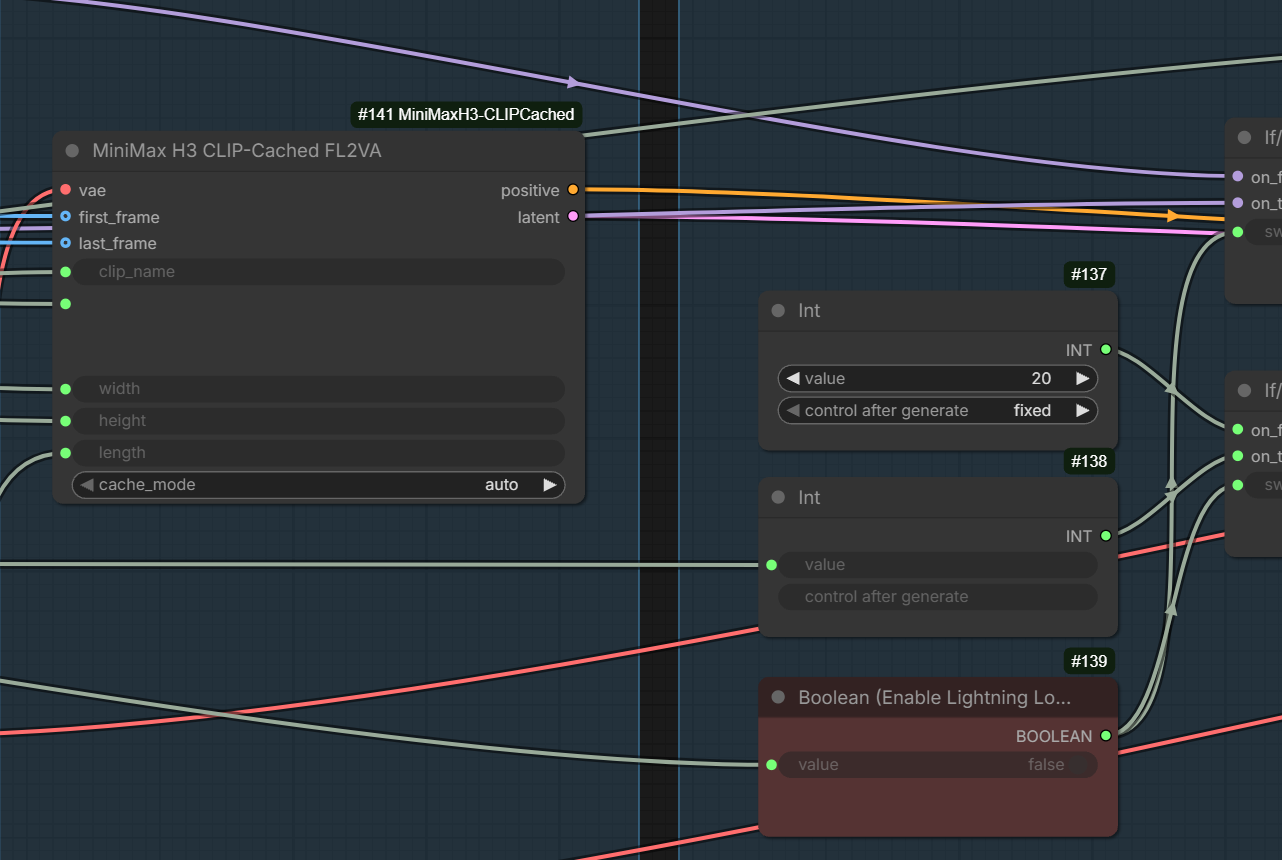
This repository includes an example workflow, MiniMax H3 T2V
(CLIP-Cached). After installation it appears in ComfyUI under
Workflow → Browse Templates, and the file itself lives in
example_workflows/ in this repository. It uses
only ComfyUI core nodes plus the CLIP-Cached FL2VA node.
Included Nodes
- MiniMax H3 CLIP-Cached FL2VA — cached counterpart of stock H3 Image to Video.
- MiniMax H3 CLIP-Cached Ref2VA — cached counterpart of stock H3 Reference to Video.
- MiniMax H3 CLIP Name — one shared encoder-name selector for cached nodes.
- MiniMax H3 CLIP-Cached FL2VA (Dual Resolution) — prepares base H3 conditioning/latent plus matching upscale-target conditioning.
- MiniMax H3 CLIP-Cached Ref2VA (Dual Resolution) — Dual Resolution equivalent for Ref2VA.
The Dual Resolution nodes prepare the base H3 conditioning/latent and the second-resolution conditioning; they are not upscalers by themselves.
Cache Manager
A built-in Cache Manager lets you inspect, search, tag, favorite, rename, and delete cached conditioning entries. It also understands Dual Resolution pairs and highlights the most recently used entry in the current ComfyUI session.
Performance
CLIPCached accelerates only the MiniMax H3 text/vision conditioning stage. It does not make diffusion sampling itself faster.
In the controlled benchmark, a repeated cache HIT reduced median conditioning time from 29.85 s with the native node to 1.12 s, while avoiding the Qwen3-VL encoder load entirely. These are medians across five different cases per mode, measured on an RTX 5080 16 GB under WSL2; Native and MISS use a deliberately cold encoder-file read. Results are reported with median absolute deviation (MAD), and the full table retains the slow cold-read cases.
| Mode | Conditioning stage | Peak VRAM | Peak process RAM | |---|---:|---:|---:| | Native | 29.85 s (MAD 0.82 s) | 15.24 GiB | 29.25 GiB | | CLIPCached MISS* | 32.23 s (MAD 0.36 s) | 15.24 GiB | 28.25 GiB | | CLIPCached HIT | 1.12 s (MAD 0.02 s) | 2.67 GiB | 3.38 GiB |
* After a CLIPCached MISS encode, MiniMaxH3TEModel / Qwen3-VL is unloaded and is not kept resident for downstream sampling.
A MISS intentionally performs the real encoder work and stores the resulting conditioning, so it is not expected to be faster than Native. The benefit is on subsequent HITs: the cached conditioning is restored from disk without loading MiniMaxH3TEModel / Qwen3-VL.
The Native and MISS measurements deliberately use a cold encoder file read; VAE data is prewarmed. This preserves real cold-load behavior instead of discarding slow runs as outliers.
Benchmark methodology & full results →
Documentation
- Node Guide
- Cache Manager
- Performance & Benchmarks
- Technical Details & Cache Compatibility
- Testing & Limitations
Current Limitations
The current version has no automatic cache eviction and no cache_only mode.
Ref2VA uses fixed reference slots, GGUF encoders are untested, and one cache
directory is intended to be owned by one running ComfyUI process.
Related MiniMax H3 Projects
- H3-Optimizations — reduces H3 generation VRAM requirements and can optionally use sparse attention for speed.
- Comfyui-MMH3-UltimateUpscale — upscales and re-samples MiniMax H3 AV latents with temporal chunking and spatial tiling to keep VRAM bounded while preserving the audio track.
- ComfyUI-MiniMaxH3-Prompt-Writer — a MiniMax H3 prompt-writing workspace for ComfyUI.
These projects are independent of CLIPCached and address different parts of the H3 workflow.
Credits
ComfyUI-MiniMaxH3-CLIPCached was created and maintained by Mu5hr00moO.
The project builds on ComfyUI's native MiniMax H3 implementation. The cache
pattern was inspired by
Kijai's WanVideoTextEncodeCached,
and the non-pickle storage / targeted-unload approach was informed by
ComfyUI-H3-Multishot.
Development also made extensive use of ChatGPT / OpenAI, OpenAI Codex, Claude Code / Anthropic, and Grok / xAI for architecture, implementation support, debugging, testing, technical review, and documentation. These tools are credited as development assistants, not project authors; final design decisions, hardware validation, and responsibility remain with the human maintainer.
Thanks to the ComfyUI contributors and the wider MiniMax H3 community.
License: MIT