
ComfyUI Extension
Simple Markdown
A simple markdown node for ComfyUI
Mohamed-Sakr/ComfyUI-SimpleMarkdown
Nodes1
On cloudLocal install
Categoryutils
Stars2
Updated11 months ago
Readme
Simple Markdown Preview for ComfyUI
A lightweight, stable markdown preview node for ComfyUI with syntax highlighting and proper formatting.
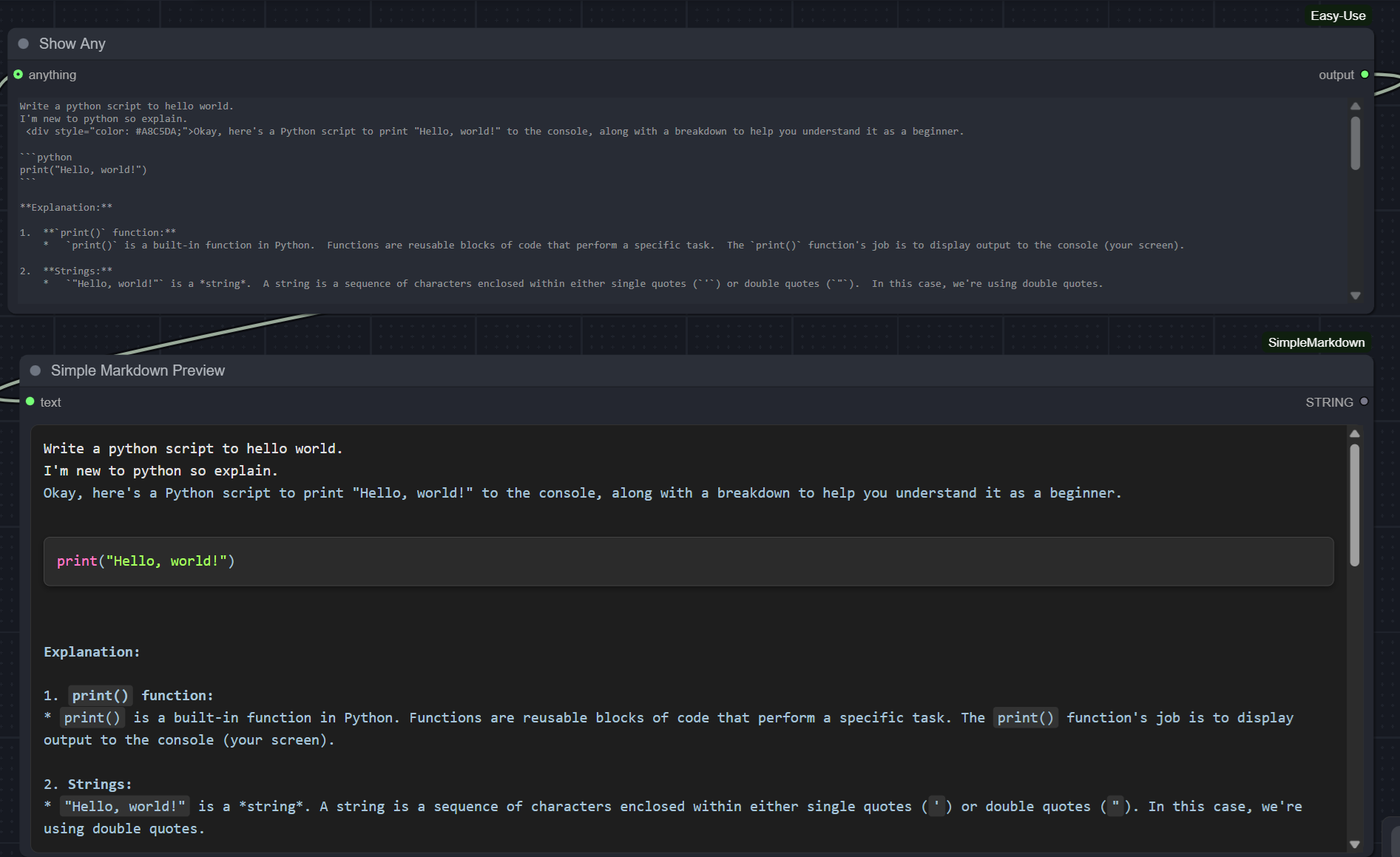
Features
- Stable Rendering - No widget recreation issues, works reliably in loops
- Syntax Highlighting - Python code blocks with color-coded syntax
- Markdown Support - Headers, bold text, lists, inline code
- Proper Spacing - Automatic indentation normalization and line break preservation
- Custom HTML Tags - Supports color div tags for custom styling
- Resizable Widget - Adjusts to node size
Installation
Via ComfyUI Manager
- Open ComfyUI Manager
- Search for "Simple Markdown Preview"
- Click Install
Manual Installation
- Navigate to your ComfyUI custom_nodes folder
- Clone this repository:
git clone https://github.com/Mohamed-Sakr/ComfyUI-SimpleMarkdown - Restart ComfyUI
Usage
- Add the Simple Markdown Preview node to your workflow
- Connect any string output to the text input
- The node will display formatted markdown with syntax highlighting
License
MIT License - See LICENSE file for details