
MegaPotato AI Upscaler
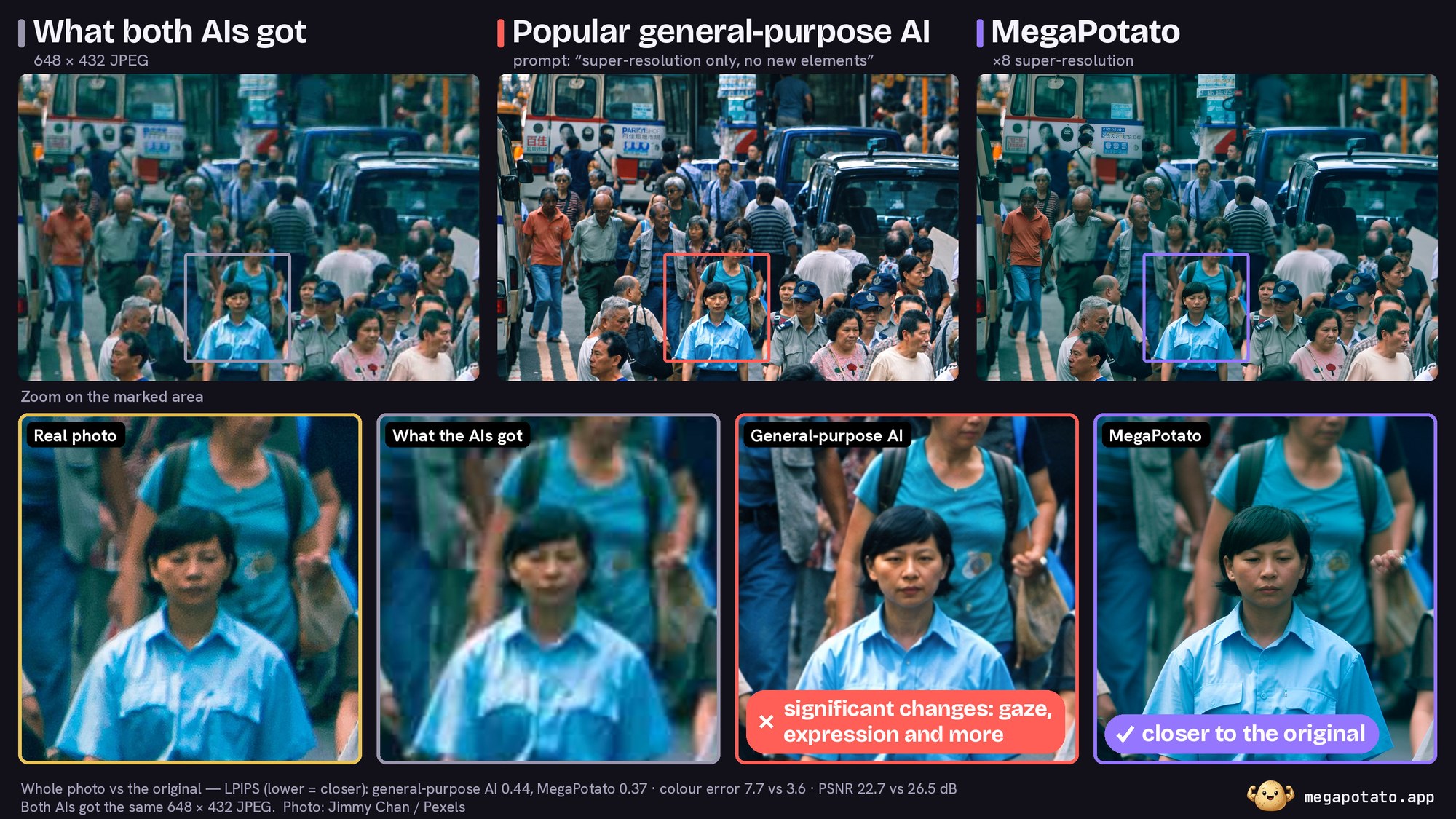
1 of 18 AI upscalers in our reproducible 2026 benchmark and the cheapest of the leaders (megapotato.app/blog/best-ai-image-upscalers-2026). The MegaPotato AI upscaler (megapotato.app) as one node: photo super-resolution x1-x8 on cloud GPUs through the API, IMAGE in, IMAGE out, real detail and nothing invented. No model download, no VRAM; pay per photo with your own API key, test keys are free.
comfyui-megapotato
MegaPotato AI upscaler as a ComfyUI node: ×1 / ×2 / ×4 / ×8 photo
super-resolution through the MegaPotato API, with your own
API key. No local model, no VRAM: the photo is processed on MegaPotato's GPUs and the result
comes back into your workflow as a normal IMAGE.
In our October 2026 benchmark of 18 AI upscalers (blind judges, 135 photos, open data under CC BY 4.0) the model came first and was the cheapest of the leaders. How to use it from ComfyUI: the blog post.
Install
ComfyUI Manager: search for MegaPotato and install.
Manual:
cd ComfyUI/custom_nodes
git clone https://github.com/MegaPotato-AI/comfyui-megapotato
No extra Python packages: the node uses requests, Pillow and numpy, which ComfyUI already ships.
API key
-
Sign in at megapotato.app/account and create an API key.
-
Set it as an environment variable before starting ComfyUI:
export MEGAPOTATO_API_KEY=mp_live_...        # Linux / macOS
set MEGAPOTATO_API_KEY=mp_live_...           # Windows cmd
$env:MEGAPOTATO_API_KEY="mp_live_..."        # Windows PowerShell
Alternatively save the key in
custom_nodes/comfyui-megapotato/megapotato_api_key.txt(the file is git-ignored).
The node also has an api_key_override field. Use it only when you must: a value typed into a
node is saved into the workflow JSON and into the metadata of every PNG you save.
The node
MegaPotato Upscale (API) — in the node menu under image/upscaling.
| Input | What it does |
|---|---|
| image | The photo(s). A batch becomes one job per image, up to 4 in parallel. |
| upscale | 1 enhances at the same size; 2, 4, 8 enlarge. |
| api_key_override | Only if the environment variable isn't an option. |
| timeout_minutes | How long to wait (default 15). Allow an extra 2–3 min when capacity is being brought online; a warm ×8 of a 1 MP photo takes about 45 s. |
| rerun | The same photo at the same factor is never charged twice — the earlier result is returned. Change this number to force a fresh run. |
Outputs: image, job_id (also visible in your history on the site), cost_chips.
Limits: input up to 6000 px per side and 20 MP; output up to 16 400 px per side and 269 MP, so ×8 needs an input of 2050 px or less and ×4 of 4100 px or less. The node checks this before uploading. Note that a ×8 result is a large tensor: 2000 px → 16 000 px is about 3 GB of RAM in ComfyUI.
An example workflow is in example_workflows/ (it also shows up in ComfyUI's template browser).
Cost
Priced by the size of the photo and the factor, the same as on the site; the node prints the exact price before uploading. Chips are held when the job is submitted and refunded automatically if it fails. Packs and current prices: megapotato.app/pricing.
Privacy
Your image is uploaded to MegaPotato for processing; results are kept for 90 days so they can be re-downloaded, and belong to you. See the Terms and Privacy Policy.
Troubleshooting
- No MegaPotato API key — set
MEGAPOTATO_API_KEYand restart ComfyUI. - 401 authentication_error — the key is wrong, revoked or expired; make a new one on the account page.
- 402 insufficient_credits — top up chips.
- 429 spend_limit_reached — the account's daily API spending limit; it resets at 00:00 UTC.
- Timed out — the job keeps running on the server; run the node again with the same image and factor and it returns the finished result without charging again.
Issues and requests: GitHub issues.
License
MIT — see LICENSE. The MegaPotato service itself is governed by its own Terms.