
ALL in ONE MiniMaxH3
All-in-one MiniMax H3 video generation for ComfyUI: T2V, I2V, R2V, audio drive, custom keyframes, video extension and Motion Context chains in a single node.
Nodes (10)
Kill the click at the Extend seam — the tiny node that makes continuations sound right
Keep H3 reference audio inside its 2–15 second window
Swapped your reference image and got the same video? This node is the fix
Lock your first frame to a reference image — or force the last one
The quiet node that lines your source video up with H3's frame grid before masking
Shrink the motion reference so H3 doesn't pay for pixels it never uses
One node, the entire MiniMax H3 video stack — no graph surgery required
A confidence report so you don't burn an H3 render on a bad mask track
Make a hand-painted mask ride along with the head instead of sitting still
Stitch 2–4 clips side-by-side for comparison — no external stitch pack
ComfyUI ALL-in-ONE MiniMax H3


One node. The whole MiniMax H3 video pipeline.
No node graph to build, no wires to connect, no hunting through twelve custom node packs to figure out which workflow is the right one. Pick a mode, drop in your prompt or references, hit Generate — the node does the rest.
Modes
| Mode | What it does | |------|--------------| | Image | Still images with H3: text to image, image edit, or reference mix (up to 9 references) via H3 Studio | | T2V | Text to video with native audio (fl2va model) | | I2V | Animate a start frame, optionally morph to an end frame | | R2V | Reference images / videos / audio drive the clip (ref2va model) | | Character Sheet | Turn up to 9 reference images of one character into a stitched turnaround sheet (6-panel full orbit or a faster 4-panel version) | | Audio Drive | Your audio track is the soundtrack, and it drives mouth movement (lip sync) | | Keyframes | Pin still images at arbitrary frame positions | | Extend | Continue an existing video seamlessly | | Chain | Multi-clip continuation with H3 Motion Context (latent path, no re-encode) | | Mask | Paint or describe a region in a video, track it, and replace only that area | | Upscale | RTX/Seed2VR Video Super Resolution hook |
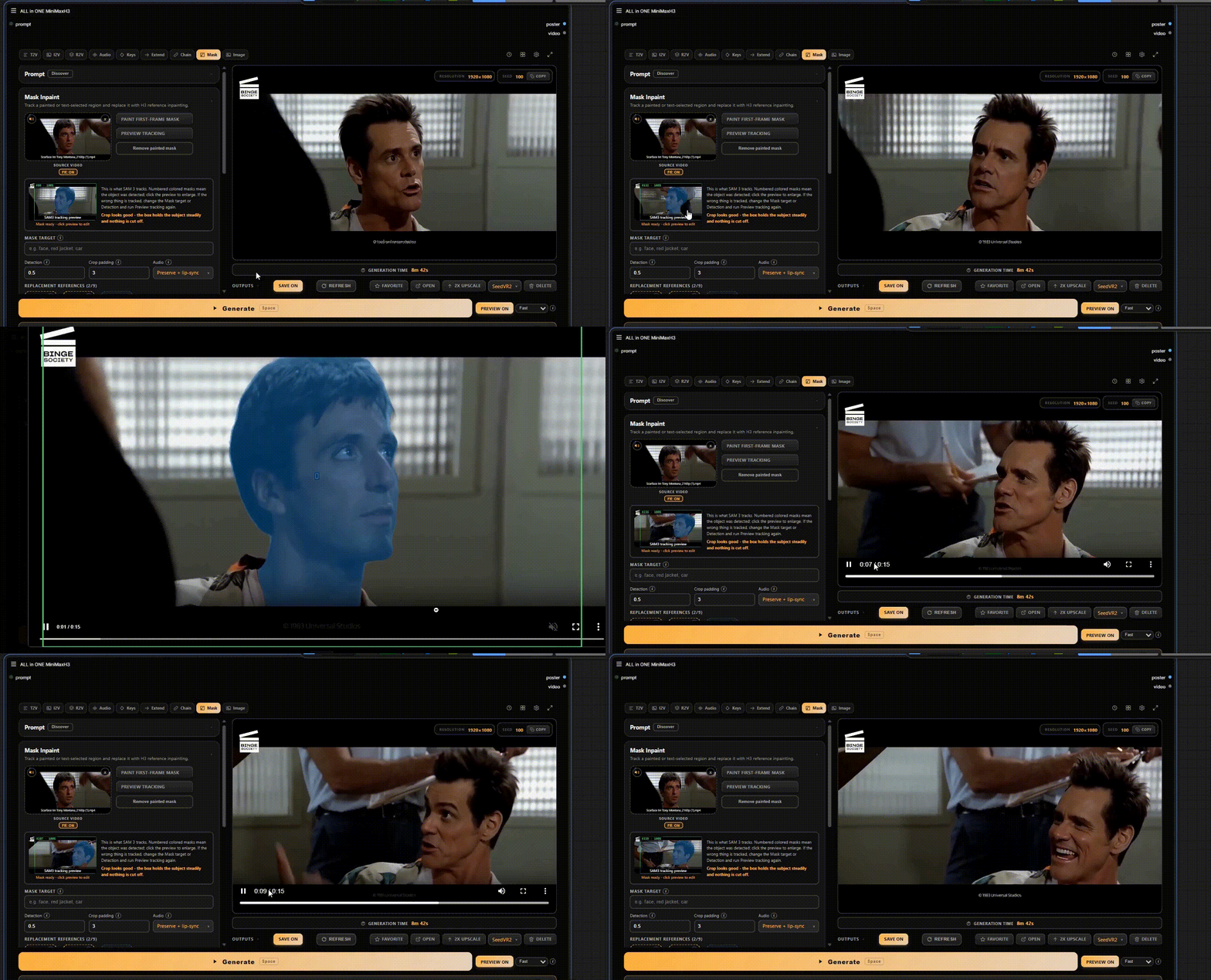
In Mask mode, painting a region and describing it with text are two separate paths. In my testing, mixing manual inpainting with a text prompt does not work well, so pick one approach per mask.
Compare & Stitch
Pick 2-4 outputs from the Library or the outputs strip and open Compare & Stitch. The Compare tab plays every clip side by side in sync, and the Stitch tab exports them as one side-by-side clip: deterministic frame matching at 24 fps, spacing and gutter color, per-clip trim, and h264 or h265/mp4 output. Audio comes from clip 1. Needs only ComfyUI VideoHelperSuite, which the node already lists below.
Screenshots
Modes — switch between modes, R2V, T2V, T2I, I2V, Audio Drive, Keyframes, Extend, Chain.
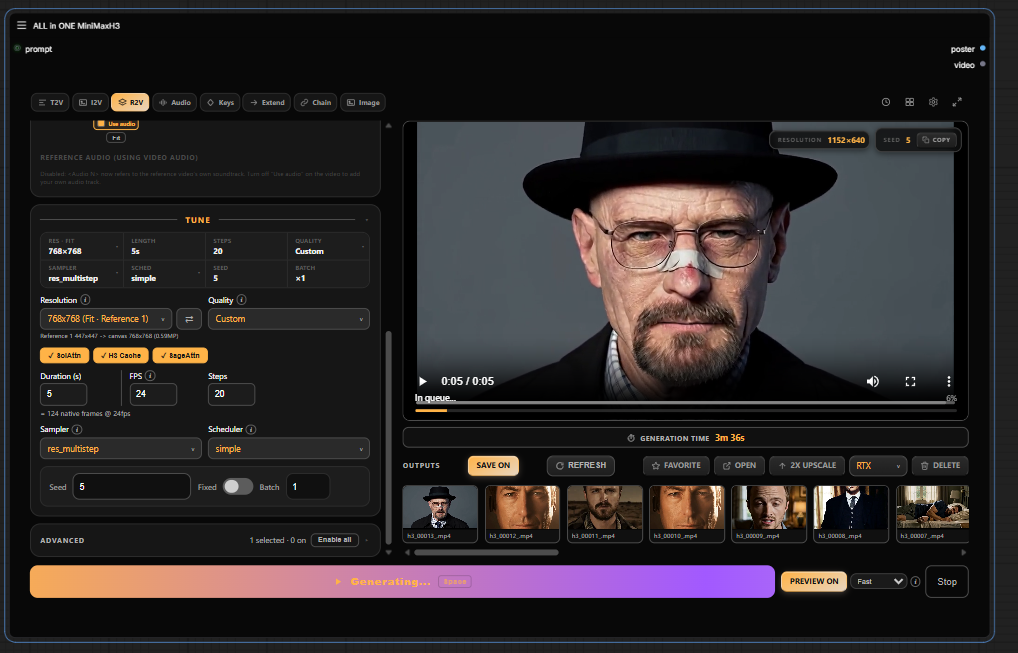
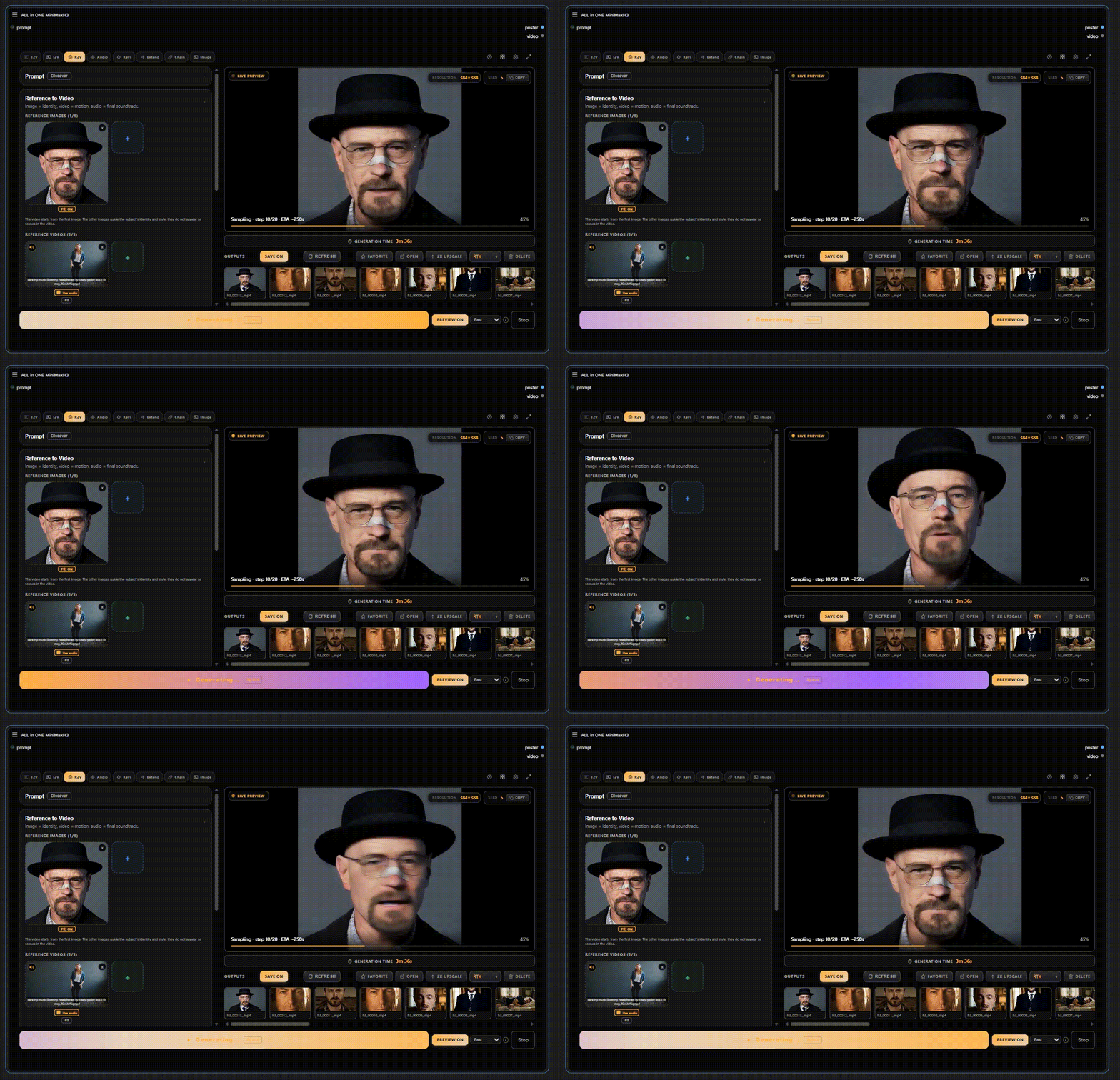
Live Preview — live preview of your video while sampling.
Masking — paint or describe a region, track it, and replace only that area.
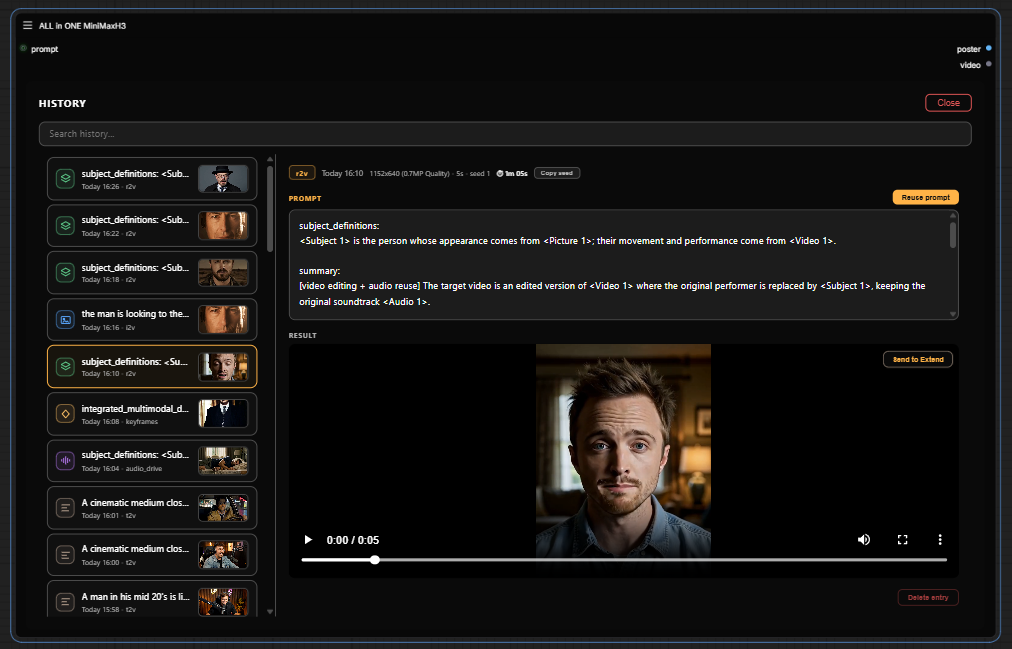
History — searchable, with prompt reuse and per-entry preview.
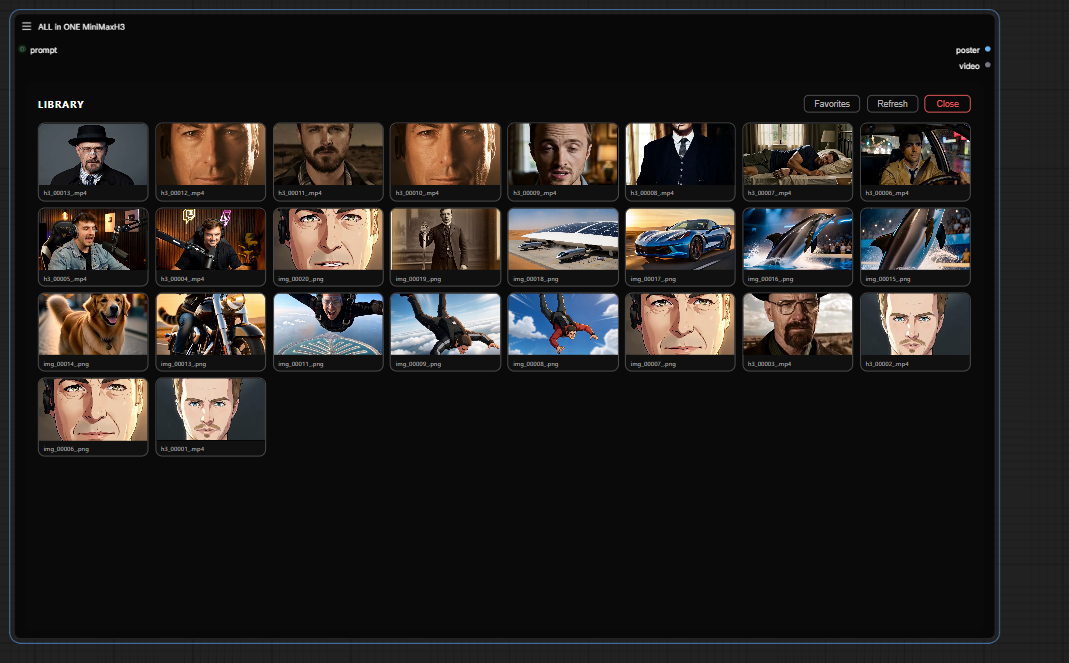
Library — every output in one place: inline preview, favorites, open-folder, delete, RTX upscale hook.
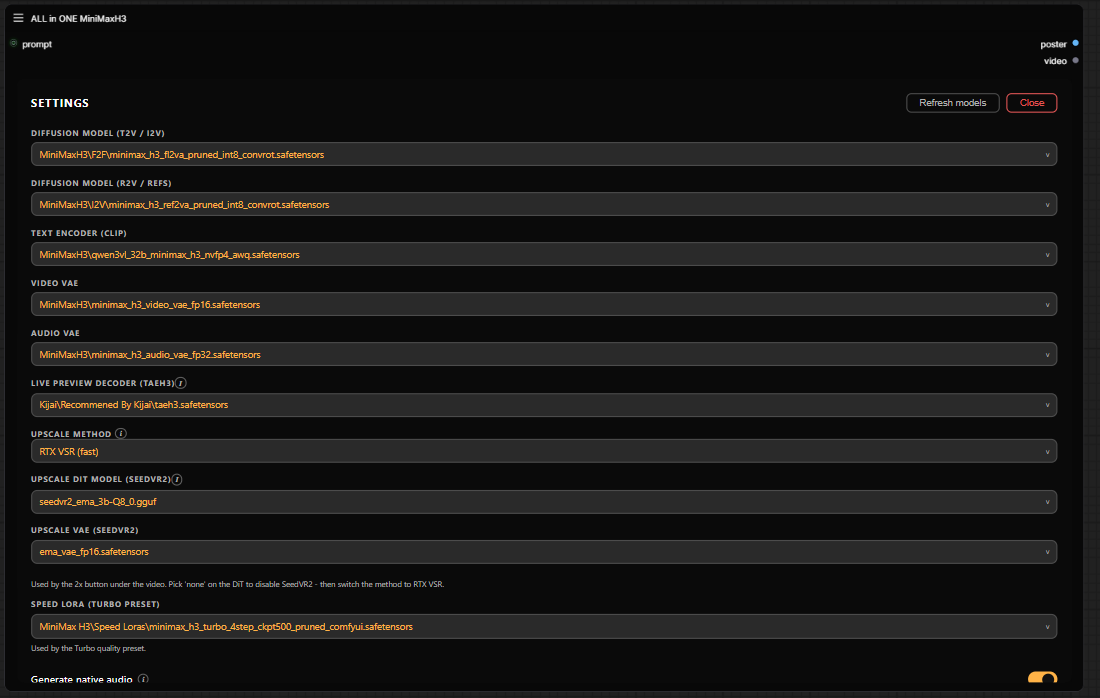
Settings — theme accent, sounds, models.
Requirements
T2V, I2V and R2V run on ComfyUI core alone. Everything else you might need, every model and every optional custom node pack, is listed in requirements/REQUIREMENTS.md.
The optional SLA Draft quality preset is a fast prompt-tweak mode that needs the ComfyUI-PlagueKind-Nodes pack. It is off by default.
The optional H3 Memory Opt chip (off by default) needs the H3-Optimizations pack and lowers H3's peak VRAM use.
Installation
# inside ComfyUI/custom_nodes/
git clone https://github.com/LeonQ8/ComfyUI-ALLinONE-MinimaxH3.git
Restart ComfyUI, then double-click the canvas and search for ALL in ONE MiniMaxH3.
Optional installer (beta)
New to ComfyUI? The installer sets up a separate ComfyUI with this node and every pack it needs, pinned to the versions we tested. It is for Windows with an NVIDIA RTX 40 card.
It is in beta. Please report any issues you run into. We may support more cards based on your reports.
- Download MiniMax-ALLinONE-Installer.zip. Its SHA-256 is on the release page.
- Unzip it into a new, empty folder, for example
C:\MiniMax. Do not use Program Files. - Double-click
install.bat. If Windows says it protected your PC, click More info, then Run anyway. It downloads Python, ComfyUI and the node packs (about 6 GB). - Start ComfyUI with
Run-MiniMax-ALLinONE.bat. Runupdate.batto get our latest tested versions.
Models are not included. Download them as listed in requirements/REQUIREMENTS.md.
The exact versions it installs, and how they differ from a manual install, are in installer/STACK.md.
Prefer your own ComfyUI? Clone this repo into your custom_nodes folder as shown above.
Compatibility
I develop and test against a pinned stack (ComfyUI version, custom node versions, model files). It's all listed in COMPATIBILITY.md, if a render fails after you updated something, start there.
Contributing
Contributions are welcome: bug fixes, compatibility improvements, and useful enhancements.
Before opening a pull request, please read CONTRIBUTING.md.
Credits
- The "one node" idea and UI approach: Ján — one-node-flux-2-klein and one-node-gemma-4
- Chain / Keyframes / Extend wiring: ComfyUI-H3-Motion-Context-MultiRef by seitanism
- Base graphs: the official MiniMax H3 native workflows from Comfy-Org
- Turbo preset: ComfyUI-MiniMax-H3-Turbo pack
- Image mode: ComfyUI-MiniMax-H3-Studio by thaakeno
- Mask mode crop and latent-mask nodes: MaskVidExperiments by drozbay
- Character Sheet mode: H3 Character Sheet Generator by PoopMan333
- H3 Memory Opt chip: @Olrik-WP
Support
This node is in beta — if something breaks, please open an issue, it's the fastest way to get it fixed.
If you like this node and it saves you a few hours of graph surgery, a coffee is always appreciated.<3
<a href="https://ko-fi.com/leonq8" target="_blank"><img height="36" style="border:0px;height:36px;" src="https://storage.ko-fi.com/cdn/kofi5.png?v=3" border="0" alt="Buy Me a Coffee at ko-fi.com" /></a>
License
GPL-3.0 — see LICENSE.